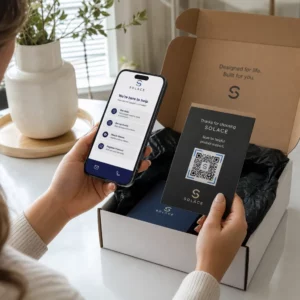
Czy Twoi klienci mają problem ze znalezieniem pomocy po zakupie? Słabe wsparcie posprzedażowe to jeden z najszybszych sposobów na utratę stałego klienta – a 52% konsumentów twierdzi, że słaba obsługa jest głównym powodem, dla którego nie kupią ponownie. Ten przewodnik wyjaśnia praktyczne sposoby wykorzystania kodów QR, aby wsparcie, zwroty i śledzenie zamówień były szybsze i łatwiejsze dla Twoich klientów.
Dlaczego wsparcie posprzedażowe ma większe znaczenie niż kiedykolwiek
Oczekiwania klientów się zmieniły. Szybka wysyłka, śledzenie w czasie rzeczywistym i bezproblemowe zwroty nie są już dodatkowymi udogodnieniami – to podstawowe wymagania. Zastanów się, co jest stawką:
- 88% klientów jest bardziej skłonnych do dokonania kolejnego zakupu po wspaniałym doświadczeniu obsługi
- 70% kupujących twierdzi, że łatwy i przejrzysty proces zwrotu zwiększa ich lojalność wobec sprzedawcy e-commerce
- 73% konsumentów chce śledzić swoje zamówienia przez cały czas dostawy, a gdy śledzenie jest dostępne, 96% z nich z niego korzysta
Wyzwanie dla większości marek e-commerce polega na tym, że punkty kontaktu wsparcia są rozproszone: klienci muszą szukać stron kontaktowych, nawigować po portalach zwrotów lub przeszukiwać potwierdzenia e-mail, aby znaleźć szczegóły zamówienia. Kody QR rozwiązują ten problem, przenosząc wsparcie bezpośrednio tam, gdzie klienci już są – na paczce w ich rękach, paragonie w ich skrzynce odbiorczej lub etykiecie na produkcie.
Gdzie umieścić kody QR w podróży posprzedażowej
Najskuteczniejsza strategia kodów QR przypisuje każdy kod do konkretnego momentu w doświadczeniu klienta. Oto miejsca o największym wpływie:
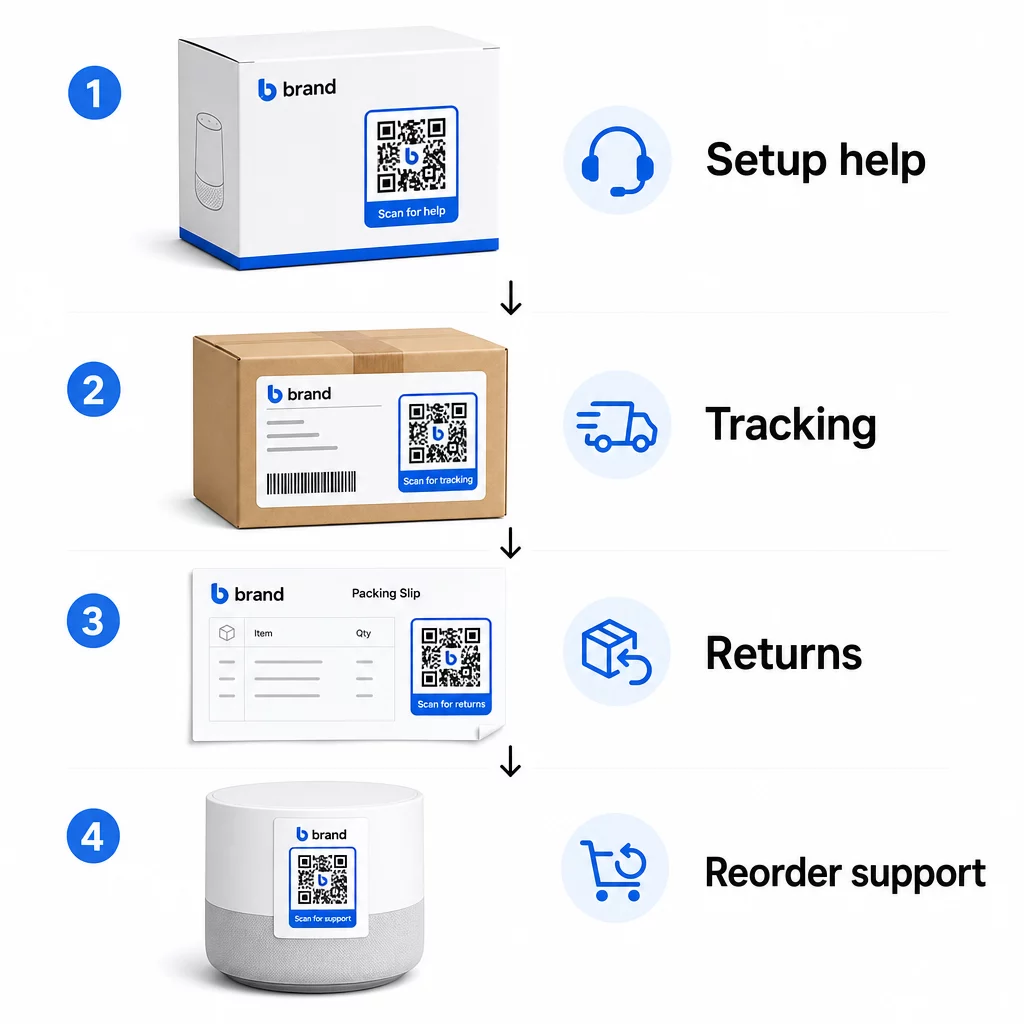
Opakowanie produktu. Kod QR na pudełku lub etykiecie zapewnia klientom natychmiastowy dostęp do instrukcji konfiguracji, szczegółów gwarancji i pomocy w rozwiązywaniu problemów zaraz po rozpakowaniu. W przypadku towarów trwałych, takich jak urządzenia AGD czy narzędzia, dodanie kodu QR do opakowania produktu może również prowadzić do filmów instruktażowych, rejestracji produktu lub przewodników po częściach zamiennych – przydatnych miesiące po zakupie.
Etykiety wysyłkowe i strony śledzenia. 88% kupujących online twierdzi, że śledzenie dostawy w czasie rzeczywistym jest kluczowe dla pozytywnego doświadczenia, a 43% sprawdza swoje śledzone zamówienia codziennie aż do dostawy. Kod QR na etykiecie wysyłkowej, który prowadzi bezpośrednio do strony śledzenia na żywo, eliminuje trudności związane z logowaniem się na konta lub szukaniem e-maili z potwierdzeniem.
Emaile z potwierdzeniem zamówienia i powiadomieniem o wysyłce. To są e-maile, które klienci faktycznie otwierają. Umieszczenie kodu QR, który prowadzi do centrum wsparcia specyficznego dla zamówienia – z możliwością śledzenia, często zadawanymi pytaniami i instrukcjami zwrotu – sprawia, że wszystko jest dostępne za jednym skanem.
Paragony i listy przewozowe. Kod QR na liście przewozowej może prowadzić do portalu zwrotów, formularza opinii lub strony z recenzjami produktów. Jest to łatwe do wdrożenia, wartościowe umiejscowienie, które zamienia dokument, który klienci już czytają, w bramę do wsparcia.
Etykiety produktów. W przypadku artykułów konsumpcyjnych lub przedmiotów używanych wielokrotnie, kod QR na etykiecie zapewnia stały dostęp do zaktualizowanych instrukcji, informacji dotyczących bezpieczeństwa lub linków do ponownego zamówienia długo po pierwotnym zakupie.
Spraw, aby Twoje punkty kontaktu ze wsparciem były możliwe do śledzenia Użyj Generator kodów QR do linków aby tworzyć kody do skanowania dla opakowań, e-maili i materiałów wysyłkowych – a następnie dokładnie śledzić, z jakich zasobów wsparcia korzystają klienci.
Kluczowe zastosowania wsparcia dla e-commerce
Kody QR są wystarczająco elastyczne, aby pełnić kilka odrębnych funkcji wsparcia. Najczęstsze z nich, które warto włączyć do swojego przepływu pracy:
Samodzielne rozwiązywanie problemów. Połącz kody QR ze stronami FAQ specyficznymi dla produktu lub samouczkami wideo. Klienci otrzymują pomoc 24/7 bez czekania na agenta wsparcia, a Ty zmniejszasz liczbę przychodzących zgłoszeń.
Zwroty i wymiany. Sprzedawcy detaliczni szacują, że 15.8% całkowitej rocznej sprzedaży zostanie zwrócone w 2025 roku – to prawie $850 miliardów. Uproszczenie procesu inicjacji ma znaczenie. Kod QR, który otwiera wstępnie wypełniony formularz zwrotu, generuje etykietę wysyłkową lub dostarcza instrukcje krok po kroku, eliminuje największy punkt tarcia w procesie zwrotu. Marki takie jak IKEA już przeszły na procesy zwrotów oparte na kodach QR, wysyłając kody e-mailem lub SMS-em po zarejestrowaniu zwrotu.
Czat na żywo i bezpośredni kontakt. Zamiast wymagać od klientów znalezienia widżetu czatu na Twojej stronie internetowej, kod QR na opakowaniu lub paragonie może otworzyć okno czatu wstępnie załadowane danymi zamówienia klienta – przyspieszając czas rozwiązania problemu po obu stronach.
Rejestracja gwarancji i rejestracja produktu. Kod QR na opakowaniu, który prowadzi bezpośrednio do formularza rejestracyjnego, zmniejsza liczbę kroków między zakupem a rejestracją, co poprawia zarówno wskaźniki ukończenia, jak i Twoją zdolność do dalszego kontaktu z odpowiednim wsparciem.
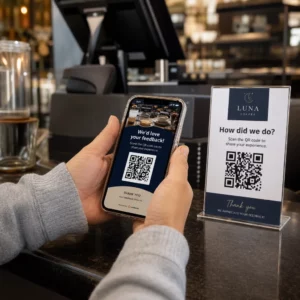
Opinie i recenzje. A kod QR do opinii klientów umieszczony na paragonach, opakowaniach lub w e-mailach po zakupie ułatwia klientom dzielenie się swoimi doświadczeniami. A kodu QR do opinii Google wysyła ich bezpośrednio na Twoją stronę z recenzjami za pomocą jednego skanu. Proaktywne zbieranie tych opinii pomaga również wychwycić problemy z produktem lub realizacją zamówienia, zanim się nasilą.
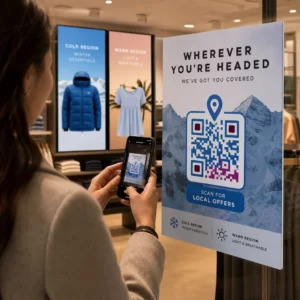
Obsługa wielu języków. Dynamiczne kody QR mogą wykrywać lokalizację klienta i wyświetlać treści w odpowiednim języku – przydatne dla sprzedawców międzynarodowych, którzy muszą wspierać różnorodne grupy odbiorców bez tworzenia oddzielnych materiałów drukowanych dla każdego regionu.
Zbieraj opinie bez dodatkowych trudności Użyj Generator kodów QR do Google Forms aby stworzyć skanowalny link do opinii dla e-maili po zakupie lub listów przewozowych i zacząć zbierać przydatne spostrzeżenia z każdego zamówienia.
Dlaczego dynamiczne kody QR są właściwym wyborem dla wsparcia
A dynamiczny kod QR to taki, w którym docelowy adres URL można edytować po wydrukowaniu kodu – bez zmiany samego kodu. Dla obsługi klienta ta różnica ma większe znaczenie, niż mogłoby się wydawać.
Zasoby wsparcia zmieniają się regularnie. Polityki zwrotów są aktualizowane, przewodniki rozwiązywania problemów są poprawiane, a metody kontaktu zmieniają się. W przypadku statycznego kodu QR każda aktualizacja oznacza ponowne drukowanie wszystkich opakowań, wkładek lub etykiet. W przypadku kodu dynamicznego aktualizujesz miejsce docelowe w swoim panelu, a każdy istniejący kod natychmiast odzwierciedla zmianę.
Dynamiczne kody QR umożliwiają również analitykę. Możesz śledzić, ile razy kod został zeskanowany, z jakich lokalizacji, na jakich typach urządzeń i o jakich porach. Dane te ujawniają, z których zasobów wsparcia klienci faktycznie korzystają – i które punkty styku generują najwięcej zapytań. Na przykład, gwałtowny wzrost skanów przewodnika rozwiązywania problemów może wskazywać na powtarzający się problem z produktem, który warto rozwiązać na wcześniejszym etapie. Możesz zbadać jak kody QR poprawiają dostawy i wsparcie w e-commerce aby zobaczyć, jak inne marki stosują to podejście.
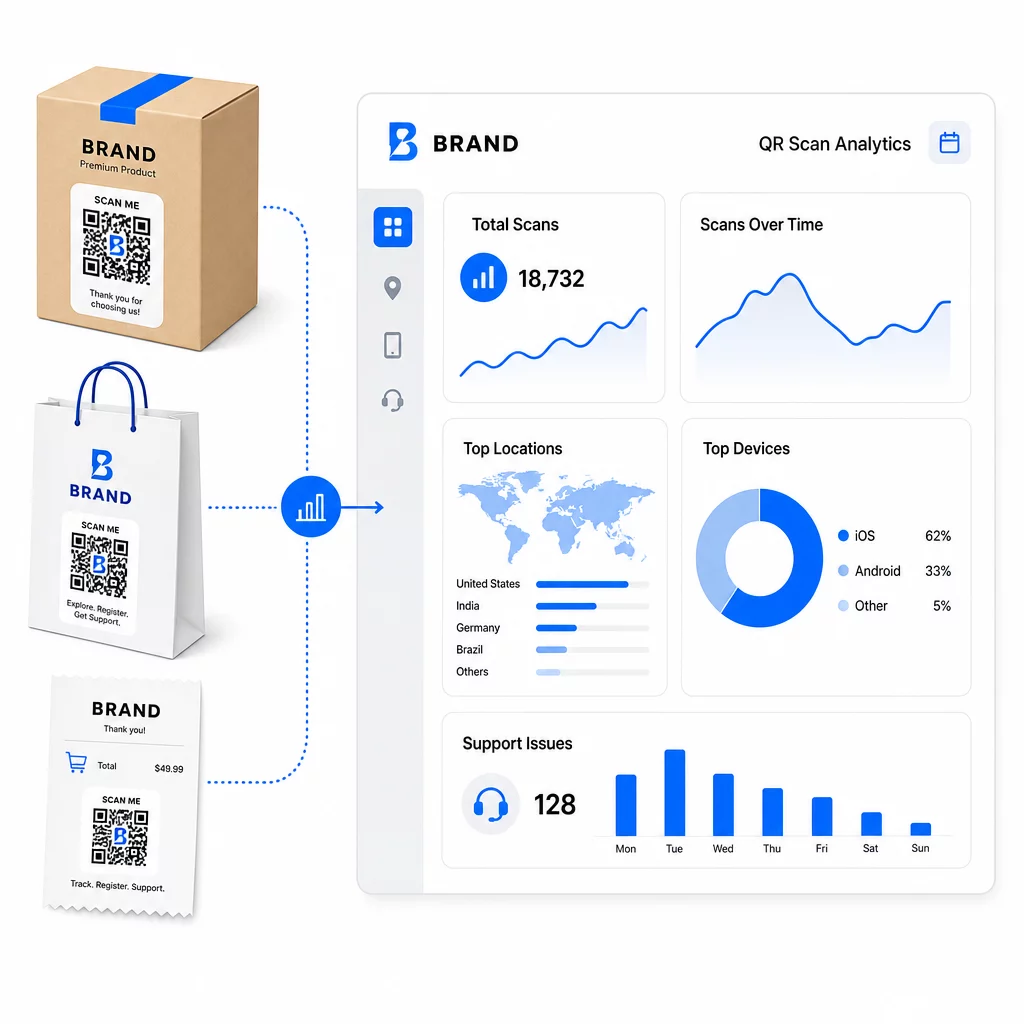
Utrzymuj linki wsparcia aktualne bez ponownego drukowania Użyj narzędzia Pageloot Generator kodów QR aby tworzyć dynamiczne kody dla Twoich opakowań i wkładek – aktualizuj miejsca docelowe w dowolnym momencie z pulpitu nawigacyjnego, bez dotykania drukowanego materiału.
Personalizacja za pomocą kodów QR
Jedną z niedostatecznie wykorzystywanych możliwości jest dostarczanie treści wsparcia dostosowanych do konkretnego klienta lub produktu. Dzięki dynamicznym kodom QR możesz skonfigurować kody tak, aby wyświetlały różne treści w zależności od:
- Typ produktu – Kod QR na blenderze prowadzi do instrukcji konfiguracji i gwarancji blendera, a nie do ogólnej strony wsparcia
- Historia zakupów – Powracający klienci mogą zostać przekierowani do centrum lojalnościowego lub spersonalizowanej strony ponownego zamówienia
- Lokalizacja – Klienci międzynarodowi widzą treści specyficzne dla regionu lub lokalne instrukcje zwrotu
Takie podejście zmienia ogólny punkt kontaktu wsparcia w coś, co wydaje się zaprojektowane dla indywidualnego klienta – co bezpośrednio wpływa na to, czy powróci.
Wykorzystanie analityki kodów QR do poprawy wsparcia
Dane zebrane ze skanów kodów QR to nie tylko próżna metryka – to bezpośredni sygnał o tym, gdzie klienci napotykają trudności. Dobrze zorganizowana konfiguracja analityczna może Ci powiedzieć:
- Które produkty generują najwięcej skanów wsparcia (możliwy problem z jakością lub dokumentacją)
- Z którymi punktami kontaktu klienci najczęściej wchodzą w interakcje (opakowanie vs. e-mail vs. paragon)
- Kiedy w osi czasu po zakupie klienci szukają pomocy (natychmiast po dostawie vs. tygodnie później)
- Wzorce geograficzne, które mogą wskazywać na regionalne problemy z realizacją zamówień
Platformy, które oferują Śledzenie i analityka kodów QR dają Ci pętlę informacji zwrotnej w czasie rzeczywistym, która w innym przypadku wymagałaby ręcznych ankiet klientów lub analizy zgłoszeń do wsparcia. Dobrze wykorzystane, te dane pozwalają wprowadzać proaktywne ulepszenia, a nie reaktywne.
Praktyczne wskazówki dotyczące wdrożenia
Przed wdrożeniem kodów QR do obsługi klienta, kilka wskazówek uchroni Cię przed typowymi problemami:
- Przetestuj kody przed masowym drukowaniem. Zeskanuj każdy kod na wielu urządzeniach i systemach operacyjnych, aby potwierdzić, że działa poprawnie.
- Utrzymuj strony docelowe zoptymalizowane pod kątem urządzeń mobilnych. Klienci skanujący kod QR korzystają z telefonów. Strona, która ładuje się wolno lub nie wyświetla się poprawnie na urządzeniach mobilnych, podważy całe doświadczenie.
- Dopasuj rozmiar kodów do powierzchni. Kody na małych etykietach produktów muszą być wystarczająco duże, aby można je było niezawodnie zeskanować. Przejrzyj najlepszych praktyk użyteczności kodów QR aby uzyskać szczegółowe wskazówki dotyczące rozmiaru w oparciu o odległość oglądania.
- Dołącz krótkie wezwanie do działania w pobliżu kodu. “Skanuj, aby uzyskać przewodnik konfiguracji” lub “Skanuj, aby rozpocząć zwrot” eliminuje dwuznaczność i zwiększa wskaźniki skanowania.
- Używaj markowych, rozpoznawalnych projektów. Klienci są bardziej skłonni zauważyć i zeskanować kod, który wizualnie pasuje do Twojej marki. Kody z logo i kolorami marki działają lepiej niż generyczne czarno-białe kwadraty.
- Używaj kodów dynamicznych, gdy zawartość może się zmienić. Jeśli istnieje szansa, że docelowy adres URL będzie wymagał aktualizacji, zacznij od kodu dynamicznego.
Zalety i wady w skrócie
| Czynnik | Obsługa kodów QR | Tradycyjne wsparcie cyfrowe |
|---|---|---|
| Szybkość dostępu | Natychmiastowo poprzez skanowanie | Wymaga nawigacji lub wyszukiwania |
| Dostępność 24/7 | Tak | Różnie |
| Personalizacja | Wysoka (kody dynamiczne) | Umiarkowany |
| Konserwacja | Niska (aktualizacje dynamiczne) | Umiarkowany |
| STATYSTYKI | Wbudowane | Wymaga oddzielnej konfiguracji |
| Dostępność | Wymaga smartfona | Działa na różnych urządzeniach |
| Zależność od druku | Wymaga fizycznego umieszczenia | Tylko cyfrowe |
Głównym ograniczeniem jest wykluczenie cyfrowe: klienci bez smartfonów lub niezawodnego dostępu do internetu nie mogą korzystać ze wsparcia opartego na kodach QR. Dla tych klientów będziesz potrzebować równoległej ścieżki wsparcia – numeru telefonu lub drukowanych instrukcji – aby nikt nie pozostał bez pomocy.
Warto również zająć się kwestią bezpieczeństwa. Używaj linków HTTPS, utrzymuj spójny branding i rozważ poinformowanie klientów z wyprzedzeniem (za pośrednictwem tekstu na opakowaniu lub e-maili z zamówieniem), dokąd prowadzą Twoje kody QR i jakie dane są zbierane. Przejrzystość buduje zaufanie, które sprawia, że klienci chętnie skanują.
Podsumowanie
Kody QR najlepiej sprawdzają się w obsłudze klienta, gdy są umieszczane w momentach, w których klienci najbardziej potrzebują pomocy – rozpakowywanie, śledzenie przesyłki lub inicjowanie zwrotu – i gdy prowadzą do zasobów, które są naprawdę użyteczne, a nie tylko do strony głównej. Kody dynamiczne sprawiają, że jest to zrównoważone: możesz aktualizować treści wsparcia bez ponownego drukowania czegokolwiek, a analityka bezpośrednio wpływa na Twoje zrozumienie, gdzie doświadczenie klienta się załamuje.
Plik studia przypadków kodów QR w e-commerce pokazują mierzalne wyniki, gdy wdrożenie jest przemyślane. Zacznij od jednego lub dwóch punktów styku o wysokim tarciu – zwroty i śledzenie zamówień to dobrzy kandydaci – i rozwijaj się stamtąd, ucząc się, co klienci faktycznie skanują.
Zacznij tworzyć swoje kody QR wsparcia Pageloot Generator kodów QR pozwala tworzyć dynamiczne, markowe kody dla każdego etapu podróży po zakupie – śledzić skany, aktualizować miejsca docelowe i zapewniać lepsze wsparcie bez ponownego drukowania.
Najczęściej zadawane pytania
Najskuteczniejsze zastosowania to linki do stron śledzenia zamówień, formularzy inicjowania zwrotów, przewodników rozwiązywania problemów specyficznych dla produktu, filmów instruktażowych, rejestracji gwarancji i czatu na żywo. Treści, których klienci potrzebują szybko i na urządzeniu mobilnym, pasują idealnie. Instrukcje PDF, Formularze Google do zbierania opinii i strony kontaktowe bezpośredniego wsparcia również sprawdzają się dobrze, gdy są połączone za pomocą kodu QR PDF lub kodu opartego na linku.
Używaj dynamicznych kodów QR, które pozwalają zmieniać docelowy adres URL z poziomu panelu sterowania bez zmieniania samego wydrukowanego kodu. Oznacza to, że możesz aktualizować polityki zwrotów, wymieniać przewodniki rozwiązywania problemów lub przekierowywać klientów do nowego portalu wsparcia w dowolnym momencie – bez ponownego drukowania opakowań, wkładek czy etykiet.
Analityka kodów QR pokazuje liczbę skanów, czas skanowania, lokalizację geograficzną i typ urządzenia dla każdego kodu. Jeśli widzisz wysokie wskaźniki skanowania dla konkretnego przewodnika rozwiązywania problemów, jest to sygnał powtarzającego się problemu z produktem. Niskie wskaźniki skanowania dla kodu zwrotów mogą oznaczać złe umiejscowienie lub niejasne instrukcje dotyczące kodu. Wykorzystaj te dane do udoskonalania zarówno umiejscowienia, jak i treści docelowej w czasie.