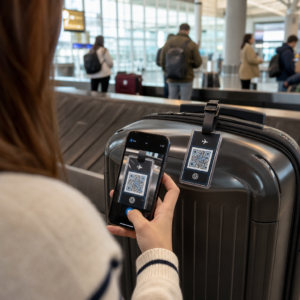
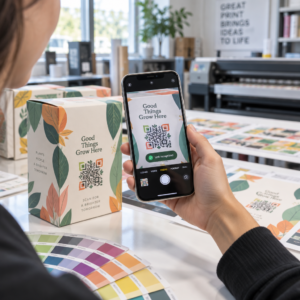
Jak udostępnić 40-stronicowy zbiór danych lub pełną bibliografię komuś, kto stoi przed Twoim plakatem przez 90 sekund? Papierowe materiały się kończą, adresy URL są zbyt długie do wpisania, a aplikacje wymagają pobierania, którego nikt nie chce. Kody QR rozwiązują wszystkie trzy problemy za pomocą jednego skanu – ten przewodnik wyjaśnia, jak skutecznie używać ich na plakatach badawczych i prezentacjach konferencyjnych.
Do czego linkować swój kod QR
Zanim wygenerujesz kod, zdecyduj, co powinien on faktycznie robić dla osoby skanującej. Najbardziej przydatne linki na konferencjach naukowych dzielą się na kilka wyraźnych kategorii.
Materiały badawcze i dane uzupełniające to najczęstszy przypadek użycia. Plakat ma ograniczoną przestrzeń, więc kod QR może wskazywać na Twój pełny artykuł, listę referencji, dodatkowe rysunki, surowe zbiory danych lub wersje wykresów w wysokiej rozdzielczości, które są trudne do odczytania w druku. Przewodniki bibliotek uniwersyteckich zauważają, że kody QR są szczególnie praktyczne, gdy jest zbyt wiele referencji, aby umieścić je bezpośrednio na plakacie – kod po prostu kieruje widzów do kompletnej listy online.
Użyj Kod QR PDF aby bezpośrednio hostować Twój artykuł lub plik uzupełniający, dzięki czemu uczestnicy uzyskują natychmiastowy dostęp bez konieczności przeszukiwania bazy danych lub wpisywania DOI.
Informacje kontaktowe są równie ważne. Networking na konferencjach odbywa się szybko, a vCard Kod QR pozwala komuś zeskanować Twoją plakietkę lub plakat i zapisać Twoje imię, instytucję, adres e-mail i stronę internetową bezpośrednio w kontaktach telefonu – bez wizytówek i błędów w transkrypcji.
Opinie i ankiety rozszerzają rozmowę poza sesję plakatową. Umieszczenie linku do krótkiego formularza Google pozwala uczestnikom zadawać pytania lub oceniać Twoją pracę w kilka sekund. Kod QR formularza Google sprawia, że formularz jest dostępny z dowolnego materiału drukowanego, bez konieczności wpisywania adresu URL.
Slajdy prezentacji i multimedia sprawdzają się dobrze, gdy są osadzone w prezentacjach. Umieszczenie kodu QR na początku lub na końcu wystąpienia pozwala publiczności pobrać slajdy, uzyskać dostęp do nagrania lub odwiedzić powiązane zasoby bez przerywania sesji.
Udostępniaj materiały badawcze natychmiast Prześlij swój artykuł, plakat lub plik uzupełniający i wygeneruj skanowalny kod w kilka minut za pomocą Generator kodów QR do PDF.
Statyczne vs. Dynamiczne Kody QR: Których Używać
A statyczny kod QR koduje docelowy adres URL bezpośrednio w wzorze. Po wydrukowaniu nie można go zmienić – jeśli połączona strona zostanie przeniesiona lub plik zaktualizowany, kod staje się bezużyteczny.
A dynamiczny kod QR koduje zamiast tego krótki adres URL przekierowania. Możesz zaktualizować cel w dowolnym momencie z pulpitu nawigacyjnego bez ponownego drukowania czegokolwiek. Jest to szczególnie cenne w przypadku zastosowań konferencyjnych, gdzie zmiany harmonogramu i aktualizacje plików w ostatniej chwili są rutyną. Kody dynamiczne generują również analitykę: możesz zobaczyć całkowitą liczbę skanów, unikalne skany, typy urządzeń, dane geograficzne i znaczniki czasu, co daje rzeczywistą miarę tego, ile osób faktycznie zaangażowało się w Twoje materiały.
Do wszystkiego, co planujesz wydrukować z wyprzedzeniem – plakaty, identyfikatory, materiały konferencyjne – dynamiczne kody QR są bezpieczniejszym wyborem. Generator dynamicznych kodów QR pozwala przekształcić dowolny adres URL w kod dynamiczny, edytować cel po wydrukowaniu i śledzić zaangażowanie z jednego pulpitu nawigacyjnego.
Zespół badawczy finansowany przez DARPA na Uniwersytecie Kalifornijskim w Santa Cruz wykorzystał dynamiczne kody QR do śledzenia kontroli jakości w pięciu uniwersytetach podczas produkcji urządzeń bioelektronicznych. Monitorując dane skanowania, zidentyfikowali, że jeden etap produkcji miał tylko 59% wskaźnik sukcesu łączenia – odkrycie, które byłoby trudne do ujawnienia bez wbudowanego śledzenia. Jak zauważył badacz Cristian Hernandez, “System śledzenia kodów QR pozwolił naszemu zespołowi ustalić, że etap 6 miał tylko 59% wskaźnik sukcesu łączenia… posiadanie tych danych wskazało pierwotną przyczynę trybu awarii urządzenia bioelektronicznego.”
Projektowanie Kodów QR dla Niezawodnego Skanowania
Kod QR, który wygląda dobrze, ale nie skanuje się, jest gorszy niż żaden kod. Te zasady projektowania zapewniają, że Twój kod będzie działał w warunkach prawdziwego środowiska konferencyjnego.
Rozmiar i odległość skanowania
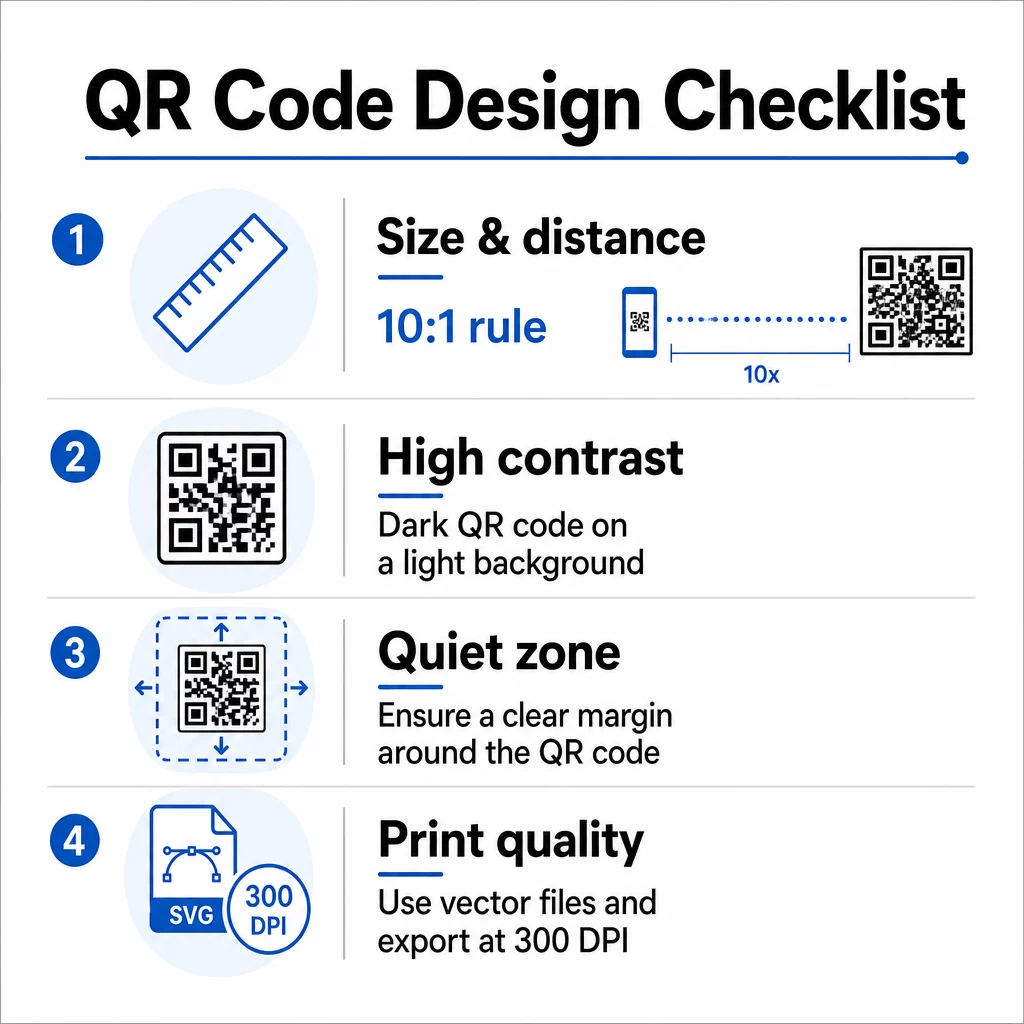
Postępuj zgodnie z zasadą 10:1: szerokość kodu powinna wynosić mniej więcej jedną dziesiątą oczekiwanej odległości skanowania. W przypadku plakatu badawczego oglądanego z odległości około 50 cm (20 cali), kod powinien mieć co najmniej 5 cm (2 cale) szerokości. Pageloot’s wytyczne dotyczące rozmiaru dla materiałów drukowanych zalecają minimum 3 × 3 cm dla plakatów, z 6 × 6 cm jako idealnym celem. Niektóre przewodniki uniwersyteckie sugerują minimum około 5 × 5 cali dla kodów na plakatach, które muszą być czytelne z odległości stojącej.
W przypadku slajdów prezentacji kod musi być wystarczająco duży, aby można go było zeskanować z miejsca. Przetestuj go na rzeczywistej odległości projekcji przed sesją.
Kontrast i kolor
Skanery odczytują kody QR, wykrywając kontrast między ciemnymi modułami a jasnym tłem. Niewystarczający kontrast jest jedną z głównych przyczyn niepowodzenia skanowania. Używaj ciemnych wzorów kodów na jasnym lub białym tle i dąż do współczynnika kontrastu wynoszącego co najmniej 4.5:1. Unikaj odwróconych schematów (jasny kod na ciemnym tle), gradientów lub wzorzystych teł za kodem.
Jeśli chcesz użyć kolorów marki lub instytucji, możesz – pod warunkiem, że współczynnik kontrastu pozostanie wystarczająco wysoki. Aby uzyskać więcej szczegółów na temat tego, które kombinacje kolorów działają, a które zawodzą, zobacz Pageloot’s najlepszymi praktykami kontrastu kolorów kodów QR.
Strefa ciszy
Strefa ciszy to wyraźny margines otaczający kod. ISO/IEC 18004 określa minimum czterech modułów pustej przestrzeni ze wszystkich czterech stron. Nie umieszczaj tekstu, logo, obramowań ani tekstur tła wewnątrz tego marginesu. Na plakacie oznacza to pozostawienie widocznej białej przestrzeni wokół kodu – traktuj ją jako część projektu, a nie zmarnowaną przestrzeń.
Format Pliku i Jakość Druku
Eksportuj swój kod QR jako plik wektorowy (SVG lub EPS) do druku wielkoformatowego. Formaty rastrowe, takie jak PNG, mogą pikselizować się po powiększeniu, co utrudnia rozróżnienie poszczególnych modułów i zmniejsza możliwość skanowania. Dla standardowych rozdzielczości druku, minimum 300 DPI jest praktycznym standardem.
Pobierz pliki kodu QR gotowe do druku Pobierz swój kod w formacie SVG, EPS lub PDF do druku plakatów w wysokiej rozdzielczości z Generator kodów QR.
Umiejscowienie na plakatach i slajdach
Miejsce, w którym umieścisz kod, wpływa na to, czy ludzie faktycznie go zeskanują. Wytyczne ze źródeł komunikacji naukowej zalecają umieszczanie kodu QR pod koniec ścieżki czytania plakatu – przy wnioskach lub głównej myśli – tak aby pojawił się po tym, jak widz już zaangażował się w treść. Jest to logiczny moment, aby zaoferować więcej: “Chcesz pełny zestaw danych? Zeskanuj tutaj.”
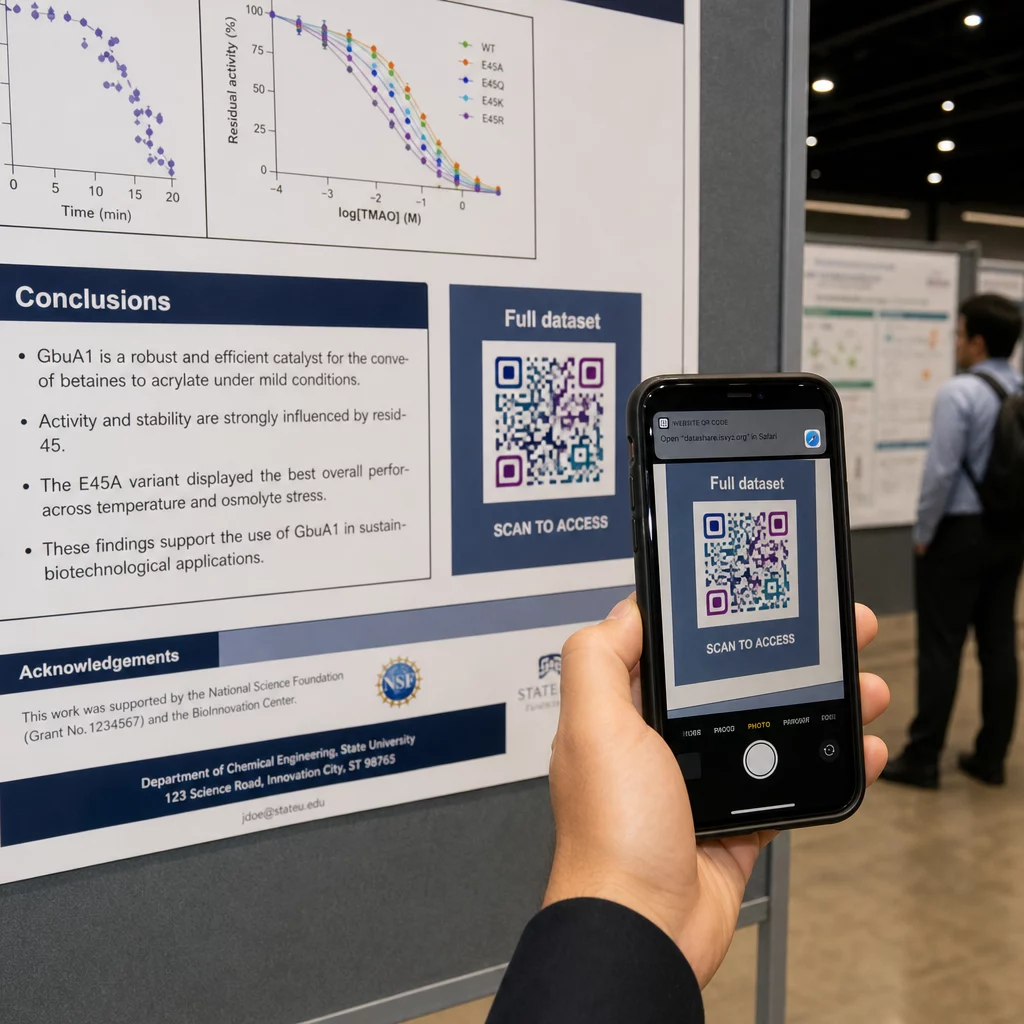
Na plakacie pionowym, dolny prawy obszar jest naturalnym punktem spoczynku dla oka po przeczytaniu. W układzie poziomym, prawa strona działa podobnie. Dla Kody QR na plakatach, umieszczenie na wysokości wzroku (około 3.5–5.5 stóp od podłogi) pozwala uczestnikom wygodnie skanować bez schylania się.
Zawsze łącz kod z krótkim wezwaniem do działania, które informuje ludzi, co otrzymają:
- “Zeskanuj, aby uzyskać pełny artykuł”
- “Uzyskaj dostęp do danych uzupełniających”
- “Zapisz moje dane kontaktowe”
- “Pobierz prezentację”
Bez CTA (wezwania do działania), wielu uczestników całkowicie zignoruje kod – nie wiedzą, czy warto go skanować.
W przypadku slajdów prezentacji, wyświetl kod QR przez co najmniej 15–20 sekund i ustnie go wspomnij. Umieszczenie go w prawym dolnym rogu slajdu sprawia, że jest widoczny, nie konkurując z główną treścią. Kody dynamiczne są tutaj szczególnie przydatne: jeśli cel zmienia się między prelekcjami lub datami konferencji, aktualizujesz link bez dotykania pliku slajdu.
Wskazówki dotyczące umieszczania w różnych kontekstach, Pageloota Przewodnik po rozmieszczaniu kodów QR omawia pozycjonowanie na wysokości wzroku, wybór tła i dopasowanie umiejscowienia do intencji użytkownika.
Testowanie przed drukiem
Przetestuj kod przed wysłaniem plakatu do druku lub finalizacją slajdów. Konkretnie:
- Skanuj z rzeczywistej odległości, z jakiej publiczność będzie stać lub siedzieć
- Przetestuj na co najmniej dwóch różnych urządzeniach (iOS i Android)
- Wypróbuj w różnych warunkach oświetleniowych, w tym przy świetle jarzeniowym, powszechnym w salach konferencyjnych
- Sprawdź, czy połączone miejsce docelowe ładuje się poprawnie, również przy połączeniu komórkowym (nie tylko Wi-Fi)
- Sprawdź, czy pliki PDF i inne otwierają się na urządzeniach mobilnych bez konieczności używania aplikacji desktopowej
Jeśli używasz kodu dynamicznego, potwierdź, że przekierowanie działa poprawnie po wszelkich aktualizacjach miejsca docelowego. Pełną listę kryteriów projektowania i testowania znajdziesz w Pageloot’s najlepsze praktyki czytelności kodów QR.
Wykorzystanie kodów QR poza plakatem
Konferencje naukowe oferują wiele punktów styku, gdzie kody QR dodają praktycznej wartości poza tablicą z plakatem.
Identyfikatory konferencyjne z kodami QR vCard pozwalają każdemu uczestnikowi zapisać Twoje dane kontaktowe podczas rozmów na korytarzu – nie ma potrzeby wymiany numerów telefonów, ani karty, która zgubi się w torbie.
Materiały sesyjne połączone za pomocą kodu QR zastępują stosy papieru. Pojedynczy kod na wydrukowanym abstrakcie może połączyć uczestników z pełnymi materiałami konferencyjnymi, powiązanymi publikacjami lub formularzem opinii po sesji.
Rejestracja i odprawa procesy korzystają z kodów QR obecności, które weryfikują tożsamość i śledzą uczestnictwo, dając organizatorom bieżące dane o liczbie uczestników na sesję.
Materiały networkingowe może użyć kodu QR z linku aby połączyć się ze stroną internetową laboratorium, profilem Google Scholar lub stroną LinkedIn – dając zainteresowanym kolegom wiele sposobów na kontynuowanie kontaktu po zakończeniu konferencji.
Konferencja IASCON 2022 pokazała, jak to wygląda na dużą skalę. Organizatorzy umieścili kody QR przy biurku rejestracyjnym, przed salami konferencyjnymi oraz w slajdach prezentacji, całkowicie zastępując papierowe harmonogramy i materiały informacyjne. Uczestnicy mogli uzyskać dostęp do szczegółów sesji, profili prelegentów i pobrać prezentacje, skanując kody w każdej lokalizacji. Mobilny system odpowiedzi uruchamiany przez kody QR umożliwił ankiety na żywo i sesje pytań i odpowiedzi bez pobierania żadnych aplikacji, osiągając wskaźniki uczestnictwa porównywalne z tradycyjnymi formularzami papierowymi. Analizy z wydarzenia ujawniły większe zaangażowanie podczas sesji porannych i zauważalny spadek po obiedzie – dane, które bezpośrednio wpłynęły na przyszłe decyzje dotyczące harmonogramu.
Kody QR działają na konferencjach każdej wielkości z tego samego powodu: usuwają tarcie między ciekawym uczestnikiem a informacjami, których szuka. Dobrze umieszczony, odpowiednio duży, wysokokontrastowy kod QR z wyraźnym wezwaniem do działania robi coś, czego sam wydrukowany plakat nie potrafi – podtrzymuje rozmowę po zakończeniu sesji. Zacznij od kodów dynamicznych, aby zachować elastyczność w aktualizowaniu miejsc docelowych, śledzeniu, kto angażuje się w Twoje materiały, i wprowadzaniu zmian bez ponownego drukowania. Do wszystkich tych celów, Pageloot Generator kodów QR zapewnia narzędzia do tworzenia, dostosowywania i zarządzania kodami z jednego pulpitu nawigacyjnego.
Najczęściej zadawane pytania
Nie. Nowoczesne smartfony zarówno na iOS, jak i Androidzie mogą skanować kody QR bezpośrednio za pośrednictwem wbudowanej aplikacji aparatu, bez potrzeby dodatkowego oprogramowania. Uczestnicy po prostu otwierają aparat, kierują go na kod i stukają w powiadomienie, aby otworzyć połączoną zawartość w swojej przeglądarce.
Statyczny kod QR koduje docelowy adres URL bezpośrednio we wzorze – po wydrukowaniu nie można go zmienić. Dynamiczny kod QR koduje krótki adres URL przekierowania, dzięki czemu możesz zaktualizować miejsce docelowe w dowolnym momencie z panelu sterowania bez ponownego drukowania. Kody dynamiczne dostarczają również analizy, takie jak liczba skanów, typy urządzeń i znaczniki czasu, czego kody statyczne nie oferują. W przypadku plakatów konferencyjnych i materiałów drukowanych z wyprzedzeniem zdecydowanie zaleca się stosowanie kodów dynamicznych.
Przestrzegaj zasady 10:1: szerokość kodu powinna wynosić około jednej dziesiątej odległości skanowania. Dla plakatu oglądanego z odległości około 50 cm (20 cali) oznacza to minimalną szerokość 5 cm (2 cale). Praktycznym celem dla zastosowania na plakacie jest 6 × 6 cm, co zapewnia komfortową przestrzeń do skanowania dla większości uczestników. Zawsze testuj wydrukowany kod z rzeczywistej odległości oglądania przed konferencją.