ホーム > 産業 > How to Create QR Codes for Calendar Events
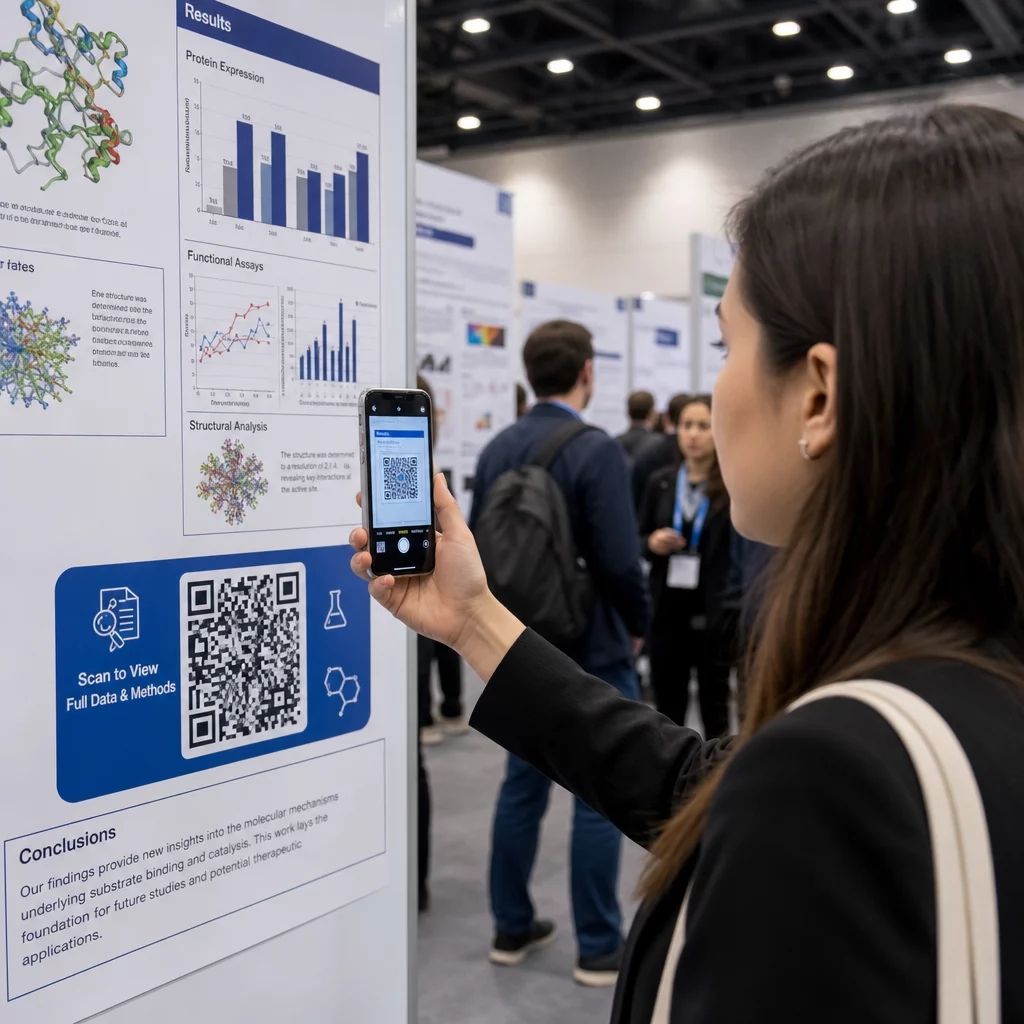
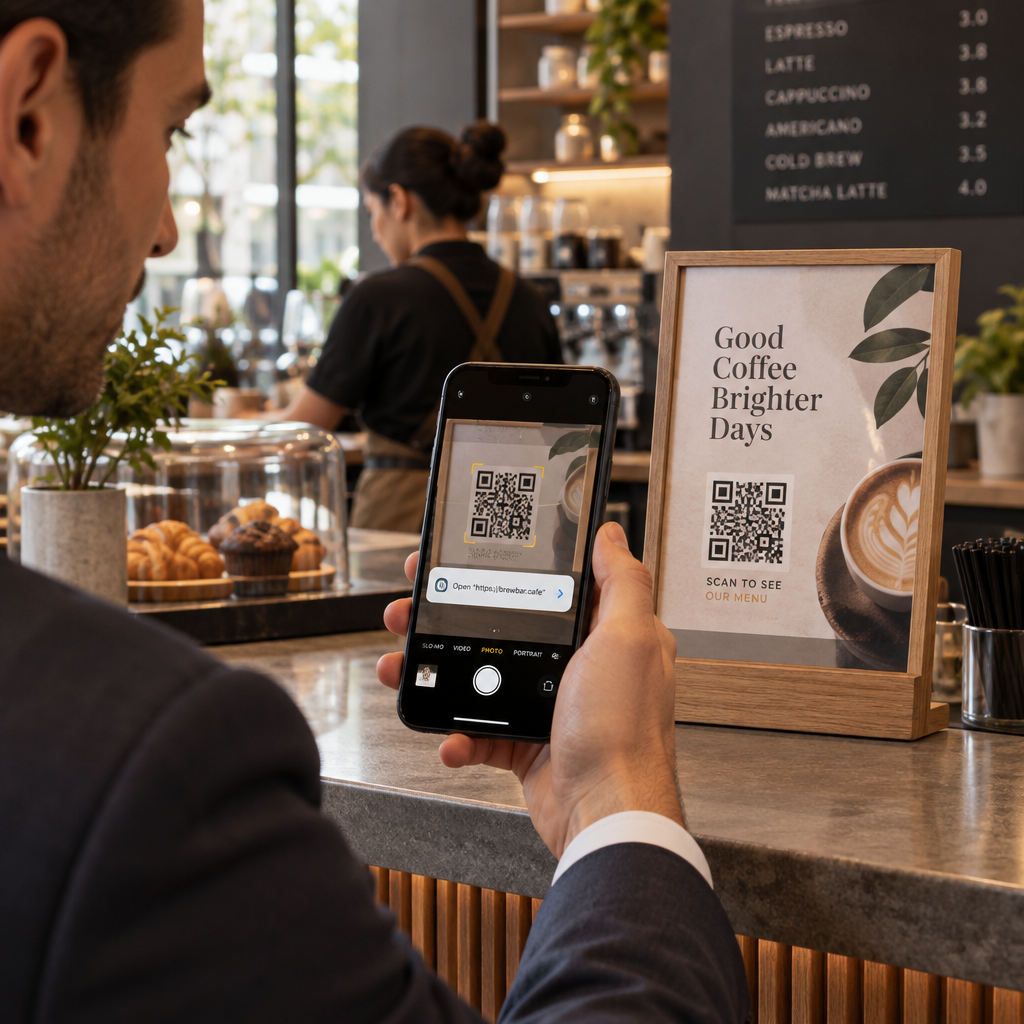
Scanning an event poster

How to Create QR Codes for Calendar Events

Learn how to create calendar QR codes so attendees can save event dates, times, and locations directly to Google, Apple, or Outlook with a single scan.
Updated on 8月 29, 2026
目次

Are you losing potential attendees because they forget to manually type your event details into their mobile calendars? When friction stops guests from saving your date, overall attendance numbers drop significantly. Creating a custom calendar QR code allows your audience to add your event details directly to their smartphone calendar with a single scan.

How Calendar Event QR Codes Work

Calendar QR codes encode structured event information into a scannable image that mobile operating systems read instantly. When a user scans the code with their smartphone camera, the operating system parses the encoded data and prompts the user to save the event directly into Apple Calendar, Google Calendar, or Microsoft Outlook.

Behind the scenes, calendar QR codes format event details using two primary technical methods:

  • iCalendar (.ics) Data: Encodes raw event syntax directly into the QR code based on the universal RFC 5545 calendar standard. This structure includes essential fields such as `BEGIN:VCALENDAR`, `DTSTART` (start date and time), `DTEND` (end date and time), `SUMMARY` (event title), and `LOCATION`. Mobile devices interpret this raw text and launch the native calendar application to generate a new entry.
  • Calendar Prefill URLs: Formats the QR code destination as a web link containing pre-filled event parameters. For example, Google Calendar links use specific URL parameters such as `action=TEMPLATE`, `dates` in ISO 8601 UTC format (YYYYMMDDTHHMMSSZ), `text` for the title, `location`, and `details` for the event description.

Using a specialized イベントQRコードジェネレーター automates this formatting process so you do not have to write complex code syntax manually. Furthermore, choosing a dynamic QR code allows you to modify event parameters – such as adjusting a start time or updating a location – on your online dashboard without reprinting your physical promotional materials.

How to Generate a Calendar Event QR Code

Setting up an automated calendar entry requires configuring your key event parameters before downloading your final graphics file.

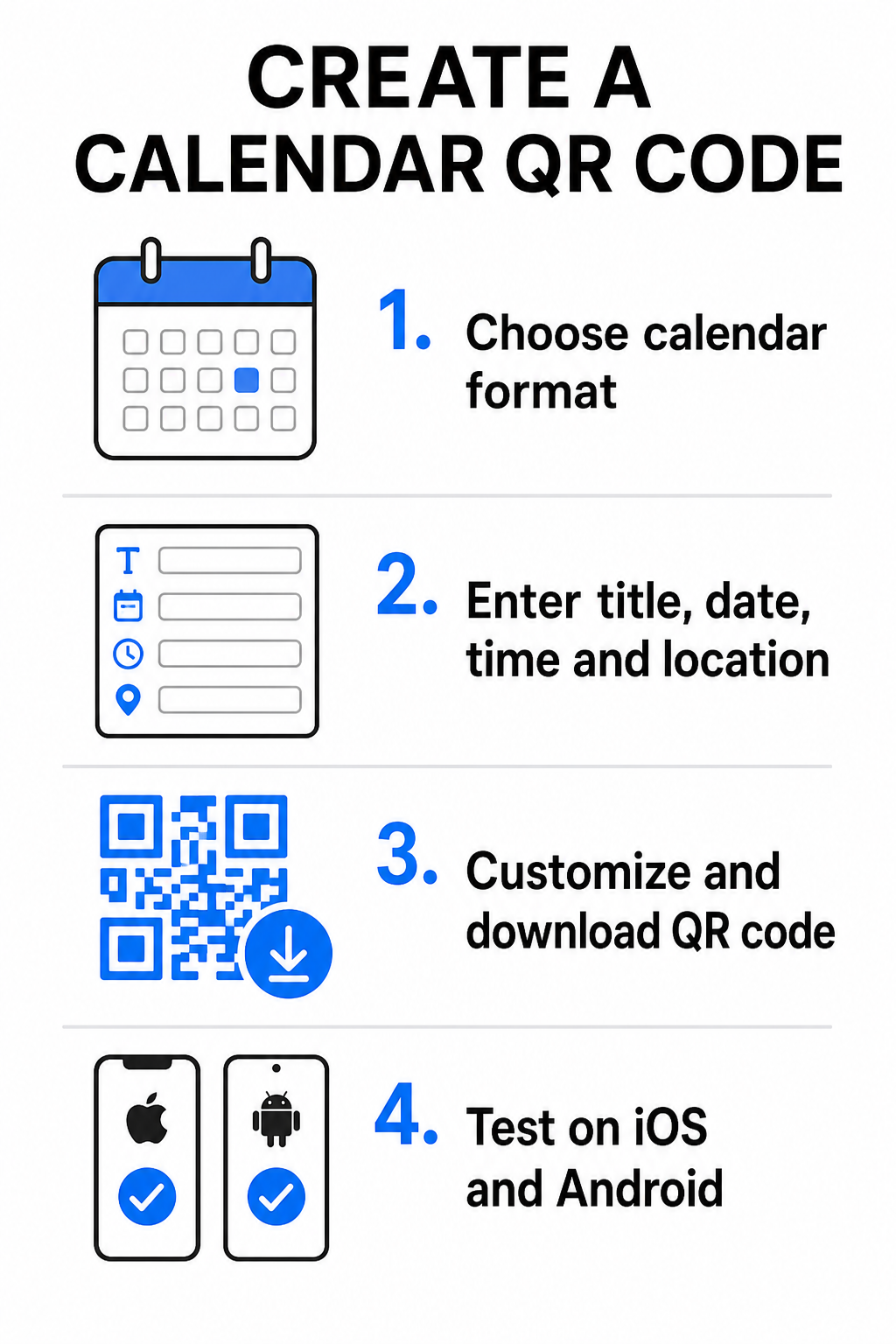
Calendar QR creation steps
  • Select the event format: Choose whether to link directly to a Google Calendar invitation, trigger an .ics file download, or send users to a custom event landing page. For web-based calendar links, use the GoogleカレンダーQRコードジェネレーター.
  • Input essential event parameters: Enter the event title, exact start and end dates, start and end times, time zone, physical location, and description. Place web conferencing links or venue notes in the description field.
  • Customize the visual design: Apply brand colors, adjust background patterns, and insert your logo while maintaining high contrast between elements.
  • Download high-resolution vector files: Save your file in SVG or EPS format for commercial printing, or as a high-density PNG for digital display. Vector formats ensure crisp lines and prevent pixelation when scaled up.
  • Test across mobile devices: Scan the completed code using iOS and Android smartphones, checking both native camera apps and dedicated browser scanners to confirm that all event fields populate correctly.

Simplify Your Event Setup Today Want to boost attendance and streamline guest registration? Use the イベントQRコードジェネレーター to create customizable, trackable calendar codes in seconds.

Best Practices for Print and Digital Placement

For a calendar QR code to drive guest conversions, users must be able to scan it quickly without technical errors. Applying standard physical design principles guarantees consistent scannability across print and digital media.

Sizing and Viewing Distance

Apply the 10:1 scanning ratio rule to determine the minimum physical width of your QR code: divide the expected scanning distance by 10. If an attendee scans a poster from 50 cm (about 20 inches) away, the QR code pattern must measure at least 5 × 5 cm. For close-range print materials like flyers, business cards, or digital wedding invitations, maintain a minimum print size of 2 × 2 cm (0.8 × 0.8 inches).

Color Contrast and Quiet Zones

Camera sensors rely on light reflection to read code modules. Darker colors absorb light, while lighter colors reflect it back to the lens. Maintain a contrast ratio of at least 4:1 – or aim for at least 55% contrast between dark foreground patterns and light backgrounds. Always preserve a clear quiet zone (the blank border surrounding the code) free of text, graphic overlays, or background textures.

Strategic Location Details

If your event takes place at a physical venue, ensure attendees can navigate there without friction. You can embed geographic coordinates in the event description or pair your calendar entry with a Google マップ QR コード ジェネレーター to open turn-by-turn navigation directly from the invite.

Clear Calls to Action

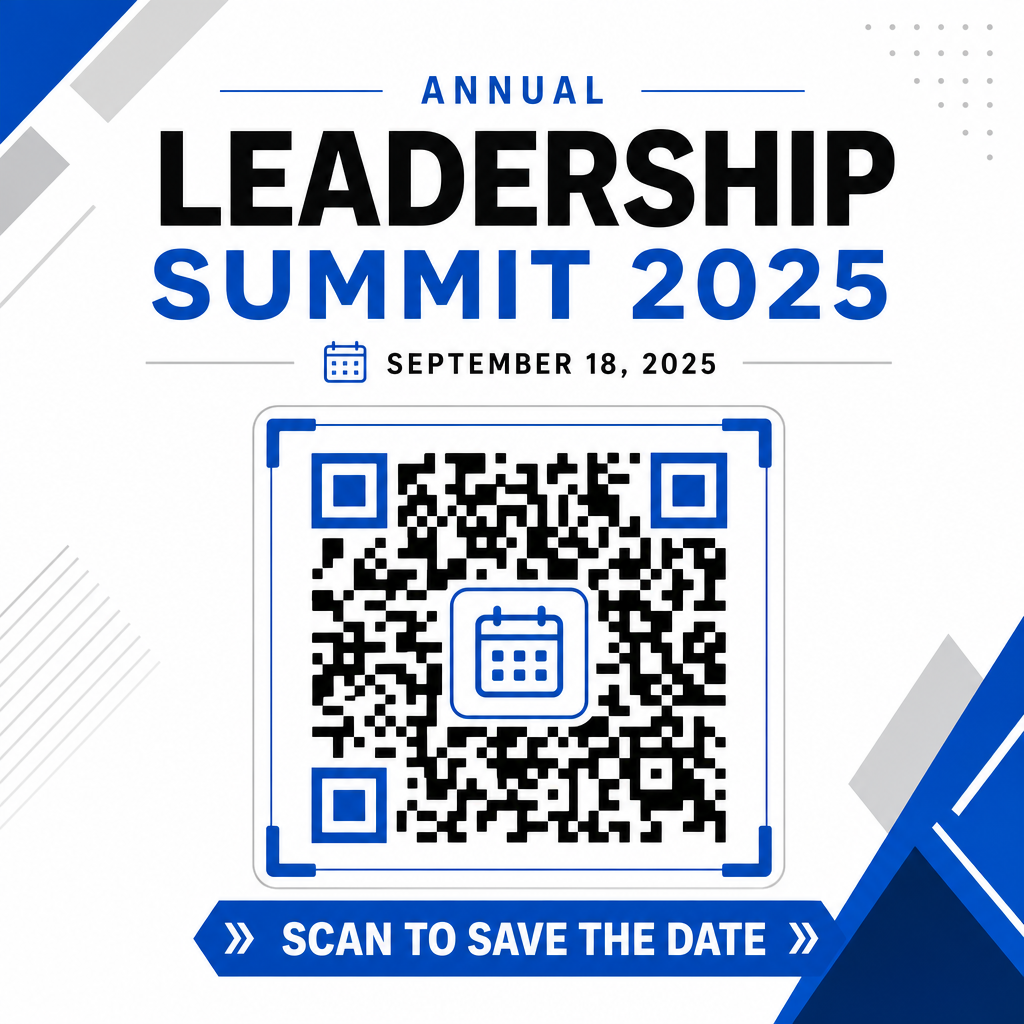
Scanning engagement increases significantly when users know what outcome to expect. Avoid displaying standalone QR codes without context. Place clear call-to-action text directly beneath or around the code, such as “Scan to Add Event to Calendar” 或いは “Scan to Save the Date.”

Effective QR flyer design

Maximizing Attendance with Smart Event Codes

Integrating automated calendar tools eliminates manual data entry for your attendees, dramatically reducing drop-off rates between initial interest and actual attendance. Whether you place your codes on promotional ポスター, event signage, or physical invitations, giving guests an immediate way to block out their schedules ensures your event stays on their radar.

To explore dynamic codes that offer scan analytics and post-print editing, set up your next event using the flexible tools available in Pageloot’s all-in-one QRコードジェネレーター. Combined with specialized landing pages for イベント用RSVP QRコード and dedicated イベントのQRコード, you can build a seamless digital pipeline from initial scan to final check-in.

よくある質問

What happens when someone scans a calendar event QR code?

Scanning the code opens the user’s default smartphone calendar application with pre-filled event fields – including title, start and end times, location, and description – allowing them to save the event with a single tap.

Can I edit the event details after printing the QR code?

Yes, provided you generate a dynamic QR code. Dynamic codes store a short redirect URL, allowing you to edit the event date, time, or location on your online dashboard without reprinting your physical flyers or posters.

Which calendar applications support calendar QR codes?

Standard calendar QR codes use universal iCalendar (.ics) formats and standard web URL prefill parameters. They are natively supported by Apple Calendar, Google Calendar, Microsoft Outlook, and most major third-party calendar applications on iOS and Android.

著者について

Siim KostabiはPagelootのコンテンツリードです。Pagelootの革新的なQRコード生成サービスについて執筆しています。5年以上にわたるQRコードに関する深い専門知識を持つSiimは、この分野の専門家です。QRテクノロジーを活用してデジタルインタラクションを簡素化・拡張する上で、大きな進歩を遂げています。.

カテゴリー
について詳しくはこちら
✅ QRコードの#1ソリューション

オンラインでQRコードを作成する必要がある場合は QRコードを作る ここで無料で
ページルートは #1のGo-Toソリューション でQRコードを作成してスキャンすることができます。

BL-0356

ブログジェネ

売上、レビュー、フォロワーを増やすために 20,000 を超えるブランドから信頼されています。

クライアントのロゴ
トップブランドから信頼される
5 のうち 4.8 と評価しました

4.86 / 5つ星評価

ユーゴ・ローラン
ユーゴ・ローラン
レストランオーナー
最も簡単で信頼性の高いQRコードジェネレータです。PDFファイルを即座にアップロードできます。レストランのメニューがデジタル化されました。
ルーカス・ジャンセン
ルーカス・ジャンセン
不動産開発業者
これは優れたツールで、QRコードでちょうど欲しいところに連れて行ってくれます。私たちは位置情報のQRコードしか使っていませんが、とても便利な機能がたくさんあります。
エマ・モレッティ
エマ・モレッティ
小売製品
使いやすいし、早い。素晴らしい機能で、完璧な画像を作成してくれるので、社員は私のvCardをダウンロードすることができます。
ユーゴ・ローラン
ユーゴ・ローラン
レストランオーナー
最も簡単で信頼性の高いQRコードジェネレータです。PDFファイルを即座にアップロードできます。レストランのメニューがデジタル化されました。
ルーカス・ジャンセン
ルーカス・ジャンセン
不動産開発業者
これは優れたツールで、QRコードでちょうど欲しいところに連れて行ってくれます。私たちは位置情報のQRコードしか使っていませんが、とても便利な機能がたくさんあります。
エマ・モレッティ
エマ・モレッティ
小売製品
使いやすいし、早い。素晴らしい機能で、完璧な画像を作成してくれるので、社員は私のvCardをダウンロードすることができます。
QRコードをもっと見る
QRビジネスカードスキャン
のQRコードを作る 名刺
顧客がQRコードをスキャン
マーケティング 変換
ポスターのQRコードをスキャン中
QRコードの ポスター
あらゆるものをデジタル体験に変えよう 3分以内に。

14日間の無料トライアル。

クレジットカードは必要ありません。

初回購入で30%オフ

次のコードを使用してください:

MP3ファイルを共有

PDF QRコードを作成するにはサインアップしてください

必要なものをすべてアップロードして表示する。

  • オーディオファイル
  • ポッドキャスト
  • 音楽

サインアップで14日間無料トライアル。.
トライアル終了後、QRコードは期限切れになります。.

オーディオmp3 QRコードを作成するにはサインアップしてください

フレームでより多くのスキャンを獲得

QRコードにフレームを追加するにはサインアップしてください

コールトゥアクションフレームは、お客様が簡単にQRコードと対話できるようにします。ぜひお試しください。

サインアップで14日間無料トライアル。.
トライアル終了後、QRコードは期限切れになります。.

QRコードにフレームを追加するにはサインアップしてください

シェイプでスタイルを追加

より多くの図形を作成するにはサインアップしてください

QRコードは四角いものである必要はありません。あなたのブランドのイメージに合わせて変えてみてください。

サインアップで14日間無料トライアル。.
トライアル終了後、QRコードは期限切れになります。.

より多くの図形を作成するにはサインアップしてください

QRコードにロゴを追加

QRコードにロゴを追加するにはサインアップしてください

QRコードにロゴやブランドを入れることで、目立たせることができます。

サインアップで14日間無料トライアル。.
トライアル終了後、QRコードは期限切れになります。.

QRコードにロゴを追加するにはサインアップしてください

スマートなApp Storeリダイレクト

アプリストアのQRコードを作成するにはサインアップしてください

スマートなApp StoreのQRコードに、あなたのアプリのリンクを追加します。ユーザーは、デバイスに応じてリダイレクトされます。

サインアップで14日間無料トライアル。.
トライアル終了後、QRコードは期限切れになります。.

アプリストアのQRコードを作成するにはサインアップしてください

QRコードに画像をアップロード

画像QRコードを作成するにはサインアップしてください

画像を簡単に共有できます。どんな画像も、数秒でダイナミックに変化します。

サインアップで14日間無料トライアル。.
トライアル終了後、QRコードは期限切れになります。.

画像QRコードを作成するにはサインアップしてください

PDFファイルを共有

PDF QRコードを作成するにはサインアップしてください

必要なものをすべてアップロードして表示する。

  • メニュー&プライスリスト
  • 指示
  • 任意の書類

サインアップで14日間無料トライアル。.
トライアル終了後、QRコードは期限切れになります。.

PDF QRコードを作成するにはサインアップしてください

印刷せずに後で編集

再度印刷せずにQRコードを編集するにはサインアップしてください

ダイナミックQRコードは、新たにQRコードを印刷することなく、QRコードの内容を変更することができます。

サインアップで14日間無料トライアル。.
トライアル終了後、QRコードは期限切れになります。.

再度印刷せずにQRコードを編集するにはサインアップしてください

いつ?どこで?QRコードのスキャンを追跡

QRコードを追跡するにはサインアップしてください

どのQRコードが最も多くスキャンされ、何が最も顧客を喜ばせているのかを知ることができます。

サインアップで14日間無料トライアル。.
トライアル終了後、QRコードは期限切れになります。.

QRコードを追跡するにはサインアップしてください

印刷可能なファイルが利用可能

PDFやSVGのようなベクターQRコードを作成するにはサインアップしてください

.eps、.pdf、.svg

QRコードをHD解像度でダウンロードしたいですか?すぐに印刷できるベクターまたはピクセル形式を入手しましょう。

サインアップで14日間無料トライアル。.
トライアル終了後、QRコードは期限切れになります。.

PDFやSVGのようなベクターQRコードを作成するにはサインアップしてください

しばらくお待ちください。あなたのQRコードは ロード... ロード...

あなただけのものに

サインアップしてQRコードを後で保存してください

異なる色、ロゴ、コールトゥアクションフレームで素晴らしいQRコードを作成することで、より多くのスキャンを得ることができます。

サインアップで14日間無料トライアル。.
トライアル終了後、QRコードは期限切れになります。.

サインアップしてQRコードを後で保存してください