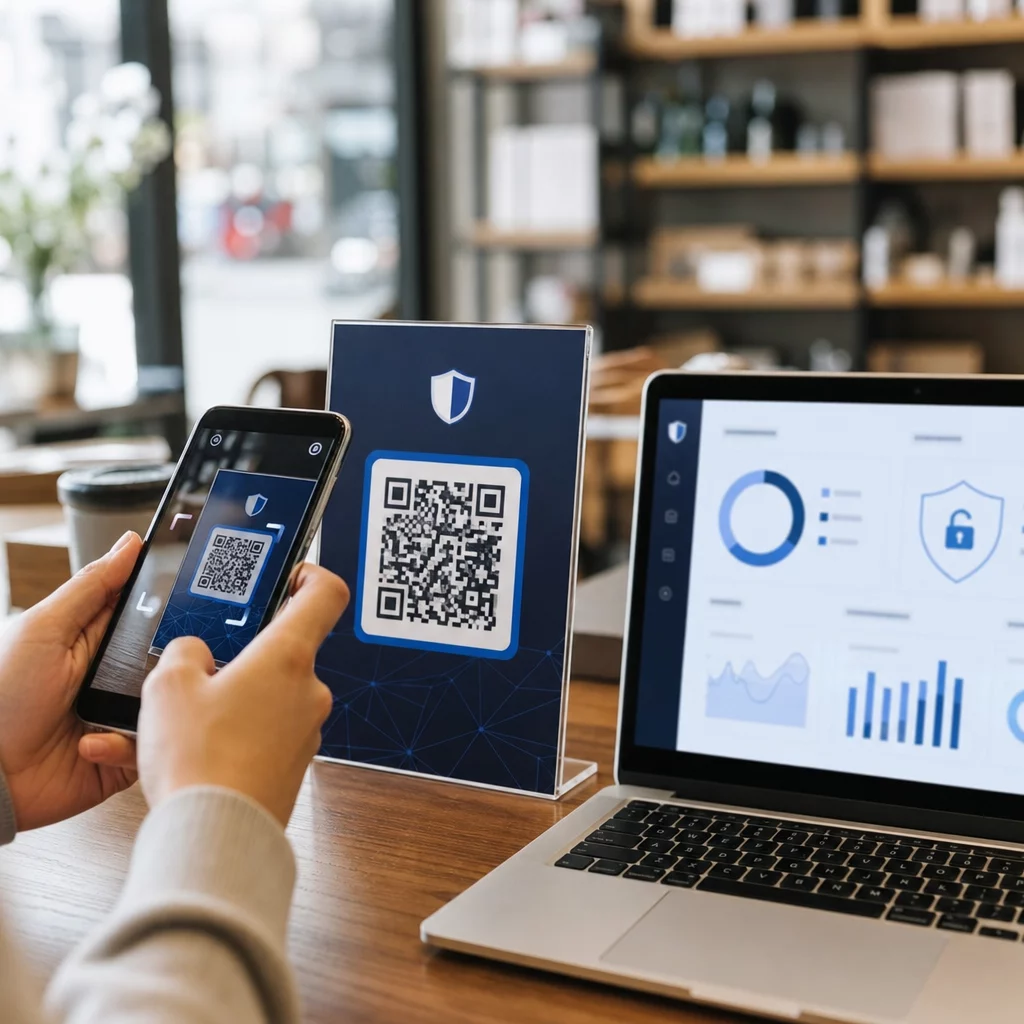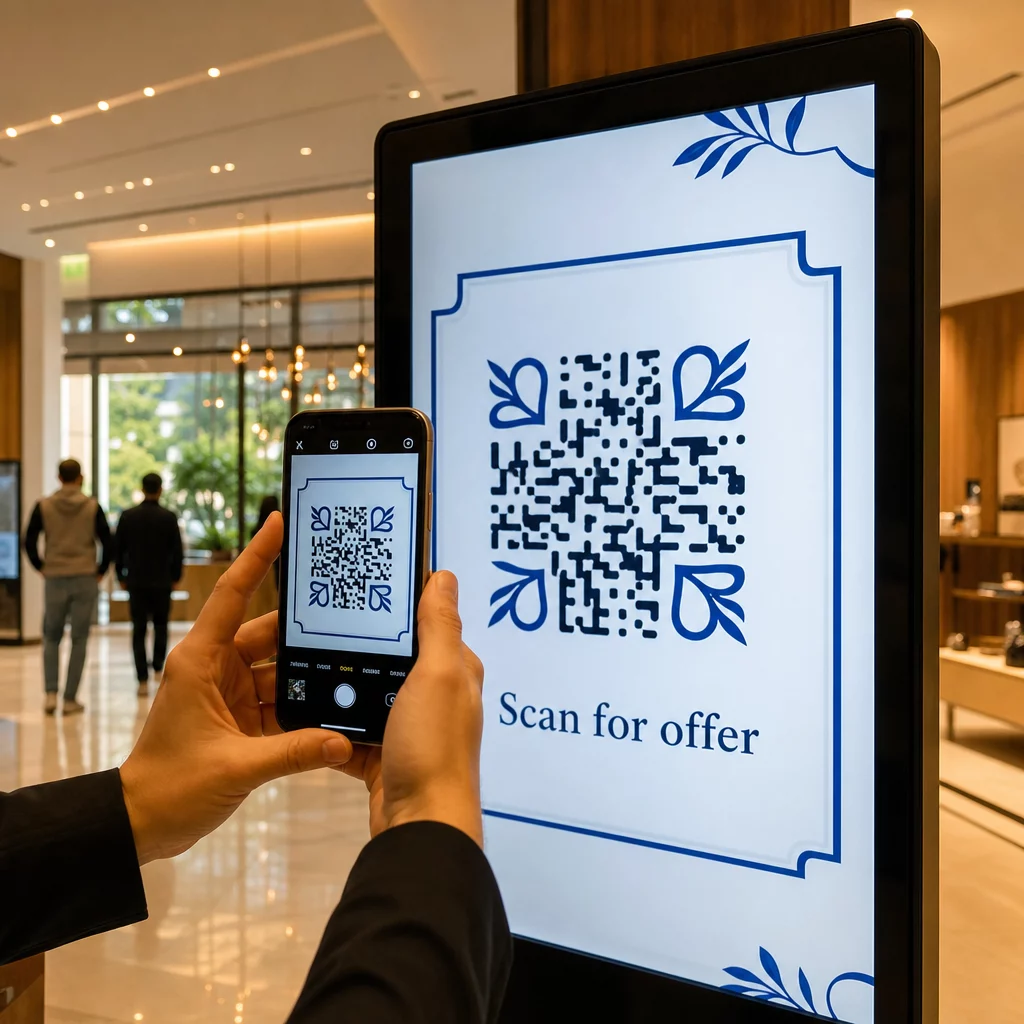
Kas teie digitaalsed ekraanid loovad kaasatust või ainult näitamisi? QR-kood muudab passiivse ekraani interaktiivseks puutepunktiks – kuid ainult siis, kui see on õigesti kujundatud ja paigutatud. See juhend hõlmab kõike, mida peate teadma, et QR-koodid ekraanidel tegelikult töötaksid.
Miks QR-koodid muudavad digitaalsed ekraanid tõhusamaks
Digitaalsed sildid ja ekraanid on juba head tähelepanu püüdmisel. Millega nad aga hädas on, on selle tähelepanu tegevuseks muutmine. Vaataja loeb teie sõnumit, tunneb huvi ja siis… liigub edasi. Puudub mehhanism, mis ühendaks huvimomendi järgmise sammuga.
QR-kood sulgeb selle lünga. Kui keegi skannib teie ekraanil koodi, on ta vabatahtlikult valinud edasise kaasatuse – ta on andnud märku kavatsusest. See üks skannimine võib ühendada nad tootelehe, sooduspakkumise, registreerimisvormi või videoga, kõik ekraanilt, mida nad juba vaatasid.
See on eriti kasulik olukordades, kus teie publikul pole pliiatsit käepärast või nad ei mäleta hiljem otsida: messid, jaemüügipinnad, transpordisõlmed ja avalikud kohad. Kood teeb töö ära isegi siis, kui te ise kohal pole.
Kus QR-koodid ekraanidel kõige paremini töötavad
Mitte iga ekraanikeskkond ei sobi QR-koodidele võrdselt. Parimad paigutused jagavad ühist joont: vaatajal on loomulik hetk peatuda, telefon välja võtta ja skannida.
- Vitriinaknad ja poefassaadid annavad aknashoppajatele juurdepääsu tooteandmetele, arvustustele, hindadele või veebipõhistele ostuvõimalustele isegi siis, kui pood on suletud
- Messide ja näituste ekraanid on ideaalsed külastajate muutmisel müügivihjeteks – koodid võivad linkida digitaalsete brošüüride, võistluste osalemiste, sotsiaalmeedia jälgimiste või eksklusiivsete messipakkumistega
- Poe LED-ekraanid ja kioskid jõuavad suure jalakäijate liiklusega publikuni ja võivad ajendada impulsiivseid tegevusi, nagu allahindluse skannimine või uue toote turuletoomise vaatamine
- Müügikoha ja kassa ekraanid on parim koht lojaalsusprogrammidega liitumiseks, digitaalsete kviitungite või järgmise ostu soodustuste jaoks
- Transpordi- ja sõidukisildid laiendab teie haaret pendelrändurite ja möödujateni – näiteks kaubamärgiga kaubiku QR-kood töötab pärast paigaldamist täiesti iseseisvalt
Põhjalikumaks ülevaateks selle kohta, kuidas poesisene paigutusstrateegia mõjutab kaasatust, vaadake parimate QR-koodi paigutuste juurde jaekauplustes ja võrdlust QR-koodid pakenditel versus poe väljapanekud.
Õige suuruse leidmine digitaalsete ekraanide jaoks
Suurus on ekraanidel olevate QR-koodide puhul kõige levinum viga. Kood, mis disainifailis tundub suur, võib muutuda peaaegu skaneerimatuks, kui seda kuvatakse monitoril üle toa.
Standardjuhis on 10:1 reeglit: teie QR-kood peaks olema vähemalt üks kümnendik kavandatud skaneerimiskaugusest. Kui vaatajad seisavad ekraanist 1 meetri kaugusel, peab kood olema vähemalt 10 cm lai. 3 meetri kauguselt püüdke 22–30 cm. 10 meetri kauguselt vaatate koodi, mis peab olema umbes 1 meetri küljepikkusega.
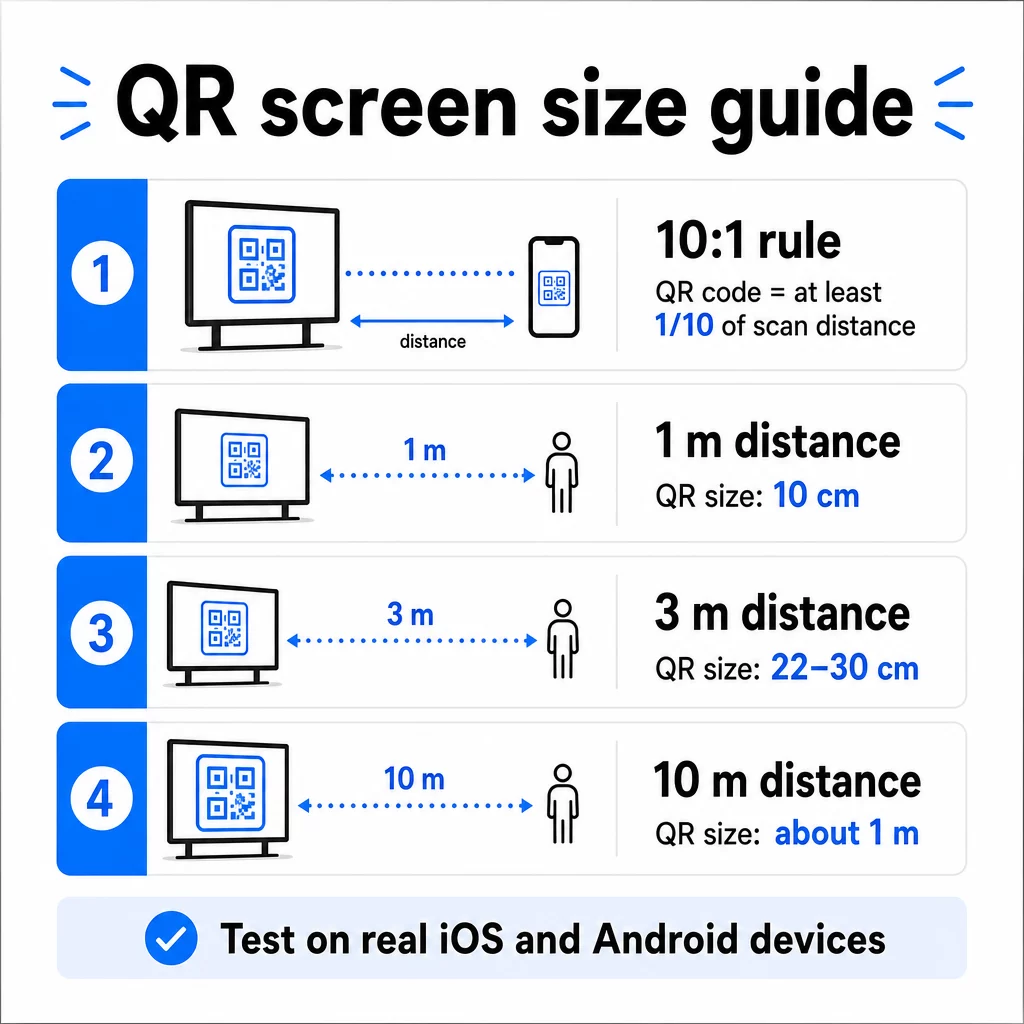
1080p ekraanide puhul on lähiskaneerimiseks algpunktiks vähemalt 240 pikslit 72 dpi juures, kuid see miinimum peab vaatamiskauguse suurenedes oluliselt kasvama. Üldise digitaalse märgistuse puhul ei tohiks ükski QR-kood olla väiksem kui umbes 2 × 2 tolli – ja suurem on alati turvalisem, kui inimesed skaneerivad kaugelt.
Kontrollige suurust alati reaalsetes tingimustes. Enne disaini lõplikku vormistamist testige koodi tegelikul kuvamissuurusel, kavandatud skaneerimiskauguselt, nii iOS-i kui ka Androidi seadmetel. Tutvuge täielike juhistega teemal QR-koodi suuruse määramine erinevate materjalide ja kontekstide jaoks formaatide vahel skaleerimisel.
Kontrast ja värv: mis teeb koodi skaneeritavaks
Nutitelefoni kaamera loeb QR-koodi, tuvastades tumedate moodulite ja heleda tausta vahelise kontrasti. Kui see kontrast on nõrk, on kaameral mustri eristamisega raskusi – ja skaneerimine ebaõnnestub.
Usaldusväärne standard on tumeda esiplaaniga heledal taustal, kus must valgel on kõige usaldusväärsem kombinatsioon. Brändivärvide kasutamisel hoidke QR-muster tumedas värvitoonis ja taust hele. Vältige pööratud värviskeeme (valge kood mustal taustal), kuna paljud QR-koodilugejad ei suuda neid usaldusväärselt töödelda.
Ekraanide puhul muutub kontrast keerulisemaks, sest ümbritsev valgus, ekraani peegeldus ja värskendussagedus mõjutavad kõik seda, mida kaamera näeb. Püüdke saavutada oma koodi ja selle tausta vahel vähemalt 4,5:1 kontrastsussuhe – see lävi toetab ka nägemispuudega kasutajate ligipääsetavust. Vältige koodialal gradiente ja varje, kuna need loovad keskmisi toone, mis skannereid segadusse ajavad.
Värvipaaride ja nende skannitavuse tulemuste täieliku ülevaate saamiseks vaadake juhendit teemal QR-koodi värvikontrasti parimaid tavasid.
Vaikne tsoon: ruum, mis teeb skannimise võimalikuks
Vaikne tsoon on tühi äär, mis ümbritseb QR-koodi kõigil neljal küljel. See ei ole dekoratiivne – see on funktsionaalne. Skannerid kasutavad seda tühja ruumi, et tuvastada, kus kood algab ja lõpeb, eraldades selle teistest visuaalsetest elementidest, nagu tekst, pildid või taustamustrid.
Minimaalne vaikne tsoon on neli moodulit lai igal küljel, kus moodul on koodi väikseima ruudu laius. Kui skaleerite koodi, peab vaikne tsoon skaleeruma proportsionaalselt. Ääre kärpimine või lõikamine – isegi veidi – võib põhjustada pidevaid skannimisvigu.
Digitaalsetel ekraanidel, kus disainerid töötavad sageli tihedate paigutuste ja piiratud ekraanipinnaga, on vaikne tsoon sageli esimene asi, mis kokku surutakse. Ärge laske sellel juhtuda. Hoidke vaikne tsoon logodest, tekstist ja muudest disainielementidest puhtana ning veenduge, et see vastaks taustavärvile, et see eraldaks koodi visuaalselt ümbritsevast.
Lisateavet vaikse tsooni nõuete ja QR-koodi loetavuse parimate tavadega on saadaval, kui optimeerite olemasolevat disaini.
Paigutus ja asetus ekraanil
Koodi asukoht ekraani paigutuses mõjutab nii nähtavust kui ka skannimiskiirust. Mõned põhimõtted kehtivad järjepidevalt:
- Asetage silmade kõrgusele. Koodi paigutamine umbes 1,05 kuni 1,35 meetri kõrgusele põrandast tagab selle ligipääsetavuse nii seisvatele täiskasvanutele kui ka ratastoolikasutajatele – ei ole vaja kükitada ega sirutada.
- Asetage kood loomulikku lugemisvoogu. Ekraani keskel või all keskel asuvad paigutused toimivad tavaliselt hästi; vältige koodi matmist nurka, kus see konkureerib teiste elementidega.
- Kasutage võimalusel ühte koodi ekraani kohta. Mitu koodi ajavad vaatajaid segadusse, millist skannida, ja võivad põhjustada kaamerarakenduste fookuse valele koodile.
- Hoidke ümbritsev disain puhas. Liiga palju konkureerivat sisu ekraanil vähendab skaneerimismäärasid; andke koodile visuaalset hingamisruumi
Digitaalsete siltide puhul, mis sisu roteerivad, kuvage QR-koodi kogu selle ajapilu kestuse vältel. Vaatajatel on vaja piisavalt aega, et koodi märgata, otsustada skaneerida ja skaneerimine lõpule viia enne, kui slaid vahetub. Paigutusstrateegiate kohta erinevates keskkondades leiate lisateavet siit: ülim juhend QR-koodi paigutamiseks turunduses käsitleb paigutusotsuseid nii trüki- kui ka digitaalsetes formaatides.
Skaneerimisi soodustava üleskutse kirjutamine
Kontekstita QR-kood jääb tähelepanuta. Vaatajad peavad teadma – enne, kui nad oma telefoni järele haaravad – mida nad skaneerimisega saavad.
Asetage lühike, spetsiifiline üleskutse otse koodi kõrvale. “Skaneeri tänase menüü jaoks”, “Skaneeri, et osaleda loosimises” või “Skaneeri, et saada 20% allahindlust oma järgmiselt tellimuselt” toimivad kõik paremini kui üldised viiped nagu “Skaneeri siin”. Mida konkreetsem on kasu, seda kõrgem on skaneerimismäär.
Hoidke tekst lühike – piisab kahest kuni viiest sõnast. Suuremad fondid ja kõrge kontrast CTA tekstile rakendavad samu põhimõtteid nagu kood ise: see peab olema loetav vaataja tõenäolisest kaugusest. Lisajuhiseid leiate teemast QR-koodi kasutatavuse parimaid tavasid tõhusa raamistuse kohta.
Kuhu skaneerimine peaks viima
Iga skaneerimine, mis ei paku koheselt väärtust, on kaotatud võimalus. Kuna vaatajad saabuvad nutitelefoni kaudu, peab sihtkoht olema mobiilile optimeeritud sihtlehele mis laeb kiiresti ja täidab üleskutse spetsiifilise lubaduse.
Vältige kasutajate saatmist oma kodulehele või üldisesse tootekataloogi. Kui kood on kassakuval, mis reklaamib lojaalsusprogrammi, peaks sihtleht olema lojaalsusprogrammi registreerimisvorm – mitte midagi enamat. Kui see on messinäitusel, võib sihtkohaks olla müügivihjete kogumise vorm või allalaaditav spetsifikatsioonileht.
A Google'i vormi QR-kood on praktiline valik tagasiside kogumiseks, üritustele registreerimiseks või küsitlusteks otse ekraanilt. A lingi QR-koodile töötab iga URL-põhise sihtkoha puhul ning toetab täielikku kohandamist ja jälgimist.
Hoidke oma ekraani QR-koodid paindlikud Kas on vaja uuendada, millele kood lingib, ilma koodi ennast muutmata? Kasutage QR-koodi generaator dünaamiliste koodide loomiseks, mis võimaldavad teil sihtkohta igal ajal muuta – ilma uuesti printimise või ümberkujundamiseta.
Dünaamiliste QR-koodide kasutamine ekraanidel
Staatilised QR-koodid kodeerivad fikseeritud URL-i või andmeosa, mis ei saa kunagi muutuda. Ekraanide puhul – eriti digitaalsete siltide puhul, mis vahetavad kampaaniaid või reklaamivad ajatundlikke pakkumisi – tekitab see probleemi. Kui lingitud sisu muutub, peate koodi uuesti looma ja uuesti kasutusele võtma.
Dünaamilised QR-koodid lahendavad selle, kodeerides lühikese ümbersuunamise URL-i. Tegelikku sihtkohta saab igal ajal oma konto armatuurlaua kaudu uuendada, samal ajal kui kood ise jääb samaks. See tähendab, et saate:
- Uuendada sooduspakkumist ekraani paigutust ümber kujundamata
- Suunata ühe koodi erinevatele kampaaniatele hooaja või sündmuse järgi
- Parandada katkise lingi koheselt ilma ekraani muudatusteta
Dünaamilised koodid avavad ka skannimisanalüütika – andmed selle kohta, mitu korda koodi skanniti, millisest asukohast, millisel seadmel ja mis ajal. Need andmed aitavad teil kindlaks teha, millised ekraanipaigutused tekitavad tõelist kaasatust ja millised jäävad tähelepanuta.
Pöörleva sisuga ekraanide puhul on dünaamilised koodid eriti väärtuslikud, sest sama visuaalne vara saab aja jooksul teenindada erinevaid kampaaniaid.
Jälgige iga skannimist igalt ekraanilt Kas soovite teada, millised ekraanid tegelikult kaasatust loovad? Kasutage Pageloot’i dünaamilist QR-koodi platvormi skannimissageduste, asukohtade ja seadmeandmete reaalajas jälgimiseks – ja oma kuvamisstrateegia täpsustamiseks vastavalt andmetele.
Testimine enne avaldamist
Isegi hästi kujundatud QR-kood võib praktikas ebaõnnestuda ekraani heleduse, vaatenurga, ekraani värskendussageduse või ümbritseva valgustuse tõttu. Enne mis tahes ekraani avaldamist:
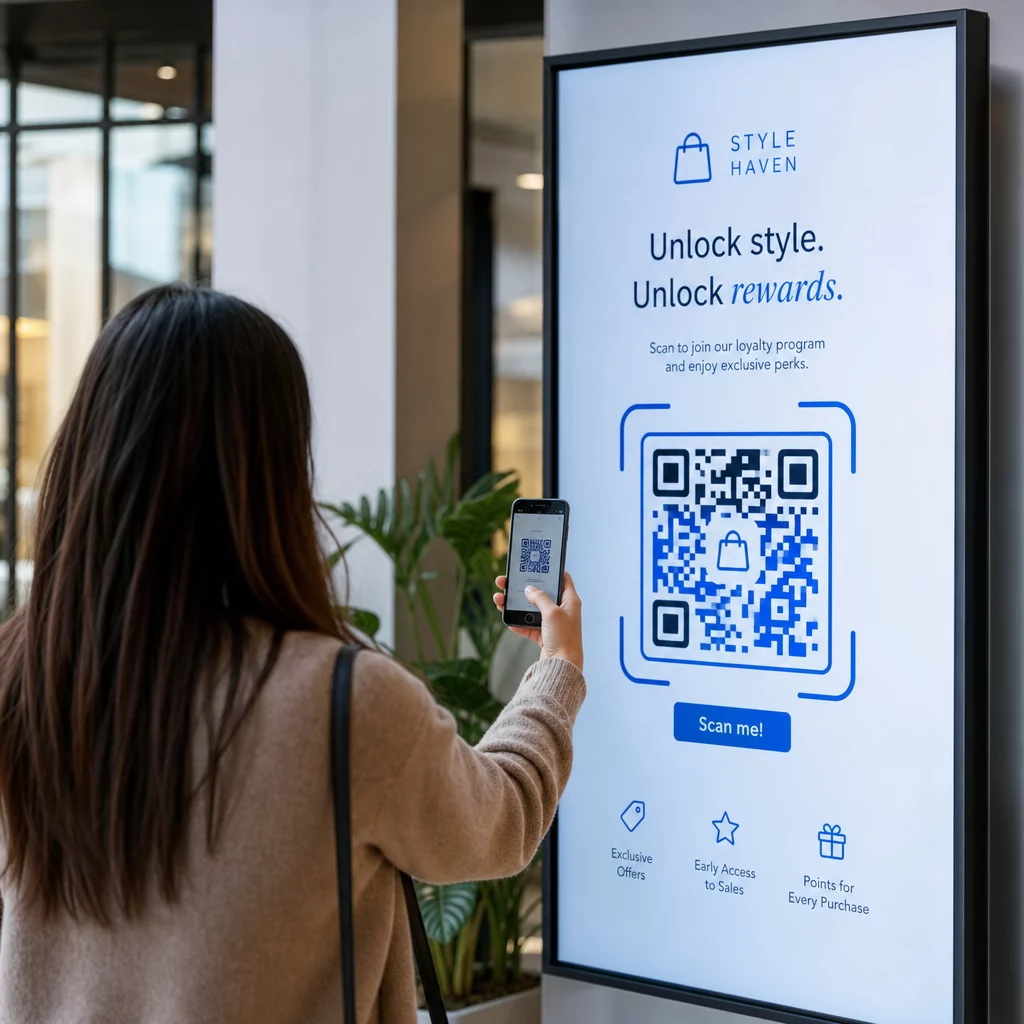
- Testi koodi tegelikul ekraani suurusel ja resolutsioonil, millel seda näidatakse
- Skaneeri ettenähtud minimaalselt ja maksimaalselt kauguselt
- Testi mitmel seadmel – vähemalt ühel iOS-i ja ühel Androidi telefonil
- Testi erinevatel kellaaegadel, kui ekraan asub looduslike valgusallikate lähedal, mis päeva jooksul muutuvad
- Veendu, et sihtleht laadib mobiilis õigesti ja pakub oodatud kogemust
See QR-koodi skanneri tööriist saab kasutada koodi sisu kontrollimiseks ja veendumaks, et see laheneb õigesti enne juurutamist.
Uuri Pagelooti funktsioonide ülevaade ja tööstuslahendusi et saada lisateavet selle kohta, kuidas QR-koode saab rakendada erinevates kuvamiskontekstides ja ärisektorites. Hästi paigutatud, õige suurusega QR-kood selge üleskutsega saab muuta iga ekraani konversioonipunktiks. Saa kontrast, vaikne tsoon, suurus ja sihtkoht õigeks – seejärel kasuta dünaamilisi koode ja analüütikat pidevaks parendamiseks. Alusta QR-koodi generaator et luua oma esimene skaneeritav kuvakood juba täna.
Korduma kippuvad küsimused
Kasutage 10:1 reeglit: kood peaks olema vähemalt üks kümnendik eeldatavast skaneerimiskaugusest. 1 meetri kauguselt skaneeritava ekraani puhul peaks kood olema vähemalt 10 cm lai. Üldise digitaalse märgistuse puhul on mõistlikuks lähtepunktiks minimaalselt 2 × 2 tolli, kusjuures suurus suureneb vaatamiskauguse kasvades. Enne avaldamist testige alati tegeliku ekraani suuruse ja kauguse juures.
Jah, kui kasutate dünaamilist QR-koodi. Dünaamilised koodid kasutavad ümbersuunamise URL-i, nii et saate sihtkoha oma konto armatuurlaual igal ajal värskendada – kood ise jääb samaks. See on eriti kasulik digitaalsete siltide puhul, mis reklaamivad roteeruvaid kampaaniaid või ajatundlikke pakkumisi, kuna väldite ekraani ümberkujundamist või uuesti paigaldamist iga kord, kui lingitud sisu muutub.
Kõige levinumad põhjused on ebapiisav kontrast koodi ja selle tausta vahel, vaikne tsoon, mis on kärbitud või ümbritsevate disainielementidega üle koormatud, ja kood, mis on vaatamiskauguse jaoks liiga väike. Ekraanidel võivad segada ka ekraani heledus ja peegeldus. Kontrollige, et teie kood kasutaks tumedat mustrit heledal taustal, säilitaks selge neljamoodulise vaikse tsooni igast küljest ja vastaks suuruse nõuetele teie eeldatava skaneerimiskauguse jaoks. Testige mitmel seadmel ühilduvuse kinnitamiseks.