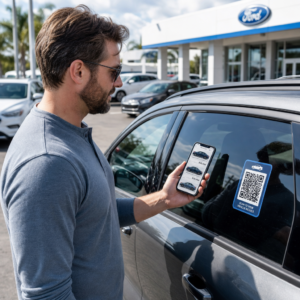
Potýkáte se s propojením vašich fyzických marketingových materiálů s měřitelnými digitálními výsledky? Většina firem tiskne letáky, věší plakáty a balí produkty bez jasného způsobu, jak sledovat zapojení – a to znamená ztracené příležitosti. Tento průvodce pokrývá pět praktických způsobů, jak použít online generátor QR kódů k přeměně offline kontaktních bodů na aktivní, sledovatelné marketingové kanály.
Použijte dynamické QR kódy k budování retargetovatelných publik
Ne všechny QR kódy jsou stejné. Dynamické QR kódy kódují krátkou přesměrovací URL namísto pevné destinace, což znamená, že můžete kdykoli změnit, kam kód směřuje – aniž byste museli znovu tisknout jediný leták nebo obal. Pokud jste již své materiály vytiskli, ale potřebujete aktualizovat vstupní stránku nebo vyměnit sezónní nabídku, dynamický kód to okamžitě zařídí.
Hlubší marketingovou výhodou je retargeting. Když zákazník naskenuje váš kód a dostane se na stránku, kterou ovládáte, můžete spustit Facebook Pixel nebo připojit značky Google Analytics k této relaci. Odtud můžete vytvářet vlastní publika a podobné segmenty z lidí, kteří se fyzicky zapojili do vašich materiálů. To promění tištěný plakát v digitální zdroj potenciálních zákazníků.
Dynamické QR kódy vám také poskytují podrobné analytické údaje o skenování – počty skenování, časová razítka, geografická poloha, typ zařízení a operační systém – data, která statické kódy jednoduše nemohou poskytnout. Pro jakoukoli kampaň, kde potřebujete flexibilitu, sledování nebo úpravy v reálném čase, jsou dynamické kódy správnou volbou.
Vytvořte sledovatelné QR kódy pro vaši další kampaň Chcete aktualizovat destinace, sledovat každé skenování a budovat retargetovatelná publika z vašich tištěných materiálů? Začněte s generátorem QR kódů a spusťte svou první dynamickou kampaň ještě dnes.
Navrhněte svůj QR kód tak, aby odpovídal vaší značce
Obyčejný černobílý QR kód na jinak uhlazeném značkovém kousku vysílá špatný signál. Moderní generátory QR kódů vám umožňují přizpůsobit barvy, tvary a vzory tak, aby odpovídaly vaší vizuální identitě, a kód můžete zabalit do CTA rámečku – rámečku s instruktivním textem jako “Naskenujte a získejte 20 % slevu” nebo “Naskenujte a podívejte se na dnešní menu.”
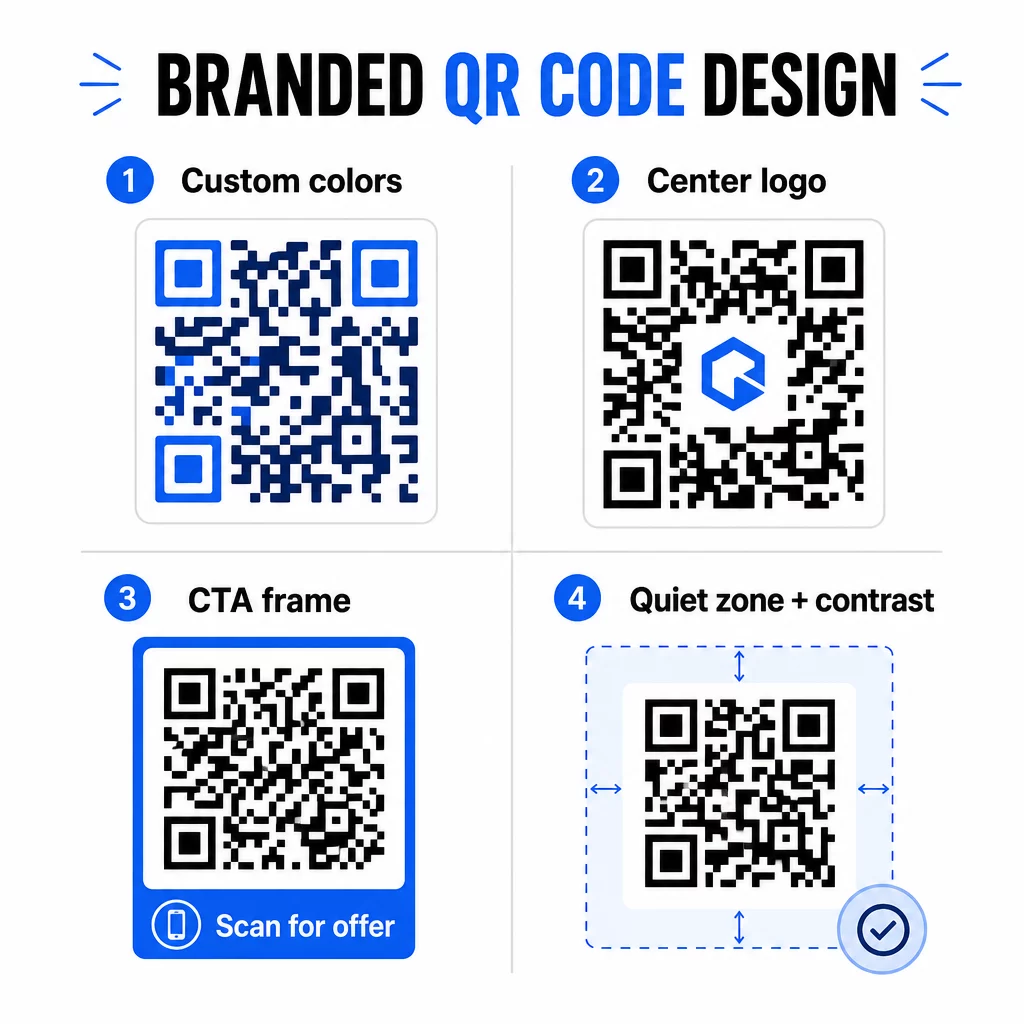
Ten CTA rámeček dělá skutečnou práci. Výzkum rámečků QR kódů důsledně ukazuje, že kódy bez jakýchkoli instrukcí získávají mnohem méně skenů, protože lidé nevědí, co obdrží. Konkrétní, na výhody zaměřená výzva tuto váhavost odstraňuje.
Několik designových pravidel, která je třeba dodržovat:
- Udržujte kód tmavý na světlém pozadí – invertované nebo nízko-kontrastní barevné kombinace matou mnoho skenerů
- Udržujte tichou zónu (jasný okraj o minimálně čtyřech modulech) kolem celého obvodu kódu
- Tiskněte minimálně 2 × 2 cm (0,8 × 0,8 palce) pro většinu materiálů; pro billboardy se zaměřte na minimálně 40 × 40 cm
- Použijte vektorové nebo vysokorozlišení exporty, aby moduly zůstaly ostré v jakékoli velikosti
Pokud chcete přidat logo do středu kódu, nastavte úroveň opravy chyb na Q nebo H, aby kód zůstal skenovatelný i s částečně zakrytým vzorem. Více se dozvíte o standardech umístění QR kódů pro různé materiály abyste zajistili, že váš design funguje napříč každým formátem.
Jděte za hranice URL – Použijte QR kódy pro kupóny, recenze a události
Většina marketérů standardně odkazuje QR kód na webovou stránku a tam končí. Tento přístup sotva škrábe povrch toho, co je možné.
Zvažte tyto případy použití:
- Kódy kupónů: A QR kód kupónu přivede zákazníky na stránku zobrazující vaše aktuální nabídky a slevy, s CTA, která je vede k pokladně
- Recenze Google: Umístěte QR kód Google recenzí na účtenky, obaly nebo stolní stojánky, aby bylo zanechání zpětné vazby co nejjednodušší – jedno naskenování a stránka s recenzemi se automaticky otevře
- Akce: An QR kód události konsoliduje podrobnosti o místě konání, rozvrhy a registrační odkazy v jednom skenu, a protože je dynamický, můžete informace aktualizovat, pokud se něco změní, aniž byste museli znovu tisknout
- Sociální média: A QR kód sociálních sítí dává zákazníkům přímou cestu k sledování vašich účtů nebo připojení k vaší komunitě z jakéhokoli fyzického materiálu
- Pokyny k poloze: A QR kód v Mapách Google otevře vaši polohu v aplikaci Mapy jedním skenem – užitečné na pozvánkách na akce, výlohách a vizitkách
Každý z těchto případů použití řeší konkrétní třecí bod v cestě zákazníka. Klíčem je sladit typ QR kódu s tím, co vaše publikum v daném okamžiku skutečně potřebuje.
Proveďte průzkum publika před nasazením
QR kód je účinný pouze tak, jak je účinná kampaň za ním. Před vygenerováním jediného kódu si udělejte čas na pochopení, koho cílíte a kde tráví čas – fyzicky i digitálně.
Začněte jasným definováním svého publika:
- Jaké problémy se snaží vyřešit?
- Kde se setkávají s vaší značkou ve fyzickém světě – maloobchodní regály, akce, přímá pošta, obaly produktů?
- Jaká zařízení používají a jak pohodlné je pro ně skenování QR kódů?
Poté zkontrolujte, co dělají vaši konkurenti. Kam umisťují kódy? Na jaké cíle odkazují? Identifikace mezer v jejich přístupu je často místem, kde se nachází nejjasnější příležitost.
Tento základ také formuje vaše volba mezi statickými a dynamickými QR kódy. Statické kódy fungují dobře pro trvalý, neměnný obsah, jako jsou přihlašovací údaje k Wi-Fi nebo pevný produktový manuál. Dynamické kódy jsou správnou volbou pro marketingové kampaně, kde se destinace, nabídky nebo obsah mohou vyvíjet. Včasné rozhodnutí vám ušetří pozdější přetisk materiálů.
Pro konkrétně marketing pro malé podniky, i jednoduchý audit umístění – dotazování se, kde se vaši zákazníci fyzicky zastavují nebo čekají – může odhalit vysoce hodnotná místa, která většina konkurentů přehlíží.
Vsaďte na hodnotu, ne jen na výzvu ke skenování
Míra skenování se dramaticky zlepší, když lidé pochopí, co získají, než naskenují. Obecná výzva “Naskenujte mě” žádá o pozornost, aniž by něco nabídla na oplátku. Konkrétní výzva – “Naskenujte pro odemknutí exkluzivní slevy” nebo “Naskenujte pro stažení průvodce nastavením” – dává lidem jasný důvod k akci.
To souvisí s širším principem efektivního marketingu: zákazníci reagují na to, co si přejí, nejen na to, co potřebují. Váš QR kód by měl být vstupním bodem k něčemu skutečně užitečnému nebo odměňujícímu.
Praktické způsoby, jak doručit hodnotu prostřednictvím QR kódů:
- Nabídněte slevu nebo exkluzivní kupón, který je dostupný pouze naskenováním
- Odkaz na PDF průvodce, výukové video nebo demo produktu, které usnadní rozhodování o nákupu
- Připojte zákazníky na stránku s recenzemi a poděkujte jim za jejich čas
- Poskytněte účastníkům akce okamžitý přístup k rozvrhům, životopisům řečníků nebo mapám místa konání
Poté, co zákazníci dorazí na vaši vstupní stránku, ujistěte se, že zážitek obstojí. Cílová stránka by měla být optimalizovaná pro mobilní zařízení, rychle se načítat a mít jasný další krok. Dobře navržený kód, který vede k špatné mobilní zkušenosti, ztratí konverze v poslední chvíli.
Propojte tištěné materiály s digitální angažovaností Jste připraveni uvést tyto nápady do praxe? Prozkoumejte řešení QR kódů podle odvětví a případu použití najít ten správný formát pro vaši další kampaň.
Testujte před spuštěním, poté sledujte, co funguje
Než se jakýkoli QR kód objeví na tištěných nebo distribuovaných materiálech, důkladně ho otestujte. Naskenujte kód na více zařízeních a operačních systémech, za různých světelných podmínek a ze vzdáleností, ze kterých bude vaše publikum realisticky stát. U tiskovin otestujte finální tištěný výstup – nejen digitální náhled.
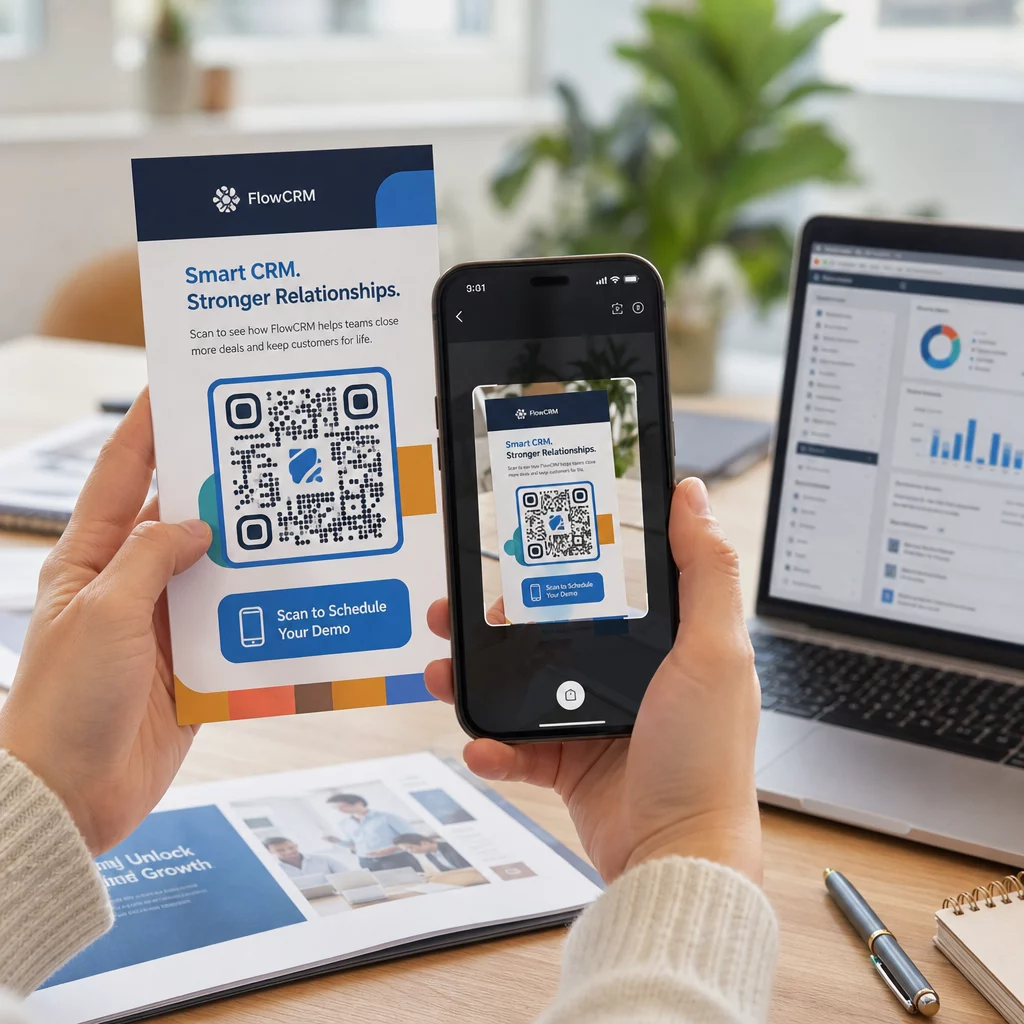
Jakmile vaše kampaň běží, použijte svůj analytický panel ke sledování:
- Celkový počet skenů a počet unikátních skenů
- Geografické rozdělení míst, kde dochází ke skenování
- Údaje o zařízení a operačním systému
- Vzorce načasování skenování (den v týdnu, denní doba)
Tato data vám řeknou, která umístění a materiály generují zapojení a která ne. Pokud konkrétní umístění nebo materiál nedosahuje očekávaných výsledků, můžete aktualizovat cíl dynamického kódu a otestovat novou nabídku nebo vstupní stránku – aniž byste se dotkli samotného tištěného kódu.
Pro kampaně integrované s Google Analytics, přidání parametrů UTM do cílových URL adres vašich QR kódů vám poskytne úplný obrázek o tom, jak offline skenování přispívá k online konverzím, přímo ve vašich stávajících nástrojích pro reportování.
Firmy, které dosahují nejsilnějších výsledků s QR kódy, jsou ty, které je považují za měřitelný kanál – stanovují cíle, sledují výkon a iterují na základě skutečných dat, nikoli předpokladů.
Začněte vytvářet měřitelné kampaně s QR kódy Generujte, přizpůsobujte a sledujte QR kódy pro každý marketingový případ použití s Pageloot. Vyzkoušejte generátor QR kódů zdarma na 14 dní – není vyžadována kreditní karta.
Často kladené otázky
Statický QR kód kóduje pevnou destinaci, kterou nelze po vytvoření změnit a nepodporuje sledování. Dynamický QR kód kóduje krátkou přesměrovací URL, což znamená, že můžete destinaci kdykoli aktualizovat bez opětovného tisku, a získáte přístup k analytice skenování včetně polohy, typu zařízení a času. Pro většinu marketingových kampaní jsou dynamické kódy lepší volbou, protože vám poskytují flexibilitu a měřitelná data.
Minimální doporučená velikost pro spolehlivé skenování na většině tiskových materiálů je 2 × 2 cm (přibližně 0,8 × 0,8 palce). S rostoucí očekávanou vzdáleností skenování by se kód měl úměrně zvětšovat – běžné pravidlo je, že šířka kódu by měla být alespoň jedna desetina vzdálenosti, ze které bude skenován. U velkoformátových materiálů, jako jsou billboardy, se zaměřte na minimálně 40 × 40 cm. Vždy otestujte finální tištěný výstup na více zařízeních před distribucí.
Nejúčinnější přístupy jsou spárování kódu se specifickou, na výhody zaměřenou výzvou k akci (například “Naskenujte pro získání slevy” namísto “Naskenujte mě”), umístění kódu tam, kde se vaše publikum přirozeně zastaví nebo soustředí pozornost, a zajištění, aby cílová stránka poskytovala skutečnou hodnotu. Přizpůsobení designu kódu tak, aby odpovídal vaší značce, také pomáhá – vizuálně odlišné kódy v souladu se značkou přitahují více pozornosti než generické černobílé vzory.