Czy masz trudności z połączeniem fizycznych materiałów marketingowych z mierzalnymi wynikami cyfrowymi? Większość firm drukuje ulotki, wiesza plakaty i pakuje produkty bez jasnego sposobu śledzenia zaangażowania – a to oznacza utracone możliwości. Ten przewodnik przedstawia pięć praktycznych sposobów wykorzystania internetowego generatora kodów QR do przekształcenia punktów styku offline w aktywne, śledzalne kanały marketingowe.
Użyj dynamicznych kodów QR do budowania grup odbiorców do retargetingu
Nie wszystkie kody QR są sobie równe. Dynamiczne kody QR kodują krótki adres URL przekierowania zamiast stałego miejsca docelowego, co oznacza, że możesz zmienić, dokąd prowadzi kod w dowolnym momencie – bez ponownego drukowania ani jednej ulotki czy opakowania. Jeśli już wydrukowałeś swoje materiały, ale musisz zaktualizować stronę docelową lub zmienić ofertę sezonową, dynamiczny kod załatwi to natychmiast.
Głębszą zaletą marketingową jest retargeting. Kiedy klient skanuje Twój kod i trafia na stronę, którą kontrolujesz, możesz uruchomić piksel Facebooka lub połączyć tagi Google Analytics z tą sesją. Stamtąd możesz budować niestandardowe grupy odbiorców i segmenty podobnych odbiorców z osób, które fizycznie zaangażowały się w Twoje materiały. To zamienia drukowany plakat w cyfrowe źródło leadów.
Dynamiczne kody QR zapewniają również szczegółowe analizy skanów – liczbę skanów, znaczniki czasu, lokalizację geograficzną, typ urządzenia i system operacyjny – dane, których kody statyczne po prostu nie mogą dostarczyć. W przypadku każdej kampanii, w której potrzebujesz elastyczności, śledzenia lub korekt w czasie rzeczywistym, dynamiczne kody są właściwym wyborem.
Twórz śledzalne kody QR dla swojej następnej kampanii Chcesz aktualizować miejsca docelowe, śledzić każde skanowanie i budować grupy odbiorców do retargetingu z Twoich materiałów drukowanych? Rozpocznij z Generatorem Kodów QR i uruchom swoją pierwszą dynamiczną kampanię już dziś.
Zaprojektuj swój kod QR, aby pasował do Twojej marki
Zwykły czarno-biały kod QR na dopracowanym elemencie marki wysyła zły sygnał. Nowoczesne generatory kodów QR pozwalają dostosować kolory, kształty i wzory, aby pasowały do Twojej tożsamości wizualnej, a kod możesz owinąć w ramkę CTA – ramkę z tekstem instruktażowym, takim jak “Skanuj, aby otrzymać 20% zniżki” lub “Skanuj, aby zobaczyć dzisiejsze menu”.”
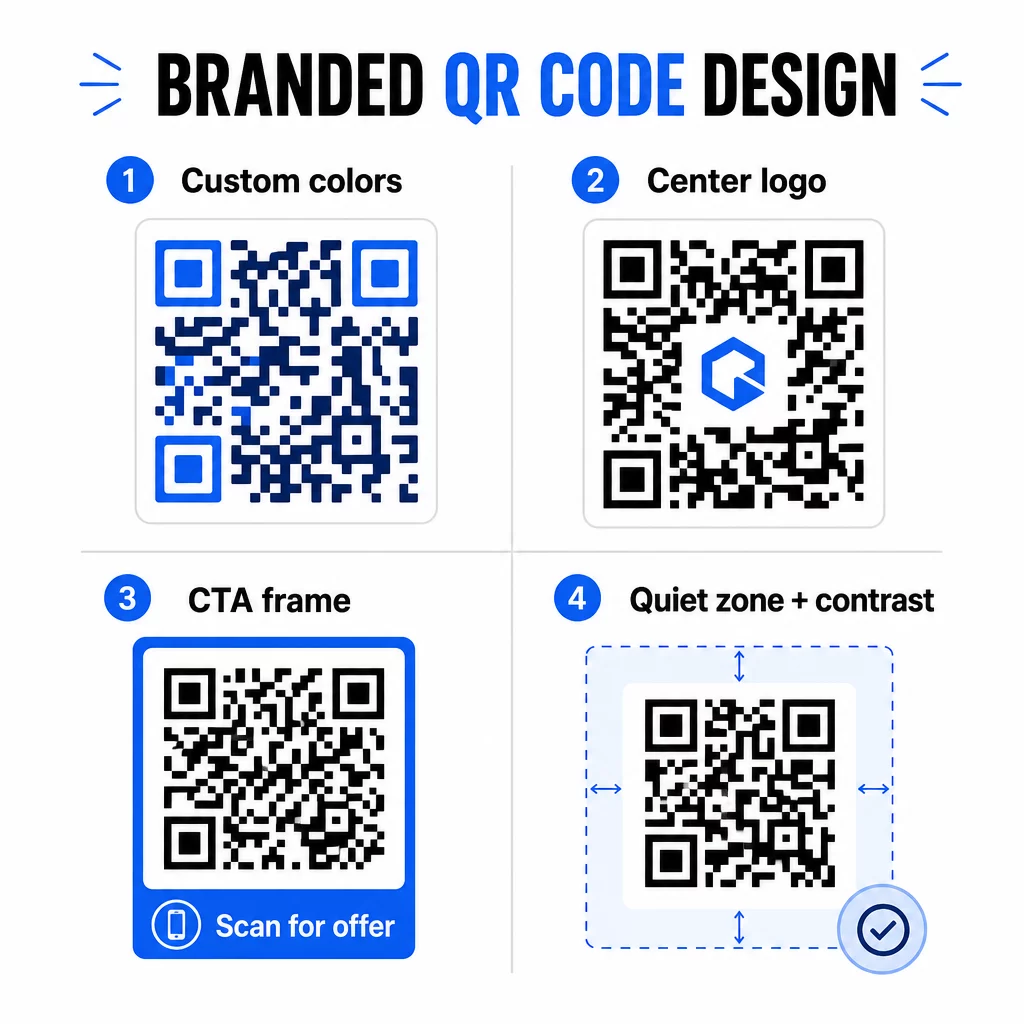
Ta ramka CTA naprawdę działa. Badania nad ramkami kodów QR konsekwentnie pokazują, że kody bez żadnych instrukcji uzyskują znacznie mniej skanów, ponieważ ludzie nie wiedzą, co otrzymają. Konkretna, ukierunkowana na korzyści zachęta usuwa to wahanie.
Kilka zasad projektowania, których należy przestrzegać:
- Zachowaj ciemny kod na jasnym tle – odwrócone lub niskokontrastowe kombinacje kolorów mylą wiele skanerów
- Zachowaj strefę ciszy (czysty margines co najmniej czterech modułów) wokół całego obwodu kodu
- Drukuj w minimalnym rozmiarze 2 × 2 cm (0,8 × 0,8 cala) dla większości materiałów; w przypadku billboardów dąż do co najmniej 40 × 40 cm
- Używaj eksportów wektorowych lub o wysokiej rozdzielczości, aby moduły były wyraźne w każdym rozmiarze
Jeśli chcesz dodać logo do środka kodu, ustaw poziom korekcji błędów na Q lub H, aby kod pozostał skanowalny nawet z częściowo zakrytym wzorem. Możesz dowiedzieć się więcej o standardach umieszczania kodów QR dla różnych materiałów aby upewnić się, że Twój projekt działa w każdym formacie.
Wyjdź poza adresy URL – używaj kodów QR do kuponów, recenzji i wydarzeń
Większość marketerów domyślnie łączy kod QR ze stroną internetową i na tym poprzestaje. Takie podejście ledwo zarysowuje powierzchnię tego, co jest możliwe.
Rozważ te przypadki użycia:
- Kody kuponów: A QR kuponu przenosi klientów na stronę pokazującą Twoje aktualne oferty i rabaty, z wezwaniem do działania (CTA), które kieruje ich do kasy
- Recenzje Google: Umieść kodu QR do opinii Google na paragonach, opakowaniach lub namiotach stołowych, aby pozostawienie opinii było jak najbardziej bezproblemowe – jedno skanowanie i strona z recenzjami otwiera się automatycznie
- Wydarzenia: Kod QR na wydarzenie konsoliduje szczegóły miejsca, harmonogramy i linki do rejestracji w jednym skanowaniu, a ponieważ jest dynamiczny, możesz aktualizować informacje, jeśli coś się zmieni, bez ponownego drukowania
- Media społecznościowe: A kod QR mediów społecznościowych daje klientom bezpośrednią ścieżkę do śledzenia Twoich kont lub dołączenia do Twojej społeczności z dowolnego materiału fizycznego
- Wskazówki dojazdu: A Kod QR Map Google otwiera Twoją lokalizację w aplikacji Mapy za pomocą jednego skanowania – przydatne na zaproszeniach na wydarzenia, witrynach sklepowych i wizytówkach
Każdy z tych przypadków użycia rozwiązuje konkretny punkt tarcia w podróży klienta. Kluczem jest dopasowanie typu kodu QR do tego, czego Twoja publiczność faktycznie potrzebuje w danym momencie.
Przeprowadź Badania Odbiorców Zanim Wdrożysz
Kod QR jest tak skuteczny, jak kampania, która za nim stoi. Zanim wygenerujesz choćby jeden kod, poświęć czas na zrozumienie, kogo targetujesz i gdzie spędzają czas – zarówno fizycznie, jak i cyfrowo.
Zacznij od jasnego zdefiniowania swojej publiczności:
- Jakie problemy próbują rozwiązać?
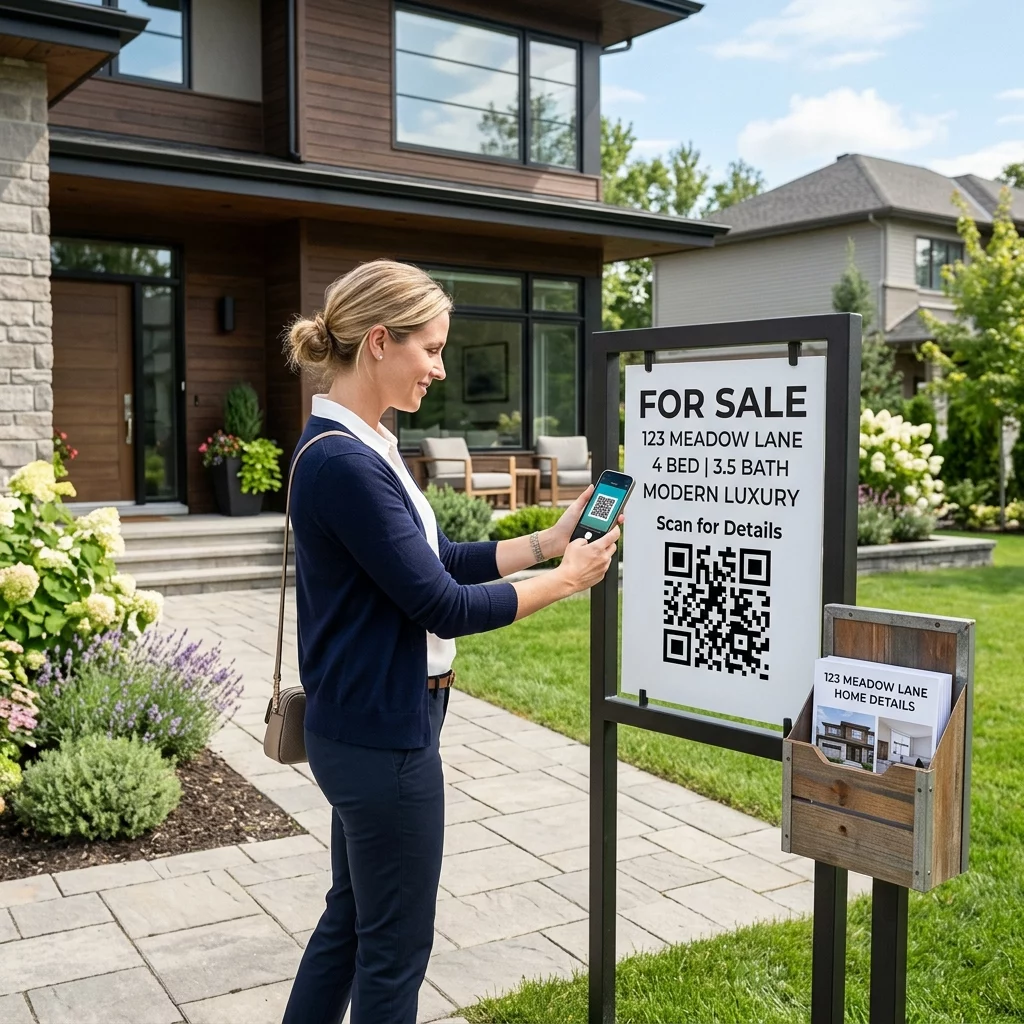
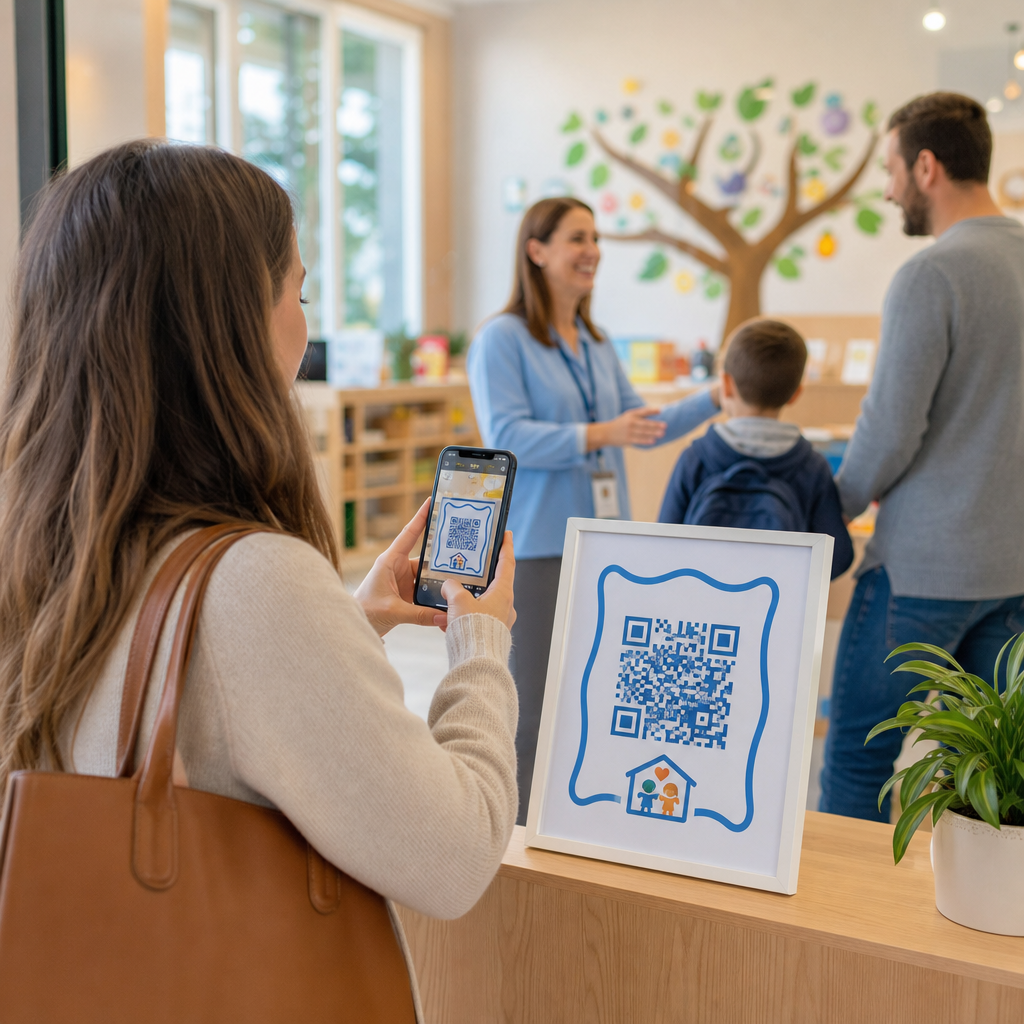
- Gdzie spotykają się z Twoją marką w świecie fizycznym – półki sklepowe, wydarzenia, poczta bezpośrednia, opakowania produktów?
- Jakich urządzeń używają i jak swobodnie czują się ze skanowaniem kodów QR?
Następnie przeanalizuj, co robią Twoi konkurenci. Gdzie umieszczają kody? Do jakich miejsc docelowych prowadzą linki? Identyfikacja luk w ich podejściu często wskazuje na najjaśniejszą okazję.
Te podstawy kształtują również Twój wybór między statycznymi a dynamicznymi kodami QR. Kody statyczne sprawdzają się w przypadku stałych, niezmiennych treści, takich jak dane logowania do Wi-Fi lub stała instrukcja produktu. Kody dynamiczne są właściwym wyborem dla kampanii marketingowych, w których miejsca docelowe, oferty lub treści mogą wymagać ewolucji. Podjęcie tej decyzji wcześnie oszczędza Ci późniejszego ponownego drukowania materiałów.
Dla marketing małych firm w szczególności, nawet prosty audyt rozmieszczenia – pytanie, gdzie Twoi klienci fizycznie się zatrzymują lub czekają – może ujawnić wartościowe miejsca, które większość konkurentów pomija.
Prowadź z wartością, a nie tylko z prośbą o skanowanie
Współczynniki skanowania znacznie się poprawiają, gdy ludzie rozumieją, co otrzymują, zanim zeskanują. Ogólna prośba “Zeskanuj mnie” prosi o uwagę, nie oferując nic w zamian. Konkretna prośba – “Zeskanuj, aby odblokować swój ekskluzywny rabat” lub “Zeskanuj, aby pobrać przewodnik konfiguracji” – daje ludziom jasny powód do działania.
Łączy się to z szerszą zasadą skutecznego marketingu: klienci reagują na to, czego pragną, a nie tylko na to, czego potrzebują. Twój kod QR powinien być punktem wejścia do czegoś naprawdę użytecznego lub wartościowego.
Praktyczne sposoby dostarczania wartości za pomocą kodów QR:
- Zaoferuj zniżkę lub ekskluzywny kupon dostępny tylko po zeskanowaniu
- Link do przewodnika PDF, filmu instruktażowego lub demonstracji produktu, która ułatwia decyzję o zakupie
- Połącz klientów ze stroną recenzji i podziękuj im za poświęcony czas
- Zapewnij uczestnikom wydarzenia natychmiastowy dostęp do harmonogramów, biogramów prelegentów lub map obiektów
Gdy klienci dotrą do Twojej strony docelowej, upewnij się, że doświadczenie jest spójne. Miejsce docelowe powinno być zoptymalizowane pod kątem urządzeń mobilnych, szybko się ładować i mieć jasny następny krok. Dobrze zaprojektowany kod, który prowadzi do słabego doświadczenia mobilnego, spowoduje utratę konwersji w ostatniej chwili.
Połącz materiały drukowane z cyfrowym zaangażowaniem Gotowy, aby wprowadzić te pomysły w życie? Poznaj rozwiązania z kodami QR według branży i przypadku użycia aby znaleźć odpowiedni format dla Twojej następnej kampanii.
Testuj przed uruchomieniem, a następnie śledź, co działa
Zanim jakikolwiek kod QR zostanie opublikowany na materiałach drukowanych lub dystrybuowanych, przetestuj go dokładnie. Zeskanuj kod na wielu urządzeniach i systemach operacyjnych, w różnych warunkach oświetleniowych oraz z odległości, z jakiej Twoja publiczność realistycznie będzie stać. W przypadku materiałów drukowanych, przetestuj ostateczny wydruk – nie tylko cyfrowy podgląd.
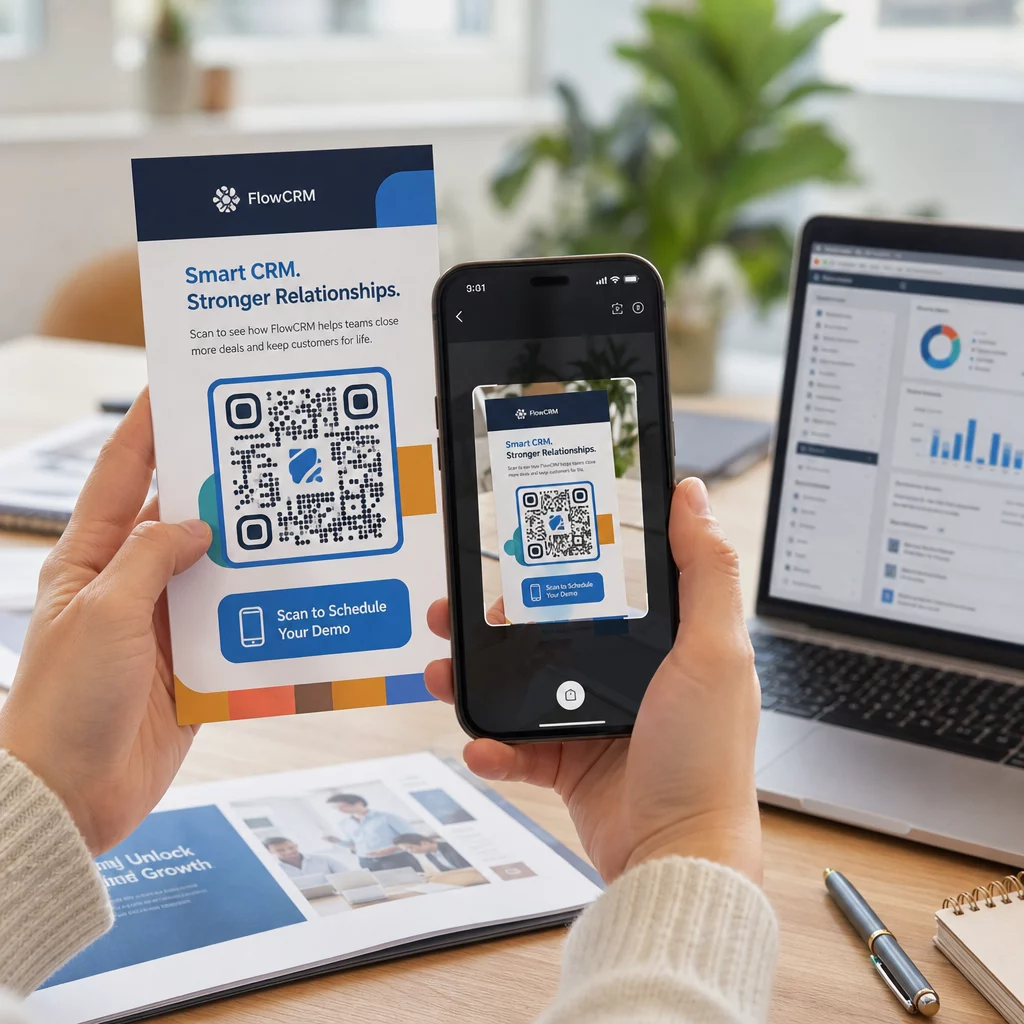
Gdy Twoja kampania będzie już działać, użyj pulpitu nawigacyjnego analityki, aby monitorować:
- Całkowita liczba skanów i unikalna liczba skanów
- Podział geograficzny miejsc, w których występują skany
- Dane dotyczące urządzeń i systemów operacyjnych
- Wzorce czasowe skanowania (dzień tygodnia, pora dnia)
Te dane informują Cię, które miejsca i materiały generują zaangażowanie, a które nie. Jeśli konkretna lokalizacja lub materiał działa poniżej oczekiwań, możesz zaktualizować miejsce docelowe dynamicznego kodu, aby przetestować nową ofertę lub stronę docelową – bez dotykania samego wydrukowanego kodu.
W przypadku kampanii zintegrowanych z Google Analytics, dodanie parametrów UTM do docelowych adresów URL Twoich kodów QR daje Ci pełny obraz tego, jak skany offline przyczyniają się do konwersji online, bezpośrednio w Twoich istniejących narzędziach raportowania.
Firmy, które osiągają najlepsze wyniki z kodów QR, to te, które traktują je jako mierzalny kanał – wyznaczają cele, śledzą wydajność i iterują w oparciu o rzeczywiste dane, a nie założenia.
Zacznij tworzyć mierzalne kampanie z kodami QR Generuj, dostosowuj i śledź kody QR dla każdego przypadku użycia marketingowego z Pageloot. Wypróbuj Generator Kodów QR za darmo przez 14 dni – karta kredytowa nie jest wymagana.
Najczęściej zadawane pytania
Statyczny kod QR koduje stałe miejsce docelowe, którego nie można zmienić po utworzeniu i nie obsługuje śledzenia. Dynamiczny kod QR koduje krótki adres URL przekierowania, co oznacza, że możesz zaktualizować miejsce docelowe w dowolnym momencie bez ponownego drukowania, a także uzyskujesz dostęp do analiz skanowania, w tym lokalizacji, typu urządzenia i czasu. W przypadku większości kampanii marketingowych kody dynamiczne są lepszym wyborem, ponieważ zapewniają elastyczność i mierzalne dane.
Minimalny zalecany rozmiar dla niezawodnego skanowania na większości materiałów drukowanych to 2 × 2 cm (około 0,8 × 0,8 cala). Wraz ze wzrostem oczekiwanej odległości skanowania, kod powinien skalować się proporcjonalnie – powszechną wytyczną jest, aby szerokość kodu wynosiła co najmniej jedną dziesiątą odległości, z której będzie skanowany. W przypadku materiałów wielkoformatowych, takich jak billboardy, dąż do co najmniej 40 × 40 cm. Zawsze testuj ostateczny wydruk na wielu urządzeniach przed dystrybucją.
Najskuteczniejsze podejścia to połączenie kodu z konkretnym, ukierunkowanym na korzyści wezwaniem do działania (na przykład “Zeskanuj, aby otrzymać zniżkę” zamiast “Zeskanuj mnie”), umieszczenie kodu tam, gdzie Twoja publiczność naturalnie się zatrzymuje lub skupia uwagę, oraz zapewnienie, że strona docelowa dostarcza prawdziwą wartość. Dostosowanie projektu kodu do Twojej marki również pomaga – wizualnie wyróżniające się, zgodne z marką kody przyciągają więcej uwagi niż generyczne czarno-białe wzory.