> QR 뉴스 > QR 코드를 사용하여 마케팅을 강화하는 5가지 방법
QR 코드 마케팅

QR 코드를 사용하여 마케팅을 강화하는 5가지 방법

Learn five ways to use an online QR code generator to boost marketing. Discover how to track scans, build retargetable audiences, and design branded QR codes.
Updated on 6월 10, 2026
목차

Are you struggling to connect your physical marketing materials with measurable digital results? Most businesses print flyers, hang posters, and package products without a clear way to track engagement – and that means lost opportunities. This guide covers five practical ways to use an online QR code generator to turn offline touchpoints into active, trackable marketing channels.

Use Dynamic QR Codes to Build Retargetable Audiences

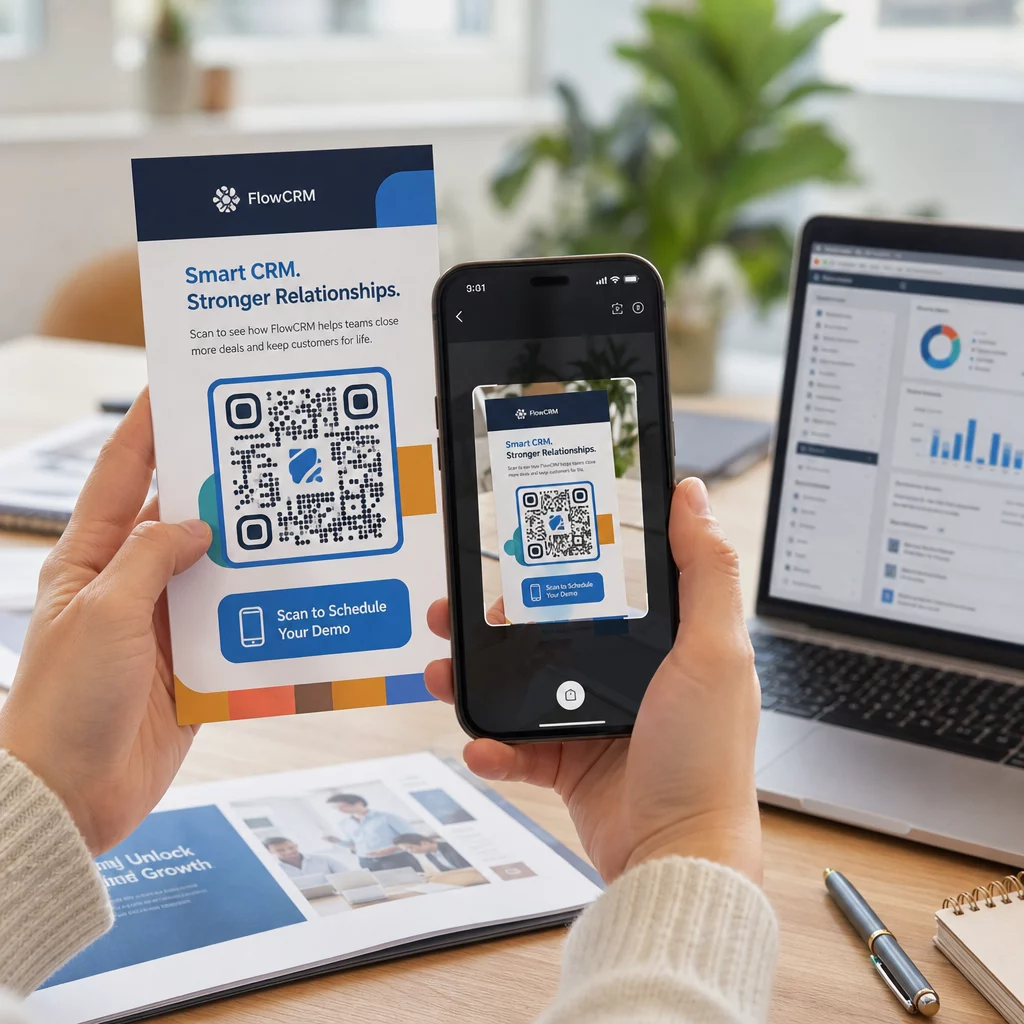
Not all QR codes are equal. 동적 QR 코드 encode a short redirect URL rather than a fixed destination, which means you can change where the code points at any time – without reprinting a single flyer or package. If you’ve already printed your materials but need to update a landing page or swap out a seasonal offer, a dynamic code handles that instantly.

The deeper marketing advantage is retargeting. When a customer scans your code and lands on a page you control, you can fire a Facebook Pixel or connect Google Analytics tags to that session. From there, you can build custom audiences and lookalike segments from people who physically engaged with your materials. This turns a printed poster into a digital lead source.

Dynamic QR codes also give you detailed scan analytics – scan counts, timestamps, geographic location, device type, and operating system – data that static codes simply cannot provide. For any campaign where you need flexibility, tracking, or real-time adjustments, dynamic codes are the right choice.

Create Trackable QR Codes for Your Next Campaign Want to update destinations, track every scan, and build retargetable audiences from your print materials? Get started with the QR Code Generator and launch your first dynamic campaign today.

Design Your QR Code to Match Your Brand

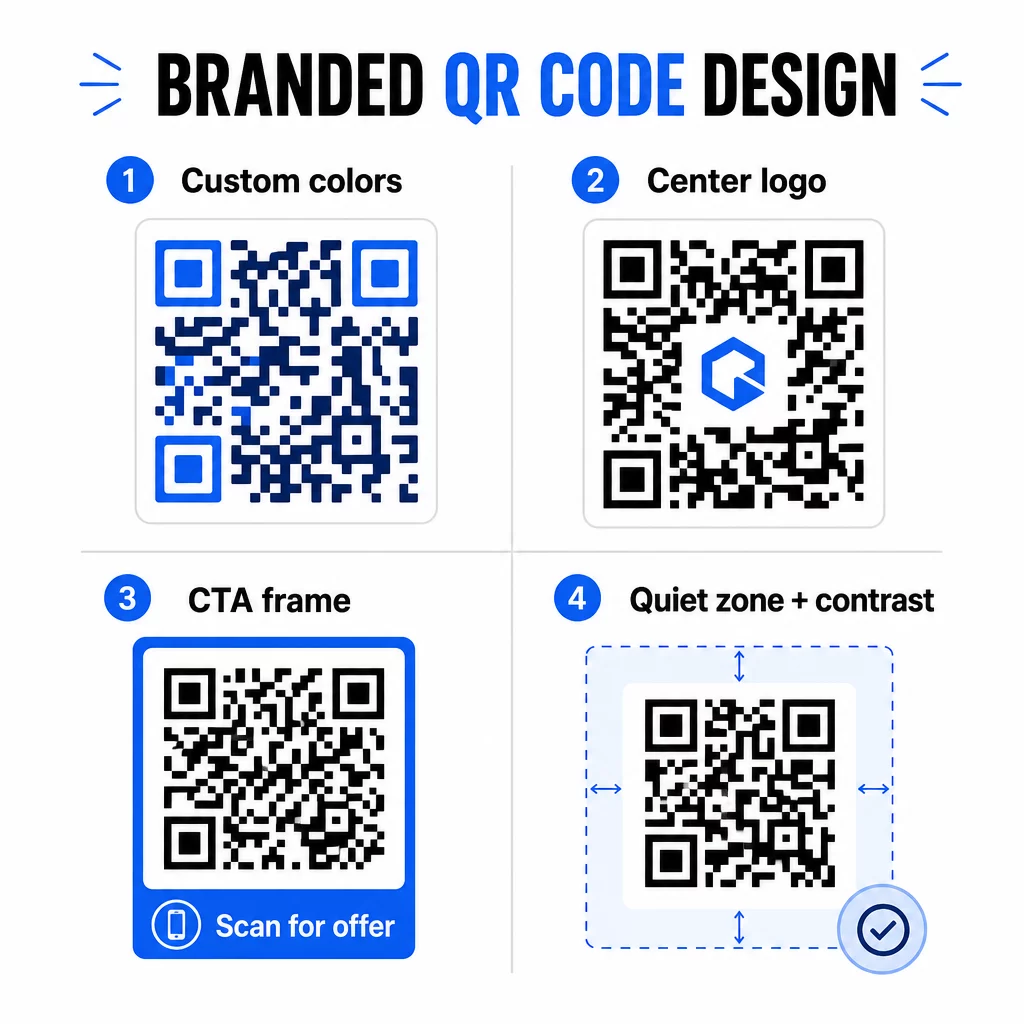
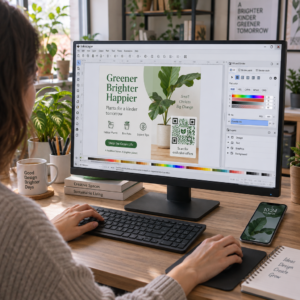
A plain black-and-white QR code on an otherwise polished brand piece sends the wrong signal. Modern QR code generators let you customize colors, shapes, and patterns to match your visual identity, and you can wrap the code in a CTA frame – a border with instructional text like “Scan to Get 20% Off” or “Scan to See Today’s Menu.”

브랜드 QR 코드 디자인

That CTA frame does real work. Research into QR code frames consistently shows that codes without any instruction get far fewer scans because people don’t know what they’ll receive. A specific, benefit-driven prompt removes that hesitation.

A few design rules to follow:

  • Keep the code dark on a light background – inverted or low-contrast color combinations confuse many scanners
  • Maintain a quiet zone (a clear margin of at least four modules) around the entire perimeter of the code
  • Print at a minimum of 2 × 2 cm (0.8 × 0.8 inches) for most materials; for billboards, aim for at least 40 × 40 cm
  • Use vector or high-resolution exports to keep the modules crisp at any size

If you want to add a logo to the center of the code, set the error correction level to Q or H so the code remains scannable even with part of the pattern covered. You can learn more about QR code placement standards for different materials to make sure your design works across every format.

Go Beyond URLs – Use QR Codes for Coupons, Reviews, and Events

Most marketers default to linking a QR code to a website and stopping there. That approach barely scratches the surface of what’s possible.

Consider these use cases:

  • Coupon codes: A coupon QR code lands customers on a page showing your current deals and discounts, with a CTA that drives them to checkout
  • Google Reviews: Place a Google 리뷰 QR 코드 on receipts, packaging, or table tents to make leaving feedback as frictionless as possible – one scan and the review page opens automatically
  • 이벤트: An event QR code consolidates venue details, schedules, and registration links in one scan, and because it’s dynamic, you can update the information if anything changes without reprinting
  • 소셜 미디어: A 소셜 미디어 QR코드 gives customers a direct path to follow your accounts or join your community from any physical material
  • Location directions: A Google 지도 QR 코드 opens your location in the Maps app with one scan – useful on event invitations, storefronts, and business cards

Each of these use cases solves a specific friction point in the customer journey. The key is matching the QR code type to what your audience actually needs at that moment.

Do Your Audience Research Before You Deploy

A QR code is only as effective as the campaign behind it. Before generating a single code, take time to understand who you’re targeting and where they spend time – both physically and digitally.

Start by defining your audience clearly:

  • What problems are they trying to solve?
  • Where do they encounter your brand in the physical world – retail shelves, events, direct mail, product packaging?
  • What devices do they use, and how comfortable are they with scanning QR codes?

Then review what your competitors are doing. Where are they placing codes? What destinations are they linking to? Identifying gaps in their approach is often where the clearest opportunity sits.

This groundwork also shapes your choice between static and dynamic QR codes. Static codes work well for permanent, unchanging content like Wi-Fi credentials or a fixed product manual. Dynamic codes are the right choice for marketing campaigns where destinations, offers, or content may need to evolve. Making this decision early saves you from reprinting materials later.

에 대한 small business marketing specifically, even a simple placement audit – asking where your customers physically pause or wait – can reveal high-value spots that most competitors overlook.

Lead with Value, Not Just a Scan Prompt

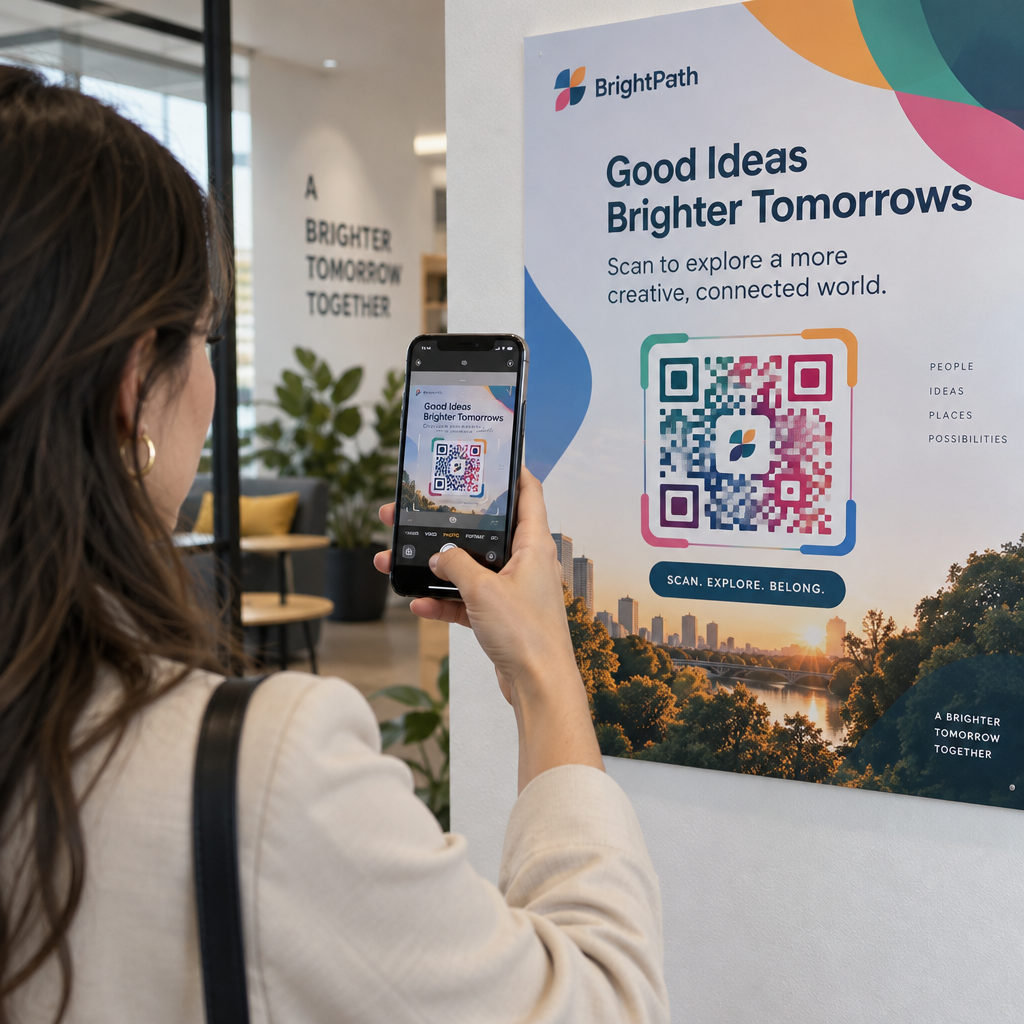
Scan rates improve dramatically when people understand what they’re getting before they scan. A generic “Scan Me” prompt asks for attention without offering anything in return. A specific prompt – “Scan to unlock your exclusive discount” or “Scan to download the setup guide” – gives people a clear reason to act.

This connects to a broader principle in effective marketing: customers respond to what they desire, not just what they need. Your QR code should be the entry point to something genuinely useful or rewarding.

Practical ways to deliver value through QR codes:

  • Offer a discount or exclusive coupon that’s only accessible by scanning
  • Link to a PDF guide, tutorial video, or product demo that makes the purchase decision easier
  • Connect customers to a review page and thank them for their time
  • Give event attendees instant access to schedules, speaker bios, or venue maps

After customers reach your landing page, make sure the experience holds up. The destination should be mobile-optimized, load quickly, and have a clear next step. A well-designed code that leads to a poor mobile experience will lose conversions at the last moment.

Connect Print Materials to Digital Engagement Ready to put these ideas into practice? Explore QR code solutions by industry and use case to find the right format for your next campaign.

Test Before You Launch, Then Track What Works

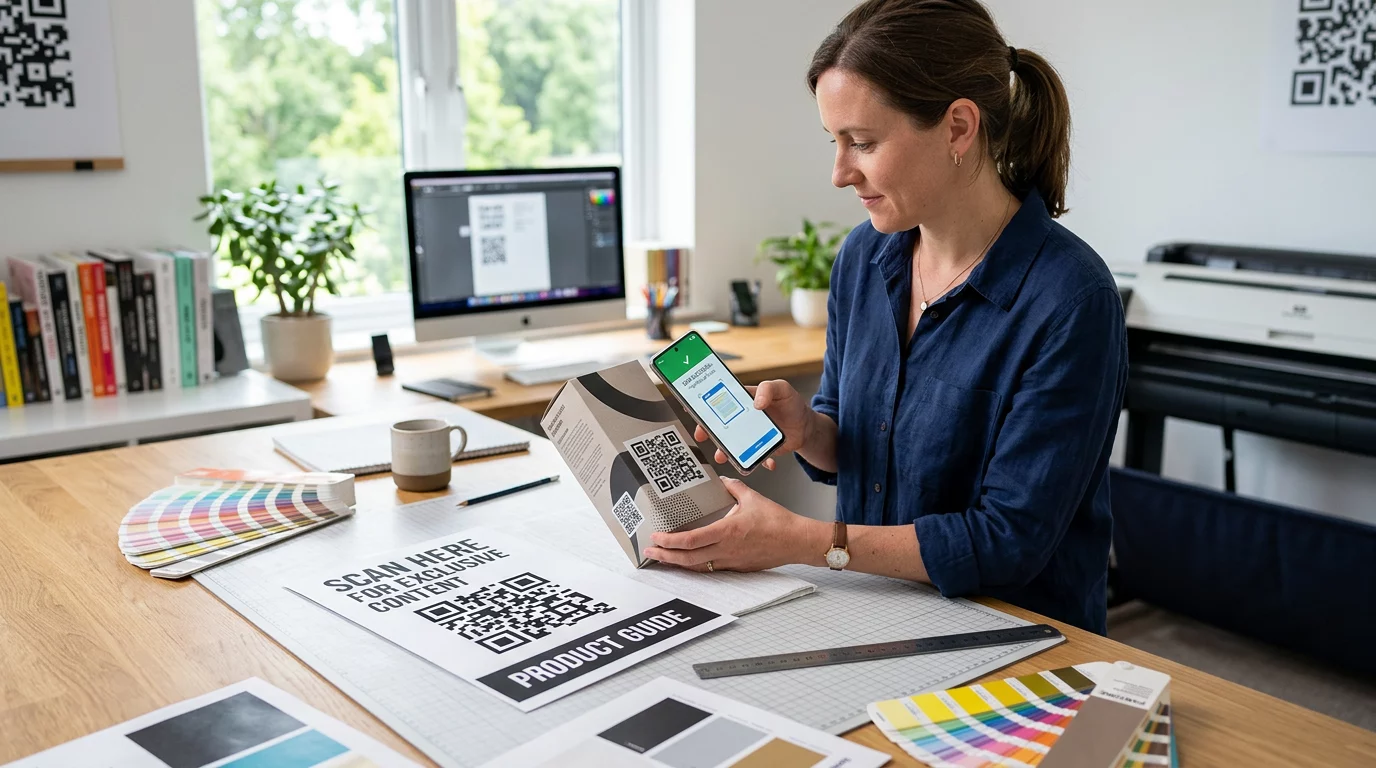
Before any QR code goes live on printed or distributed materials, test it thoroughly. Scan the code on multiple devices and operating systems, under different lighting conditions, and at the distances your audience will realistically be standing. For print materials, test the final printed output – not just the digital preview.

Testing QR campaign

Once your campaign is running, use your analytics dashboard to monitor:

  • Total scans and unique scan counts
  • Geographic breakdown of where scans are occurring
  • Device and operating system data
  • Scan timing patterns (day of week, time of day)

This data tells you which placements and materials are generating engagement and which aren’t. If a particular location or material is underperforming, you can update the dynamic code’s destination to test a new offer or landing page – without touching the printed code itself.

For campaigns integrated with Google Analytics, adding UTM parameters to your QR code destination URLs gives you a full picture of how offline scans contribute to online conversions, right inside your existing reporting tools.

The businesses seeing the strongest results from QR codes are the ones treating them as a measurable channel – setting objectives, tracking performance, and iterating based on real data rather than assumption.

Start Building Measurable QR Code Campaigns Generate, customize, and track QR codes for every marketing use case with Pageloot. Try the QR Code Generator free for 14 days – no credit card required.

자주 묻는 질문

What is the difference between a static and dynamic QR code for marketing?

A static QR code encodes a fixed destination that cannot be changed after creation and does not support tracking. A dynamic QR code encodes a short redirect URL, which means you can update the destination at any time without reprinting, and you gain access to scan analytics including location, device type, and timing. For most marketing campaigns, dynamic codes are the better choice because they give you flexibility and measurable data.

How should I size my QR code for printed marketing materials?

The minimum recommended size for reliable scanning on most print materials is 2 × 2 cm (approximately 0.8 × 0.8 inches). As the expected scanning distance increases, the code should scale proportionally – a common guideline is that the code’s width should be at least one-tenth of the distance from which it will be scanned. For large-format materials like billboards, aim for at least 40 × 40 cm. Always test the final printed output across multiple devices before distributing.

How can I get more people to scan my QR code?

The most effective approaches are pairing your code with a specific, benefit-driven call to action (for example, “Scan to get your discount” rather than “Scan me”), placing the code where your audience naturally pauses or focuses attention, and ensuring the landing page delivers genuine value. Customizing the code’s design to match your branding also helps – visually distinct, on-brand codes attract more attention than generic black-and-white patterns.

작성자 정보

시임 코스타비는 페이지루트의 콘텐츠 책임자입니다. 그는 페이지루트의 혁신적인 QR 코드 생성 서비스에 대한 글을 쓰고 있습니다. 5년 이상 QR 코드 분야에서 쌓아온 깊이 있는 전문 지식을 바탕으로, 시임은 이 분야의 전문가로 인정받고 있습니다. 그는 QR 기술을 활용하여 디지털 상호작용을 간소화하고 향상시키는 데 크게 기여하고 있습니다.

범주
에 대해 자세히 알아보기
전단지 QR 코드 스캔
QR 코드 사용전단지

온라인으로 QR 코드를 생성해야하는 경우 QR 코드 만들기 무료로 여기!
Pageloot는 #1 Go-To 솔루션 QR 코드를 만들고 스캔합니다.

QRN-003

블로그 세대

20,000개 이상의 브랜드로부터 신뢰를 받아 더 많은 매출, 리뷰, 팔로워를 확보했습니다.

클라이언트 로고
최고 브랜드의 신뢰
5 중 4.8 평가

4.86 / 5 별점

휴고 로랑
휴고 로랑
레스토랑 주인
가장 쉽고 안정적인 QR 코드 생성기. PDF 파일을 즉시 업로드할 수 있습니다. 이제 레스토랑 메뉴가 디지털화되었습니다.
루카스 얀센
루카스 얀센
부동산 개발사
이것은 훌륭한 도구이며 QR 코드를 사용하면 원하는 곳으로 이동할 수 있습니다. 우리는 위치 QR 코드만 사용하지만 유용한 기능이 너무 많습니다.
엠마 모레티
엠마 모레티
소매 제품
사용하기 쉽고 빠릅니다. 그것은 훌륭하게 작동하고 완벽한 이미지를 생성하므로 직원들이 내 vCard를 다운로드할 수 있습니다.
휴고 로랑
휴고 로랑
레스토랑 주인
가장 쉽고 안정적인 QR 코드 생성기. PDF 파일을 즉시 업로드할 수 있습니다. 이제 레스토랑 메뉴가 디지털화되었습니다.
루카스 얀센
루카스 얀센
부동산 개발사
이것은 훌륭한 도구이며 QR 코드를 사용하면 원하는 곳으로 이동할 수 있습니다. 우리는 위치 QR 코드만 사용하지만 유용한 기능이 너무 많습니다.
엠마 모레티
엠마 모레티
소매 제품
사용하기 쉽고 빠릅니다. 그것은 훌륭하게 작동하고 완벽한 이미지를 생성하므로 직원들이 내 vCard를 다운로드할 수 있습니다.
더 많은 QR 코드보기
QR code beverage label
QR 코드 사용병 및 캔
무엇이든 디지털 경험으로 전환하세요 3분 이내에.

14일 무료 체험.

신용카드는 필요 없습니다.

첫 구매 시 30% 할인

코드를 사용하세요:

MP3 파일 공유

PDF QR 코드를 생성하려면 가입하세요

필요한 모든 것을 업로드하고 표시합니다.

  • 오디오 파일
  • 팟캐스트
  • 음악

가입 시 14일 무료 체험.
체험 기간 후 QR 코드 만료.

오디오 mp3 QR 코드를 생성하려면 가입하세요

프레임으로 더 많은 스캔 확보

QR 코드에 더 많은 프레임을 추가하려면 가입하세요

클릭 유도 문안 프레임은 고객이 QR 코드와 쉽게 상호 작용할 수 있도록 도와줍니다. 사용해 보세요!

가입 시 14일 무료 체험.
체험 기간 후 QR 코드 만료.

QR 코드에 더 많은 프레임을 추가하려면 가입하세요

도형으로 더 많은 스타일 추가

더 많은 도형을 만들려면 가입하세요

QR 코드는 정사각형일 필요가 없습니다. 브랜드 이미지에 맞게 전환해 보세요.

가입 시 14일 무료 체험.
체험 기간 후 QR 코드 만료.

더 많은 도형을 만들려면 가입하세요

QR 코드에 로고 추가

QR 코드에 로고를 추가하려면 가입하세요

로고와 브랜드를 추가하여 QR 코드를 돋보이게 만드세요.

가입 시 14일 무료 체험.
체험 기간 후 QR 코드 만료.

QR 코드에 로고를 추가하려면 가입하세요

스마트 앱 스토어 리디렉션

앱 스토어 QR 코드를 생성하려면 가입하세요

스마트 앱 스토어 QR 코드에 앱 링크를 추가하세요. 사용자는 장치에 따라 리디렉션됩니다.

가입 시 14일 무료 체험.
체험 기간 후 QR 코드 만료.

앱 스토어 QR 코드를 생성하려면 가입하세요

QR 코드에 이미지 업로드

이미지 QR 코드를 생성하려면 가입하세요

이미지를 쉽게 공유하세요. 몇 초 안에 동적으로 이미지를 변경하십시오.

가입 시 14일 무료 체험.
체험 기간 후 QR 코드 만료.

이미지 QR 코드를 생성하려면 가입하세요

PDF 파일 공유

PDF QR 코드를 생성하려면 가입하세요

필요한 모든 것을 업로드하고 표시합니다.

  • 메뉴 및 가격표
  • 명령
  • 모든 문서

가입 시 14일 무료 체험.
체험 기간 후 QR 코드 만료.

PDF QR 코드를 생성하려면 가입하세요

인쇄 없이 나중에 편집

다시 인쇄하지 않고 QR 코드를 편집하려면 가입하세요

동적 QR 코드를 사용하면 새 QR 코드를 인쇄하지 않고도 QR 코드의 내용을 변경할 수 있습니다.

가입 시 14일 무료 체험.
체험 기간 후 QR 코드 만료.

다시 인쇄하지 않고 QR 코드를 편집하려면 가입하세요

언제? 어디서? QR 코드 스캔 추적

QR 코드를 추적하려면 가입하세요

어떤 QR 코드가 가장 많이 스캔되고 무엇이 고객을 가장 흥분시키는지 알아보십시오.

가입 시 14일 무료 체험.
체험 기간 후 QR 코드 만료.

QR 코드를 추적하려면 가입하세요

인쇄 준비 파일 제공

PDF 및 SVG와 같은 벡터 QR 코드를 생성하려면 가입하세요.

.EPS, .PDF, .SVG

HD 해상도로 QR 코드를 다운로드하고 싶으신가요? 인쇄할 준비가 된 벡터 또는 픽셀 형식을 가져옵니다.

가입 시 14일 무료 체험.
체험 기간 후 QR 코드 만료.

PDF 및 SVG와 같은 벡터 QR 코드를 생성하려면 가입하세요.

기다리세요. 귀하의 QR 코드는 로드 중... 로드 중...

나만의 것으로 만들기

나중을 위해 QR 코드를 저장하려면 가입하세요.

다양한 색상, 로고 및 클릭 유도문안 프레임으로 멋진 QR 코드를 만들어 더 많은 스캔을 받으세요.

가입 시 14일 무료 체험.
체험 기간 후 QR 코드 만료.

나중을 위해 QR 코드를 저장하려면 가입하세요.