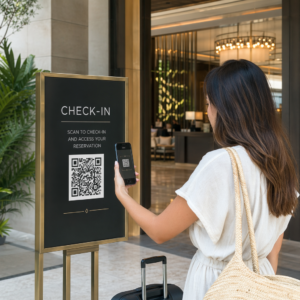
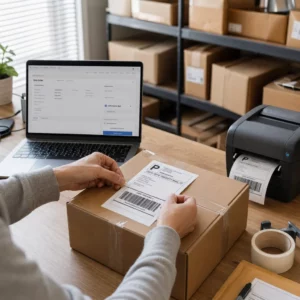
Kas teil on raskusi oma füüsiliste turundusmaterjalide ühendamisega mõõdetavate digitaalsete tulemustega? Enamik ettevõtteid prindib flaiereid, riputab plakateid ja pakendab tooteid ilma selge viisita kaasatuse jälgimiseks – ja see tähendab kaotatud võimalusi. See juhend käsitleb viit praktilist viisi, kuidas kasutada veebipõhist QR-koodi generaatorit, et muuta võrguvälised puutepunktid aktiivseteks, jälgitavateks turunduskanaliteks.
Kasutage dünaamilisi QR-koode, et luua uuesti sihitavaid sihtrühmi
Kõik QR-koodid ei ole võrdsed. Dünaamilised QR-koodid kodeerivad lühikese ümbersuunamise URL-i fikseeritud sihtkoha asemel, mis tähendab, et saate igal ajal muuta, kuhu kood suunab – ilma ühtegi flaierit või pakendit uuesti printimata. Kui olete oma materjalid juba printinud, kuid peate värskendama sihtlehte või vahetama hooajalist pakkumist, teeb dünaamiline kood seda koheselt.
Sügavam turunduseelis on uuesti sihtimine. Kui klient skannib teie koodi ja jõuab lehele, mida te kontrollite, saate käivitada Facebooki piksli või ühendada Google Analyticsi sildid selle seansiga. Sealt edasi saate luua kohandatud sihtrühmi ja sarnaseid segmente inimestest, kes teie materjalidega füüsiliselt suhtlesid. See muudab prinditud plakati digitaalseks müügivihje allikaks.
Dünaamilised QR-koodid annavad teile ka üksikasjaliku skannimisanalüüsi – skannimiste arv, ajatemplid, geograafiline asukoht, seadme tüüp ja operatsioonisüsteem – andmed, mida staatilised koodid lihtsalt pakkuda ei suuda. Iga kampaania puhul, kus vajate paindlikkust, jälgimist või reaalajas kohandusi, on dünaamilised koodid õige valik.
Looge jälgitavad QR-koodid oma järgmise kampaania jaoks Kas soovite värskendada sihtkohti, jälgida iga skannimist ja luua oma trükimaterjalidest uuesti sihitavaid sihtrühmi? Alustage QR-koodi generaatoriga ja käivitage oma esimene dünaamiline kampaania juba täna.
Kujundage oma QR-kood vastavalt oma brändile
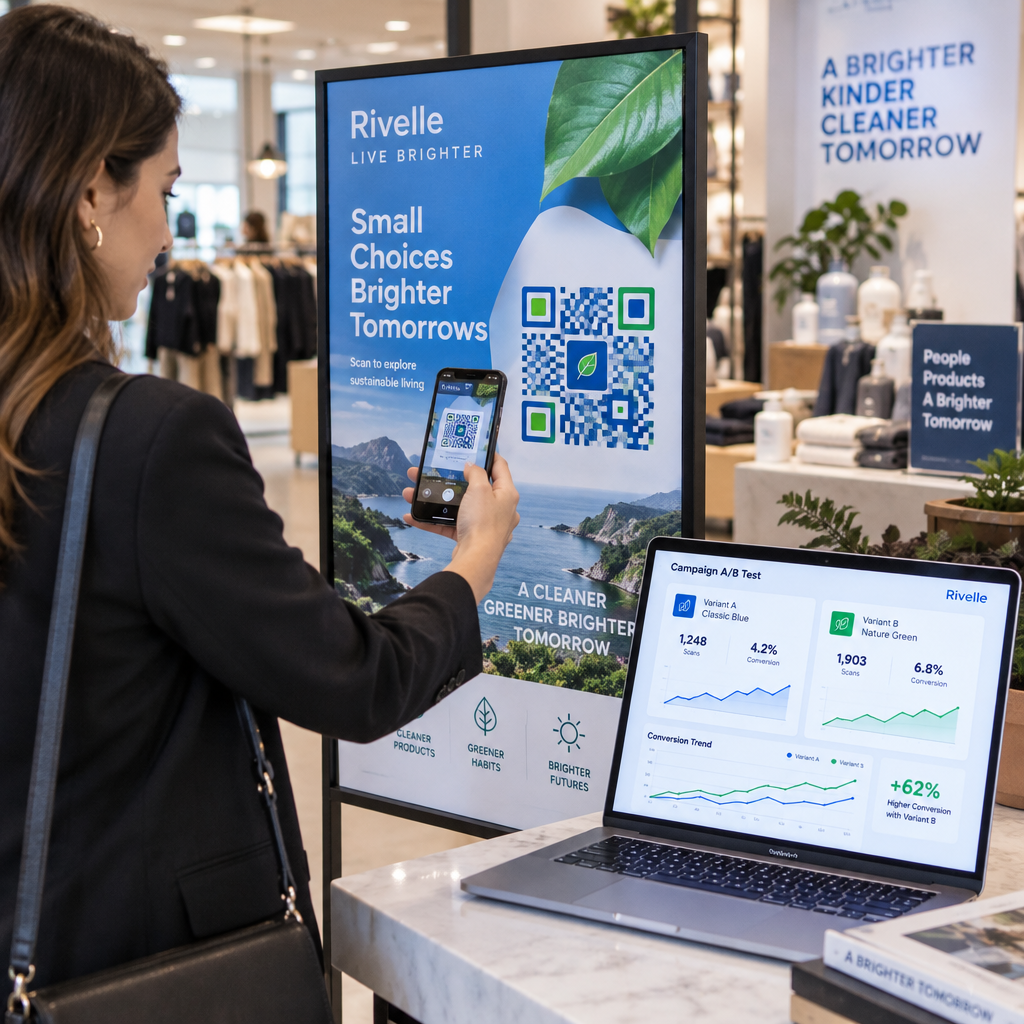
Lihtne mustvalge QR-kood muidu lihvitud bränditükil saadab vale signaali. Kaasaegsed QR-koodi generaatorid võimaldavad teil kohandada värve, kujundeid ja mustreid vastavalt oma visuaalsele identiteedile ning saate koodi ümbritseda CTA raamiga – piiriga, millel on juhendav tekst, näiteks “Skanni, et saada 20% soodustust” või “Skanni, et näha tänast menüüd”.”
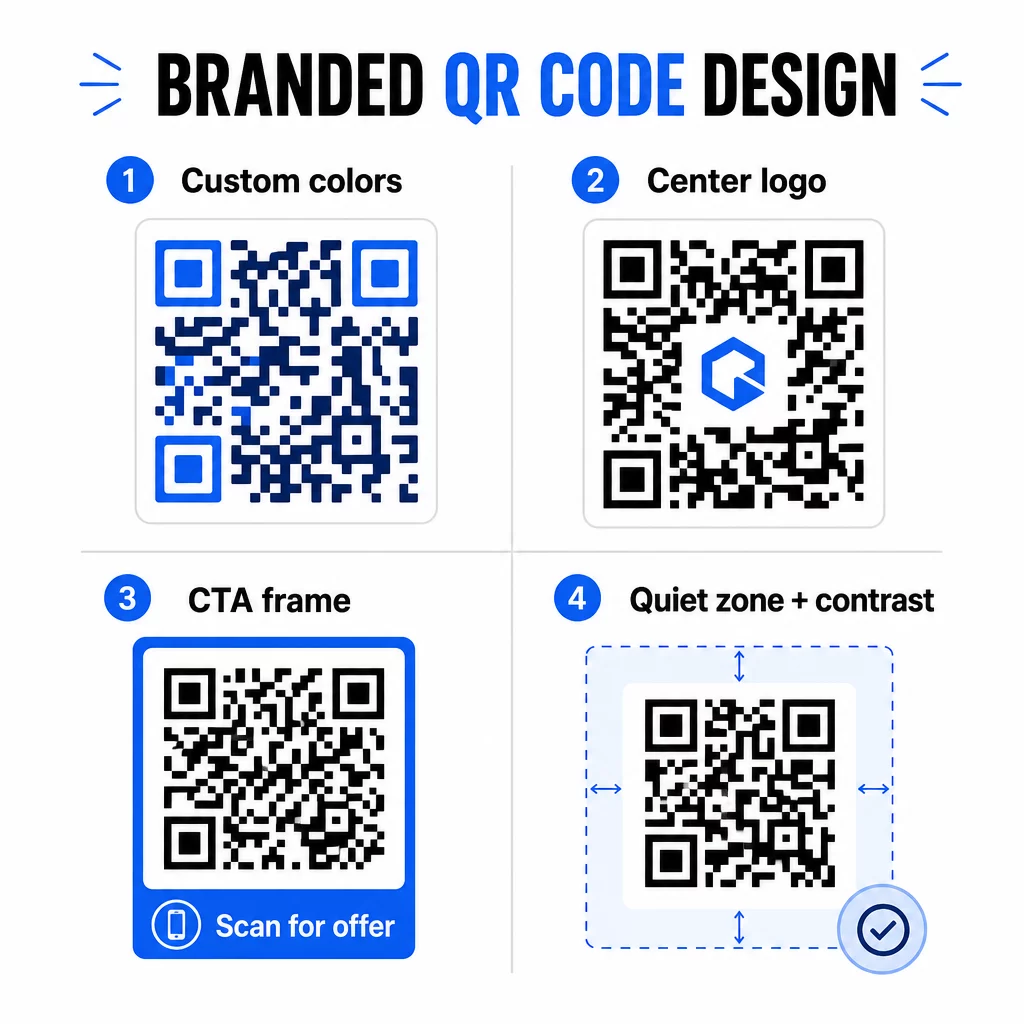
See CTA raam teeb tõelist tööd. Uuring QR-koodi raamide kohta näitab järjepidevalt, et ilma igasuguse juhiseta koodid saavad palju vähem skaneeringuid, sest inimesed ei tea, mida nad saavad. Spetsiifiline, kasule orienteeritud vihje eemaldab selle kõhkluse.
Mõned disainireeglid, mida järgida:
- Hoidke kood tume heledal taustal – pööratud või madala kontrastsusega värvikombinatsioonid ajavad paljud skannerid segadusse
- Hoidke koodi ümber vaikne tsoon (vähemalt nelja mooduli laiune selge serv)
- Printige enamiku materjalide puhul minimaalselt 2 × 2 cm (0,8 × 0,8 tolli); reklaamtahvlite puhul püüdke vähemalt 40 × 40 cm
- Kasutage vektorgraafikat või kõrge resolutsiooniga eksporte, et moodulid oleksid igas suuruses teravad
Kui soovite lisada koodi keskele logo, seadke veaparanduse tase Q-le või H-le, et kood jääks skaneeritavaks isegi siis, kui osa mustrist on kaetud. Saate rohkem teada QR-koodi paigutuse standardid erinevate materjalide jaoks et teie disain toimiks igas formaadis.
Minge kaugemale URL-idest – kasutage QR-koode kupongide, arvustuste ja sündmuste jaoks
Enamik turundajaid lingib QR-koodi vaikimisi veebisaidile ja peatub seal. See lähenemine vaevalt kriibib pinnapealselt seda, mis on võimalik.
Kaaluge neid kasutusjuhtumeid:
- Kupongikoodid: A kupongi QR-kood viib kliendid lehele, mis näitab teie praeguseid pakkumisi ja allahindlusi, koos tegevusele kutsuva nupuga, mis suunab nad ostu sooritama
- Google'i arvustused: Asetage Google'i arvustuse QR-koodile kviitungitele, pakenditele või lauatelkidele, et tagasiside andmine oleks võimalikult hõõrdumatu – üks skaneering ja arvustuste leht avaneb automaatselt
- Üritused: Üks sündmuse QR-kood koondab sündmuskoha üksikasjad, ajakavad ja registreerimislingid ühte skaneeringusse ning kuna see on dünaamiline, saate teavet värskendada, kui midagi muutub, ilma uuesti printimata
- Sotsiaalmeedia: A sotsiaalmeedia QR-kood annab klientidele otsese tee teie kontode jälgimiseks või teie kogukonnaga liitumiseks mis tahes füüsiliselt materjalilt
- Asukoha juhised: A Google Maps QR-kood avab teie asukoha Mapsi rakenduses ühe skaneeringuga – kasulik sündmuste kutsetel, poeakendel ja visiitkaartidel
Igaüks neist kasutusjuhtudest lahendab kliendi teekonnal konkreetse hõõrdepunkti. Peamine on sobitada QR-koodi tüüp sellega, mida teie sihtrühm sel hetkel tegelikult vajab.
Tehke oma sihtrühma uuring enne juurutamist
QR-kood on sama tõhus kui selle taga olev kampaania. Enne ühegi koodi genereerimist võtke aega, et mõista, keda te sihtite ja kus nad aega veedavad – nii füüsiliselt kui ka digitaalselt.
Alustage oma sihtrühma selgest määratlemisest:
- Milliseid probleeme nad püüavad lahendada?
- Kus nad kohtuvad teie brändiga füüsilises maailmas – jaekaupluste riiulitel, üritustel, otsepostitustes, toote pakenditel?
- Milliseid seadmeid nad kasutavad ja kui mugavalt nad QR-koode skaneerivad?
Seejärel vaadake üle, mida teie konkurendid teevad. Kuhu nad koode paigutavad? Millistele sihtkohtadele nad linkivad? Nende lähenemisviisi lünkade tuvastamine on sageli koht, kus asub kõige selgem võimalus.
See eeltöö kujundab ka teie valiku staatiliste ja dünaamiliste QR-koodide vahel. Staatilised koodid sobivad hästi püsiva, muutumatu sisu jaoks, nagu Wi-Fi mandaadid või fikseeritud tootejuhend. Dünaamilised koodid on õige valik turunduskampaaniate jaoks, kus sihtkohad, pakkumised või sisu võivad vajada arendamist. Selle otsuse varajane tegemine säästab teid hilisemast materjalide uuesti trükkimisest.
Sest väikeettevõtete turunduses konkreetselt, isegi lihtne paigutuse audit – küsides, kus teie kliendid füüsiliselt peatuvad või ootavad – võib paljastada väärtuslikke kohti, mida enamik konkurente ignoreerib.
Juhtige väärtusega, mitte ainult skannimiskutsega
Skannimismäärad paranevad dramaatiliselt, kui inimesed mõistavad, mida nad enne skannimist saavad. Üldine “Skanni mind” kutse palub tähelepanu, pakkumata midagi vastu. Spetsiifiline kutse – “Skanni, et avada oma eksklusiivne allahindlus” või “Skanni, et alla laadida seadistusjuhend” – annab inimestele selge põhjuse tegutseda.
See on seotud laiemalt tõhusa turunduse põhimõttega: kliendid reageerivad sellele, mida nad ihkavad, mitte ainult sellele, mida nad vajavad. Teie QR-kood peaks olema sissepääs millelegi tõeliselt kasulikule või tasuvale.
Praktilised viisid väärtuse pakkumiseks QR-koodide kaudu:
- Pakkuge allahindlust või eksklusiivset kupongi, mis on ligipääsetav ainult skannides
- Linkige PDF-juhendile, õppevideole või tootedemole, mis muudab ostuotsuse lihtsamaks
- Ühendage kliendid arvustuste lehega ja tänage neid nende aja eest
- Andke ürituse külastajatele kohene juurdepääs ajakavadele, esinejate elulugudele või toimumiskoha kaartidele
Pärast seda, kui kliendid jõuavad teie sihtlehele, veenduge, et kogemus püsiks. Sihtkoht peaks olema mobiilile optimeeritud, laadima kiiresti ja omama selget järgmist sammu. Hästi kujundatud kood, mis viib halva mobiilikogemuseni, kaotab konversioone viimasel hetkel.
Ühendage trükimaterjalid digitaalse kaasamisega Kas olete valmis neid ideid praktikasse rakendama? Avasta QR-koodi lahendusi valdkonna ja kasutusjuhtumi järgi et leida õige formaat oma järgmise kampaania jaoks.
Testi enne käivitamist, seejärel jälgi, mis töötab
Enne kui ükski QR-kood avaldatakse trükitud või levitatud materjalidel, testi seda põhjalikult. Skanni koodi mitmel seadmel ja operatsioonisüsteemil, erinevates valgustingimustes ja kaugustelt, kust sinu sihtrühm realistlikult seisab. Trükimaterjalide puhul testi lõplikku trükitud väljundit – mitte ainult digitaalset eelvaadet.
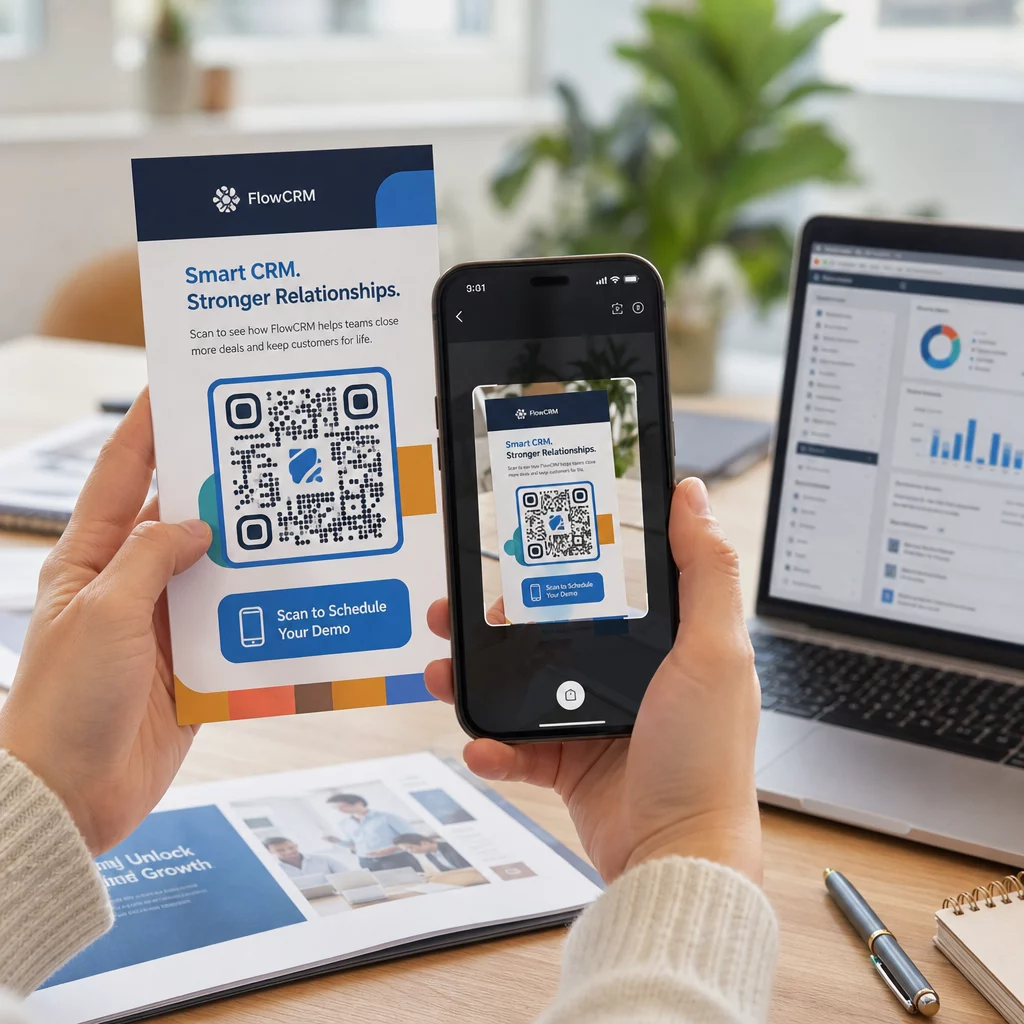
Kui sinu kampaania on käimas, kasuta oma analüüsi armatuurlauda jälgimiseks:
- Skaneeringute koguarv ja unikaalsete skaneeringute arv
- Geograafiline jaotus, kus skaneerimised toimuvad
- Seadme ja operatsioonisüsteemi andmed
- Skaneerimise ajastuse mustrid (nädalapäev, kellaaeg)
Need andmed näitavad sulle, millised paigutused ja materjalid tekitavad kaasatust ja millised mitte. Kui teatud asukoht või materjal ei toimi ootuspäraselt, saad uuendada dünaamilise koodi sihtkohta, et testida uut pakkumist või sihtlehte – ilma trükitud koodi ennast puudutamata.
Google Analyticsiga integreeritud kampaaniate puhul, UTM-parameetrite lisamine oma QR-koodi siht-URL-idele annab sulle täieliku ülevaate sellest, kuidas võrguvälised skaneerimised aitavad kaasa veebikonversioonidele, otse sinu olemasolevates aruandlustööriistades.
Ettevõtted, kes näevad QR-koodidest parimaid tulemusi, on need, kes käsitlevad neid mõõdetava kanalina – seades eesmärke, jälgides tulemuslikkust ja korrates tegelike andmete, mitte oletuste põhjal.
Alusta mõõdetavate QR-koodi kampaaniate loomist Loo, kohanda ja jälgi QR-koode iga turundusliku kasutusjuhtumi jaoks Pagelootiga. Proovi QR-koodi generaatorit tasuta 14 päeva – krediitkaarti pole vaja.
Korduma kippuvad küsimused
Staatiline QR-kood kodeerib fikseeritud sihtkoha, mida ei saa pärast loomist muuta ja mis ei toeta jälgimist. Dünaamiline QR-kood kodeerib lühikese ümbersuunamise URL-i, mis tähendab, et saate sihtkohta igal ajal ilma uuesti printimata uuendada, ja saate juurdepääsu skannimisanalüütikale, sealhulgas asukohale, seadme tüübile ja ajastusele. Enamiku turunduskampaaniate jaoks on dünaamilised koodid parem valik, sest need pakuvad paindlikkust ja mõõdetavaid andmeid.
Minimaalne soovitatav suurus usaldusväärseks skaneerimiseks enamikul trükimaterjalidel on 2 × 2 cm (ligikaudu 0,8 × 0,8 tolli). Eeldatava skaneerimiskauguse suurenedes peaks kood proportsionaalselt suurenema – levinud juhis on, et koodi laius peaks olema vähemalt üks kümnendik kaugusest, kust seda skaneeritakse. Suureformaadiliste materjalide, näiteks reklaamtahvlite puhul, püüdke saavutada vähemalt 40 × 40 cm. Enne levitamist testige alati lõplikku trükitud väljundit mitme seadmega.
Kõige tõhusamad lähenemisviisid on koodi sidumine spetsiifilise, kasule orienteeritud üleskutsega (näiteks “Skaneeri, et saada oma allahindlus” asemel “Skaneeri mind”), koodi paigutamine kohta, kus teie publik loomulikult peatub või tähelepanu koondab, ja tagamine, et sihtleht pakub tõelist väärtust. Koodi disaini kohandamine teie brändinguga aitab samuti – visuaalselt eristuvad, brändile vastavad koodid tõmbavad rohkem tähelepanu kui üldised mustvalged mustrid.