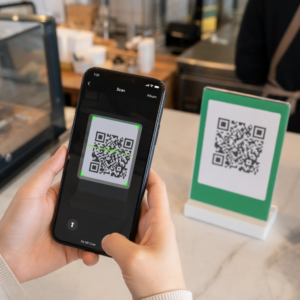
Küzd azzal, hogy fizikai marketinganyagai és a mérhető digitális eredmények között kapcsolatot teremtsen? A legtöbb vállalkozás szórólapokat nyomtat, plakátokat helyez ki és termékeket csomagol anélkül, hogy világos módon nyomon tudná követni az elkötelezettséget – és ez elvesztegetett lehetőségeket jelent. Ez az útmutató öt gyakorlati módszert mutat be, hogyan használhat egy online QR-kód generátort az offline érintkezési pontok aktív, nyomon követhető marketingcsatornákká alakítására.
Használjon dinamikus QR-kódokat újracélzásra alkalmas közönségek építéséhez
Nem minden QR-kód egyforma. Dinamikus QR-kódok rövid átirányítási URL-t kódolnak egy fix célhely helyett, ami azt jelenti, hogy bármikor megváltoztathatja, hová mutat a kód – anélkül, hogy egyetlen szórólapot vagy csomagot is újra kellene nyomtatnia. Ha már kinyomtatta az anyagait, de frissítenie kell egy céloldalt, vagy lecserélnie egy szezonális ajánlatot, egy dinamikus kód azonnal elintézi ezt.
A mélyebb marketingelőny az újracélzás. Amikor egy ügyfél beolvassa a kódját és egy Ön által ellenőrzött oldalra érkezik, elindíthat egy Facebook Pixelt, vagy Google Analytics címkéket csatlakoztathat ahhoz a munkamenethez. Innen egyedi közönségeket és hasonló szegmenseket építhet azokból az emberekből, akik fizikailag kapcsolatba léptek az anyagaival. Ez egy nyomtatott plakátot digitális leadforrássá alakít.
A dinamikus QR-kódok részletes beolvasási analitikát is biztosítanak – beolvasási számok, időbélyegek, földrajzi hely, eszköz típusa és operációs rendszer – olyan adatok, amelyeket a statikus kódok egyszerűen nem tudnak biztosítani. Bármely kampányhoz, ahol rugalmasságra, nyomon követésre vagy valós idejű módosításokra van szüksége, a dinamikus kódok a megfelelő választás.
Hozzon létre nyomon követhető QR-kódokat a következő kampányához Szeretné frissíteni a célhelyeket, nyomon követni minden beolvasást, és újracélzásra alkalmas közönségeket építeni nyomtatott anyagaiból? Kezdje el a QR-kód generátorral és indítsa el első dinamikus kampányát még ma.
Tervezze meg QR-kódját, hogy illeszkedjen márkájához
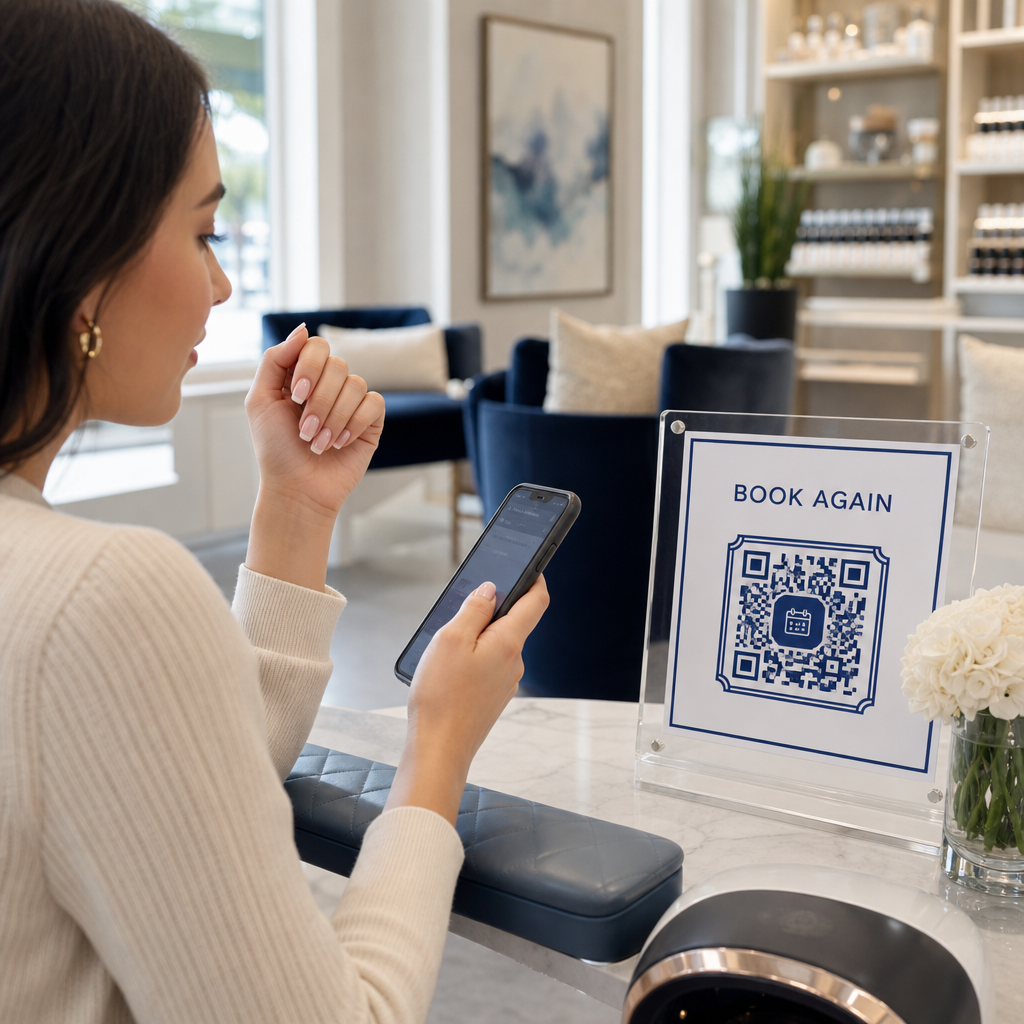
Egy egyszerű fekete-fehér QR-kód egy egyébként kifinomult márkadarabon rossz jelet küld. A modern QR-kód generátorok lehetővé teszik a színek, formák és minták testreszabását, hogy illeszkedjenek vizuális identitásához, és a kódot beburkolhatja egy CTA keretbe – egy keretbe, amely utasító szöveget tartalmaz, például “Olvassa be, hogy 20% kedvezményt kapjon” vagy “Olvassa be a mai menü megtekintéséhez”.”
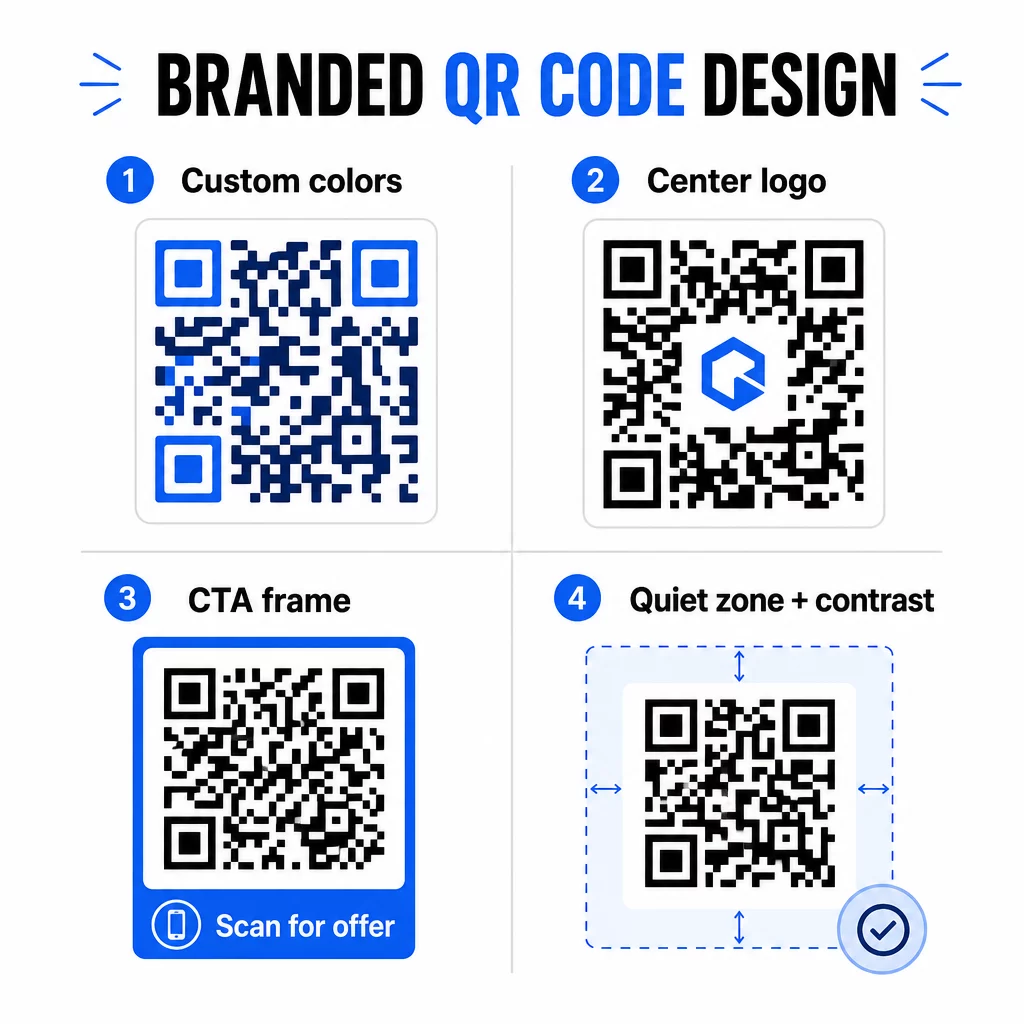
Ez a CTA keret valóban működik. Kutatás a QR-kód keretekkel kapcsolatban következetesen azt mutatja, hogy az utasítás nélküli kódok sokkal kevesebb beolvasást kapnak, mert az emberek nem tudják, mit fognak kapni. Egy specifikus, előnyökre fókuszáló felszólítás megszünteti ezt a habozást.
Néhány követendő tervezési szabály:
- Tartsa a kódot sötéten világos háttéren – az invertált vagy alacsony kontrasztú színkombinációk sok szkennert összezavarnak
- Tartson egy csendes zónát (legalább négy modulból álló tiszta margót) a kód teljes kerülete körül
- Nyomtasson legalább 2 × 2 cm (0,8 × 0,8 hüvelyk) méretben a legtöbb anyaghoz; óriásplakátok esetén célozzon legalább 40 × 40 cm-re
- Használjon vektoros vagy nagy felbontású exportokat, hogy a modulok bármilyen méretben élesek maradjanak
Ha logót szeretne hozzáadni a kód közepéhez, állítsa a hibajavítási szintet Q vagy H értékre, hogy a kód olvasható maradjon még a minta egy részének elfedése esetén is. Többet megtudhat a QR-kód elhelyezési szabványokról különböző anyagokhoz hogy biztosítsa, a terve minden formátumban működik.
Lépjen túl az URL-eken – Használjon QR-kódokat kuponokhoz, véleményekhez és eseményekhez
A legtöbb marketinges alapértelmezetten egy weboldalhoz kapcsolja a QR-kódot, és ott megáll. Ez a megközelítés alig karcolja a felszínt annak, ami lehetséges.
Fontolja meg ezeket a felhasználási eseteket:
- Kuponkódok: A kupon QR-kód egy olyan oldalra viszi az ügyfeleket, amelyen az aktuális ajánlatai és kedvezményei láthatók, egy CTA-val, amely a fizetéshez irányítja őket
- Google Vélemények: Helyezzen el egy Google értékelés QR-kóddal nyugtákon, csomagoláson vagy asztali sátrakon, hogy a visszajelzés küldése a lehető legzökkenőmentesebb legyen – egyetlen szkennelés, és az értékelési oldal automatikusan megnyílik
- Rendezvények: Egy esemény QR-kód egyetlen szkenneléssel egyesíti a helyszín részleteit, az ütemterveket és a regisztrációs linkeket, és mivel dinamikus, frissítheti az információkat, ha bármi változik, újranyomtatás nélkül
- Közösségi média: A közösségi média QR-kód közvetlen utat biztosít az ügyfeleknek, hogy bármilyen fizikai anyagról követhessék fiókjait vagy csatlakozzanak közösségéhez
- Helyszín útvonalterv: A Google Maps QR-kód egyetlen szkenneléssel megnyitja a helyszínt a Térképek alkalmazásban – hasznos eseménymeghívókon, kirakatokon és névjegykártyákon
Ezen felhasználási esetek mindegyike egy-egy specifikus súrlódási pontot old meg az ügyfélút során. A kulcs az, hogy a QR-kód típusát ahhoz igazítsuk, amire a közönségnek abban a pillanatban valóban szüksége van.
Végezzen közönségkutatást a telepítés előtt
Egy QR-kód csak annyira hatékony, amennyire a mögötte álló kampány. Mielőtt egyetlen kódot is generálna, szánjon időt arra, hogy megértse, kit céloz meg, és hol tölti az idejét – fizikailag és digitálisan egyaránt.
Kezdje azzal, hogy világosan meghatározza közönségét:
- Milyen problémákat próbálnak megoldani?
- Hol találkoznak márkájával a fizikai világban – kiskereskedelmi polcokon, eseményeken, direkt marketingben, termékcsomagoláson?
- Milyen eszközöket használnak, és mennyire kényelmes számukra a QR-kódok beolvasása?
Ezután tekintse át, mit csinálnak a versenytársai. Hová helyezik el a kódokat? Milyen célhelyekre mutatnak a linkjeik? A megközelítésükben lévő hiányosságok azonosítása gyakran ott rejlik a legtisztább lehetőség.
Ez az alapozás alakítja a választását a statikus és dinamikus QR-kódok között. A statikus kódok jól működnek állandó, változatlan tartalom esetén, mint például Wi-Fi hitelesítő adatok vagy egy rögzített termékismertető. A dinamikus kódok a megfelelő választás marketingkampányokhoz, ahol a célállomások, ajánlatok vagy tartalom változhatnak. Ennek a döntésnek a korai meghozatala megkíméli Önt az anyagok későbbi újranyomtatásától.
Mert kisvállalkozások marketingje kifejezetten, még egy egyszerű elhelyezési audit is – megkérdezve, hol állnak meg vagy várakoznak fizikailag az ügyfelei – felfedhet nagy értékű helyeket, amelyeket a legtöbb versenytárs figyelmen kívül hagy.
Értékkel vezessen, ne csak egy szkennelési felszólítással
A szkennelési arányok drámaian javulnak, ha az emberek megértik, mit kapnak, mielőtt szkennelnek. Egy általános “Szkennelj engem” felszólítás figyelmet kér anélkül, hogy bármit is kínálna cserébe. Egy specifikus felszólítás – “Szkennelj az exkluzív kedvezmény feloldásához” vagy “Szkennelj a beállítási útmutató letöltéséhez” – egyértelmű okot ad az embereknek a cselekvésre.
Ez egy szélesebb körű elvhez kapcsolódik a hatékony marketingben: az ügyfelek arra reagálnak, amit vágynak, nem csak arra, amire szükségük van. A QR-kódjának egy valóban hasznos vagy jutalmazó dolog belépési pontjának kell lennie.
Gyakorlati módok az érték közvetítésére QR-kódokon keresztül:
- Kínáljon kedvezményt vagy exkluzív kupont, amely csak szkenneléssel érhető el
- Linkeljen egy PDF útmutatóra, oktatóvideóra vagy termékbemutatóra, amely megkönnyíti a vásárlási döntést
- Kapcsolja össze az ügyfeleket egy véleményező oldallal, és köszönje meg nekik az idejüket
- Adjon az esemény résztvevőinek azonnali hozzáférést az időbeosztáshoz, előadói életrajzokhoz vagy helyszíntérképekhez
Miután az ügyfelek elérik a céloldalát, győződjön meg róla, hogy az élmény megállja a helyét. A céloldalnak mobilra optimalizáltnak kell lennie, gyorsan kell betöltenie, és világos következő lépéssel kell rendelkeznie. Egy jól megtervezett kód, amely rossz mobilélményhez vezet, az utolsó pillanatban veszít konverziókat.
Nyomtatott anyagok összekapcsolása digitális elkötelezettséggel Készen áll, hogy ezeket az ötleteket a gyakorlatba ültesse? Fedezze fel a QR-kód megoldásokat iparág és felhasználási eset szerint hogy megtalálja a megfelelő formátumot a következő kampányához.
Tesztelje indítás előtt, majd kövesse nyomon, mi működik
Mielőtt bármilyen QR-kód élesbe kerülne nyomtatott vagy terjesztett anyagokon, alaposan tesztelje le. Olvassa be a kódot több eszközön és operációs rendszeren, különböző fényviszonyok között, és olyan távolságokból, ahonnan a közönsége reálisan állni fog. Nyomtatott anyagok esetén tesztelje a végleges nyomtatott kimenetet – ne csak a digitális előnézetet.
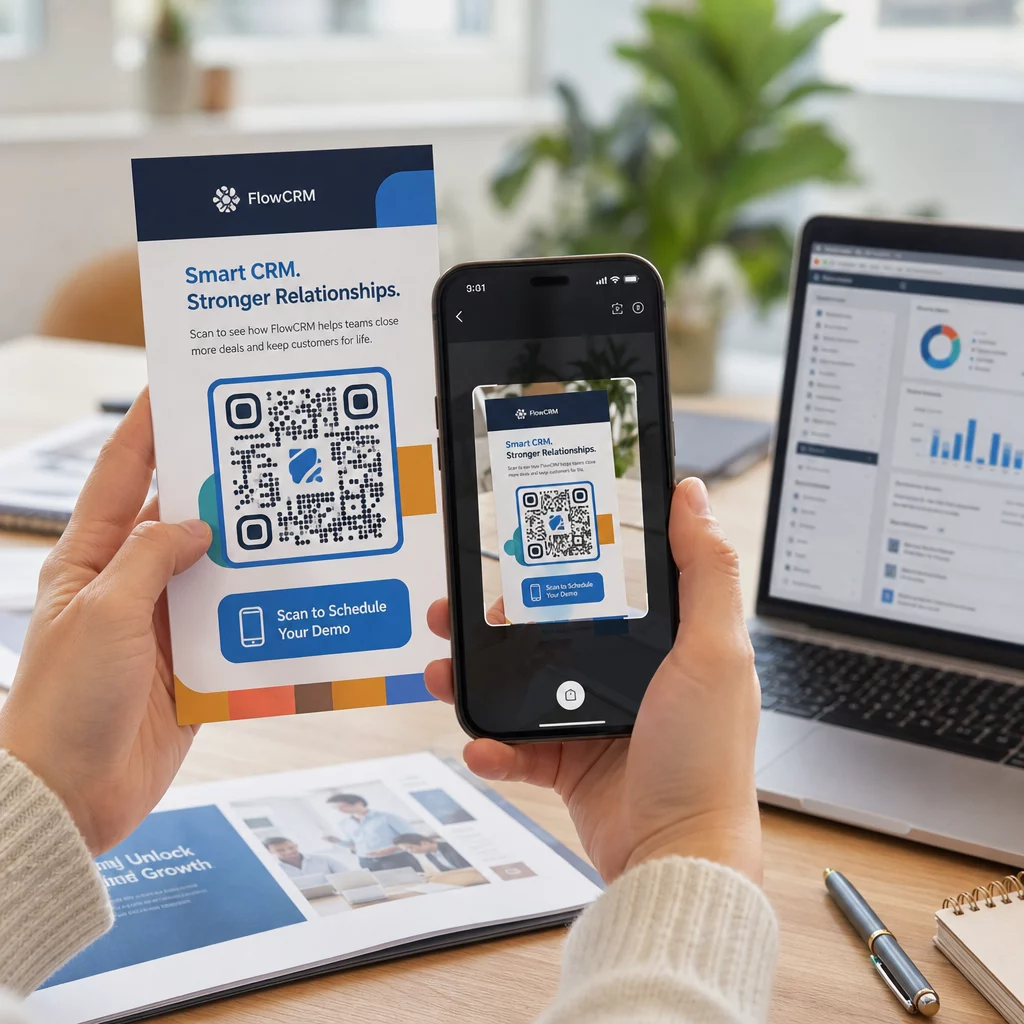
Miután a kampánya fut, használja az analitikai műszerfalát a következő monitorozására:
- Összes beolvasás és egyedi beolvasások száma
- A beolvasások földrajzi megoszlása
- Eszköz- és operációs rendszer adatok
- Beolvasási időzítési minták (a hét napja, napszak)
Ezek az adatok megmutatják, mely elhelyezések és anyagok generálnak elkötelezettséget, és melyek nem. Ha egy adott helyszín vagy anyag alulteljesít, frissítheti a dinamikus kód célállomását, hogy új ajánlatot vagy céloldalt teszteljen – anélkül, hogy magát a nyomtatott kódot megérintené.
A Google Analytics-szel integrált kampányok esetén, UTM paraméterek hozzáadása a QR-kód cél URL-jeihez teljes képet ad arról, hogyan járulnak hozzá az offline beolvasások az online konverziókhoz, közvetlenül a meglévő jelentéskészítő eszközeiben.
Azok a vállalkozások érik el a legerősebb eredményeket a QR-kódokkal, amelyek mérhető csatornaként kezelik őket – célokat tűznek ki, nyomon követik a teljesítményt, és valós adatok alapján iterálnak, nem pedig feltételezésekre alapozva.
Kezdje el építeni mérhető QR-kód kampányait Generáljon, szabjon testre és kövessen nyomon QR-kódokat minden marketing felhasználási esetre a Pageloot segítségével. Próbálja ki a QR-kód generátort ingyen 14 napig – bankkártya nem szükséges.
Gyakori kérdések
A statikus QR-kód egy rögzített célállomást kódol, amely létrehozás után nem módosítható, és nem támogatja a nyomon követést. A dinamikus QR-kód egy rövid átirányítási URL-t kódol, ami azt jelenti, hogy bármikor frissítheti a célállomást újranyomtatás nélkül, és hozzáférhet a szkennelési elemzésekhez, beleértve a helyet, az eszköz típusát és az időzítést. A legtöbb marketingkampányhoz a dinamikus kódok a jobb választás, mert rugalmasságot és mérhető adatokat biztosítanak.
A megbízható szkenneléshez a legtöbb nyomtatott anyagon az ajánlott minimális méret 2 × 2 cm (körülbelül 0,8 × 0,8 hüvelyk). Ahogy a várható szkennelési távolság növekszik, a kódnak arányosan kell méreteződnie – egy gyakori irányelv szerint a kód szélességének legalább a szkennelési távolság egytizedének kell lennie. Nagyméretű anyagok, például óriásplakátok esetén célozzon legalább 40 × 40 cm-re. Mindig tesztelje a végleges nyomtatott kimenetet több eszközön, mielőtt terjesztené.
A leghatékonyabb megközelítések közé tartozik a kód párosítása egy specifikus, előnyöket kínáló cselekvésre ösztönző felhívással (például “Szkennelje be a kedvezményért” a “Szkenneljen engem” helyett), a kód elhelyezése ott, ahol a közönség természetesen megáll vagy figyelmet fordít, és annak biztosítása, hogy a céloldal valódi értéket nyújtson. A kód designjának márkájához igazítása szintén segít – a vizuálisan megkülönböztethető, márkához illő kódok több figyelmet vonzanak, mint az általános fekete-fehér minták.