Apakah Anda kesulitan menghubungkan materi pemasaran fisik Anda dengan hasil digital yang terukur? Sebagian besar bisnis mencetak pamflet, memasang poster, dan mengemas produk tanpa cara yang jelas untuk melacak keterlibatan – dan itu berarti peluang yang hilang. Panduan ini mencakup lima cara praktis untuk menggunakan generator kode QR online untuk mengubah titik sentuh offline menjadi saluran pemasaran yang aktif dan dapat dilacak.
Gunakan Kode QR Dinamis untuk Membangun Audiens yang Dapat Ditarget Ulang
Tidak semua kode QR sama. Kode QR dinamis mengenkode URL pengalihan singkat daripada tujuan tetap, yang berarti Anda dapat mengubah ke mana kode mengarah kapan saja – tanpa mencetak ulang satu pun pamflet atau kemasan. Jika Anda sudah mencetak materi Anda tetapi perlu memperbarui halaman arahan atau menukar penawaran musiman, kode dinamis menanganinya secara instan.
Keuntungan pemasaran yang lebih dalam adalah penargetan ulang. Ketika pelanggan memindai kode Anda dan mendarat di halaman yang Anda kontrol, Anda dapat mengaktifkan Facebook Pixel atau menghubungkan tag Google Analytics ke sesi tersebut. Dari sana, Anda dapat membangun audiens kustom dan segmen serupa dari orang-orang yang secara fisik berinteraksi dengan materi Anda. Ini mengubah poster cetak menjadi sumber prospek digital.
Kode QR dinamis juga memberi Anda analitik pemindaian terperinci – jumlah pemindaian, stempel waktu, lokasi geografis, jenis perangkat, dan sistem operasi – data yang tidak dapat disediakan oleh kode statis. Untuk kampanye apa pun di mana Anda membutuhkan fleksibilitas, pelacakan, atau penyesuaian waktu nyata, kode dinamis adalah pilihan yang tepat.
Buat Kode QR yang Dapat Dilacak untuk Kampanye Anda Berikutnya Ingin memperbarui tujuan, melacak setiap pemindaian, dan membangun audiens yang dapat ditarget ulang dari materi cetak Anda? Mulai dengan Generator Kode QR dan luncurkan kampanye dinamis pertama Anda hari ini.
Rancang Kode QR Anda agar Sesuai dengan Merek Anda
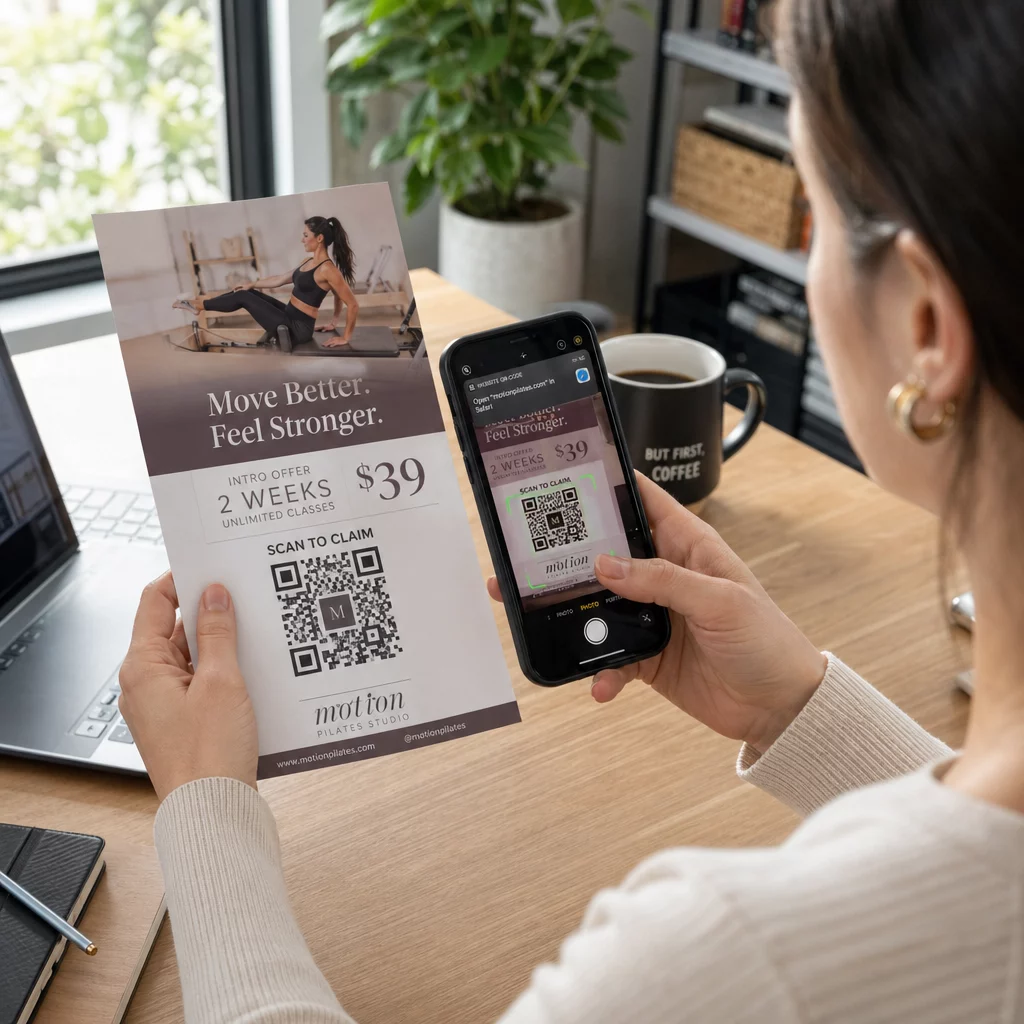
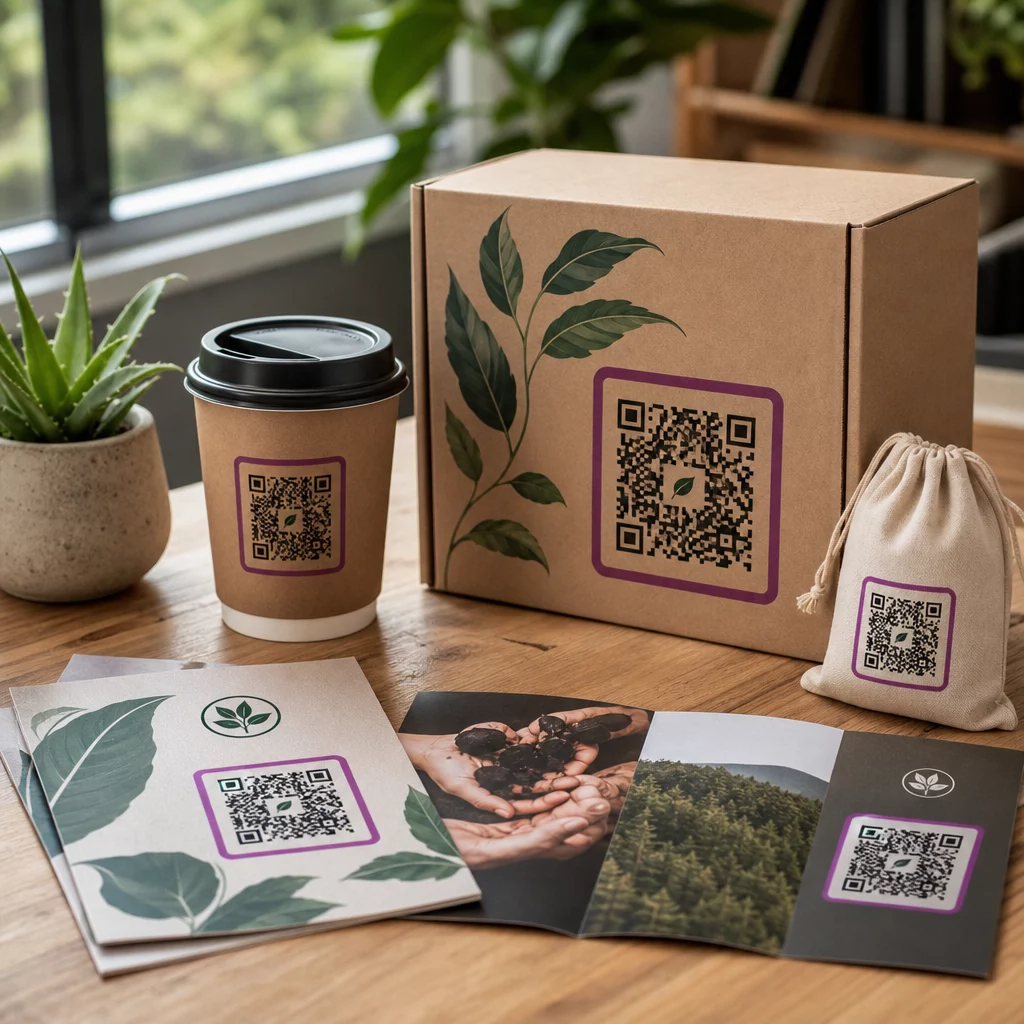
Kode QR hitam-putih polos pada bagian merek yang sudah dipoles mengirimkan sinyal yang salah. Generator kode QR modern memungkinkan Anda menyesuaikan warna, bentuk, dan pola agar sesuai dengan identitas visual Anda, dan Anda dapat membungkus kode tersebut dalam bingkai CTA – sebuah bingkai dengan teks instruksional seperti “Pindai untuk Mendapatkan Diskon 20%” atau “Pindai untuk Melihat Menu Hari Ini.”
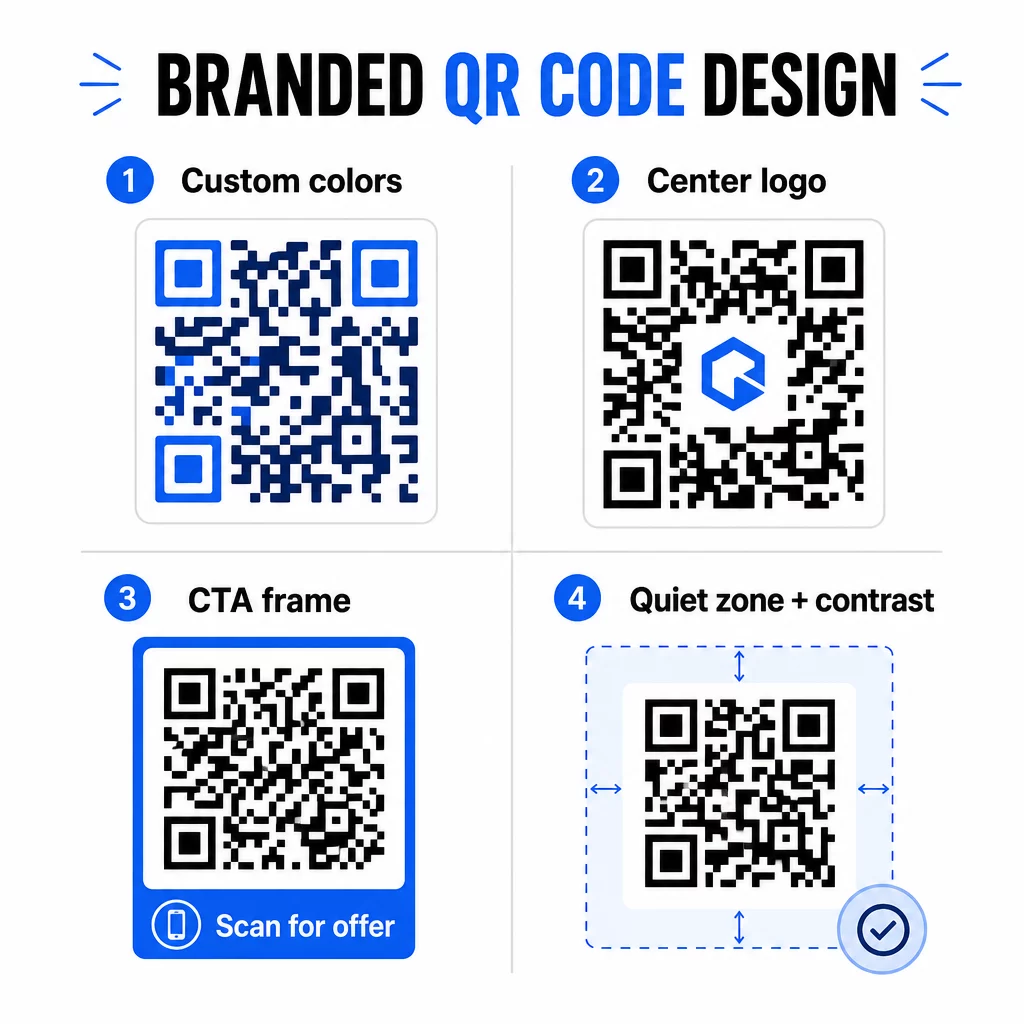
Bingkai CTA itu benar-benar berfungsi. Penelitian tentang bingkai kode QR secara konsisten menunjukkan bahwa kode tanpa instruksi apa pun mendapatkan pemindaian yang jauh lebih sedikit karena orang tidak tahu apa yang akan mereka terima. Sebuah perintah spesifik yang berorientasi manfaat menghilangkan keraguan tersebut.
Beberapa aturan desain yang harus diikuti:
- Jaga agar kode gelap di latar belakang terang – kombinasi warna terbalik atau kontras rendah membingungkan banyak pemindai
- Pertahankan zona tenang (margin jelas setidaknya empat modul) di sekitar seluruh perimeter kode
- Cetak minimal 2 × 2 cm (0,8 × 0,8 inci) untuk sebagian besar bahan; untuk papan reklame, targetkan setidaknya 40 × 40 cm
- Gunakan ekspor vektor atau resolusi tinggi untuk menjaga modul tetap tajam pada ukuran berapa pun
Jika Anda ingin menambahkan logo ke tengah kode, atur tingkat koreksi kesalahan ke Q atau H agar kode tetap dapat dipindai meskipun sebagian polanya tertutup. Anda dapat mempelajari lebih lanjut tentang standar penempatan kode QR untuk berbagai bahan untuk memastikan desain Anda berfungsi di setiap format.
Melampaui URL – Gunakan Kode QR untuk Kupon, Ulasan, dan Acara
Sebagian besar pemasar secara default menautkan kode QR ke situs web dan berhenti di situ. Pendekatan itu hampir tidak menyentuh permukaan dari apa yang mungkin.
Pertimbangkan kasus penggunaan ini:
- Kode kupon: A kode QR kupon mengarahkan pelanggan ke halaman yang menampilkan penawaran dan diskon Anda saat ini, dengan CTA yang mendorong mereka untuk melakukan pembayaran
- Ulasan Google: Tempatkan sebuah QR code Google review pada struk, kemasan, atau tenda meja untuk membuat pemberian umpan balik semudah mungkin – satu kali pindai dan halaman ulasan akan terbuka secara otomatis
- Acara: Sebuah kode QR acara menggabungkan detail lokasi, jadwal, dan tautan pendaftaran dalam satu pindai, dan karena bersifat dinamis, Anda dapat memperbarui informasi jika ada perubahan tanpa perlu mencetak ulang
- Media sosial: A kode QR media sosial memberikan pelanggan jalur langsung untuk mengikuti akun Anda atau bergabung dengan komunitas Anda dari materi fisik apa pun
- Petunjuk arah lokasi: A Kode QR Google Maps membuka lokasi Anda di aplikasi Peta dengan satu kali pindai – berguna pada undangan acara, etalase toko, dan kartu nama
Setiap kasus penggunaan ini memecahkan titik gesekan tertentu dalam perjalanan pelanggan. Kuncinya adalah mencocokkan jenis kode QR dengan apa yang sebenarnya dibutuhkan audiens Anda pada saat itu.
Lakukan Riset Audiens Anda Sebelum Anda Menerapkannya
Kode QR hanya akan seefektif kampanye di baliknya. Sebelum membuat satu kode pun, luangkan waktu untuk memahami siapa target Anda dan di mana mereka menghabiskan waktu – baik secara fisik maupun digital.
Mulailah dengan mendefinisikan audiens Anda dengan jelas:
- Masalah apa yang ingin mereka pecahkan?
- Di mana mereka menemukan merek Anda di dunia fisik – rak ritel, acara, surat langsung, kemasan produk?
- Perangkat apa yang mereka gunakan, dan seberapa nyaman mereka dengan memindai kode QR?
Kemudian tinjau apa yang dilakukan pesaing Anda. Di mana mereka menempatkan kode? Ke tujuan mana mereka menautkan? Mengidentifikasi celah dalam pendekatan mereka seringkali menjadi tempat peluang paling jelas berada.
Dasar ini juga membentuk Anda pilihan antara kode QR statis dan dinamis. Kode statis berfungsi baik untuk konten permanen yang tidak berubah seperti kredensial Wi-Fi atau manual produk tetap. Kode dinamis adalah pilihan yang tepat untuk kampanye pemasaran di mana tujuan, penawaran, atau konten mungkin perlu berkembang. Membuat keputusan ini lebih awal akan menyelamatkan Anda dari pencetakan ulang materi di kemudian hari.
Untuk pemasaran usaha kecil secara khusus, bahkan audit penempatan sederhana – menanyakan di mana pelanggan Anda secara fisik berhenti atau menunggu – dapat mengungkapkan tempat-tempat bernilai tinggi yang sebagian besar pesaing abaikan.
Pimpin dengan Nilai, Bukan Hanya Perintah Pindai
Tingkat pemindaian meningkat secara dramatis ketika orang memahami apa yang mereka dapatkan sebelum mereka memindai. Perintah umum “Pindai Saya” meminta perhatian tanpa menawarkan imbalan apa pun. Perintah spesifik – “Pindai untuk membuka diskon eksklusif Anda” atau “Pindai untuk mengunduh panduan pengaturan” – memberi orang alasan yang jelas untuk bertindak.
Ini terhubung dengan prinsip yang lebih luas dalam pemasaran yang efektif: pelanggan merespons apa yang mereka inginkan, bukan hanya apa yang mereka butuhkan. Kode QR Anda harus menjadi titik masuk ke sesuatu yang benar-benar berguna atau bermanfaat.
Cara praktis untuk memberikan nilai melalui kode QR:
- Tawarkan diskon atau kupon eksklusif yang hanya dapat diakses dengan memindai
- Tautkan ke panduan PDF, video tutorial, atau demo produk yang membuat keputusan pembelian lebih mudah
- Hubungkan pelanggan ke halaman ulasan dan ucapkan terima kasih atas waktu mereka
- Berikan peserta acara akses instan ke jadwal, biografi pembicara, atau peta lokasi
Setelah pelanggan mencapai halaman arahan Anda, pastikan pengalaman tersebut tetap baik. Tujuan harus dioptimalkan untuk seluler, memuat dengan cepat, dan memiliki langkah selanjutnya yang jelas. Kode yang dirancang dengan baik yang mengarah ke pengalaman seluler yang buruk akan kehilangan konversi pada saat-saat terakhir.
Hubungkan Materi Cetak ke Keterlibatan Digital Siap mempraktikkan ide-ide ini? Jelajahi solusi kode QR berdasarkan industri dan kasus penggunaan untuk menemukan format yang tepat untuk kampanye Anda berikutnya.
Uji Sebelum Diluncurkan, Lalu Lacak Apa yang Berhasil
Sebelum kode QR apa pun ditayangkan pada materi cetak atau distribusi, ujilah secara menyeluruh. Pindai kode pada beberapa perangkat dan sistem operasi, dalam kondisi pencahayaan yang berbeda, dan pada jarak yang realistis bagi audiens Anda. Untuk materi cetak, uji hasil cetak akhir – bukan hanya pratinjau digital.
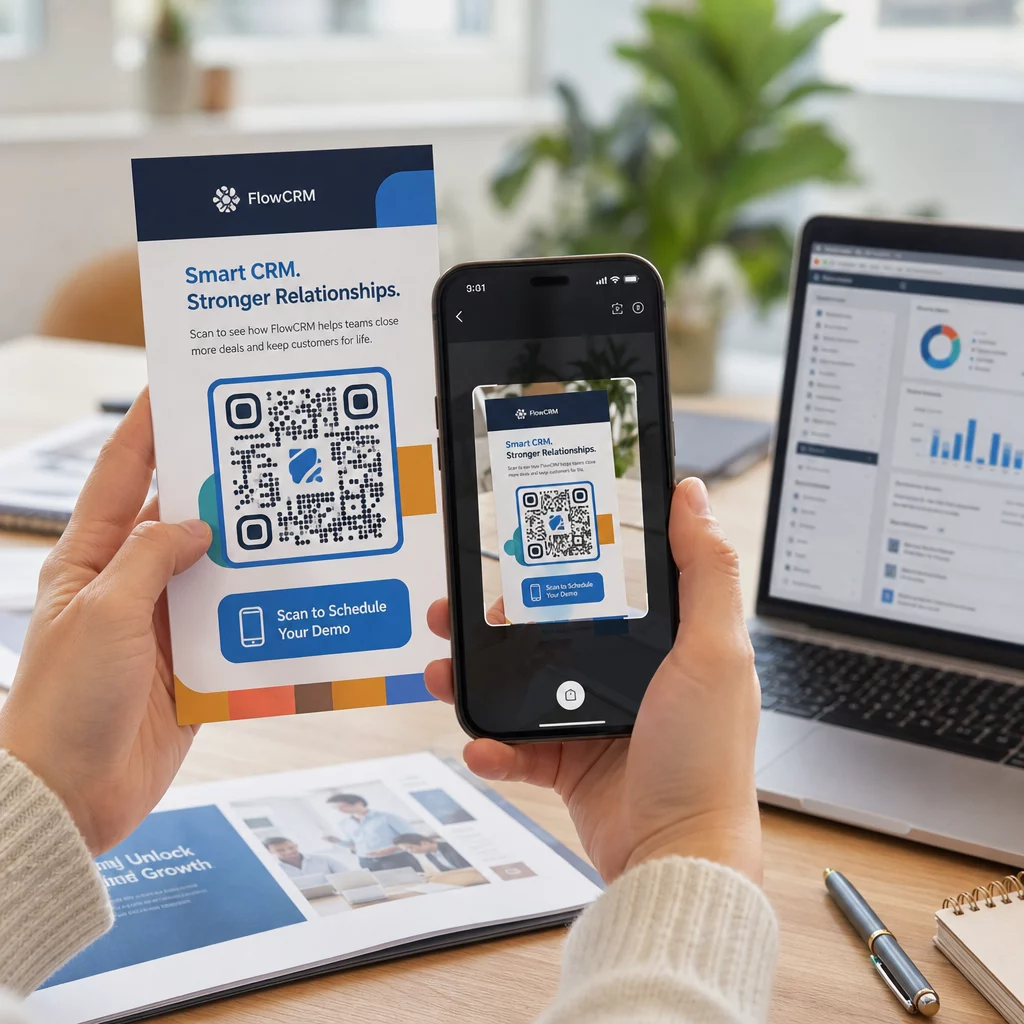
Setelah kampanye Anda berjalan, gunakan dasbor analitik Anda untuk memantau:
- Total pemindaian dan jumlah pemindaian unik
- Perincian geografis lokasi pemindaian terjadi
- Data perangkat dan sistem operasi
- Pola waktu pemindaian (hari dalam seminggu, waktu dalam sehari)
Data ini memberi tahu Anda penempatan dan materi mana yang menghasilkan keterlibatan dan mana yang tidak. Jika lokasi atau materi tertentu berkinerja buruk, Anda dapat memperbarui tujuan kode dinamis untuk menguji penawaran atau halaman arahan baru – tanpa menyentuh kode cetak itu sendiri.
Untuk kampanye yang terintegrasi dengan Google Analytics, menambahkan parameter UTM ke URL tujuan kode QR Anda memberi Anda gambaran lengkap tentang bagaimana pemindaian offline berkontribusi pada konversi online, langsung di dalam alat pelaporan Anda yang sudah ada.
Bisnis yang melihat hasil terkuat dari kode QR adalah mereka yang memperlakukannya sebagai saluran yang terukur – menetapkan tujuan, melacak kinerja, dan berulang berdasarkan data nyata daripada asumsi.
Mulai Bangun Kampanye Kode QR yang Terukur Hasilkan, sesuaikan, dan lacak kode QR untuk setiap kasus penggunaan pemasaran dengan Pageloot. Coba QR Code Generator gratis selama 14 hari – tidak perlu kartu kredit.
Pertanyaan yang sering diajukan
Kode QR statis mengkodekan tujuan tetap yang tidak dapat diubah setelah pembuatan dan tidak mendukung pelacakan. Kode QR dinamis mengkodekan URL pengalihan singkat, yang berarti Anda dapat memperbarui tujuan kapan saja tanpa mencetak ulang, dan Anda mendapatkan akses ke analitik pemindaian termasuk lokasi, jenis perangkat, dan waktu. Untuk sebagian besar kampanye pemasaran, kode dinamis adalah pilihan yang lebih baik karena memberikan Anda fleksibilitas dan data yang terukur.
Ukuran minimum yang direkomendasikan untuk pemindaian yang andal pada sebagian besar bahan cetak adalah 2 × 2 cm (sekitar 0,8 × 0,8 inci). Seiring bertambahnya jarak pemindaian yang diharapkan, kode harus diskalakan secara proporsional – pedoman umum adalah bahwa lebar kode harus setidaknya sepersepuluh dari jarak dari mana kode akan dipindai. Untuk bahan format besar seperti papan reklame, targetkan setidaknya 40 × 40 cm. Selalu uji hasil cetak akhir di berbagai perangkat sebelum didistribusikan.
Pendekatan yang paling efektif adalah memasangkan kode Anda dengan ajakan bertindak (call to action) yang spesifik dan berorientasi manfaat (misalnya, “Pindai untuk mendapatkan diskon Anda” daripada “Pindai saya”), menempatkan kode di mana audiens Anda secara alami berhenti atau memusatkan perhatian, dan memastikan halaman arahan (landing page) memberikan nilai nyata. Menyesuaikan desain kode agar sesuai dengan merek Anda juga membantu – kode yang berbeda secara visual dan sesuai merek menarik lebih banyak perhatian daripada pola hitam-putih generik.