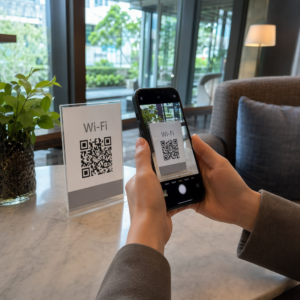
Vai jums ir grūtības savienot savus fiziskos mārketinga materiālus ar izmērāmiem digitāliem rezultātiem? Lielākā daļa uzņēmumu drukā skrejlapas, izliek plakātus un iepako produktus bez skaidra veida, kā izsekot iesaistei – un tas nozīmē zaudētas iespējas. Šajā rokasgrāmatā ir aplūkoti pieci praktiski veidi, kā izmantot tiešsaistes QR koda ģeneratoru, lai bezsaistes saskares punktus pārvērstu par aktīviem, izsekojamiem mārketinga kanāliem.
Izmantojiet dinamiskos QR kodus, lai veidotu atkārtoti mērķējamas auditorijas
Ne visi QR kodi ir vienādi. Dinamiskie QR kodi kodē īsu novirzīšanas URL, nevis fiksētu galamērķi, kas nozīmē, ka jūs varat mainīt, uz kurieni kods norāda jebkurā laikā – bez nepieciešamības pārdrukāt nevienu skrejlapu vai iepakojumu. Ja esat jau izdrukājis savus materiālus, bet jums ir jāatjaunina galvenā lapa vai jānomaina sezonas piedāvājums, dinamiskais kods to paveiks nekavējoties.
Dziļāka mārketinga priekšrocība ir atkārtota mērķēšana. Kad klients skenē jūsu kodu un nonāk lapā, kuru jūs kontrolējat, jūs varat aktivizēt Facebook pikseli vai savienot Google Analytics tagus ar šo sesiju. No turienes jūs varat veidot pielāgotas auditorijas un līdzīgus segmentus no cilvēkiem, kuri fiziski mijiedarbojās ar jūsu materiāliem. Tas pārvērš drukātu plakātu par digitālu potenciālo klientu avotu.
Dinamiskie QR kodi nodrošina arī detalizētu skenēšanas analīzi – skenēšanas skaits, laika zīmogi, ģeogrāfiskā atrašanās vieta, ierīces tips un operētājsistēma – dati, ko statiskie kodi vienkārši nevar nodrošināt. Jebkurai kampaņai, kurā nepieciešama elastība, izsekošana vai reāllaika pielāgojumi, dinamiskie kodi ir pareizā izvēle.
Izveidojiet izsekojamus QR kodus savai nākamajai kampaņai Vai vēlaties atjaunināt galamērķus, izsekot katrai skenēšanai un veidot atkārtoti mērķējamas auditorijas no saviem drukātajiem materiāliem? Sāciet darbu ar QR koda ģeneratoru un uzsāciet savu pirmo dinamisko kampaņu jau šodien.
Izveidojiet savu QR kodu, lai tas atbilstu jūsu zīmolam
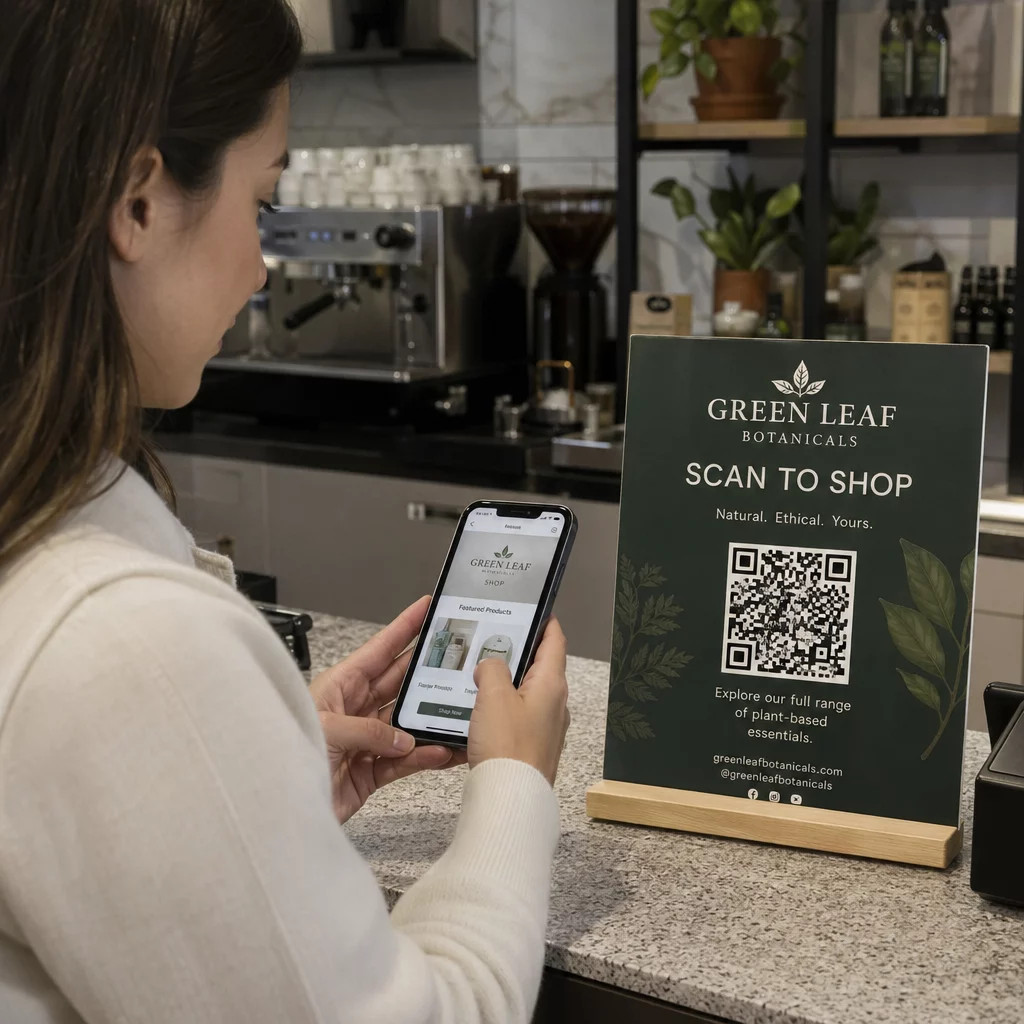
Vienkāršs melnbalts QR kods uz citādi pulēta zīmola elementa sūta nepareizu signālu. Mūsdienu QR kodu ģeneratori ļauj pielāgot krāsas, formas un rakstus, lai tie atbilstu jūsu vizuālajai identitātei, un jūs varat ietīt kodu CTA rāmī – apmale ar instrukciju tekstu, piemēram, “Skenējiet, lai saņemtu 20% atlaidi” vai “Skenējiet, lai redzētu šodienas ēdienkarti”.”
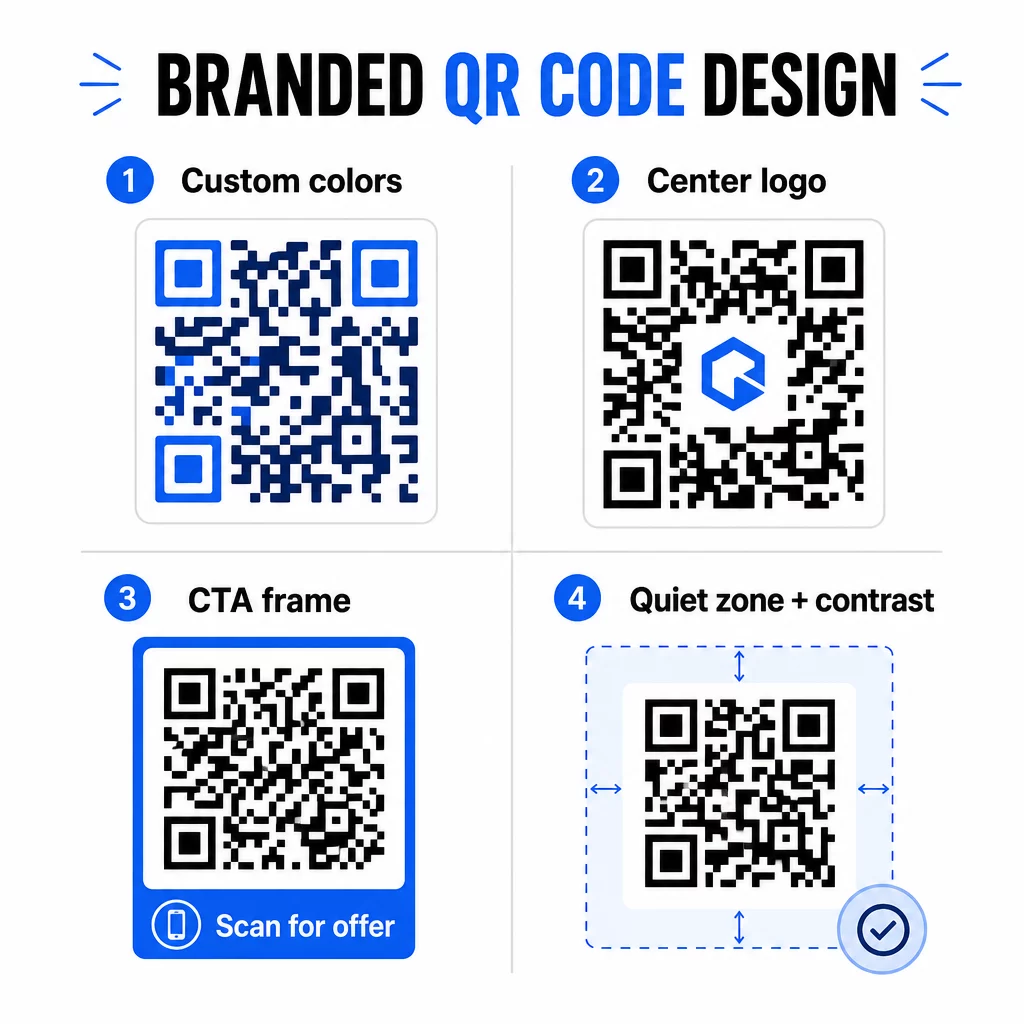
Šis CTA rāmis veic reālu darbu. QR kodu rāmju izpēte konsekventi rāda, ka kodi bez jebkādām instrukcijām tiek skenēti daudz retāk, jo cilvēki nezina, ko viņi saņems. Specifisks, uz ieguvumiem vērsts aicinājums novērš šo vilcināšanos.
Daži dizaina noteikumi, kas jāievēro:
- Saglabājiet kodu tumšu uz gaiša fona – apgrieztas vai zema kontrasta krāsu kombinācijas mulsina daudzus skenerus
- Ap visu koda perimetru saglabājiet kluso zonu (skaidru malu vismaz četru moduļu platumā)
- Drukājiet vismaz 2 × 2 cm (0,8 × 0,8 collas) lielumā lielākajai daļai materiālu; reklāmas stendiem mērķējiet uz vismaz 40 × 40 cm
- Izmantojiet vektoru vai augstas izšķirtspējas eksportus, lai moduļi būtu asi jebkurā izmērā
Ja vēlaties pievienot logotipu koda centrā, iestatiet kļūdu labošanas līmeni uz Q vai H, lai kods paliktu skenējams pat ar daļēji aizsegtu rakstu. Varat uzzināt vairāk par QR kodu izvietošanas standartiem dažādiem materiāliem lai pārliecinātos, ka jūsu dizains darbojas visos formātos.
Pārsniedziet URL – izmantojiet QR kodus kuponiem, atsauksmēm un pasākumiem
Lielākā daļa mārketinga speciālistu pēc noklusējuma saista QR kodu ar vietni un apstājas pie tā. Šī pieeja tik tikko ieskicē iespēju virsotni.
Apsveriet šādus lietošanas gadījumus:
- Kuponu kodi: A kupona QR kods novirza klientus uz lapu, kurā redzami jūsu pašreizējie piedāvājumi un atlaides, ar aicinājumu uz darbību (CTA), kas virza viņus uz norēķināšanos
- Google atsauksmes: Novietojiet Google atsauksmju QR kodam uz čekiem, iepakojuma vai galda kartēm, lai atsauksmju sniegšana būtu pēc iespējas vienkāršāka – viena skenēšana un atsauksmju lapa atveras automātiski
- Pasākumi: Pasākuma QR kods apvieno norises vietas informāciju, grafikus un reģistrācijas saites vienā skenēšanā, un, tā kā tas ir dinamisks, varat atjaunināt informāciju, ja kaut kas mainās, bez atkārtotas drukāšanas
- Sociālie plašsaziņas līdzekļi: A sociālo mediju QR kods sniedz klientiem tiešu ceļu, lai sekotu jūsu kontiem vai pievienotos jūsu kopienai no jebkura fiziska materiāla
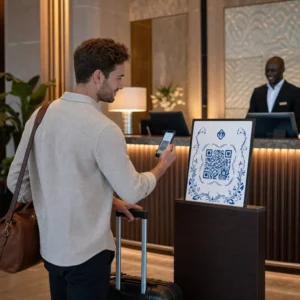
- Atrašanās vietas norādes: A Google Maps QR kods atver jūsu atrašanās vietu lietotnē Kartes ar vienu skenēšanu – noderīgi uz pasākumu ielūgumiem, veikalu skatlogiem un vizītkartēm
Katrs no šiem lietošanas gadījumiem atrisina konkrētu berzes punktu klienta ceļojumā. Galvenais ir saskaņot QR koda veidu ar to, kas jūsu auditorijai patiešām ir nepieciešams tajā brīdī.
Veiciet auditorijas izpēti pirms ieviešanas
QR kods ir tikpat efektīvs, cik efektīva ir kampaņa, kas aiz tā stāv. Pirms viena koda ģenerēšanas veltiet laiku, lai saprastu, ko jūs mērķējat un kur viņi pavada laiku – gan fiziski, gan digitāli.
Sāciet, skaidri definējot savu auditoriju:
- Kādas problēmas viņi cenšas atrisināt?
- Kur viņi sastopas ar jūsu zīmolu fiziskajā pasaulē – mazumtirdzniecības plauktos, pasākumos, tiešajā pastā, produktu iepakojumā?
- Kādas ierīces viņi izmanto un cik ērti viņiem ir skenēt QR kodus?
Pēc tam pārskatiet, ko dara jūsu konkurenti. Kur viņi izvieto kodus? Uz kādiem galamērķiem viņi ved? Robežu identificēšana viņu pieejā bieži vien ir vieta, kur atrodas skaidrākā iespēja.
Šis pamats arī veido jūsu izvēli starp statiskajiem un dinamiskajiem QR kodiem. Statiskie kodi labi darbojas pastāvīgam, nemainīgam saturam, piemēram, Wi-Fi akreditācijas datiem vai fiksētai produkta rokasgrāmatai. Dinamiskie kodi ir pareizā izvēle mārketinga kampaņām, kurās galamērķi, piedāvājumi vai saturs var mainīties. Šī lēmuma pieņemšana agrīnā stadijā ietaupa jūs no materiālu atkārtotas drukāšanas vēlāk.
Vietnei īpaši mazo uzņēmumu mārketings, pat vienkārša izvietojuma revīzija – jautājot, kur jūsu klienti fiziski apstājas vai gaida – var atklāt vērtīgas vietas, kuras lielākā daļa konkurentu nepamana.
Vadieties pēc vērtības, nevis tikai skenēšanas uzaicinājuma
Skenēšanas rādītāji ievērojami uzlabojas, ja cilvēki saprot, ko viņi iegūst pirms skenēšanas. Vispārīgs uzaicinājums “Skenē mani” prasa uzmanību, neko nepiedāvājot pretī. Konkrēts uzaicinājums – “Skenē, lai atbloķētu savu ekskluzīvo atlaidi” vai “Skenē, lai lejupielādētu iestatīšanas rokasgrāmatu” – dod cilvēkiem skaidru iemeslu rīkoties.
Tas savienojas ar plašāku principu efektīvā mārketingā: klienti reaģē uz to, ko viņi vēlas, nevis tikai uz to, kas viņiem nepieciešams. Jūsu QR kodam jābūt ieejas punktam uz kaut ko patiesi noderīgu vai atalgojošu.
Praktiski veidi, kā nodrošināt vērtību, izmantojot QR kodus:
- Piedāvājiet atlaidi vai ekskluzīvu kuponu, kas pieejams tikai skenējot
- Saite uz PDF rokasgrāmatu, apmācības video vai produkta demonstrāciju, kas atvieglo pirkuma lēmumu
- Savienojiet klientus ar atsauksmju lapu un pateicieties viņiem par viņu laiku
- Nodrošiniet pasākuma apmeklētājiem tūlītēju piekļuvi grafikiem, runātāju biogrāfijām vai norises vietas kartēm
Pēc tam, kad klienti sasniedz jūsu galveno lapu, pārliecinieties, ka pieredze ir atbilstoša. Galamērķim jābūt optimizētam mobilajām ierīcēm, ātri jāielādējas un jābūt skaidram nākamajam solim. Labi izstrādāts kods, kas ved uz sliktu mobilās ierīces pieredzi, zaudēs konversijas pēdējā brīdī.
Savienojiet drukātos materiālus ar digitālo iesaisti Gatavs īstenot šīs idejas praksē? Izpētiet QR kodu risinājumus pēc nozares un lietošanas gadījuma lai atrastu pareizo formātu savai nākamajai kampaņai.
Pārbaudiet pirms palaišanas, pēc tam sekojiet līdzi tam, kas darbojas
Pirms jebkura QR koda publicēšanas uz drukātiem vai izplatītiem materiāliem, rūpīgi to pārbaudiet. Skenējiet kodu uz vairākām ierīcēm un operētājsistēmām, dažādos apgaismojuma apstākļos un attālumos, kādos jūsu auditorija reāli stāvēs. Drukātiem materiāliem pārbaudiet galīgo drukāto izvadi – ne tikai digitālo priekšskatījumu.
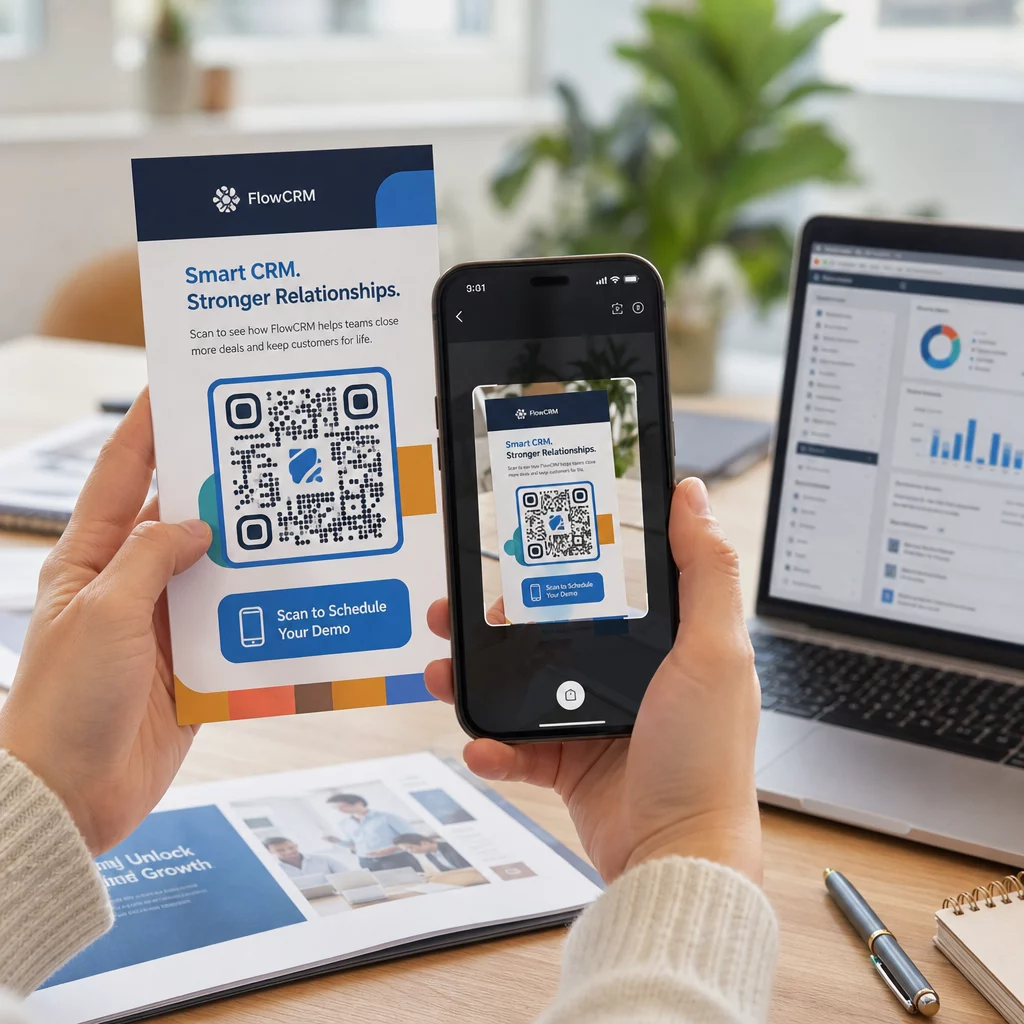
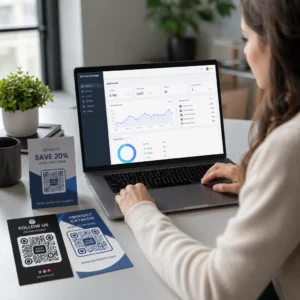
Kad jūsu kampaņa darbojas, izmantojiet savu analītikas informācijas paneli, lai uzraudzītu:
- Kopējais skenējumu skaits un unikālo skenējumu skaits
- Ģeogrāfiskais sadalījums, kur notiek skenēšana
- Ierīces un operētājsistēmas dati
- Skenēšanas laika modeļi (nedēļas diena, diennakts laiks)
Šie dati parāda, kuri izvietojumi un materiāli rada iesaisti un kuri ne. Ja konkrēta atrašanās vieta vai materiāls darbojas nepietiekami, varat atjaunināt dinamiskā koda galamērķi, lai pārbaudītu jaunu piedāvājumu vai galveno lapu – nepieskaroties pašam drukātajam kodam.
Kampaņām, kas integrētas ar Google Analytics, pievienojot UTM parametrus jūsu QR kodu galamērķa URL adresēm sniedz jums pilnīgu priekšstatu par to, kā bezsaistes skenēšana veicina tiešsaistes konversijas, tieši jūsu esošajos atskaišu rīkos.
Uzņēmumi, kas gūst visspēcīgākos rezultātus no QR kodiem, ir tie, kas tos uzskata par izmērāmu kanālu – nosakot mērķus, izsekojot veiktspēju un atkārtojot, pamatojoties uz reāliem datiem, nevis pieņēmumiem.
Sāciet veidot izmērāmas QR kodu kampaņas Ģenerējiet, pielāgojiet un izsekojiet QR kodus katram mārketinga lietošanas gadījumam ar Pageloot. Izmēģiniet QR kodu ģeneratoru bez maksas 14 dienas – nav nepieciešama kredītkarte.
Biežāk uzdotie jautājumi
Statisks QR kods kodē fiksētu galamērķi, ko nevar mainīt pēc izveides un neatbalsta izsekošanu. Dinamisks QR kods kodē īsu novirzīšanas URL, kas nozīmē, ka varat atjaunināt galamērķi jebkurā laikā bez atkārtotas drukāšanas, un iegūstat piekļuvi skenēšanas analīzei, tostarp atrašanās vietu, ierīces veidu un laiku. Lielākajai daļai mārketinga kampaņu dinamiskie kodi ir labāka izvēle, jo tie nodrošina elastību un izmērāmus datus.
Minimālais ieteicamais izmērs uzticamai skenēšanai uz lielākās daļas drukāto materiālu ir 2 × 2 cm (aptuveni 0,8 × 0,8 collas). Palielinoties paredzamajam skenēšanas attālumam, kodam jāpalielinās proporcionāli – bieži izmantota vadlīnija ir, ka koda platumam jābūt vismaz vienai desmitdaļai no attāluma, no kura tas tiks skenēts. Lielformāta materiāliem, piemēram, reklāmas stendiem, mērķējiet uz vismaz 40 × 40 cm. Pirms izplatīšanas vienmēr pārbaudiet galīgo drukāto izvadi vairākās ierīcēs.
Visefektīvākās pieejas ir koda savienošana pārī ar konkrētu, uz ieguvumiem balstītu aicinājumu uz darbību (piemēram, “Skenējiet, lai saņemtu atlaidi”, nevis “Skenējiet mani”), koda novietošana vietā, kur jūsu auditorija dabiski apstājas vai koncentrē uzmanību, un nodrošināšana, ka galvenā lapa sniedz patiesu vērtību. Koda dizaina pielāgošana jūsu zīmolam arī palīdz – vizuāli atšķirīgi, zīmolam atbilstoši kodi piesaista vairāk uzmanības nekā vispārīgi melnbalti raksti.