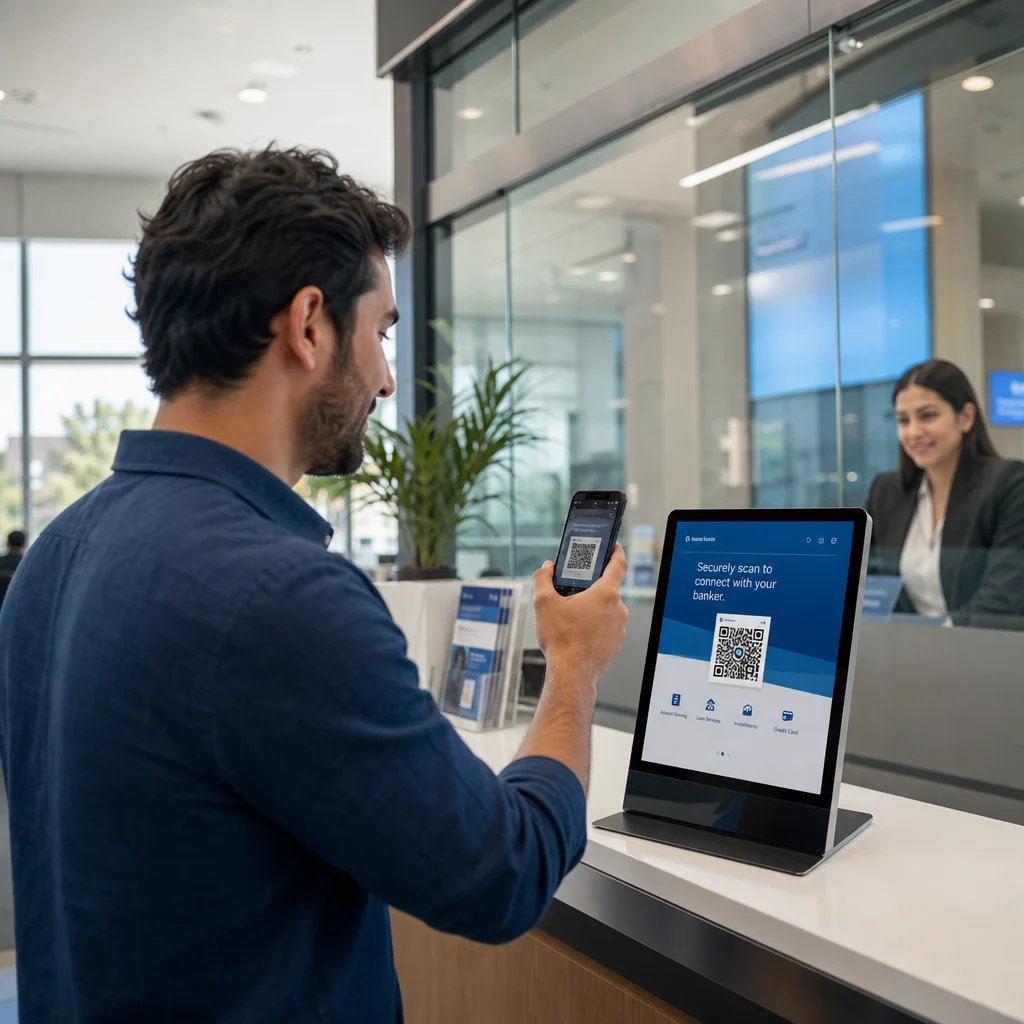
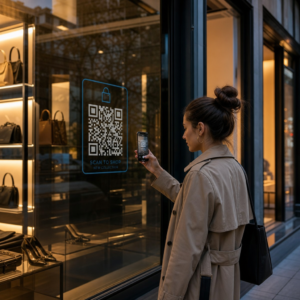
Haben Sie Schwierigkeiten, Ihre physischen Marketingmaterialien mit messbaren digitalen Ergebnissen zu verbinden? Die meisten Unternehmen drucken Flyer, hängen Plakate auf und verpacken Produkte, ohne eine klare Möglichkeit zu haben, das Engagement zu verfolgen – und das bedeutet verlorene Chancen. Dieser Leitfaden behandelt fünf praktische Wege, wie Sie einen Online-QR-Code-Generator nutzen können, um Offline-Berührungspunkte in aktive, verfolgbare Marketingkanäle zu verwandeln.
Verwenden Sie dynamische QR-Codes, um retargetingfähige Zielgruppen aufzubauen
Nicht alle QR-Codes sind gleich. Dynamische QR-Codes kodieren eine kurze Weiterleitungs-URL anstelle eines festen Ziels, was bedeutet, dass Sie jederzeit ändern können, wohin der Code zeigt – ohne einen einzigen Flyer oder eine Verpackung neu drucken zu müssen. Wenn Sie Ihre Materialien bereits gedruckt haben, aber eine Landingpage aktualisieren oder ein saisonales Angebot austauschen müssen, erledigt ein dynamischer Code dies sofort.
Der tiefere Marketingvorteil ist das Retargeting. Wenn ein Kunde Ihren Code scannt und auf einer von Ihnen kontrollierten Seite landet, können Sie ein Facebook-Pixel auslösen oder Google Analytics-Tags mit dieser Sitzung verbinden. Von dort aus können Sie benutzerdefinierte Zielgruppen und Lookalike-Segmente von Personen erstellen, die physisch mit Ihren Materialien interagiert haben. Dies verwandelt ein gedrucktes Plakat in eine digitale Lead-Quelle.
Dynamische QR-Codes liefern Ihnen auch detaillierte Scan-Analysen – Scan-Anzahlen, Zeitstempel, geografischer Standort, Gerätetyp und Betriebssystem – Daten, die statische Codes einfach nicht liefern können. Für jede Kampagne, bei der Sie Flexibilität, Tracking oder Echtzeitanpassungen benötigen, sind dynamische Codes die richtige Wahl.
Erstellen Sie verfolgbare QR-Codes für Ihre nächste Kampagne Möchten Sie Ziele aktualisieren, jeden Scan verfolgen und retargetingfähige Zielgruppen aus Ihren Druckmaterialien aufbauen? Beginnen Sie mit dem QR Code Generator und starten Sie noch heute Ihre erste dynamische Kampagne.
Gestalten Sie Ihren QR-Code passend zu Ihrer Marke
Ein einfacher Schwarz-Weiß-QR-Code auf einem ansonsten makellosen Markenstück sendet das falsche Signal. Moderne QR-Code-Generatoren ermöglichen es Ihnen, Farben, Formen und Muster an Ihre visuelle Identität anzupassen, und Sie können den Code in einen CTA-Rahmen – einen Rahmen mit Anweisungstext wie “Scannen Sie, um 20% Rabatt zu erhalten” oder “Scannen Sie, um das heutige Menü zu sehen.”
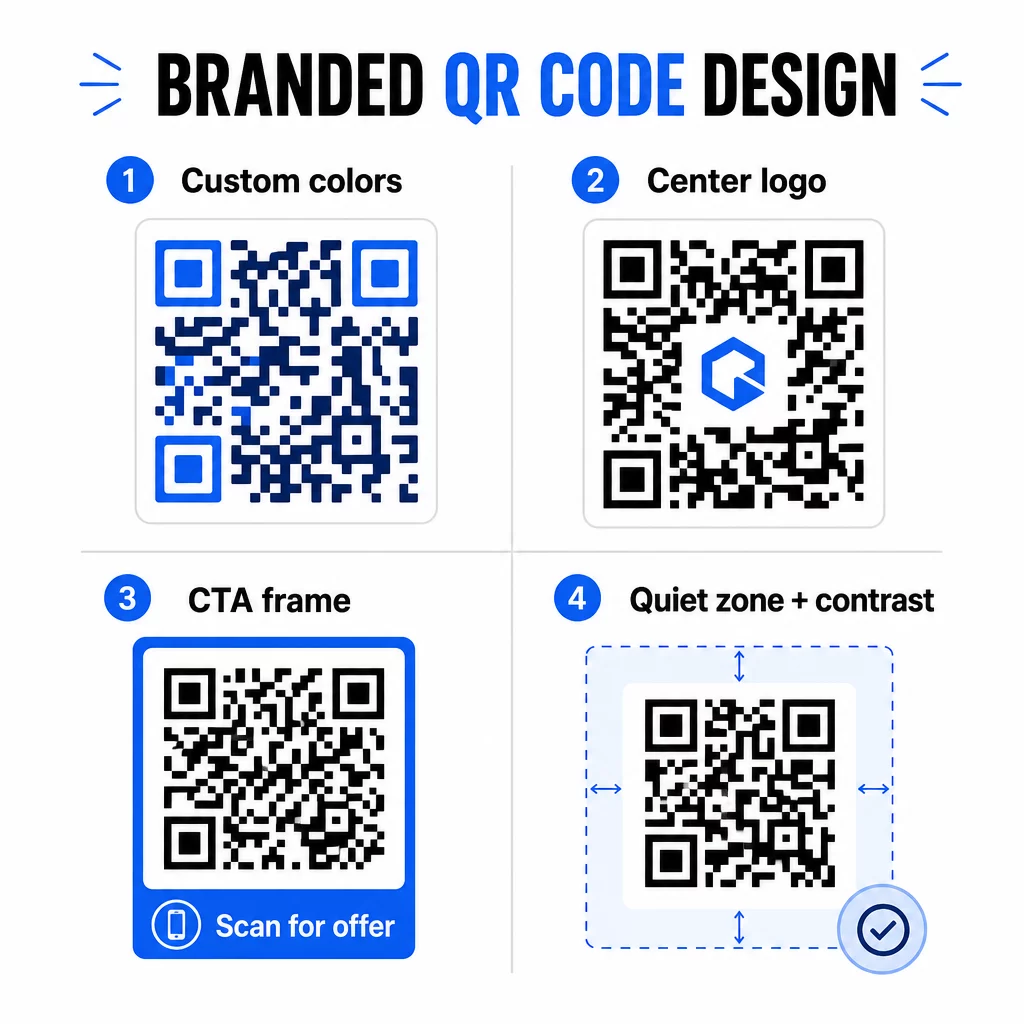
Dieser CTA-Rahmen leistet echte Arbeit. Forschung zu QR-Code-Rahmen zeigt durchweg, dass Codes ohne jegliche Anweisung weitaus weniger Scans erhalten, weil die Leute nicht wissen, was sie erhalten werden. Eine spezifische, nutzenorientierte Aufforderung beseitigt dieses Zögern.
Einige Designregeln, die zu beachten sind:
- Halten Sie den Code dunkel auf hellem Hintergrund – invertierte oder kontrastarme Farbkombinationen verwirren viele Scanner
- Halten Sie eine Ruhezone (einen klaren Rand von mindestens vier Modulen) um den gesamten Umfang des Codes ein
- Drucken Sie für die meisten Materialien mit mindestens 2 × 2 cm (0,8 × 0,8 Zoll); für Plakatwände streben Sie mindestens 40 × 40 cm an
- Verwenden Sie Vektor- oder hochauflösende Exporte, um die Module in jeder Größe scharf zu halten
Wenn Sie ein Logo in die Mitte des Codes einfügen möchten, stellen Sie die Fehlerkorrekturstufe auf Q oder H ein, damit der Code auch dann scanbar bleibt, wenn ein Teil des Musters abgedeckt ist. Sie können mehr erfahren über QR-Code-Platzierungsstandards für verschiedene Materialien um sicherzustellen, dass Ihr Design in jedem Format funktioniert.
Gehen Sie über URLs hinaus – Verwenden Sie QR-Codes für Gutscheine, Bewertungen und Veranstaltungen
Die meisten Vermarkter verlinken einen QR-Code standardmäßig auf eine Website und hören dort auf. Dieser Ansatz kratzt kaum an der Oberfläche dessen, was möglich ist.
Betrachten Sie diese Anwendungsfälle:
- Gutscheincodes: A Gutschein-QR-Code führt Kunden auf eine Seite, die Ihre aktuellen Angebote und Rabatte zeigt, mit einem CTA, der sie zum Bezahlen anleitet
- Google-Bewertungen: Platzieren Sie einen Google-Bewertungs-QR-Code auf Quittungen, Verpackungen oder Tischaufstellern, um das Hinterlassen von Feedback so reibungslos wie möglich zu gestalten – ein Scan und die Bewertungsseite öffnet sich automatisch
- Events: Ein Event-QR-Code konsolidiert Veranstaltungsdetails, Zeitpläne und Registrierungslinks in einem Scan, und da er dynamisch ist, können Sie die Informationen bei Änderungen aktualisieren, ohne neu drucken zu müssen
- Soziale Medien: A Social Media QR-Code bietet Kunden einen direkten Weg, Ihren Konten zu folgen oder Ihrer Community von jedem physischen Material aus beizutreten
- Wegbeschreibung zum Standort: A Google Maps QR-Code öffnet Ihren Standort in der Karten-App mit einem Scan – nützlich auf Veranstaltungseinladungen, Schaufenstern und Visitenkarten
Jeder dieser Anwendungsfälle löst einen spezifischen Reibungspunkt in der Customer Journey. Der Schlüssel liegt darin, den QR-Code-Typ an das anzupassen, was Ihr Publikum in diesem Moment tatsächlich benötigt.
Führen Sie Ihre Zielgruppenforschung durch, bevor Sie implementieren
Ein QR-Code ist nur so effektiv wie die Kampagne dahinter. Bevor Sie einen einzigen Code generieren, nehmen Sie sich Zeit zu verstehen, wen Sie ansprechen und wo diese Zeit verbringen – sowohl physisch als auch digital.
Beginnen Sie damit, Ihre Zielgruppe klar zu definieren:
- Welche Probleme versuchen sie zu lösen?
- Wo begegnen sie Ihrer Marke in der physischen Welt – in Verkaufsregalen, auf Veranstaltungen, in Direktwerbung, auf Produktverpackungen?
- Welche Geräte verwenden sie und wie vertraut sind sie mit dem Scannen von QR-Codes?
Überprüfen Sie dann, was Ihre Konkurrenten tun. Wo platzieren sie Codes? Auf welche Ziele verlinken sie? Das Erkennen von Lücken in ihrem Ansatz ist oft der Ort, an dem die klarste Gelegenheit liegt.
Diese Grundlage beeinflusst auch Ihre Wahl zwischen statischen und dynamischen QR-Codes. Statische Codes eignen sich gut für dauerhafte, unveränderliche Inhalte wie WLAN-Zugangsdaten oder eine feste Produktanleitung. Dynamische Codes sind die richtige Wahl für Marketingkampagnen, bei denen Ziele, Angebote oder Inhalte sich weiterentwickeln müssen. Diese frühe Entscheidung erspart Ihnen das spätere Neudrucken von Materialien.
Für speziell für das Marketing kleiner Unternehmen, kann selbst eine einfache Standortanalyse – bei der gefragt wird, wo Ihre Kunden physisch innehalten oder warten – wertvolle Stellen aufdecken, die die meisten Wettbewerber übersehen.
Führen Sie mit Wert, nicht nur mit einer Scan-Aufforderung
Die Scan-Raten verbessern sich dramatisch, wenn die Leute verstehen, was sie bekommen, bevor sie scannen. Eine generische “Scannen Sie mich”-Aufforderung bittet um Aufmerksamkeit, ohne etwas im Gegenzug anzubieten. Eine spezifische Aufforderung – “Scannen Sie, um Ihren exklusiven Rabatt freizuschalten” oder “Scannen Sie, um die Einrichtungsanleitung herunterzuladen” – gibt den Leuten einen klaren Grund zum Handeln.
Dies knüpft an ein breiteres Prinzip im effektiven Marketing an: Kunden reagieren auf das, was sie begehren, nicht nur auf das, was sie brauchen. Ihr QR-Code sollte der Einstiegspunkt zu etwas wirklich Nützlichem oder Belohnendem sein.
Praktische Wege, um Mehrwert durch QR-Codes zu liefern:
- Bieten Sie einen Rabatt oder einen exklusiven Gutschein an, der nur durch Scannen zugänglich ist
- Verlinken Sie auf eine PDF-Anleitung, ein Tutorial-Video oder eine Produktdemo, die die Kaufentscheidung erleichtert
- Verbinden Sie Kunden mit einer Bewertungsseite und danken Sie ihnen für ihre Zeit
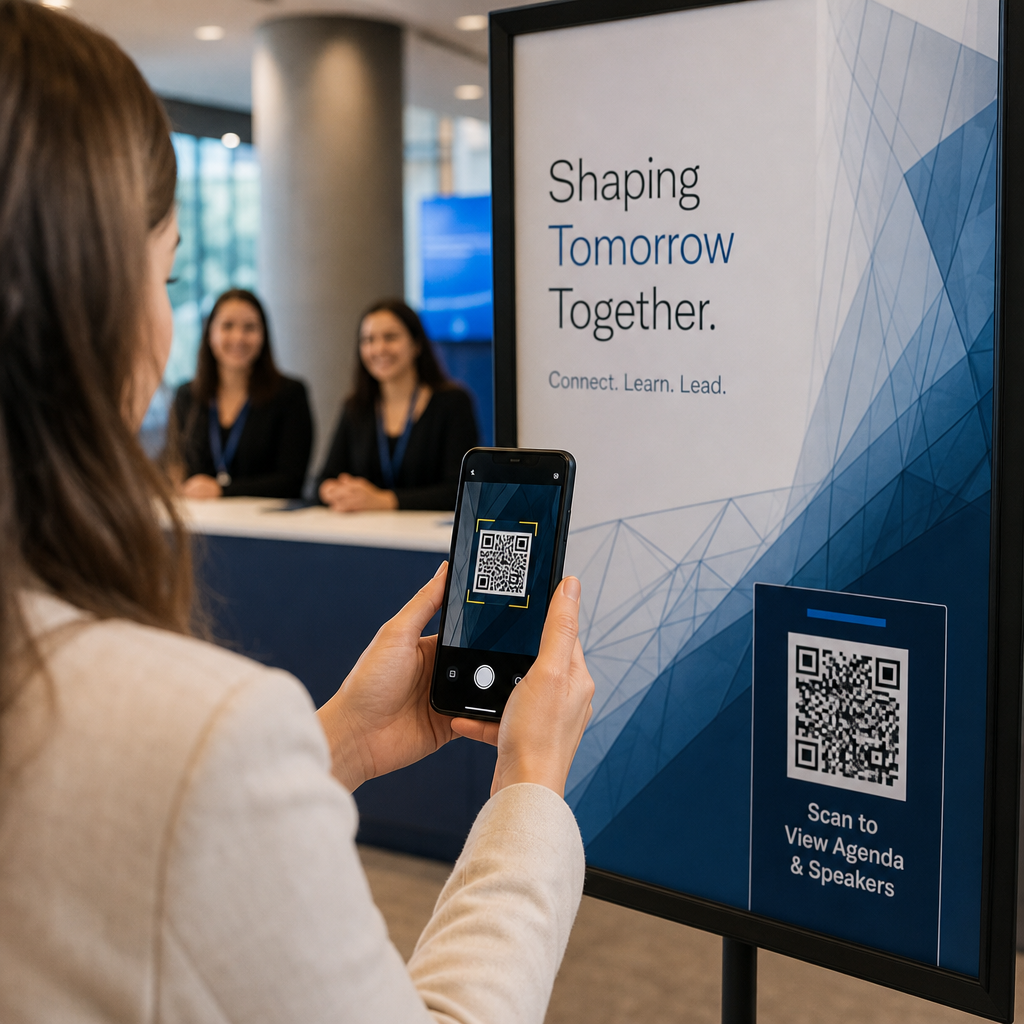
- Geben Sie Veranstaltungsteilnehmern sofortigen Zugang zu Zeitplänen, Sprecherbiografien oder Veranstaltungsortkarten
Nachdem Kunden Ihre Landingpage erreicht haben, stellen Sie sicher, dass das Erlebnis standhält. Das Ziel sollte mobiloptimiert sein, schnell laden und einen klaren nächsten Schritt haben. Ein gut gestalteter Code, der zu einer schlechten mobilen Erfahrung führt, verliert im letzten Moment Konversionen.
Verbinden Sie Printmaterialien mit digitalem Engagement Bereit, diese Ideen in die Praxis umzusetzen? Erkunden Sie QR-Code-Lösungen nach Branche und Anwendungsfall um das richtige Format für Ihre nächste Kampagne zu finden.
Testen Sie vor dem Start, verfolgen Sie dann, was funktioniert
Bevor ein QR-Code auf gedruckten oder verteilten Materialien live geht, testen Sie ihn gründlich. Scannen Sie den Code auf mehreren Geräten und Betriebssystemen, unter verschiedenen Lichtverhältnissen und aus den Entfernungen, aus denen Ihr Publikum realistischerweise stehen wird. Bei Druckmaterialien testen Sie die endgültige gedruckte Ausgabe – nicht nur die digitale Vorschau.
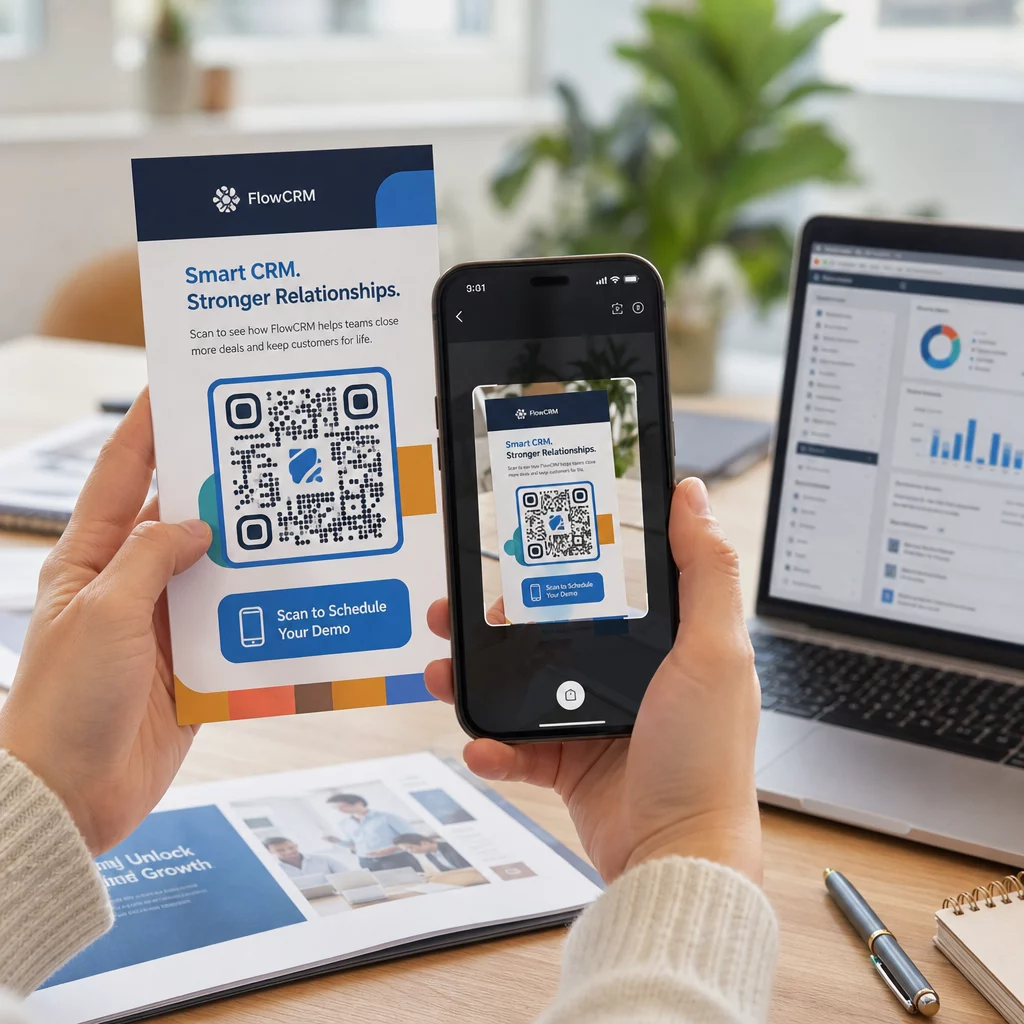
Sobald Ihre Kampagne läuft, verwenden Sie Ihr Analyse-Dashboard, um zu überwachen:
- Gesamtzahl der Scans und Anzahl der eindeutigen Scans
- Geografische Aufschlüsselung, wo Scans stattfinden
- Geräte- und Betriebssystemdaten
- Scan-Zeitpunktmuster (Wochentag, Tageszeit)
Diese Daten zeigen Ihnen, welche Platzierungen und Materialien Engagement erzeugen und welche nicht. Wenn ein bestimmter Standort oder ein bestimmtes Material unterdurchschnittlich abschneidet, können Sie das Ziel des dynamischen Codes aktualisieren, um ein neues Angebot oder eine neue Landingpage zu testen – ohne den gedruckten Code selbst zu berühren.
Für Kampagnen, die in Google Analytics integriert sind, das Hinzufügen von UTM-Parametern zu Ihren QR-Code-Ziel-URLs gibt Ihnen ein vollständiges Bild davon, wie Offline-Scans zu Online-Conversions beitragen, direkt in Ihren bestehenden Reporting-Tools.
Die Unternehmen, die die stärksten Ergebnisse mit QR-Codes erzielen, sind diejenigen, die sie als messbaren Kanal behandeln – Ziele setzen, die Leistung verfolgen und basierend auf realen Daten statt auf Annahmen iterieren.
Beginnen Sie mit dem Aufbau messbarer QR-Code-Kampagnen Generieren, anpassen und verfolgen Sie QR-Codes für jeden Marketing-Anwendungsfall mit Pageloot. Testen Sie den QR-Code-Generator 14 Tage lang kostenlos – keine Kreditkarte erforderlich.
Häufig gestellte Fragen
Ein statischer QR-Code kodiert ein festes Ziel, das nach der Erstellung nicht mehr geändert werden kann und keine Nachverfolgung unterstützt. Ein dynamischer QR-Code kodiert eine kurze Weiterleitungs-URL, was bedeutet, dass Sie das Ziel jederzeit ohne Neudruck aktualisieren können, und Sie erhalten Zugriff auf Scan-Analysen, einschließlich Standort, Gerätetyp und Zeitpunkt. Für die meisten Marketingkampagnen sind dynamische Codes die bessere Wahl, da sie Ihnen Flexibilität und messbare Daten bieten.
Die minimal empfohlene Größe für zuverlässiges Scannen auf den meisten Druckmaterialien beträgt 2 × 2 cm (ungefähr 0,8 × 0,8 Zoll). Mit zunehmender erwarteter Scan-Entfernung sollte der Code proportional skaliert werden – eine gängige Richtlinie ist, dass die Breite des Codes mindestens ein Zehntel der Entfernung betragen sollte, aus der er gescannt wird. Für großformatige Materialien wie Plakatwände sollten Sie mindestens 40 × 40 cm anstreben. Testen Sie immer die endgültige gedruckte Ausgabe auf mehreren Geräten, bevor Sie sie verteilen.
Die effektivsten Ansätze sind die Kombination Ihres Codes mit einem spezifischen, vorteilsorientierten Call-to-Action (zum Beispiel “Scannen Sie, um Ihren Rabatt zu erhalten” statt “Scannen Sie mich”), die Platzierung des Codes dort, wo Ihr Publikum natürlich innehält oder die Aufmerksamkeit fokussiert, und die Sicherstellung, dass die Landingpage echten Mehrwert liefert. Die Anpassung des Code-Designs an Ihr Branding hilft ebenfalls – visuell unterschiedliche, markengerechte Codes ziehen mehr Aufmerksamkeit auf sich als generische Schwarz-Weiß-Muster.