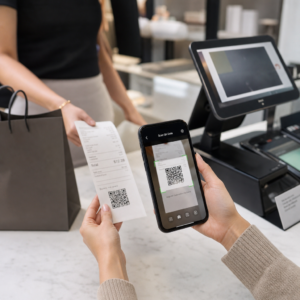
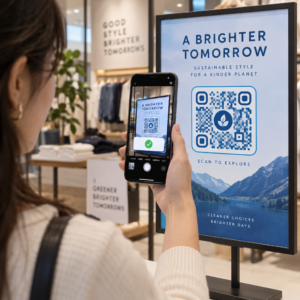
Stai faticando a collegare i tuoi materiali di marketing fisici con risultati digitali misurabili? La maggior parte delle aziende stampa volantini, appende poster e confeziona prodotti senza un modo chiaro per tracciare l'engagement – e questo significa opportunità perse. Questa guida copre cinque modi pratici per utilizzare un generatore di codici QR online per trasformare i punti di contatto offline in canali di marketing attivi e tracciabili.
Usa i codici QR dinamici per costruire pubblici retargetizzabili
Non tutti i codici QR sono uguali. Codici QR dinamici codificano un URL di reindirizzamento breve anziché una destinazione fissa, il che significa che puoi cambiare dove punta il codice in qualsiasi momento – senza ristampare un singolo volantino o confezione. Se hai già stampato i tuoi materiali ma hai bisogno di aggiornare una landing page o sostituire un'offerta stagionale, un codice dinamico gestisce tutto istantaneamente.
Il vantaggio di marketing più profondo è il retargeting. Quando un cliente scansiona il tuo codice e atterra su una pagina che controlli, puoi attivare un Facebook Pixel o collegare i tag di Google Analytics a quella sessione. Da lì, puoi costruire pubblici personalizzati e segmenti lookalike da persone che hanno interagito fisicamente con i tuoi materiali. Questo trasforma un poster stampato in una fonte di lead digitale.
I codici QR dinamici ti forniscono anche analisi dettagliate delle scansioni – conteggi delle scansioni, timestamp, posizione geografica, tipo di dispositivo e sistema operativo – dati che i codici statici semplicemente non possono fornire. Per qualsiasi campagna in cui hai bisogno di flessibilità, tracciamento o aggiustamenti in tempo reale, i codici dinamici sono la scelta giusta.
Crea codici QR tracciabili per la tua prossima campagna Vuoi aggiornare le destinazioni, tracciare ogni scansione e costruire pubblici retargetizzabili dai tuoi materiali stampati? Inizia con il generatore di codici QR e lancia la tua prima campagna dinamica oggi.
Progetta il tuo codice QR per abbinarlo al tuo brand
Un semplice codice QR in bianco e nero su un pezzo di brand altrimenti curato invia il segnale sbagliato. I moderni generatori di codici QR ti permettono di personalizzare colori, forme e modelli per abbinarli alla tua identità visiva, e puoi avvolgere il codice in una cornice CTA – un bordo con testo istruttivo come “Scansiona per ottenere il 20% di sconto” o “Scansiona per vedere il menu di oggi.”
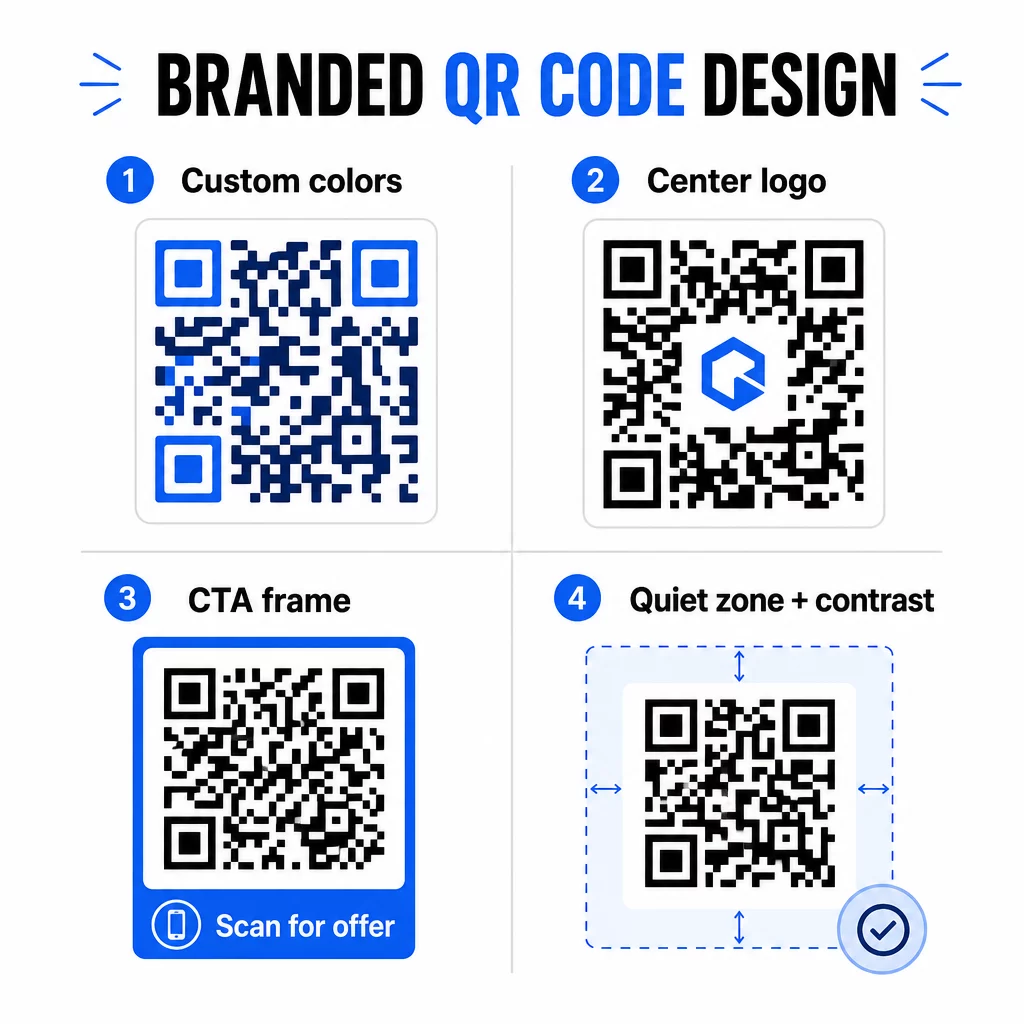
Quella cornice CTA fa un vero lavoro. Ricerca sui frame dei codici QR mostra costantemente che i codici senza alcuna istruzione ricevono molti meno scan perché le persone non sanno cosa riceveranno. Un prompt specifico e orientato al beneficio elimina tale esitazione.
Alcune regole di design da seguire:
- Mantieni il codice scuro su uno sfondo chiaro – combinazioni di colori invertite o a basso contrasto confondono molti scanner
- Mantieni una zona tranquilla (un margine chiaro di almeno quattro moduli) attorno all'intero perimetro del codice
- Stampa a un minimo di 2 × 2 cm (0.8 × 0.8 pollici) per la maggior parte dei materiali; per i cartelloni pubblicitari, punta ad almeno 40 × 40 cm
- Usa esportazioni vettoriali o ad alta risoluzione per mantenere i moduli nitidi a qualsiasi dimensione
Se vuoi aggiungere un logo al centro del codice, imposta il livello di correzione degli errori su Q o H in modo che il codice rimanga scansionabile anche con parte del pattern coperta. Puoi saperne di più su standard di posizionamento dei codici QR per diversi materiali per assicurarti che il tuo design funzioni su ogni formato.
Vai oltre gli URL – Usa i codici QR per coupon, recensioni ed eventi
La maggior parte dei marketer si limita a collegare un codice QR a un sito web e a fermarsi lì. Questo approccio scalfisce a malapena la superficie di ciò che è possibile.
Considera questi casi d'uso:
- Codici coupon: A codice QR coupon porta i clienti su una pagina che mostra le tue offerte e sconti attuali, con una CTA che li spinge al checkout
- Recensioni Google: Posiziona un QR code per recensioni Google su scontrini, imballaggi o segnaposto da tavolo per rendere il feedback il più semplice possibile – una scansione e la pagina di recensione si apre automaticamente
- Eventi: Un codice QR per eventi consolida i dettagli della sede, gli orari e i link di registrazione in un'unica scansione, e poiché è dinamico, puoi aggiornare le informazioni se qualcosa cambia senza ristampare
- Social media: A codice QR dei social media offre ai clienti un percorso diretto per seguire i tuoi account o unirti alla tua community da qualsiasi materiale fisico
- Indicazioni stradali: A Codice QR di Google Maps apre la tua posizione nell'app Mappe con una scansione – utile su inviti a eventi, vetrine e biglietti da visita
Ciascuno di questi casi d'uso risolve un punto di attrito specifico nel percorso del cliente. La chiave è abbinare il tipo di codice QR a ciò di cui il tuo pubblico ha effettivamente bisogno in quel momento.
Fai la tua ricerca sul pubblico prima di implementare
Un codice QR è efficace solo quanto la campagna che lo supporta. Prima di generare un singolo codice, prenditi del tempo per capire chi stai targettizzando e dove trascorrono il tempo – sia fisicamente che digitalmente.
Inizia definendo chiaramente il tuo pubblico:
- Quali problemi stanno cercando di risolvere?
- Dove incontrano il tuo brand nel mondo fisico – scaffali di vendita al dettaglio, eventi, direct mail, imballaggi di prodotti?
- Quali dispositivi usano e quanto sono a loro agio con la scansione dei codici QR?
Poi esamina cosa stanno facendo i tuoi concorrenti. Dove stanno posizionando i codici? A quali destinazioni si collegano? Identificare le lacune nel loro approccio è spesso dove si trova l'opportunità più chiara.
Questa base modella anche la tua scelta tra codici QR statici e dinamici. I codici statici funzionano bene per contenuti permanenti e immutabili come le credenziali Wi-Fi o un manuale di prodotto fisso. I codici dinamici sono la scelta giusta per le campagne di marketing in cui destinazioni, offerte o contenuti potrebbero dover evolvere. Prendere questa decisione in anticipo ti evita di ristampare materiali in seguito.
Per marketing per piccole imprese in particolare, anche un semplice audit di posizionamento – chiedendo dove i tuoi clienti si fermano o aspettano fisicamente – può rivelare punti di alto valore che la maggior parte dei concorrenti trascura.
Guida con il Valore, Non Solo un Invito alla Scansione
I tassi di scansione migliorano drasticamente quando le persone capiscono cosa otterranno prima di scansionare. Un generico invito “Scansionami” chiede attenzione senza offrire nulla in cambio. Un invito specifico – “Scansiona per sbloccare il tuo sconto esclusivo” o “Scansiona per scaricare la guida all'installazione” – offre alle persone un motivo chiaro per agire.
Questo si collega a un principio più ampio nel marketing efficace: i clienti rispondono a ciò che desiderano, non solo a ciò di cui hanno bisogno. Il tuo codice QR dovrebbe essere il punto di ingresso a qualcosa di veramente utile o gratificante.
Modi pratici per offrire valore tramite i codici QR:
- Offri uno sconto o un coupon esclusivo accessibile solo tramite scansione
- Collega a una guida PDF, un video tutorial o una demo del prodotto che facilita la decisione di acquisto
- Collega i clienti a una pagina di recensioni e ringraziali per il loro tempo
- Dai ai partecipanti all'evento accesso istantaneo a orari, biografie dei relatori o mappe della sede
Dopo che i clienti raggiungono la tua landing page, assicurati che l'esperienza sia all'altezza. La destinazione dovrebbe essere ottimizzata per i dispositivi mobili, caricarsi rapidamente e avere un chiaro passo successivo. Un codice ben progettato che porta a un'esperienza mobile scadente perderà conversioni all'ultimo momento.
Collega i Materiali Stampati all'Engagement Digitale Pronto a mettere in pratica queste idee? Esplora le soluzioni di codici QR per settore e caso d'uso per trovare il formato giusto per la tua prossima campagna.
Testa prima di lanciare, poi traccia ciò che funziona
Prima che qualsiasi codice QR venga pubblicato su materiali stampati o distribuiti, testalo accuratamente. Scansiona il codice su più dispositivi e sistemi operativi, in diverse condizioni di illuminazione e alle distanze a cui il tuo pubblico si troverà realisticamente. Per i materiali stampati, testa l'output stampato finale – non solo l'anteprima digitale.
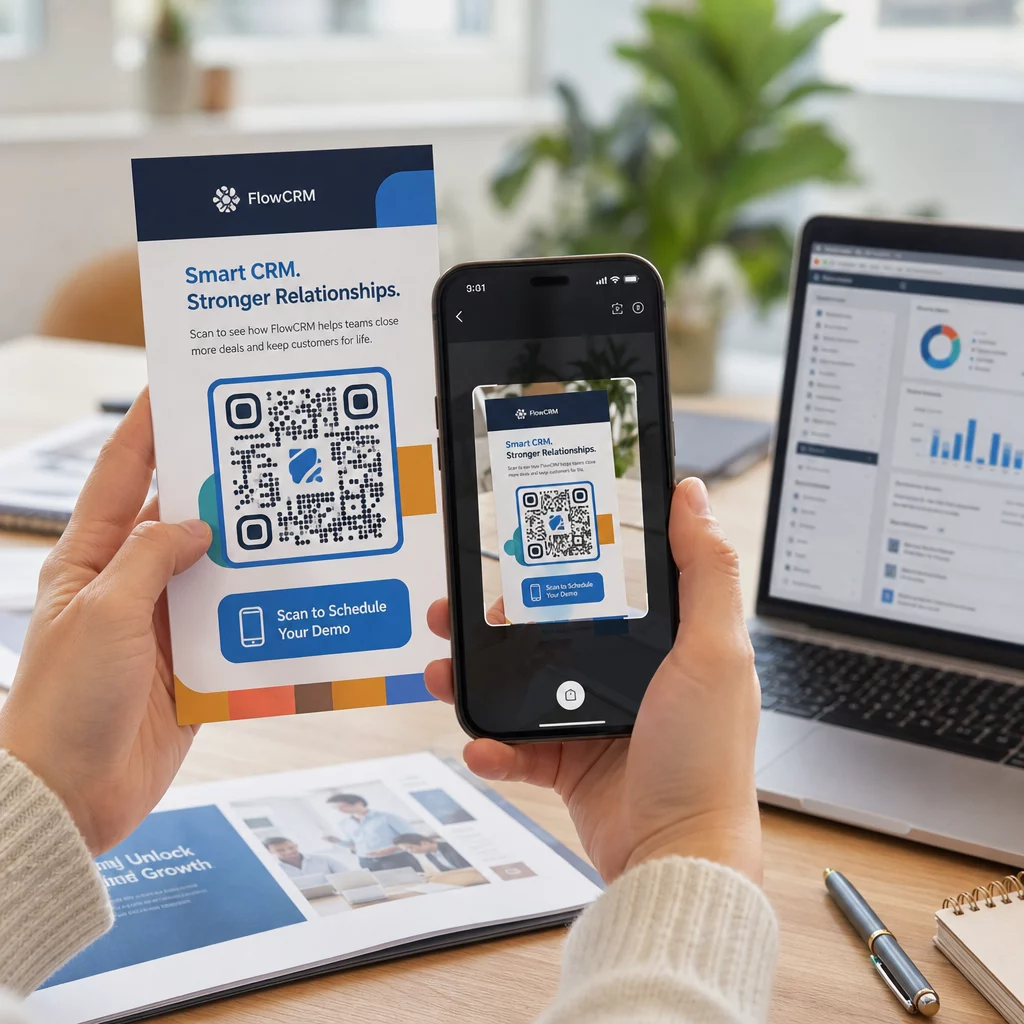
Una volta che la tua campagna è attiva, usa la tua dashboard di analisi per monitorare:
- Scansioni totali e conteggi di scansioni uniche
- Ripartizione geografica di dove avvengono le scansioni
- Dati su dispositivo e sistema operativo
- Modelli di tempistica delle scansioni (giorno della settimana, ora del giorno)
Questi dati ti dicono quali posizionamenti e materiali stanno generando coinvolgimento e quali no. Se una particolare posizione o materiale sta sottoperformando, puoi aggiornare la destinazione del codice dinamico per testare una nuova offerta o pagina di destinazione – senza toccare il codice stampato stesso.
Per le campagne integrate con Google Analytics, l'aggiunta di parametri UTM agli URL di destinazione del tuo codice QR ti offre un quadro completo di come le scansioni offline contribuiscono alle conversioni online, direttamente all'interno dei tuoi strumenti di reporting esistenti.
Le aziende che ottengono i risultati più solidi dai codici QR sono quelle che li trattano come un canale misurabile – impostando obiettivi, monitorando le prestazioni e iterando basandosi su dati reali piuttosto che su supposizioni.
Inizia a Costruire Campagne di Codici QR Misurabili Genera, personalizza e traccia codici QR per ogni caso d'uso di marketing con Pageloot. Prova il Generatore di Codici QR gratuitamente per 14 giorni – nessuna carta di credito richiesta.
Domande frequenti
Un codice QR statico codifica una destinazione fissa che non può essere modificata dopo la creazione e non supporta il tracciamento. Un codice QR dinamico codifica un URL di reindirizzamento breve, il che significa che puoi aggiornare la destinazione in qualsiasi momento senza ristampare, e ottieni l'accesso alle analisi delle scansioni inclusi posizione, tipo di dispositivo e tempistica. Per la maggior parte delle campagne di marketing, i codici dinamici sono la scelta migliore perché ti offrono flessibilità e dati misurabili.
La dimensione minima raccomandata per una scansione affidabile sulla maggior parte dei materiali stampati è di 2 × 2 cm (circa 0,8 × 0,8 pollici). All'aumentare della distanza di scansione prevista, il codice dovrebbe scalare proporzionalmente – una linea guida comune è che la larghezza del codice dovrebbe essere almeno un decimo della distanza da cui verrà scansionato. Per materiali di grande formato come i cartelloni pubblicitari, puntare ad almeno 40 × 40 cm. Testare sempre l'output stampato finale su più dispositivi prima della distribuzione.
Gli approcci più efficaci sono abbinare il codice a una call to action specifica e orientata al beneficio (ad esempio, “Scansiona per ottenere il tuo sconto” piuttosto che “Scansionami”), posizionare il codice dove il tuo pubblico si ferma naturalmente o concentra l'attenzione, e assicurarsi che la landing page offra un valore autentico. Anche personalizzare il design del codice per abbinarlo al tuo branding aiuta – i codici visivamente distinti e in linea con il brand attirano più attenzione rispetto ai generici schemi in bianco e nero.