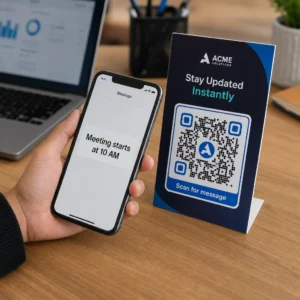
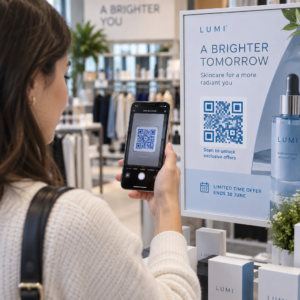
Ar jums sunku susieti savo fizinę rinkodaros medžiagą su išmatuojamais skaitmeniniais rezultatais? Dauguma įmonių spausdina skrajutes, kabina plakatus ir pakuoja produktus be aiškaus būdo stebėti įsitraukimą – o tai reiškia prarastas galimybes. Šiame vadove aprašomi penki praktiniai būdai, kaip naudoti internetinį QR kodo generatorių, kad neprisijungus pasiekiami taškai taptų aktyviais, stebimais rinkodaros kanalais.
Naudokite dinaminius QR kodus, kad sukurtumėte pakartotinai nukreipiamas auditorijas
Ne visi QR kodai yra vienodi. Dinaminiai QR kodai užkoduoti trumpą nukreipimo URL, o ne fiksuotą paskirties vietą, o tai reiškia, kad galite bet kada pakeisti, kur nukreipia kodas – neperspausdinant nė vienos skrajutės ar pakuotės. Jei jau atspausdinote savo medžiagą, bet reikia atnaujinti nukreipimo puslapį arba pakeisti sezoninį pasiūlymą, dinaminis kodas tai atlieka akimirksniu.
Gilesnis rinkodaros pranašumas yra pakartotinis nukreipimas. Kai klientas nuskaito jūsų kodą ir patenka į jūsų valdomą puslapį, galite paleisti „Facebook Pixel“ arba prijungti „Google Analytics“ žymas prie tos sesijos. Iš ten galite kurti pasirinktines auditorijas ir panašius segmentus iš žmonių, kurie fiziškai bendravo su jūsų medžiaga. Tai paverčia atspausdintą plakatą skaitmeniniu potencialių klientų šaltiniu.
Dinaminiai QR kodai taip pat suteikia išsamią nuskaitymo analizę – nuskaitymų skaičius, laiko žymos, geografinė vieta, įrenginio tipas ir operacinė sistema – duomenys, kurių statiniai kodai tiesiog negali pateikti. Bet kuriai kampanijai, kuriai reikalingas lankstumas, stebėjimas ar koregavimai realiuoju laiku, dinaminiai kodai yra tinkamas pasirinkimas.
Sukurkite stebimus QR kodus savo kitai kampanijai Norite atnaujinti paskirties vietas, stebėti kiekvieną nuskaitymą ir kurti pakartotinai nukreipiamas auditorijas iš savo spausdintos medžiagos? Pradėkite naudotis QR kodo generatoriumi ir paleiskite savo pirmąją dinaminę kampaniją šiandien.
Sukurkite savo QR kodą, kad jis atitiktų jūsų prekės ženklą
Paprastas juodai baltas QR kodas ant kitaip išbaigto prekės ženklo elemento siunčia neteisingą signalą. Šiuolaikiniai QR kodų generatoriai leidžia jums pritaikyti spalvas, formas ir raštus, kad atitiktų jūsų vizualinį identitetą, ir galite apvynioti kodą raginimo veikti rėmelis – rėmelis su instrukciniu tekstu, pvz., “Nuskaitykite, kad gautumėte 20% nuolaidą” arba “Nuskaitykite, kad pamatytumėte šiandienos meniu”.”
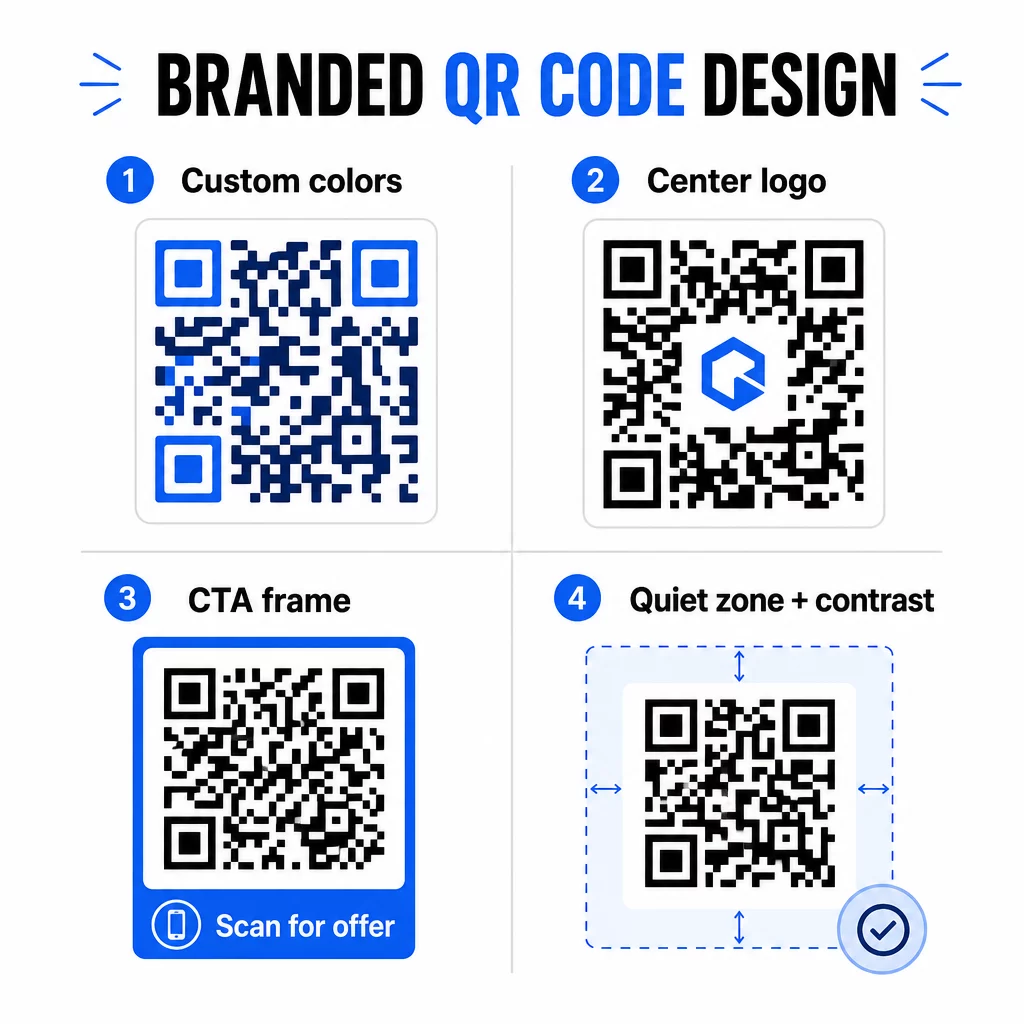
Tas raginimo veikti rėmelis atlieka tikrą darbą. QR kodų rėmelių tyrimai nuosekliai rodo, kad kodai be jokių instrukcijų sulaukia žymiai mažiau nuskaitymų, nes žmonės nežino, ką gaus. Konkretus, nauda pagrįstas raginimas pašalina šį dvejojimą.
Keletas dizaino taisyklių, kurių reikia laikytis:
- Laikykite kodą tamsų šviesiame fone – apverstos arba mažo kontrasto spalvų kombinacijos klaidina daugelį skaitytuvų
- Išlaikykite ramią zoną (aiškų bent keturių modulių kraštą) aplink visą kodo perimetrą
- Spausdinkite mažiausiai 2 × 2 cm (0,8 × 0,8 colio) daugumai medžiagų; reklaminiams stendams siekite bent 40 × 40 cm
- Naudokite vektorinius arba didelės raiškos eksportus, kad moduliai būtų ryškūs bet kokiu dydžiu
Jei norite pridėti logotipą kodo centre, nustatykite klaidų taisymo lygį į Q arba H, kad kodas liktų nuskaitomas net ir uždengus dalį rašto. Daugiau galite sužinoti apie QR kodų išdėstymo standartus skirtingoms medžiagoms kad įsitikintumėte, jog jūsų dizainas veikia visais formatais.
Eikite toliau nei URL – naudokite QR kodus kuponams, atsiliepimams ir renginiams
Dauguma rinkodaros specialistų pagal nutylėjimą susieja QR kodą su svetaine ir ties tuo sustoja. Toks požiūris vos paliečia galimybių paviršių.
Apsvarstykite šiuos naudojimo atvejus:
- Kuponų kodai: A kupono QR kodas nukreipia klientus į puslapį, kuriame rodomi jūsų dabartiniai pasiūlymai ir nuolaidos, su raginimu veikti (CTA), kuris nukreipia juos į atsiskaitymą
- „Google“ atsiliepimai: Padėkite Google atsiliepimų QR kodui ant kvitų, pakuočių ar stalo palapinių, kad atsiliepimų palikimas būtų kuo sklandesnis – vienas nuskaitymas ir atsiliepimų puslapis atsidaro automatiškai
- Renginiai: An renginio QR kodas vienu nuskaitymu sujungia vietos detales, tvarkaraščius ir registracijos nuorodas, o kadangi jis yra dinaminis, galite atnaujinti informaciją, jei kas nors pasikeičia, neperspausdindami
- Socialinė žiniasklaida: A socialinės žiniasklaidos QR kodas suteikia klientams tiesioginį kelią sekti jūsų paskyras arba prisijungti prie jūsų bendruomenės iš bet kokios fizinės medžiagos
- Vietos nuorodos: A "Google Maps" QR kodas atidaro jūsų vietą žemėlapių programėlėje vienu nuskaitymu – naudinga ant kvietimų į renginius, vitrinų ir vizitinių kortelių
Kiekvienas iš šių naudojimo atvejų išsprendžia konkretų trinties tašką kliento kelionėje. Svarbiausia yra suderinti QR kodo tipą su tuo, ko jūsų auditorijai iš tikrųjų reikia tuo metu.
Atlikite auditorijos tyrimą prieš diegdami
QR kodas yra toks pat efektyvus, kaip ir už jo esanti kampanija. Prieš generuodami vieną kodą, skirkite laiko suprasti, į ką taikotės ir kur jie praleidžia laiką – tiek fiziškai, tiek skaitmeniniu būdu.
Pradėkite aiškiai apibrėždami savo auditoriją:
- Kokias problemas jie bando išspręsti?
- Kur jie susiduria su jūsų prekės ženklu fiziniame pasaulyje – mažmeninės prekybos lentynose, renginiuose, tiesioginiame pašte, produktų pakuotėse?
- Kokius įrenginius jie naudoja ir kaip patogiai jaučiasi nuskaitydami QR kodus?
Tada peržiūrėkite, ką daro jūsų konkurentai. Kur jie deda kodus? Į kokias paskirties vietas jie nukreipia? Spragų nustatymas jų požiūryje dažnai yra ten, kur slypi aiškiausia galimybė.
Šis pagrindas taip pat formuoja jūsų pasirinkimą tarp statinių ir dinaminių QR kodų. Statiniai kodai puikiai tinka nuolatiniam, nekintančiam turiniui, pvz., „Wi-Fi“ prisijungimo duomenims ar fiksuotam produkto vadovui. Dinaminiai kodai yra tinkamas pasirinkimas rinkodaros kampanijoms, kuriose paskirties vietos, pasiūlymai ar turinys gali keistis. Ankstyvas šio sprendimo priėmimas apsaugo jus nuo medžiagų perspausdinimo vėliau.
Dėl konkrečiai mažų įmonių rinkodara, net paprastas vietos auditas – klausiant, kur jūsų klientai fiziškai sustoja ar laukia – gali atskleisti didelės vertės vietas, kurias dauguma konkurentų ignoruoja.
Pirmiausia siūlykite vertę, o ne tik nuskaitymo raginimą
Nuskaitymo rodikliai žymiai pagerėja, kai žmonės supranta, ką gaus prieš nuskaitydami. Bendras “Nuskaitykite mane” raginimas prašo dėmesio, nieko nesiūlydamas mainais. Konkretus raginimas – “Nuskaitykite, kad gautumėte išskirtinę nuolaidą” arba “Nuskaitykite, kad atsisiųstumėte sąrankos vadovą” – suteikia žmonėms aiškią priežastį veikti.
Tai susiję su platesniu efektyvios rinkodaros principu: klientai reaguoja į tai, ko trokšta, o ne tik į tai, ko jiems reikia. Jūsų QR kodas turėtų būti įėjimo taškas į kažką tikrai naudingo ar apdovanojančio.
Praktiniai būdai, kaip teikti vertę per QR kodus:
- Pasiūlykite nuolaidą arba išskirtinį kuponą, kurį galima gauti tik nuskaitymo būdu
- Nuoroda į PDF vadovą, mokomąjį vaizdo įrašą ar produkto demonstraciją, kuri palengvina pirkimo sprendimą
- Nukreipkite klientus į atsiliepimų puslapį ir padėkokite jiems už sugaištą laiką
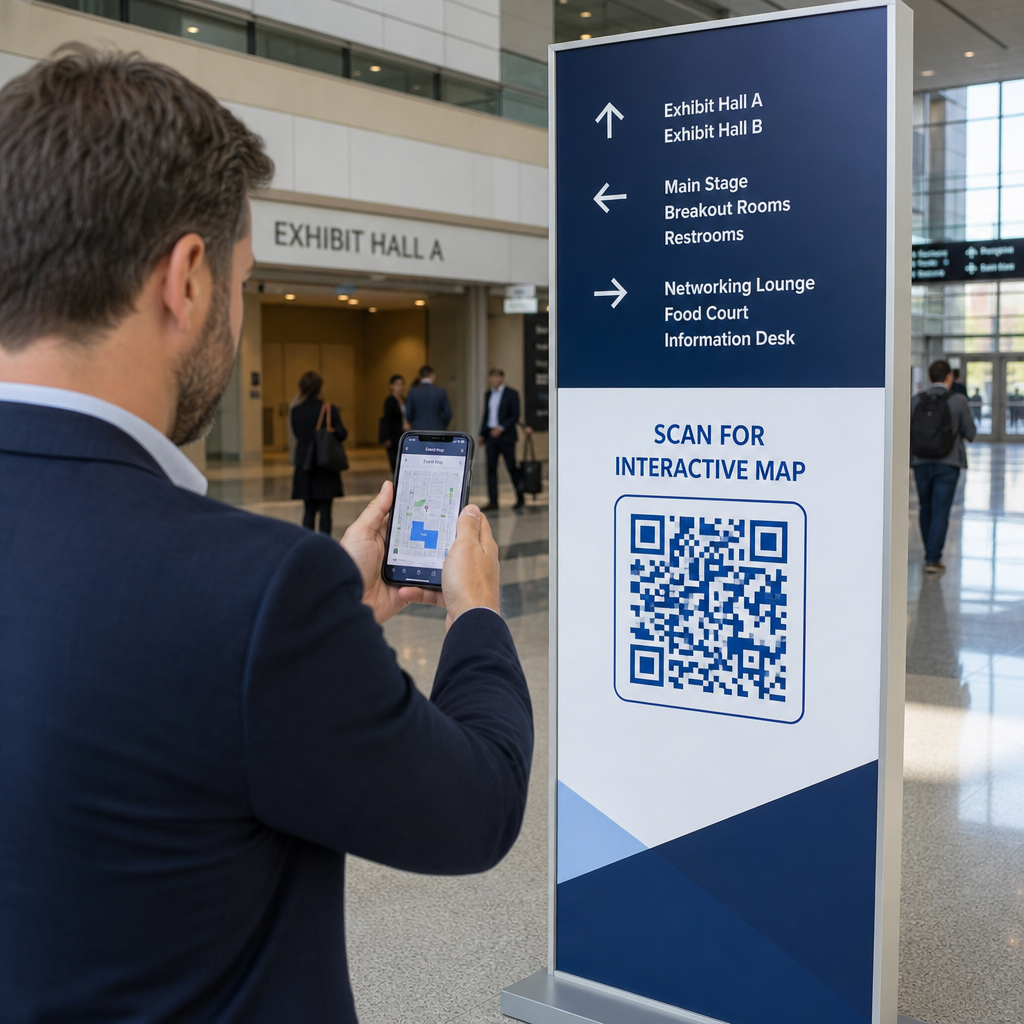
- Suteikite renginio dalyviams tiesioginę prieigą prie tvarkaraščių, pranešėjų biografijų ar vietos žemėlapių
Kai klientai pasieks jūsų nukreipimo puslapį, įsitikinkite, kad patirtis išlieka gera. Paskirties vieta turėtų būti optimizuota mobiliesiems įrenginiams, greitai įkelti ir turėti aiškų kitą žingsnį. Gerai suprojektuotas kodas, vedantis į prastą mobiliojo ryšio patirtį, praras konversijas paskutinę akimirką.
Sujunkite spausdintą medžiagą su skaitmeniniu įsitraukimu Pasiruošę įgyvendinti šias idėjas? Naršykite QR kodo sprendimus pagal pramonės šaką ir naudojimo atvejį kad rastumėte tinkamą formatą kitai savo kampanijai.
Išbandykite prieš paleisdami, tada stebėkite, kas veikia
Prieš bet kokiam QR kodui pasirodant spausdintose ar platinamose medžiagose, kruopščiai jį išbandykite. Nuskaitykite kodą keliais įrenginiais ir operacinėmis sistemomis, skirtingomis apšvietimo sąlygomis ir atstumais, kuriais realiai stovės jūsų auditorija. Spausdintoms medžiagoms išbandykite galutinį atspausdintą rezultatą – ne tik skaitmeninę peržiūrą.
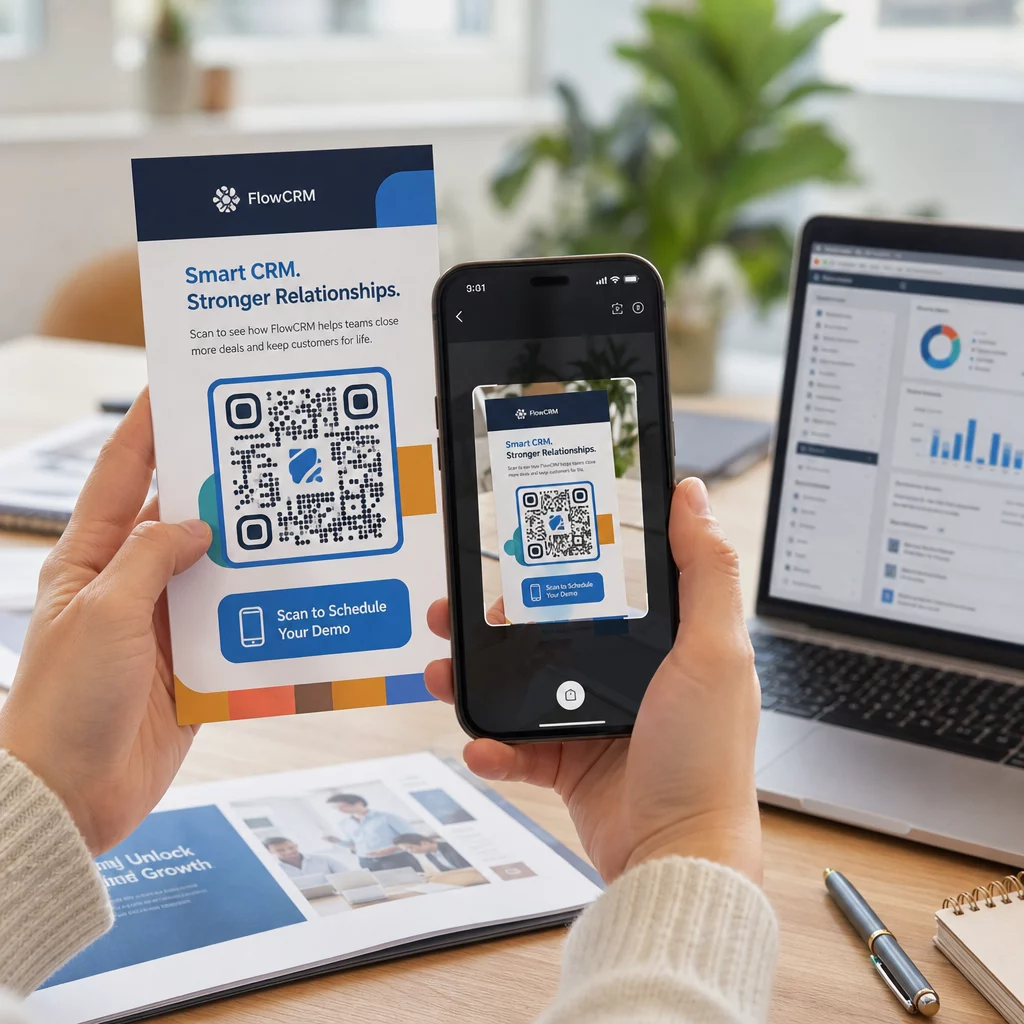
Kai jūsų kampanija veikia, naudokite savo analizės prietaisų skydelį, kad stebėtumėte:
- Bendras nuskaitymų skaičius ir unikalūs nuskaitymų skaičiai
- Geografinis suskirstymas, kur vyksta nuskaitymai
- Įrenginio ir operacinės sistemos duomenys
- Nuskaitymo laiko modeliai (savaitės diena, paros laikas)
Šie duomenys parodo, kurios vietos ir medžiagos generuoja įsitraukimą, o kurios ne. Jei konkreti vieta ar medžiaga veikia prastai, galite atnaujinti dinaminio kodo paskirties vietą, kad išbandytumėte naują pasiūlymą ar nukreipimo puslapį – neliesdami paties atspausdinto kodo.
Kampanijoms, integruotoms su „Google Analytics“, pridėjus UTM parametrus prie jūsų QR kodo paskirties URL suteikia jums išsamų vaizdą, kaip neprisijungus atliekami nuskaitymai prisideda prie konversijų internete, tiesiai jūsų esamuose ataskaitų teikimo įrankiuose.
Įmonės, matančios geriausius rezultatus iš QR kodų, yra tos, kurios juos traktuoja kaip išmatuojamą kanalą – nustato tikslus, stebi našumą ir tobulina remdamosi realiais duomenimis, o ne prielaidomis.
Pradėkite kurti išmatuojamas QR kodo kampanijas Generuokite, tinkinkite ir stebėkite QR kodus kiekvienam rinkodaros naudojimo atvejui su Pageloot. Išbandykite QR kodo generatorių nemokamai 14 dienų – nereikia kredito kortelės.
Dažniausiai užduodami klausimai
Statinis QR kodas užkoduoja fiksuotą paskirties vietą, kurios negalima pakeisti po sukūrimo ir kuri nepalaiko sekimo. Dinaminis QR kodas užkoduoja trumpą nukreipimo URL, o tai reiškia, kad galite atnaujinti paskirties vietą bet kuriuo metu be pakartotinio spausdinimo ir gaunate prieigą prie nuskaitymo analizės, įskaitant vietą, įrenginio tipą ir laiką. Daugumai rinkodaros kampanijų dinaminiai kodai yra geresnis pasirinkimas, nes jie suteikia lankstumo ir išmatuojamų duomenų.
Minimalus rekomenduojamas dydis patikimam nuskaitymui ant daugumos spausdintų medžiagų yra 2 × 2 cm (apie 0,8 × 0,8 colio). Didėjant numatomam nuskaitymo atstumui, kodas turėtų proporcingai didėti – dažna gairė yra ta, kad kodo plotis turėtų būti bent dešimtadalis atstumo, iš kurio jis bus nuskaitomas. Didelio formato medžiagoms, tokioms kaip reklaminiai stendai, siekite bent 40 × 40 cm. Visada išbandykite galutinį atspausdintą rezultatą su keliais įrenginiais prieš platinant.
Efektyviausi metodai yra kodo susiejimas su konkrečiu, nauda pagrįstu raginimu veikti (pavyzdžiui, “Nuskaitykite, kad gautumėte nuolaidą”, o ne “Nuskaitykite mane”), kodo patalpinimas ten, kur jūsų auditorija natūraliai sustoja ar sutelkia dėmesį, ir užtikrinimas, kad nukreipimo puslapis suteiktų tikrą vertę. Kodo dizaino pritaikymas, kad atitiktų jūsų prekės ženklą, taip pat padeda – vizualiai išskirtiniai, prekės ženklui atitinkantys kodai pritraukia daugiau dėmesio nei bendri juodai balti raštai.