Kæmper du med at forbinde dine fysiske marketingmaterialer med målbare digitale resultater? De fleste virksomheder printer flyers, hænger plakater op og pakker produkter uden en klar måde at spore engagement på – og det betyder tabte muligheder. Denne guide dækker fem praktiske måder at bruge en online QR-kodegenerator på for at omdanne offline berøringspunkter til aktive, sporbare marketingkanaler.
Brug dynamiske QR-koder til at opbygge retargeting-målgrupper
Ikke alle QR-koder er ens. Dynamiske QR-koder indkoder en kort omdirigerings-URL i stedet for en fast destination, hvilket betyder, at du kan ændre, hvor koden peger hen, når som helst – uden at genprinte en eneste flyer eller pakke. Hvis du allerede har printet dine materialer, men skal opdatere en landingsside eller udskifte et sæsonbestemt tilbud, klarer en dynamisk kode det øjeblikkeligt.
Den dybere marketingfordel er retargeting. Når en kunde scanner din kode og lander på en side, du kontrollerer, kan du aktivere en Facebook Pixel eller forbinde Google Analytics-tags til den session. Derfra kan du opbygge brugerdefinerede målgrupper og lookalike-segmenter fra personer, der fysisk har interageret med dine materialer. Dette forvandler en printet plakat til en digital leadkilde.
Dynamiske QR-koder giver dig også detaljerede scanningsanalyser – antal scanninger, tidsstempler, geografisk placering, enhedstype og operativsystem – data som statiske koder simpelthen ikke kan levere. Til enhver kampagne, hvor du har brug for fleksibilitet, sporing eller justeringer i realtid, er dynamiske koder det rigtige valg.
Opret sporbare QR-koder til din næste kampagne Vil du opdatere destinationer, spore hver scanning og opbygge retargeting-målgrupper fra dine printmaterialer? Kom i gang med QR-kodegeneratoren og lancer din første dynamiske kampagne i dag.
Design din QR-kode, så den matcher dit brand
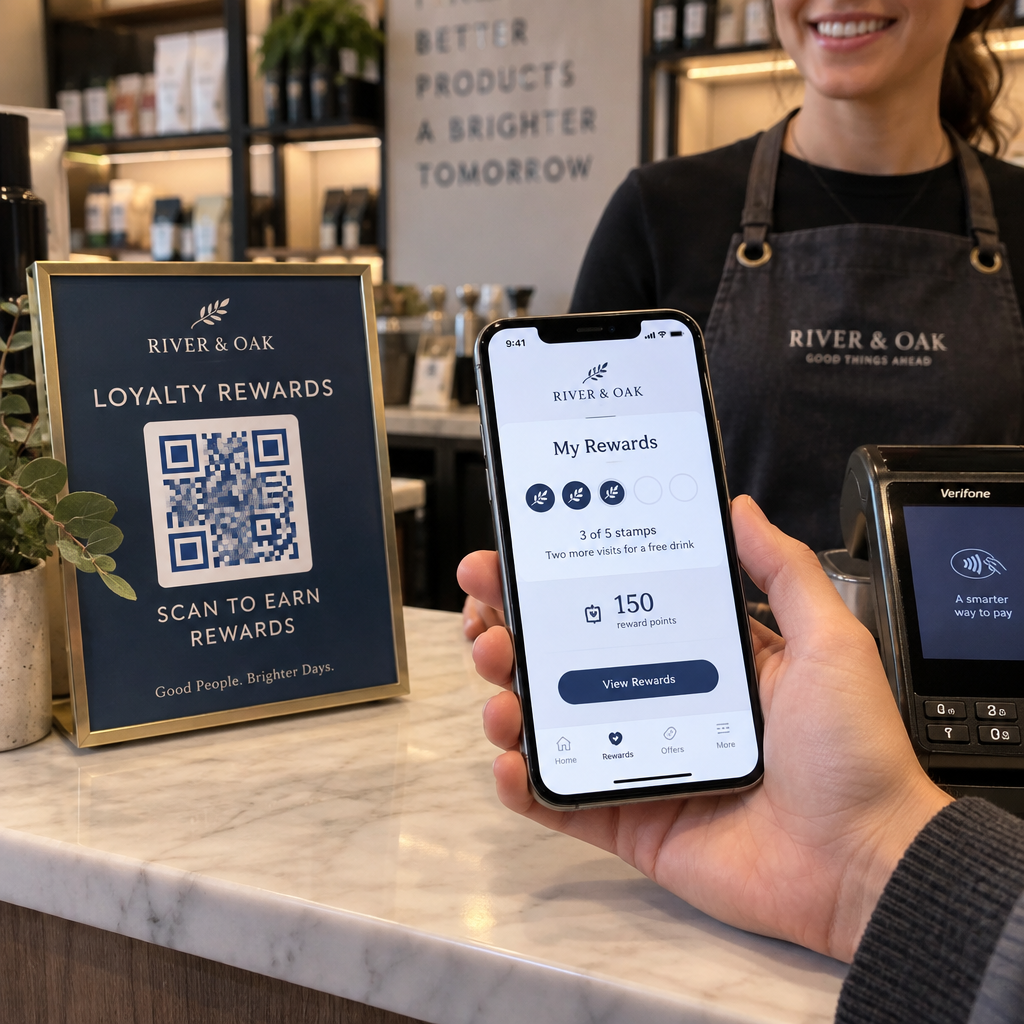
En almindelig sort-hvid QR-kode på et ellers poleret brandmateriale sender det forkerte signal. Moderne QR-kodegeneratorer lader dig tilpasse farver, former og mønstre, så de matcher din visuelle identitet, og du kan indpakke koden i en CTA-ramme – en ramme med instruktionstekst som “Scan for at få 20% rabat” eller “Scan for at se dagens menu.”
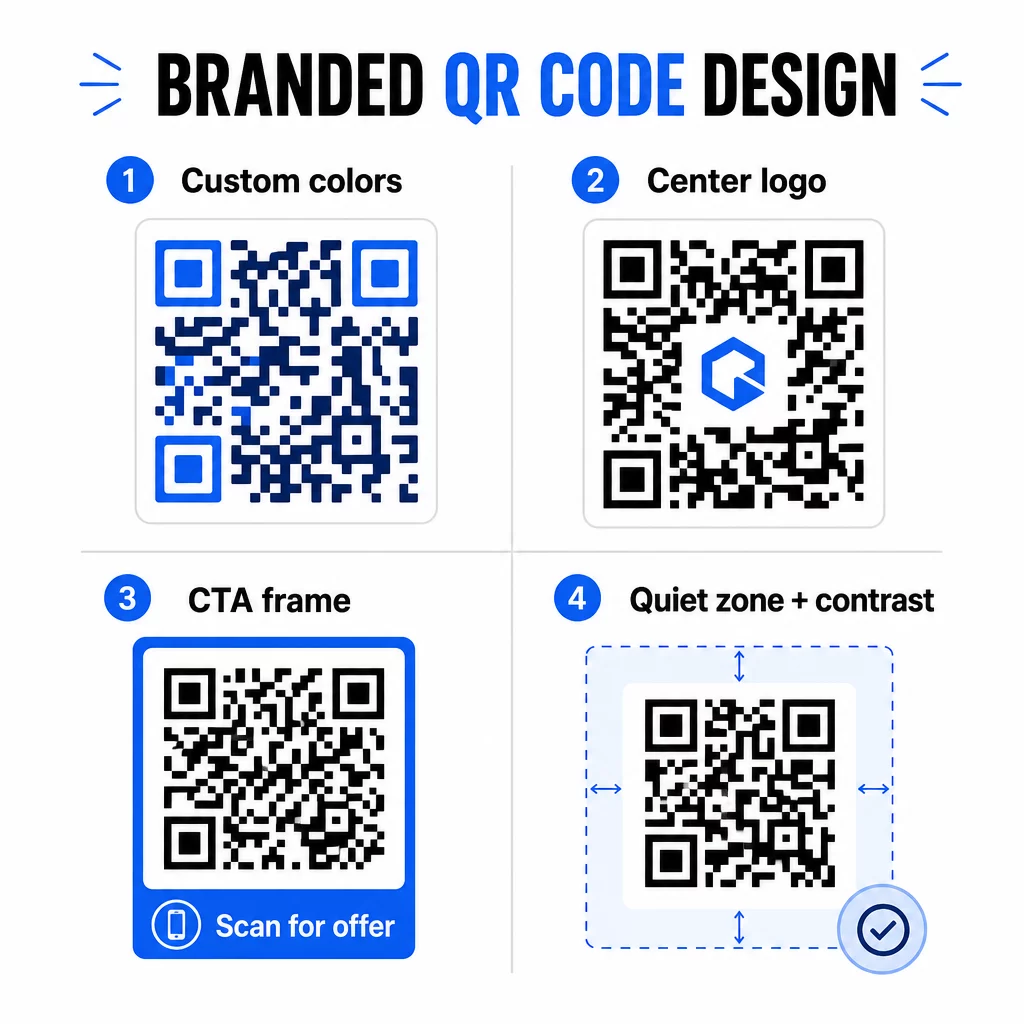
Den CTA-ramme gør et reelt stykke arbejde. Forskning i QR-kode rammer viser konsekvent, at koder uden instruktion får langt færre scanninger, fordi folk ikke ved, hvad de vil modtage. En specifik, fordel-drevet opfordring fjerner den tøven.
Et par designregler at følge:
- Hold koden mørk på en lys baggrund – omvendte eller lavkontrast farvekombinationer forvirrer mange scannere
- Oprethold en stille zone (en klar margen på mindst fire moduler) omkring hele kodens omkreds
- Print i minimum 2 × 2 cm (0,8 × 0,8 tommer) for de fleste materialer; for billboards, sigt efter mindst 40 × 40 cm
- Brug vektor- eller højopløselige eksportfiler for at holde modulerne skarpe i enhver størrelse
Hvis du vil tilføje et logo i midten af koden, indstil fejlkorrektionsniveauet til Q eller H, så koden forbliver scanbar, selv med en del af mønsteret dækket. Du kan lære mere om standarder for placering af QR-koder for forskellige materialer for at sikre, at dit design fungerer på tværs af alle formater.
Gå ud over URL'er – Brug QR-koder til kuponer, anmeldelser og begivenheder
De fleste marketingfolk linker som standard en QR-kode til en hjemmeside og stopper der. Den tilgang skraber knap nok overfladen af, hvad der er muligt.
Overvej disse anvendelsestilfælde:
- Kuponkoder: En kupon-QR-kode lander kunder på en side, der viser dine aktuelle tilbud og rabatter, med en CTA, der driver dem til kassen
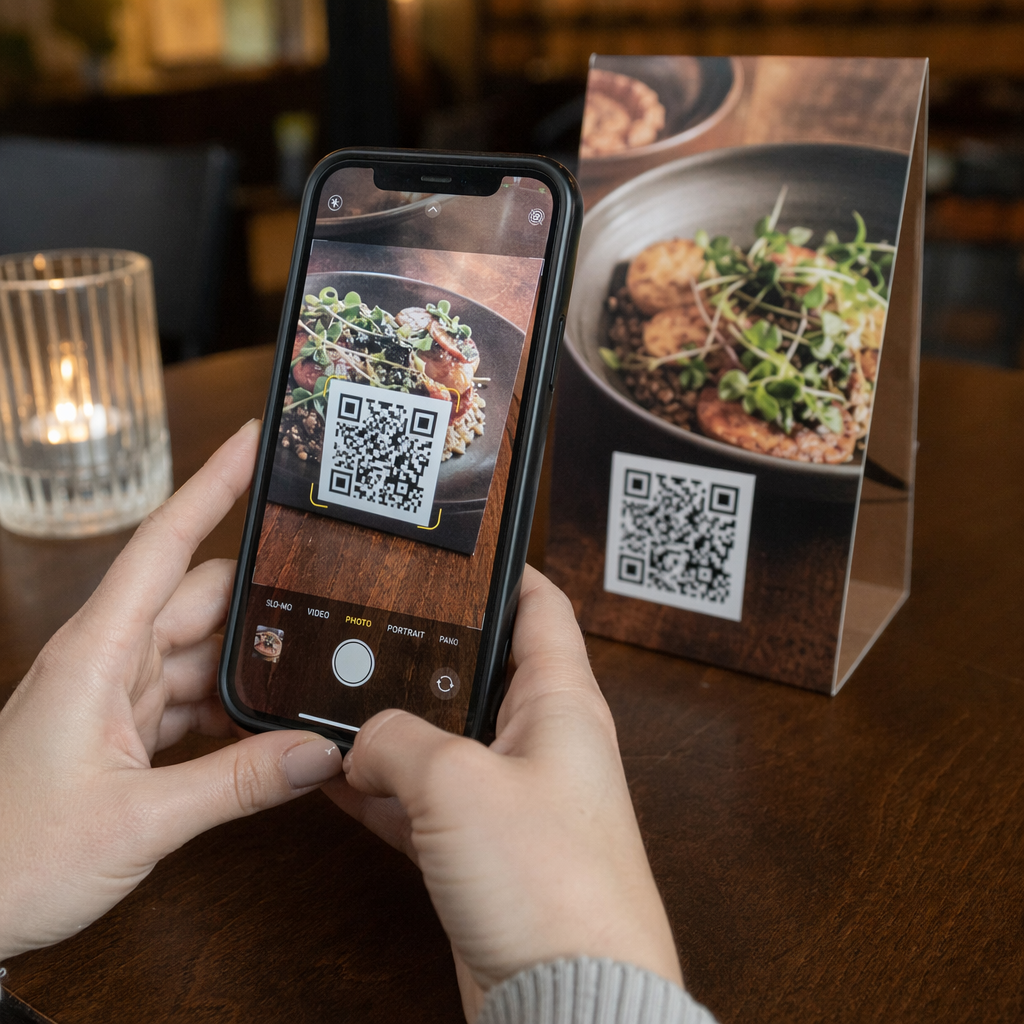
- Google Anmeldelser: Placer en QR-kode til Google-anmeldelser på kvitteringer, emballage eller bordtelte for at gøre det så gnidningsfrit som muligt at give feedback – én scanning, og anmeldelsessiden åbnes automatisk
- Events: En begivenheds QR-kode samler stedets detaljer, tidsplaner og tilmeldingslinks i én scanning, og da den er dynamisk, kan du opdatere informationen, hvis noget ændrer sig, uden at genudskrive
- Sociale medier: En QR-kode til sociale medier giver kunderne en direkte vej til at følge dine konti eller tilmelde sig dit fællesskab fra ethvert fysisk materiale
- Vejvisning til lokation: En Google Maps QR-kode åbner din lokation i Kort-appen med én scanning – nyttigt på eventinvitationer, butiksfacader og visitkort
Hver af disse anvendelsestilfælde løser et specifikt friktionspunkt i kunderejsen. Nøglen er at matche QR-kodetypen med det, dit publikum faktisk har brug for i det øjeblik.
Lav din målgruppeanalyse, før du implementerer
En QR-kode er kun så effektiv som den kampagne, der ligger bag den. Før du genererer en enkelt kode, skal du tage dig tid til at forstå, hvem du målretter mod, og hvor de tilbringer tid – både fysisk og digitalt.
Start med at definere din målgruppe klart:
- Hvilke problemer forsøger de at løse?
- Hvor møder de dit brand i den fysiske verden – butikshylder, events, direct mail, produktemballage?
- Hvilke enheder bruger de, og hvor fortrolige er de med at scanne QR-koder?
Gennemgå derefter, hvad dine konkurrenter gør. Hvor placerer de koder? Hvilke destinationer linker de til? At identificere huller i deres tilgang er ofte der, den klareste mulighed ligger.
Dette forarbejde former også din valg mellem statiske og dynamiske QR-koder. Statiske koder fungerer godt til permanent, uforanderligt indhold som Wi-Fi-legitimationsoplysninger eller en fast produktmanual. Dynamiske koder er det rigtige valg til marketingkampagner, hvor destinationer, tilbud eller indhold kan have brug for at udvikle sig. At træffe denne beslutning tidligt sparer dig for at genoptrykke materialer senere.
Til specifikt markedsføring for små virksomheder, selv en simpel placeringsrevision – at spørge, hvor dine kunder fysisk stopper eller venter – kan afsløre værdifulde steder, som de fleste konkurrenter overser.
Før an med værdi, ikke kun en scanningsopfordring
Scanningsrater forbedres dramatisk, når folk forstår, hvad de får, før de scanner. En generisk “Scan mig”-opfordring beder om opmærksomhed uden at tilbyde noget til gengæld. En specifik opfordring – “Scan for at låse op for din eksklusive rabat” eller “Scan for at downloade opsætningsguiden” – giver folk en klar grund til at handle.
Dette forbinder til et bredere princip inden for effektiv markedsføring: kunder reagerer på, hvad de ønsker, ikke kun hvad de har brug for. Din QR-kode bør være indgangspunktet til noget, der er ægte nyttigt eller givende.
Praktiske måder at levere værdi gennem QR-koder:
- Tilbyd en rabat eller eksklusiv kupon, der kun er tilgængelig ved scanning
- Link til en PDF-guide, tutorialvideo eller produktdemo, der gør købsbeslutningen lettere
- Forbind kunder til en anmeldelsesside og tak dem for deres tid
- Giv begivenhedsdeltagere øjeblikkelig adgang til tidsplaner, talerbiografier eller stedkort
Når kunderne når din landingsside, skal du sørge for, at oplevelsen holder. Destinationen skal være mobiloptimeret, indlæse hurtigt og have et klart næste skridt. En veldesignet kode, der fører til en dårlig mobiloplevelse, vil miste konverteringer i sidste øjeblik.
Forbind trykte materialer med digitalt engagement Klar til at omsætte disse idéer til praksis? Udforsk QR-kodeløsninger efter branche og brugssituation for at finde det rette format til din næste kampagne.
Test før du lancerer, spor derefter hvad der virker
Før en QR-kode går live på trykte eller distribuerede materialer, skal du teste den grundigt. Scan koden på flere enheder og operativsystemer, under forskellige lysforhold og i de afstande, dit publikum realistisk vil stå. For trykte materialer skal du teste det endelige trykte output – ikke kun den digitale forhåndsvisning.
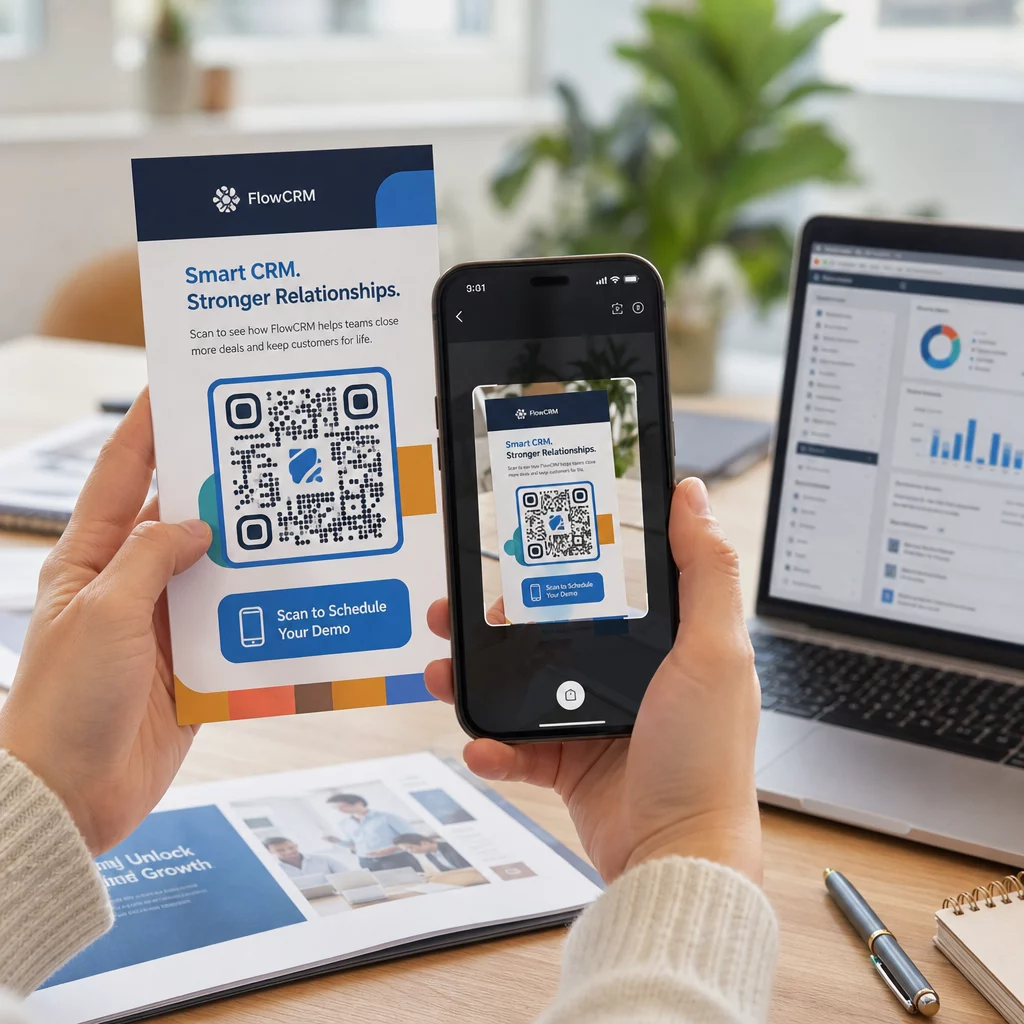
Når din kampagne kører, skal du bruge dit analyse-dashboard til at overvåge:
- Samlet antal scanninger og unikke scanningsantal
- Geografisk fordeling af, hvor scanninger finder sted
- Data om enhed og operativsystem
- Mønstre for scanningstidspunkt (ugedag, tidspunkt på dagen)
Disse data fortæller dig, hvilke placeringer og materialer der skaber engagement, og hvilke der ikke gør. Hvis en bestemt placering eller et materiale underpræsterer, kan du opdatere den dynamiske kodes destination for at teste et nyt tilbud eller en landingsside – uden at røre selve den trykte kode.
For kampagner integreret med Google Analytics, tilføjelse af UTM-parametre til dine QR-kodes destinations-URL'er giver dig et fuldt billede af, hvordan offline scanninger bidrager til online konverteringer, direkte i dine eksisterende rapporteringsværktøjer.
De virksomheder, der ser de stærkeste resultater fra QR-koder, er dem, der behandler dem som en målbar kanal – sætter mål, sporer ydeevne og itererer baseret på reelle data snarere end antagelser.
Begynd at opbygge målbare QR-kodekampagner Generer, tilpas og spor QR-koder til enhver marketingbrug med Pageloot. Prøv QR-kodegeneratoren gratis i 14 dage – intet kreditkort påkrævet.
Ofte stillede spørgsmål
En statisk QR-kode koder en fast destination, der ikke kan ændres efter oprettelse og understøtter ikke sporing. En dynamisk QR-kode koder en kort omdirigerings-URL, hvilket betyder, at du kan opdatere destinationen når som helst uden at genudskrive, og du får adgang til scanningsanalyser, herunder placering, enhedstype og tidspunkt. For de fleste marketingkampagner er dynamiske koder det bedre valg, fordi de giver dig fleksibilitet og målbare data.
Den mindste anbefalede størrelse for pålidelig scanning på de fleste trykte materialer er 2 × 2 cm (ca. 0,8 × 0,8 tommer). Efterhånden som den forventede scanningsafstand øges, skal koden skaleres proportionalt – en almindelig retningslinje er, at kodens bredde skal være mindst en tiendedel af afstanden, hvorfra den vil blive scannet. For storformatmaterialer som billboards skal du sigte efter mindst 40 × 40 cm. Test altid det endelige print på tværs af flere enheder, før du distribuerer.
De mest effektive tilgange er at parre din kode med en specifik, fordel-drevet opfordring til handling (f.eks. “Scan for at få din rabat” i stedet for “Scan mig”), at placere koden, hvor dit publikum naturligt stopper op eller fokuserer opmærksomheden, og at sikre, at landingssiden leverer ægte værdi. At tilpasse kodens design, så det matcher dit brand, hjælper også – visuelt særprægede, brand-tilpassede koder tiltrækker mere opmærksomhed end generiske sort-hvide mønstre.