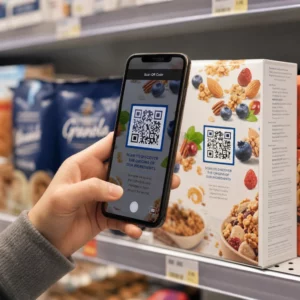
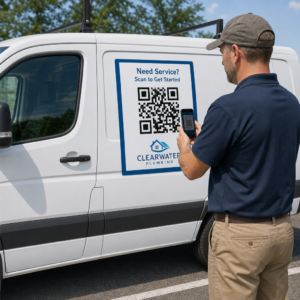
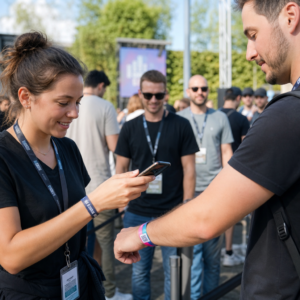
คุณกำลังประสบปัญหาในการเชื่อมโยงสื่อการตลาดทางกายภาพของคุณเข้ากับผลลัพธ์ดิจิทัลที่วัดผลได้หรือไม่? ธุรกิจส่วนใหญ่พิมพ์ใบปลิว แขวนโปสเตอร์ และบรรจุผลิตภัณฑ์โดยไม่มีวิธีที่ชัดเจนในการติดตามการมีส่วนร่วม – และนั่นหมายถึงการสูญเสียโอกาส คู่มือนี้ครอบคลุมห้าวิธีปฏิบัติในการใช้เครื่องสร้างรหัส QR ออนไลน์เพื่อเปลี่ยนจุดสัมผัสออฟไลน์ให้เป็นช่องทางการตลาดที่ใช้งานได้และติดตามได้.
ใช้รหัส QR แบบไดนามิกเพื่อสร้างกลุ่มเป้าหมายที่สามารถกำหนดเป้าหมายใหม่ได้
รหัส QR ไม่ได้เหมือนกันทั้งหมด. รหัส QR แบบไดนามิก เข้ารหัส URL เปลี่ยนเส้นทางแบบสั้นแทนปลายทางที่ตายตัว ซึ่งหมายความว่าคุณสามารถเปลี่ยนจุดที่รหัสชี้ไปได้ตลอดเวลา – โดยไม่ต้องพิมพ์ใบปลิวหรือบรรจุภัณฑ์ใหม่แม้แต่ชิ้นเดียว หากคุณพิมพ์สื่อของคุณไปแล้วแต่ต้องการอัปเดตหน้า Landing Page หรือเปลี่ยนข้อเสนอตามฤดูกาล รหัสแบบไดนามิกจะจัดการสิ่งนั้นได้ทันที.
ข้อได้เปรียบทางการตลาดที่ลึกซึ้งกว่าคือการกำหนดเป้าหมายใหม่ เมื่อลูกค้าสแกนรหัสของคุณและเข้าสู่หน้าเว็บที่คุณควบคุม คุณสามารถยิง Facebook Pixel หรือเชื่อมต่อแท็ก Google Analytics เข้ากับการเข้าชมนั้นได้ จากนั้น คุณสามารถสร้างกลุ่มเป้าหมายที่กำหนดเองและกลุ่มเป้าหมายที่คล้ายกันจากผู้ที่โต้ตอบกับสื่อของคุณทางกายภาพ สิ่งนี้จะเปลี่ยนโปสเตอร์ที่พิมพ์ออกมาให้เป็นแหล่งที่มาของลูกค้าเป้าหมายดิจิทัล.
รหัส QR แบบไดนามิกยังให้การวิเคราะห์การสแกนโดยละเอียดแก่คุณ – จำนวนการสแกน, การประทับเวลา, ตำแหน่งทางภูมิศาสตร์, ประเภทอุปกรณ์ และระบบปฏิบัติการ – ข้อมูลที่รหัสแบบคงที่ไม่มีให้ สำหรับแคมเปญใดๆ ที่คุณต้องการความยืดหยุ่น การติดตาม หรือการปรับเปลี่ยนแบบเรียลไทม์ รหัสแบบไดนามิกคือตัวเลือกที่เหมาะสม.
สร้างรหัส QR ที่ติดตามได้สำหรับแคมเปญถัดไปของคุณ ต้องการอัปเดตปลายทาง ติดตามทุกการสแกน และสร้างกลุ่มเป้าหมายที่สามารถกำหนดเป้าหมายใหม่ได้จากสื่อสิ่งพิมพ์ของคุณหรือไม่? เริ่มต้นใช้งานเครื่องสร้างรหัส QR และเปิดตัวแคมเปญไดนามิกแรกของคุณวันนี้.
ออกแบบรหัส QR ของคุณให้เข้ากับแบรนด์ของคุณ
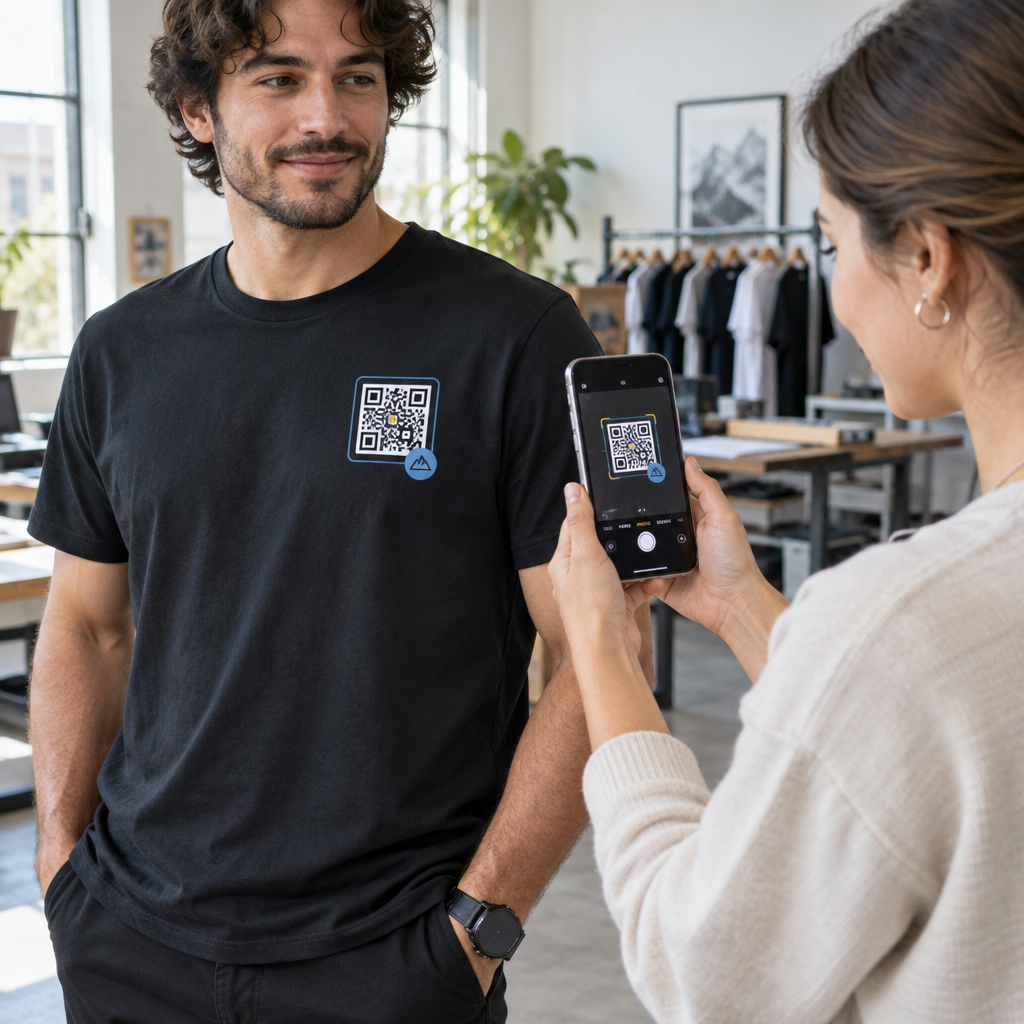
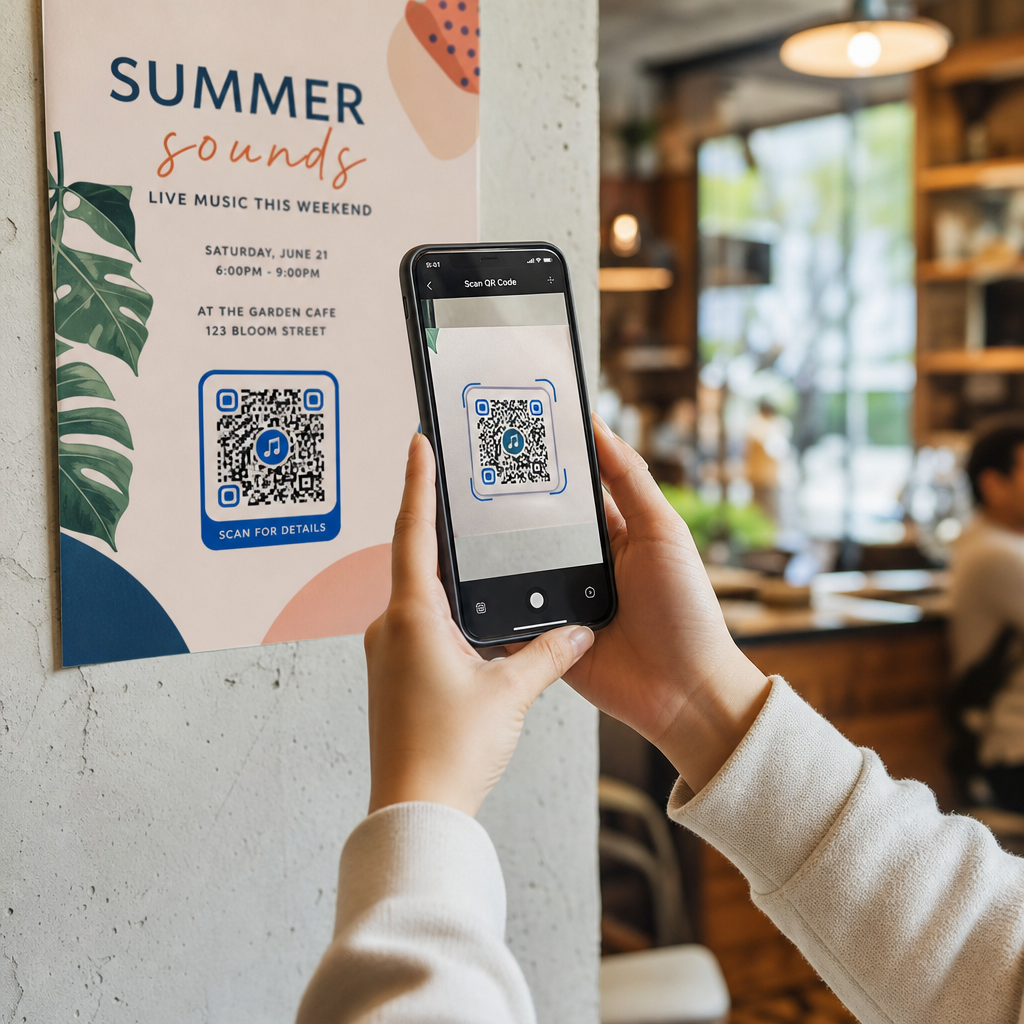
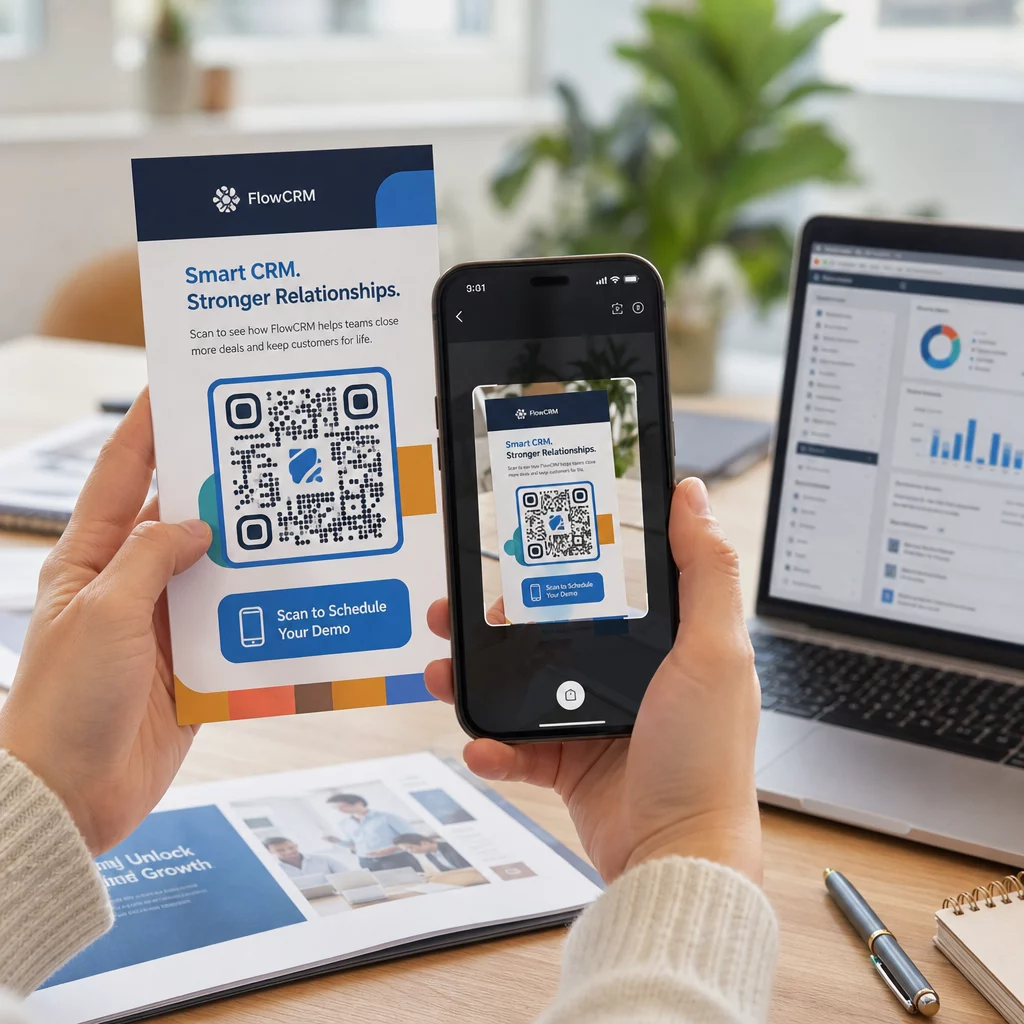
รหัส QR สีขาวดำธรรมดาบนชิ้นงานแบรนด์ที่ดูดีอยู่แล้วส่งสัญญาณที่ผิด เครื่องสร้างรหัส QR สมัยใหม่ช่วยให้คุณปรับแต่งสี รูปร่าง และรูปแบบให้เข้ากับเอกลักษณ์ทางภาพของคุณได้ และคุณสามารถห่อหุ้มรหัสด้วย กรอบ CTA – กรอบที่มีข้อความแนะนำ เช่น “สแกนเพื่อรับส่วนลด 20%” หรือ “สแกนเพื่อดูเมนูวันนี้”
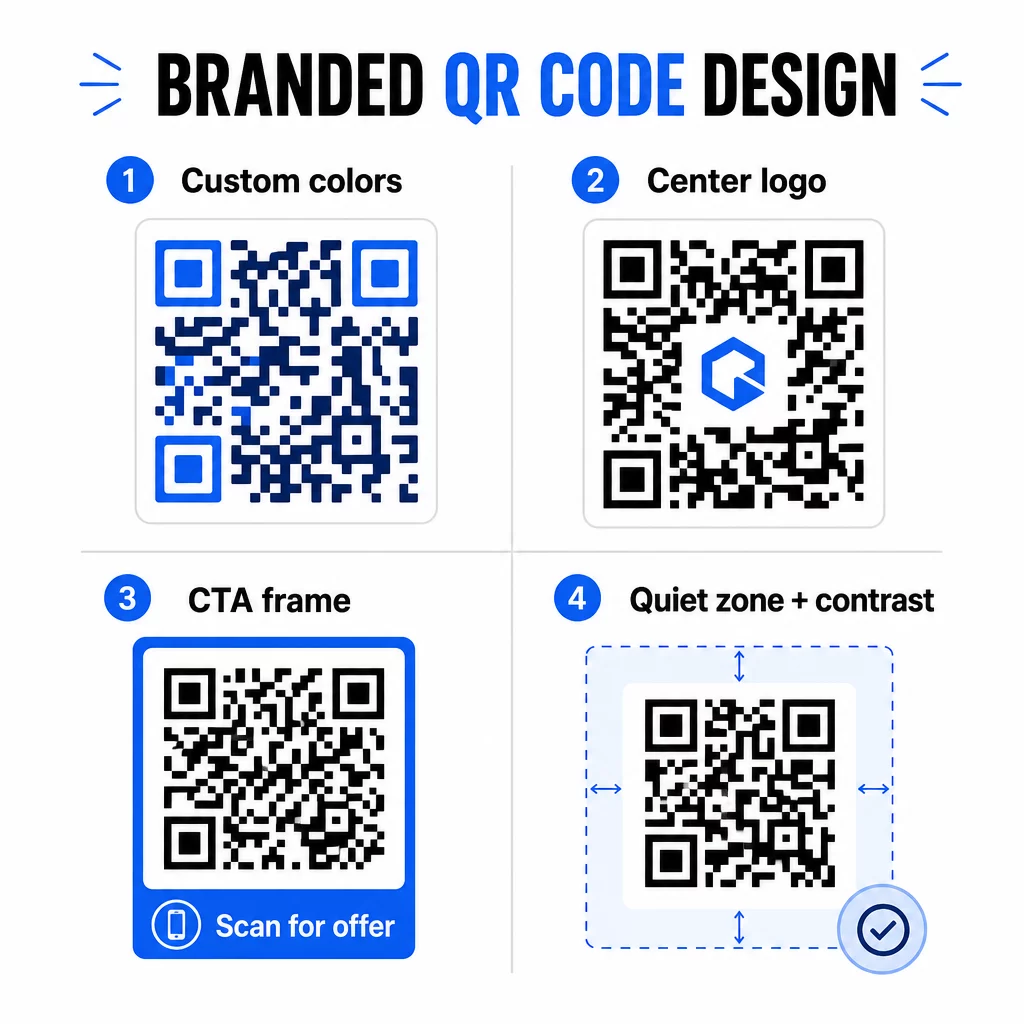
กรอบ CTA นั้นทำงานได้จริง. การวิจัยเกี่ยวกับกรอบ QR โค้ด แสดงให้เห็นอย่างสม่ำเสมอว่าโค้ดที่ไม่มีคำแนะนำใดๆ จะได้รับการสแกนน้อยลงมาก เพราะผู้คนไม่รู้ว่าจะได้รับอะไร ข้อความแจ้งที่เฉพาะเจาะจงและเน้นประโยชน์จะช่วยขจัดความลังเลนั้น.
กฎการออกแบบบางประการที่ควรปฏิบัติตาม:
- ให้โค้ดเป็นสีเข้มบนพื้นหลังสีอ่อน – การผสมสีแบบกลับด้านหรือคอนทราสต์ต่ำทำให้เครื่องสแกนหลายเครื่องสับสน
- รักษาระยะห่างที่ว่างเปล่า (ขอบที่ชัดเจนอย่างน้อยสี่โมดูล) รอบขอบโค้ดทั้งหมด
- พิมพ์ที่ขนาดขั้นต่ำ 2 × 2 ซม. (0.8 × 0.8 นิ้ว) สำหรับวัสดุส่วนใหญ่; สำหรับป้ายโฆษณา ให้ตั้งเป้าที่อย่างน้อย 40 × 40 ซม.
- ใช้ไฟล์เวกเตอร์หรือไฟล์ส่งออกความละเอียดสูงเพื่อให้โมดูลคมชัดในทุกขนาด
หากคุณต้องการเพิ่มโลโก้ตรงกลางโค้ด ให้ตั้งค่าระดับการแก้ไขข้อผิดพลาดเป็น Q หรือ H เพื่อให้โค้ดยังคงสแกนได้แม้จะมีส่วนหนึ่งของรูปแบบถูกปกปิด คุณสามารถเรียนรู้เพิ่มเติมเกี่ยวกับ มาตรฐานการจัดวาง QR โค้ดสำหรับวัสดุต่างๆ เพื่อให้แน่ใจว่าการออกแบบของคุณใช้งานได้กับทุกรูปแบบ.
ไปให้ไกลกว่า URL – ใช้ QR โค้ดสำหรับคูปอง, รีวิว และกิจกรรม
นักการตลาดส่วนใหญ่จะเชื่อมโยง QR โค้ดไปยังเว็บไซต์และหยุดอยู่แค่นั้น วิธีการนั้นแทบจะไม่ได้ใช้ประโยชน์จากสิ่งที่เป็นไปได้ทั้งหมดเลย.
พิจารณากรณีการใช้งานเหล่านี้:
- รหัสคูปอง: A รหัส QR คูปอง นำลูกค้าไปยังหน้าเว็บที่แสดงข้อเสนอและส่วนลดปัจจุบันของคุณ พร้อมด้วย CTA ที่กระตุ้นให้พวกเขาดำเนินการชำระเงิน
- รีวิว Google: วาง QR Code รีวิว Google บนใบเสร็จรับเงิน บรรจุภัณฑ์ หรือป้ายตั้งโต๊ะ เพื่อให้การแสดงความคิดเห็นเป็นไปอย่างราบรื่นที่สุด – เพียงสแกนครั้งเดียว หน้าแสดงความคิดเห็นก็จะเปิดขึ้นโดยอัตโนมัติ
- อีเวนต์: รหัส QR โค้ดสำหรับงานอีเวนต์ รวบรวมรายละเอียดสถานที่จัดงาน ตารางเวลา และลิงก์ลงทะเบียนไว้ในการสแกนครั้งเดียว และเนื่องจากเป็นแบบไดนามิก คุณจึงสามารถอัปเดตข้อมูลได้หากมีการเปลี่ยนแปลงโดยไม่ต้องพิมพ์ซ้ำ
- สื่อสังคม: A รหัส QR โซเชียลมีเดีย ช่วยให้ลูกค้ามีเส้นทางโดยตรงในการติดตามบัญชีของคุณหรือเข้าร่วมชุมชนของคุณจากสื่อสิ่งพิมพ์ใดๆ
- เส้นทางไปยังสถานที่: A รหัส QR ของ Google แผนที่ เปิดตำแหน่งของคุณในแอป Maps ด้วยการสแกนเพียงครั้งเดียว – มีประโยชน์สำหรับบัตรเชิญงานอีเวนต์ หน้าร้าน และนามบัตร
กรณีการใช้งานแต่ละกรณีเหล่านี้ช่วยแก้ปัญหาเฉพาะจุดในเส้นทางของลูกค้า สิ่งสำคัญคือการจับคู่ประเภท QR โค้ดกับสิ่งที่กลุ่มเป้าหมายของคุณต้องการในขณะนั้น.
ทำการวิจัยกลุ่มเป้าหมายของคุณก่อนนำไปใช้งาน
QR โค้ดจะมีประสิทธิภาพก็ต่อเมื่อแคมเปญที่อยู่เบื้องหลังมีประสิทธิภาพ ก่อนที่จะสร้างโค้ดใดๆ ให้ใช้เวลาทำความเข้าใจว่าคุณกำลังกำหนดเป้าหมายใคร และพวกเขาใช้เวลาอยู่ที่ไหน – ทั้งทางกายภาพและดิจิทัล.
เริ่มต้นด้วยการกำหนดกลุ่มเป้าหมายของคุณให้ชัดเจน:
- พวกเขากำลังพยายามแก้ปัญหาอะไร?
- พวกเขาพบเจอแบรนด์ของคุณในโลกทางกายภาพที่ไหนบ้าง – ชั้นวางสินค้าในร้านค้า, งานอีเวนต์, จดหมายตรง, บรรจุภัณฑ์สินค้า?
- พวกเขาใช้อุปกรณ์อะไร และพวกเขาสะดวกกับการสแกน QR โค้ดมากน้อยเพียงใด?
จากนั้นตรวจสอบว่าคู่แข่งของคุณกำลังทำอะไรอยู่ พวกเขาวางโค้ดไว้ที่ไหน? พวกเขาเชื่อมโยงไปยังปลายทางใด? การระบุช่องว่างในแนวทางของพวกเขามักจะเป็นจุดที่มีโอกาสที่ชัดเจนที่สุดอยู่เสมอ.
พื้นฐานนี้ยังกำหนด ทางเลือกระหว่างคิวอาร์โค้ดแบบคงที่และแบบไดนามิกของคุณ. คิวอาร์โค้ดแบบคงที่เหมาะสำหรับเนื้อหาถาวรที่ไม่เปลี่ยนแปลง เช่น ข้อมูลประจำตัว Wi-Fi หรือคู่มือผลิตภัณฑ์ที่ตายตัว คิวอาร์โค้ดแบบไดนามิกเป็นตัวเลือกที่เหมาะสมสำหรับแคมเปญการตลาดที่ปลายทาง ข้อเสนอ หรือเนื้อหาอาจต้องมีการเปลี่ยนแปลง การตัดสินใจนี้ตั้งแต่เนิ่นๆ จะช่วยให้คุณไม่ต้องพิมพ์สื่อใหม่ในภายหลัง.
สำหรับ การตลาดสำหรับธุรกิจขนาดเล็กโดยเฉพาะ, แม้แต่การตรวจสอบตำแหน่งที่ตั้งอย่างง่ายๆ – การถามว่าลูกค้าของคุณหยุดพักหรือรออยู่ที่ใด – ก็สามารถเปิดเผยจุดที่มีมูลค่าสูงที่คู่แข่งส่วนใหญ่มองข้ามได้.
นำเสนอคุณค่า ไม่ใช่แค่ข้อความให้สแกน
อัตราการสแกนจะดีขึ้นอย่างมากเมื่อผู้คนเข้าใจว่าพวกเขากำลังจะได้อะไรก่อนที่จะสแกน ข้อความ “สแกนฉัน” ทั่วไปเป็นการขอความสนใจโดยไม่ได้เสนอสิ่งใดตอบแทน ข้อความที่เฉพาะเจาะจง เช่น “สแกนเพื่อปลดล็อกส่วนลดพิเศษของคุณ” หรือ “สแกนเพื่อดาวน์โหลดคู่มือการตั้งค่า” จะให้เหตุผลที่ชัดเจนแก่ผู้คนในการดำเนินการ.
สิ่งนี้เชื่อมโยงกับหลักการที่กว้างขึ้นในการตลาดที่มีประสิทธิภาพ: ลูกค้าตอบสนองต่อสิ่งที่พวกเขาต้องการ ไม่ใช่แค่สิ่งที่พวกเขาจำเป็นต้องมี คิวอาร์โค้ดของคุณควรเป็นจุดเริ่มต้นของสิ่งที่มีประโยชน์หรือคุ้มค่าอย่างแท้จริง.
วิธีปฏิบัติในการส่งมอบคุณค่าผ่านคิวอาร์โค้ด:
- เสนอส่วนลดหรือคูปองพิเศษที่เข้าถึงได้โดยการสแกนเท่านั้น
- เชื่อมโยงไปยังคู่มือ PDF, วิดีโอสอนการใช้งาน หรือการสาธิตผลิตภัณฑ์ที่ช่วยให้การตัดสินใจซื้อทำได้ง่ายขึ้น
- เชื่อมโยงลูกค้าไปยังหน้าบทวิจารณ์และขอบคุณสำหรับเวลาของพวกเขา
- ให้ผู้เข้าร่วมงานเข้าถึงตารางเวลา ประวัติวิทยากร หรือแผนที่สถานที่จัดงานได้ทันที
หลังจากลูกค้ามาถึงหน้า Landing Page ของคุณแล้ว ตรวจสอบให้แน่ใจว่าประสบการณ์นั้นยังคงดีอยู่ ปลายทางควรได้รับการปรับให้เหมาะกับมือถือ โหลดเร็ว และมีขั้นตอนต่อไปที่ชัดเจน คิวอาร์โค้ดที่ออกแบบมาอย่างดีแต่พาไปสู่ประสบการณ์มือถือที่ไม่ดีจะทำให้เสียการเปลี่ยนลูกค้าในนาทีสุดท้าย.
เชื่อมโยงสื่อสิ่งพิมพ์กับการมีส่วนร่วมทางดิจิทัล พร้อมที่จะนำแนวคิดเหล่านี้ไปปฏิบัติแล้วหรือยัง? สำรวจโซลูชัน QR โค้ดตามอุตสาหกรรมและกรณีการใช้งาน เพื่อค้นหารูปแบบที่เหมาะสมสำหรับแคมเปญถัดไปของคุณ.
ทดสอบก่อนเปิดตัว จากนั้นติดตามผลลัพธ์ที่ได้ผล
ก่อนที่ QR โค้ดใดๆ จะถูกนำไปใช้จริงบนวัสดุที่พิมพ์หรือแจกจ่าย ให้ทดสอบอย่างละเอียด สแกนโค้ดบนอุปกรณ์และระบบปฏิบัติการหลายเครื่อง ภายใต้สภาพแสงที่แตกต่างกัน และในระยะห่างที่กลุ่มเป้าหมายของคุณจะยืนอยู่จริง สำหรับวัสดุสิ่งพิมพ์ ให้ทดสอบผลลัพธ์ที่พิมพ์ออกมาจริง ไม่ใช่แค่การแสดงตัวอย่างดิจิทัล.
เมื่อแคมเปญของคุณเริ่มทำงาน ให้ใช้แดชบอร์ดการวิเคราะห์ของคุณเพื่อตรวจสอบ:
- จำนวนการสแกนทั้งหมดและจำนวนการสแกนที่ไม่ซ้ำกัน
- การแบ่งตามภูมิศาสตร์ของตำแหน่งที่เกิดการสแกน
- ข้อมูลอุปกรณ์และระบบปฏิบัติการ
- รูปแบบเวลาการสแกน (วันในสัปดาห์, เวลาของวัน)
ข้อมูลนี้จะบอกคุณว่าตำแหน่งและการใช้วัสดุใดที่สร้างการมีส่วนร่วม และอันไหนที่ไม่ใช่ หากสถานที่หรือวัสดุใดมีประสิทธิภาพต่ำกว่าที่คาดไว้ คุณสามารถอัปเดตปลายทางของโค้ดไดนามิกเพื่อทดสอบข้อเสนอใหม่หรือหน้า Landing Page ใหม่ได้ โดยไม่ต้องแก้ไขโค้ดที่พิมพ์ออกมา.
สำหรับแคมเปญที่ผสานรวมกับ Google Analytics, การเพิ่มพารามิเตอร์ UTM ไปยัง URL ปลายทางของ QR โค้ดของคุณ จะช่วยให้คุณเห็นภาพรวมทั้งหมดว่าการสแกนแบบออฟไลน์มีส่วนช่วยในการเปลี่ยนเป็นลูกค้าออนไลน์ได้อย่างไร โดยตรงภายในเครื่องมือรายงานที่มีอยู่ของคุณ.
ธุรกิจที่เห็นผลลัพธ์ที่แข็งแกร่งที่สุดจาก QR โค้ดคือธุรกิจที่ปฏิบัติต่อ QR โค้ดในฐานะช่องทางที่สามารถวัดผลได้ – การตั้งวัตถุประสงค์ การติดตามประสิทธิภาพ และการปรับปรุงซ้ำๆ โดยอิงจากข้อมูลจริงมากกว่าการคาดเดา.
เริ่มสร้างแคมเปญ QR โค้ดที่วัดผลได้ สร้าง ปรับแต่ง และติดตาม QR โค้ดสำหรับทุกกรณีการใช้งานทางการตลาดด้วย Pageloot. ลองใช้เครื่องสร้าง QR โค้ดฟรี 14 วัน – ไม่ต้องใช้บัตรเครดิต.
คำถามที่พบบ่อย
คิวอาร์โค้ดแบบคงที่เข้ารหัสปลายทางที่กำหนดไว้ตายตัวซึ่งไม่สามารถเปลี่ยนแปลงได้หลังจากสร้างแล้วและไม่รองรับการติดตาม คิวอาร์โค้ดแบบไดนามิกเข้ารหัส URL เปลี่ยนเส้นทางแบบสั้น ซึ่งหมายความว่าคุณสามารถอัปเดตปลายทางได้ตลอดเวลาโดยไม่ต้องพิมพ์ซ้ำ และคุณจะเข้าถึงข้อมูลวิเคราะห์การสแกนได้ รวมถึงตำแหน่งที่ตั้ง, ประเภทอุปกรณ์ และเวลา สำหรับแคมเปญการตลาดส่วนใหญ่ โค้ดแบบไดนามิกเป็นตัวเลือกที่ดีกว่าเพราะให้ความยืดหยุ่นและข้อมูลที่วัดผลได้.
ขนาดขั้นต่ำที่แนะนำสำหรับการสแกนที่เชื่อถือได้บนวัสดุสิ่งพิมพ์ส่วนใหญ่คือ 2 × 2 ซม. (ประมาณ 0.8 × 0.8 นิ้ว) เมื่อระยะการสแกนที่คาดหวังเพิ่มขึ้น รหัสควรปรับขนาดตามสัดส่วน – แนวทางทั่วไปคือความกว้างของรหัสควรมีอย่างน้อยหนึ่งในสิบของระยะทางที่จะสแกน สำหรับวัสดุขนาดใหญ่ เช่น ป้ายโฆษณา ให้ตั้งเป้าที่อย่างน้อย 40 × 40 ซม. ควรทดสอบผลลัพธ์การพิมพ์ขั้นสุดท้ายบนอุปกรณ์หลายเครื่องก่อนเผยแพร่เสมอ.
แนวทางที่มีประสิทธิภาพที่สุดคือการจับคู่รหัสของคุณกับการกระตุ้นให้ดำเนินการที่เฉพาะเจาะจงและเน้นประโยชน์ (เช่น “สแกนเพื่อรับส่วนลดของคุณ” แทนที่จะเป็น “สแกนฉัน”), การวางรหัสในตำแหน่งที่กลุ่มเป้าหมายของคุณหยุดพักหรือให้ความสนใจโดยธรรมชาติ และการทำให้แน่ใจว่าหน้า Landing Page มอบคุณค่าที่แท้จริง การปรับแต่งการออกแบบรหัสให้เข้ากับแบรนด์ของคุณก็ช่วยได้เช่นกัน – รหัสที่โดดเด่นทางสายตาและตรงกับแบรนด์จะดึงดูดความสนใจได้มากกว่ารูปแบบขาวดำทั่วไป.