Чи намагаєтеся ви поєднати свої фізичні маркетингові матеріали з вимірними цифровими результатами? Більшість компаній друкують листівки, розвішують плакати та упаковують продукти без чіткого способу відстеження залученості – а це означає втрачені можливості. Цей посібник охоплює п'ять практичних способів використання онлайн-генератора QR-кодів для перетворення офлайн-точок контакту на активні, відстежувані маркетингові канали.
Використовуйте динамічні QR-коди для створення аудиторій для ретаргетингу
Не всі QR-коди однакові. Динамічні QR-коди кодують коротку URL-адресу перенаправлення замість фіксованого призначення, що означає, що ви можете змінити, куди вказує код, у будь-який час – без передруку жодної листівки чи упаковки. Якщо ви вже надрукували свої матеріали, але потрібно оновити цільову сторінку або замінити сезонну пропозицію, динамічний код миттєво впорається з цим.
Глибша маркетингова перевага – це ретаргетинг. Коли клієнт сканує ваш код і потрапляє на сторінку, яку ви контролюєте, ви можете активувати Facebook Pixel або підключити теги Google Analytics до цієї сесії. Звідти ви можете створювати власні аудиторії та схожі сегменти з людей, які фізично взаємодіяли з вашими матеріалами. Це перетворює друкований плакат на джерело цифрових лідів.
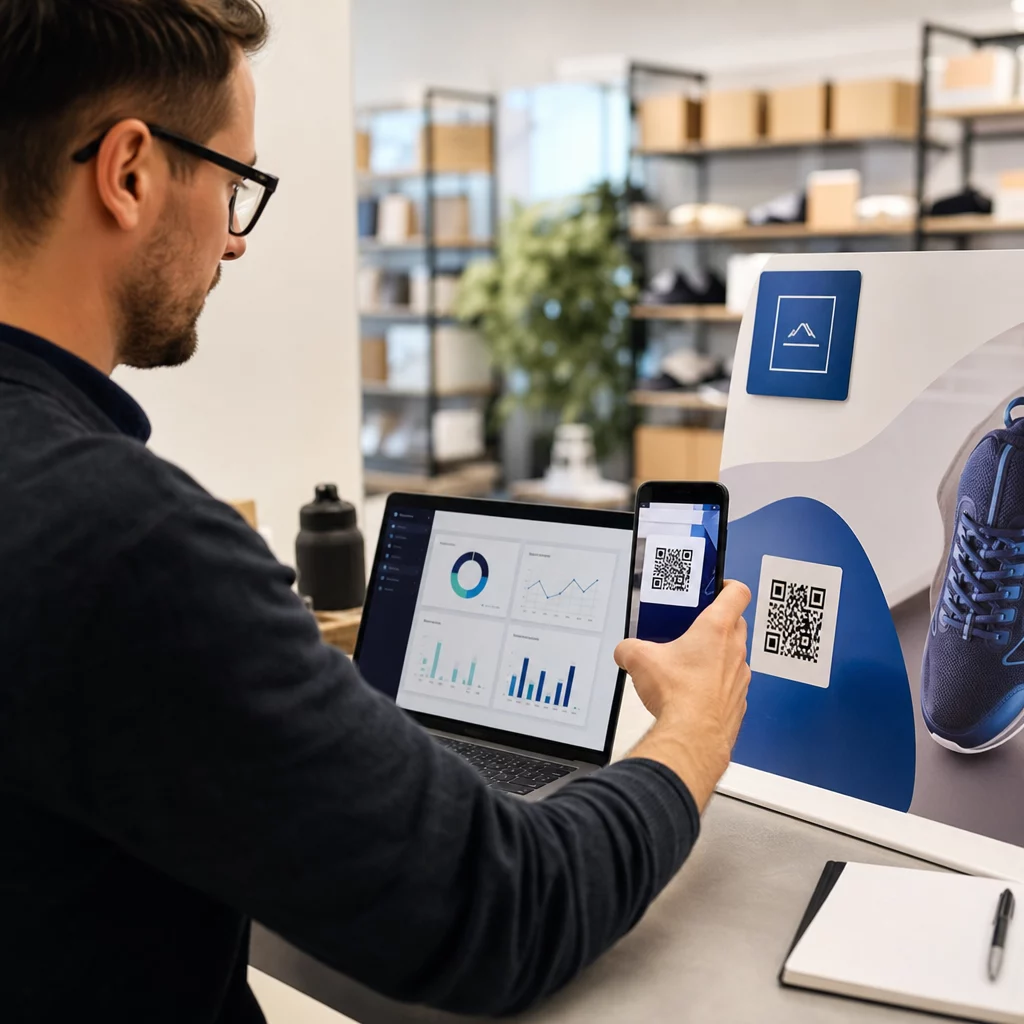
Динамічні QR-коди також надають вам детальну аналітику сканувань – кількість сканувань, часові мітки, географічне розташування, тип пристрою та операційна система – дані, які статичні коди просто не можуть надати. Для будь-якої кампанії, де вам потрібна гнучкість, відстеження або коригування в реальному часі, динамічні коди є правильним вибором.
Створюйте відстежувані QR-коди для вашої наступної кампанії Хочете оновлювати призначення, відстежувати кожне сканування та створювати аудиторії для ретаргетингу з ваших друкованих матеріалів? Почніть роботу з Генератором QR-кодів і запустіть свою першу динамічну кампанію сьогодні.
Створіть дизайн QR-коду, що відповідає вашому бренду
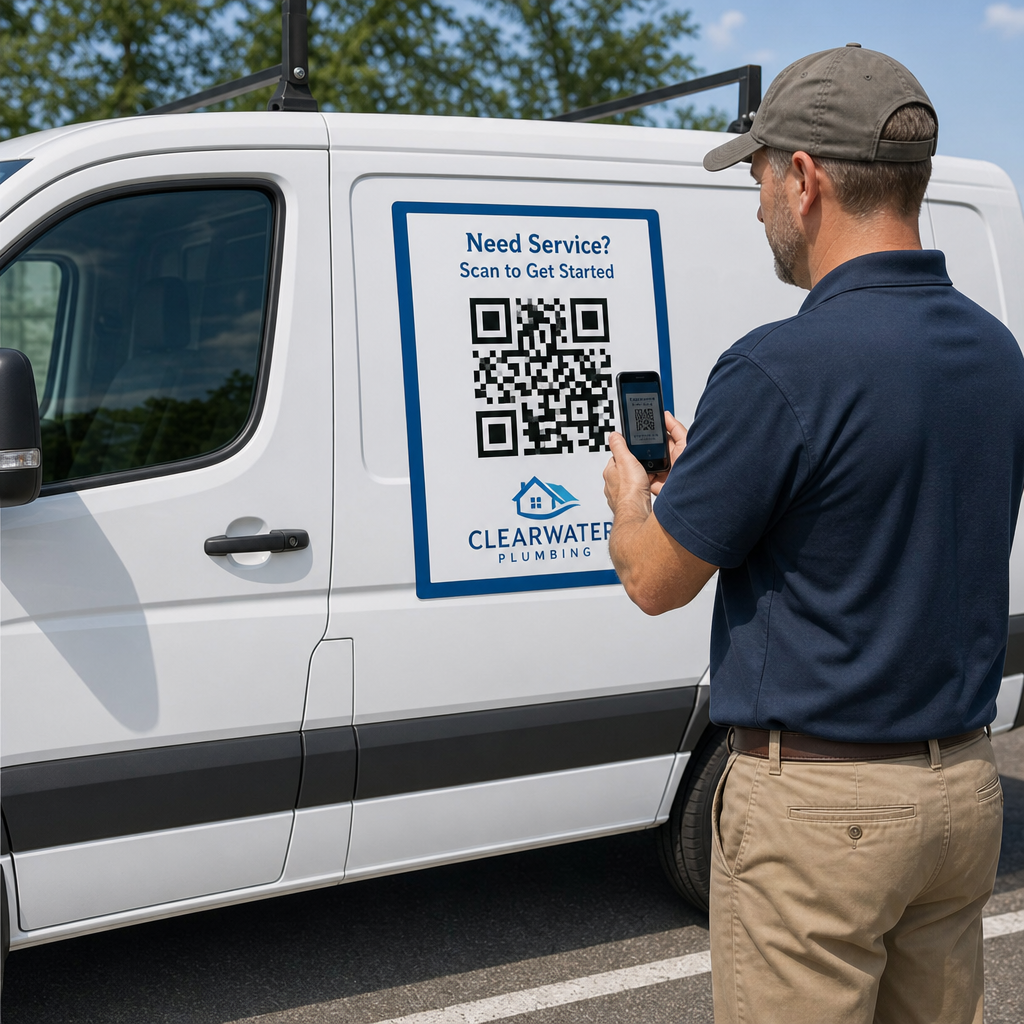
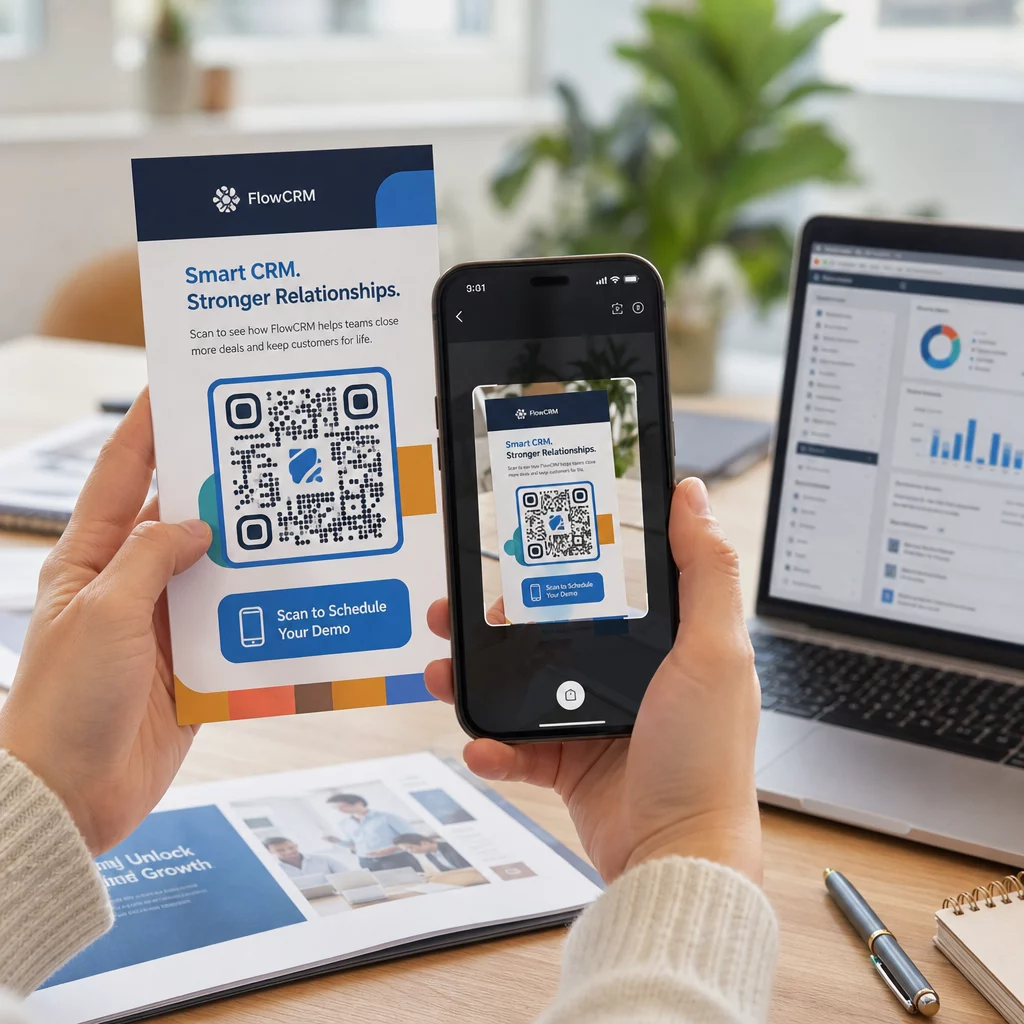
Простий чорно-білий QR-код на інакше вишуканому брендовому елементі надсилає неправильний сигнал. Сучасні генератори QR-кодів дозволяють налаштовувати кольори, форми та візерунки відповідно до вашої візуальної ідентичності, і ви можете обгорнути код у рамку із закликом до дії – рамку з інструктивним текстом, наприклад “Скануйте, щоб отримати знижку 20%” або “Скануйте, щоб переглянути сьогоднішнє меню”.”
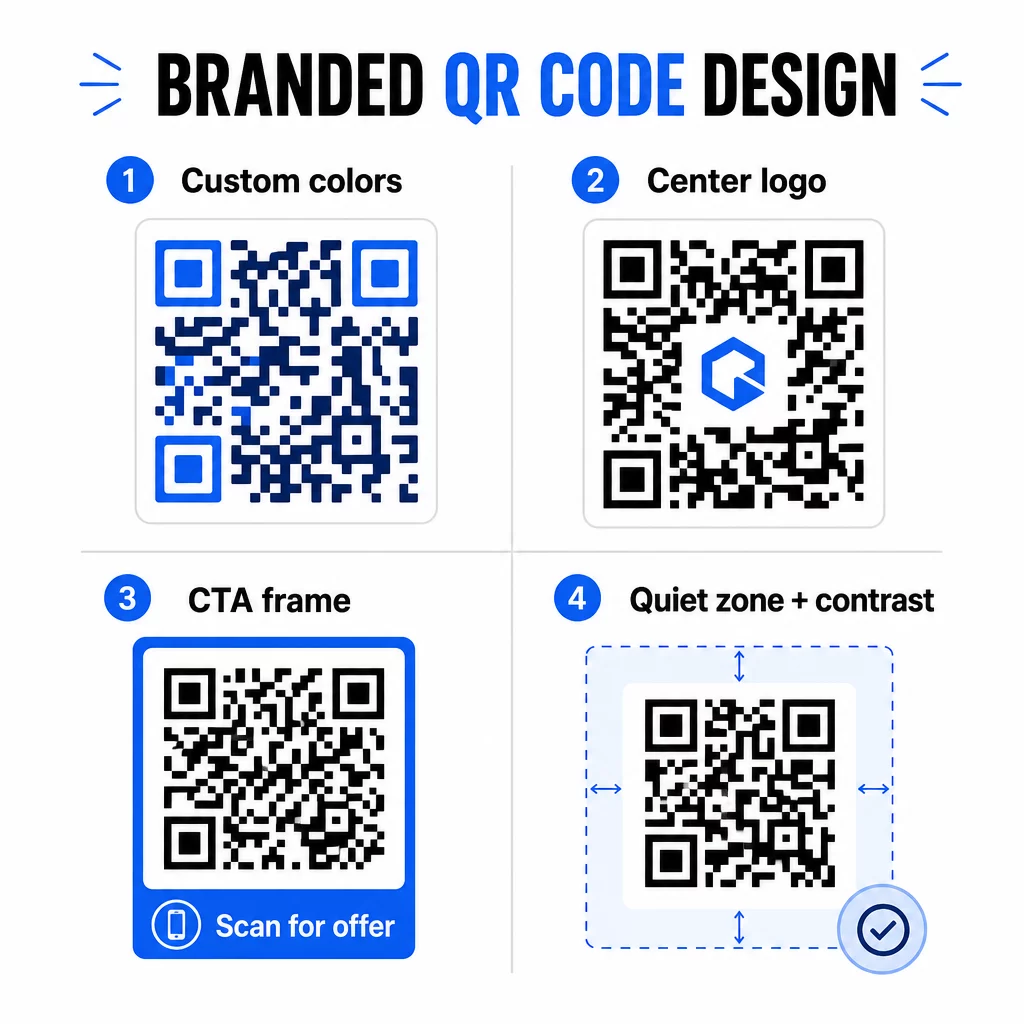
Ця рамка із закликом до дії дійсно працює. Дослідження рамок QR-кодів послідовно показує, що коди без будь-яких інструкцій отримують значно менше сканувань, оскільки люди не знають, що вони отримають. Конкретна, орієнтована на вигоду підказка усуває це вагання.
Кілька правил дизайну, яких слід дотримуватися:
- Тримайте код темним на світлому фоні – інвертовані або низькоконтрастні колірні комбінації збивають з пантелику багато сканерів
- Зберігайте тиху зону (чіткий відступ щонайменше чотири модулі) по всьому периметру коду
- Друкуйте мінімум 2 × 2 см (0,8 × 0,8 дюйма) для більшості матеріалів; для білбордів прагніть щонайменше 40 × 40 см
- Використовуйте векторний або експорт високої роздільної здатності, щоб модулі залишалися чіткими за будь-якого розміру
Якщо ви хочете додати логотип у центр коду, встановіть рівень виправлення помилок на Q або H, щоб код залишався сканованим навіть із закритою частиною шаблону. Ви можете дізнатися більше про стандарти розміщення QR-кодів для різних матеріалів щоб переконатися, що ваш дизайн працює в кожному форматі.
Вийдіть за межі URL-адрес – Використовуйте QR-коди для купонів, відгуків та подій
Більшість маркетологів за замовчуванням посилаються на QR-код на веб-сайт і зупиняються на цьому. Такий підхід ледь торкається поверхні того, що можливо.
Розгляньте ці варіанти використання:
- Коди купонів: А QR-код купона переводить клієнтів на сторінку, що показує ваші поточні пропозиції та знижки, з CTA, який спонукає їх до оформлення замовлення
- Відгуки Google: Розмістіть QR-коду відгуків Google на чеках, упаковці або настільних підставках, щоб зробити залишення відгуку максимально безперешкодним – одне сканування, і сторінка відгуків відкриється автоматично
- Заходи: Код події об'єднує деталі місця проведення, розклад та посилання для реєстрації в одному скануванні, і оскільки він динамічний, ви можете оновлювати інформацію, якщо щось зміниться, без повторного друку
- Соц.медіа: А QR-код соціальних мереж надає клієнтам прямий шлях для підписки на ваші акаунти або приєднання до вашої спільноти з будь-якого фізичного матеріалу
- Напрямки до локації: А QR-код Google Maps відкриває вашу локацію в додатку Карти одним скануванням – корисно для запрошень на події, вітрин магазинів та візитівок
Кожен із цих варіантів використання вирішує певну проблему в шляху клієнта. Ключ полягає в тому, щоб підібрати тип QR-коду до того, що ваша аудиторія дійсно потребує в цей момент.
Проведіть дослідження аудиторії перед розгортанням
QR-код ефективний лише настільки, наскільки ефективна кампанія, що стоїть за ним. Перш ніж генерувати єдиний код, приділіть час, щоб зрозуміти, на кого ви орієнтуєтеся і де вони проводять час – як фізично, так і в цифровому форматі.
Почніть з чіткого визначення вашої аудиторії:
- Які проблеми вони намагаються вирішити?
- Де вони зустрічають ваш бренд у фізичному світі – на полицях магазинів, на заходах, у прямій поштовій розсилці, на упаковці продукції?
- Які пристрої вони використовують і наскільки їм зручно сканувати QR-коди?
Потім перегляньте, що роблять ваші конкуренти. Де вони розміщують коди? На які цілі вони посилаються? Виявлення прогалин у їхньому підході часто є місцем, де знаходиться найчіткіша можливість.
Ця підготовка також формує ваш вибір між статичними та динамічними QR-кодами. Статичні коди добре підходять для постійного, незмінного контенту, такого як облікові дані Wi-Fi або фіксований посібник з продукту. Динамічні коди є правильним вибором для маркетингових кампаній, де пункти призначення, пропозиції або контент можуть потребувати змін. Прийняття цього рішення на ранній стадії позбавляє вас від необхідності передруковувати матеріали пізніше.
Для маркетинг малого бізнесу зокрема, навіть простий аудит розміщення – запитання, де ваші клієнти фізично зупиняються або чекають – може виявити цінні місця, які більшість конкурентів ігнорують.
Пропонуйте цінність, а не просто заклик до сканування
Показники сканування значно покращуються, коли люди розуміють, що вони отримають, перш ніж сканувати. Загальний заклик “Скануй мене” просить уваги, не пропонуючи нічого взамін. Конкретний заклик – “Скануй, щоб отримати ексклюзивну знижку” або “Скануй, щоб завантажити посібник з налаштування” – дає людям чітку причину діяти.
Це пов’язано з ширшим принципом ефективного маркетингу: клієнти реагують на те, чого вони бажають, а не лише на те, що їм потрібно. Ваш QR-код має бути точкою входу до чогось справді корисного або винагороджувального.
Практичні способи надання цінності за допомогою QR-кодів:
- Запропонуйте знижку або ексклюзивний купон, доступний лише після сканування
- Посилання на PDF-посібник, навчальне відео або демонстрацію продукту, що полегшує прийняття рішення про покупку
- Підключіть клієнтів до сторінки відгуків і подякуйте їм за їхній час
- Надайте відвідувачам заходу миттєвий доступ до розкладів, біографій спікерів або карт місця проведення
Після того, як клієнти потраплять на вашу цільову сторінку, переконайтеся, що досвід залишається якісним. Призначення має бути оптимізованим для мобільних пристроїв, швидко завантажуватися та мати чіткий наступний крок. Добре розроблений код, який веде до поганого мобільного досвіду, втратить конверсії в останній момент.
Поєднайте друковані матеріали з цифровою взаємодією Готові втілити ці ідеї в життя? Досліджуйте рішення QR-кодів за галузями та варіантами використання щоб знайти правильний формат для вашої наступної кампанії.
Тестуйте перед запуском, потім відстежуйте, що працює
Перш ніж будь-який QR-код буде розміщено на друкованих або розповсюджуваних матеріалах, ретельно протестуйте його. Скануйте код на кількох пристроях та операційних системах, за різних умов освітлення та на відстанях, на яких реально стоятиме ваша аудиторія. Для друкованих матеріалів тестуйте кінцевий друкований результат – а не лише цифровий попередній перегляд.
Після запуску кампанії використовуйте свою аналітичну панель для моніторингу:
- Загальну кількість сканувань та кількість унікальних сканувань
- Географічний розподіл місць сканування
- Дані про пристрої та операційні системи
- Шаблони часу сканування (день тижня, час доби)
Ці дані показують, які розміщення та матеріали генерують залучення, а які ні. Якщо певне місце або матеріал працює неефективно, ви можете оновити призначення динамічного коду, щоб протестувати нову пропозицію або цільову сторінку – не торкаючись самого надрукованого коду.
Для кампаній, інтегрованих з Google Analytics, додавання UTM-параметрів до URL-адрес призначення ваших QR-кодів дає вам повну картину того, як офлайн-сканування сприяє онлайн-конверсіям, прямо у ваших існуючих інструментах звітності.
Компанії, які бачать найсильніші результати від QR-кодів, це ті, хто розглядає їх як вимірюваний канал – встановлюючи цілі, відстежуючи ефективність та ітеруючи на основі реальних даних, а не припущень.
Почніть створювати вимірювані кампанії з QR-кодами Генеруйте, налаштовуйте та відстежуйте QR-коди для кожного маркетингового варіанту використання за допомогою Pageloot. Спробуйте Генератор QR-кодів безкоштовно протягом 14 днів – кредитна картка не потрібна.
Поширені запитання
Статичний QR-код кодує фіксоване призначення, яке не можна змінити після створення, і не підтримує відстеження. Динамічний QR-код кодує коротку URL-адресу перенаправлення, що означає, що ви можете оновлювати призначення в будь-який час без повторного друку, і отримуєте доступ до аналітики сканувань, включаючи місцезнаходження, тип пристрою та час. Для більшості маркетингових кампаній динамічні коди є кращим вибором, оскільки вони надають вам гнучкість та вимірювані дані.
Мінімальний рекомендований розмір для надійного сканування на більшості друкованих матеріалів становить 2 × 2 см (приблизно 0,8 × 0,8 дюйма). Зі збільшенням очікуваної відстані сканування код повинен пропорційно масштабуватися – загальна рекомендація полягає в тому, що ширина коду повинна бути щонайменше однією десятою від відстані, з якої він буде сканований. Для великоформатних матеріалів, таких як білборди, прагніть до розміру щонайменше 40 × 40 см. Завжди тестуйте кінцевий друкований результат на кількох пристроях перед розповсюдженням.
Найефективніші підходи – це поєднання вашого коду з конкретним, орієнтованим на вигоду закликом до дії (наприклад, “Скануйте, щоб отримати знижку”, а не “Скануйте мене”), розміщення коду там, де ваша аудиторія природно зупиняється або зосереджує увагу, та забезпечення того, щоб цільова сторінка надавала справжню цінність. Налаштування дизайну коду відповідно до вашого бренду також допомагає – візуально відмінні, брендовані коди привертають більше уваги, ніж звичайні чорно-білі візерунки.