Sliter du med å koble dine fysiske markedsføringsmaterialer med målbare digitale resultater? De fleste bedrifter trykker flygeblader, henger opp plakater og pakker produkter uten en klar måte å spore engasjement på – og det betyr tapte muligheter. Denne guiden dekker fem praktiske måter å bruke en online QR-kodegenerator for å gjøre offline berøringspunkter om til aktive, sporbare markedsføringskanaler.
Bruk dynamiske QR-koder for å bygge retargeting-målgrupper
Ikke alle QR-koder er like. Dynamiske QR-koder koder en kort omdirigerings-URL i stedet for en fast destinasjon, noe som betyr at du kan endre hvor koden peker når som helst – uten å trykke et eneste flygeblad eller en pakke på nytt. Hvis du allerede har trykt materialene dine, men trenger å oppdatere en landingsside eller bytte ut et sesongtilbud, håndterer en dynamisk kode det umiddelbart.
Den dypere markedsføringsfordelen er retargeting. Når en kunde skanner koden din og lander på en side du kontrollerer, kan du aktivere en Facebook Pixel eller koble Google Analytics-tagger til den økten. Derfra kan du bygge tilpassede målgrupper og lookalike-segmenter fra personer som fysisk engasjerte seg med materialene dine. Dette gjør en trykt plakat om til en digital lead-kilde.
Dynamiske QR-koder gir deg også detaljert skanneanalyse – antall skanninger, tidsstempler, geografisk plassering, enhetstype og operativsystem – data som statiske koder rett og slett ikke kan gi. For enhver kampanje der du trenger fleksibilitet, sporing eller sanntidsjusteringer, er dynamiske koder det riktige valget.
Lag sporbare QR-koder for din neste kampanje Vil du oppdatere destinasjoner, spore hver skanning og bygge retargeting-målgrupper fra dine trykte materialer? Kom i gang med QR-kodegeneratoren og lanser din første dynamiske kampanje i dag.
Design QR-koden din for å matche merkevaren din
En enkel svart-hvitt QR-kode på et ellers polert merkevarestykke sender feil signal. Moderne QR-kodegeneratorer lar deg tilpasse farger, former og mønstre for å matche din visuelle identitet, og du kan pakke koden inn i en CTA-ramme – en ramme med instruksjonstekst som “Skann for å få 20 % rabatt” eller “Skann for å se dagens meny.”
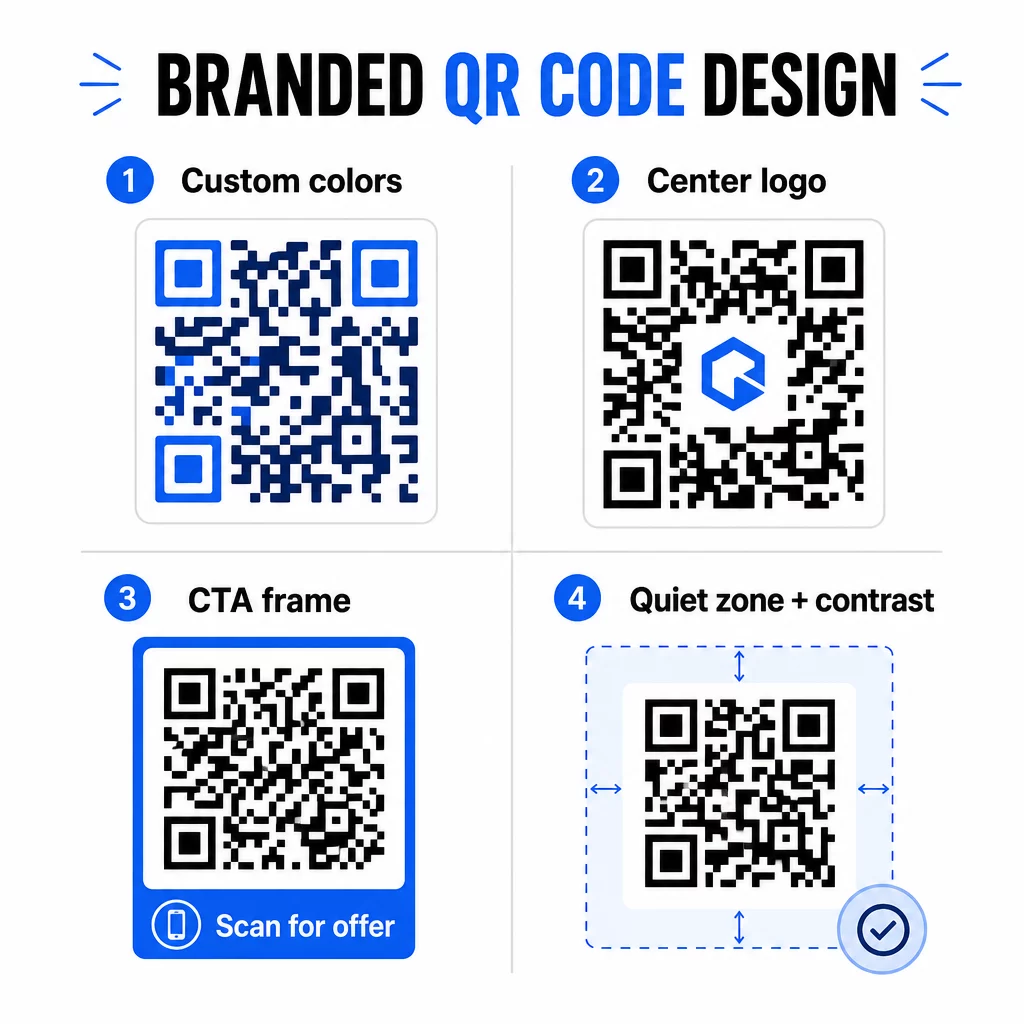
Den CTA-rammen gjør en reell jobb. Forskning på QR-kode rammer viser konsekvent at koder uten instruksjoner får langt færre skanninger fordi folk ikke vet hva de vil motta. En spesifikk, fordelsdrevet oppfordring fjerner den nølingen.
Noen designregler å følge:
- Hold koden mørk på en lys bakgrunn – inverterte eller lavkontrastfargekombinasjoner forvirrer mange skannere
- Oppretthold en stille sone (en klar marg på minst fire moduler) rundt hele omkretsen av koden
- Skriv ut med et minimum på 2 × 2 cm (0,8 × 0,8 tommer) for de fleste materialer; for reklametavler, sikt på minst 40 × 40 cm
- Bruk vektor- eller høyoppløselige eksportfiler for å holde modulene skarpe i alle størrelser
Hvis du vil legge til en logo i midten av koden, sett feilrettingsnivået til Q eller H slik at koden forblir skannbar selv med deler av mønsteret dekket. Du kan lære mer om standarder for plassering av QR-koder for forskjellige materialer for å sikre at designet ditt fungerer på tvers av alle formater.
Gå utover URL-er – Bruk QR-koder for kuponger, anmeldelser og arrangementer
De fleste markedsførere lenker som standard en QR-kode til et nettsted og stopper der. Den tilnærmingen skraper knapt overflaten av hva som er mulig.
Vurder disse bruksområdene:
- Kupongkoder: En kupong-QR-kode lander kunder på en side som viser dine nåværende tilbud og rabatter, med en CTA som driver dem til kassen
- Google Anmeldelser: Plasser en Google Anmeldelse QR-kode på kvitteringer, emballasje eller bordkort for å gjøre det så friksjonsfritt som mulig å gi tilbakemelding – ett skann og anmeldelsessiden åpnes automatisk
- Arrangementer: En QR-kode for arrangement konsoliderer stedsinformasjon, tidsplaner og registreringslenker i ett skann, og fordi den er dynamisk, kan du oppdatere informasjonen hvis noe endres uten å måtte trykke på nytt
- Sosiale medier: En sosiale medier QR-kode gir kunder en direkte vei til å følge kontoene dine eller bli med i fellesskapet ditt fra ethvert fysisk materiale
- Veibeskrivelse: En Google Maps QR-kode åpner posisjonen din i Kart-appen med ett skann – nyttig på invitasjoner til arrangementer, butikkfronter og visittkort
Hver av disse bruksområdene løser et spesifikt friksjonspunkt i kundereisen. Nøkkelen er å matche QR-kodetypen med det publikummet ditt faktisk trenger i det øyeblikket.
Gjør din publikumsundersøkelse før du distribuerer
En QR-kode er bare så effektiv som kampanjen bak den. Før du genererer en eneste kode, ta deg tid til å forstå hvem du retter deg mot og hvor de tilbringer tid – både fysisk og digitalt.
Start med å definere publikummet ditt tydelig:
- Hvilke problemer prøver de å løse?
- Hvor møter de merkevaren din i den fysiske verden – butikkhyller, arrangementer, direktereklame, produktemballasje?
- Hvilke enheter bruker de, og hvor komfortable er de med å skanne QR-koder?
Gå deretter gjennom hva konkurrentene dine gjør. Hvor plasserer de koder? Hvilke destinasjoner lenker de til? Å identifisere hull i deres tilnærming er ofte der den tydeligste muligheten ligger.
Dette grunnarbeidet former også ditt valg mellom statiske og dynamiske QR-koder. Statiske koder fungerer bra for permanent, uforanderlig innhold som Wi-Fi-legitimasjon eller en fast produktmanual. Dynamiske koder er det riktige valget for markedsføringskampanjer der destinasjoner, tilbud eller innhold kan måtte utvikles. Å ta denne beslutningen tidlig sparer deg for å måtte trykke opp materialer på nytt senere.
Til småbedriftsmarkedsføring spesifikt, selv en enkel plasseringsrevisjon – å spørre hvor kundene dine fysisk stopper eller venter – kan avsløre verdifulle steder som de fleste konkurrenter overser.
Led med verdi, ikke bare en skanningsforespørsel
Skanningsrater forbedres dramatisk når folk forstår hva de får før de skanner. En generisk “Skann meg”-forespørsel ber om oppmerksomhet uten å tilby noe i retur. En spesifikk forespørsel – “Skann for å låse opp din eksklusive rabatt” eller “Skann for å laste ned oppsettguiden” – gir folk en klar grunn til å handle.
Dette kobles til et bredere prinsipp innen effektiv markedsføring: kunder reagerer på det de ønsker, ikke bare det de trenger. QR-koden din bør være inngangsporten til noe genuint nyttig eller givende.
Praktiske måter å levere verdi gjennom QR-koder:
- Tilby en rabatt eller eksklusiv kupong som kun er tilgjengelig ved skanning
- Lenk til en PDF-guide, opplæringsvideo eller produktdemo som gjør kjøpsbeslutningen enklere
- Koble kunder til en anmeldelsesside og takk dem for tiden deres
- Gi arrangementdeltakere umiddelbar tilgang til tidsplaner, foredragsholderbiografier eller stedskart
Etter at kundene når landingssiden din, sørg for at opplevelsen holder mål. Destinasjonen bør være mobiloptimalisert, laste raskt og ha et tydelig neste trinn. En godt designet kode som fører til en dårlig mobilopplevelse vil miste konverteringer i siste øyeblikk.
Koble trykt materiale til digitalt engasjement Klar til å sette disse ideene ut i praksis? Utforsk QR-kodeløsninger etter bransje og bruksområde for å finne riktig format for din neste kampanje.
Test før du lanserer, spor deretter hva som fungerer
Før en QR-kode går live på trykt eller distribuert materiale, test den grundig. Skann koden på flere enheter og operativsystemer, under forskjellige lysforhold, og på avstandene publikum realistisk sett vil stå. For trykt materiale, test det endelige trykte resultatet – ikke bare den digitale forhåndsvisningen.
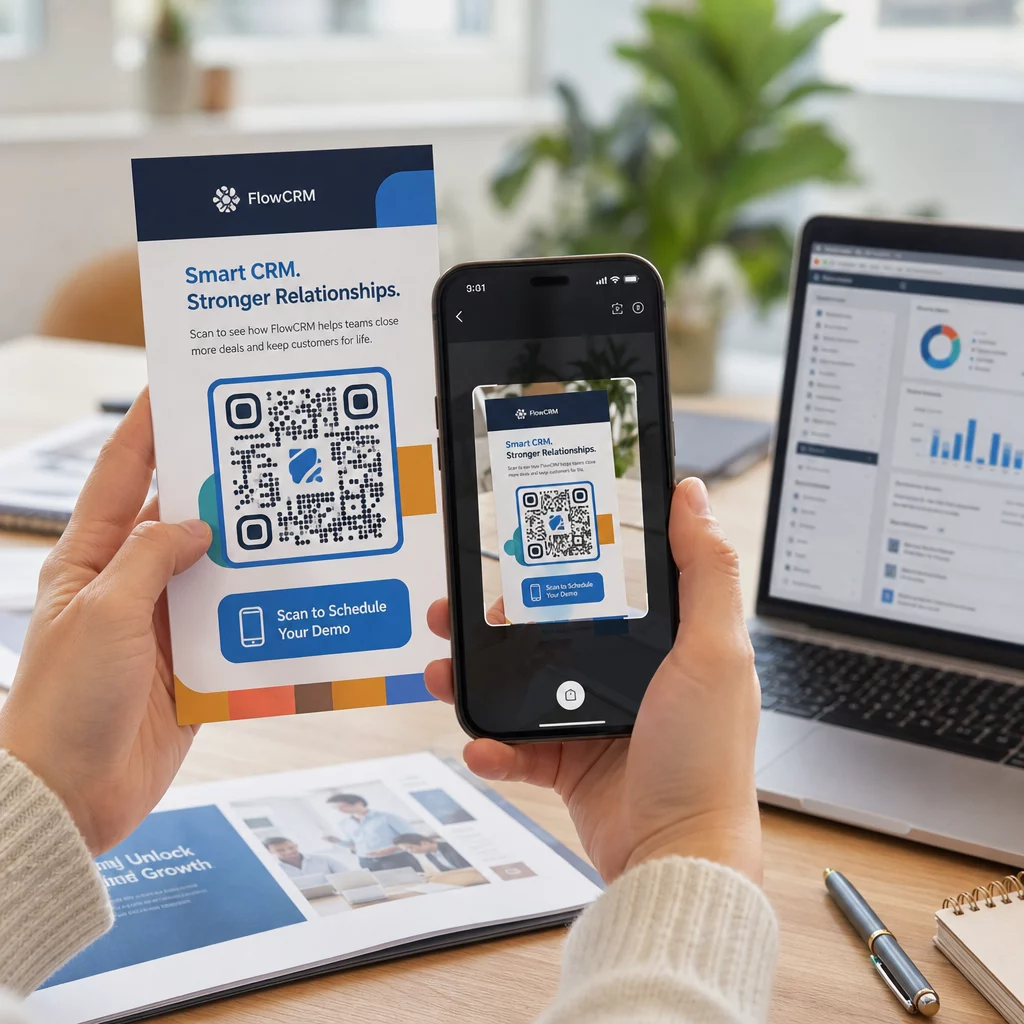
Når kampanjen din kjører, bruk analyseoversikten din til å overvåke:
- Totalt antall skanninger og unike skanninger
- Geografisk oversikt over hvor skanninger forekommer
- Enhets- og operativsystemdata
- Skanningstidspunkter (ukedag, tid på døgnet)
Disse dataene forteller deg hvilke plasseringer og materialer som genererer engasjement og hvilke som ikke gjør det. Hvis en bestemt plassering eller et materiale underpresterer, kan du oppdatere den dynamiske kodens destinasjon for å teste et nytt tilbud eller en landingsside – uten å røre selve den trykte koden.
For kampanjer integrert med Google Analytics, vil det å legge til UTM-parametere i QR-kodens destinasjons-URL-er gi deg et fullstendig bilde av hvordan offline skanninger bidrar til online konverteringer, rett inne i dine eksisterende rapporteringsverktøy.
Bedriftene som ser de sterkeste resultatene fra QR-koder er de som behandler dem som en målbar kanal – setter mål, sporer ytelse og itererer basert på reelle data snarere enn antagelser.
Begynn å bygge målbare QR-kodekampanjer Generer, tilpass og spor QR-koder for alle markedsføringsbruksområder med Pageloot. Prøv QR-kodegeneratoren gratis i 14 dager – ingen kredittkort kreves.
Ofte stilte spørsmål
En statisk QR-kode koder en fast destinasjon som ikke kan endres etter opprettelse og støtter ikke sporing. En dynamisk QR-kode koder en kort omdirigerings-URL, noe som betyr at du kan oppdatere destinasjonen når som helst uten å skrive ut på nytt, og du får tilgang til skanneanalyser inkludert sted, enhetstype og tidspunkt. For de fleste markedsføringskampanjer er dynamiske koder det bedre valget fordi de gir deg fleksibilitet og målbare data.
Den anbefalte minimumsstørrelsen for pålitelig skanning på de fleste trykte materialer er 2 × 2 cm (omtrent 0,8 × 0,8 tommer). Etter hvert som forventet skanneavstand øker, bør koden skaleres proporsjonalt – en vanlig retningslinje er at kodens bredde bør være minst en tidel av avstanden den skal skannes fra. For storformatmaterialer som reklametavler, sikt på minst 40 × 40 cm. Test alltid det endelige trykte resultatet på tvers av flere enheter før distribusjon.
De mest effektive tilnærmingene er å pare koden din med en spesifikk, fordelsdrevet oppfordring til handling (for eksempel “Skann for å få rabatten din” i stedet for “Skann meg”), plassere koden der publikum naturlig stopper opp eller fokuserer oppmerksomheten, og sørge for at landingssiden leverer ekte verdi. Tilpasning av kodens design for å matche merkevaren din hjelper også – visuelt distinkte, merkevaretilpassede koder tiltrekker seg mer oppmerksomhet enn generiske svart-hvitt-mønstre.