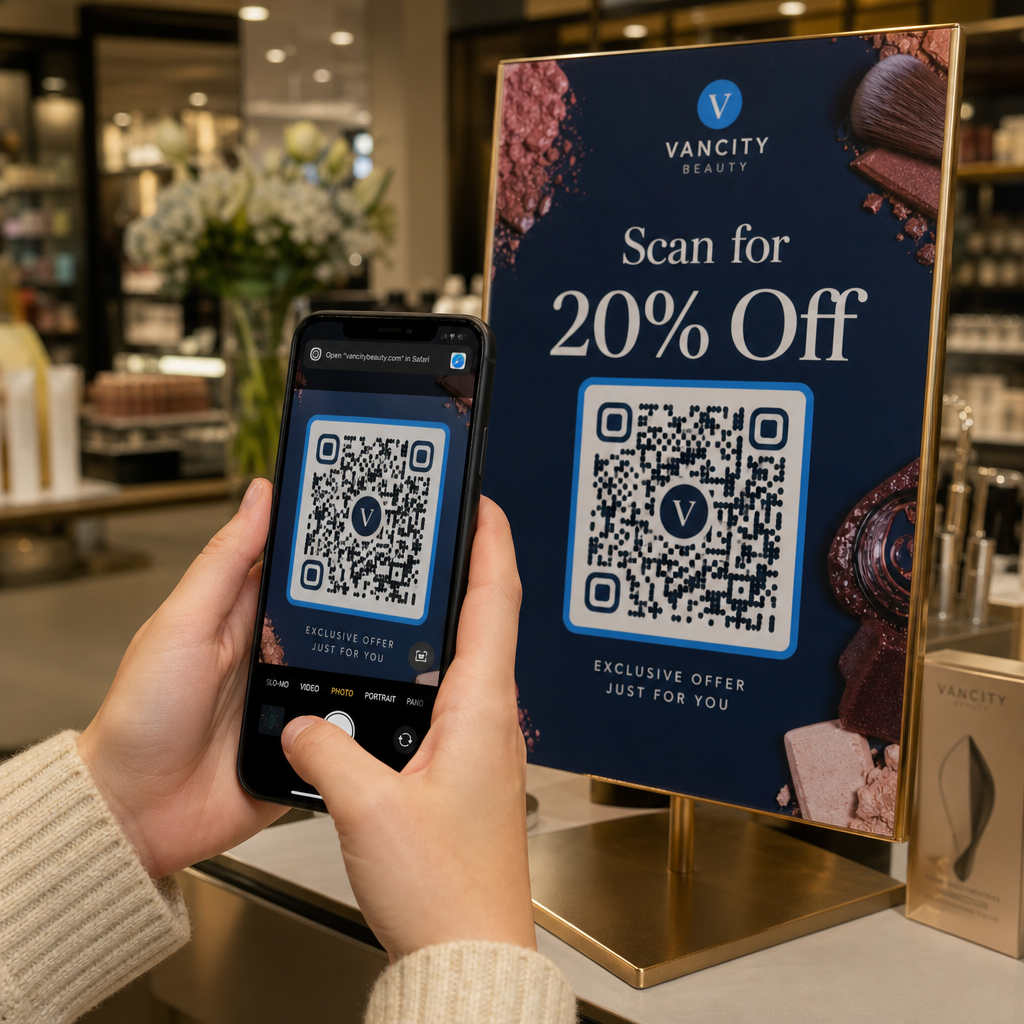
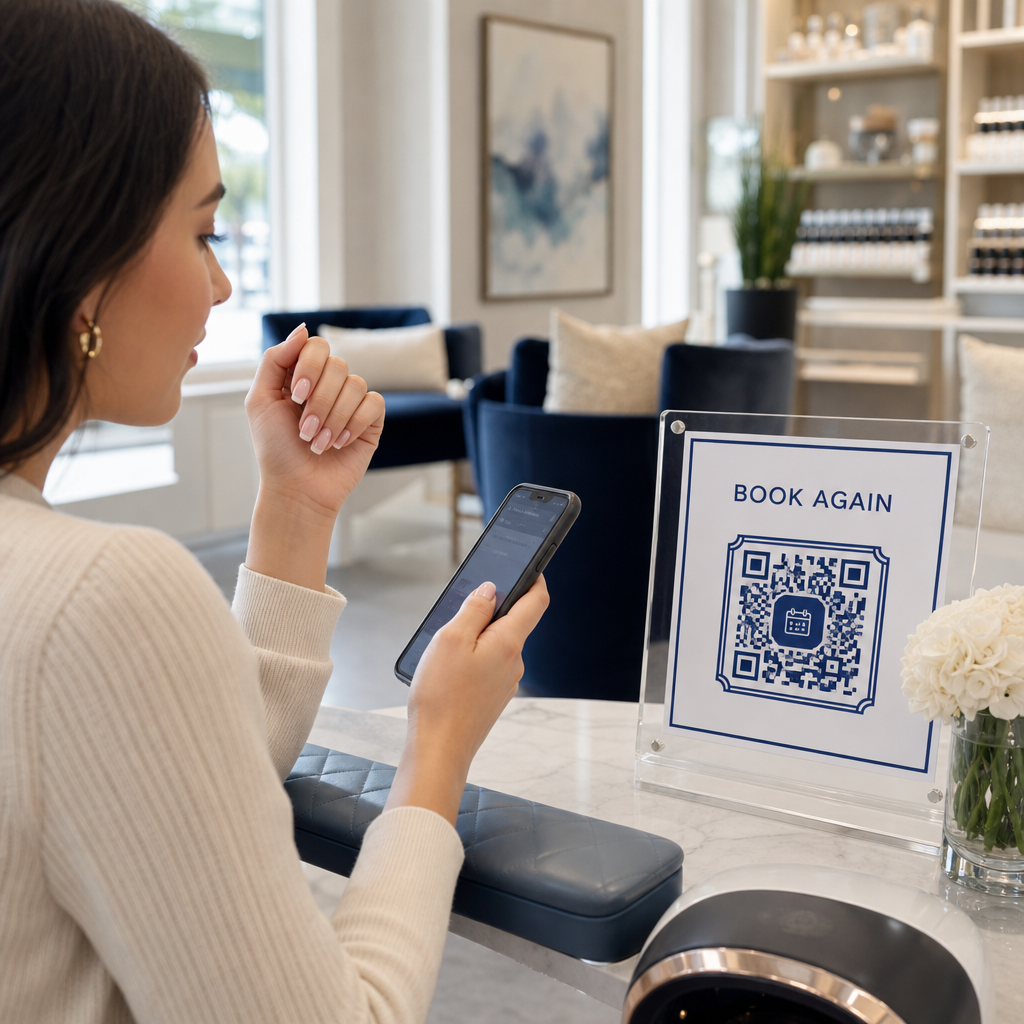
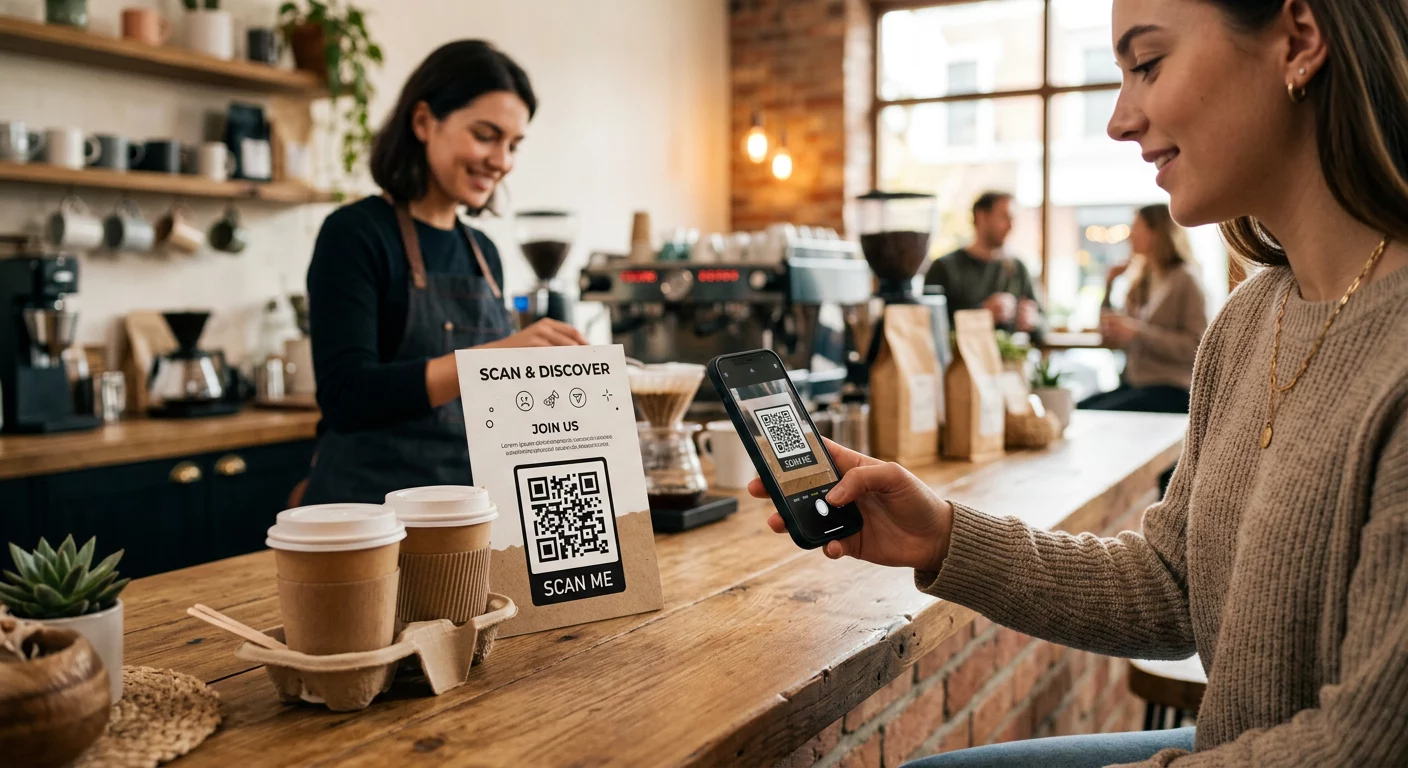
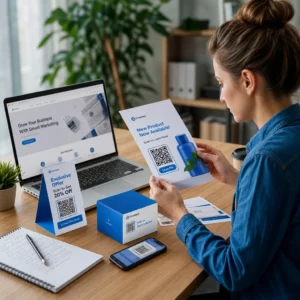
Khách hàng của bạn có đang gặp khó khăn trong việc tìm kiếm sự trợ giúp sau khi mua hàng không? Hỗ trợ sau mua hàng kém là một trong những cách nhanh nhất để mất đi một khách hàng mua lại – và 52% người tiêu dùng cho biết dịch vụ kém là lý do chính khiến họ sẽ không mua lại. Hướng dẫn này giải thích các cách thực tế để sử dụng mã QR nhằm giúp việc hỗ trợ, trả hàng và theo dõi đơn hàng nhanh hơn và dễ dàng hơn cho khách hàng của bạn.
Tại sao hỗ trợ sau mua hàng lại quan trọng hơn bao giờ hết
Kỳ vọng của khách hàng đã thay đổi. Giao hàng nhanh, theo dõi thời gian thực và trả hàng không ma sát không còn là đặc quyền – chúng là những yêu cầu cơ bản. Hãy xem xét những gì đang bị đe dọa:
- 88% khách hàng có nhiều khả năng mua hàng lần nữa sau trải nghiệm dịch vụ tuyệt vời
- 70% người mua hàng cho biết quy trình trả hàng dễ dàng, minh bạch giúp tăng lòng trung thành của họ đối với nhà bán lẻ thương mại điện tử
- 73% người tiêu dùng muốn theo dõi đơn hàng của họ trong suốt quá trình giao hàng, và khi có tính năng theo dõi, 96% trong số họ sử dụng nó
Thách thức đối với hầu hết các thương hiệu thương mại điện tử là các điểm tiếp xúc hỗ trợ bị phân tán: khách hàng phải tìm kiếm các trang liên hệ, điều hướng các cổng trả hàng hoặc lục lọi các email xác nhận để tìm chi tiết đơn hàng. Mã QR giải quyết vấn đề này bằng cách đưa hỗ trợ trực tiếp đến nơi khách hàng đang ở – trên gói hàng trong tay họ, biên lai trong hộp thư đến của họ hoặc nhãn trên sản phẩm.
Nơi đặt mã QR trong hành trình sau mua hàng
Chiến lược mã QR hiệu quả nhất là ánh xạ mỗi mã tới một thời điểm cụ thể trong trải nghiệm của khách hàng. Dưới đây là những vị trí có tác động cao nhất:
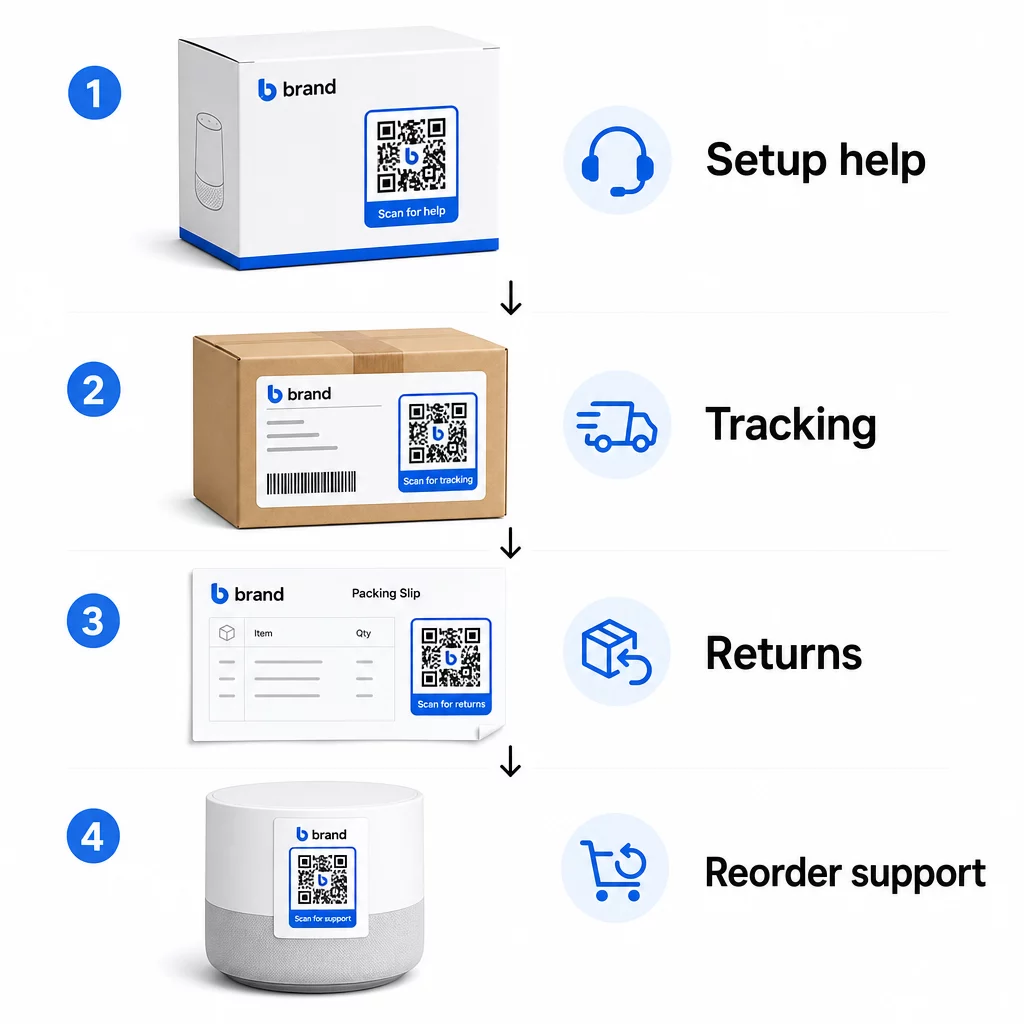
Bao bì sản phẩm. Mã QR trên hộp hoặc nhãn cung cấp cho khách hàng quyền truy cập ngay lập tức vào hướng dẫn cài đặt, chi tiết bảo hành và trợ giúp khắc phục sự cố ngay khi mở hộp. Đối với hàng hóa bền như thiết bị gia dụng hoặc công cụ, việc thêm mã QR vào bao bì sản phẩm cũng có thể liên kết đến các video hướng dẫn, đăng ký sản phẩm hoặc hướng dẫn về phụ tùng thay thế – hữu ích nhiều tháng sau khi mua hàng.
Nhãn vận chuyển và trang theo dõi. 88% người mua sắm trực tuyến cho biết theo dõi giao hàng theo thời gian thực là rất quan trọng để có trải nghiệm tích cực, và 43% kiểm tra đơn hàng đã theo dõi của họ mỗi ngày cho đến khi giao hàng. Mã QR trên nhãn vận chuyển liên kết trực tiếp đến trang theo dõi trực tiếp giúp loại bỏ sự rắc rối khi đăng nhập vào tài khoản hoặc tìm kiếm email xác nhận.
Email xác nhận đơn hàng và thông báo vận chuyển. Đây là những email mà khách hàng thực sự mở. Việc nhúng mã QR liên kết đến trung tâm hỗ trợ dành riêng cho đơn hàng – với tính năng theo dõi, Câu hỏi thường gặp và hướng dẫn trả hàng – giúp mọi thứ chỉ trong một lần quét.
Biên lai và phiếu đóng gói. Mã QR trên phiếu đóng gói có thể liên kết đến cổng trả hàng, biểu mẫu phản hồi hoặc trang đánh giá sản phẩm. Đây là một vị trí ít tốn công sức nhưng mang lại giá trị cao, biến một tài liệu mà khách hàng đã đọc thành một cổng hỗ trợ.
Nhãn sản phẩm. Đối với hàng tiêu dùng hoặc các mặt hàng được sử dụng nhiều lần, mã QR trên nhãn cung cấp quyền truy cập liên tục vào các hướng dẫn cập nhật, thông tin an toàn hoặc liên kết đặt hàng lại rất lâu sau lần mua ban đầu.
Giúp các điểm tiếp xúc hỗ trợ của bạn có thể theo dõi được Sử dụng Trình tạo mã QR liên kết để tạo mã có thể quét được cho bao bì, email và vật liệu vận chuyển – sau đó theo dõi chính xác những tài nguyên hỗ trợ nào mà khách hàng đang sử dụng.
Các trường hợp sử dụng hỗ trợ chính cho thương mại điện tử
Mã QR đủ linh hoạt để phục vụ một số chức năng hỗ trợ riêng biệt. Những chức năng phổ biến nhất đáng tích hợp vào quy trình làm việc của bạn:
Tự khắc phục sự cố. Liên kết mã QR đến các trang Câu hỏi thường gặp hoặc video hướng dẫn dành riêng cho sản phẩm. Khách hàng nhận được trợ giúp 24/7 mà không cần chờ đợi nhân viên hỗ trợ, và bạn giảm được số lượng yêu cầu hỗ trợ đến.
Trả hàng và đổi hàng. Các nhà bán lẻ ước tính 15,8% tổng doanh thu hàng năm sẽ bị trả lại vào năm 2025 – gần 850 tỷ đô la. Việc đơn giản hóa quy trình khởi tạo là rất quan trọng. Mã QR mở biểu mẫu trả hàng được điền sẵn, tạo nhãn vận chuyển hoặc cung cấp hướng dẫn từng bước sẽ loại bỏ điểm khó khăn lớn nhất trong trải nghiệm trả hàng. Các thương hiệu như IKEA đã chuyển sang quy trình trả hàng dựa trên mã QR, gửi mã qua email hoặc SMS sau khi yêu cầu trả hàng được đăng ký.
Trò chuyện trực tiếp và liên hệ trực tiếp. Thay vì yêu cầu khách hàng tìm tiện ích trò chuyện trên trang web của bạn, mã QR trên bao bì hoặc biên lai có thể mở cửa sổ trò chuyện được tải sẵn thông tin chi tiết đơn hàng của khách hàng – giúp tăng tốc thời gian giải quyết vấn đề cho cả hai bên.
Đăng ký bảo hành và đăng ký sản phẩm. Mã QR trên bao bì liên kết trực tiếp đến biểu mẫu đăng ký giúp giảm các bước giữa việc mua hàng và đăng ký, từ đó cải thiện cả tỷ lệ hoàn thành và khả năng của bạn trong việc theo dõi hỗ trợ liên quan.
Phản hồi và đánh giá. A mã QR phản hồi của khách hàng được đặt trên hóa đơn, bao bì hoặc email theo dõi giúp khách hàng dễ dàng chia sẻ trải nghiệm của họ. Một mã QR đánh giá Google gửi họ trực tiếp đến trang đánh giá của bạn chỉ với một lần quét. Việc thu thập phản hồi này một cách chủ động cũng giúp bạn phát hiện các vấn đề về sản phẩm hoặc thực hiện đơn hàng trước khi chúng trở nên phức tạp.
Hỗ trợ đa ngôn ngữ. Mã QR động có thể phát hiện vị trí của khách hàng và cung cấp nội dung bằng ngôn ngữ phù hợp – hữu ích cho các nhà bán hàng quốc tế cần hỗ trợ nhiều đối tượng khác nhau mà không cần tạo tài liệu in riêng cho từng khu vực.
Thu thập phản hồi mà không gặp thêm trở ngại Sử dụng Tạo mã QR cho Google Form để xây dựng một liên kết phản hồi có thể quét được cho email sau mua hàng hoặc phiếu đóng gói và bắt đầu thu thập thông tin chi tiết có giá trị từ mỗi đơn hàng.
Tại sao mã QR động là lựa chọn đúng đắn cho hỗ trợ
A mã QR động là loại mà URL đích có thể được chỉnh sửa sau khi mã đã được in – mà không cần thay đổi chính mã đó. Đối với hỗ trợ khách hàng, sự khác biệt này quan trọng hơn bạn nghĩ.
Các tài nguyên hỗ trợ thay đổi thường xuyên. Chính sách đổi trả được cập nhật, hướng dẫn khắc phục sự cố được sửa đổi và phương thức liên hệ thay đổi. Với mã QR tĩnh, bất kỳ cập nhật nào cũng có nghĩa là phải in lại tất cả bao bì, tờ rơi hoặc nhãn của bạn. Với mã động, bạn cập nhật đích đến trong bảng điều khiển của mình và mọi mã hiện có sẽ ngay lập tức phản ánh sự thay đổi.
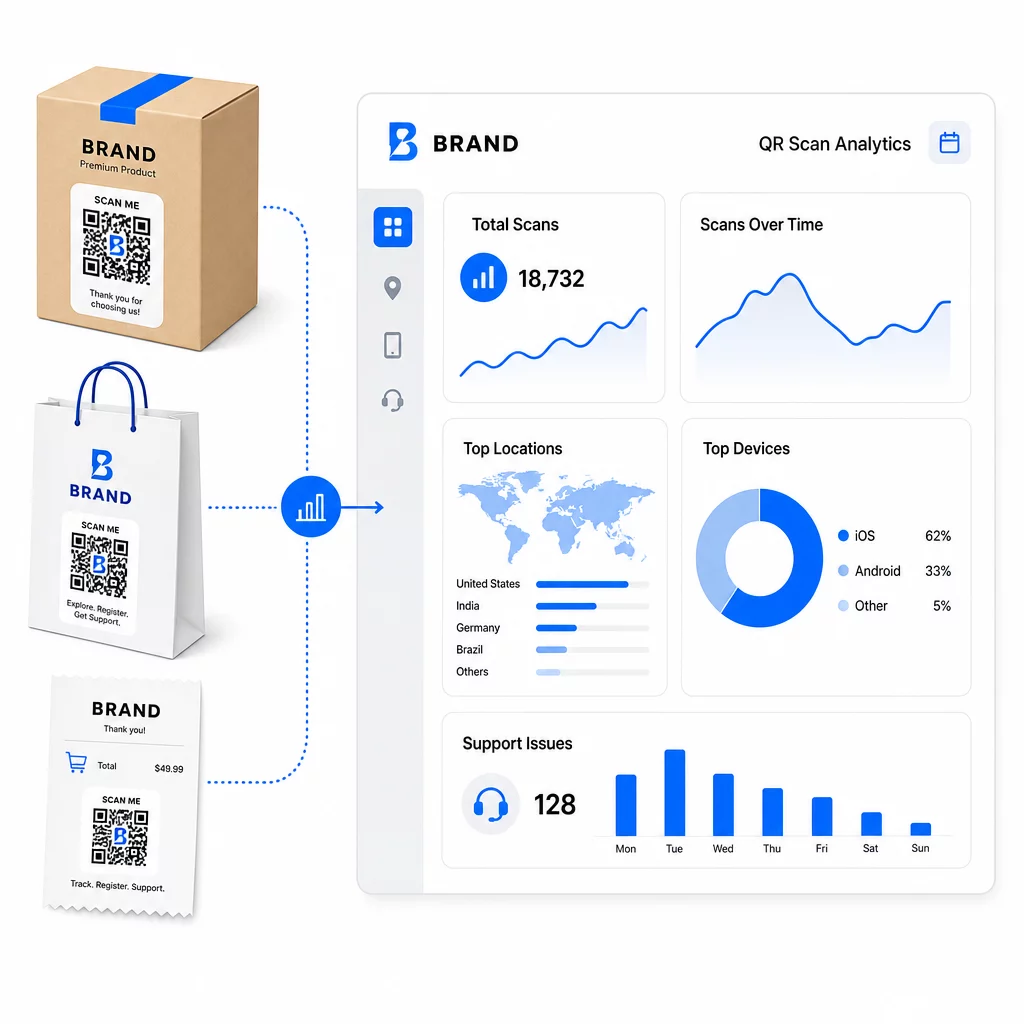
Mã QR động cũng cho phép phân tích. Bạn có thể theo dõi số lần mã đã được quét, từ những vị trí nào, trên loại thiết bị nào và vào thời điểm nào. Dữ liệu này tiết lộ những tài nguyên hỗ trợ nào mà khách hàng thực sự sử dụng – và những điểm tiếp xúc nào tạo ra nhiều yêu cầu nhất. Ví dụ, một sự gia tăng đột biến về số lượt quét trên hướng dẫn khắc phục sự cố có thể cho thấy một vấn đề sản phẩm lặp lại đáng được giải quyết từ gốc. Bạn có thể khám phá cách mã QR cải thiện việc giao hàng và hỗ trợ thương mại điện tử để xem các thương hiệu khác đang áp dụng phương pháp này như thế nào.
Giữ các liên kết hỗ trợ luôn cập nhật mà không cần in lại Sử dụng của Pageloot Trình tạo mã QR để tạo mã động cho bao bì và tài liệu đi kèm của bạn – cập nhật điểm đến bất cứ lúc nào từ bảng điều khiển của bạn mà không cần chạm vào tài liệu đã in.
Cá nhân hóa thông qua mã QR
Một khả năng chưa được tận dụng hết là cung cấp nội dung hỗ trợ được điều chỉnh riêng cho từng khách hàng hoặc sản phẩm cụ thể. Với mã QR động, bạn có thể cấu hình mã để phục vụ các nội dung khác nhau dựa trên:
- Loại sản phẩm – Mã QR trên máy xay sinh tố liên kết đến hướng dẫn cài đặt và bảo hành của máy xay, chứ không phải một trang hỗ trợ chung chung
- Lịch sử mua hàng – Khách hàng quay lại có thể được chuyển hướng đến trung tâm khách hàng thân thiết hoặc trang đặt hàng lại được cá nhân hóa
- Vị trí – Khách hàng quốc tế xem nội dung dành riêng cho khu vực hoặc hướng dẫn trả hàng tại địa phương
Cách tiếp cận này biến một điểm tiếp xúc hỗ trợ chung chung thành một thứ có cảm giác được thiết kế riêng cho từng khách hàng – điều này ảnh hưởng trực tiếp đến việc họ có quay lại hay không.
Sử dụng phân tích mã QR để cải thiện hỗ trợ
Dữ liệu thu thập từ các lần quét mã QR không chỉ là một chỉ số phù phiếm – đó là một tín hiệu trực tiếp về những nơi khách hàng đang gặp khó khăn. Một thiết lập phân tích được cấu trúc tốt có thể cho bạn biết:
- Sản phẩm nào tạo ra nhiều lượt quét hỗ trợ nhất (có thể là vấn đề về chất lượng hoặc tài liệu)
- Khách hàng tương tác nhiều nhất với điểm tiếp xúc nào (bao bì so với email so với biên lai)
- Khi nào trong dòng thời gian sau mua hàng khách hàng tìm kiếm sự giúp đỡ (ngay sau khi giao hàng so với vài tuần sau)
- Các mẫu địa lý có thể chỉ ra các vấn đề về thực hiện đơn hàng theo khu vực
Các nền tảng cung cấp Theo dõi và phân tích mã QR cung cấp cho bạn một vòng phản hồi theo thời gian thực mà nếu không sẽ yêu cầu khảo sát khách hàng thủ công hoặc phân tích phiếu hỗ trợ. Nếu được sử dụng tốt, dữ liệu này cho phép bạn thực hiện các cải tiến chủ động thay vì phản ứng.
Mẹo thực tế để triển khai
Trước khi triển khai mã QR cho bộ phận hỗ trợ khách hàng, một vài hướng dẫn sẽ giúp bạn tránh các vấn đề thường gặp:
- Kiểm tra mã trước khi in hàng loạt. Quét từng mã trên nhiều thiết bị và hệ điều hành để xác nhận rằng nó phân giải chính xác.
- Giữ các trang đích được tối ưu hóa cho thiết bị di động. Khách hàng quét mã QR đang sử dụng điện thoại của họ. Một trang tải chậm hoặc không hiển thị đúng trên thiết bị di động sẽ làm giảm chất lượng toàn bộ trải nghiệm.
- Điều chỉnh kích thước mã phù hợp với bề mặt. Mã trên nhãn sản phẩm nhỏ cần đủ lớn để quét đáng tin cậy. Xem lại các phương pháp hay nhất về khả năng sử dụng mã QR để biết hướng dẫn kích thước cụ thể dựa trên khoảng cách xem.
- Bao gồm một lời kêu gọi hành động ngắn gọn gần mã. “Quét để xem hướng dẫn cài đặt” hoặc “Quét để bắt đầu trả hàng” loại bỏ sự mơ hồ và tăng tỷ lệ quét.
- Sử dụng các thiết kế có thương hiệu, dễ nhận biết. Khách hàng có nhiều khả năng tin tưởng và quét mã có hình ảnh phù hợp với thương hiệu của bạn. Mã có logo và màu sắc thương hiệu hoạt động tốt hơn các ô vuông đen trắng chung chung.
- Sử dụng mã động bất cứ khi nào nội dung có thể thay đổi. Nếu có bất kỳ khả năng nào URL đích sẽ cần cập nhật, hãy bắt đầu với mã động.
Ưu và nhược điểm trong nháy mắt
| Yếu tố | Hỗ trợ mã QR | Hỗ trợ kỹ thuật số truyền thống |
|---|---|---|
| Tốc độ truy cập | Tức thì qua quét | Yêu cầu điều hướng hoặc tìm kiếm |
| Khả dụng 24/7 | Đúng | Thay đổi |
| Cá nhân hóa | Cao (mã động) | Vừa phải |
| Bảo trì | Thấp (cập nhật động) | Vừa phải |
| THỐNG KÊ | Tích hợp sẵn | Yêu cầu thiết lập riêng |
| Khả năng tiếp cận | Yêu cầu điện thoại thông minh | Hoạt động trên nhiều thiết bị |
| Phụ thuộc vào bản in | Cần đặt vật lý | Chỉ kỹ thuật số |
Hạn chế chính là khoảng cách số: khách hàng không có điện thoại thông minh hoặc truy cập internet đáng tin cậy không thể sử dụng hỗ trợ dựa trên mã QR. Đối với những khách hàng đó, bạn sẽ cần một kênh hỗ trợ song song – một số điện thoại hoặc hướng dẫn in sẵn – để không ai bị bỏ lại mà không có sự giúp đỡ.
Bảo mật cũng là một vấn đề đáng quan tâm. Sử dụng các liên kết HTTPS, giữ thiết kế thương hiệu nhất quán và cân nhắc thông báo trước cho khách hàng (qua nội dung bao bì hoặc email đặt hàng) về nơi mã QR của bạn dẫn đến và dữ liệu nào được thu thập. Sự minh bạch xây dựng lòng tin khiến khách hàng sẵn lòng quét.
Tổng hợp lại
Mã QR hoạt động tốt nhất cho hỗ trợ khách hàng khi chúng được đặt vào những thời điểm khách hàng cần trợ giúp nhất – mở hộp sản phẩm, theo dõi lô hàng hoặc bắt đầu trả hàng – và khi chúng liên kết đến các tài nguyên thực sự hữu ích thay vì chỉ là một trang chủ. Mã động giúp duy trì tính bền vững: bạn có thể cập nhật nội dung hỗ trợ mà không cần in lại bất cứ thứ gì, và dữ liệu phân tích cung cấp trực tiếp thông tin để bạn hiểu rõ hơn về những điểm mà trải nghiệm khách hàng gặp trục trặc.
Các các nghiên cứu điển hình về mã QR trong thương mại điện tử cho thấy kết quả có thể đo lường được khi việc triển khai có chủ đích. Bắt đầu với một hoặc hai điểm tiếp xúc có nhiều ma sát – trả hàng và theo dõi đơn hàng là những ứng cử viên tốt – và mở rộng từ đó khi bạn tìm hiểu xem khách hàng thực sự quét những gì.
Bắt đầu xây dựng mã QR hỗ trợ của bạn Của Pageloot Trình tạo mã QR cho phép bạn tạo mã động, có thương hiệu cho mọi giai đoạn của hành trình sau mua hàng – theo dõi lượt quét, cập nhật điểm đến và mang lại trải nghiệm hỗ trợ tốt hơn mà không cần in lại.
Câu hỏi thường gặp
Các cách sử dụng hiệu quả nhất là các liên kết đến các trang theo dõi đơn hàng, các biểu mẫu bắt đầu trả hàng, các hướng dẫn khắc phục sự cố cụ thể cho sản phẩm, các video hướng dẫn cài đặt, đăng ký bảo hành và trò chuyện trực tuyến. Nội dung mà khách hàng cần nhanh chóng và trên thiết bị di động là một sự phù hợp tự nhiên. Sách hướng dẫn PDF, Google Forms để thu thập phản hồi và các trang liên hệ hỗ trợ trực tiếp cũng hoạt động tốt khi được liên kết thông qua mã QR PDF hoặc mã dựa trên liên kết.
Sử dụng mã QR động, cho phép bạn thay đổi URL đích từ một bảng điều khiển mà không cần thay đổi mã đã in. Điều này có nghĩa là bạn có thể cập nhật chính sách đổi trả, thay thế hướng dẫn khắc phục sự cố, hoặc chuyển hướng khách hàng đến một cổng hỗ trợ mới bất cứ lúc nào – mà không cần in lại bao bì, tờ rơi hoặc nhãn mác.
Phân tích mã QR cho bạn biết số lượng quét, thời gian quét, vị trí địa lý và loại thiết bị cho mỗi mã. Nếu bạn thấy tỷ lệ quét cao trên một hướng dẫn khắc phục sự cố cụ thể, đó là dấu hiệu của một vấn đề sản phẩm lặp lại. Tỷ lệ quét thấp trên mã trả hàng có thể có nghĩa là vị trí đặt kém hoặc hướng dẫn không rõ ràng xung quanh mã. Sử dụng dữ liệu này để tinh chỉnh cả vị trí đặt và nội dung đích theo thời gian.