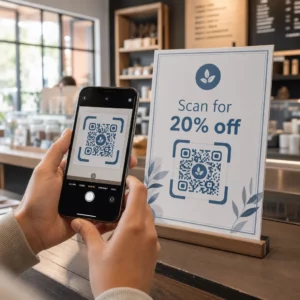
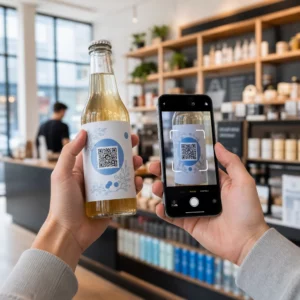
Muče li se vaši kupci pronaći pomoć nakon kupnje? Loša podrška nakon kupnje jedan je od najbržih načina da izgubite kupca koji se vraća – a 52% potrošača kaže da je loša usluga primarni razlog zbog kojeg neće ponovno kupiti. Ovaj vodič objašnjava praktične načine korištenja QR kodova kako bi podrška, povrati i praćenje narudžbi bili brži i lakši za vaše kupce.
Zašto je podrška nakon kupnje važnija nego ikad
Očekivanja kupaca su se promijenila. Brza dostava, praćenje u stvarnom vremenu i povrati bez trenja više nisu pogodnosti – oni su osnovni zahtjevi. Razmislite što je u pitanju:
- 88% kupaca vjerojatnije će obaviti još jednu kupnju nakon izvrsnog iskustva s uslugom
- 70% kupaca kaže da jednostavan, transparentan postupak povrata povećava njihovu lojalnost e-trgovcu
- 73% potrošača želi pratiti svoje narudžbe tijekom dostave, a kada je praćenje dostupno, 96% njih ga koristi
Izazov za većinu e-trgovinskih marki je što su dodirne točke podrške raspršene: kupci moraju tražiti stranice za kontakt, navigirati portalima za povrat ili pretraživati potvrde e-pošte kako bi pronašli detalje narudžbe. QR kodovi to rješavaju dovodeći podršku izravno tamo gdje su kupci već – na paketu u njihovim rukama, računu u njihovoj pristigloj pošti ili naljepnici na proizvodu.
Gdje postaviti QR kodove na putu nakon kupnje
Najučinkovitija strategija QR kodova mapira svaki kod na određeni trenutak u korisničkom iskustvu. Evo mjesta s najvećim utjecajem:
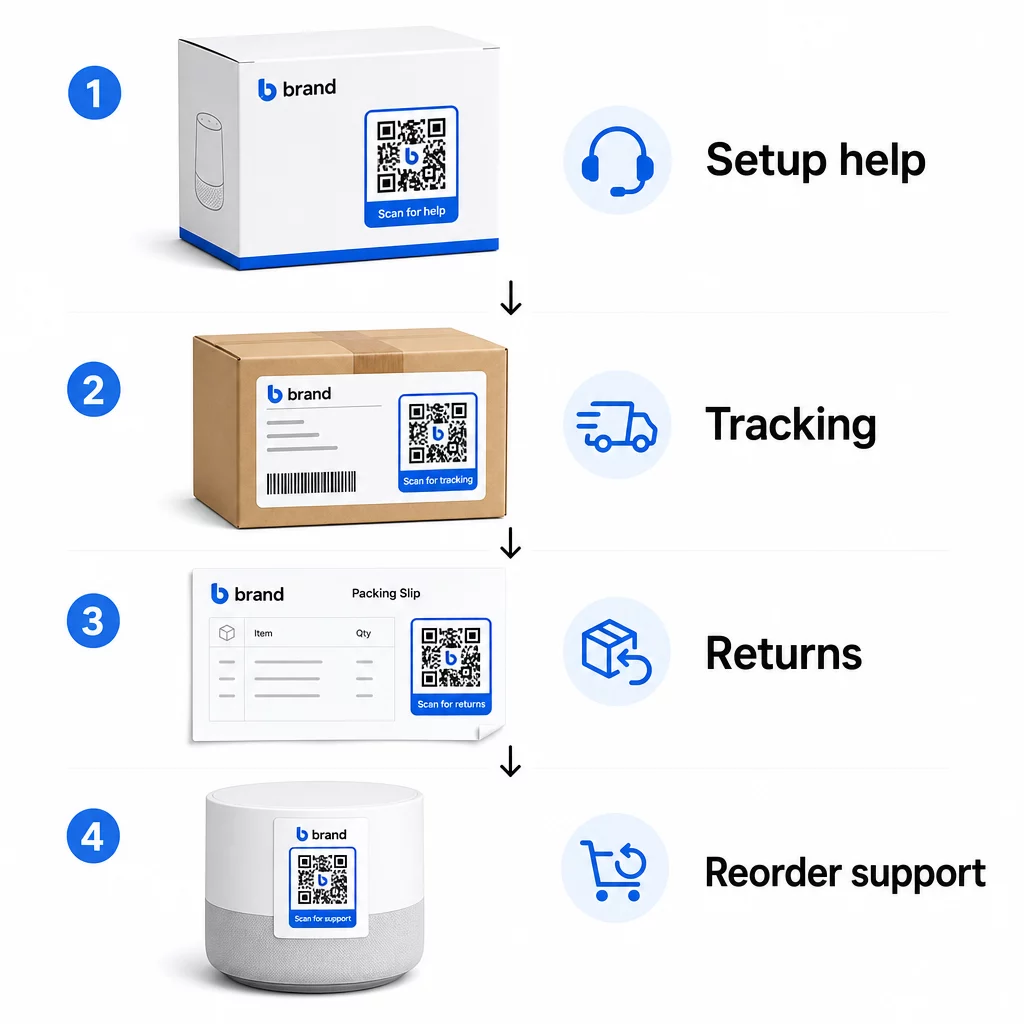
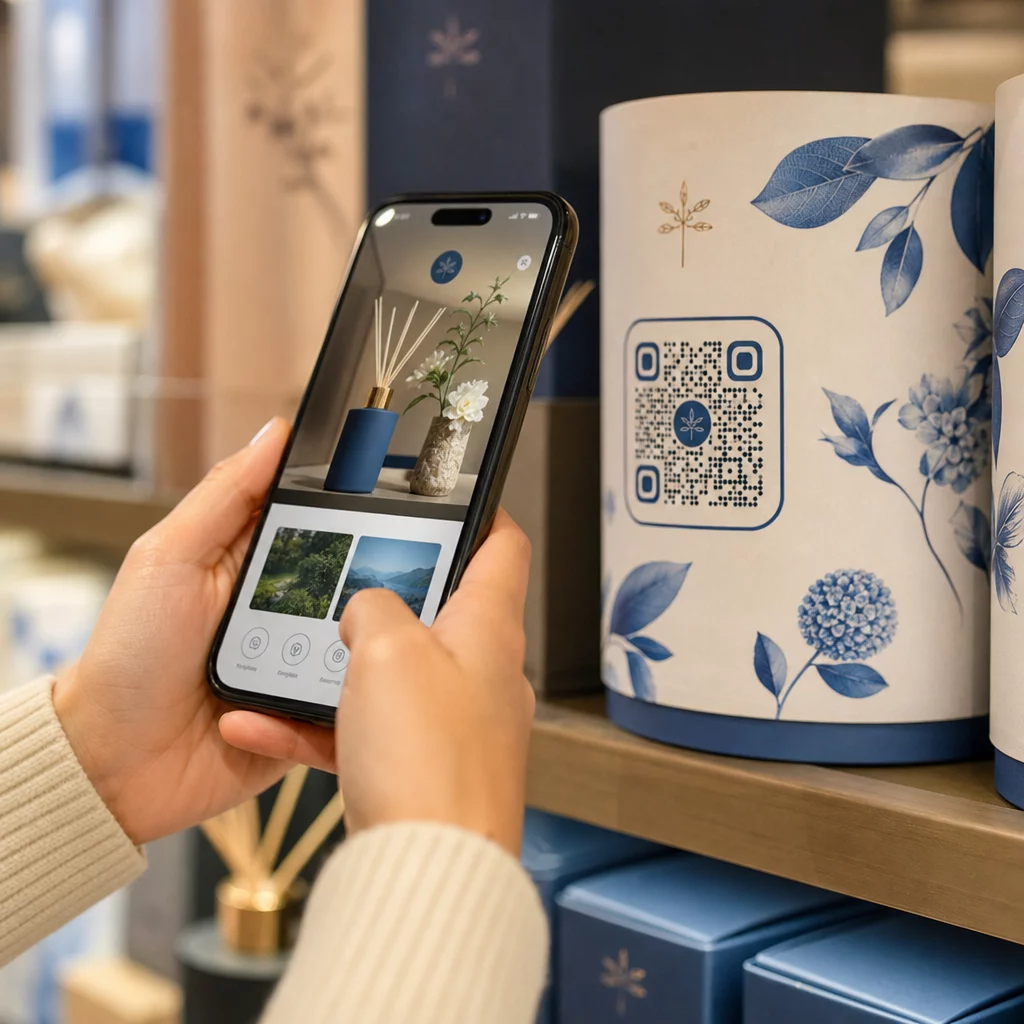
Pakiranje proizvoda. QR kod na kutiji ili naljepnici kupcima omogućuje trenutačan pristup vodičima za postavljanje, detaljima jamstva i pomoći pri rješavanju problema odmah pri raspakiravanju. Za trajne proizvode poput uređaja ili alata, dodavanje QR koda na pakiranje proizvoda također može povezivati s videozapisima s uputama, registracijom proizvoda ili vodičima za zamjenske dijelove – korisno mjesecima nakon kupnje.
Naljepnice za dostavu i stranice za praćenje. 88% online kupaca kaže da je praćenje dostave u stvarnom vremenu ključno za pozitivno iskustvo, a 43% njih provjerava svoje praćene narudžbe svaki dan do dostave. QR kod na naljepnici za dostavu koji izravno povezuje na stranicu za praćenje uživo uklanja trenje prijave na račune ili pretraživanja e-poruka s potvrdom.
Potvrde narudžbe i e-poruke o obavijesti o otpremi. To su e-poruke koje kupci zapravo otvaraju. Ugradnja QR koda koji vodi do centra za podršku specifičnog za narudžbu – s praćenjem, često postavljanim pitanjima i uputama za povrat – drži sve na jednom skeniranju.
Računi i otpremnice. QR kod na otpremnici može voditi do portala za povrat, obrasca za povratne informacije ili stranice za recenziju proizvoda. Ovo je smještaj s malo truda, a visoke vrijednosti koji dokument koji kupci već čitaju pretvara u pristupnik za podršku.
Naljepnice proizvoda. Za potrošne materijale ili predmete koji se koriste više puta, QR kod na naljepnici pruža stalan pristup ažuriranim uputama, sigurnosnim informacijama ili vezama za ponovnu narudžbu dugo nakon originalne kupnje.
Učinite svoje dodirne točke podrške sljedivima Koristiti Generator QR kodova za linkove za stvaranje skenabilnih kodova za pakiranje, e-poštu i materijale za otpremu – a zatim točno pratiti koje resurse podrške kupci koriste.
Ključni slučajevi upotrebe podrške za e-trgovinu
QR kodovi su dovoljno fleksibilni da služe nekoliko različitih funkcija podrške. Najčešći koje vrijedi ugraditi u vaš radni tijek:
Samoposlužna rješavanja problema. Povežite QR kodove sa stranicama s često postavljanim pitanjima specifičnim za proizvod ili video uputama. Kupci dobivaju pomoć 24/7 bez čekanja na agenta podrške, a vi smanjujete volumen dolaznih zahtjeva.
Povrati i zamjene. Trgovci na malo procjenjuju da će 15,8% ukupne godišnje prodaje biti vraćeno 2025. godine – gotovo 850 milijardi dolara. Pojednostavljenje procesa inicijacije je važno. QR kod koji otvara unaprijed ispunjen obrazac za povrat, generira naljepnicu za otpremu ili pruža upute korak po korak uklanja najveću točku trenja u iskustvu povrata. Brendovi poput IKEA-e već su prešli na radne procese povrata temeljene na QR kodovima, šaljući kodove e-poštom ili SMS-om nakon registracije povrata.
Chat uživo i izravan kontakt. Umjesto da zahtijevate od kupaca da pronađu widget za chat na vašoj web stranici, QR kod na pakiranju ili računu može otvoriti prozor za chat unaprijed učitan s detaljima narudžbe kupca – ubrzavajući vrijeme rješavanja s obje strane.
Jamstvena registracija i registracija proizvoda. QR kod na pakiranju koji izravno vodi na obrazac za registraciju smanjuje korake između kupnje i registracije, što poboljšava stope dovršenosti i vašu sposobnost praćenja relevantne podrške.
Povratne informacije i recenzije. A QR kod za povratne informacije kupaca postavljen na račune, pakiranja ili e-poštu za praćenje olakšava kupcima dijeljenje njihovog iskustva. A QR kod za Google recenzije šalje ih izravno na vašu stranicu za recenzije jednim skeniranjem. Proaktivno prikupljanje ovih povratnih informacija također vam pomaže uhvatiti probleme s proizvodom ili ispunjenjem narudžbe prije nego što se pogoršaju.
Višejezična podrška. Dinamički QR kodovi mogu detektirati lokaciju kupca i poslužiti sadržaj na odgovarajućem jeziku – korisno za međunarodne prodavače koji trebaju podržati raznoliku publiku bez stvaranja zasebnih tiskanih materijala za svaku regiju.
Prikupljajte povratne informacije bez dodatnog trenja Koristiti Google obrazac QR kod generator za izradu skenabilne veze za povratne informacije za e-poštu nakon kupnje ili otpremne listiće i počnite prikupljati korisne uvide iz svake narudžbe.
Zašto su dinamički QR kodovi pravi izbor za podršku
A dinamički QR kod je onaj gdje se odredišni URL može urediti nakon što je kod već ispisan – bez promjene samog koda. Za korisničku podršku, ova razlika je važnija nego što se čini.
Resursi podrške redovito se mijenjaju. Pravila povrata se ažuriraju, vodiči za rješavanje problema se revidiraju, a metode kontakta se mijenjaju. S statičnim QR kodom, svako ažuriranje znači ponovno ispisivanje cijelog pakiranja, umetaka ili naljepnica. S dinamičkim kodom, ažurirate odredište na svojoj nadzornoj ploči i svaki postojeći kod odmah odražava promjenu.
Dinamički QR kodovi također omogućuju analitiku. Možete pratiti koliko je puta kod skeniran, s kojih lokacija, na kojim vrstama uređaja i u koje vrijeme. Ovi podaci otkrivaju koje resurse podrške kupci zapravo koriste – i koje dodirne točke generiraju najviše zahtjeva. Na primjer, skok u skeniranjima vodiča za rješavanje problema može ukazivati na ponavljajući problem s proizvodom koji vrijedi riješiti uzvodno. Možete istražiti kako QR kodovi poboljšavaju isporuke i podršku u e-trgovini kako biste vidjeli kako druge marke primjenjuju ovaj pristup.
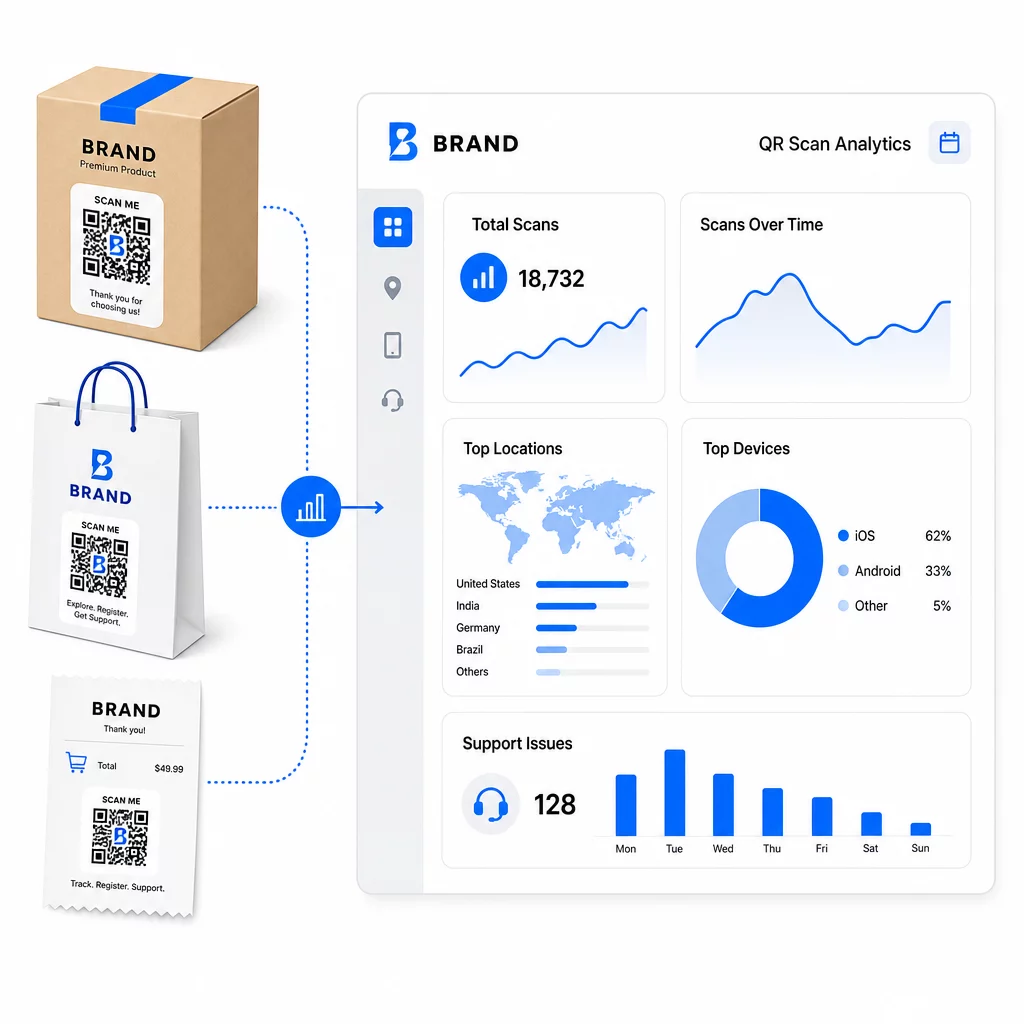
Održavajte veze za podršku ažurnima bez ponovnog tiskanja Koristite Pagelootov Generator QR kodova za stvaranje dinamičkih kodova za vaše pakiranje i umetke – ažurirajte odredišta bilo kada s vaše nadzorne ploče bez dodirivanja tiskanog materijala.
Personalizacija putem QR kodova
Jedna nedovoljno iskorištena mogućnost je isporuka sadržaja podrške prilagođenog određenom kupcu ili proizvodu. S dinamičkim QR kodovima, možete konfigurirati kodove za posluživanje različitog sadržaja na temelju:
- Vrsta proizvoda – QR kod na blenderu povezuje se s vodičem za postavljanje i jamstvom blendera, a ne s generičkom stranicom za podršku
- Povijest kupnje – Kupci koji se vraćaju mogu biti preusmjereni na centar za vjernost ili personaliziranu stranicu za ponovnu narudžbu
- Mjesto – Međunarodni kupci vide sadržaj specifičan za regiju ili lokalne upute za povrat
Ovaj pristup pretvara generičku točku kontakta za podršku u nešto što se čini dizajniranim za individualnog kupca – što izravno utječe na to hoće li se vratiti.
Korištenje analitike QR kodova za poboljšanje podrške
Podaci prikupljeni skeniranjem QR kodova nisu samo metrika taštine – to je izravan signal o tome gdje se kupci muče. Dobro strukturirana analitička postavka može vam reći:
- Koji proizvodi generiraju najviše skeniranja podrške (mogući problem s kvalitetom ili dokumentacijom)
- S kojim se dodirnim točkama kupci najviše angažiraju (pakiranje vs. e-pošta vs. račun)
- Kada u vremenskoj liniji nakon kupnje kupci traže pomoć (odmah nakon isporuke vs. tjednima kasnije)
- Geografski obrasci koji bi mogli ukazivati na regionalne probleme s ispunjenjem
Platforme koje nude Praćenje i analitika QR kodova daju vam povratnu informaciju u stvarnom vremenu koja bi inače zahtijevala ručne ankete kupaca ili analizu podrške putem tiketa. Dobro iskorišteni, ovi podaci omogućuju vam proaktivna poboljšanja umjesto reaktivnih.
Praktični savjeti za implementaciju
Prije uvođenja QR kodova za korisničku podršku, nekoliko smjernica spasit će vas od uobičajenih problema:
- Testirajte kodove prije masovnog ispisa. Skenirajte svaki kod na više uređaja i operativnih sustava kako biste potvrdili da se ispravno razrješava.
- Neka odredišne stranice budu optimizirane za mobilne uređaje. Kupci koji skeniraju QR kod koriste svoje telefone. Stranica koja se sporo učitava ili se ne prikazuje ispravno na mobilnom uređaju potkopat će cijelo iskustvo.
- Prilagodite veličinu kodova površini. Kodovi na malim naljepnicama proizvoda moraju biti dovoljno veliki za pouzdano skeniranje. Pregledajte najboljih praksi upotrebljivosti QR kodova za specifične smjernice o veličini temeljene na udaljenosti gledanja.
- Uključite kratak poziv na akciju blizu koda. “Skenirajte za vodič za postavljanje” ili “Skenirajte za pokretanje povrata” uklanja dvosmislenost i povećava stope skeniranja.
- Koristite brendirane, prepoznatljive dizajne. Kupci će vjerojatnije vjerovati i skenirati kod koji vizualno odgovara vašem brendu. Kodovi s logotipima i bojama brenda postižu bolje rezultate od generičkih crno-bijelih kvadrata.
- Koristite dinamičke kodove kad god se sadržaj može promijeniti. Ako postoji ikakva mogućnost da će odredišni URL trebati ažuriranje, počnite s dinamičkim kodom.
Prednosti i nedostaci na prvi pogled
| Faktor | Podrška za QR kod | Tradicionalna digitalna podrška |
|---|---|---|
| Brzina pristupa | Trenutno putem skeniranja | Zahtijeva navigaciju ili pretraživanje |
| Dostupnost 24/7 | Da | Različito |
| Personalizacija | Visoka (dinamički kodovi) | Umjereno |
| Održavanje | Niska (dinamička ažuriranja) | Umjereno |
| ANALITIKA | Ugrađeno | Zahtijeva zasebno postavljanje |
| Pristupačnost | Zahtijeva pametni telefon | Radi na svim uređajima |
| Ovisnost o ispisu | Zahtijeva fizičko postavljanje | Samo digitalno |
Glavno ograničenje je digitalni jaz: korisnici bez pametnih telefona ili pouzdanog pristupa internetu ne mogu koristiti podršku temeljenu na QR kodovima. Za te korisnike, poželjet ćete paralelni put podrške – telefonski broj ili ispisane upute – kako nitko ne bi ostao bez pomoći.
Sigurnost je također vrijedna razmatranja. Koristite HTTPS veze, održavajte dosljedan dizajn brenda i razmislite o tome da unaprijed obavijestite korisnike (putem teksta na pakiranju ili e-pošte za narudžbu) kamo vode vaši QR kodovi i koji se podaci prikupljaju. Transparentnost gradi povjerenje koje potiče korisnike na skeniranje.
Spajanje svega
QR kodovi najbolje funkcioniraju za korisničku podršku kada su postavljeni u trenucima kada korisnicima najviše treba pomoć – raspakiranje, praćenje pošiljke ili pokretanje povrata – i kada vode do resursa koji su istinski korisni, a ne samo do početne stranice. Dinamički kodovi čine to održivim: možete ažurirati sadržaj podrške bez ponovnog ispisa, a analitika izravno doprinosi vašem razumijevanju gdje se korisničko iskustvo prekida.
The studije slučaja QR kodova u e-trgovini pokazuju mjerljive rezultate kada je implementacija promišljena. Započnite s jednom ili dvije dodirne točke s visokim trenjem – povrati i praćenje narudžbi su dobri kandidati – i proširite se odatle kako učite što korisnici zapravo skeniraju.
Počnite izrađivati svoje QR kodove za podršku Pagelootov Generator QR kodova omogućuje vam stvaranje dinamičkih, brendiranih kodova za svaku fazu putovanja nakon kupnje – pratite skeniranja, ažurirajte odredišta i pružite bolje iskustvo podrške bez ponovnog ispisa.
Često postavljana pitanja
Najefikasnije primjene su poveznice na stranice za praćenje narudžbi, obrasce za pokretanje povrata, vodiče za rješavanje problema specifičnih za proizvod, videozapise za postavljanje, registraciju jamstva i chat uživo. Sadržaj koji korisnici trebaju brzo i na mobilnom uređaju prirodno se uklapa. PDF priručnici, Google obrasci za povratne informacije i stranice za izravan kontakt s podrškom također dobro funkcioniraju kada su povezani putem PDF QR koda ili koda temeljenog na poveznici.
Koristite dinamičke QR kodove, koji vam omogućuju promjenu odredišnog URL-a s nadzorne ploče bez mijenjanja samog ispisanog koda. To znači da možete ažurirati pravila povrata, zamijeniti vodiče za rješavanje problema ili preusmjeriti kupce na novi portal za podršku u bilo kojem trenutku – bez ponovnog ispisa ambalaže, umetaka ili naljepnica.
Analitika QR kodova prikazuje vam volumen skeniranja, vrijeme skeniranja, geografsku lokaciju i vrstu uređaja za svaki kod. Ako vidite visoke stope skeniranja na određenom vodiču za rješavanje problema, to je signal ponavljajućeg problema s proizvodom. Niske stope skeniranja na kodu za povrat mogu značiti loše postavljanje ili nejasne upute oko koda. Koristite ove podatke za poboljšanje i postavljanja i odredišnog sadržaja tijekom vremena.