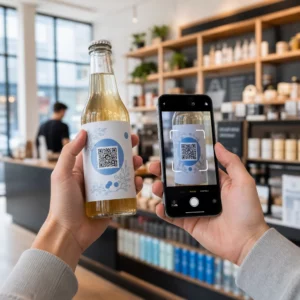
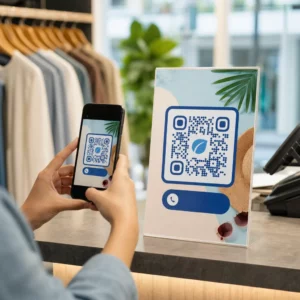
Are your customers struggling to find help after a purchase? Poor post-purchase support is one of the fastest ways to lose a repeat buyer – and 52% of consumers say poor service is the primary reason they won’t buy again. This guide explains practical ways to use QR codes to make support, returns, and order tracking faster and easier for your customers.
Why Post-Purchase Support Matters More Than Ever
Customer expectations have shifted. Fast shipping, real-time tracking, and frictionless returns are no longer perks – they’re baseline requirements. Consider what’s at stake:
- 88% of customers are more likely to make another purchase after a great service experience
- 70% of shoppers say an easy, transparent return process increases their loyalty to an ecommerce retailer
- 73% of consumers want to track their orders throughout delivery, and when tracking is available, 96% of them use it
The challenge for most ecommerce brands is that support touchpoints are scattered: customers have to hunt for contact pages, navigate return portals, or dig through email confirmations to find order details. QR codes solve this by bringing support directly to where customers already are – on the package in their hands, the receipt in their inbox, or the label on the product.
Where to Place QR Codes in the Post-Purchase Journey
The most effective QR code strategy maps each code to a specific moment in the customer experience. Here are the highest-impact placements:
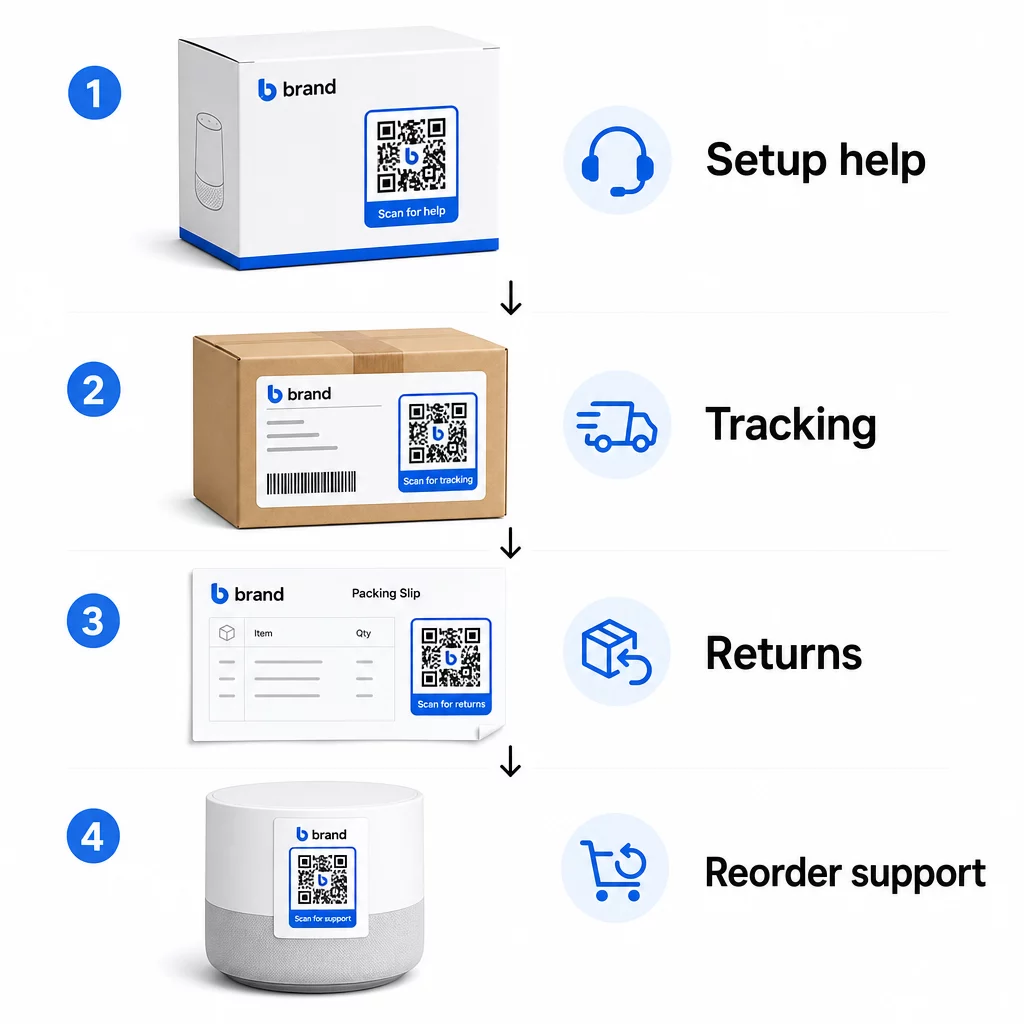
Product packaging. A QR code on the box or label gives customers immediate access to setup guides, warranty details, and troubleshooting help right at unboxing. For durable goods like appliances or tools, adding a QR code to product packaging can also link to how-to videos, product registration, or replacement part guides – useful months after purchase.
Shipping labels and tracking pages. 88% of online shoppers say real-time delivery tracking is critical for a positive experience, and 43% check their tracked orders every day until delivery. A QR code on the shipping label that links directly to a live tracking page removes the friction of logging into accounts or searching for confirmation emails.
Order confirmation and shipping notification emails. These are emails customers actually open. Embedding a QR code that links to an order-specific support hub – with tracking, FAQs, and return instructions – keeps everything in one scan.
Receipts and packing slips. A QR code on the packing slip can link to a returns portal, a feedback form, or a product review page. This is a low-effort, high-value placement that turns a document customers already read into a support gateway.
Product labels. For consumables or items used repeatedly, a QR code on the label provides ongoing access to updated instructions, safety information, or reorder links long after the original purchase.
Make Your Support Touchpoints Trackable Use el Generador de códigos QR de enlace to create scannable codes for packaging, emails, and shipping materials – then track exactly which support resources customers are using.
Key Support Use Cases for Ecommerce
QR codes are flexible enough to serve several distinct support functions. The most common ones worth building into your workflow:
Self-service troubleshooting. Link QR codes to product-specific FAQ pages or video tutorials. Customers get 24/7 help without waiting for a support agent, and you reduce inbound ticket volume.
Returns and exchanges. Retailers estimate 15.8% of total annual sales will be returned in 2025 – nearly $850 billion. Simplifying the initiation process matters. A QR code that opens a pre-filled returns form, generates a shipping label, or provides step-by-step instructions removes the biggest friction point in the return experience. Brands like IKEA have already moved to QR-based return workflows, sending codes by email or SMS once a return is registered.
Live chat and direct contact. Instead of requiring customers to find a chat widget on your website, a QR code on packaging or a receipt can open a chat window pre-loaded with the customer’s order details – speeding up resolution time on both sides.
Warranty registration and product registration. A QR code on the packaging that links directly to a registration form reduces the steps between purchase and registration, which improves both completion rates and your ability to follow up with relevant support.
Feedback and reviews. UNA customer feedback QR code placed on receipts, packaging, or follow-up emails makes it easy for customers to share their experience. A código QR de Google Review sends them directly to your review page in a single scan. Collecting this feedback proactively also helps you catch product or fulfillment issues before they compound.
Multi-language support. Dynamic QR codes can detect a customer’s location and serve content in the appropriate language – useful for international sellers who need to support diverse audiences without creating separate printed materials for each region.
Collect Feedback Without Extra Friction Use el Generador de códigos QR para formularios de Google to build a scannable feedback link for post-purchase emails or packing slips and start collecting actionable insights from every order.
Why Dynamic QR Codes Are the Right Choice for Support
UNA código QR dinámico is one where the destination URL can be edited after the code has already been printed – without changing the code itself. For customer support, this distinction matters more than it might seem.
Support resources change regularly. Return policies get updated, troubleshooting guides get revised, and contact methods change. With a static QR code, any update means reprinting all your packaging, inserts, or labels. With a dynamic code, you update the destination in your dashboard and every existing code instantly reflects the change.
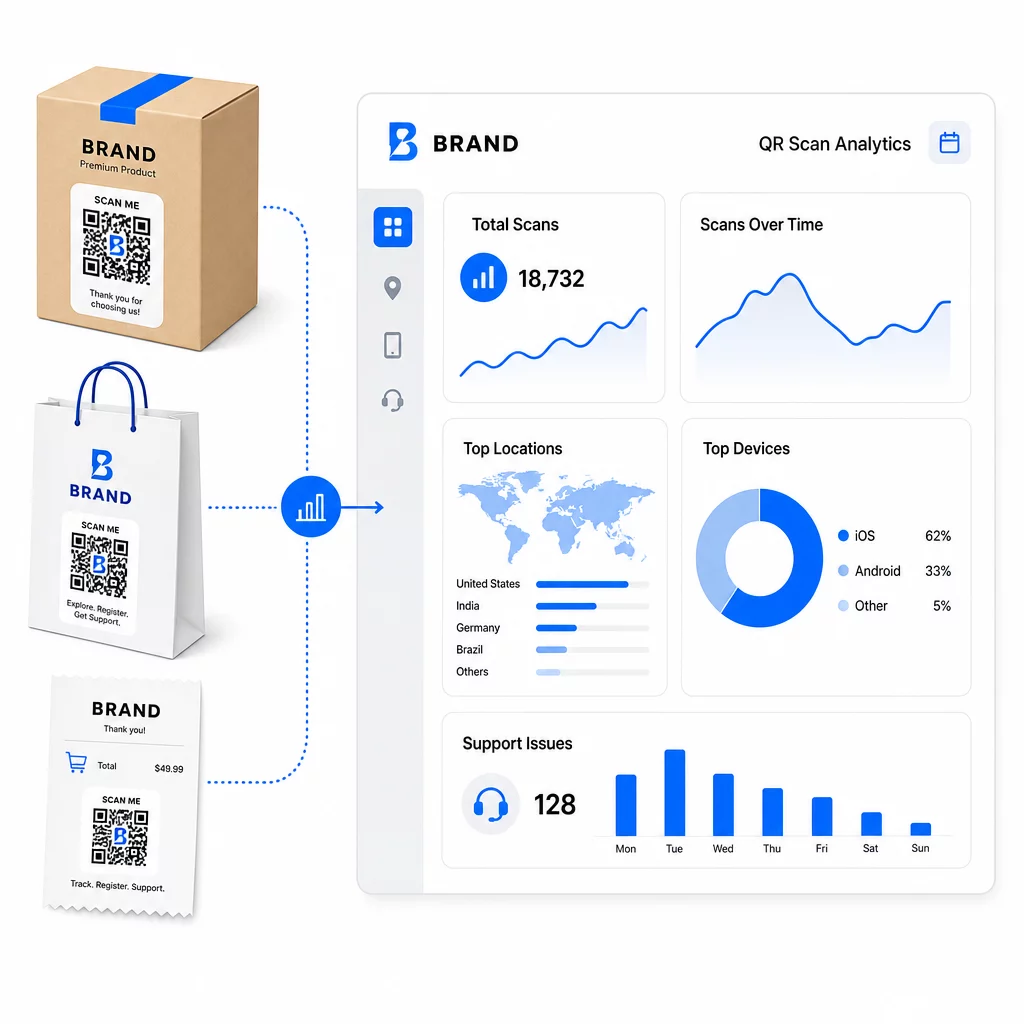
Dynamic QR codes also enable analytics. You can track how many times a code has been scanned, from which locations, on which device types, and at what times. This data reveals which support resources customers actually use – and which touchpoints generate the most requests. For example, a spike in scans on a troubleshooting guide might indicate a recurring product issue worth addressing upstream. You can explore how QR codes improve ecommerce deliveries and support to see how other brands are applying this approach.
Keep Support Links Up to Date Without Reprinting Utilice el de Pageloot Generador de códigos QR to create dynamic codes for your packaging and inserts – update destinations anytime from your dashboard without touching the printed material.
Personalization Through QR Codes
One underused capability is delivering support content that’s tailored to the specific customer or product. With dynamic QR codes, you can configure codes to serve different content based on:
- Product type – A QR code on a blender links to the blender’s setup guide and warranty, not a generic support page
- Purchase history – Returning customers can be routed to a loyalty hub or personalized reorder page
- Ubicación – International customers see region-specific content or local return instructions
This approach turns a generic support touchpoint into something that feels designed for the individual customer – which directly affects whether they come back.
Using QR Code Analytics to Improve Support
The data collected from QR code scans isn’t just a vanity metric – it’s a direct signal about where customers are struggling. A well-structured analytics setup can tell you:
- Which products generate the most support scans (possible quality or documentation issue)
- Which touchpoints customers engage with most (packaging vs. email vs. receipt)
- When in the post-purchase timeline customers seek help (immediately after delivery vs. weeks later)
- Geographic patterns that might indicate regional fulfillment issues
Platforms that offer seguimiento y análisis de códigos QR give you a real-time feedback loop that would otherwise require manual customer surveys or support ticket analysis. Used well, this data lets you make proactive improvements rather than reactive ones.
Practical Tips for Implementation
Before rolling out QR codes for customer support, a few guidelines will save you from common problems:
- Test codes before printing at scale. Scan every code on multiple devices and operating systems to confirm it resolves correctly.
- Keep landing pages mobile-optimized. Customers scanning a QR code are on their phones. A page that loads slowly or doesn’t display correctly on mobile will undermine the entire experience.
- Size codes appropriately for the surface. Codes on small product labels need to be large enough to scan reliably. Review las mejores prácticas de usabilidad de códigos QR for specific sizing guidance based on viewing distance.
- Include a brief call to action near the code. “Scan for setup guide” or “Scan to start a return” removes ambiguity and increases scan rates.
- Use branded, recognizable designs. Customers are more likely to trust and scan a code that visually matches your brand. Codes with logos and brand colors perform better than generic black-and-white squares.
- Use dynamic codes whenever content might change. If there’s any chance the destination URL will need updating, start with a dynamic code.
Pros y Contras de un Vistazo
| Factor | QR Code Support | Traditional Digital Support |
|---|---|---|
| Access speed | Instant via scan | Requires navigation or search |
| 24/7 availability | Sí | Varía |
| Personalización | High (dynamic codes) | Moderado |
| Mantenimiento | Low (dynamic updates) | Moderado |
| Analítica | Built-in | Requires separate setup |
| Accesibilidad | Requires smartphone | Works across devices |
| Print dependency | Needs physical placement | Digital-only |
The main limitation is the digital divide: customers without smartphones or reliable internet access can’t use QR-based support. For those customers, you’ll want a parallel support path – a phone number or printed instructions – so no one is left without help.
Security is also worth addressing. Use HTTPS links, keep branded designs consistent, and consider telling customers in advance (via packaging copy or order emails) where your QR codes lead and what data is collected. Transparency builds the trust that makes customers willing to scan.
Bringing It Together
QR codes work best for customer support when they’re placed at the moments customers most need help – unboxing, tracking a shipment, or starting a return – and when they link to resources that are genuinely useful rather than just a homepage. Dynamic codes make it sustainable: you can update support content without reprinting anything, and the analytics feed directly into your understanding of where the customer experience breaks down.
El case studies of QR codes in ecommerce show measurable results when the implementation is deliberate. Start with one or two high-friction touchpoints – returns and order tracking are good candidates – and expand from there as you learn what customers actually scan.
Start Building Your Support QR Codes De Pageloot Generador de códigos QR lets you create dynamic, branded codes for every stage of the post-purchase journey – track scans, update destinations, and deliver a better support experience without reprinting.
Preguntas Frecuentes
The most effective uses are links to order tracking pages, return initiation forms, product-specific troubleshooting guides, setup videos, warranty registration, and live chat. Content that customers need quickly and on a mobile device is a natural fit. PDF manuals, Google Forms for feedback, and direct support contact pages also work well when linked through a PDF QR code or a link-based code.
Use dynamic QR codes, which let you change the destination URL from a dashboard without altering the printed code itself. This means you can update return policies, swap out troubleshooting guides, or redirect customers to a new support portal at any time – without reprinting packaging, inserts, or labels.
QR code analytics show you scan volume, scan timing, geographic location, and device type for each code. If you see high scan rates on a specific troubleshooting guide, that’s a signal of a recurring product issue. Low scan rates on a returns code might mean poor placement or unclear instructions around the code. Use this data to refine both the placement and the destination content over time.