Apakah pelanggan Anda kesulitan mencari bantuan setelah pembelian? Dukungan pasca-pembelian yang buruk adalah salah satu cara tercepat untuk kehilangan pembeli berulang – dan 52% konsumen mengatakan layanan yang buruk adalah alasan utama mereka tidak akan membeli lagi. Panduan ini menjelaskan cara-cara praktis menggunakan kode QR untuk membuat dukungan, pengembalian, dan pelacakan pesanan lebih cepat dan mudah bagi pelanggan Anda.
Mengapa Dukungan Pasca-Pembelian Lebih Penting dari Sebelumnya
Ekspektasi pelanggan telah bergeser. Pengiriman cepat, pelacakan waktu nyata, dan pengembalian tanpa hambatan bukan lagi keuntungan – melainkan persyaratan dasar. Pertimbangkan apa yang dipertaruhkan:
- 88% pelanggan lebih mungkin melakukan pembelian lain setelah pengalaman layanan yang luar biasa
- 70% pembeli mengatakan proses pengembalian yang mudah dan transparan meningkatkan loyalitas mereka terhadap pengecer e-commerce
- 73% konsumen ingin melacak pesanan mereka selama pengiriman, dan ketika pelacakan tersedia, 96% dari mereka menggunakannya
Tantangan bagi sebagian besar merek e-commerce adalah titik kontak dukungan tersebar: pelanggan harus mencari halaman kontak, menavigasi portal pengembalian, atau menggali konfirmasi email untuk menemukan detail pesanan. Kode QR memecahkan masalah ini dengan membawa dukungan langsung ke tempat pelanggan berada – pada paket di tangan mereka, tanda terima di kotak masuk mereka, atau label pada produk.
Di Mana Menempatkan Kode QR dalam Perjalanan Pasca-Pembelian
Strategi kode QR yang paling efektif memetakan setiap kode ke momen tertentu dalam pengalaman pelanggan. Berikut adalah penempatan dengan dampak tertinggi:
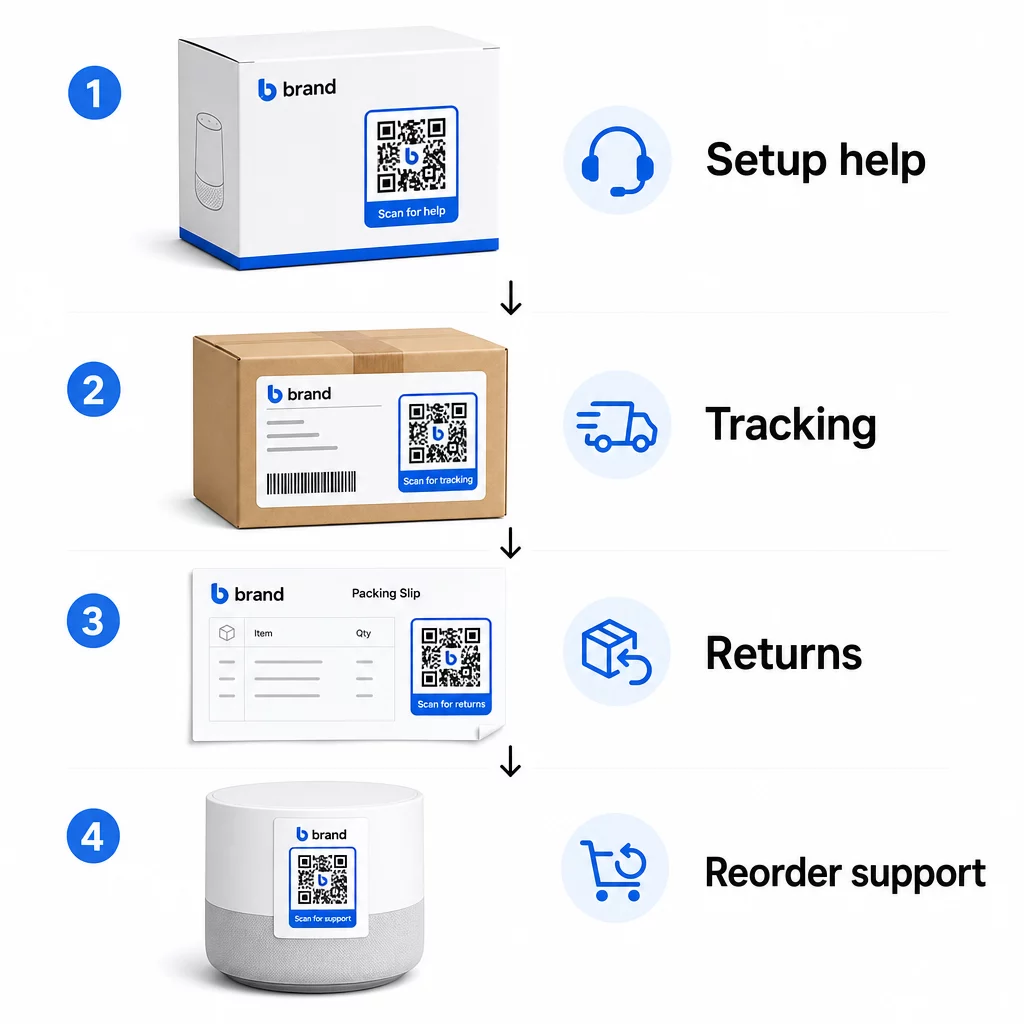
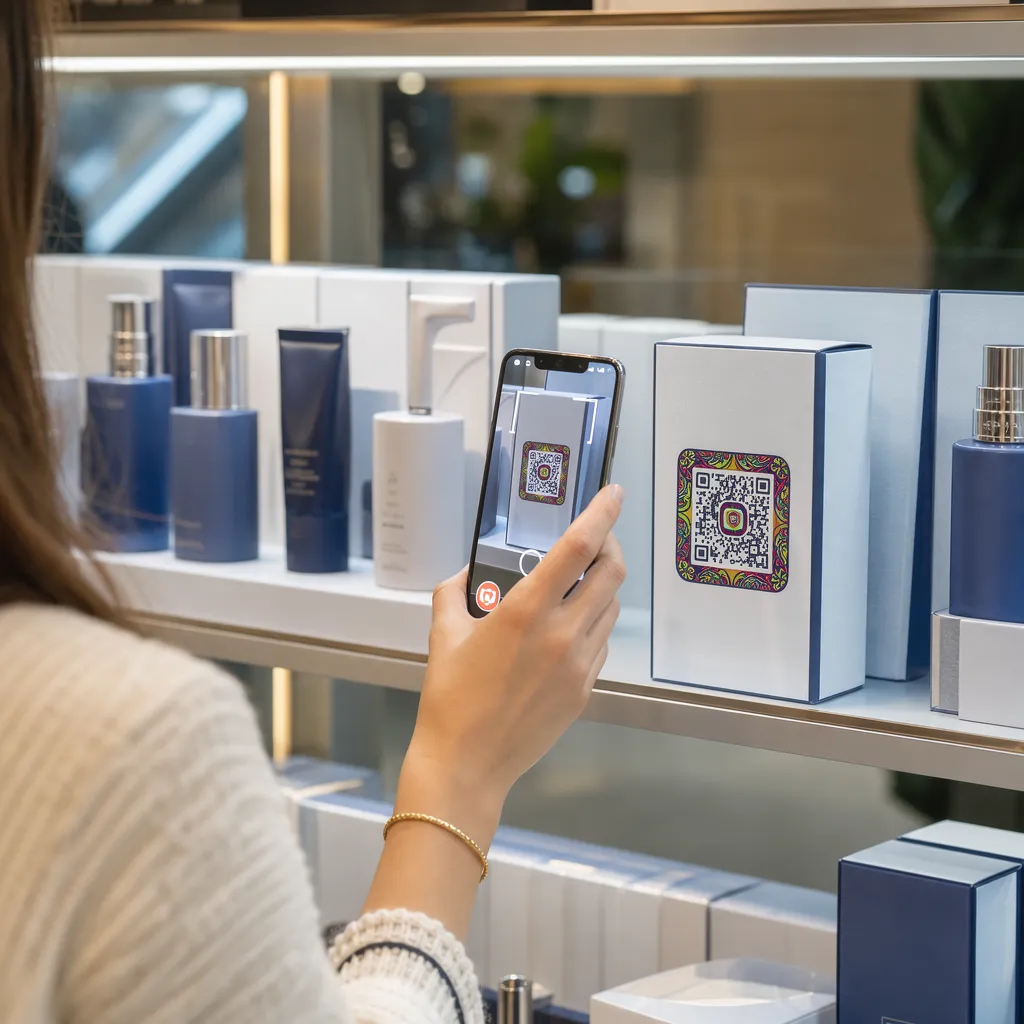
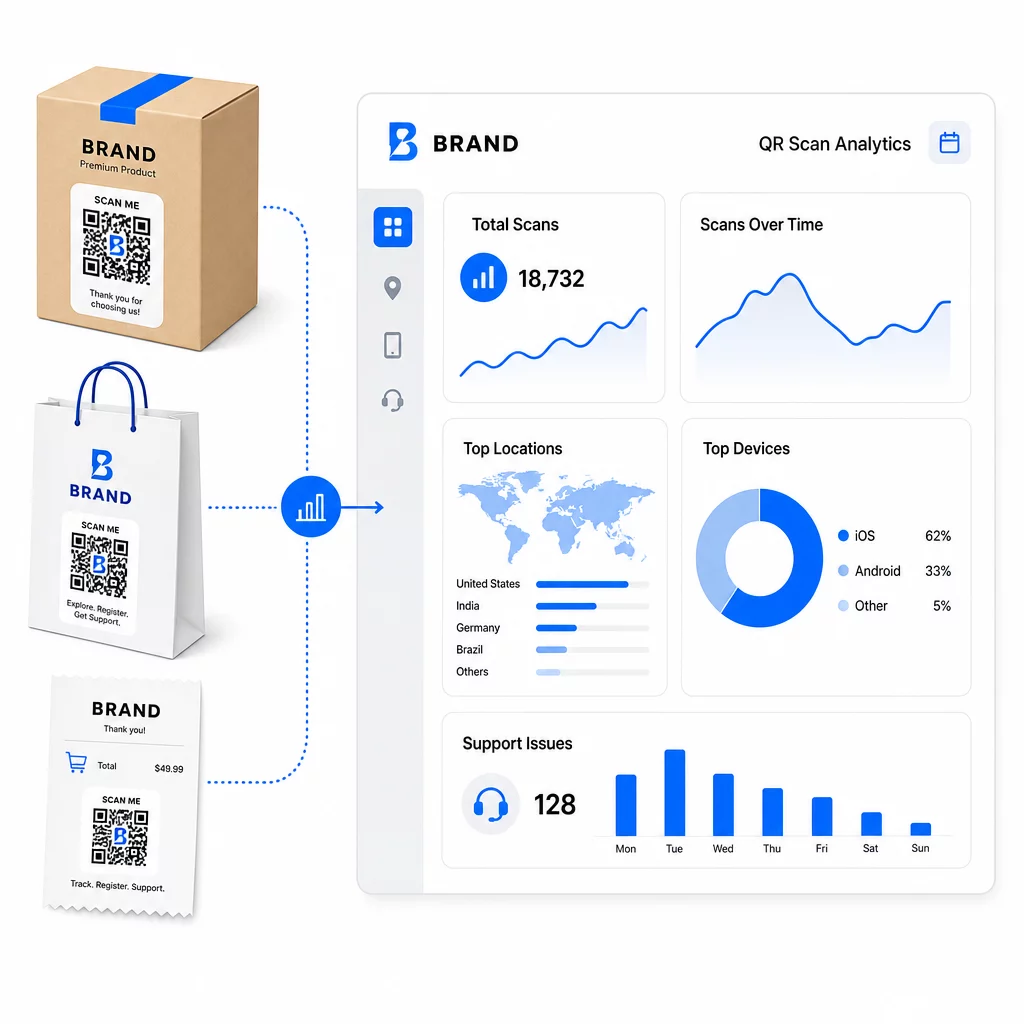
Kemasan produk. Kode QR pada kotak atau label memberikan pelanggan akses langsung ke panduan pengaturan, detail garansi, dan bantuan pemecahan masalah tepat saat unboxing. Untuk barang tahan lama seperti peralatan rumah tangga atau perkakas, menambahkan kode QR ke kemasan produk juga dapat menautkan ke video cara penggunaan, pendaftaran produk, atau panduan suku cadang pengganti – berguna berbulan-bulan setelah pembelian.
Label pengiriman dan halaman pelacakan. 88% pembeli online mengatakan pelacakan pengiriman waktu nyata sangat penting untuk pengalaman positif, dan 43% memeriksa pesanan yang mereka lacak setiap hari hingga pengiriman. Kode QR pada label pengiriman yang menautkan langsung ke halaman pelacakan langsung menghilangkan gesekan masuk ke akun atau mencari email konfirmasi.
Konfirmasi pesanan dan email notifikasi pengiriman. Ini adalah email yang benar-benar dibuka pelanggan. Menyematkan kode QR yang terhubung ke pusat dukungan khusus pesanan – dengan pelacakan, FAQ, dan instruksi pengembalian – menjaga semuanya dalam satu pemindaian.
Resi dan slip pengepakan. Kode QR pada slip pengepakan dapat terhubung ke portal pengembalian, formulir umpan balik, atau halaman ulasan produk. Ini adalah penempatan dengan upaya rendah, nilai tinggi yang mengubah dokumen yang sudah dibaca pelanggan menjadi gerbang dukungan.
Label produk. Untuk barang habis pakai atau barang yang digunakan berulang kali, kode QR pada label menyediakan akses berkelanjutan ke instruksi terbaru, informasi keselamatan, atau tautan pemesanan ulang jauh setelah pembelian awal.
Jadikan Titik Kontak Dukungan Anda Dapat Dilacak Menggunakan Generator Kode QR Tautan untuk membuat kode yang dapat dipindai untuk kemasan, email, dan bahan pengiriman – lalu melacak dengan tepat sumber daya dukungan mana yang digunakan pelanggan.
Kasus Penggunaan Dukungan Utama untuk E-commerce
Kode QR cukup fleksibel untuk melayani beberapa fungsi dukungan yang berbeda. Yang paling umum yang layak dibangun ke dalam alur kerja Anda:
Pemecahan masalah swalayan. Tautkan kode QR ke halaman FAQ khusus produk atau tutorial video. Pelanggan mendapatkan bantuan 24/7 tanpa menunggu agen dukungan, dan Anda mengurangi volume tiket masuk.
Pengembalian dan penukaran. Peritel memperkirakan 15,8% dari total penjualan tahunan akan dikembalikan pada tahun 2025 – hampir $850 miliar. Menyederhanakan proses inisiasi itu penting. Kode QR yang membuka formulir pengembalian yang sudah terisi, menghasilkan label pengiriman, atau memberikan instruksi langkah demi langkah menghilangkan titik gesekan terbesar dalam pengalaman pengembalian. Merek seperti IKEA telah beralih ke alur kerja pengembalian berbasis QR, mengirimkan kode melalui email atau SMS setelah pengembalian didaftarkan.
Obrolan langsung dan kontak langsung. Alih-alih mengharuskan pelanggan untuk menemukan widget obrolan di situs web Anda, kode QR pada kemasan atau resi dapat membuka jendela obrolan yang sudah dimuat dengan detail pesanan pelanggan – mempercepat waktu penyelesaian di kedua belah pihak.
Pendaftaran garansi dan pendaftaran produk. Kode QR pada kemasan yang terhubung langsung ke formulir pendaftaran mengurangi langkah-langkah antara pembelian dan pendaftaran, yang meningkatkan tingkat penyelesaian dan kemampuan Anda untuk menindaklanjuti dengan dukungan yang relevan.
Umpan balik dan ulasan. SEBUAH kode QR umpan balik pelanggan yang ditempatkan pada struk, kemasan, atau email tindak lanjut memudahkan pelanggan untuk berbagi pengalaman mereka. Sebuah QR code Google review mengirim mereka langsung ke halaman ulasan Anda dalam satu pemindaian. Mengumpulkan umpan balik ini secara proaktif juga membantu Anda menangkap masalah produk atau pemenuhan sebelum masalah tersebut memburuk.
Dukungan multi-bahasa. Kode QR dinamis dapat mendeteksi lokasi pelanggan dan menyajikan konten dalam bahasa yang sesuai – berguna bagi penjual internasional yang perlu mendukung audiens yang beragam tanpa membuat materi cetak terpisah untuk setiap wilayah.
Kumpulkan Umpan Balik Tanpa Gesekan Tambahan Menggunakan Ubah Link Google Form ke QR Code untuk membangun tautan umpan balik yang dapat dipindai untuk email pasca-pembelian atau slip pengepakan dan mulai mengumpulkan wawasan yang dapat ditindaklanjuti dari setiap pesanan.
Mengapa Kode QR Dinamis Adalah Pilihan Tepat untuk Dukungan
SEBUAH kode QR dinamis adalah salah satu di mana URL tujuan dapat diedit setelah kode dicetak – tanpa mengubah kode itu sendiri. Untuk dukungan pelanggan, perbedaan ini lebih penting daripada yang terlihat.
Sumber daya dukungan berubah secara teratur. Kebijakan pengembalian diperbarui, panduan pemecahan masalah direvisi, dan metode kontak berubah. Dengan kode QR statis, setiap pembaruan berarti mencetak ulang semua kemasan, sisipan, atau label Anda. Dengan kode dinamis, Anda memperbarui tujuan di dasbor Anda dan setiap kode yang ada langsung mencerminkan perubahan.
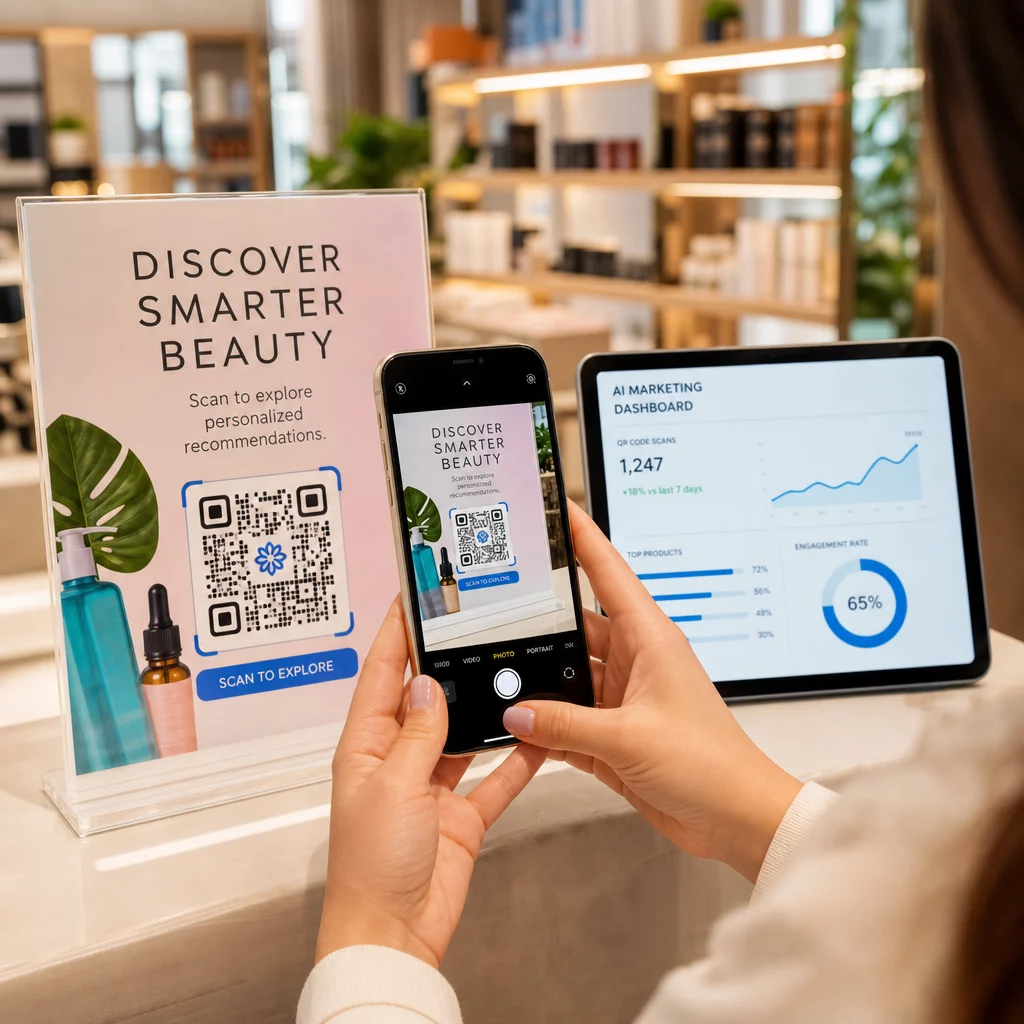
Kode QR dinamis juga memungkinkan analitik. Anda dapat melacak berapa kali kode telah dipindai, dari lokasi mana, pada jenis perangkat apa, dan pada waktu apa. Data ini mengungkapkan sumber daya dukungan mana yang sebenarnya digunakan pelanggan – dan titik kontak mana yang menghasilkan permintaan terbanyak. Misalnya, lonjakan pemindaian pada panduan pemecahan masalah mungkin menunjukkan masalah produk berulang yang perlu ditangani di hulu. Anda dapat menjelajahi bagaimana kode QR meningkatkan pengiriman dan dukungan e-commerce untuk melihat bagaimana merek lain menerapkan pendekatan ini.
Pertahankan Tautan Dukungan Tetap Terkini Tanpa Mencetak Ulang Gunakan Pageloot Generator Kode QR untuk membuat kode dinamis untuk kemasan dan sisipan Anda – perbarui tujuan kapan saja dari dasbor Anda tanpa menyentuh materi cetak.
Personalisasi Melalui Kode QR
Salah satu kemampuan yang kurang dimanfaatkan adalah memberikan konten dukungan yang disesuaikan dengan pelanggan atau produk tertentu. Dengan kode QR dinamis, Anda dapat mengonfigurasi kode untuk menyajikan konten yang berbeda berdasarkan:
- Jenis produk – Kode QR pada blender terhubung ke panduan pengaturan dan garansi blender, bukan halaman dukungan umum
- Riwayat pembelian – Pelanggan yang kembali dapat diarahkan ke pusat loyalitas atau halaman pemesanan ulang yang dipersonalisasi
- Lokasi – Pelanggan internasional melihat konten khusus wilayah atau instruksi pengembalian lokal
Pendekatan ini mengubah titik kontak dukungan umum menjadi sesuatu yang terasa dirancang untuk pelanggan individu – yang secara langsung memengaruhi apakah mereka akan kembali.
Menggunakan Analitik Kode QR untuk Meningkatkan Dukungan
Data yang dikumpulkan dari pemindaian kode QR bukan hanya metrik kesombongan – itu adalah sinyal langsung tentang di mana pelanggan mengalami kesulitan. Pengaturan analitik yang terstruktur dengan baik dapat memberi tahu Anda:
- Produk mana yang menghasilkan pemindaian dukungan terbanyak (kemungkinan masalah kualitas atau dokumentasi)
- Titik kontak mana yang paling sering digunakan pelanggan (kemasan vs. email vs. struk)
- Kapan dalam linimasa pasca-pembelian pelanggan mencari bantuan (segera setelah pengiriman vs. beberapa minggu kemudian)
- Pola geografis yang mungkin menunjukkan masalah pemenuhan regional
Platform yang menawarkan pelacakan dan analitik kode QR memberi Anda umpan balik waktu nyata yang jika tidak akan memerlukan survei pelanggan manual atau analisis tiket dukungan. Digunakan dengan baik, data ini memungkinkan Anda membuat peningkatan proaktif daripada reaktif.
Tips Praktis untuk Implementasi
Sebelum meluncurkan kode QR untuk dukungan pelanggan, beberapa panduan akan menyelamatkan Anda dari masalah umum:
- Uji kode sebelum mencetak dalam skala besar. Pindai setiap kode di beberapa perangkat dan sistem operasi untuk memastikan kode tersebut berfungsi dengan benar.
- Jaga agar halaman arahan dioptimalkan untuk seluler. Pelanggan yang memindai kode QR menggunakan ponsel mereka. Halaman yang memuat lambat atau tidak ditampilkan dengan benar di seluler akan merusak seluruh pengalaman.
- Sesuaikan ukuran kode dengan permukaan. Kode pada label produk kecil harus cukup besar agar dapat dipindai dengan andal. Tinjau praktik terbaik kegunaan kode QR untuk panduan ukuran spesifik berdasarkan jarak pandang.
- Sertakan ajakan bertindak singkat di dekat kode. “Pindai untuk panduan pengaturan” atau “Pindai untuk memulai pengembalian” menghilangkan ambiguitas dan meningkatkan tingkat pemindaian.
- Gunakan desain bermerek yang mudah dikenali. Pelanggan lebih cenderung memercayai dan memindai kode yang secara visual sesuai dengan merek Anda. Kode dengan logo dan warna merek berkinerja lebih baik daripada kotak hitam-putih generik.
- Gunakan kode dinamis setiap kali konten mungkin berubah. Jika ada kemungkinan URL tujuan perlu diperbarui, mulailah dengan kode dinamis.
Kelebihan dan Kekurangan Sekilas
| Faktor | Dukungan Kode QR | Dukungan Digital Tradisional |
|---|---|---|
| Kecepatan akses | Instan melalui pemindaian | Membutuhkan navigasi atau pencarian |
| Ketersediaan 24/7 | Ya. | Bervariasi |
| Personalisasi | Tinggi (kode dinamis) | Sedang |
| Pemeliharaan | Rendah (pembaruan dinamis) | Sedang |
| ANALITIK | Bawaan | Membutuhkan pengaturan terpisah |
| Aksesibilitas | Membutuhkan ponsel pintar | Berfungsi di berbagai perangkat |
| Ketergantungan cetak | Membutuhkan penempatan fisik | Hanya digital |
Keterbatasan utamanya adalah kesenjangan digital: pelanggan tanpa ponsel pintar atau akses internet yang andal tidak dapat menggunakan dukungan berbasis QR. Untuk pelanggan tersebut, Anda akan menginginkan jalur dukungan paralel – nomor telepon atau instruksi tercetak – agar tidak ada yang tidak mendapatkan bantuan.
Keamanan juga patut diperhatikan. Gunakan tautan HTTPS, jaga konsistensi desain merek, dan pertimbangkan untuk memberi tahu pelanggan sebelumnya (melalui teks kemasan atau email pesanan) ke mana kode QR Anda mengarah dan data apa yang dikumpulkan. Transparansi membangun kepercayaan yang membuat pelanggan bersedia memindai.
Menggabungkan Semuanya
Kode QR berfungsi paling baik untuk dukungan pelanggan ketika ditempatkan pada saat pelanggan paling membutuhkan bantuan – membuka kemasan, melacak pengiriman, atau memulai pengembalian – dan ketika mereka menautkan ke sumber daya yang benar-benar berguna daripada hanya halaman beranda. Kode dinamis membuatnya berkelanjutan: Anda dapat memperbarui konten dukungan tanpa mencetak ulang apa pun, dan analitik langsung masuk ke pemahaman Anda tentang di mana pengalaman pelanggan terganggu.
Itu studi kasus kode QR dalam e-commerce menunjukkan hasil yang terukur ketika implementasinya disengaja. Mulailah dengan satu atau dua titik sentuh dengan gesekan tinggi – pengembalian dan pelacakan pesanan adalah kandidat yang baik – dan kembangkan dari sana saat Anda mempelajari apa yang sebenarnya dipindai pelanggan.
Mulai Bangun Kode QR Dukungan Anda Pageloot Generator Kode QR memungkinkan Anda membuat kode dinamis bermerek untuk setiap tahap perjalanan pasca-pembelian – melacak pemindaian, memperbarui tujuan, dan memberikan pengalaman dukungan yang lebih baik tanpa mencetak ulang.
Pertanyaan yang sering diajukan
Penggunaan yang paling efektif adalah tautan ke halaman pelacakan pesanan, formulir pengajuan pengembalian, panduan pemecahan masalah khusus produk, video pengaturan, pendaftaran garansi, dan obrolan langsung. Konten yang dibutuhkan pelanggan dengan cepat dan di perangkat seluler sangat cocok. Manual PDF, Google Forms untuk umpan balik, dan halaman kontak dukungan langsung juga berfungsi dengan baik ketika ditautkan melalui kode QR PDF atau kode berbasis tautan.
Gunakan kode QR dinamis, yang memungkinkan Anda mengubah URL tujuan dari dasbor tanpa mengubah kode yang dicetak itu sendiri. Ini berarti Anda dapat memperbarui kebijakan pengembalian, mengganti panduan pemecahan masalah, atau mengarahkan pelanggan ke portal dukungan baru kapan saja – tanpa mencetak ulang kemasan, sisipan, atau label.
Analitik kode QR menunjukkan volume pemindaian, waktu pemindaian, lokasi geografis, dan jenis perangkat untuk setiap kode. Jika Anda melihat tingkat pemindaian yang tinggi pada panduan pemecahan masalah tertentu, itu adalah sinyal masalah produk yang berulang. Tingkat pemindaian yang rendah pada kode pengembalian mungkin berarti penempatan yang buruk atau instruksi yang tidak jelas di sekitar kode. Gunakan data ini untuk menyempurnakan penempatan dan konten tujuan seiring waktu.