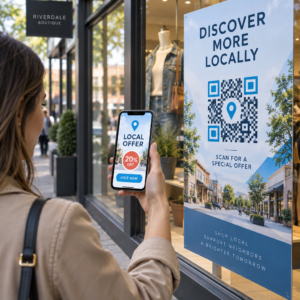
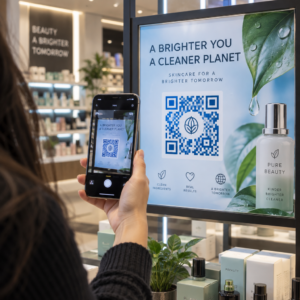
Onko asiakkaillasi vaikeuksia löytää apua ostoksen jälkeen? Huono ostoksen jälkeinen tuki on yksi nopeimmista tavoista menettää kanta-asiakas – ja 52 % kuluttajista sanoo huonon palvelun olevan ensisijainen syy, miksi he eivät osta uudelleen. Tämä opas selittää käytännöllisiä tapoja käyttää QR-koodeja, jotta tuki, palautukset ja tilausten seuranta olisivat nopeampia ja helpompia asiakkaillesi.
Miksi ostoksen jälkeinen tuki on tärkeämpää kuin koskaan
Asiakkaiden odotukset ovat muuttuneet. Nopea toimitus, reaaliaikainen seuranta ja kitkattomat palautukset eivät ole enää etuja – ne ovat perusvaatimuksia. Harkitse, mitä on vaakalaudalla:
- 88 % asiakkaista tekee todennäköisemmin uuden ostoksen erinomaisen palvelukokemuksen jälkeen
- 70 % ostajista sanoo, että helppo ja läpinäkyvä palautusprosessi lisää heidän uskollisuuttaan verkkokauppiaalle
- 73 % kuluttajista haluaa seurata tilauksiaan koko toimituksen ajan, ja kun seuranta on saatavilla, 96 % heistä käyttää sitä
Useimpien verkkokauppabrändien haasteena on, että tukipisteet ovat hajallaan: asiakkaiden on etsittävä yhteystietosivuja, navigoitava palautusportaaleissa tai kaivettava sähköpostivahvistuksia löytääkseen tilaustiedot. QR-koodit ratkaisevat tämän tuomalla tuen suoraan sinne, missä asiakkaat jo ovat – heidän käsissään olevassa paketissa, heidän sähköpostissaan olevassa kuitissa tai tuotteen etiketissä.
Mihin QR-koodit sijoitetaan ostoksen jälkeisellä matkalla
Tehokkain QR-koodistrategia yhdistää jokaisen koodin tiettyyn hetkeen asiakaskokemuksessa. Tässä ovat vaikuttavimmat sijoituspaikat:
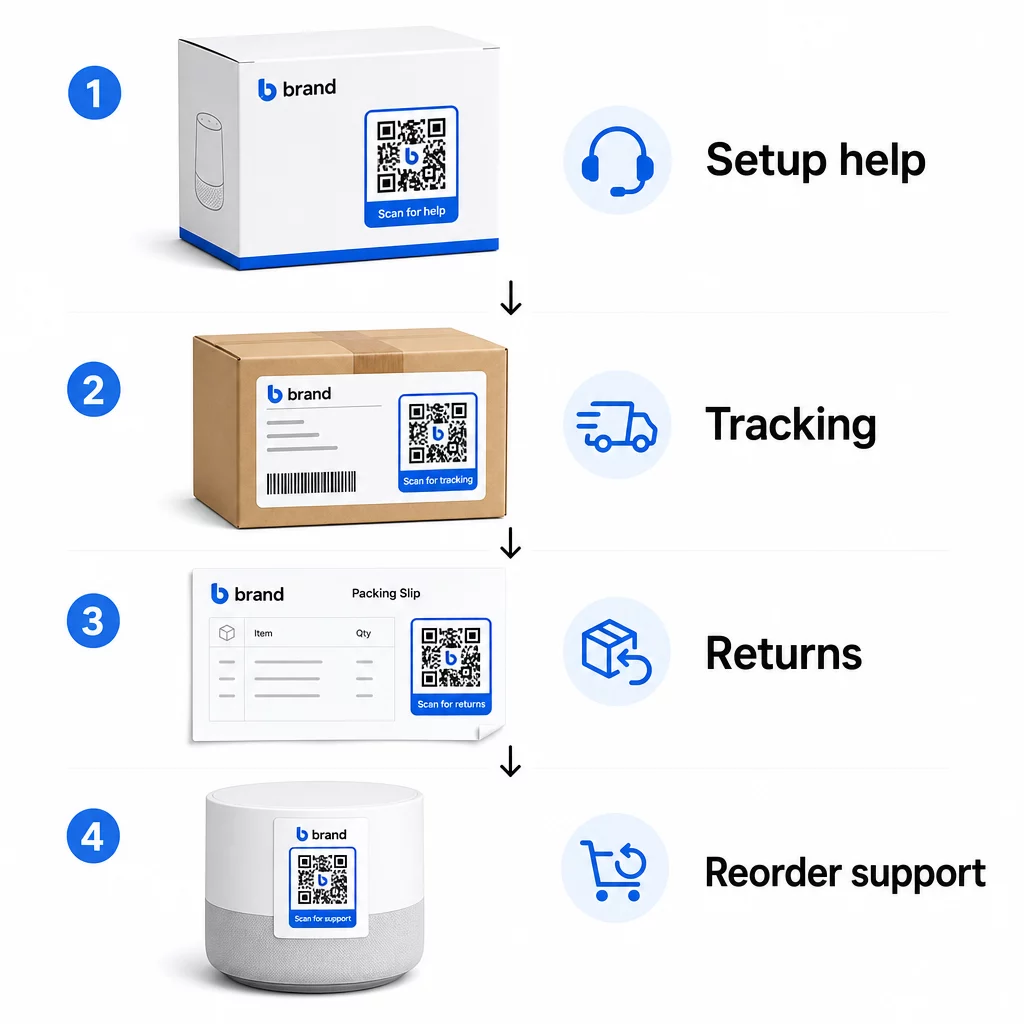
Tuotepakkaukset. QR-koodi laatikossa tai etiketissä antaa asiakkaille välittömän pääsyn asennusoppaisiin, takuutietoihin ja vianmääritysapuun heti pakkauksen avaamisen yhteydessä. Kestokulutustavaroille, kuten kodinkoneille tai työkaluille, QR-koodin lisääminen tuotepakkaukseen voi myös linkittää ohjevideoihin, tuoterekisteröintiin tai varaosaoppaisiin – hyödyllistä kuukausia ostoksen jälkeen.
Lähetystarrat ja seurantasiivut. 88 % verkkokaupan asiakkaista sanoo, että reaaliaikainen toimituksen seuranta on kriittistä positiivisen kokemuksen kannalta, ja 43 % tarkistaa seuratut tilauksensa joka päivä toimitukseen asti. QR-koodi lähetystarrassa, joka linkittää suoraan reaaliaikaiselle seurantasivulle, poistaa kitkan kirjautumisesta tileille tai vahvistussähköpostien etsimisestä.
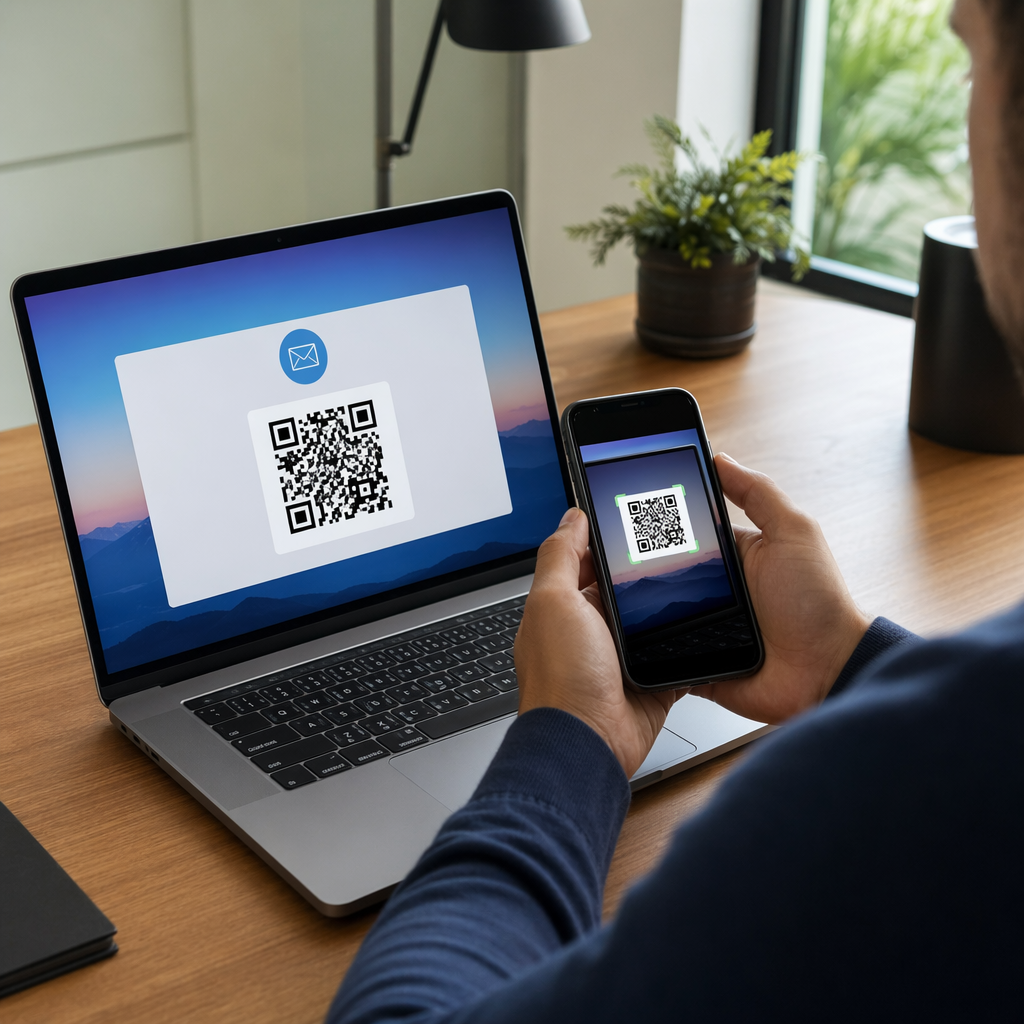
Tilausvahvistus- ja toimitusilmoitusviestit. Nämä ovat sähköposteja, jotka asiakkaat todella avaavat. Upottamalla QR-koodin, joka linkittää tilauskohtaiseen tukikeskukseen – seurannan, usein kysyttyjen kysymysten ja palautusohjeiden kera – kaikki pysyy yhdessä skannauksessa.
Kuitit ja pakkausluettelot. Pakkausluettelossa oleva QR-koodi voi linkittää palautusportaaliin, palautelomakkeeseen tai tuotearvostelusivulle. Tämä on vähävaivainen, arvokas sijoitus, joka muuttaa asiakkaiden jo lukeman asiakirjan tukiväyläksi.
Tuotetarrat. Kulutustavaroissa tai toistuvasti käytettävissä tuotteissa tarrassa oleva QR-koodi tarjoaa jatkuvan pääsyn päivitettyihin ohjeisiin, turvallisuustietoihin tai uudelleentilauslinkkeihin kauan alkuperäisen oston jälkeen.
Tee tukipisteistäsi seurattavia Käytä Linkki QR-koodigeneraattori luoda skannattavia koodeja pakkauksiin, sähköposteihin ja lähetysmateriaaleihin – ja sitten seurata tarkasti, mitä tukiresursseja asiakkaat käyttävät.
Verkkokaupan keskeiset tukikäyttötapaukset
QR-koodit ovat riittävän joustavia palvelemaan useita erillisiä tukitoimintoja. Yleisimmät, jotka kannattaa sisällyttää työnkulkuusi:
Itsepalveluvianmääritys. Linkitä QR-koodit tuotekohtaisiin usein kysyttyjen kysymysten sivuihin tai video-oppaisiin. Asiakkaat saavat apua 24/7 odottamatta tukihenkilöä, ja vähennät saapuvien tikettien määrää.
Palautukset ja vaihdot. Jälleenmyyjät arvioivat, että 15,8 % vuotuisesta kokonaismyynnistä palautetaan vuonna 2025 – lähes 850 miljardia dollaria. Aloitusprosessin yksinkertaistaminen on tärkeää. QR-koodi, joka avaa esitäytetyn palautuslomakkeen, luo lähetystarran tai antaa vaiheittaiset ohjeet, poistaa suurimman kitkakohdan palautuskokemuksesta. Brändit kuten IKEA ovat jo siirtyneet QR-pohjaisiin palautustyönkulkuihin, lähettäen koodeja sähköpostitse tai tekstiviestillä, kun palautus on rekisteröity.
Live-chat ja suora yhteydenotto. Sen sijaan, että asiakkaiden tarvitsisi etsiä chat-widgetiä verkkosivustoltasi, pakkauksessa tai kuitissa oleva QR-koodi voi avata chat-ikkunan, joka on esiladattu asiakkaan tilaustiedoilla – nopeuttaen ratkaisuaikaa molemmilla puolilla.
Takuurekisteröinti ja tuoterekisteröinti. Pakkauksessa oleva QR-koodi, joka linkittää suoraan rekisteröintilomakkeeseen, vähentää oston ja rekisteröinnin välisiä vaiheita, mikä parantaa sekä täyttöasteita että kykyäsi seurata asiakasta asiaankuuluvalla tuella.
Palaute ja arvostelut. A asiakaspalautteen QR-koodi kuiteissa, pakkauksissa tai seurantaviesteissä tekee asiakkaille helppoa jakaa kokemuksensa. A Google-arvostelun QR-koodia lähettää heidät suoraan arvostelusivullesi yhdellä skannauksella. Tämän palautteen ennakoiva kerääminen auttaa myös havaitsemaan tuote- tai toimitusongelmat ennen kuin ne pahenevat.
Monikielinen tuki. Dynaamiset QR-koodit voivat tunnistaa asiakkaan sijainnin ja tarjota sisältöä sopivalla kielellä – hyödyllistä kansainvälisille myyjille, joiden on tuettava monipuolisia yleisöjä luomatta erillisiä painettuja materiaaleja kullekin alueelle.
Kerää palautetta ilman ylimääräistä kitkaa Käytä Google Forms QR-koodi generaattori rakentaaksesi skannattavan palautelinkin oston jälkeisiin sähköposteihin tai pakkausluetteloihin ja aloittaaksesi toiminnallisten oivallusten keräämisen jokaisesta tilauksesta.
Miksi dynaamiset QR-koodit ovat oikea valinta tukeen
A dynaaminen QR-koodi on sellainen, jossa kohde-URL-osoitetta voidaan muokata sen jälkeen, kun koodi on jo painettu – muuttamatta itse koodia. Asiakastuen kannalta tällä erolla on suurempi merkitys kuin miltä se saattaa vaikuttaa.
Tukiresurssit muuttuvat säännöllisesti. Palautuskäytännöt päivittyvät, vianmääritysohjeet tarkistetaan ja yhteydenottomenetelmät muuttuvat. Staattisen QR-koodin kanssa jokainen päivitys tarkoittaa kaikkien pakkausten, liitteiden tai etikettien uudelleenpainamista. Dynaamisen koodin avulla päivität kohteen hallintapaneelissasi ja jokainen olemassa oleva koodi heijastaa muutoksen välittömästi.
Dynaamiset QR-koodit mahdollistavat myös analytiikan. Voit seurata, kuinka monta kertaa koodi on skannattu, mistä sijainneista, millä laitetyypeillä ja mihin aikoihin. Nämä tiedot paljastavat, mitä tukiresursseja asiakkaat todella käyttävät – ja mitkä kosketuspisteet tuottavat eniten pyyntöjä. Esimerkiksi vianmääritysoppaan skannausten piikki voi viitata toistuvaan tuoteongelmaan, joka kannattaa käsitellä aikaisemmassa vaiheessa. Voit tutustua miten QR-koodit parantavat verkkokaupan toimituksia ja tukea nähdäksesi, miten muut brändit soveltavat tätä lähestymistapaa.
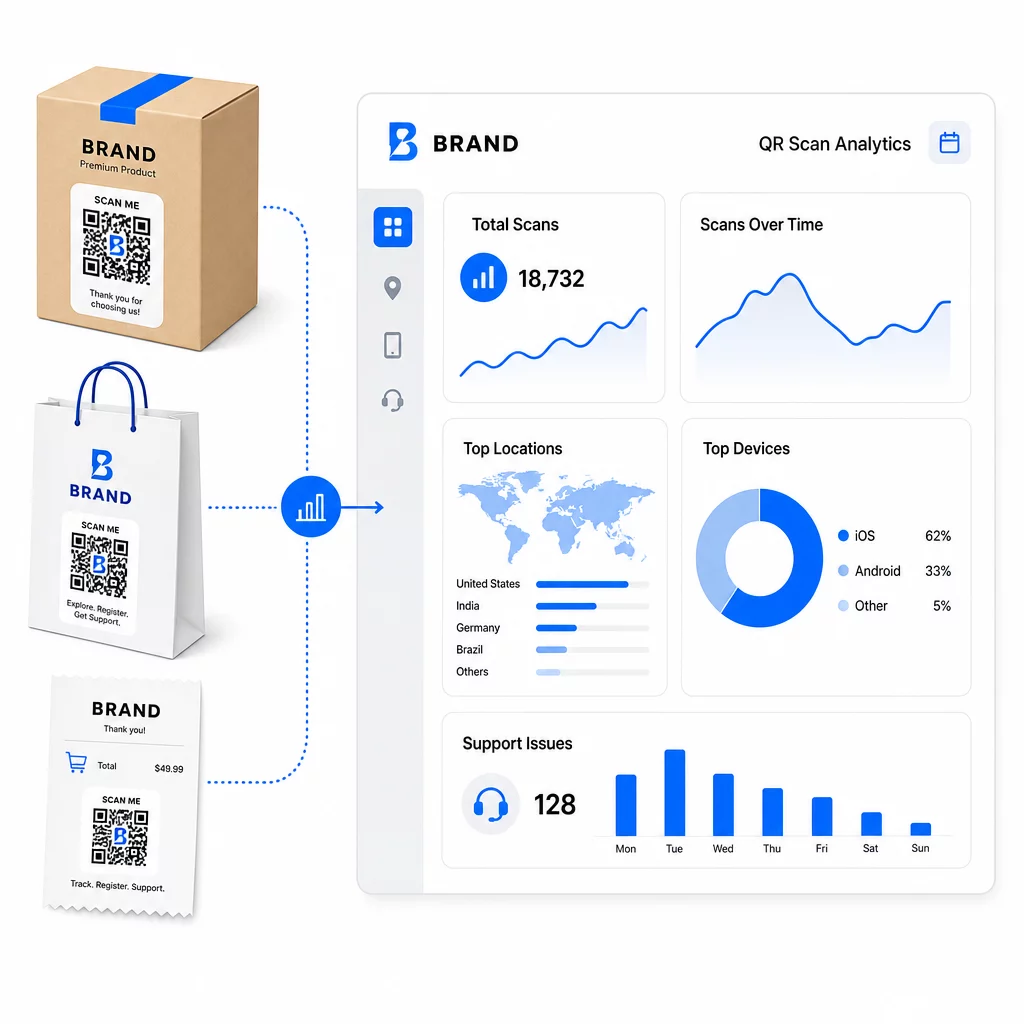
Pidä tukilinkit ajan tasalla ilman uudelleenpainatusta Käytä Pagelootin QR-koodigeneraattori luoda dynaamisia koodeja pakkauksiisi ja liitteisiisi – päivitä kohteita milloin tahansa hallintapaneelista koskematta painettuun materiaaliin.
Personointi QR-koodien avulla
Yksi alikäytetty ominaisuus on tukea antavan sisällön toimittaminen, joka on räätälöity tietylle asiakkaalle tai tuotteelle. Dynaamisten QR-koodien avulla voit määrittää koodit tarjoamaan erilaista sisältöä perustuen:
- Tuotetyyppi – Tehosekoittimen QR-koodi linkittää tehosekoittimen asennusoppaaseen ja takuuseen, ei yleiseen tukisivuun
- Ostohistoria – Palaavat asiakkaat voidaan ohjata kanta-asiakaskeskukseen tai personoidulle uudelleentilaussivulle
- Sijainti – Kansainväliset asiakkaat näkevät aluekohtaista sisältöä tai paikallisia palautusohjeita
Tämä lähestymistapa muuttaa yleisen tukikosketuspisteen joksikin, mikä tuntuu yksittäiselle asiakkaalle suunnitellulta – mikä vaikuttaa suoraan siihen, palaavatko he.
QR-koodianalytiikan käyttö tuen parantamiseen
QR-koodiskannauksista kerätty data ei ole vain turhamaisuuden mittari – se on suora signaali siitä, missä asiakkaat kamppailevat. Hyvin jäsennelty analytiikka-asetelma voi kertoa sinulle:
- Mitkä tuotteet tuottavat eniten tukiskannauksia (mahdollinen laatu- tai dokumentaatio-ongelma)
- Mihin kosketuspisteisiin asiakkaat sitoutuvat eniten (pakkaus vs. sähköposti vs. kuitti)
- Milloin oston jälkeisellä aikajanalla asiakkaat hakevat apua (välittömästi toimituksen jälkeen vs. viikkoja myöhemmin)
- Maantieteelliset kuviot, jotka saattavat viitata alueellisiin toimitusongelmiin
Alustat, jotka tarjoavat QR-koodien seuranta ja analytiikka antavat sinulle reaaliaikaisen palautesilmukan, joka muuten vaatisi manuaalisia asiakaskyselyitä tai tukipyyntöjen analysointia. Hyvin käytettynä tämä data antaa sinun tehdä ennakoivia parannuksia reaktiivisten sijaan.
Käytännön vinkkejä toteutukseen
Ennen QR-koodien käyttöönottoa asiakastukeen, muutama ohje säästää sinut yleisiltä ongelmilta:
- Testaa koodit ennen laajamittaista tulostusta. Skannaa jokainen koodi useilla laitteilla ja käyttöjärjestelmillä varmistaaksesi, että se toimii oikein.
- Pidä laskeutumissivut mobiilioptimoinnin mukaisina. Asiakkaat, jotka skannaavat QR-koodin, käyttävät puhelimiaan. Hitaasti latautuva tai mobiililaitteella virheellisesti näkyvä sivu heikentää koko kokemusta.
- Mitoita koodit sopivasti pinnalle. Pienissä tuotetarroissa olevien koodien on oltava riittävän suuria, jotta ne voidaan skannata luotettavasti. Tarkista QR-koodin käytettävyyden parhaita käytäntöjä saadaksesi tarkempia kokosuosituksia katseluetäisyyden perusteella.
- Sisällytä lyhyt toimintakehote koodin lähelle. “Skannaa asennusoppaaseen” tai “Skannaa aloittaaksesi palautuksen” poistaa epäselvyyden ja lisää skannausmääriä.
- Käytä brändättyjä, tunnistettavia malleja. Asiakkaat luottavat ja skannaavat todennäköisemmin koodin, joka vastaa visuaalisesti brändiäsi. Koodit, joissa on logoja ja brändivärejä, toimivat paremmin kuin geneeriset mustavalkoiset neliöt.
- Käytä dynaamisia koodeja aina, kun sisältö saattaa muuttua. Jos on mahdollista, että kohde-URL-osoite on päivitettävä, aloita dynaamisella koodilla.
Hyvät ja huonot puolet yhdellä silmäyksellä
| Tekijä | QR-koodituki | Perinteinen digitaalinen tuki |
|---|---|---|
| Käyttönopeus | Välitön skannaamalla | Vaatii navigoinnin tai haun |
| 24/7 saatavuus | Kyllä | Vaihtelee |
| Personointi | Korkea (dynaamiset koodit) | Kohtalainen |
| Ylläpito | Matala (dynaamiset päivitykset) | Kohtalainen |
| ANALYTIIKKA | Sisäänrakennettu | Vaatii erillisen asennuksen |
| Saavutettavuus | Vaatii älypuhelimen | Toimii eri laitteilla |
| Tulostusriippuvuus | Tarvitsee fyysisen sijoittelun | Vain digitaalinen |
Päärajoitus on digitaalinen kuilu: asiakkaat, joilla ei ole älypuhelimia tai luotettavaa internetyhteyttä, eivät voi käyttää QR-pohjaista tukea. Näille asiakkaille tarvitaan rinnakkainen tukipolku – puhelinnumero tai painetut ohjeet – jotta kukaan ei jää ilman apua.
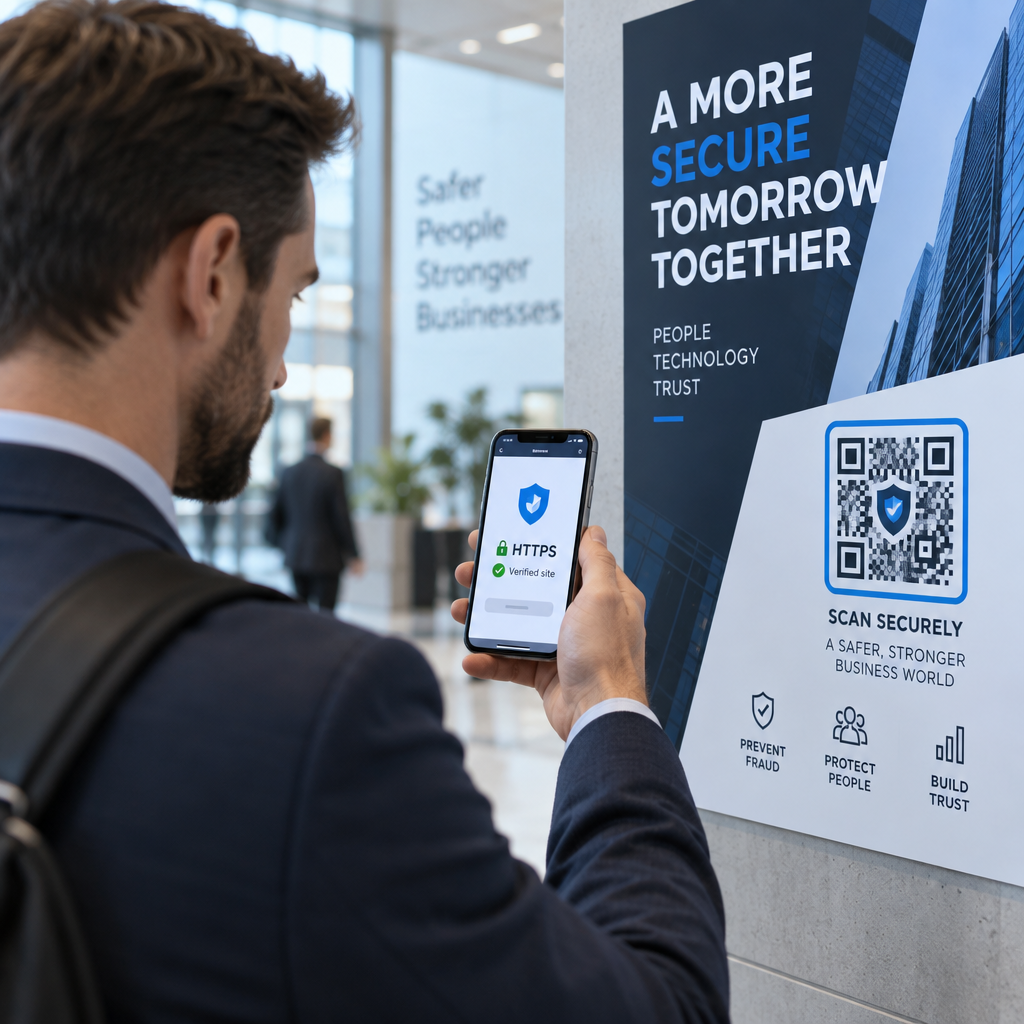
Turvallisuuteenkin kannattaa kiinnittää huomiota. Käytä HTTPS-linkkejä, pidä brändätyt suunnittelut yhtenäisinä ja harkitse kertovasi asiakkaille etukäteen (pakkaustekstin tai tilausviestien kautta), mihin QR-koodisi johtavat ja mitä tietoja kerätään. Läpinäkyvyys rakentaa luottamusta, joka saa asiakkaat halukkaiksi skannaamaan.
Yhdistetään kaikki
QR-koodit toimivat parhaiten asiakastuessa, kun ne sijoitetaan hetkiin, jolloin asiakkaat eniten tarvitsevat apua – pakkauksen avaaminen, lähetyksen seuranta tai palautuksen aloittaminen – ja kun ne linkittävät aidosti hyödyllisiin resursseihin pelkän etusivun sijaan. Dynaamiset koodit tekevät siitä kestävää: voit päivittää tukisisältöä tulostamatta mitään uudelleen, ja analytiikka syöttää suoraan ymmärrystäsi siitä, missä asiakaskokemus katkeaa.
Se QR-koodien tapaustutkimuksia verkkokaupassa näyttävät mitattavia tuloksia, kun toteutus on harkittua. Aloita yhdestä tai kahdesta korkean kitkan kosketuspisteestä – palautukset ja tilausten seuranta ovat hyviä ehdokkaita – ja laajenna siitä eteenpäin, kun opit, mitä asiakkaat todella skannaavat.
Aloita tukesi QR-koodien rakentaminen Pagelootin QR-koodigeneraattori antaa sinun luoda dynaamisia, brändättyjä koodeja jokaiselle oston jälkeisen matkan vaiheelle – seuraa skannauksia, päivitä kohteita ja tarjoa parempi tukikokemus tulostamatta uudelleen.
Usein kysytyt kysymykset
Tehokkaimpia käyttötarkoituksia ovat linkit tilausten seurantasivuille, palautuslomakkeisiin, tuotekohtaisiin vianmääritysoppaisiin, asennusvideoihin, takuun rekisteröintiin ja live-chatiin.
Käytä dynaamisia QR-koodeja, joiden avulla voit muuttaa kohde-URL-osoitetta hallintapaneelista muuttamatta itse painettua koodia. Tämä tarkoittaa, että voit päivittää palautuskäytäntöjä, vaihtaa vianmääritysoppaita tai ohjata asiakkaita uudelle tukisivustolle milloin tahansa – ilman, että sinun tarvitsee painaa uudelleen pakkauksia, liitteitä tai etikettejä.
QR-koodianalytiikka näyttää kunkin koodin skannausmäärän, skannausajan, maantieteellisen sijainnin ja laitetyypin. Jos näet korkeita skannausmääriä tietyssä vianmääritysoppaassa, se on merkki toistuvasta tuoteongelmasta. Alhaiset skannausmäärät palautuskoodissa voivat tarkoittaa huonoa sijoittelua tai epäselviä ohjeita koodin ympärillä. Käytä näitä tietoja hienosäätääksesi sekä sijoittelua että kohdesisältöä ajan myötä.