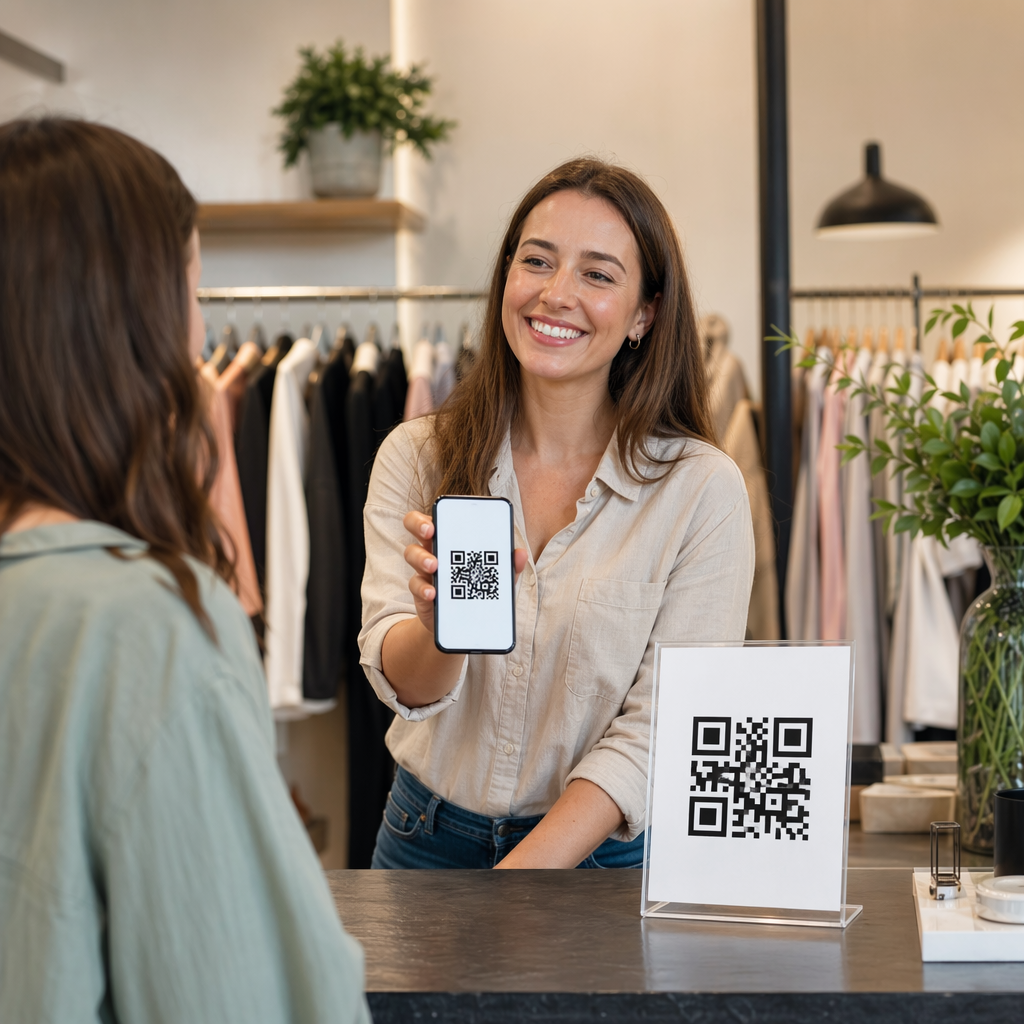
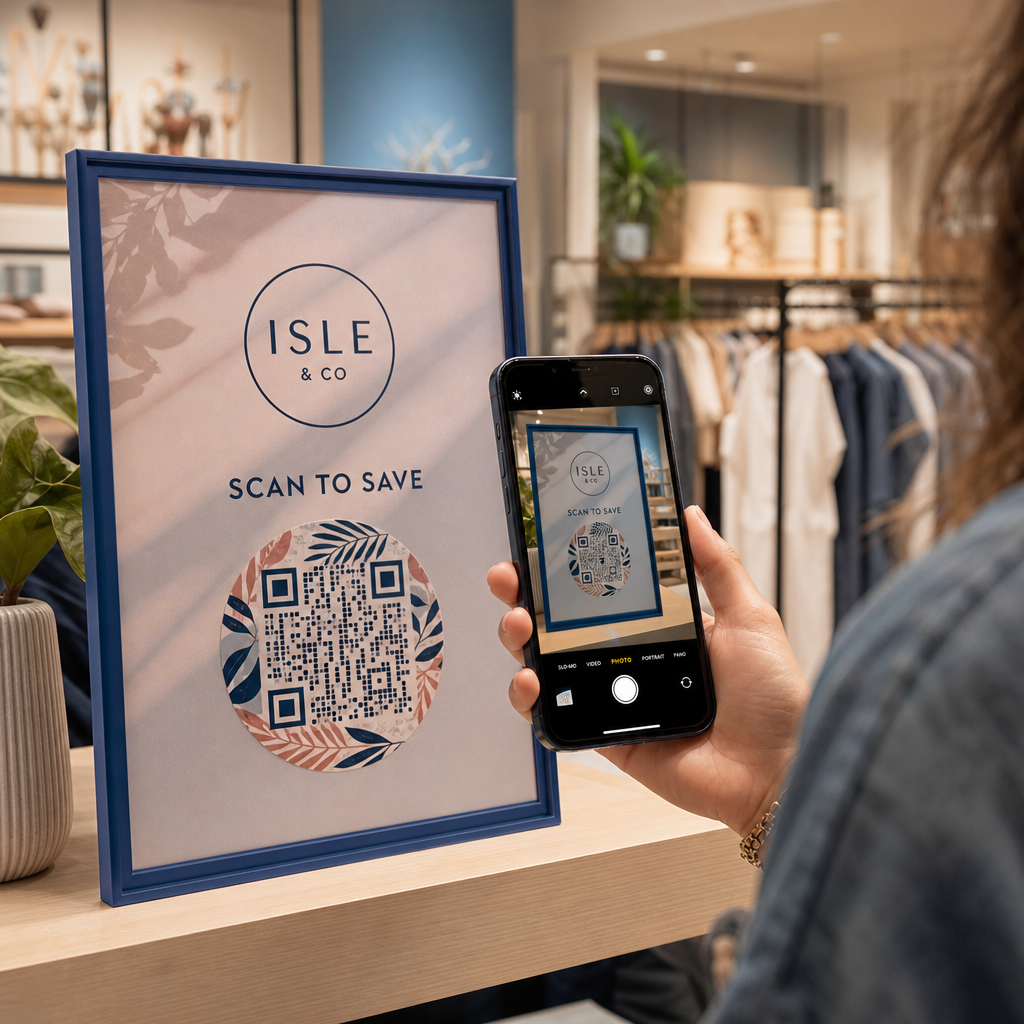
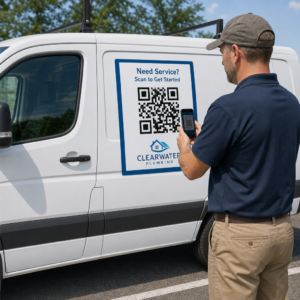
Mã QR của bạn có đang bị bỏ qua không? Tỷ lệ quét thấp thường xuất phát từ một vài vấn đề có thể dự đoán và khắc phục được – từ vị trí đặt kém đến mất lòng tin. Bài viết này sẽ đi sâu vào từng rào cản và cung cấp cho bạn các bước cụ thể để vượt qua chúng.
Mọi người có còn sử dụng mã QR không?
Việc quét mã QR đã tăng trưởng đều đặn trong nhiều năm, và việc áp dụng đã tăng tốc mạnh mẽ trong và sau đại dịch khi các doanh nghiệp chuyển sang tương tác không tiếp xúc. Nếu bạn không nhận được lượt quét, vấn đề gần như chắc chắn không phải là bản thân công nghệ – mà là cách mã của bạn được thiết kế, đặt hoặc trình bày.
Tại sao mã QR của bạn không nhận được lượt quét
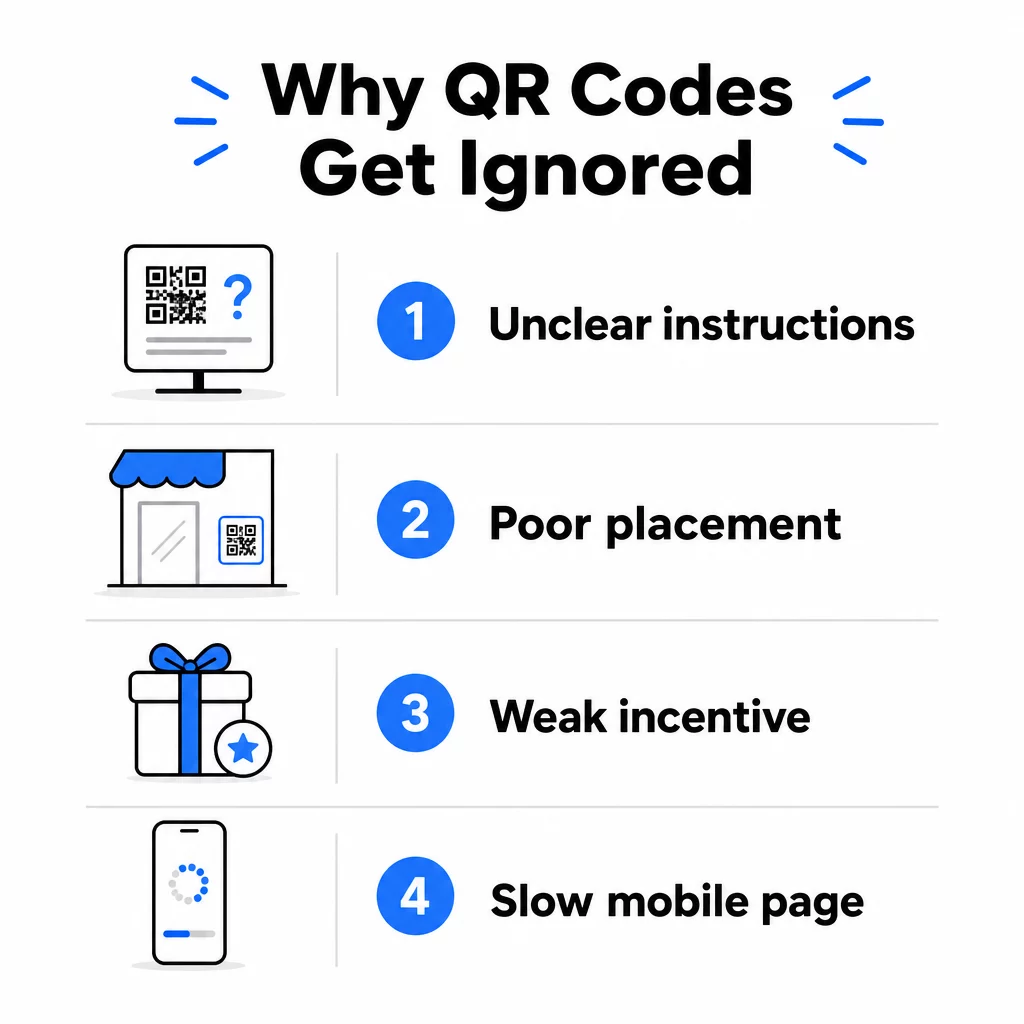
1. Mọi người không biết phải làm gì
Không phải ai bắt gặp mã của bạn cũng biết cách quét, và việc cho rằng họ biết là một sai lầm tốn kém. Đặc biệt, những người lớn tuổi có thể không quen thuộc với quy trình này.
Cách khắc phục rất đơn giản: thêm hướng dẫn ngắn gọn bên cạnh mã. Văn bản như “Mở ứng dụng máy ảnh của bạn và hướng vào đây” hoặc một biểu tượng điện thoại nhỏ sẽ loại bỏ sự ngần ngại cho người dùng. Đối với những vị trí có lượng truy cập cao, một video hướng dẫn ngắn hiển thị gần đó có thể hữu ích. Bạn cũng có thể sử dụng một khung mã QR với lời kêu gọi hành động rõ ràng như “Quét tôi” để hướng dẫn mọi người bằng hình ảnh trước khi họ đọc hướng dẫn.
2. Mã được đặt sai vị trí
Một mã QR mà không ai có thể nhìn thấy – hoặc với tới – sẽ không bao giờ được quét. Vị trí đặt quyết định liệu mã của bạn có nhận được sự tương tác hay bị bỏ qua hoàn toàn.
Các vị trí đặt hiệu quả là nơi khán giả của bạn có thời gian và không gian để lấy điện thoại ra. Các vị trí tốt bao gồm:
- Tờ rơi và tài liệu in ấn
- Bao bì và nhãn sản phẩm
- Danh thiếp
- Cửa sổ và mặt tiền cửa hàng
- Áp phích, biểu ngữ và bảng quảng cáo
- Tạp chí và bảng menu để bàn
Điều quan trọng không kém là những gì cần tránh. Các bề mặt cong, vật liệu phản chiếu, khu vực thiếu sáng, nền bận rộn và môi trường có độ chói cao đều làm giảm độ tin cậy khi quét. hướng dẫn tối ưu về vị trí đặt mã QR trong marketing bao gồm các quy tắc định vị, bao gồm nguyên tắc khoảng cách-đến-kích thước 10:1 và khuyến nghị đặt mã ở tầm mắt trong khoảng từ 3,5 đến 5,5 feet.
3. Không Có Lý Do Để Quét
Khách hàng của bạn luôn hỏi, “Nó có gì cho tôi?” Nếu bạn không thể trả lời câu hỏi đó trong hai giây họ dành để nhìn vào mã của bạn, họ sẽ tiếp tục bỏ đi.
Một mã QR đơn giản không có ngữ cảnh không cho mọi người lý do để hành động. Giải pháp là làm cho giá trị trở nên rõ ràng. Sử dụng lời kêu gọi hành động nêu rõ lợi ích trực tiếp, chẳng hạn như:
- “Quét để nhận chiết khấu 20%”
- “Quét để xem thực đơn hôm nay”
- “Quét để tham gia chương trình tặng quà của chúng tôi”
Trò chơi hóa, ưu đãi độc quyền và nam châm thu hút khách hàng tiềm năng – chẳng hạn như hướng dẫn PDF miễn phí hoặc cơ hội giành giải thưởng – tất cả đều mang lại cho khách hàng một động lực hữu hình. Nghiên cứu của Pageloot luôn cho thấy rằng các chiến dịch mã QR được thiết kế tốt truyền đạt giá trị ngay từ đầu vượt trội hơn các mã chung chung một cách đáng kể.
Nhận Nhiều Lượt Quét Hơn Với Mã QR Có Thương Hiệu, Có Khả Năng Hành Động Thêm khung chuyên nghiệp, màu sắc tùy chỉnh và lời kêu gọi hành động rõ ràng vào mã của bạn với Trình tạo mã QR Pageloot. Dùng thử miễn phí 14 ngày, không yêu cầu thẻ tín dụng.
4. Thông Điệp Không Phù Hợp Với Đối Tượng Của Bạn
Một mã QR chỉ hiệu quả khi chiến dịch đằng sau nó hiệu quả. Nếu ngôn ngữ, thiết kế hoặc ưu đãi không kết nối với đối tượng cụ thể của bạn, mức độ tương tác sẽ giảm bất kể mã được đặt tốt đến mức nào.
Để thu hẹp khoảng cách này, hãy bắt đầu bằng cách xác định những vấn đề mà khách hàng của bạn thực sự gặp phải. Sau đó, điều chỉnh thông điệp cho phù hợp với các nền tảng và không gian vật lý nơi đối tượng đó dành thời gian. Một mã trên tờ rơi triển lãm thương mại nhắm mục tiêu đến các nhà quản lý mua sắm cần một thông điệp khác so với một mã trên bàn nhà hàng nhắm mục tiêu đến những thực khách bình thường. Thông điệp không phù hợp là thông điệp vô hình.
5. Trải Nghiệm Trang Đích Kém
Công việc duy nhất của mã QR là đưa ai đó đến một trang. Từ thời điểm đó, nội dung của bạn phải chuyển đổi. Một mã dẫn đến một trang chậm, lộn xộn hoặc chỉ dành cho máy tính để bàn sẽ lãng phí mọi lượt quét mà nó kiếm được.
Vì mã QR được quét trên điện thoại thông minh, đích đến phải được tối ưu hóa hoàn toàn cho thiết bị di động – không chỉ thân thiện với thiết bị di động. Đây không phải là cùng một thứ. Một trang được tối ưu hóa cho thiết bị di động được xây dựng xoay quanh trải nghiệm di động, với thời gian tải nhanh, điều hướng thân thiện với ngón tay cái và nội dung được điều chỉnh cho màn hình nhỏ. Các yếu tố chính cần kiểm tra trước khi bạn xuất bản mã:
- Trang có phản hồi nhanh và tải nhanh trên kết nối di động không?
- Có một lời kêu gọi hành động duy nhất, rõ ràng ở phần đầu trang không?
- Bạn đã loại bỏ những yếu tố gây xao nhãng làm mất tập trung khỏi mục tiêu chính chưa?
- Trang có thực hiện đúng những gì mã QR đã hứa không?
Các hướng dẫn kiểm tra mã QR về khả năng sử dụng trên thiết bị di động khuyến nghị thời gian tải dưới hai đến ba giây và kiểm tra trên nhiều thiết bị và trình duyệt trước khi ra mắt.
6. Mã Có Vấn Đề Kỹ Thuật
Một mã QR bị lỗi kỹ thuật là cách nhanh nhất để phá hủy lòng tin và mất vĩnh viễn một lượt quét. Các vấn đề thường gặp bao gồm mã quá nhỏ, độ tương phản không đủ hoặc liên kết đến một URL bị hỏng.
Các tiêu chuẩn kỹ thuật chính cần kiểm tra:
- Kích thước: Sử dụng ít nhất 2 × 2 cm cho việc quét ở cự ly gần và phóng to dựa trên khoảng cách xem dự kiến bằng cách sử dụng tỷ lệ 10:1 (khoảng cách quét ÷ 10 = chiều rộng tối thiểu).
- Độ tương phản: Giữ tiền cảnh tối trên nền sáng. Màu đen trên nền trắng mang lại độ tin cậy cao nhất. Tránh các kết hợp màu có độ tương phản thấp, gradient và thiết kế đảo ngược. các phương pháp hay nhất về độ tương phản màu của mã QR khuyến nghị nhắm mục tiêu tỷ lệ tương phản ít nhất 4.5:1 để quét đáng tin cậy.
- Vùng yên tĩnh: Duy trì một đường viền rõ ràng ít nhất bốn mô-đun ở mỗi cạnh của mã. Máy quét sử dụng không gian này để xác định vị trí bắt đầu và kết thúc của mã.
- Sửa lỗi: Sử dụng mức độ sửa lỗi cao hơn (Q hoặc H) nếu bạn thêm logo hoặc tùy chỉnh thiết kế. Các mức này có thể bù đắp tới 25–30% dữ liệu bị mất do vật cản hoặc hư hỏng.
Luôn kiểm tra mã của bạn trên nhiều thiết bị, ứng dụng máy ảnh và điều kiện ánh sáng trước khi phân phối. Các thực hành tốt nhất về khả năng đọc mã QR và tiêu chuẩn khả năng sử dụng dựa trên ISO/IEC 18004 bao gồm các yêu cầu kỹ thuật này một cách chi tiết. Bạn cũng có thể sử dụng công cụ quét mã QR miễn phí để xác minh mã của bạn quét đúng trước khi in.
7. Bạn Đang Sử Dụng Mã Tĩnh Không Thể Cập Nhật
Mã QR tĩnh mã hóa một đích đến cố định. Nếu URL đó thay đổi, bị hỏng hoặc hết hạn sau khi mã được in, mọi người quét nó sẽ gặp ngõ cụt – và bạn không thể khắc phục mà không in lại mọi thứ.
Mã QR động giải quyết vấn đề này bằng cách trỏ đến một liên kết chuyển hướng ngắn mà bạn có thể cập nhật bất cứ lúc nào từ bảng điều khiển. Thay đổi URL đích, thay thế tệp PDF hoặc chuyển hướng đến một ưu đãi mới – mà không cần chạm vào mã đã in. Mã động cũng mở khóa phân tích quét, cung cấp cho bạn dữ liệu về số lượng người đã quét, khi nào, ở đâu và trên thiết bị nào. Khả năng theo dõi này là thứ cho phép bạn đo lường hiệu suất chiến dịch thực sự và tối ưu hóa theo thời gian.
Giữ Chiến Dịch Của Bạn Luôn Cập Nhật Mà Không Cần In Lại Sử dụng Tạo mã QR động để tạo mã bạn có thể cập nhật bất cứ lúc nào – và theo dõi mọi lượt quét bằng phân tích tích hợp.
Vấn Đề Niềm Tin: Tại Sao Một Số Người Không Bao Giờ Quét Bất Cứ Thứ Gì
Ngoài các vấn đề kỹ thuật và thiết kế, còn có một rào cản sâu sắc hơn không nhận được đủ sự chú ý: các mối lo ngại về bảo mật. Một số người dùng ngần ngại quét mã QR từ các nguồn không quen thuộc vì họ không thể biết mã dẫn đến đâu trước khi họ thực hiện. Mối lo ngại này là chính đáng – mã QR độc hại có thể chuyển hướng người dùng đến các trang web lừa đảo, kích hoạt tải xuống phần mềm độc hại hoặc thu thập thông tin nhạy cảm.
Với tư cách là nhà tiếp thị hoặc chủ doanh nghiệp, bạn có thể giảm bớt sự cản trở này bằng cách xây dựng các tín hiệu tin cậy vào vị trí mã QR của bạn:
- Hiển thị thương hiệu của bạn nổi bật bên cạnh mã để người dùng biết ai đứng sau nó
- Thêm mô tả ngắn gọn về nội dung mã dẫn đến (“Quét để xem menu kỹ thuật số của chúng tôi”)
- Sử dụng các đích đến HTTPS và đảm bảo các trang đích của bạn trông chuyên nghiệp và hợp pháp.
- Tránh đặt mã trong môi trường có độ tin cậy thấp, nơi người dùng không có ngữ cảnh về lý do mã đó tồn tại.
Mã QR có thương hiệu – với logo của bạn được nhúng, màu sắc phù hợp với nhận diện của bạn và khung CTA rõ ràng – báo hiệu tính hợp pháp và tăng khả năng người dùng thận trọng sẽ quét.
Một danh sách kiểm tra cuối cùng trước khi bạn triển khai
Hãy xem xét các câu hỏi này trước khi xuất bản bất kỳ chiến dịch mã QR nào:
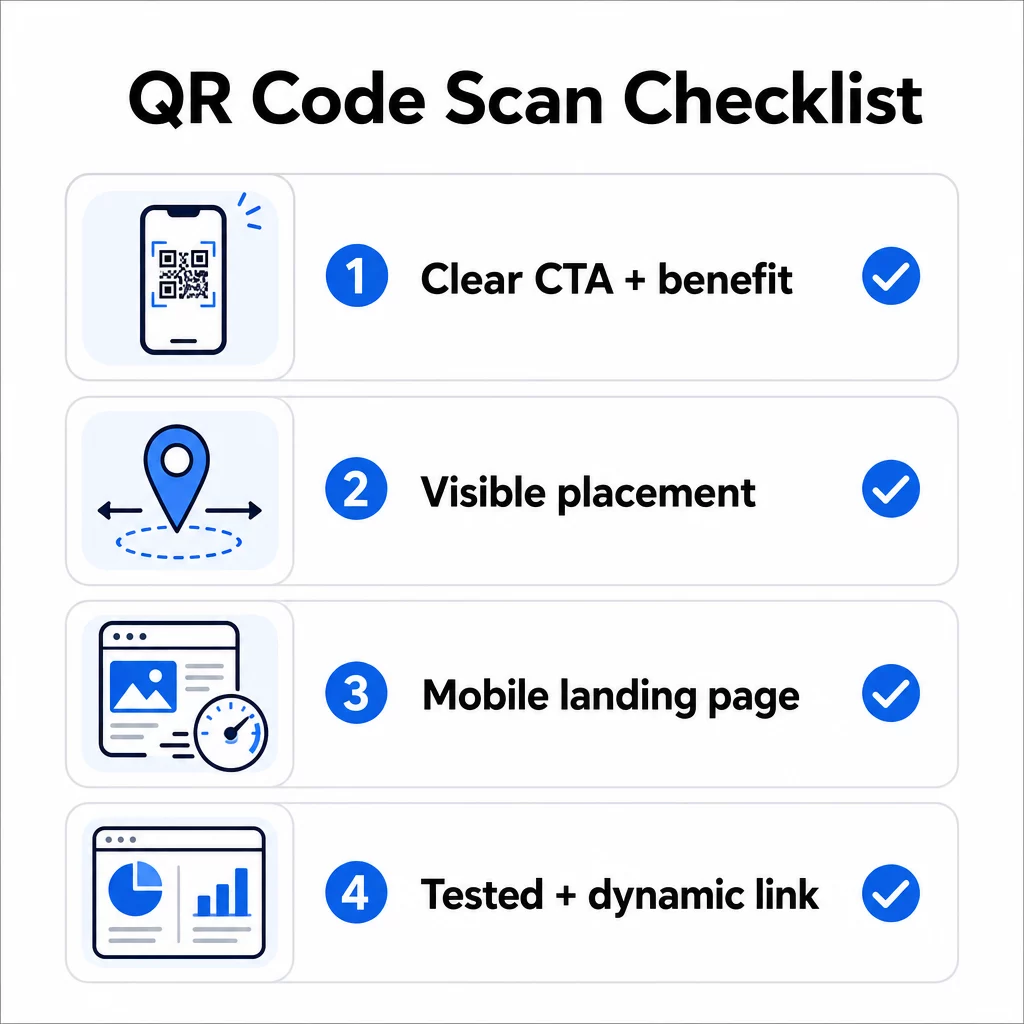
- Bạn đã thêm hướng dẫn hoặc lời kêu gọi hành động rõ ràng để người dùng biết phải làm gì chưa?
- Mã có được đặt ở nơi đối tượng của bạn có thời gian và không gian để quét không?
- Mã có cung cấp một lý do rõ ràng, hấp dẫn để quét không?
- Thông điệp có phù hợp với đối tượng mục tiêu cụ thể của bạn không?
- Trang đích có được tối ưu hóa hoàn toàn cho thiết bị di động và tải nhanh không?
- Bạn đã thử nghiệm mã trên nhiều thiết bị và trong điều kiện thực tế chưa?
- Bạn có đang sử dụng mã động để có thể cập nhật đích đến nếu cần không?
Nếu bất kỳ câu trả lời nào là “không,” đó là nút thắt của bạn. Hãy giải quyết nó trước khi mã được triển khai – không phải sau đó.
Để được hướng dẫn sâu hơn về thiết kế và tiêu chuẩn kỹ thuật, hãy xem trang các phương pháp hay nhất về khả năng sử dụng mã QR và hướng dẫn theo dõi lượt quét mã QR là những điểm dừng tiếp theo tốt.
Câu hỏi thường gặp
Các yếu tố môi trường như ánh sáng kém, chói từ bề mặt bóng và khoảng cách quét dài đều ảnh hưởng đến độ tin cậy. Đảm bảo mã của bạn đáp ứng nguyên tắc tỷ lệ kích thước trên khoảng cách 10:1, sử dụng nền tối trên nền sáng và được đặt trên bề mặt phẳng, mờ với ánh sáng đầy đủ. Kiểm tra mã tại vị trí thực tế trước khi hoàn tất việc đặt.
Mã QR tĩnh mã hóa vĩnh viễn đích đến của nó, vì vậy nếu URL thay đổi hoặc bị hỏng, mã sẽ trở nên vô dụng và phải được in lại. Mã QR động trỏ đến một liên kết chuyển hướng mà bạn có thể cập nhật bất cứ lúc nào từ bảng điều khiển. Mã động cũng cung cấp phân tích quét – bao gồm số lượt quét, vị trí, loại thiết bị và thời gian – khiến chúng trở thành lựa chọn tốt hơn cho bất kỳ chiến dịch tiếp thị nào mà tính linh hoạt hoặc khả năng đo lường là quan trọng.
Những thay đổi hiệu quả nhất là thêm lời kêu gọi hành động rõ ràng nêu bật lợi ích (chẳng hạn như “Quét để nhận giảm giá” hoặc “Quét để xem thực đơn”), đặt mã ở nơi người dùng có thời gian dừng lại và quét, đảm bảo trang đích tải nhanh trên thiết bị di động và sử dụng thiết kế có thương hiệu để báo hiệu mã là hợp lệ. Loại bỏ mọi trở ngại – cho dù đó là hướng dẫn không rõ ràng, trang đích tải chậm hay mã được đặt không đúng chỗ – đều trực tiếp làm tăng tỷ lệ quét.