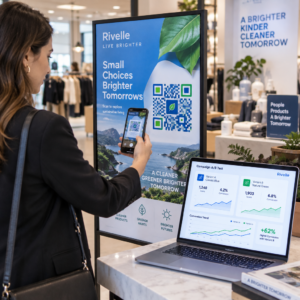
Вашите клиенти изпитват ли затруднения да намерят помощ след покупка? Лошата поддръжка след покупка е един от най-бързите начини да загубите повтарящ се купувач – и 52% от потребителите казват, че лошото обслужване е основната причина да не купуват отново. Това ръководство обяснява практически начини за използване на QR кодове, за да направите поддръжката, връщанията и проследяването на поръчки по-бързи и лесни за вашите клиенти.
Защо поддръжката след покупка е по-важна от всякога
Очакванията на клиентите са се променили. Бързата доставка, проследяването в реално време и безпроблемното връщане вече не са предимства – те са основни изисквания. Помислете какво е заложено на карта:
- 88% от клиентите са по-склонни да направят друга покупка след страхотно обслужване
- 70% от купувачите казват, че лесен и прозрачен процес на връщане увеличава тяхната лоялност към търговец на електронна търговия
- 73% от потребителите искат да проследяват поръчките си по време на доставката, а когато проследяването е налично, 96% от тях го използват
Предизвикателството за повечето марки за електронна търговия е, че точките за контакт за поддръжка са разпръснати: клиентите трябва да търсят страници за контакт, да навигират в портали за връщане или да ровят в имейл потвърждения, за да намерят подробности за поръчката. QR кодовете решават това, като пренасят поддръжката директно там, където клиентите вече са – върху опаковката в ръцете им, разписката в пощенската им кутия или етикета на продукта.
Къде да поставите QR кодове в пътуването след покупка
Най-ефективната стратегия за QR кодове съпоставя всеки код с конкретен момент в клиентското изживяване. Ето местата с най-голямо въздействие:
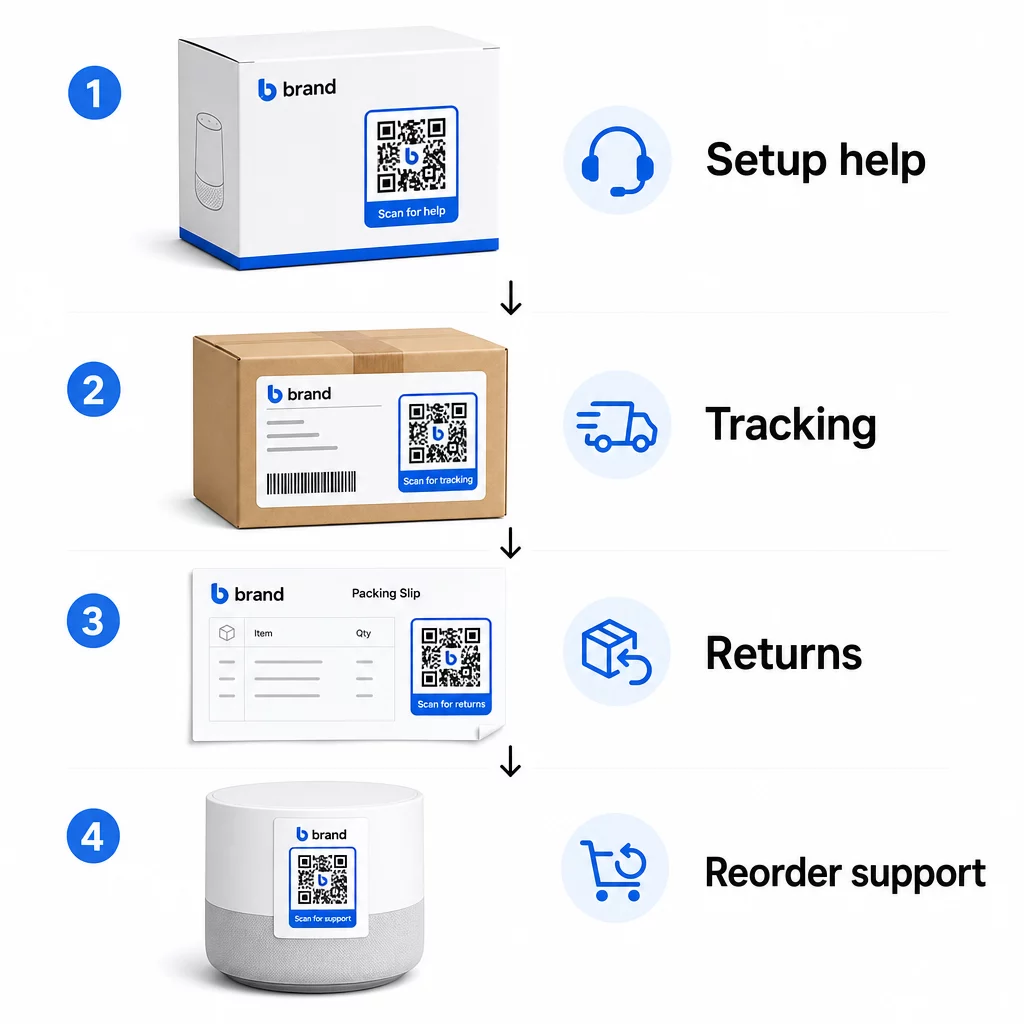
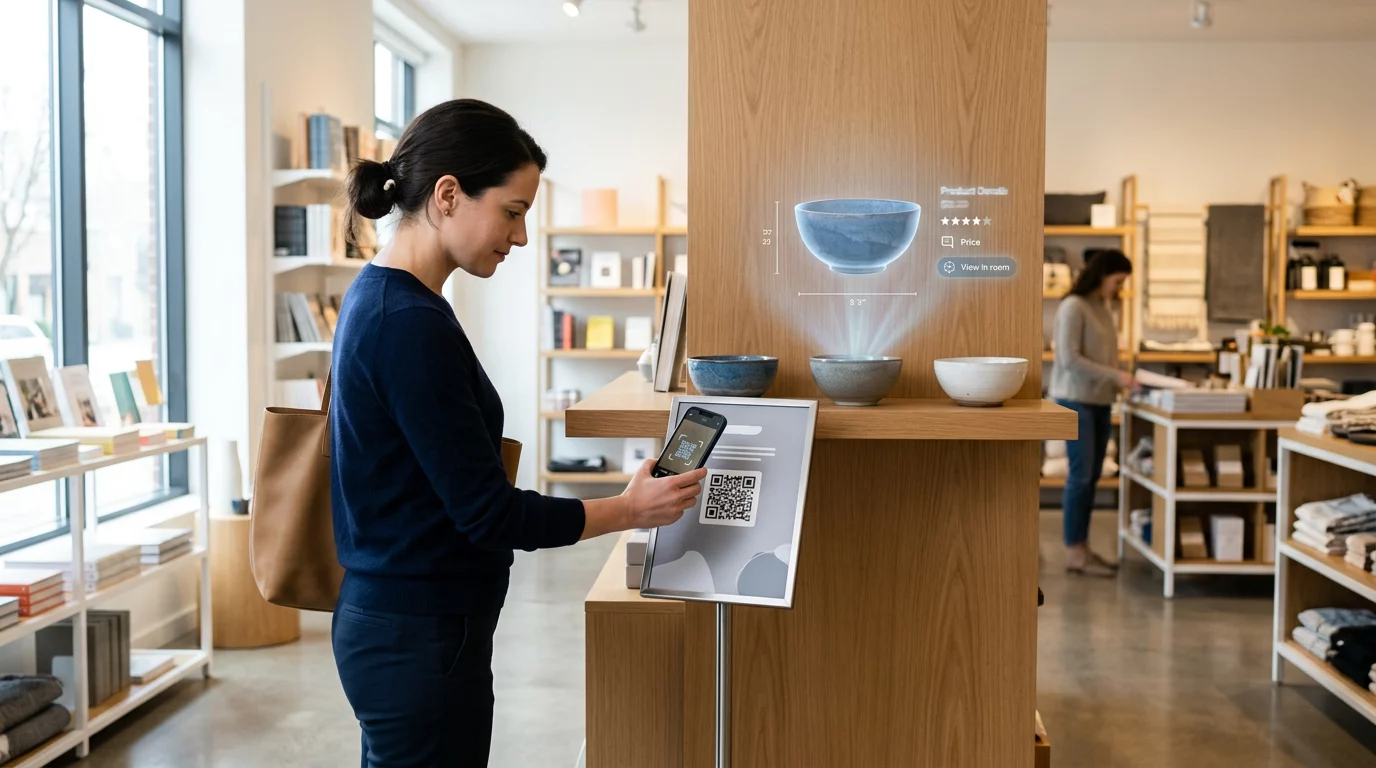
Опаковка на продукта. QR код върху кутията или етикета дава на клиентите незабавен достъп до ръководства за настройка, подробности за гаранцията и помощ за отстраняване на неизправности още при разопаковането. За трайни стоки като уреди или инструменти, добавянето на QR код към опаковката на продукта може също така да води до видеоклипове с инструкции, регистрация на продукт или ръководства за резервни части – полезни месеци след покупката.
Етикети за доставка и страници за проследяване. 88% от онлайн купувачите казват, че проследяването на доставката в реално време е от решаващо значение за положително изживяване, а 43% проверяват проследените си поръчки всеки ден до доставката. QR код върху етикета за доставка, който води директно до страница за проследяване на живо, премахва затрудненията при влизане в акаунти или търсене на имейли за потвърждение.
Имейли за потвърждение на поръчка и известие за доставка. Това са имейли, които клиентите действително отварят. Вграждането на QR код, който води до център за поддръжка, специфичен за поръчката – с проследяване, ЧЗВ и инструкции за връщане – поддържа всичко в едно сканиране.
Касови бележки и опаковъчни листове. QR код върху опаковъчния лист може да води до портал за връщане, формуляр за обратна връзка или страница за преглед на продукт. Това е лесно за изпълнение, но ценно разположение, което превръща документ, който клиентите вече четат, в портал за поддръжка.
Етикети на продукти. За консумативи или артикули, използвани многократно, QR кодът на етикета осигурява постоянен достъп до актуализирани инструкции, информация за безопасност или връзки за пренареждане дълго след първоначалната покупка.
Направете вашите точки за контакт с поддръжката проследими Използвай Генератор на QR кодове за връзки за създаване на сканируеми кодове за опаковки, имейли и материали за доставка – след това проследявайте точно кои ресурси за поддръжка използват клиентите.
Ключови случаи на употреба на поддръжка за електронна търговия
QR кодовете са достатъчно гъвкави, за да обслужват няколко различни функции за поддръжка. Най-често срещаните, които си струва да включите във вашия работен процес:
Самообслужване за отстраняване на неизправности. Свържете QR кодове към страници с ЧЗВ, специфични за продукта, или видео уроци. Клиентите получават 24/7 помощ, без да чакат агент за поддръжка, а вие намалявате обема на входящите заявки.
Връщания и замени. Търговците на дребно изчисляват, че 15.8% от общите годишни продажби ще бъдат върнати през 2025 г. – почти 850 милиарда долара. Опростяването на процеса на иницииране е от значение. QR код, който отваря предварително попълнен формуляр за връщане, генерира етикет за доставка или предоставя инструкции стъпка по стъпка, премахва най-голямата точка на триене в опита за връщане. Марки като IKEA вече са преминали към работни процеси за връщане, базирани на QR кодове, изпращайки кодове по имейл или SMS, след като връщането е регистрирано.
Чат на живо и директен контакт. Вместо да изискват от клиентите да намират уиджет за чат на вашия уебсайт, QR код върху опаковката или касова бележка може да отвори прозорец за чат, предварително зареден с данните за поръчката на клиента – ускорявайки времето за разрешаване и от двете страни.
Гаранционна регистрация и регистрация на продукт. QR код върху опаковката, който води директно до формуляр за регистрация, намалява стъпките между покупката и регистрацията, което подобрява както процента на завършване, така и способността ви да проследявате с подходяща поддръжка.
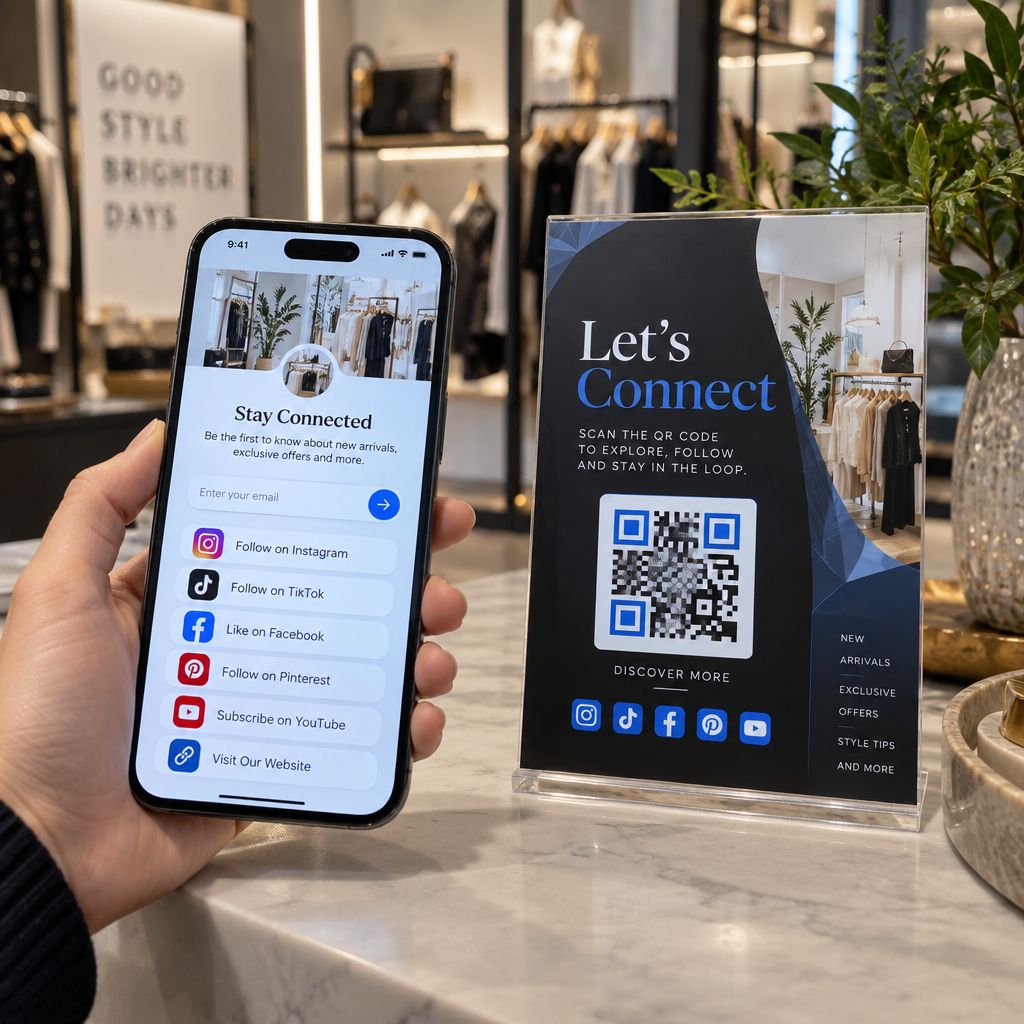
Обратна връзка и отзиви. A QR код за обратна връзка от клиенти поставен върху касови бележки, опаковки или последващи имейли улеснява клиентите да споделят своя опит. А QR код за Google отзиви ги изпраща директно към вашата страница за отзиви с едно сканиране. Проактивното събиране на тази обратна връзка също ви помага да уловите проблеми с продукта или изпълнението, преди те да се натрупат.
Многоезична поддръжка. Динамичните QR кодове могат да открият местоположението на клиента и да предоставят съдържание на подходящия език – полезно за международни продавачи, които трябва да поддържат разнообразна аудитория, без да създават отделни печатни материали за всеки регион.
Събирайте обратна връзка без излишно затруднение Използвай Анкета с QR код за Google Forms за да създадете сканируем линк за обратна връзка за имейли след покупка или опаковъчни листове и да започнете да събирате приложими прозрения от всяка поръчка.
Защо динамичните QR кодове са правилният избор за поддръжка
A динамичен QR код е такъв, при който целевият URL адрес може да бъде редактиран, след като кодът вече е отпечатан – без да се променя самият код. За поддръжката на клиенти това разграничение е по-важно, отколкото може да изглежда.
Ресурсите за поддръжка се променят редовно. Политиките за връщане се актуализират, ръководствата за отстраняване на неизправности се преразглеждат и методите за контакт се променят. Със статичен QR код всяка актуализация означава препечатване на всички ваши опаковки, вложки или етикети. С динамичен код вие актуализирате дестинацията във вашето табло за управление и всеки съществуващ код незабавно отразява промяната.
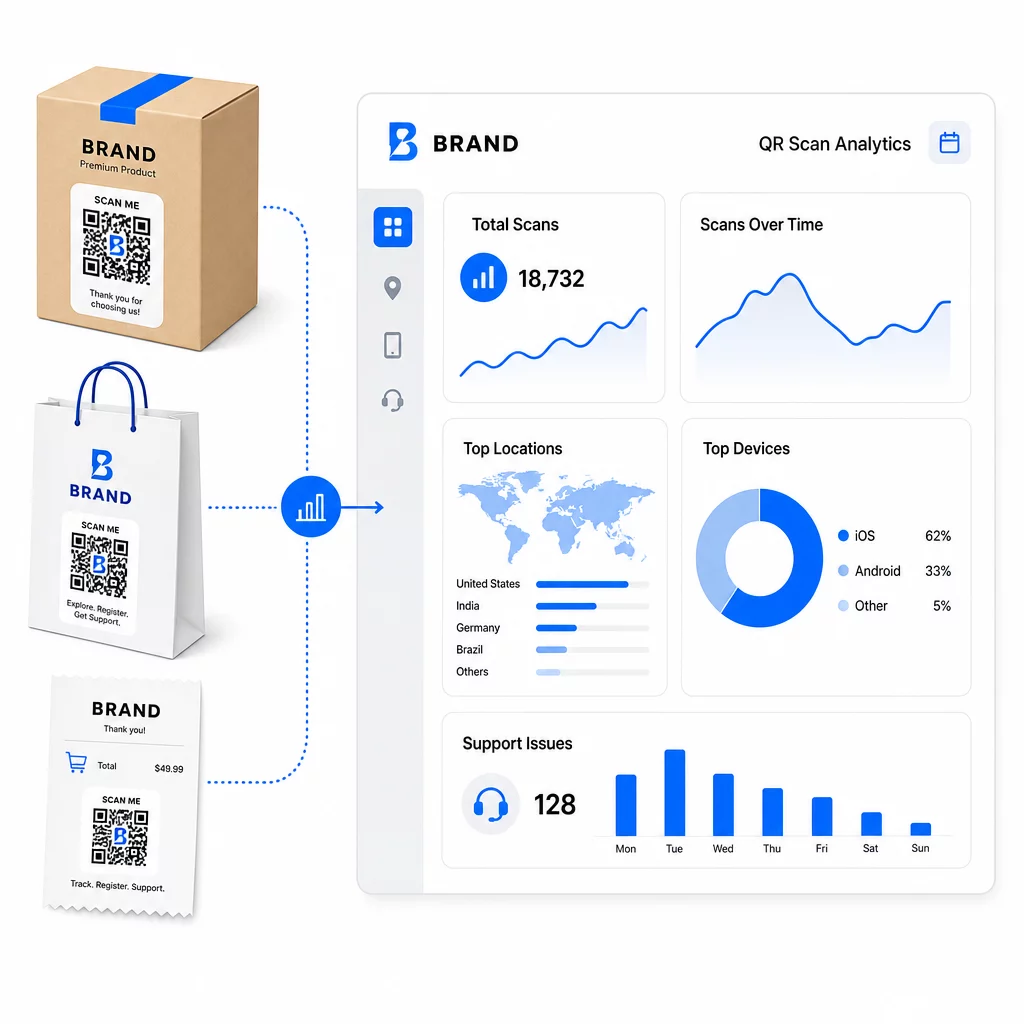
Динамичните QR кодове също така позволяват анализи. Можете да проследявате колко пъти е сканиран даден код, от кои местоположения, на какви типове устройства и по кое време. Тези данни разкриват кои ресурси за поддръжка клиентите действително използват – и кои точки на контакт генерират най-много заявки. Например, скок в сканиранията на ръководство за отстраняване на неизправности може да показва повтарящ се проблем с продукта, който си струва да бъде разгледан по-рано. Можете да проучите как QR кодовете подобряват доставките и поддръжката в електронната търговия за да видите как други марки прилагат този подход.
Поддържайте връзките за поддръжка актуални без препечатване Използвайте Pageloot’s Генератор на QR кодове за да създавате динамични кодове за вашите опаковки и вложки – актуализирайте дестинациите по всяко време от вашето табло за управление, без да докосвате печатния материал.
Персонализация чрез QR кодове
Една недостатъчно използвана възможност е предоставянето на съдържание за поддръжка, което е съобразено със специфичния клиент или продукт. С динамичните QR кодове можете да конфигурирате кодовете да показват различно съдържание въз основа на:
- Тип продукт – QR код на блендер води до ръководството за настройка и гаранцията на блендера, а не до обща страница за поддръжка
- История на покупките – Връщащите се клиенти могат да бъдат насочени към център за лоялност или персонализирана страница за повторна поръчка
- Местоположение – Международните клиенти виждат специфично за региона съдържание или местни инструкции за връщане
Този подход превръща общата точка за контакт за поддръжка в нещо, което изглежда създадено за индивидуалния клиент – което пряко влияе върху това дали той ще се върне.
Използване на анализи на QR кодове за подобряване на поддръжката
Данните, събрани от сканиранията на QR кодове, не са просто суетна метрика – те са пряк сигнал за това къде клиентите срещат затруднения. Добре структурирана аналитична настройка може да ви каже:
- Кои продукти генерират най-много сканирания за поддръжка (възможен проблем с качеството или документацията)
- С кои точки за контакт клиентите взаимодействат най-много (опаковка срещу имейл срещу касова бележка)
- Кога в хронологията след покупката клиентите търсят помощ (веднага след доставката срещу седмици по-късно)
- Географски модели, които могат да показват регионални проблеми с изпълнението
Платформи, които предлагат Проследяване и анализи на QR кодове ви дават обратна връзка в реално време, която иначе би изисквала ръчни проучвания на клиенти или анализ на тикети за поддръжка. Използвани добре, тези данни ви позволяват да правите проактивни подобрения, вместо реактивни.
Практически съвети за внедряване
Преди да въведете QR кодове за поддръжка на клиенти, няколко насоки ще ви предпазят от често срещани проблеми:
- Тествайте кодовете, преди да ги отпечатате в голям мащаб. Сканирайте всеки код на множество устройства и операционни системи, за да потвърдите, че се разчита правилно.
- Поддържайте целевите страници оптимизирани за мобилни устройства. Клиентите, които сканират QR код, са на своите телефони. Страница, която се зарежда бавно или не се показва правилно на мобилно устройство, ще подкопае цялото преживяване.
- Оразмерете кодовете подходящо за повърхността. Кодовете върху малки етикети на продукти трябва да са достатъчно големи, за да се сканират надеждно. Прегледайте най-добрите практики за използваемост на QR кодове за конкретни насоки за оразмеряване въз основа на разстоянието за гледане.
- Включете кратък призив за действие близо до кода. “Сканирайте за ръководство за настройка” или “Сканирайте, за да започнете връщане” премахва неяснотата и увеличава процента на сканиране.
- Използвайте брандирани, разпознаваеми дизайни. Клиентите са по-склонни да се доверят и да сканират код, който визуално съответства на вашата марка. Кодовете с лога и цветове на марката се представят по-добре от обикновените черно-бели квадрати.
- Използвайте динамични кодове, когато съдържанието може да се промени. Ако има вероятност целевият URL адрес да се нуждае от актуализация, започнете с динамичен код.
Плюсове и минуси накратко
| Фактор | Поддръжка на QR код | Традиционна цифрова поддръжка |
|---|---|---|
| Скорост на достъп | Незабавно чрез сканиране | Изисква навигация или търсене |
| Наличност 24/7 | Да | Варира |
| Персонализация | Висока (динамични кодове) | Умерен |
| Поддръжка | Ниска (динамични актуализации) | Умерен |
| СТАТИСТИКА | Вградено | Изисква отделна настройка |
| Достъпност | Изисква смартфон | Работи на различни устройства |
| Зависимост от печат | Изисква физическо поставяне | Само цифрово |
Основното ограничение е цифровото разделение: клиенти без смартфони или надежден достъп до интернет не могат да използват поддръжка, базирана на QR. За тези клиенти ще искате паралелен път за поддръжка – телефонен номер или отпечатани инструкции – така че никой да не остане без помощ.
Сигурността също заслужава внимание. Използвайте HTTPS връзки, поддържайте последователен брандиран дизайн и помислете да информирате клиентите предварително (чрез текст на опаковката или имейли за поръчки) къде водят вашите QR кодове и какви данни се събират. Прозрачността изгражда доверието, което кара клиентите да желаят да сканират.
Обединяване на всичко
QR кодовете работят най-добре за поддръжка на клиенти, когато са поставени в моментите, когато клиентите най-много се нуждаят от помощ – разопаковане, проследяване на пратка или започване на връщане – и когато водят до ресурси, които са наистина полезни, а не просто начална страница. Динамичните кодове го правят устойчив: можете да актуализирате съдържанието за поддръжка, без да препечатвате нищо, а анализите се вливат директно във вашето разбиране за това къде се разпада клиентското изживяване.
На казуси за QR кодове в електронната търговия показват измерими резултати, когато изпълнението е целенасочено. Започнете с една или две точки на контакт с високо триене – връщанията и проследяването на поръчки са добри кандидати – и разширете оттам, докато научите какво всъщност сканират клиентите.
Започнете да изграждате вашите QR кодове за поддръжка На Pageloot Генератор на QR кодове ви позволява да създавате динамични, брандирани кодове за всеки етап от пътуването след покупката – проследявайте сканирания, актуализирайте дестинации и предоставяйте по-добро изживяване за поддръжка, без да препечатвате.
Често задавани въпроси
Най-ефективните приложения са линкове към страници за проследяване на поръчки, формуляри за иницииране на връщане, ръководства за отстраняване на неизправности, специфични за продукта, видеоклипове за настройка, регистрация на гаранция и чат на живо. Съдържание, от което клиентите се нуждаят бързо и на мобилно устройство, е естествено подходящо. PDF ръководства, Google формуляри за обратна връзка и страници за директен контакт с поддръжката също работят добре, когато са свързани чрез PDF QR код или код, базиран на връзка.
Използвайте динамични QR кодове, които ви позволяват да променяте целевия URL адрес от табло за управление, без да променяте самия отпечатан код. Това означава, че можете да актуализирате политиките за връщане, да сменяте ръководствата за отстраняване на неизправности или да пренасочвате клиенти към нов портал за поддръжка по всяко време – без да препечатвате опаковки, вложки или етикети.
Анализите на QR кодовете ви показват обем на сканиране, време на сканиране, географско местоположение и тип устройство за всеки код. Ако видите високи нива на сканиране на конкретно ръководство за отстраняване на неизправности, това е сигнал за повтарящ се проблем с продукта. Ниските нива на сканиране на код за връщане може да означават лошо разположение или неясни инструкции около кода. Използвайте тези данни, за да прецизирате както разположението, така и съдържанието на дестинацията с течение на времето.