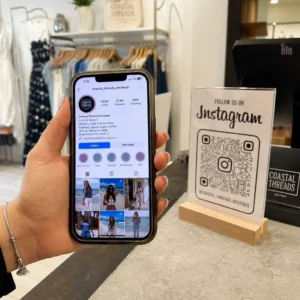
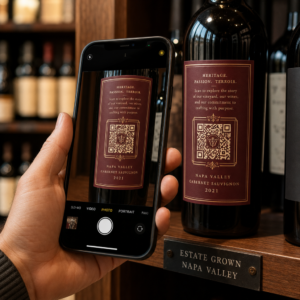
Sliter kundene dine med å finne hjelp etter et kjøp? Dårlig støtte etter kjøp er en av de raskeste måtene å miste en gjentakende kjøper på – og 52% av forbrukerne sier at dårlig service er hovedårsaken til at de ikke vil kjøpe igjen. Denne guiden forklarer praktiske måter å bruke QR-koder på for å gjøre støtte, returer og ordresporing raskere og enklere for kundene dine.
Hvorfor støtte etter kjøp betyr mer enn noensinne
Kundenes forventninger har endret seg. Rask frakt, sanntidssporing og friksjonsfrie returer er ikke lenger fordeler – de er grunnleggende krav. Vurder hva som står på spill:
- 88% av kundene er mer sannsynlig å gjøre et nytt kjøp etter en flott serviceopplevelse
- 70% av shoppere sier at en enkel, transparent returprosess øker deres lojalitet til en e-handelsforhandler
- 73% av forbrukerne ønsker å spore bestillingene sine gjennom hele leveransen, og når sporing er tilgjengelig, bruker 96% av dem det
Utfordringen for de fleste e-handelsmerker er at støttepunktene er spredt: kundene må lete etter kontaktsider, navigere i returportaler, eller grave gjennom e-postbekreftelser for å finne ordredetaljer. QR-koder løser dette ved å bringe støtte direkte dit kundene allerede er – på pakken i hendene deres, kvitteringen i innboksen deres, eller etiketten på produktet.
Hvor du skal plassere QR-koder i reisen etter kjøpet
Den mest effektive QR-kodestrategien kartlegger hver kode til et spesifikt øyeblikk i kundeopplevelsen. Her er de mest virkningsfulle plasseringene:
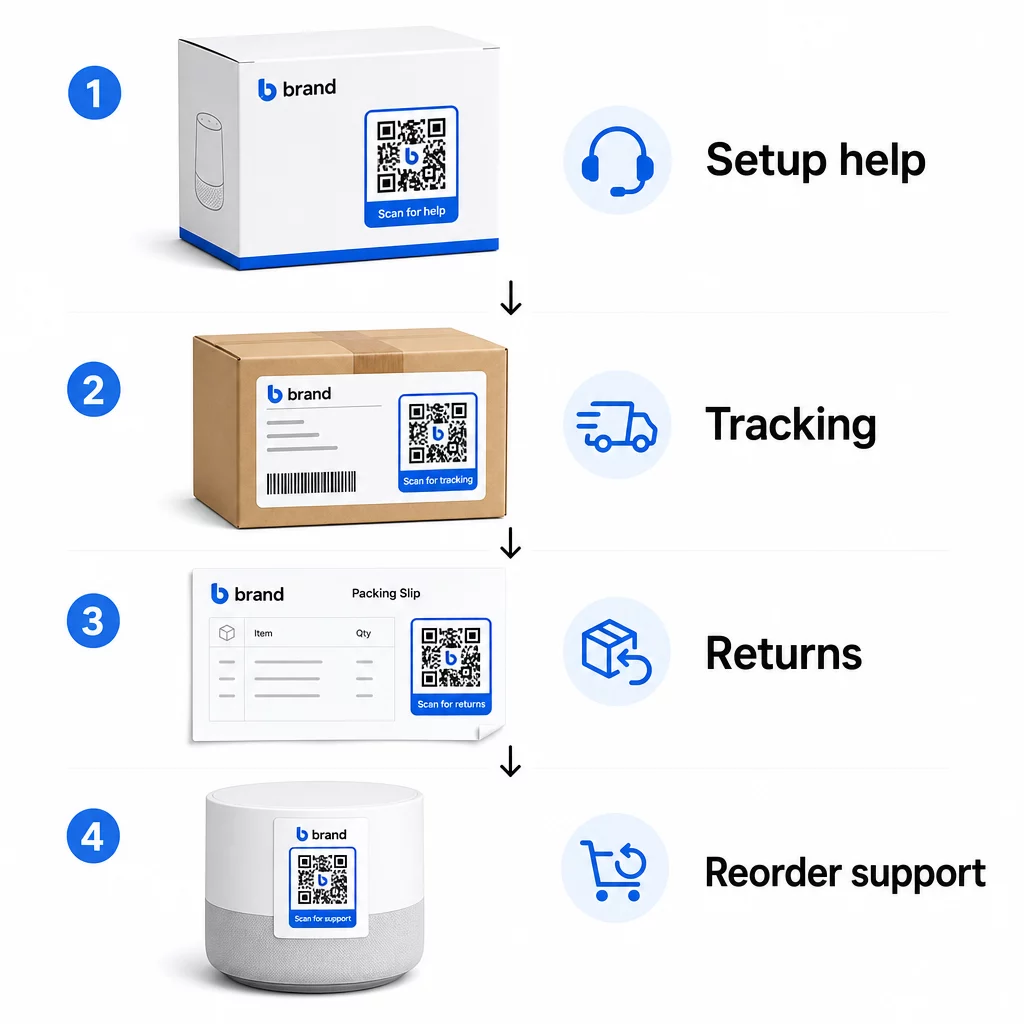
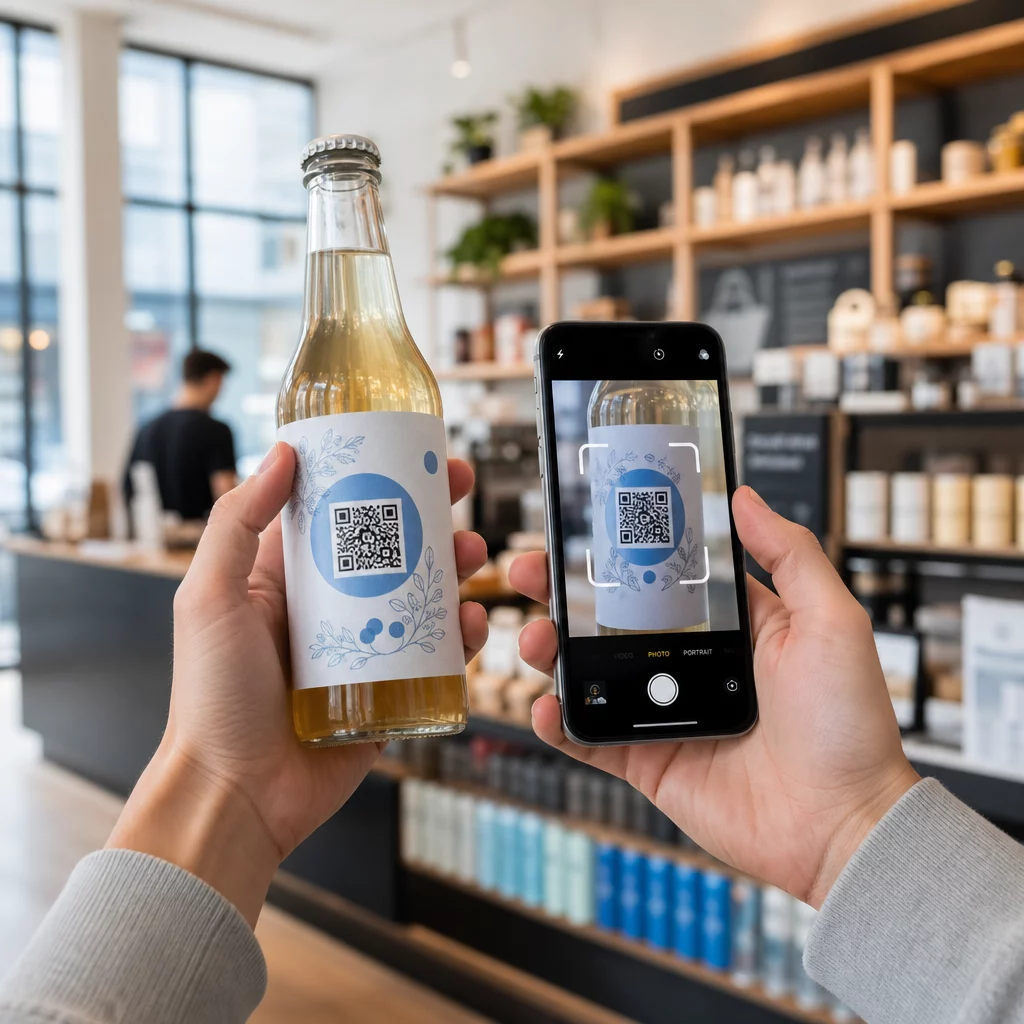
Produktemballasje. En QR-kode på esken eller etiketten gir kundene umiddelbar tilgang til oppsettguider, garantidetaljer og feilsøkingshjelp rett ved utpakking. For varige varer som hvitevarer eller verktøy, å legge til en QR-kode på produktemballasjen kan også lenke til instruksjonsvideoer, produktregistrering eller veiledninger for reservedeler – nyttig måneder etter kjøpet.
Fraktetiketter og sporingssider. 88% av netthandlere sier at sanntids leveringssporing er avgjørende for en positiv opplevelse, og 43% sjekker sine sporede bestillinger hver dag frem til levering. En QR-kode på fraktetiketten som lenker direkte til en live sporingsside fjerner friksjonen ved å logge inn på kontoer eller søke etter bekreftelses-e-poster.
Ordrebekreftelse og e-poster med forsendelsesvarsel. Dette er e-poster kunder faktisk åpner. Ved å legge inn en QR-kode som lenker til et ordrespesifikt støttesenter – med sporing, vanlige spørsmål og returinstruksjoner – holdes alt samlet i én skanning.
Kvitteringer og pakksedler. En QR-kode på pakkseddelen kan lenke til en returportal, et tilbakemeldingsskjema eller en produktoppmeldingsside. Dette er en plassering med lav innsats og høy verdi som gjør et dokument kunder allerede leser om til en støtteportal.
Produktetiketter. For forbruksvarer eller gjenstander som brukes gjentatte ganger, gir en QR-kode på etiketten kontinuerlig tilgang til oppdaterte instruksjoner, sikkerhetsinformasjon eller lenker for ny bestilling lenge etter det opprinnelige kjøpet.
Gjør dine støttekontaktpunkter sporbare Bruke Lenke QR-kodegenerator for å lage skannbare koder for emballasje, e-poster og forsendelsesmaterialer – og deretter spore nøyaktig hvilke støtteressurser kundene bruker.
Viktige støttebrukstilfeller for netthandel
QR-koder er fleksible nok til å tjene flere forskjellige støttefunksjoner. De vanligste som er verdt å bygge inn i arbeidsflyten din:
Selvbetjent feilsøking. Lenk QR-koder til produktspesifikke FAQ-sider eller videoopplæringer. Kunder får hjelp 24/7 uten å vente på en støtteagent, og du reduserer antall innkommende henvendelser.
Returer og bytter. Forhandlere anslår at 15,8% av det totale årlige salget vil bli returnert i 2025 – nesten 850 milliarder dollar. Å forenkle initieringsprosessen er viktig. En QR-kode som åpner et forhåndsutfylt returskjema, genererer en fraktetikett eller gir trinnvise instruksjoner, fjerner det største friksjonspunktet i returopplevelsen. Merker som IKEA har allerede gått over til QR-baserte returarbeidsflyter, og sender koder via e-post eller SMS når en retur er registrert.
Live chat og direkte kontakt. I stedet for å kreve at kunder finner en chat-widget på nettstedet ditt, kan en QR-kode på emballasjen eller en kvittering åpne et chat-vindu forhåndslastet med kundens ordredetaljer – noe som fremskynder løsningstiden på begge sider.
Garanti- og produktregistrering. En QR-kode på emballasjen som lenker direkte til et registreringsskjema, reduserer trinnene mellom kjøp og registrering, noe som forbedrer både fullføringsgraden og din evne til å følge opp med relevant støtte.
Tilbakemeldinger og anmeldelser. EN QR-kode for kundetilbakemelding plassert på kvitteringer, emballasje eller oppfølgings-e-poster gjør det enkelt for kunder å dele sin opplevelse. En Google Anmeldelse QR-kode sender dem direkte til anmeldelsessiden din med en enkelt skanning. Å samle inn denne tilbakemeldingen proaktivt hjelper deg også med å fange opp produkt- eller leveringsproblemer før de forverres.
Støtte for flere språk. Dynamiske QR-koder kan oppdage en kundes plassering og vise innhold på riktig språk – nyttig for internasjonale selgere som trenger å støtte ulike målgrupper uten å lage separate trykte materialer for hver region.
Samle inn tilbakemeldinger uten ekstra friksjon Bruke Google Form QR-kode generator for å bygge en skannbar tilbakemeldingslenke for e-poster etter kjøp eller pakksedler og begynne å samle inn handlingsrettet innsikt fra hver bestilling.
Hvorfor dynamiske QR-koder er det riktige valget for støtte
EN dynamisk QR-kode er en der destinasjons-URL-en kan redigeres etter at koden allerede er skrevet ut – uten å endre selve koden. For kundestøtte betyr denne forskjellen mer enn det kan virke som.
Støtteressurser endres regelmessig. Returpolicyer oppdateres, feilsøkingsguider revideres, og kontaktmetoder endres. Med en statisk QR-kode betyr enhver oppdatering at du må trykke om all emballasje, innlegg eller etiketter. Med en dynamisk kode oppdaterer du destinasjonen i dashbordet ditt, og hver eksisterende kode gjenspeiler umiddelbart endringen.
Dynamiske QR-koder muliggjør også analyser. Du kan spore hvor mange ganger en kode er skannet, fra hvilke steder, på hvilke enhetstyper og til hvilke tider. Disse dataene avslører hvilke støtteressurser kundene faktisk bruker – og hvilke kontaktpunkter som genererer flest forespørsler. For eksempel kan en økning i skanninger på en feilsøkingsguide indikere et tilbakevendende produktproblem som er verdt å adressere tidligere i prosessen. Du kan utforske hvordan QR-koder forbedrer e-handelsleveranser og støtte for å se hvordan andre merker bruker denne tilnærmingen.
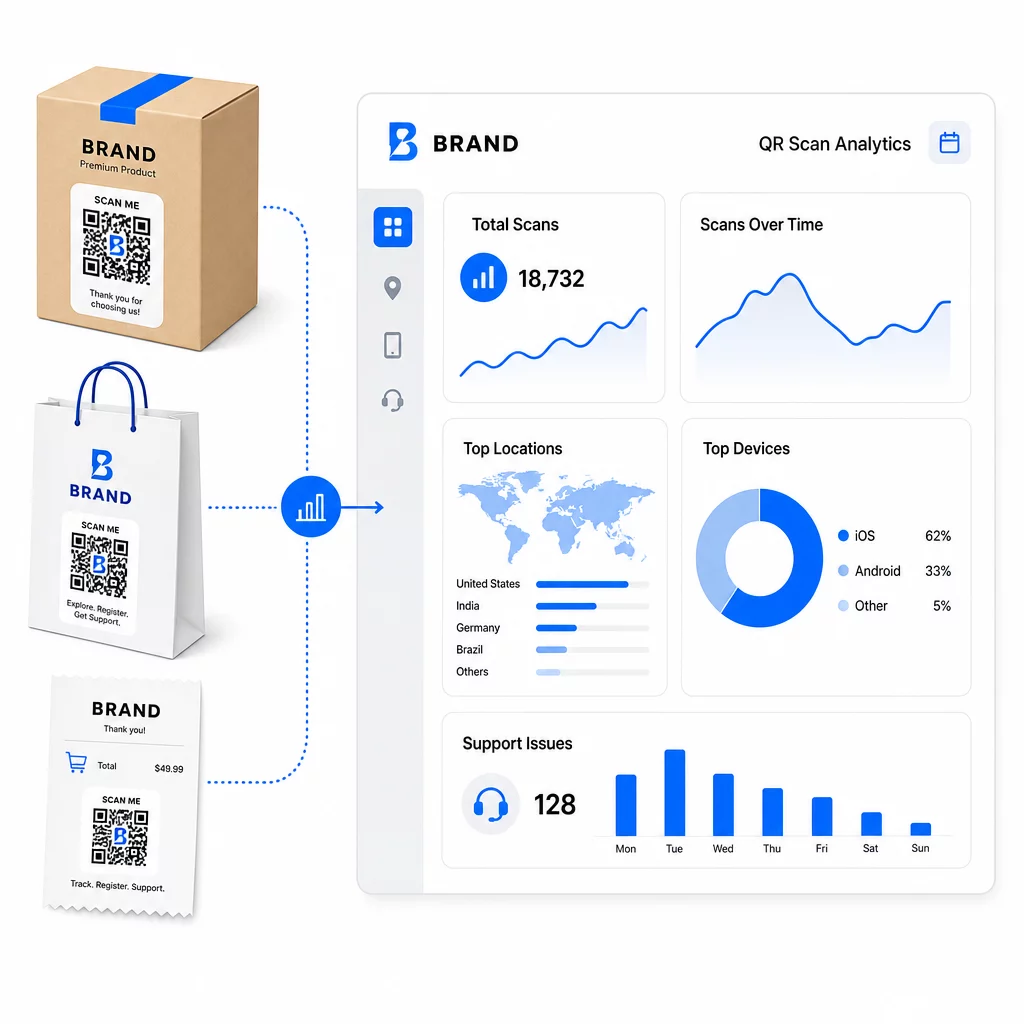
Hold støttelenker oppdatert uten å trykke på nytt Bruk Pageloot’s QR-kodegenerator for å lage dynamiske koder for emballasjen og innleggene dine – oppdater destinasjoner når som helst fra dashbordet ditt uten å røre det trykte materialet.
Personalisering gjennom QR-koder
En underutnyttet funksjon er å levere støtteinnhold som er skreddersydd for den spesifikke kunden eller produktet. Med dynamiske QR-koder kan du konfigurere koder til å vise forskjellig innhold basert på:
- Produkttype – En QR-kode på en blender lenker til blenderens oppsettguide og garanti, ikke en generell støtteside
- Kjøpshistorikk – Gjentakende kunder kan rutes til et lojalitetssenter eller en personlig tilpasset bestillingsside
- plassering – Internasjonale kunder ser regionspesifikt innhold eller lokale returinstruksjoner
Denne tilnærmingen gjør et generisk støttepunkt om til noe som føles designet for den individuelle kunden – noe som direkte påvirker om de kommer tilbake.
Bruke QR-kodeanalyse for å forbedre støtten
Dataene samlet inn fra QR-kodeskanninger er ikke bare en forfengelighetsmetrikk – det er et direkte signal om hvor kundene sliter. Et godt strukturert analyseoppsett kan fortelle deg:
- Hvilke produkter som genererer flest støtteskanninger (mulig kvalitets- eller dokumentasjonsproblem)
- Hvilke kontaktpunkter kunder engasjerer seg mest med (emballasje vs. e-post vs. kvittering)
- Når i etterkjøpsforløpet kunder søker hjelp (umiddelbart etter levering vs. uker senere)
- Geografiske mønstre som kan indikere regionale leveringsproblemer
Plattformer som tilbyr QR-kodesporing og -analyse gir deg en tilbakemeldingssløyfe i sanntid som ellers ville krevd manuelle kundeundersøkelser eller analyse av støttehenvendelser. Godt brukt lar disse dataene deg gjøre proaktive forbedringer i stedet for reaktive.
Praktiske tips for implementering
Før du ruller ut QR-koder for kundestøtte, vil noen retningslinjer spare deg for vanlige problemer:
- Test koder før masseutskrift. Skann hver kode på flere enheter og operativsystemer for å bekrefte at den løses riktig.
- Hold landingssider mobiloptimaliserte. Kunder som skanner en QR-kode er på telefonene sine. En side som laster sakte eller ikke vises riktig på mobil vil undergrave hele opplevelsen.
- Tilpass kodene riktig til overflaten. Koder på små produktetiketter må være store nok til å skannes pålitelig. Se beste praksis for brukervennlighet av QR-koder for spesifikk størrelsesveiledning basert på visningsavstand.
- Inkluder en kort oppfordring til handling nær koden. “Skann for oppsettguide” eller “Skann for å starte en retur” fjerner tvetydighet og øker skannefrekvensen.
- Bruk merkede, gjenkjennelige design. Kunder er mer sannsynlig å stole på og skanne en kode som visuelt matcher merkevaren din. Koder med logoer og merkevarefarger yter bedre enn generiske svart-hvitt-kvadrater.
- Bruk dynamiske koder når innholdet kan endres. Hvis det er en sjanse for at destinasjons-URL-en må oppdateres, start med en dynamisk kode.
Fordeler og ulemper i et nøtteskall
| Faktor | QR-kode støtte | Tradisjonell digital støtte |
|---|---|---|
| Tilgangshastighet | Øyeblikkelig via skanning | Krever navigering eller søk |
| 24/7 tilgjengelighet | Ja | Varierer |
| Personalisering | Høy (dynamiske koder) | Moderat |
| Vedlikehold | Lav (dynamiske oppdateringer) | Moderat |
| STATISTIKK | Innebygd | Krever separat oppsett |
| tilgjengelighet | Krever smarttelefon | Fungerer på tvers av enheter |
| Utskriftsavhengighet | Krever fysisk plassering | Kun digital |
Hovedbegrensningen er det digitale skillet: kunder uten smarttelefoner eller pålitelig internettilgang kan ikke bruke QR-basert støtte. For disse kundene vil du ønske en parallell støttevei – et telefonnummer eller trykte instruksjoner – slik at ingen blir stående uten hjelp.
Sikkerhet er også verdt å ta tak i. Bruk HTTPS-lenker, hold merkevarens design konsekvent, og vurder å fortelle kundene på forhånd (via emballasjetekst eller bestillings-e-poster) hvor QR-kodene dine fører og hvilke data som samles inn. Åpenhet bygger tilliten som gjør kundene villige til å skanne.
Sette det sammen
QR-koder fungerer best for kundestøtte når de plasseres i øyeblikkene kundene mest trenger hjelp – utpakking, sporing av en forsendelse eller start av en retur – og når de lenker til ressurser som er genuint nyttige i stedet for bare en hjemmeside. Dynamiske koder gjør det bærekraftig: du kan oppdatere støtteinnhold uten å skrive ut noe på nytt, og analysene mates direkte inn i din forståelse av hvor kundeopplevelsen bryter sammen.
De casestudier av QR-koder i e-handel viser målbare resultater når implementeringen er bevisst. Start med ett eller to berøringspunkter med høy friksjon – returer og ordresporing er gode kandidater – og utvid derfra etter hvert som du lærer hva kundene faktisk skanner.
Begynn å bygge dine støtte-QR-koder Pageloots QR-kodegenerator lar deg lage dynamiske, merkevaretilpassede koder for hvert trinn i reisen etter kjøpet – spor skanninger, oppdater destinasjoner og lever en bedre støtteopplevelse uten å skrive ut på nytt.
Ofte stilte spørsmål
De mest effektive bruksområdene er lenker til sider for ordresporing, skjemaer for returinitiering, produktspesifikke feilsøkingsguider, oppsettvideoer, garantiregistrering og live chat. Innhold som kunder trenger raskt og på en mobil enhet passer naturlig. PDF-manualer, Google Forms for tilbakemelding og direkte kontaktsider for støtte fungerer også bra når de er lenket via en PDF QR-kode eller en lenkebasert kode.
Bruk dynamiske QR-koder, som lar deg endre destinasjons-URL-en fra et dashbord uten å endre selve den trykte koden. Dette betyr at du kan oppdatere returpolicyer, bytte ut feilsøkingsguider, eller omdirigere kunder til en ny støtteportal når som helst – uten å trykke om emballasje, innlegg eller etiketter.
QR-kodeanalyser viser deg skannevolum, skannetidspunkt, geografisk plassering og enhetstype for hver kode. Hvis du ser høye skannefrekvenser på en spesifikk feilsøkingsguide, er det et signal om et tilbakevendende produktproblem. Lave skannefrekvenser på en returkode kan bety dårlig plassering eller uklare instruksjoner rundt koden. Bruk disse dataene til å forbedre både plasseringen og destinasjonsinnholdet over tid.