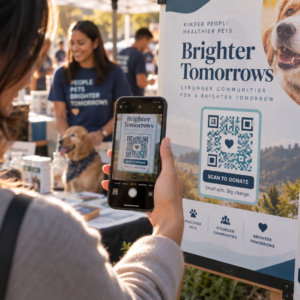
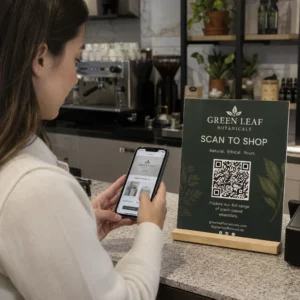
Küzdenek ügyfelei azzal, hogy segítséget találjanak a vásárlás után? A rossz vásárlás utáni támogatás az egyik leggyorsabb módja annak, hogy elveszítsen egy visszatérő vásárlót – és a fogyasztók 52%-a szerint a rossz szolgáltatás az elsődleges ok, amiért nem vásárolnak újra. Ez az útmutató gyakorlati módokat mutat be a QR-kódok használatára, hogy a támogatás, a visszaküldés és a rendeléskövetés gyorsabbá és egyszerűbbé váljon ügyfelei számára.
Miért fontosabb a vásárlás utáni támogatás, mint valaha
Az ügyfelek elvárásai megváltoztak. A gyors szállítás, a valós idejű nyomon követés és a súrlódásmentes visszaküldés már nem előnyök – alapvető követelmények. Fontolja meg, mi forog kockán:
- Az ügyfelek 88%-a nagyobb valószínűséggel vásárol újra egy nagyszerű szolgáltatási élmény után
- A vásárlók 70%-a szerint az egyszerű, átlátható visszaküldési folyamat növeli hűségüket egy e-kereskedelmi kiskereskedő iránt
- A fogyasztók 73%-a szeretné nyomon követni rendeléseit a szállítás során, és ha a nyomon követés elérhető, 96%-uk használja azt
A legtöbb e-kereskedelmi márka számára az a kihívás, hogy a támogatási kapcsolódási pontok szétszórtak: az ügyfeleknek vadászniuk kell a kapcsolatfelvételi oldalakra, navigálniuk kell a visszaküldési portálokon, vagy át kell túrniuk az e-mail visszaigazolásokat a rendelési adatok megtalálásához. A QR-kódok ezt úgy oldják meg, hogy a támogatást közvetlenül oda viszik, ahol az ügyfelek már vannak – a kezükben lévő csomagra, a beérkező levelek között lévő nyugtára vagy a terméken lévő címkére.
Hová helyezzünk QR-kódokat a vásárlás utáni úton
A leghatékonyabb QR-kód stratégia minden kódot az ügyfélélmény egy adott pillanatához rendel. Íme a legnagyobb hatású elhelyezések:
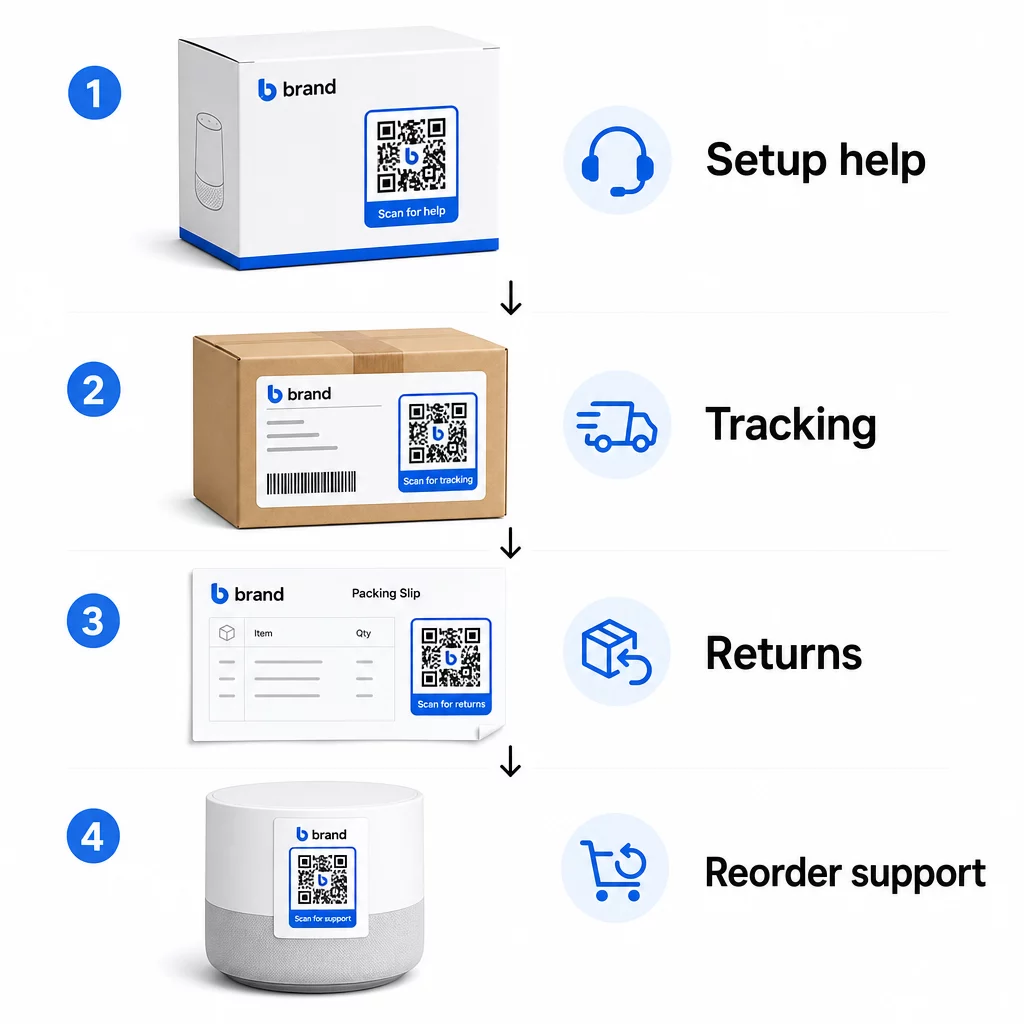
Termékcsomagolás. A dobozon vagy címkén lévő QR-kód azonnali hozzáférést biztosít az ügyfeleknek a beállítási útmutatókhoz, garanciális részletekhez és hibaelhárítási segítséghez közvetlenül a kicsomagoláskor. Tartós fogyasztási cikkek, például háztartási gépek vagy szerszámok esetében, QR-kód hozzáadása a termékcsomagoláshoz linkelhet útmutató videókhoz, termékregisztrációhoz vagy cserealkatrész-útmutatókhoz is – hasznos hónapokkal a vásárlás után.
Szállítási címkék és nyomon követési oldalak. Az online vásárlók 88%-a szerint a valós idejű szállítási nyomon követés kritikus fontosságú a pozitív élményhez, és 43%-uk minden nap ellenőrzi nyomon követett rendeléseit a szállításig. A szállítási címkén lévő QR-kód, amely közvetlenül egy élő nyomon követési oldalra mutat, megszünteti a fiókokba való bejelentkezés vagy a visszaigazoló e-mailek keresésének súrlódását.
Rendelés visszaigazoló és szállítási értesítő e-mailek. Ezek olyan e-mailek, amelyeket az ügyfelek ténylegesen megnyitnak. Egy QR-kód beágyazása, amely egy rendelés-specifikus támogatási központhoz – nyomon követéssel, GYIK-kel és visszaküldési utasításokkal – kapcsolódik, mindent egyetlen szkenneléssel elérhetővé tesz.
Nyugták és csomagkísérő jegyek. A csomagkísérő jegyen lévő QR-kód hivatkozhat egy visszaküldési portálra, egy visszajelzési űrlapra vagy egy termékértékelő oldalra. Ez egy alacsony erőfeszítést igénylő, nagy értékű elhelyezés, amely az ügyfelek által már olvasott dokumentumot támogatási átjáróvá alakítja.
Termékcímkék. Fogyóeszközök vagy ismételten használt termékek esetén a címkén lévő QR-kód folyamatos hozzáférést biztosít a frissített utasításokhoz, biztonsági információkhoz vagy újrarendelési linkekhez, jóval az eredeti vásárlás után is.
Tedd nyomon követhetővé a támogatási érintkezési pontjaidat Használja a Link QR-kód generátor olvasható kódok létrehozása csomagoláshoz, e-mailekhez és szállítási anyagokhoz – majd pontosan nyomon követni, hogy az ügyfelek mely támogatási forrásokat használják.
Kulcsfontosságú támogatási felhasználási esetek az e-kereskedelemben
A QR-kódok elég rugalmasak ahhoz, hogy több különböző támogatási funkciót is ellássanak. A leggyakoribbak, amelyeket érdemes beépíteni a munkafolyamatba:
Önkiszolgáló hibaelhárítás. Kapcsold össze a QR-kódokat termékspecifikus GYIK oldalakhoz vagy videós oktatóanyagokhoz. Az ügyfelek 24/7 segítséget kapnak anélkül, hogy támogatási ügynökre kellene várniuk, és csökkented a bejövő jegyek számát.
Visszaküldések és cserék. A kiskereskedők becslése szerint a teljes éves értékesítés 15,8%-át visszaküldik 2025-ben – közel 850 milliárd dollárt. A kezdeményezési folyamat egyszerűsítése számít. Egy QR-kód, amely megnyit egy előre kitöltött visszaküldési űrlapot, generál egy szállítási címkét, vagy lépésről lépésre útmutatást nyújt, eltávolítja a legnagyobb súrlódási pontot a visszaküldési élményből. Az olyan márkák, mint az IKEA, már áttértek a QR-alapú visszaküldési munkafolyamatokra, e-mailben vagy SMS-ben küldve a kódokat, amint egy visszaküldés regisztrálásra kerül.
Élő chat és közvetlen kapcsolat. Ahelyett, hogy az ügyfeleknek meg kellene találniuk egy chat widgetet a webhelyeden, a csomagoláson vagy a nyugtán lévő QR-kód megnyithat egy chat ablakot, amely előre betölti az ügyfél rendelési adatait – felgyorsítva a megoldási időt mindkét oldalon.
Garanciaregisztráció és termékregisztráció. A csomagoláson található QR-kód, amely közvetlenül egy regisztrációs űrlapra mutat, csökkenti a vásárlás és a regisztráció közötti lépéseket, ami javítja a kitöltési arányt és a releváns támogatással való utókövetés képességét.
Visszajelzések és vélemények. A ügyfél visszajelzés QR-kód nyugtákon, csomagoláson vagy utólagos e-mailekben elhelyezve megkönnyíti az ügyfelek számára, hogy megosszák tapasztalataikat. A Google értékelés QR-kóddal egyetlen szkenneléssel közvetlenül az Ön véleményezési oldalára küldi őket. Az ilyen visszajelzések proaktív gyűjtése segít abban is, hogy még azelőtt észrevegye a termék- vagy teljesítési problémákat, mielőtt azok súlyosbodnának.
Többnyelvű támogatás. A dinamikus QR-kódok képesek érzékelni az ügyfél tartózkodási helyét, és a megfelelő nyelven szolgáltatni a tartalmat – ez hasznos a nemzetközi eladók számára, akiknek sokféle közönséget kell támogatniuk anélkül, hogy minden régióhoz külön nyomtatott anyagokat kellene készíteniük.
Gyűjtsön visszajelzéseket extra súrlódás nélkül Használja a Google Forms kérdőív QR kód generátor hogy létrehozzon egy szkennelhető visszajelzési linket a vásárlás utáni e-mailekhez vagy csomagolási jegyzékekhez, és elkezdjen gyűjteni hasznos információkat minden megrendelésből.
Miért a dinamikus QR-kódok a megfelelő választás a támogatáshoz
A dinamikus QR-kód olyan, ahol a cél URL-cím szerkeszthető azután is, hogy a kód már kinyomtatásra került – anélkül, hogy maga a kód megváltozna. Az ügyfélszolgálat szempontjából ez a különbség fontosabb, mint amilyennek tűnhet.
A támogatási erőforrások rendszeresen változnak. A visszaküldési szabályzatok frissülnek, a hibaelhárítási útmutatók átdolgozásra kerülnek, és a kapcsolattartási módszerek is változnak. Egy statikus QR-kód esetén minden frissítés azt jelenti, hogy újra kell nyomtatni az összes csomagolást, betétlapot vagy címkét. Egy dinamikus kóddal frissíti a célhelyet az irányítópultján, és minden meglévő kód azonnal tükrözi a változást.
A dinamikus QR-kódok elemzéseket is lehetővé tesznek. Nyomon követheti, hányszor szkenneltek be egy kódot, mely helyekről, milyen eszköztípusokon és mikor. Ez az adat feltárja, hogy az ügyfelek mely támogatási erőforrásokat használják ténylegesen – és mely érintkezési pontok generálják a legtöbb kérést. Például, ha egy hibaelhárítási útmutató szkenneléseinek száma megugrik, az egy ismétlődő termékproblémára utalhat, amelyet érdemes a forrásnál kezelni. Felfedezheti, hogyan javítják a QR-kódok az e-kereskedelmi szállításokat és a támogatást hogy más márkák hogyan alkalmazzák ezt a megközelítést.
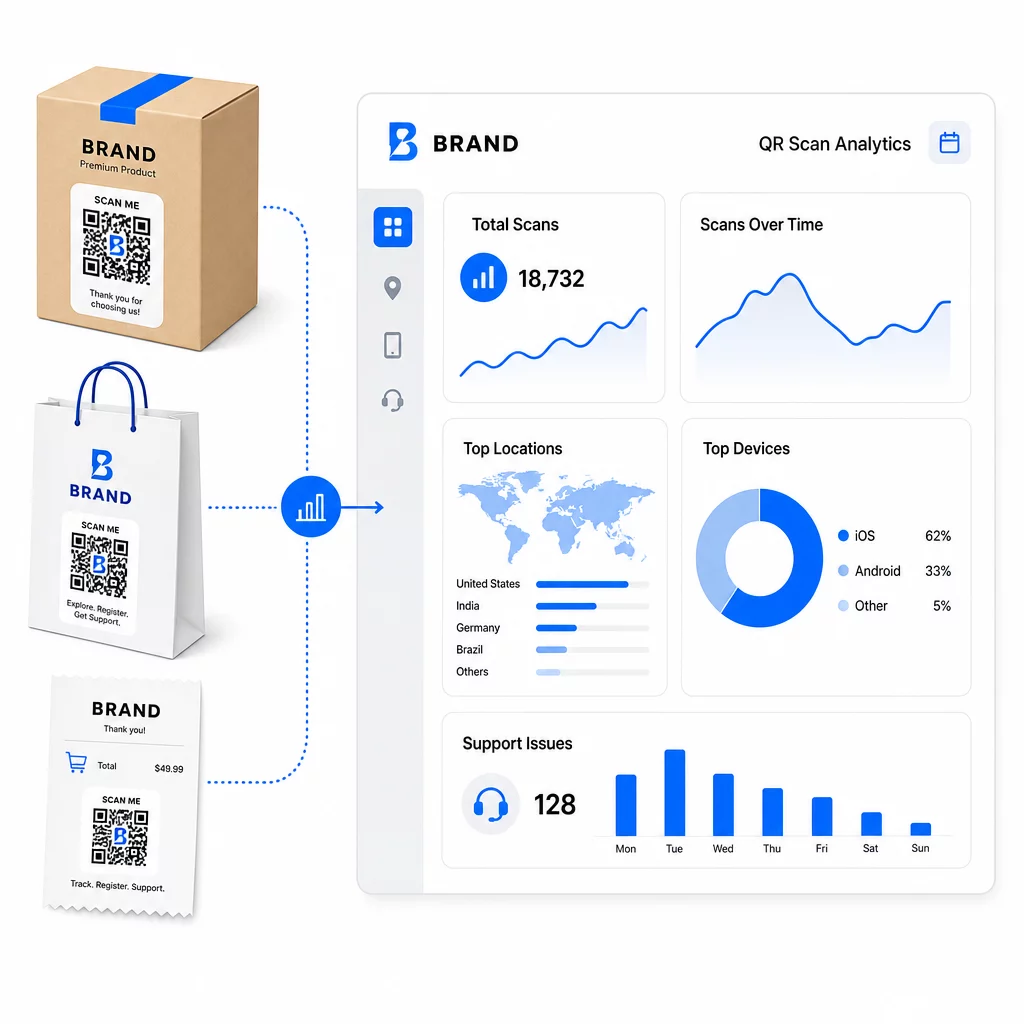
Tartsa naprakészen a támogatási linkeket újranyomtatás nélkül Használd a Pageloot QR Kód Generátor dinamikus kódokat hozhat létre csomagolásához és betétlapjaihoz – bármikor frissítheti a célhelyeket az irányítópultról anélkül, hogy hozzáérne a nyomtatott anyaghoz.
Személyre szabás QR-kódokon keresztül
Az egyik alulhasznált képesség a specifikus ügyfélre vagy termékre szabott támogatási tartalom biztosítása. Dinamikus QR-kódokkal konfigurálhatja a kódokat, hogy különböző tartalmakat szolgáljanak ki az alábbiak alapján:
- Terméktípus – Egy turmixgépen lévő QR-kód a turmixgép beállítási útmutatójára és garanciájára mutat, nem egy általános támogatási oldalra
- Vásárlási előzmények – A visszatérő ügyfelek hűségközpontba vagy személyre szabott újrarendelési oldalra irányíthatók
- Elhelyezkedés – A nemzetközi ügyfelek régióspecifikus tartalmat vagy helyi visszaküldési utasításokat látnak
Ez a megközelítés egy általános támogatási érintkezési pontot olyanná alakít, ami az egyéni ügyfélre szabottnak érződik – ami közvetlenül befolyásolja, hogy visszatérnek-e.
QR-kód analitika használata a támogatás javítására
A QR-kód beolvasásokból gyűjtött adatok nem csupán hiúsági mutatók – közvetlen jelzést adnak arról, hogy hol küzdenek az ügyfelek. Egy jól strukturált analitikai beállítás megmondhatja Önnek:
- Mely termékek generálják a legtöbb támogatási beolvasást (lehetséges minőségi vagy dokumentációs probléma)
- Mely érintkezési pontokkal foglalkoznak leginkább az ügyfelek (csomagolás vs. e-mail vs. nyugta)
- Mikor a vásárlás utáni idővonalon keresnek segítséget az ügyfelek (közvetlenül a szállítás után vs. hetekkel később)
- Földrajzi minták, amelyek regionális teljesítési problémákra utalhatnak
Platformok, amelyek kínálnak QR-kód nyomon követés és analitika valós idejű visszajelzési hurkot biztosítanak, ami egyébként manuális ügyfélfelméréseket vagy támogatási jegyek elemzését igényelné. Jól használva ezek az adatok lehetővé teszik, hogy proaktív fejlesztéseket hajtson végre, ne pedig reaktívakat.
Gyakorlati tippek a megvalósításhoz
Mielőtt bevezetné a QR-kódokat az ügyfélszolgálathoz, néhány irányelv megóvja Önt a gyakori problémáktól:
- Tesztelje a kódokat, mielőtt nagy mennyiségben nyomtatná. Olvassa be az összes kódot több eszközön és operációs rendszeren, hogy megbizonyosodjon a helyes feloldásról.
- Tartsa a céloldalakat mobilra optimalizálva. A QR-kódot beolvasó ügyfelek a telefonjukon vannak. Egy lassan betöltődő vagy mobilon nem megfelelően megjelenő oldal aláássa az egész élményt.
- Méretezze a kódokat megfelelően a felülethez. A kis termékcímkéken lévő kódoknak elég nagynak kell lenniük a megbízható beolvasáshoz. Tekintse át QR kód használhatósági legjobb gyakorlatok a megtekintési távolságon alapuló specifikus méretezési útmutatót.
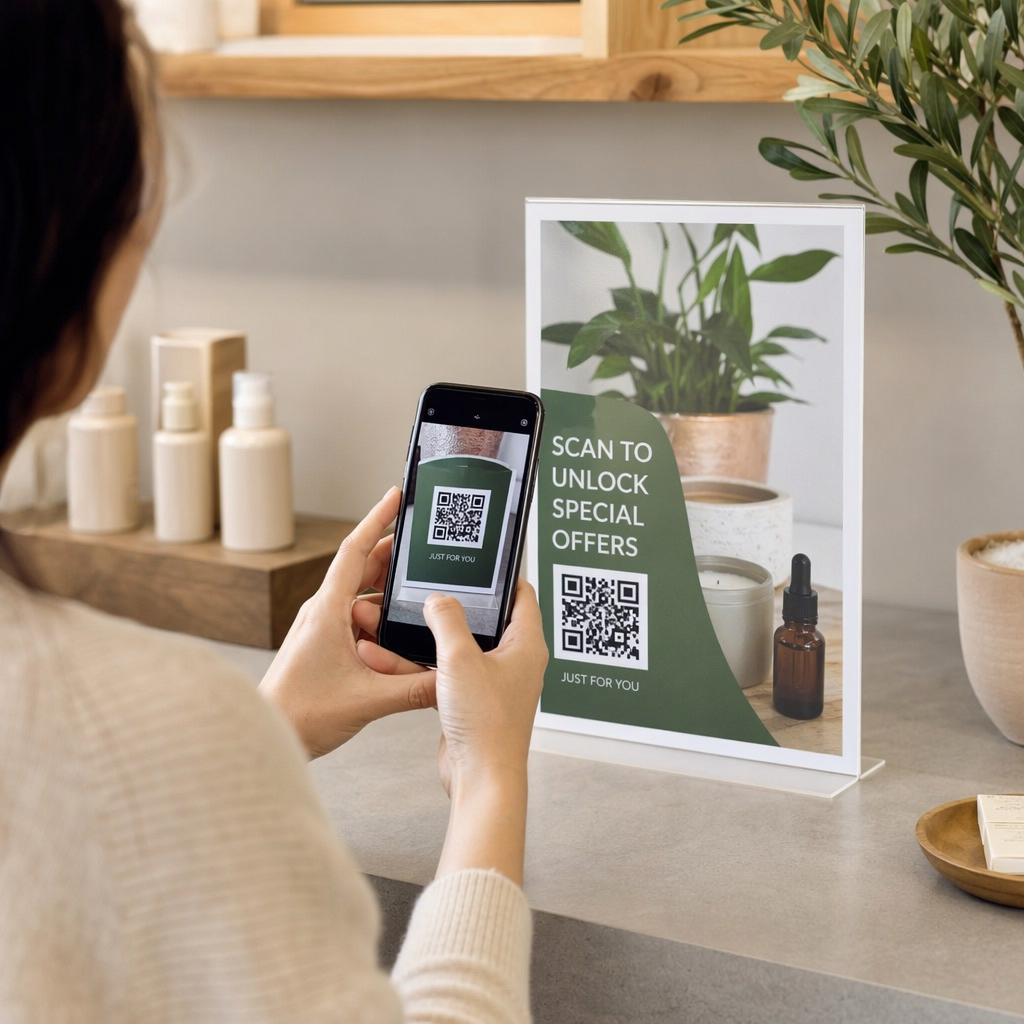
- Tegyen egy rövid cselekvésre ösztönző felhívást a kód mellé. “A ”Beolvasás a beállítási útmutatóért“ vagy ”Beolvasás a visszaküldés megkezdéséhez” megszünteti a kétértelműséget és növeli a beolvasási arányt.
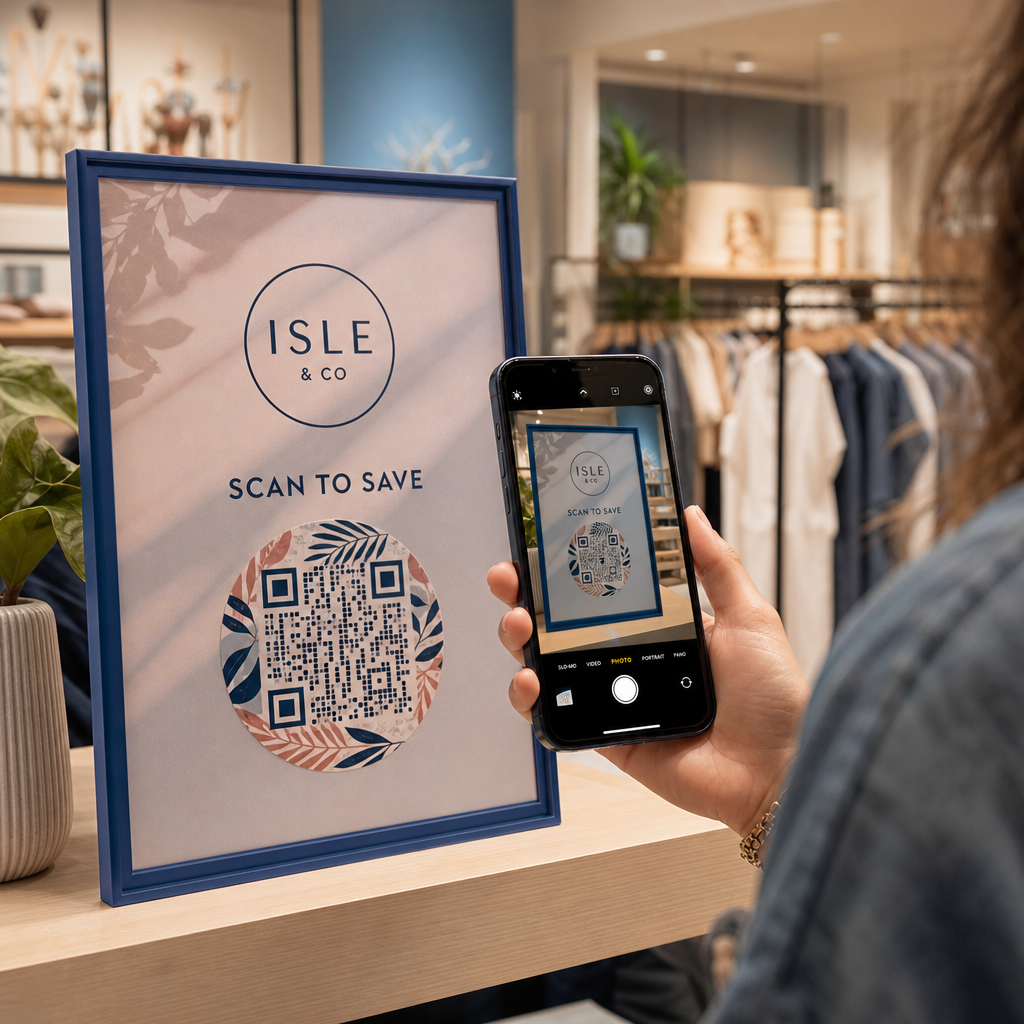
- Használjon márkás, felismerhető dizájnokat. Az ügyfelek nagyobb valószínűséggel bíznak meg és olvassák be azt a kódot, amely vizuálisan illeszkedik a márkájához. A logóval és márkaszínekkel ellátott kódok jobban teljesítenek, mint az általános fekete-fehér négyzetek.
- Használjon dinamikus kódokat, amikor a tartalom változhat. Ha van rá esély, hogy a cél URL-t frissíteni kell, kezdje egy dinamikus kóddal.
Előnyök és hátrányok egy pillantásra
| Tényező | QR kód támogatás | Hagyományos digitális támogatás |
|---|---|---|
| Hozzáférési sebesség | Azonnali szkenneléssel | Navigációt vagy keresést igényel |
| Éjjel-nappali elérhetőség | Igen | Változó |
| Személyre szabás | Magas (dinamikus kódok) | Mérsékelt |
| Karbantartás | Alacsony (dinamikus frissítések) | Mérsékelt |
| ELEMZÉS | Beépített | Külön beállítást igényel |
| Hozzáférhetőség | Okostelefont igényel | Működik eszközökön át |
| Nyomtatási függőség | Fizikai elhelyezést igényel | Csak digitális |
A fő korlát a digitális szakadék: az okostelefonnal vagy megbízható internet-hozzáféréssel nem rendelkező ügyfelek nem tudják használni a QR-alapú támogatást. Ezeknek az ügyfeleknek érdemes egy párhuzamos támogatási utat biztosítani – egy telefonszámot vagy nyomtatott utasításokat –, hogy senki ne maradjon segítség nélkül.
A biztonság is említésre méltó. Használjon HTTPS linkeket, tartsa egységesen a márkázott dizájnokat, és fontolja meg, hogy előre tájékoztatja az ügyfeleket (csomagoláson vagy rendelési e-maileken keresztül), hova vezetnek a QR-kódjai, és milyen adatokat gyűjtenek. Az átláthatóság építi azt a bizalmat, ami miatt az ügyfelek hajlandóak szkennelni.
Összefoglalás
A QR-kódok akkor működnek a legjobban az ügyfélszolgálatban, ha az ügyfeleknek a legnagyobb szükségük van segítségre – kicsomagoláskor, szállítás nyomon követésekor vagy visszaküldés indításakor –, és ha valóban hasznos forrásokra mutatnak, nem csupán egy kezdőlapra. A dinamikus kódok fenntarthatóvá teszik: frissítheti a támogatási tartalmat anélkül, hogy bármit újra kellene nyomtatnia, és az analitika közvetlenül hozzájárul annak megértéséhez, hol akadozik az ügyfélélmény.
A QR-kódok esettanulmányai az e-kereskedelemben mérhető eredményeket mutatnak, ha a bevezetés tudatos. Kezdje egy-két nagy súrlódású érintkezési ponttal – a visszaküldések és a rendeléskövetés jó jelöltek –, és onnan terjeszkedjen, ahogy megtanulja, mit szkennelnek valójában az ügyfelek.
Kezdje el építeni támogatási QR-kódjait A Pageloot QR Kód Generátor lehetővé teszi dinamikus, márkázott kódok létrehozását az értékesítés utáni út minden szakaszához – nyomon követheti a szkenneléseket, frissítheti a célhelyeket, és jobb támogatási élményt nyújthat újranyomtatás nélkül.
Gyakori kérdések
A leghatékonyabb felhasználási módok a rendeléskövető oldalak linkjei, visszaküldési űrlapok, termékspecifikus hibaelhárítási útmutatók, beállítási videók, garancia regisztráció és az élő chat. Az a tartalom, amire az ügyfeleknek gyorsan és mobil eszközön van szükségük, ideális. A PDF kézikönyvek, a visszajelzésre szolgáló Google űrlapok és a közvetlen támogatási kapcsolattartó oldalak szintén jól működnek, ha PDF QR-kódon vagy link alapú kódon keresztül vannak linkelve.
Használjon dinamikus QR-kódokat, amelyek lehetővé teszik a cél URL megváltoztatását egy irányítópultról anélkül, hogy magát a nyomtatott kódot módosítaná. Ez azt jelenti, hogy frissítheti a visszaküldési szabályzatokat, kicserélheti a hibaelhárítási útmutatókat, vagy bármikor átirányíthatja az ügyfeleket egy új támogatási portálra – anélkül, hogy újranyomtatná a csomagolást, betétlapokat vagy címkéket.
A QR-kód analitika megmutatja az egyes kódok szkennelési volumenét, időzítését, földrajzi helyét és eszköz típusát. Ha magas szkennelési arányt lát egy adott hibaelhárítási útmutatónál, az egy visszatérő termékproblémára utal. Az alacsony szkennelési arány egy visszaküldési kódon rossz elhelyezésre vagy a kód körüli nem egyértelmű utasításokra utalhat. Használja ezeket az adatokat az elhelyezés és a cél tartalom finomítására az idő múlásával.