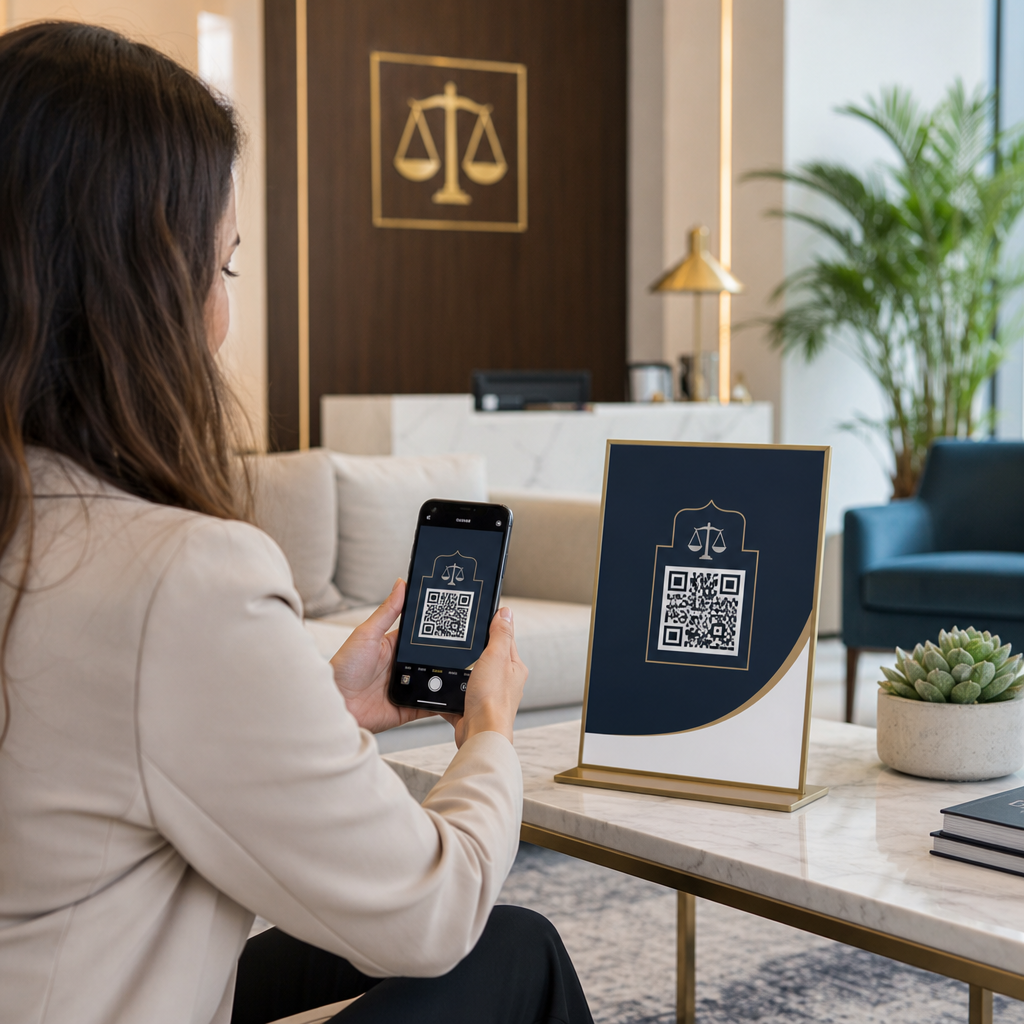

Bent u op zoek naar een moderne manier om de cliëntacceptatie en betalingen te stroomlijnen zonder de professionele reputatie van uw advocatenkantoor in gevaar te brengen? Papiergebaseerde administratieve workflows vertragen de initiële consultaties, vertragen de incasso van facturen en creëren frictie voor potentiële cliënten. Het implementeren van scanbare QR-codes in uw juridische praktijk verbindt fysieke print-aanraakpunten direct met veilige digitale portals, waardoor de efficiëntie van het kantoor wordt versneld met behoud van volledige ethische naleving.
Waarom Juridische Praktijken Scanbare Aanraakpunten Gebruiken
Traditionele juridische marketing- en administratieve processen ervaren vaak frictie wanneer potentiële cliënten proberen over te stappen van gedrukt materiaal – zoals visitekaartjes, evenementborden of direct mailings – naar digitale contactformulieren en het plannen van consultaties.
ABA-modelregel 7.2(a) (American Bar Association) staat advocatenreclame toe via elk medium, mits alle communicatie accuraat en niet-misleidend blijft volgens ABA-modelregel 7.1. Moderne juridische praktijken gebruiken scanbare matrixbarcodes (algemeen bekend als QR-codes) om fysieke media te verbinden met versleutelde online landingspagina's.
Bij het implementeren van deze aanraakpunten moeten advocatenkantoren kiezen tussen statische en dynamische codes:
- Statische QR codes: Slaat vaste gegevens direct op in het matrixpatroon, wat betekent dat u de bestemming niet kunt wijzigen of scanstatistieken kunt volgen na het printen.
- Dynamische QR codes: Leidt scanners via een korte omleidingslink, zodat u op elk moment bestemmings-URL's kunt bijwerken en scanbetrokkenheid kunt analyseren.
Dynamische technologie registreert ook niet-persoonlijk identificeerbare scanstatistieken – zoals scantijd, besturingssysteem en geografische regio – waardoor kantoren de prestaties van marketingcampagnes kunnen evalueren. Voor meer informatie over het selecteren van de juiste technische structuur, bekijk onze analyse van statische versus dynamische QR-codes of verken bredere juridische praktijktools in verschillende brancheoplossingen.
Advocatenvisitekaartjes verbeteren met Dynamische vCards
Standaard visitekaartjes voor advocaten hebben vaak te kampen met beperkte fysieke ruimte, waardoor advocaten belangrijke praktijkdetails moeten weglaten of onleesbaar kleine tekst moeten afdrukken. Het gebruik van een QR-code voor visitekaartjes maken stelt u in staat om een compleet virtueel contactbestand (vCard) direct op papieren kaartmateriaal in te sluiten.
Wanneer een potentiële cliënt of collega de code scant met een smartphonecamera, vraagt hun apparaat hen om uw volledige juridische profiel direct op te slaan – inclusief primaire telefoonnummers, directe doorkiesnummers, kantooradressen, direct e-mailadres en webportals van het kantoor. Voor stapsgewijze instructies over het instellen van virtuele contactkaarten, raadpleeg onze handleiding over het genereren van een QR-code voor contactgegevens.
| VOORKANT KAART | ACHTERKANT KAART |
|---|---|
| JANE DOE, ESQ. | QR-CODE |
| Partner, Geschillenbeslechting | 0,8 x 0,8 inch |
| Smith & Doe LLP | – |
| [email protected] | Scannen om contact op te slaan |
Om een opgeruimde en zeer professionele uitstraling te behouden:
- Reserveer de voorkant van de kaart voor essentiële typografie, zoals de naam van de advocaat, titel, naam van het kantoor en primair telefoonnummer.
- Plaats de scanbare code netjes op de achterkant, vergezeld van een subtiele oproep tot actie, zoals “Scannen om contactgegevens op te slaan.”
- Handhaaf een afgedrukt formaat van minimaal 0,8 x 0,8 inch (2 x 2 cm) om snel en betrouwbaar scannen te garanderen.
Voor verdere ontwerpaanbevelingen, lees onze handleidingen over visitekaartje ontwerp met een QR-code en de exacte afdrukstandaarden voor beste QR-codeformaten voor visitekaartjes.
Upgrade de netwerktools van uw kantoor Stroomlijn hoe potentiële cliënten uw contactgegevens van de advocaat direct op hun mobiele apparaten opslaan. Gebruik de QR-code voor visitekaartjes maken om vandaag nog gepersonaliseerde, scanbare juridische vCards te maken.
Modernisering van cliëntintakeformulieren met waarborging van vertrouwelijkheid
Papieren intakeformulieren in wachtruimtes verlengen de onboarding van cliënten en introduceren fouten bij de gegevenstranscriptie. Het implementeren van online intakeformulieren via een Google Forms QR code maken of een algemene link QR-codegenerator stelt potentiële cliënten in staat om voorlopige consultatievragenlijsten direct op hun persoonlijke mobiele apparaten in te vullen.
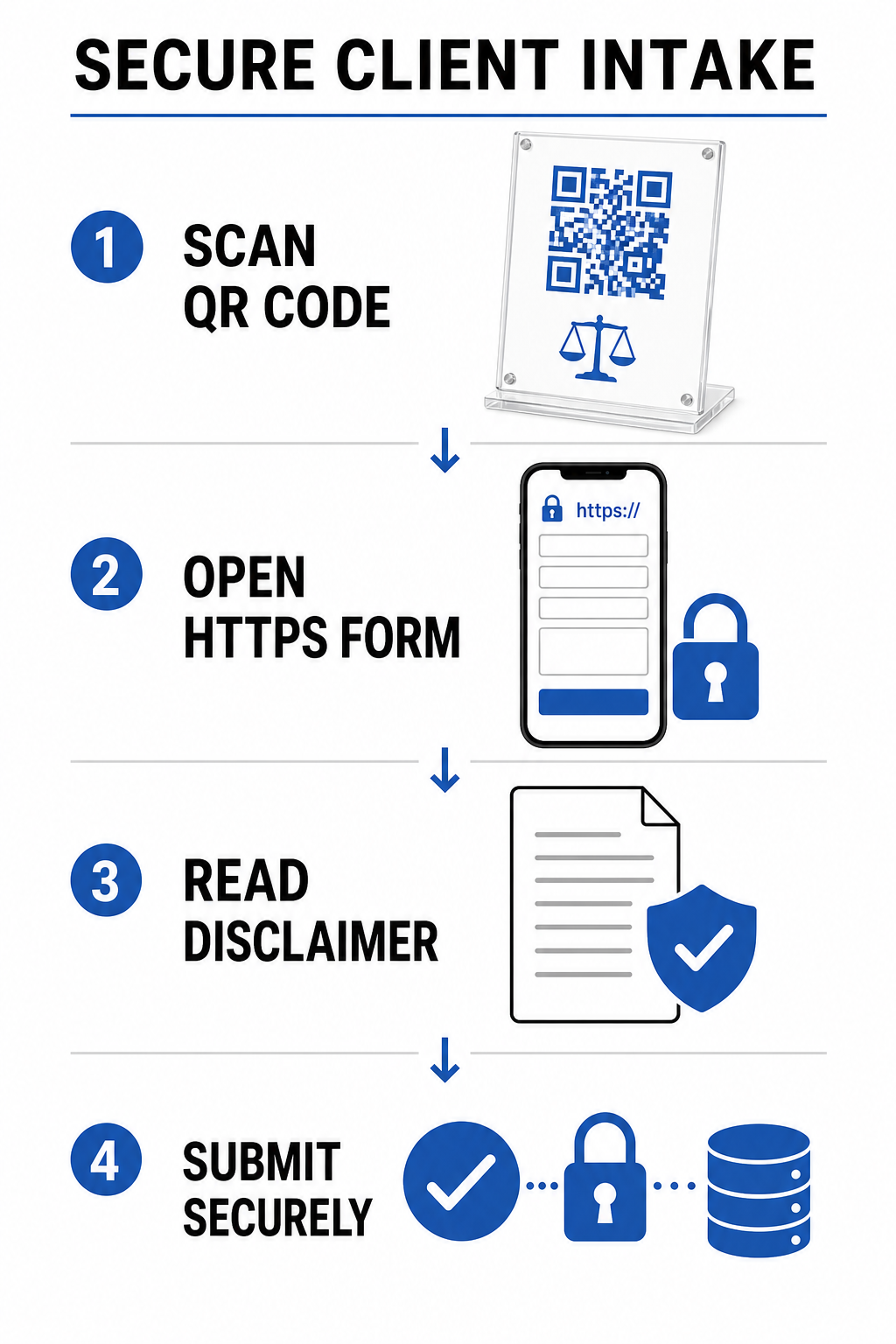
Omdat juridische intake gevoelige persoonsgegevens betreft, moeten digitale intakesystemen zich strikt houden aan ethische normen:
- Plicht tot Vertrouwelijkheid (ABA Modelregel 1.6): Vereist redelijke inspanningen om ongeautoriseerde toegang te voorkomen door alle intakegegevens van potentiële cliënten te verzenden via versleutelde HTTPS-kanalen.
- Technologische Competentie (ABA Modelregel 1.1, Commentaar 8): Vereist dat juridische professionals geïnformeerd blijven over cyberbeveiligingsrisico's en beschermende maatregelen bij het implementeren van cliëntgerichte digitale hulpmiddelen.
- Disclaimers Cliënt-Advocaatrelatie: Verplicht kantoren om duidelijke mededelingen te tonen waarin staat dat voorlopige formulierinzendingen geen formele cliënt-advocaatrelatie tot stand brengen.
Kantoren die informatie van potentiële cliënten verwerken, moeten ook strikte beleidslijnen voor gegevensbewaring en privacy implementeren. Raadpleeg internationale en regionale gegevensbeschermingskaders in onze gids over Privacywetten en belangrijke regelgeving voor QR-codes.
Factuur- en Honorariumbetalingen Veilig Versnellen
Papieren facturen leiden vaak tot vertraagde verwerking omdat cliënten het invullen van lange rekeningnummers of het handmatig bezoeken van webportalen uitstellen. Het toevoegen van betaallinks via een PayPal QR code maken direct op facturen of honorariumovereenkomsten stelt cliënten in staat om binnen enkele seconden veilige betaalportals te openen.
Bij het implementeren van digitale betalingsworkflows moeten advocatenkantoren strikt de ethiek van juridische boekhouding in acht nemen:
| Ethiekvereiste | Implementatierichtlijnen |
|---|---|
| Scheiding van Derdengelden & Bedrijfsgelden | Betaal-QR-codes voor nog niet verdiende voorschotten moeten uitsluitend worden doorgestuurd naar speciaal daarvoor bestemde cliëntderdengeldrekeningen (bijv. IOLTA), nooit rechtstreeks naar bedrijfsrekeningen. |
| Omgaan met Verwerkingskosten | Tenzij schriftelijk overeengekomen, moeten de transactiekosten van de merchant door het advocatenkantoor worden betaald en mogen deze niet rechtstreeks worden afgetrokken van cliëntderdengelden. |
| Terugboekingsbeveiligingen | Webbetaalgateways moeten zo worden geconfigureerd dat betwiste bedragen of terugboekingen worden verrekend met bedrijfsrekeningen in plaats van met cliëntderdengeldrekeningen. |
Voor gedetailleerde informatie over het configureren van scanbare betaalgateways, raadpleeg onze juridische bron over QR-codes voor betalingen.
Ontwerpstandaarden en Printspecificaties voor Advocatenkantoren
Om de scanbaarheid en visuele autoriteit te behouden, moeten er nauwkeurige technische printstandaarden worden gevolgd bij het afdrukken van juridisch marketingmateriaal:
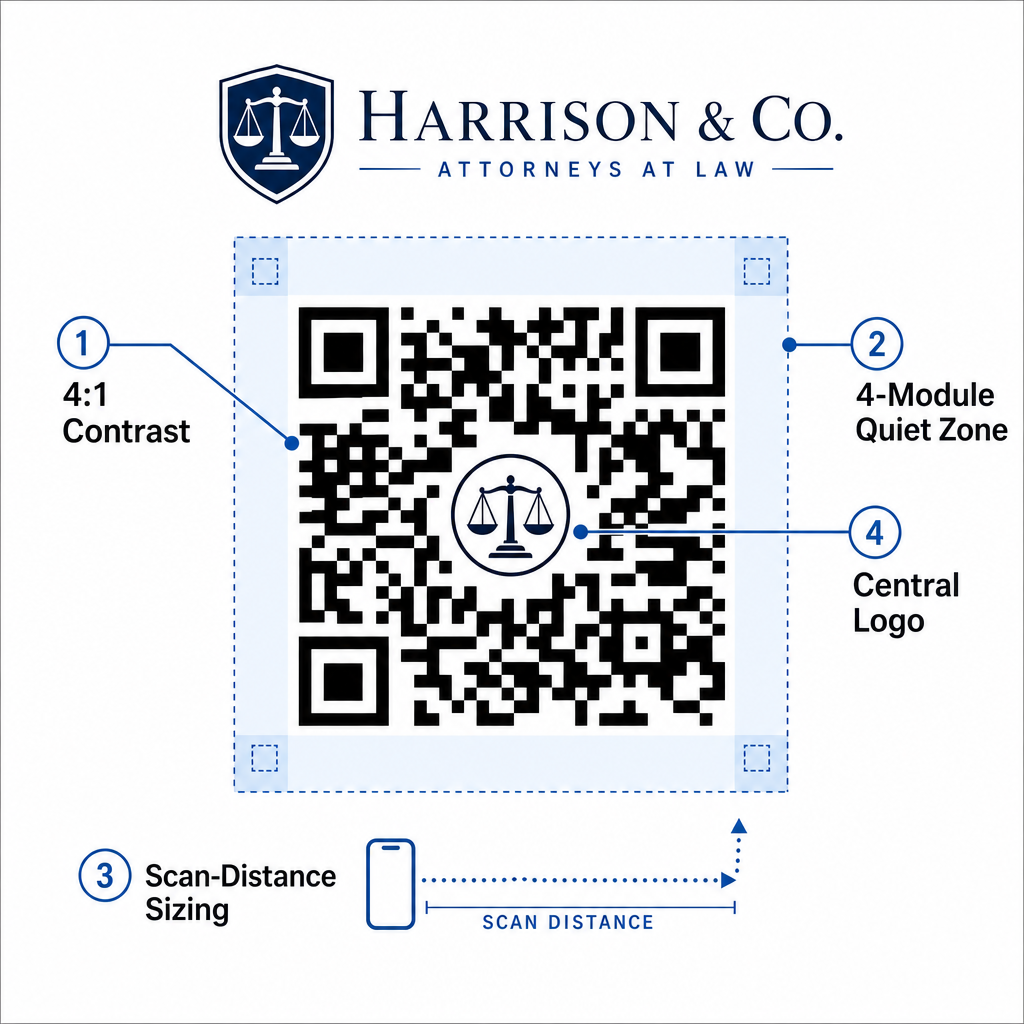
- Contrastverhouding: Handhaaf een minimale contrastverhouding van 4:1 tussen de voorgrondmodules en de achtergrond. Print altijd donkere modules op een lichtere, uniforme achtergrond. Vermijd geïnverteerde ontwerpen (lichte codes op donkere achtergronden), aangezien oudere mobiele camerasensoren vaak moeite hebben met het decoderen van geïnverteerde patronen.
- Stilzone Rand: Reserveer een onbelemmerde marge – de stilzone – rondom alle vier de zijden van het code patroon. Deze stilzone moet minstens vier modulebreedtes (de grootte van één individueel datablokje) bedragen om de code te isoleren van omringende afbeeldingen of tekst.
- De 10:1 Afstand-tot-Grootte Regel: Bepaal de afmetingen van de code op basis van de scanafstand. De breedte van de gedrukte code moet ten minste één tiende zijn van de afstand tussen de camera en het doel. Een poster die bijvoorbeeld is ontworpen om vanaf 5 voet afstand te worden gescand, vereist een QR-code breedte van minimaal 6 inch (15 cm).
- Brandingelementen: Bij het insluiten van logo's van advocatenkantoren via een QR code met logo maken, houd het logo centraal en op een zodanige grootte dat het de hoekpositioneringspatroondoelen niet belemmert.
- Vector Exportformaten: Exporteer eindafbeeldingen altijd in vectorformaten (zoals SVG, EPS, of een hoge-resolutie PDF) met 300 tot 600 DPI om pixelatievervaging tijdens professioneel commercieel drukwerk te voorkomen.
Voor volledige plaatsingsregels voor al het drukwerk, zie onze ultieme gids voor de plaatsing van QR-codes in marketing, leer hoe u de prestaties kunt monitoren via het bijhouden van QR-codes, en ontdek alle beschikbare platform Kenmerken.
Stroomlijn Uw Juridische Praktijk met Scanbare Workflows
Het integreren van scanbare matrixcodes in de bedrijfsvoering van advocatenkantoren transformeert statische papieren contactpunten in veilige, meetbare digitale toegangspunten. Door dynamische vCards op visitekaartjes te implementeren, versleutelde intakeformulierlinks tot stand te brengen, strenge betalingsbeveiligingen voor derdengeldrekeningen af te dwingen, en zich te houden aan professionele printstandaarden, kan uw praktijk de onboarding van cliënten stroomlijnen, terwijl de naleving van ethische normen gewaarborgd blijft.
Begin vandaag nog met het creëren van gebrande, dynamische digitale contactpunten voor uw advocatenkantoor met behulp van Pageloot’s professionele beheerplatform.
Veelgestelde vragen
Ja. Volgens ABA Modelregels 7.1 en 7.2 mogen advocaten diensten op de markt brengen via digitale hulpmiddelen, waaronder QR-codes, op voorwaarde dat alle overgebrachte informatie nauwkeurig, waarheidsgetrouw en niet-misleidend is.
Een QR-code gedrukt op een visitekaartje moet minstens 0.8 x 0.8 inch (2 x 2 cm) groot zijn, met een stille zone rand van 4 modules, om snel en betrouwbaar scannen op alle smartphone-apparaten te garanderen.
Intakeformulieren die via QR-codes worden gekoppeld, dienen gebruik te maken van versleutelde HTTPS-verbindingen en een duidelijke disclaimer te tonen die gebruikers instrueert om geen zeer gevoelige vertrouwelijke feiten te verzenden voordat formele vertegenwoordiging tot stand is gebracht.