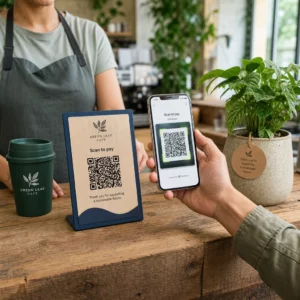
Voldoen uw standaard zwart-wit QR-codes niet langer aan de verwachtingen van uw klanten? Generieke codes vallen vaak weg in drukke omgevingen, wat leidt tot gemiste marketingkansen en teleurstellende scanpercentages. Leer hoe u visuele AI-prompts combineert met functionele ontwerpstandaarden om gebrande codes te produceren die er onderscheidend uitzien en elke keer betrouwbaar scannen.
Waarom Visueel Ontwerp Hogere Betrokkenheid Stimuleert
Jarenlang werden QR-codes strikt gezien als functionele barcodes, maar doordachte esthetiek heeft direct invloed op gebruikersinteractie. Gebrande codes met logo's kunnen de scanpercentages met 30% tot 70% verhogen vergeleken met generieke ontwerpen, omdat consumenten visuele verfijning associëren met geloofwaardigheid en merkveiligheid. Bij het maken van een gebrande QR-code kan het gebruik van een AI-logomaker helpen bij het ontwikkelen van een consistent logo dat natuurlijk past in de visuele identiteit van de code. Als een code eruitziet als een opzettelijk onderdeel van uw visuele identiteit, voelen gebruikers zich zekerder om er hun telefooncamera op te richten.
Naast de basis esthetische aantrekkingskracht biedt het gebruik van kunstmatige intelligentie om codes te stylen concrete operationele voordelen. Onderzoek toont aan hoe AI QR-codemarketing verbetert door artistieke aanpassingen in evenwicht te brengen met patroonreconstructie, wat de scannauwkeurigheid met ongeveer 25% kan verhogen. Het toepassen van doordachte paletkeuzes loont ook, aangezien de juiste QR-code kleurcontrast en aangepaste kleuren de gebruikersbetrokkenheid met maximaal 18% kunnen verhogen.
Technische regels voor scanbare AI-codes
Het stylen van een QR-code omvat het aanpassen van individuele pixels en modulevormen, wat leesfouten introduceert als technische grenzen worden genegeerd. Scanners zijn afhankelijk van duidelijke geometrische markeringen om de ingebedde bestemming te decoderen. Het naleven van erkende ISO-standaarden zorgt ervoor dat uw artistieke keuzes de functionaliteit niet verbreken:
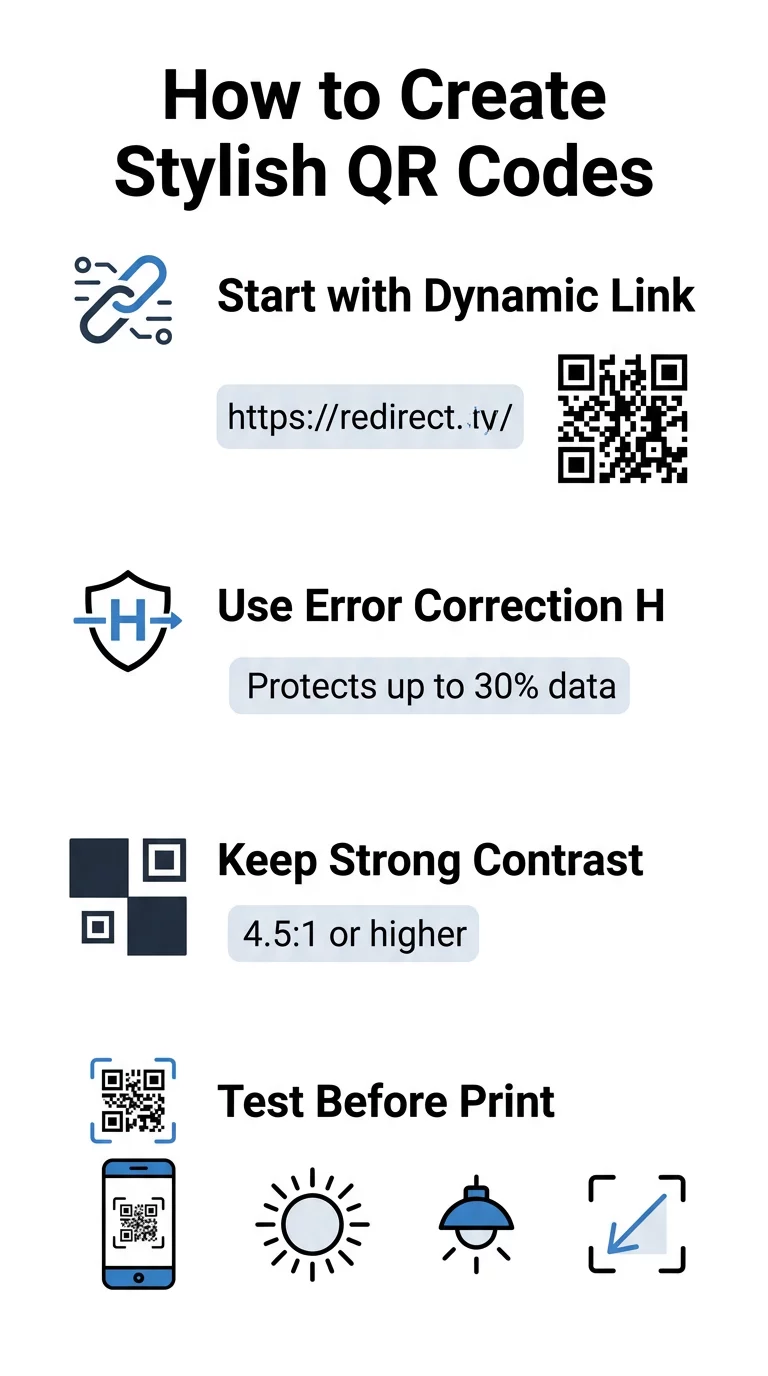
- Stel foutcorrectie in op Niveau H: Het begrijpen van hoe foutcorrectie werkt is essentieel voor artistieke ontwerpen. Niveau H (Hoog) stelt een code in staat om tot 30% van ontbrekende of verborgen gegevens te herstellen, wat de buffer biedt die nodig is om AI-texturen te mengen of logo's te overlayen.
- Bescherm de zoekpatronen: De drie positiedetectie-vierkanten in de hoeken gebruiken een duidelijke breedteverhouding van 1:1:3:1:1. Scanners vertrouwen op deze markeringen om de oriëntatie vanuit elke hoek te detecteren, dus ze moeten duidelijk gedefinieerd en onbedekt blijven.
- Zorg voor een sterk kleurcontrast: QR-lezers meten het verschil in lichtreflectie tussen donkere modules en lichte ruimtes. Streef naar een contrastverhouding van minimaal 4.5:1, waarbij donkere patronen worden geplaatst tegen scherpe, lichte achtergronden en omgekeerde kleurenpaletten worden vermeden.
- Behoud de stille zone: Houd altijd een onbelemmerde marge van minstens vier modules breed aan alle vier de zijden van de code aan. Deze lege rand isoleert de datamatrix van tekst, illustraties of verpakkingsafbeeldingen in de buurt.
- Volg de maatvoeringformules: Voor draagbare items zoals flyers of visitekaartjes, houd codes minimaal 0.8 x 0.8 inch (2 x 2 cm). Zoals benadrukt in onze QR-code ontwerptips, moet u ongeveer 0.3 inch aan de afmetingen toevoegen voor elke voet afstand tussen de gebruiker en de code.
Upgrade uw merkvisuals direct Wilt u creativiteit combineren met betrouwbare scanprestaties? Gebruik de Pageloot QR-codegenerator met logo om kleuren aan te passen, uw merkicoon toe te voegen en vandaag nog toegang te krijgen tot dynamische trackingtools.
Praktische workflow voor het combineren van AI en QR-codes
Het creëren van een stijlvol, machinaal leesbaar element vereist een stap-voor-stap proces van ruwe data naar artistieke generatie. Rechtstreeks overgaan op afbeeldingsfilters zonder de fundamentele matrix voor te bereiden, resulteert vaak in onleesbare kunstwerken.
- Genereer een schone basiscode: Begin in een standaard QR-codegenerator om uw URL in te voeren en foutcorrectie niveau H te selecteren. Het genereren van deze schone digitale matrix legt het exacte raster vast dat uw AI-model zal stylen.
- Creëer precieze AI-prompts: Voer uw basiscode in een model voor beeldgeneratie in met behulp van beschrijvende promptparameters. Specificeer duidelijke onderwerpen, architecturale stijlen, lichtomstandigheden of kleurenpaletten, en vermijd abstracte prompts die donkere en lichte modules in elkaar laten overlopen.
- Behoud cruciale ankerpunten: Houd het gewicht van de promptbegeleiding in balans, zodat de tool de drie hoekzoekerpatronen niet wijzigt of het modulegrid onherkenbaar vervormt.
- Integreer gecentreerde merktekens: Neem een pictogram of merk in het midden van het ontwerp op, zorg ervoor dat het niet meer dan 20% tot 30% van de totale oppervlakte beslaat, volgens standaard aangepaste QR-code richtlijnen.
- Voeg een buitenste call-to-action kader toe: Omring uw voltooide kunstwerk met een gedefinieerde rand en actiezin zoals “Scan om te Ontdekken”, zodat gebruikers onmiddellijk begrijpen waar de code naartoe leidt.
Waarom Dynamische QR-codes Betere Beelden Ondersteunen
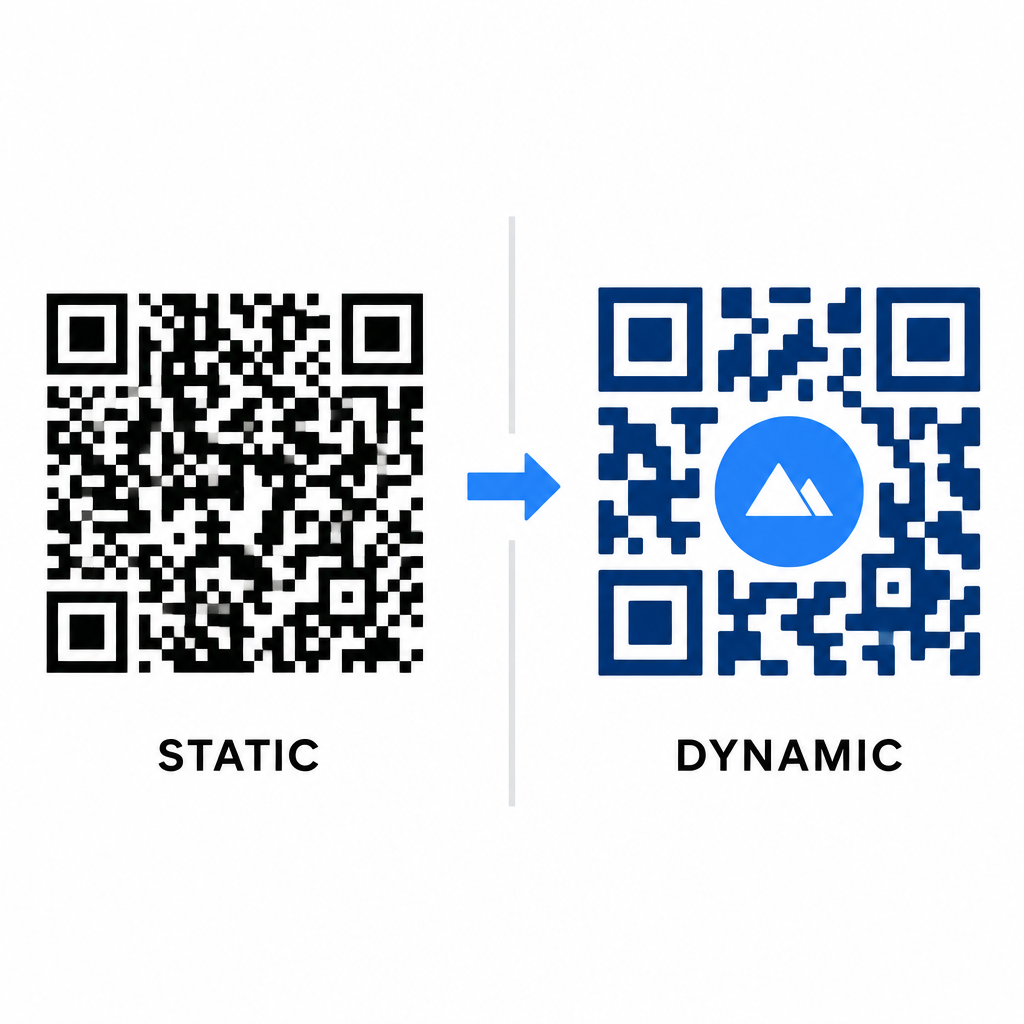
De gegevensdichtheid heeft direct invloed op de artistieke vrijheid die u hebt. Statische QR-codes coderen de volledige bestemmings-URL in het fysieke patroon. Als uw link lang is, moet de generator een dichte matrix van kleine modules produceren, waardoor er weinig ruimte overblijft voor AI-illustratie of logo-integratie zonder scanfouten te veroorzaken.
Dynamische codes overwinnen dit knelpunt door een korte omleidings-URL op een centrale server op te slaan. Dit houdt het fysieke raster ruim en de modules groot, waardoor het veel gemakkelijker is voor cameralenzen om gestileerde vormen te lezen. Het verkennen van praktijkvoorbeelden voorbeelden van branded QR-codes laat zien dat dynamische opstellingen u ook in staat stellen bestemmingen na het printen bij te werken, terwijl u volledige toegang hebt tot QR-codefuncties zoals apparaattracking, scanlocaties en betrokkenheidsanalyses.
Uw ontwerpen testen en valideren
Verstuur nooit een door AI gestileerde QR-code naar de drukkerij zonder deze te valideren op diverse hardware en omgevingsinstellingen. AI-modellen kunnen subtiele artefacten introduceren die op één premium camera wel werken, maar op standaardapparaten falen.
- Test meerdere mobiele apparaten: Scan de code met zowel native camera-apps van iOS en Android, als met oudere scanapplicaties van derden om universele compatibiliteit te bevestigen.
- Evalueer diverse lichtomstandigheden: Controleer de leesbaarheid onder fel direct zonlicht, onder indoor kantoorverlichting en in schemerige omgevingen om ervoor te zorgen dat schaduwen het contrast niet verbreken.
- Scannen vanuit natuurlijke hoeken: Richt uw apparaat vanuit een hoek van 45 graden en op typische consumentenafstanden in plaats van uitsluitend vlakke, frontale scans te testen.
- Printmaterialen bevestigen: Test fysieke proefdrukken op uw geplande papiersoort, aangezien glanzende laminaten, gestructureerde kartonsoorten of stoffen reflecties kunnen veroorzaken die AI-illustraties vervormen.
Functionele kunst inzetten voor uw merk
Door generieke codes om te zetten in stijlvolle merkmiddelen, kunt u de aandacht van klanten trekken zonder in te boeten aan bruikbaarheid. Door te beginnen met dynamische verkorte links, Level H foutcorrectie vast te zetten, de stille zone te behouden en strikte contrastverhoudingen te handhaven, creëert u visueel opvallende ontwerpen die moeiteloos worden gedecodeerd.
Begin vandaag nog met het aanpassen van uw digitale touchpoints met behulp van Pageloot's generatie- en tracking suite om memorabele, scan-klare ervaringen te leveren in al uw marketingcampagnes.
Veelgestelde vragen
U dient omgekeerde kleurenschema's te vermijden omdat veel smartphonesensoren lichtpatronen op donkere oppervlakken niet kunnen decoderen. Houd u aan donkere voorgrondmodules geplaatst op witte of lichte achtergronden om consistent scannen te garanderen.
Niveau H stelt de QR-code in staat om tot 30% van verloren of onduidelijk gemaakte gegevens te herstellen. Deze ingebouwde redundantie biedt de veiligheidsbuffer die nodig is om AI-texturen te mengen of gecentreerde logo's in te sluiten zonder de gegevensintegriteit te verliezen.
Ze zullen betrouwbaar scannen op moderne smartphones als je de hoekzoekpatronen duidelijk houdt, de rustzone behoudt en een sterk contrast handhaaft. Test je artwork altijd op meerdere telefoonmodellen voordat je je campagne lanceert.