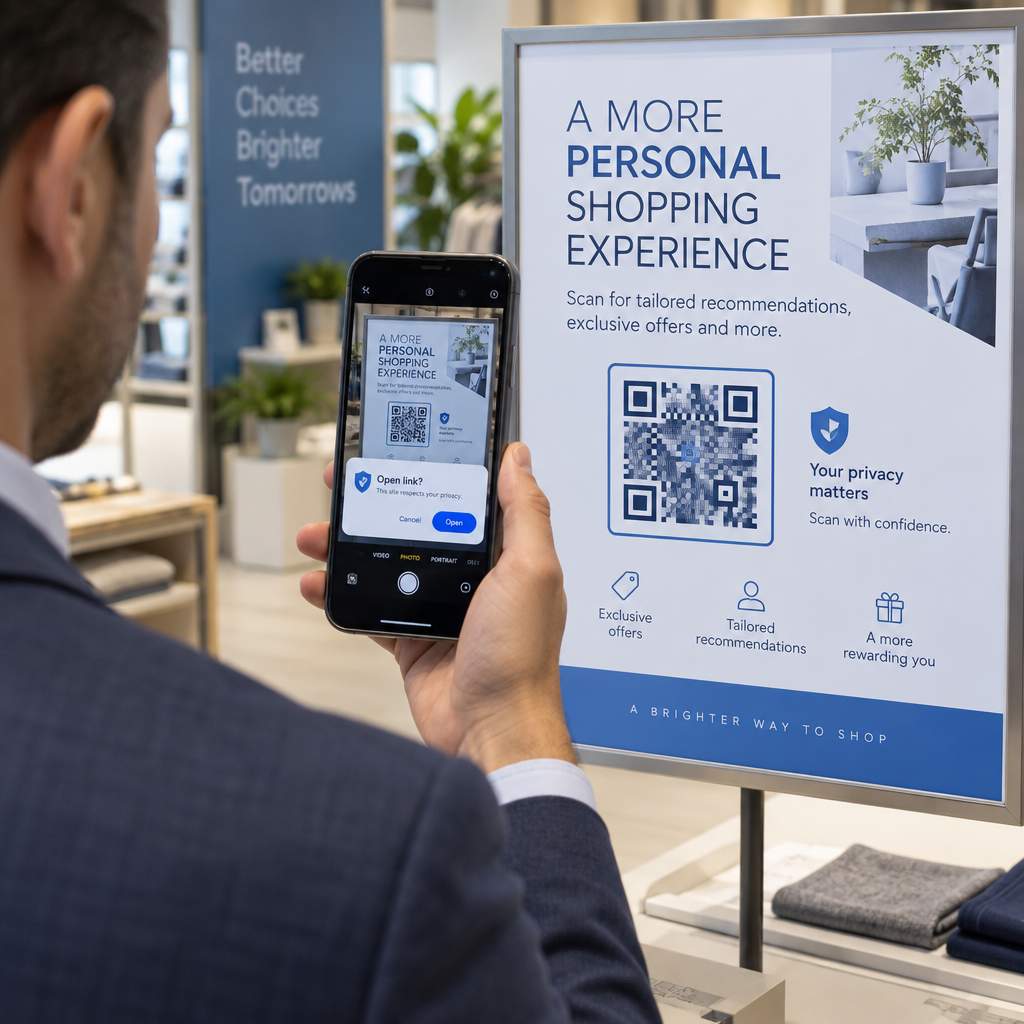
Adakah anda bergelut untuk menghubungkan penerbitan cetak anda dengan pengalaman digital yang semakin diharapkan oleh pembaca? Halaman statik hanya boleh melakukan begitu banyak – dan penerbit yang bergantung pada cetakan sahaja berisiko kehilangan penglibatan pembaca kepada pesaing digital sepenuhnya. Panduan ini menunjukkan kepada anda dengan tepat bagaimana untuk merapatkan jurang itu menggunakan kod QR dalam buku, majalah, dan surat khabar.
Mengapa Penerbit Menambah Kod QR pada Bahan Cetak
Pembaca hari ini mengharapkan lebih daripada teks pada halaman. Mereka mahukan audio, video, kandungan tambahan, dan cara untuk berinteraksi dengan penulis dan penerbit – semuanya dari telefon pintar mereka. Kod QR memberikan penerbit saluran langsung untuk menyampaikan pengalaman itu tanpa menggantikan produk cetak yang sudah digemari pembaca.
Angka-angka mencerminkan perubahan tingkah laku yang tulen. Dianggarkan 89 juta rakyat Amerika mengimbas kod QR pada tahun 2025, dengan angka itu dijangka melebihi 100 juta pada tahun 2026. Secara kritikal, 43% pengguna telefon pintar mengimbas sekurang-kurangnya satu kod QR setiap minggu – corak tingkah laku yang sesuai dengan pembaca yang terlibat yang mengambil buku atau majalah secara kerap.
Bagi penerbit secara khusus, daya tarikannya adalah mudah: satu kod cetak boleh menghubungkan pembaca kepada temu bual video dengan penulis, laman web pendamping, sumber yang boleh dimuat turun, atau tawaran langganan – tanpa sebarang kos percetakan tambahan.
Cipta Kod QR Boleh Dikesan untuk Penerbitan Anda Ingin tahu dengan tepat halaman dan edisi mana yang mendorong penglibatan paling banyak? Gunakan Penjana dynamic QR code untuk mencipta kod yang boleh anda kemas kini dan jejak tanpa mencetak semula satu salinan pun.
Jenis Penerbitan Mana yang Paling Banyak Mendapat Manfaat
Kod QR menambah nilai yang boleh diukur merentasi hampir setiap format penerbitan, tetapi beberapa kategori melihat pulangan yang sangat kukuh:
- Buku dan panduan perjalanan – Pautkan pembaca terus ke galeri foto, peta, laman web destinasi, atau lawatan video tempat-tempat yang diterangkan pada setiap halaman
- Buku teks pendidikan – Hubungkan pelajar kepada kuiz, video tambahan, kunci jawapan, atau sumber persediaan peperiksaan di samping setiap bab
- Buku masakan – Pautkan ke video teknik, panduan penggantian bahan, atau senarai beli-belah interaktif
- Buku kanak-kanak – Teruskan cerita dengan narasi audio, adegan animasi, atau permainan interaktif
- Buku pembelajaran bahasa – Mainkan sebutan audio atau penjelasan video konsep tatabahasa seiring dengan teks
- Majalah dan surat khabar – Dorong pembaca daripada iklan cetak dan kandungan editorial ke halaman langganan, kandungan video, borang maklum balas, atau tawaran eksklusif
Untuk melihat dengan lebih mendalam bagaimana akhbar dan majalah boleh menggunakan kod QR dengan berkesan, lihat panduan kod QR pada akhbar dan majalah. Jika fokus anda khusus pada buku, panduan kod QR dalam buku menerangkan penempatan, pengimbasan, dan jenis kandungan secara terperinci.
Idea Praktikal untuk Menggunakan Kod QR dalam Penerbitan
Kod QR penerbit yang paling berkesan mempunyai tujuan yang jelas untuk pembaca. Berikut adalah pendekatan yang terbukti:
- Tambah video pada setiap permulaan bab dalam buku bukan fiksyen yang menceritakan peristiwa tertentu atau menunjukkan lokasi sebenar di mana ia berlaku – sangat berkesan untuk sejarah, perjalanan, dan memoir
- Pautkan ke temu bual penulis atau kandungan di sebalik tabir yang memberi ganjaran kepada pembaca yang menghabiskan buku
- Letakkan kod pada kulit belakang atau halaman depan dalam yang membolehkan pembaca meninggalkan penilaian dan ulasan terus di platform pilihan anda
- Kongsi kod diskaun untuk pembelian seterusnya pembaca, boleh ditebus dengan mengimbas kod di dalam tajuk semasa
- Benarkan pembaca memuat turun bab pertama buku seterusnya penulis sebelum ia diterbitkan
- Tambah kod pada tingkap paparan atau bahan jualan untuk mempromosikan keluaran akan datang atau acara pelancaran
- Dalam majalah, pautkan kod QR dalam iklan ke halaman pendaratan, tawaran langganan, atau kandungan video yang melanjutkan iklan bercetak
Khusus untuk akhbar dan majalah, letakkan kod tersebut secara menonjol dalam kandungan dan bukannya menyelitkannya di sudut. Gandingkannya dengan seruan tindakan yang pendek dan spesifik – “Imbas untuk menonton temu bual penuh” lebih berkesan daripada “Imbas di sini” yang generik.”
Pautkan Iklan Cetak ke Destinasi Digital Menggunakan Penjana Kod QR Pautan untuk menyambungkan mana-mana halaman bercetak ke URL, halaman pendaratan, atau sumber digital – tiada persediaan teknikal diperlukan.
Kod QR Statik lwn. Dinamik untuk Penerbit
Perbezaan ini sangat penting bagi penerbit yang mencetak dalam jumlah besar. A kod QR statik mengekod destinasi tetap secara langsung ke dalam corak kod. Jika halaman yang dipautkan bergerak atau kandungan berubah, kod tersebut menjadi tidak berguna – dan anda tidak boleh mengemas kininya tanpa mencetak semula.
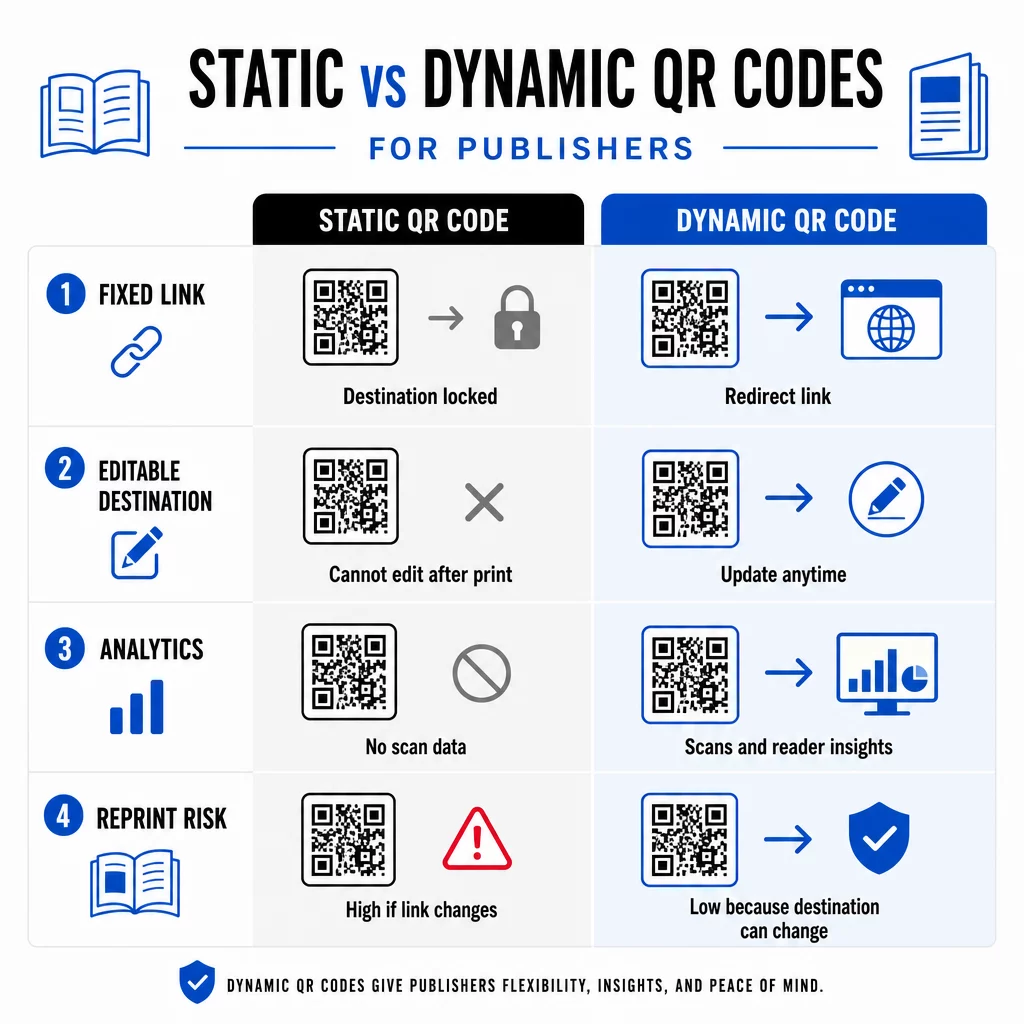
A kod QR dinamik, sebaliknya, menunjuk kepada URL pengalihan pendek yang anda kawal. Anda boleh mengemas kini destinasi pada bila-bila masa selepas kod dicetak dan diedarkan. Bagi penerbit, ini bermakna:
- Buku teks yang dicetak tahun ini masih boleh menyediakan pautan kandungan yang dikemas kini lima tahun dari sekarang
- Iklan majalah boleh dikemas kini di pertengahan kempen untuk mencerminkan tawaran baharu tanpa mencetak semula
- Laman web pengarang yang lapuk atau pautan yang rosak boleh diperbaiki tanpa menyentuh cetakan
Kod dinamik juga menyediakan analitik terbina dalam. Anda boleh menjejaki berapa kali setiap kod diimbas, lokasi pembaca, dan peranti yang mereka gunakan – data yang sebaliknya tidak kelihatan dalam penerbitan tradisional. Untuk memahami pertukaran penuh, perbandingan kod QR statik lwn. dinamik berbaloi untuk disemak sebelum anda komited kepada sesuatu format.
Kandungan Apa yang Perlu Dipautkan dari Kod QR Anda
Kandungan di sebalik kod menentukan sama ada pembaca mengimbas kali kedua. Beberapa format yang berfungsi dengan baik untuk penerbit:
- Dokumen PDF – Pautkan ke panduan sampingan, senarai bacaan, lampiran lanjutan, atau rujukan akademik menggunakan Kod QR PDF
- Video YouTube – Sambungkan kandungan bercetak kepada temu bual pengarang, klip dokumentari, atau panduan langkah demi langkah menggunakan Kod QR YouTube
- Halaman pendaratan – Gunakan halaman pendaratan berjenama untuk membentangkan pelbagai pilihan daripada satu imbasan – pautan ke laman web pengarang, halaman ulasan, profil sosial, dan borang langganan semuanya boleh diakses dari satu kod
- Imej dan galeri – Tambah buku perjalanan atau seni dengan galeri foto berwarna penuh yang tidak dapat dimuatkan oleh edisi cetak
Apa jua format yang anda pilih, pastikan destinasi dioptimumkan untuk mudah alih. Majoriti imbasan berlaku pada telefon pintar, jadi halaman yang dipaparkan dengan teruk pada skrin kecil akan menjejaskan nilai kod sepenuhnya.
Mencetak Kod QR yang Sebenarnya Boleh Diimbas
Kod QR yang gagal diimbas merosakkan kepercayaan pembaca – dan pembaca yang mengimbas sekali dan mendapat ralat tidak mungkin akan mencuba lagi. Ikuti garis panduan ini untuk memastikan prestasi yang boleh dipercayai dalam cetakan:
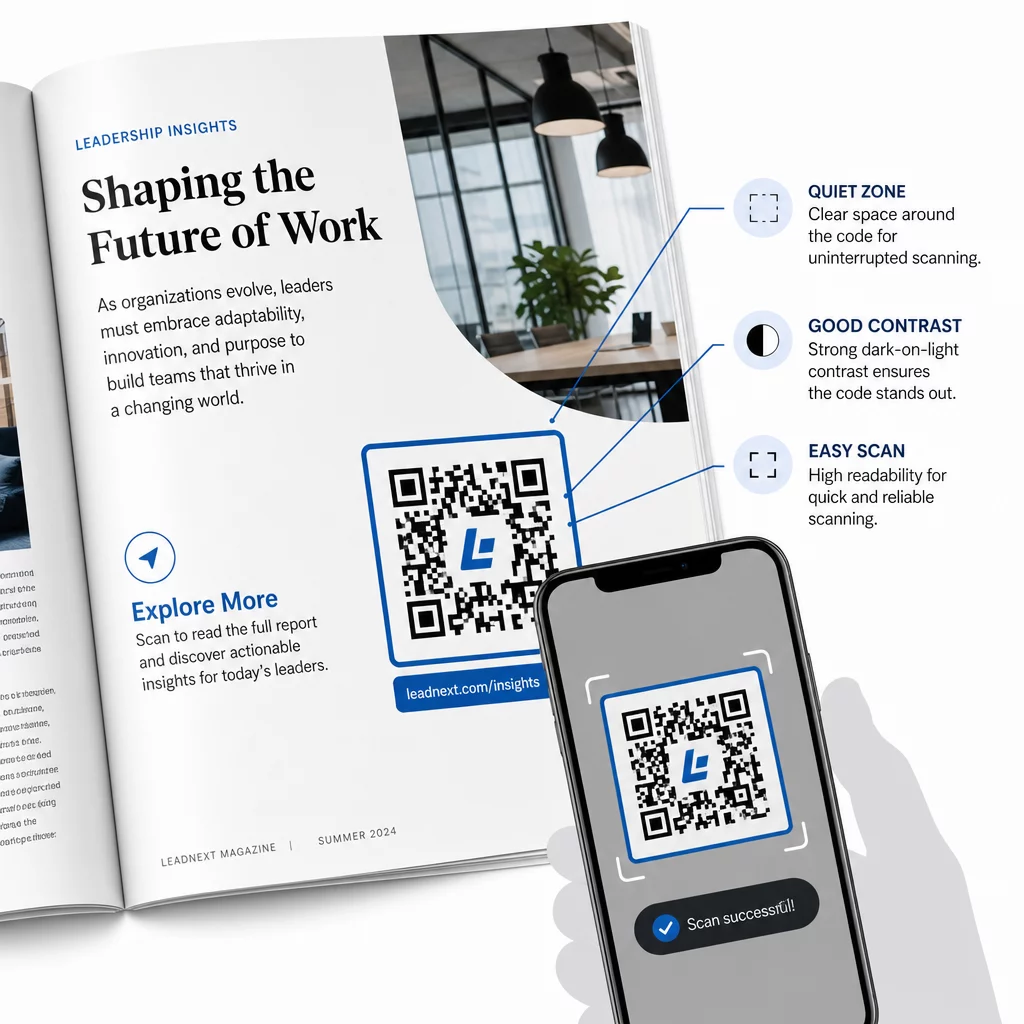
- Saiz minimum – Cetak kod QR pada saiz minimum 0.8 × 0.8 inci (20 mm) untuk kebanyakan format penerbitan. Untuk poster dan papan tanda titik jualan, gunakan sekurang-kurangnya 1.2 × 1.2 inci (30 mm)
- Zon senyap – Kekalkan sempadan jelas sekurang-kurangnya empat modul lebar pada keempat-empat sisi kod, bebas daripada teks, imej, atau elemen reka bentuk
- Berbeza – Gunakan kod gelap pada latar belakang cerah. Sasarkan nisbah kontras minimum 3:1; 4:1 atau lebih tinggi lebih boleh dipercayai dalam pelbagai keadaan pembacaan
- Format fail – Muat turun kod sebagai fail vektor SVG atau EPS untuk cetakan, bukannya PNG atau JPG, untuk mengelakkan pikselasi apabila menskala. garis panduan saiz kod QR untuk bahan cetak meliputi ini dengan lebih terperinci
- KEDUDUKAN – Elakkan meletakkan kod merentasi lipatan, tulang belakang, jahitan, atau permukaan bertekstur tebal di mana pengimbasan menjadi tidak boleh dipercayai. Untuk panduan lanjut, panduan penempatan kod QR untuk bahan pemasaran meliputi kedudukan, keterlihatan, dan konteks secara mendalam
Untuk senarai semak lengkap tentang menjadikan kod boleh diimbas merentasi pelbagai keadaan cetakan, lihat amalan terbaik untuk kebolehbacaan kod QR.
Menjejaki Penglibatan Pembaca Sepanjang Cetakan Anda
Salah satu kelebihan kod QR yang paling kurang digunakan dalam penerbitan ialah lapisan analitik. Dengan kod dinamik, anda boleh melihat:
- Halaman atau bahagian mana yang menjana imbasan terbanyak
- Bagaimana penglibatan berbeza merentasi edisi atau pasaran geografi yang berbeza
- Sama ada jenis kandungan terpaut tertentu (video lwn. PDF lwn. halaman pendaratan) mendorong lebih banyak interaksi
- Trend imbasan dari semasa ke semasa – berguna untuk memahami jangka hayat sesuatu tajuk
Data ini memberikan penerbit sesuatu yang benar-benar baharu: gelung maklum balas daripada cetakan yang sebelum ini hanya tersedia untuk produk digital. Gunakannya untuk memaklumkan keputusan tentang edisi masa depan, mengenal pasti format kandungan mana yang berkesan, dan menunjukkan metrik penglibatan kepada penulis dan pengiklan.
Platform Pageloot menyatukan penciptaan kod, pengurusan kandungan, dan analitik dalam satu papan pemuka, supaya anda boleh menguruskan kod QR merentasi keseluruhan katalog tanpa perlu mengendalikan pelbagai alat. Terokai pelbagai jenis penyelesaian kod QR mengikut industri untuk melihat bagaimana sektor lain menggunakan pendekatan yang sama.
Mula Membina Strategi QR Penerbitan Anda Cipta kod QR berjenama, boleh dijejak pertama anda dalam beberapa minit dengan Penjana Kod QR. Percubaan percuma 14 hari, tiada kad kredit diperlukan.
Soalan lazim
Tidak jika anda menggunakan kod QR dinamik. Kod dinamik menunjuk ke URL pengalihan yang anda kawal, jadi anda boleh mengemas kini destinasi – sama ada video baharu, halaman pendaratan yang disemak semula, atau pautan yang diperbetulkan – pada bila-bila masa selepas percetakan, tanpa menjana kod baharu atau menyentuh cetakan.
Anda boleh memautkan ke hampir mana-mana kandungan digital: video YouTube, dokumen PDF, halaman web, galeri imej, fail audio, borang langganan, atau halaman pendaratan berjenama yang menggabungkan pelbagai pautan. Pilihan terbaik bergantung pada apa yang menambah nilai paling banyak untuk pembaca anda pada ketika itu dalam penerbitan.
Kod QR Dinamik menyertakan analitik terbina dalam yang merekodkan bilangan imbasan, cap masa imbasan, lokasi pembaca, dan jenis peranti. Ini memberikan anda gambaran yang jelas tentang kod mana yang berprestasi dan penempatan atau jenis kandungan mana yang mendorong penglibatan paling tinggi – data yang tidak dapat disediakan oleh kod statik.