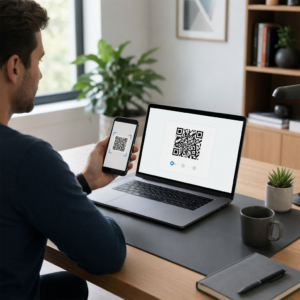
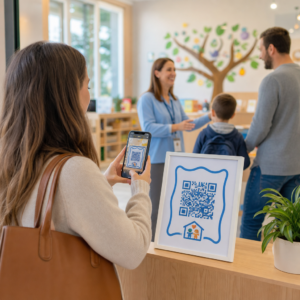
Ali se trudite povezati svoje tiskane publikacije z digitalnimi izkušnjami, ki jih bralci vse bolj pričakujejo? Statične strani lahko storijo le toliko – in založniki, ki se zanašajo samo na tisk, tvegajo izgubo angažiranosti bralcev v korist popolnoma digitalnih konkurentov. Ta vodnik vam natančno pokaže, kako premostiti to vrzel z uporabo QR kod v knjigah, revijah in časopisih.
Zakaj založniki dodajajo QR kode v tiskane izdaje
Bralci danes pričakujejo več kot le besedilo na strani. Želijo avdio, video, dodatne vsebine in načine za interakcijo z avtorji in založniki – vse to s svojih pametnih telefonov. QR kode založnikom omogočajo neposreden kanal za zagotavljanje te izkušnje, ne da bi nadomestile tiskani izdelek, ki ga bralci že obožujejo.
Številke odražajo resnično spremembo v vedenju. Ocenjuje se, da je 89 milijonov Američanov skeniralo QR kodo leta 2025, pri čemer naj bi ta številka leta 2026 presegla 100 milijonov. Kritično je, da 43 % uporabnikov pametnih telefonov skenira vsaj eno QR kodo na teden – vzorec vedenja, ki se dobro ujema z angažiranimi bralci, ki redno vzamejo v roke knjigo ali revijo.
Za založnike je privlačnost preprosta: ena sama natisnjena koda lahko bralca poveže z video intervjujem z avtorjem, spremljevalnim spletnim mestom, virom za prenos ali ponudbo naročnine – brez kakršnih koli dodatnih stroškov tiskanja.
Ustvarite sledljive QR kode za svoje publikacije Želite natančno vedeti, katere strani in izdaje prinašajo največjo angažiranost? Uporabite QR generator za dinamične QR kode za ustvarjanje kod, ki jih lahko posodabljate in sledite, ne da bi ponovno natisnili en sam izvod.
Katere vrste publikacij imajo največ koristi
QR kode dodajajo merljivo vrednost praktično vsem založniškim formatom, vendar nekatere kategorije beležijo posebej močne donose:
- Potovalne knjige in vodniki – Povežite bralce neposredno z galerijami fotografij, zemljevidi, spletnimi stranmi destinacij ali video ogledi krajev, opisanih na vsaki strani
- Izobraževalni učbeniki – Povežite študente s kvizi, dodatnimi videoposnetki, rešitvami ali viri za pripravo na izpite ob vsakem poglavju
- Kuharske knjige – Povezava do videoposnetkov tehnik, vodnikov za nadomestitev sestavin ali interaktivnih nakupovalnih seznamov
- Otroške knjige – Razširite zgodbo z zvočno pripovedjo, animiranimi prizori ali interaktivnimi igrami
- Knjige za učenje jezikov – Predvajajte zvočne izgovorjave ali video razlage slovničnih konceptov neposredno v besedilu
- Revije in časopisi – Usmerite bralce iz tiskanih oglasov in uredniških vsebin na naročniške strani, video vsebine, obrazce za povratne informacije ali ekskluzivne ponudbe
Za podrobnejši vpogled v to, kako lahko časopisi in revije učinkovito uporabljajo kode QR, si oglejte vodnik po kodah QR v časopisih in revijah. Če se osredotočate posebej na knjige, vodnik po kodah QR v knjigah podrobno opisuje umestitev, skeniranje in vrste vsebine.
Praktične ideje za uporabo kod QR v publikacijah
Najbolj učinkovite kode QR založnikov služijo jasnemu namenu za bralca. Tukaj so preizkušeni pristopi:
- Dodajte video na prelomih poglavij v neleposlovnih knjigah, ki pripoveduje o določenem dogodku ali prikazuje dejansko lokacijo, kjer se je zgodil – še posebej učinkovito za zgodovino, potovanja in spomine
- Povežite se z avtorskimi intervjuji ali vsebinami iz zakulisja, ki nagrajujejo bralce, ki preberejo knjigo
- Postavite kodo na zadnjo platnico ali notranjo sprednjo stran, kar bralcem omogoča, da pustijo ocene in mnenja neposredno na vaši želeni platformi
- Delite kodo za popust za naslednji nakup bralca, ki jo je mogoče unovčiti s skeniranjem kode znotraj trenutnega naslova
- Omogočite bralcem, da prenesejo prvo poglavje naslednje avtorjeve knjige, preden bo objavljena
- Dodajte kode na izložbena okna ali prodajna mesta, ki promovirajo prihajajoče izdaje ali dogodke ob lansiranju.
- V revijah povežite QR kode v oglasih s pristajalnimi stranmi, naročniškimi ponudbami ali video vsebinami, ki razširjajo tiskani oglas.
Zlasti pri časopisih in revijah kodo postavite vidno znotraj vsebine, namesto da jo skrijete v kot. Povežite jo s kratkim, specifičnim pozivom k dejanju – “Skenirajte za ogled celotnega intervjuja” je učinkovitejše kot splošno “Skenirajte tukaj.”
Povežite tiskane oglase z digitalnimi destinacijami. Uporabi Generator QR kod za povezave za povezavo katere koli tiskane strani z URL-jem, pristajalno stranjo ali digitalnim virom – tehnična nastavitev ni potrebna.
Statične proti dinamičnim QR kodam za založnike.
Ta razlika je pomembna za založnike, ki tiskajo v velikih nakladah. A statična koda QR kodira fiksno destinacijo neposredno v vzorec kode. Če se povezana stran premakne ali se vsebina spremeni, koda postane neuporabna – in je ne morete posodobiti brez ponovnega tiskanja.
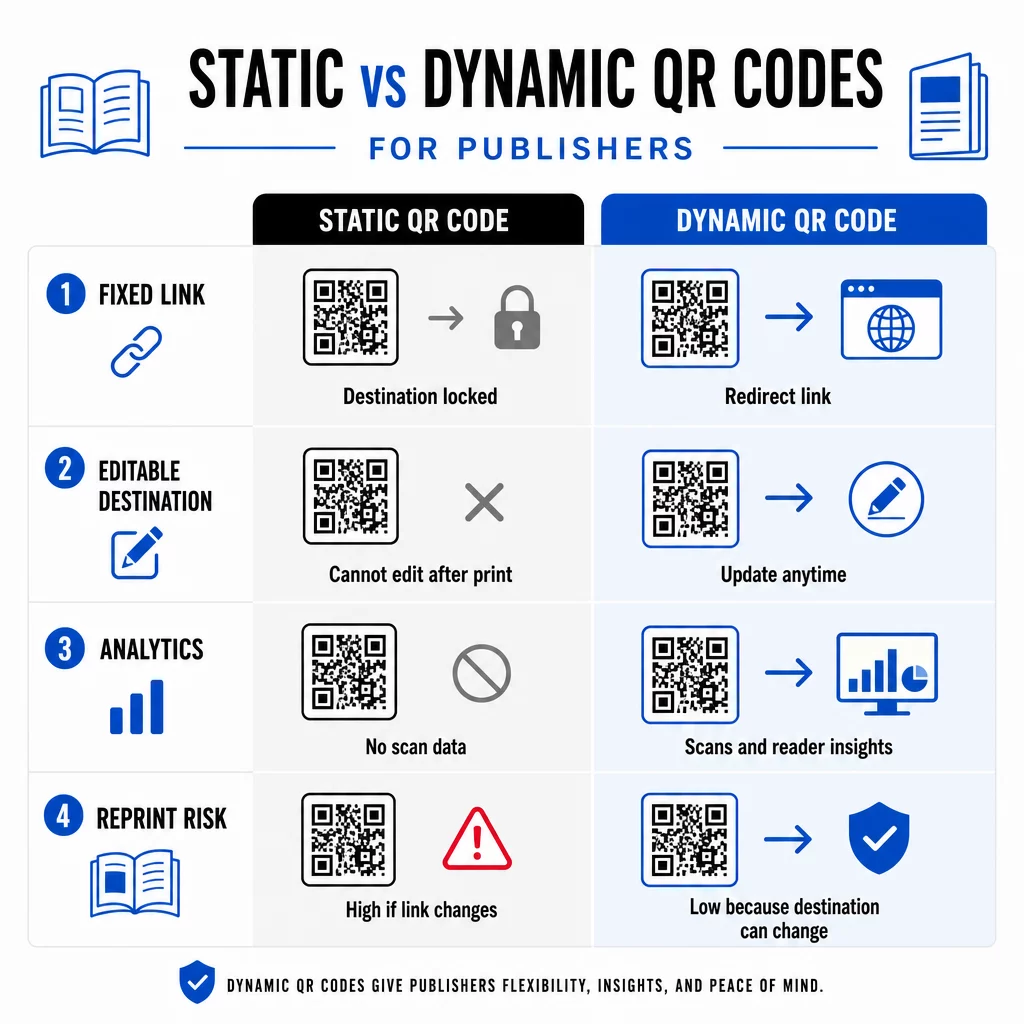
A dinamična QR koda, nasprotno, kaže na kratek preusmeritveni URL, ki ga nadzirate. Destinacijo lahko posodobite kadar koli po tiskanju in distribuciji kode. Za založnike to pomeni:
- Učbenik, natisnjen letos, lahko še vedno ponuja posodobljene povezave do vsebine čez pet let.
- Oglas v reviji se lahko posodobi sredi kampanje, da odraža novo ponudbo, brez ponovnega tiskanja.
- Zastarele spletne strani avtorjev ali pokvarjene povezave se lahko popravijo, ne da bi se dotaknili tiskane naklade.
Dinamične kode zagotavljajo tudi vgrajeno analitiko. Sledite lahko kolikokrat je bila vsaka koda skenirana, kje se nahajajo bralci in katere naprave uporabljajo. – podatki, ki so sicer nevidni v tradicionalnem založništvu. Za razumevanje vseh kompromisov, primerjava statičnih in dinamičnih QR kod. je vredno pregledati, preden se odločite za format.
Kakšno vsebino povezati iz vaših QR kod
Vsebina za kodo določa, ali bodo bralci skenirali drugič. Nekateri formati, ki še posebej dobro delujejo za založnike:
- PDF dokumenti – Povežite se s spremljevalnimi vodniki, seznami za branje, razširjenimi dodatki ali akademskimi referencami z uporabo Koda QR PDF
- YouTube videoposnetki – Povežite tiskano vsebino z intervjuji z avtorji, dokumentarnimi posnetki ali navodili za uporabo z uporabo Generator QR kod za YouTube
- Ciljne strani – Uporabite znamčeno pristajalno stran za predstavitev več možnosti z enim samim skeniranjem – povezave do spletne strani avtorja, strani z recenzijami, družabnih profilov in obrazca za naročnino, vse dostopno iz ene kode
- Slike in galerije – Dopolnite potovalne ali umetniške knjige z barvnimi fotogalerijami, ki jih tiskana izdaja ne more vsebovati
Ne glede na izbrani format, poskrbite, da bo destinacija optimizirana za mobilne naprave. Večina skeniranj se zgodi na pametnih telefonih, zato bo stran, ki se slabo prikazuje na majhnem zaslonu, popolnoma zmanjšala vrednost kode.
Tiskanje QR kod, ki dejansko delujejo
QR koda, ki se ne skenira, poškoduje zaupanje bralca – in bralec, ki enkrat skenira in dobi napako, verjetno ne bo poskusil znova. Upoštevajte te smernice za zagotovitev zanesljivega delovanja v tisku:
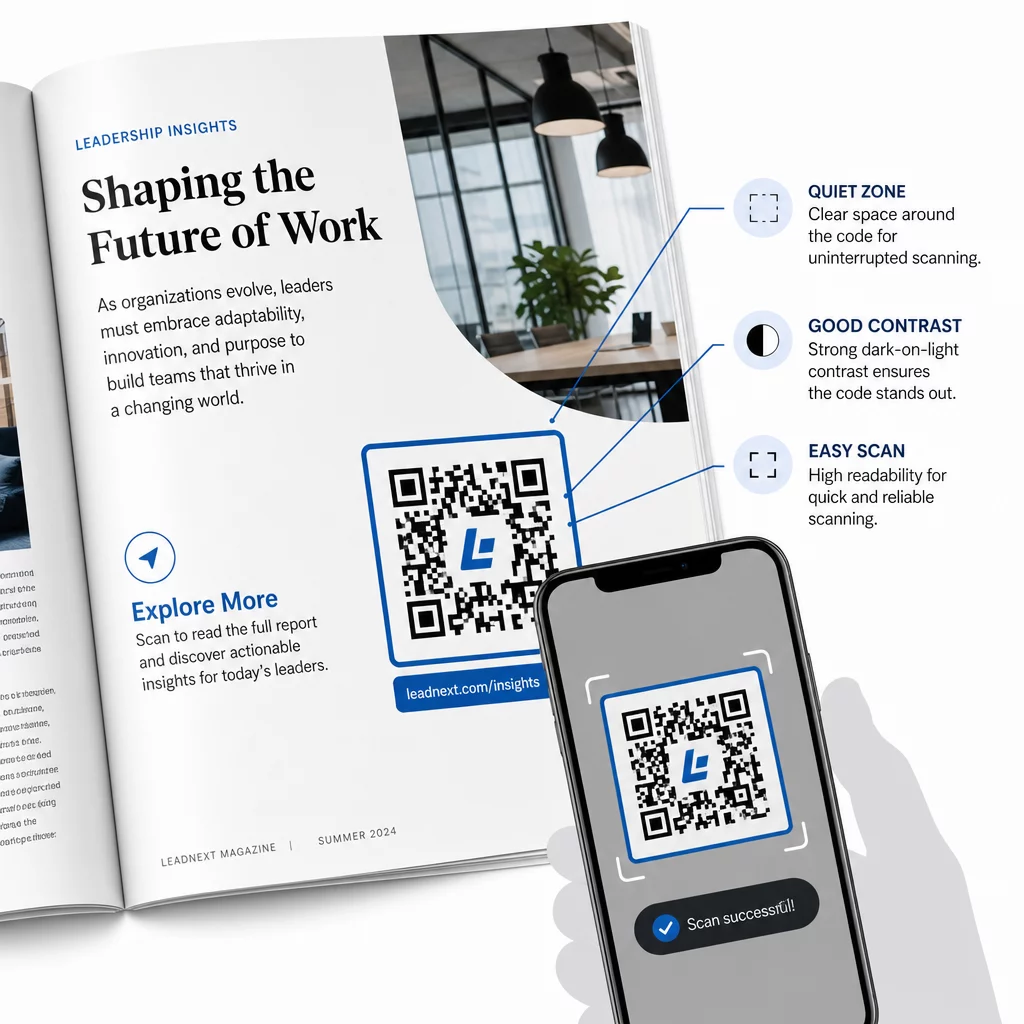
- Minimalna velikost – Tiskajte QR kode v minimalni velikosti 0,8 × 0,8 palca (20 mm) za večino formatov publikacij. Za plakate in POS-oznake uporabite vsaj 1,2 × 1,2 palca (30 mm)
- Tiha cona – Ohranjajte jasno obrobo, široko vsaj štiri module, na vseh štirih straneh kode, brez besedila, slik ali oblikovnih elementov
- Kontrast – Uporabite temno kodo na svetlem ozadju. Prizadevajte si za minimalno kontrastno razmerje 3:1; 4:1 ali več je zanesljivejše v različnih pogojih branja
- Format datoteke – Kode prenesite kot vektorske datoteke SVG ali EPS za tisk, namesto PNG ali JPG, da preprečite pikselizacijo pri spreminjanju velikosti. smernic za velikost QR kode za tiskane materiale to podrobneje pokrijemo
- POSTAVITEV – Izogibajte se postavljanju kod čez pregibe, hrbtišča, šive ali močno teksturirane površine, kjer skeniranje postane nezanesljivo. Za nadaljnje smernice, Vodnik za postavitev QR kode za marketinške materiale podrobno pokriva položaj, vidnost in kontekst
Za popoln kontrolni seznam o tem, kako narediti kode skenljive v različnih pogojih tiska, glejte najboljšim praksam za berljivost QR kod.
Sledenje angažiranosti bralcev v celotni nakladi
Ena izmed najbolj premalo izkoriščenih prednosti QR kod v založništvu je analitična plast. Z dinamičnimi kodami lahko vidite:
- Katere strani ali razdelki ustvarijo največ skeniranj
- Kako se angažiranost spreminja med različnimi izdajami ali geografskimi trgi
- Ali določena vrsta povezane vsebine (video proti PDF proti pristajalni strani) spodbuja več interakcije
- Trendi skeniranja skozi čas – koristno za razumevanje življenjske dobe naslova
Ti podatki založnikom ponujajo nekaj zares novega: povratno zanko iz tiska, ki je bila prej na voljo le za digitalne izdelke. Uporabite jih za sprejemanje odločitev o prihodnjih izdajah, prepoznavanje, kateri formati vsebine odmevajo, in prikazovanje meritev angažiranosti avtorjem in oglaševalcem.
Pagelootova platforma združuje ustvarjanje kode, upravljanje vsebine in analitiko v eni nadzorni plošči, tako da lahko upravljate kode QR po celotnem katalogu, ne da bi morali žonglirati z več orodji. Raziščite celotno paleto rešitve QR kod po panogah da vidite, kako drugi sektorji uporabljajo enak pristop.
Začnite graditi svojo strategijo QR za založništvo Ustvarite svojo prvo blagovno znamko, sledljivo kodo QR v nekaj minutah z Generator QR kod. Brezplačna 14-dnevna preizkusna doba, kreditna kartica ni potrebna.
Pogosta vprašanja
Ne, če uporabljate dinamično kodo QR. Dinamične kode kažejo na preusmeritveni URL, ki ga nadzorujete, tako da lahko posodobite destinacijo – pa naj bo to nov video, spremenjena pristajalna stran ali popravljena povezava – kadar koli po tiskanju, ne da bi ustvarili novo kodo ali se dotaknili tiskane naklade.
Povežete se lahko s praktično katero koli digitalno vsebino: videoposnetki YouTube, dokumenti PDF, spletne strani, galerije slik, zvočne datoteke, naročniški obrazci ali blagovne znamke pristajalnih strani, ki združujejo več povezav. Najboljša izbira je odvisna od tega, kaj v tistem trenutku v publikaciji prinaša največjo vrednost vašim bralcem.
Dinamične QR kode vključujejo vgrajeno analitiko, ki beleži število skeniranj, časovne žige skeniranj, lokacije bralcev in vrste naprav. To vam daje jasno sliko, katere kode delujejo in katere umestitve ali vrste vsebine prinašajo največjo angažiranost – podatke, ki jih statične kode ne morejo zagotoviti.