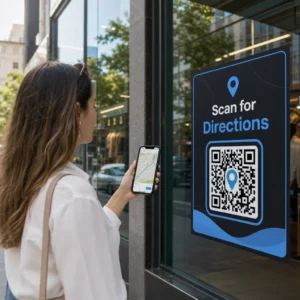
Are you struggling to connect your print publications to the digital experiences readers increasingly expect? Static pages can only do so much – and publishers who rely on print alone risk losing reader engagement to fully digital competitors. This guide shows you exactly how to bridge that gap using QR codes in books, magazines, and newspapers.
Why Publishers Are Adding QR Codes to Print
Readers today expect more than text on a page. They want audio, video, supplemental content, and ways to interact with authors and publishers – all from their smartphones. QR codes give publishers a direct channel to deliver that experience without replacing the print product readers already love.
The numbers reflect a genuine behavioral shift. An estimated 89 million Americans scanned a QR code in 2025, with that figure projected to exceed 100 million in 2026. Critically, 43% of smartphone users scan at least one QR code per week – a behavior pattern that maps well onto engaged readers who pick up a book or magazine regularly.
For publishers specifically, the appeal is straightforward: a single printed code can connect a reader to a video interview with the author, a companion website, a downloadable resource, or a subscription offer – without any additional printing costs.
Create Trackable QR Codes for Your Publications Want to know exactly which pages and editions are driving the most engagement? Use the Generatore di codici QR dinamici to create codes you can update and track without reprinting a single copy.
Which Types of Publications Benefit Most
QR codes add measurable value across virtually every publishing format, but some categories see particularly strong returns:
- Travel books and guides – Link readers directly to photo galleries, maps, destination websites, or video tours of the places described on each page
- Educational textbooks – Connect students to quizzes, supplemental videos, answer keys, or exam preparation resources alongside each chapter
- Libri di cucina – Link to technique videos, ingredient substitution guides, or interactive shopping lists
- Children’s books – Extend the story with audio narration, animated scenes, or interactive games
- Language learning books – Play audio pronunciations or video explanations of grammar concepts inline with the text
- Riviste e giornali – Drive readers from print ads and editorial content to subscription pages, video content, feedback forms, or exclusive offers
For a deeper look at how newspapers and magazines can use QR codes effectively, see the guide to QR codes on newspapers and magazines. If your focus is specifically books, the guide to QR codes in books walks through placement, scanning, and content types in detail.
Practical Ideas for Using QR Codes in Publications
The most effective publisher QR codes serve a clear purpose for the reader. Here are proven approaches:
- Add a video at chapter breaks in non-fiction books narrating a specific event or showing the actual location where it took place – particularly effective for history, travel, and memoir
- Link to author interviews or behind-the-scenes content that rewards readers who finish the book
- Place a code on the back cover or inside front page allowing readers to leave ratings and reviews directly on your preferred platform
- Share a discount code for the reader’s next purchase, redeemable by scanning a code inside the current title
- Allow readers to download the first chapter of the author’s next book before it publishes
- Add codes to display windows or point-of-sale materials promoting upcoming releases or launch events
- In magazines, link QR codes in advertisements to landing pages, subscription offers, or video content that extends the printed ad
For newspapers and magazines specifically, place the code prominently within the content rather than tucking it into a corner. Pair it with a short, specific call-to-action – “Scan to watch the full interview” is more effective than a generic “Scan here.”
Link Print Ads to Digital Destinations Utilizzare il Generatore di codici QR per link to connect any printed page to a URL, landing page, or digital resource – no technical setup required.
Static vs. Dynamic QR Codes for Publishers
This distinction matters significantly for publishers who print large runs. A codice QR statico encodes a fixed destination directly into the code pattern. If the linked page moves or the content changes, the code becomes useless – and you cannot update it without reprinting.
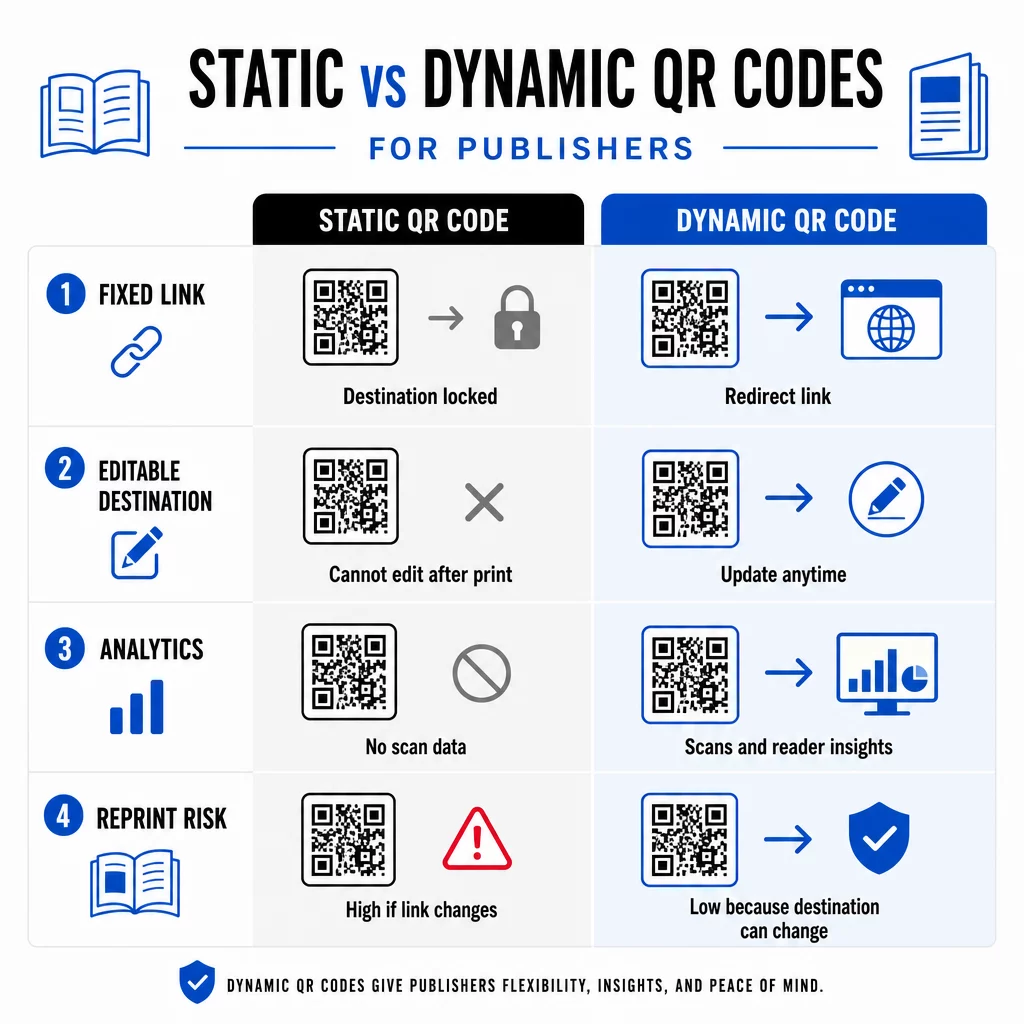
UN codice QR dinamico, by contrast, points to a short redirect URL that you control. You can update the destination at any time after the code has been printed and distributed. For publishers, this means:
- A textbook printed this year can still serve updated content links five years from now
- A magazine ad can be updated mid-campaign to reflect a new offer without reprinting
- Outdated author websites or broken links can be fixed without touching the print run
Dynamic codes also provide built-in analytics. You can track how many times each code is scanned, where readers are located, and which devices they use – data that is otherwise invisible in traditional publishing. To understand the full trade-offs, the static vs. dynamic QR code comparison is worth reviewing before you commit to a format.
What Content to Link From Your QR Codes
The content behind the code determines whether readers scan a second time. Some formats that work particularly well for publishers:
- PDF documents – Link to companion guides, reading lists, extended appendices, or academic references using a Codice PDF QR
- YouTube videos – Connect printed content to author interviews, documentary clips, or instructional walkthroughs using a generatore di codici QR di YouTube
- Pagine di destinazione – Use a branded landing page to present multiple options from a single scan – links to the author’s website, a review page, social profiles, and a subscription form all accessible from one code
- Images and galleries – Supplement travel or art books with full-color photo galleries that the print edition cannot accommodate
Whatever format you choose, ensure the destination is mobile-optimized. The majority of scans happen on smartphones, so a page that renders poorly on a small screen will undermine the value of the code entirely.
Printing QR Codes That Actually Scan
A QR code that fails to scan damages reader trust – and a reader who scans once and gets an error is unlikely to try again. Follow these guidelines to ensure reliable performance in print:
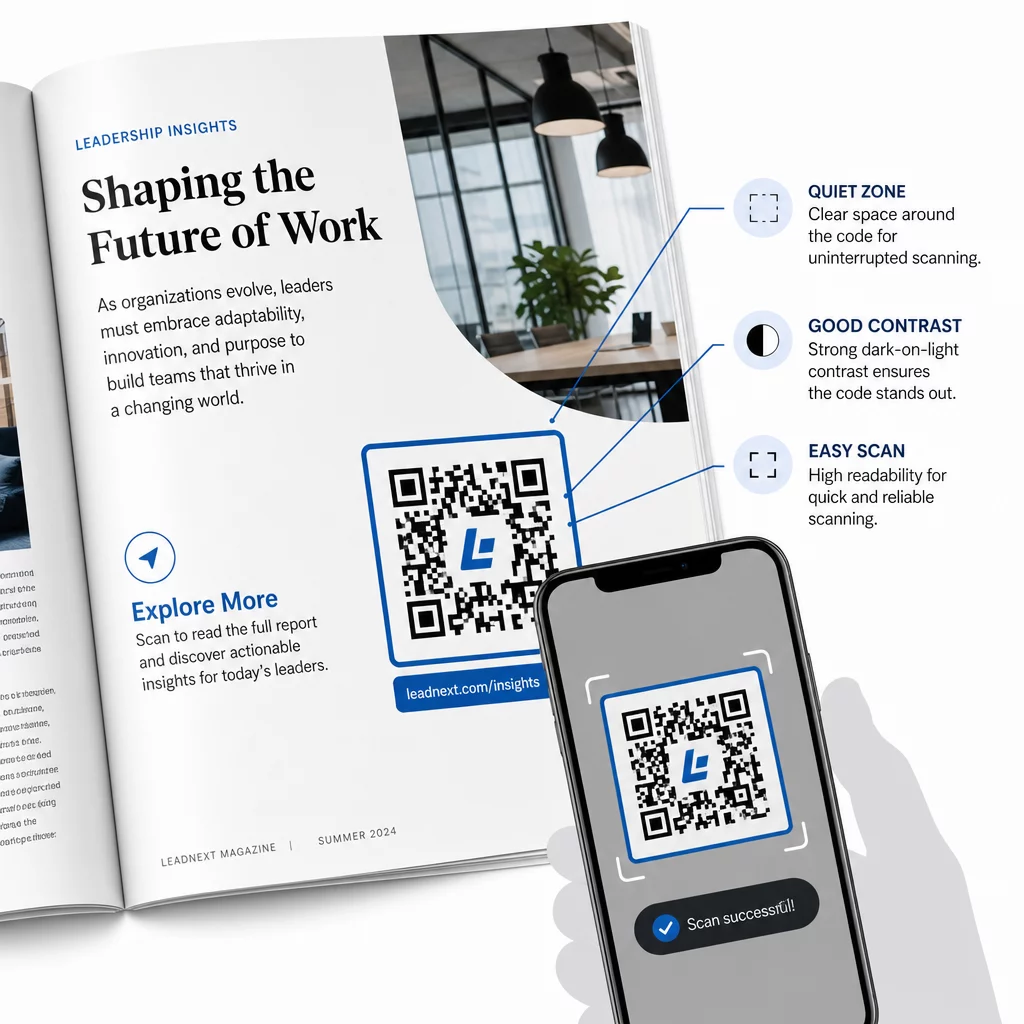
- Minimum size – Print QR codes at a minimum of 0.8 × 0.8 inches (20 mm) for most publication formats. For posters and point-of-sale signage, use at least 1.2 × 1.2 inches (30 mm)
- Quiet zone – Maintain a clear border of at least four modules wide on all four sides of the code, free of text, images, or design elements
- Contrasto – Use a dark code on a light background. Aim for a minimum 3:1 contrast ratio; 4:1 or higher is more reliable in varied reading conditions
- File format – Download codes as SVG or EPS vector files for print, rather than PNG or JPG, to avoid pixelation when scaling. le linee guida sulle dimensioni del codice QR per i materiali stampati cover this in more detail
- Posizionamento – Avoid placing codes across folds, spines, seams, or heavily textured surfaces where scanning becomes unreliable. For further guidance, the QR code placement guide for marketing materials covers position, visibility, and context in depth
For a complete checklist on making codes scannable across different print conditions, see le migliori pratiche per la leggibilità dei codici QR.
Tracking Reader Engagement Across Your Print Run
One of the most underused advantages of QR codes in publishing is the analytics layer. With dynamic codes, you can see:
- Which pages or sections generate the most scans
- How engagement varies across different editions or geographic markets
- Whether a particular type of linked content (video vs. PDF vs. landing page) drives more interaction
- Scan trends over time – useful for understanding the shelf life of a title
This data gives publishers something genuinely new: a feedback loop from print that was previously only available for digital products. Use it to inform decisions about future editions, identify which content formats resonate, and demonstrate engagement metrics to authors and advertisers.
Pageloot’s platform consolidates code creation, content management, and analytics in one dashboard, so you can manage QR codes across an entire catalog without juggling multiple tools. Explore the full range of QR code solutions by industry to see how other sectors are applying the same approach.
Start Building Your Publishing QR Strategy Create your first branded, trackable QR code in minutes with the Generatore di codici QR. Free 14-day trial, no credit card required.
Domande Frequenti
Not if you use a dynamic QR code. Dynamic codes point to a redirect URL that you control, so you can update the destination – whether it’s a new video, a revised landing page, or a corrected link – at any time after printing, without generating a new code or touching the print run.
You can link to virtually any digital content: YouTube videos, PDF documents, web pages, image galleries, audio files, subscription forms, or branded landing pages that combine multiple links. The best choice depends on what adds the most value for your readers at that point in the publication.
Dynamic QR codes include built-in analytics that record the number of scans, scan timestamps, reader locations, and device types. This gives you a clear picture of which codes are performing and which placements or content types are driving the most engagement – data that static codes cannot provide.