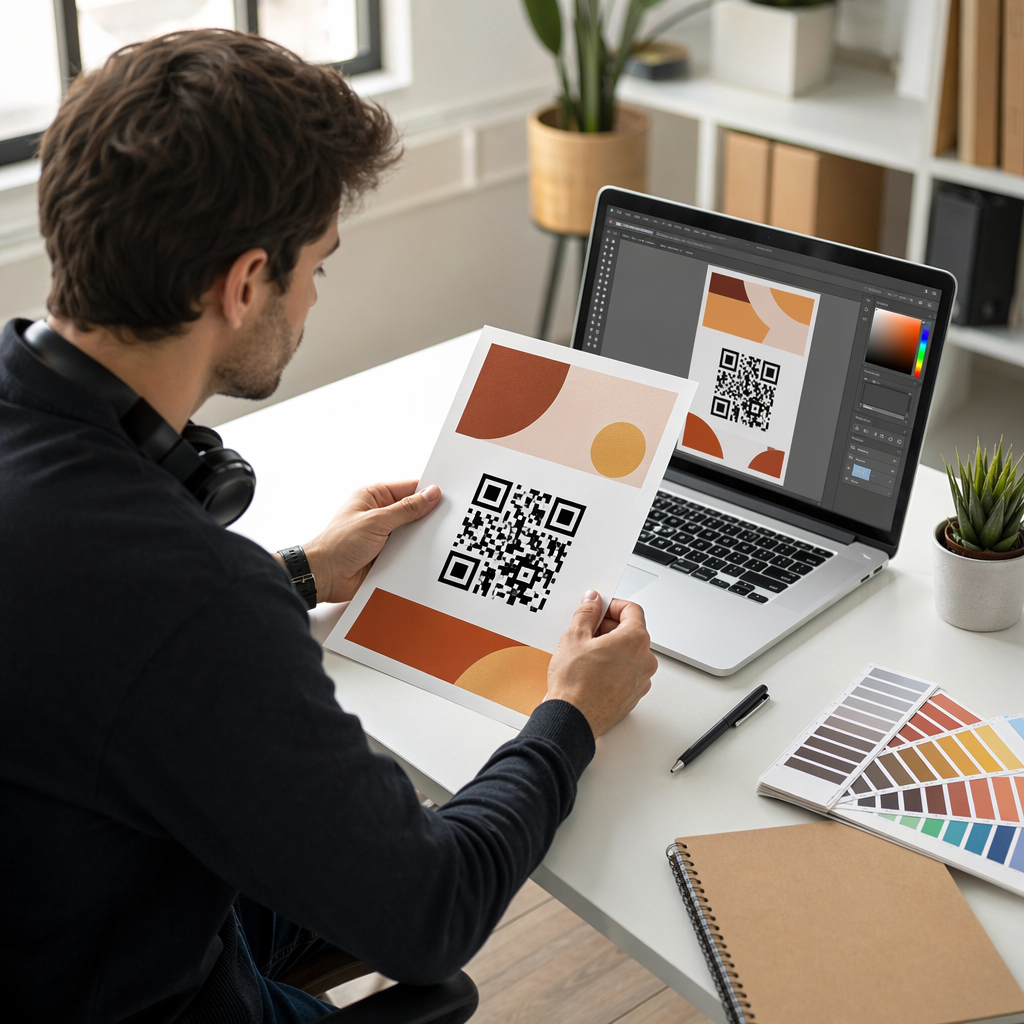
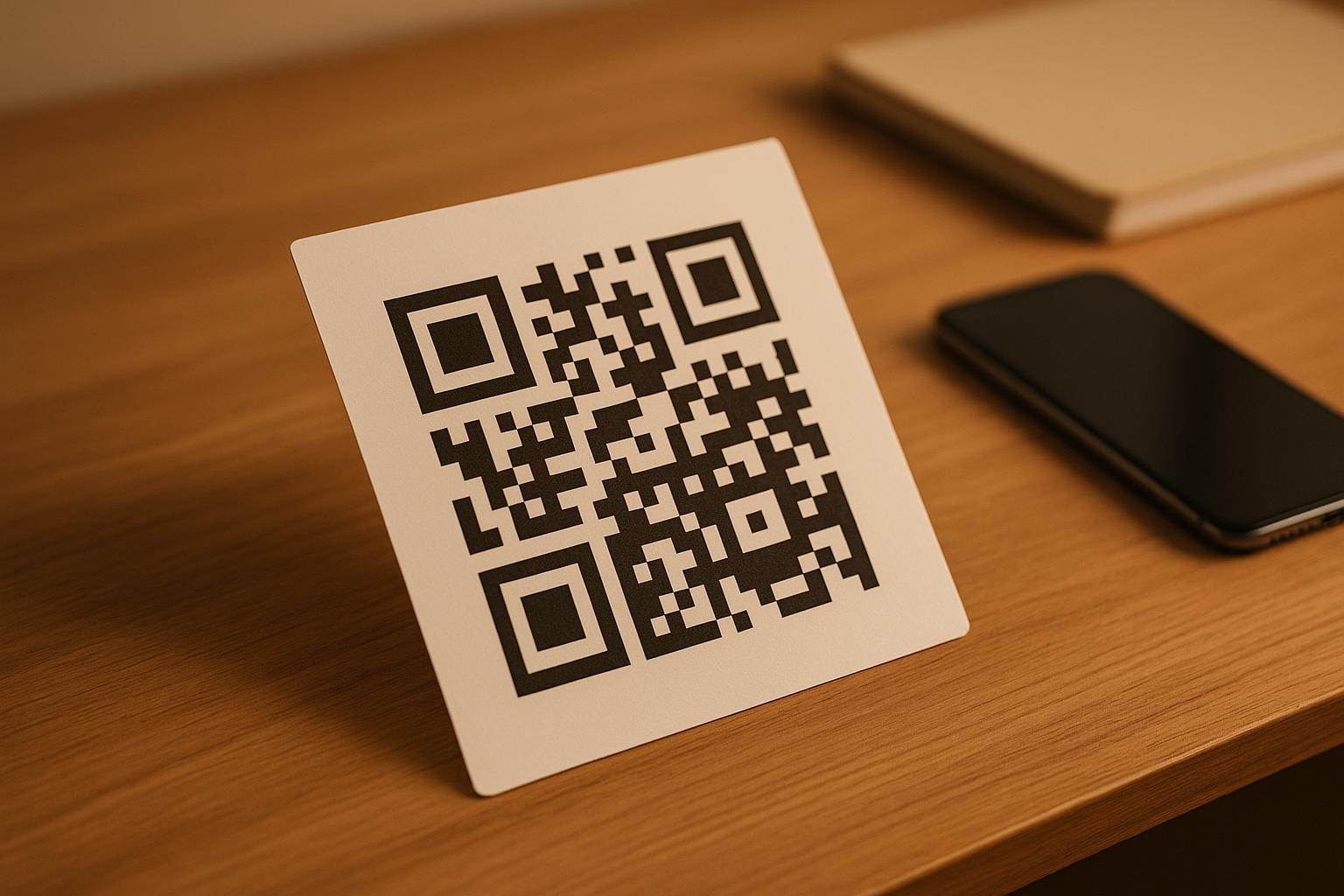
¿Le cuesta conectar sus publicaciones impresas con las experiencias digitales que los lectores esperan cada vez más? Las páginas estáticas solo pueden hacer mucho, y los editores que dependen únicamente de la impresión corren el riesgo de perder el compromiso del lector frente a competidores totalmente digitales. Esta guía le muestra exactamente cómo cerrar esa brecha utilizando códigos QR en libros, revistas y periódicos.
Por qué los editores están añadiendo códigos QR a la impresión
Los lectores de hoy esperan más que texto en una página. Quieren audio, video, contenido suplementario y formas de interactuar con autores y editores, todo desde sus teléfonos inteligentes. Los códigos QR brindan a los editores un canal directo para ofrecer esa experiencia sin reemplazar el producto impreso que los lectores ya aman.
Las cifras reflejan un cambio de comportamiento genuino. Se estima que 89 millones de estadounidenses escanearon un código QR en 2025, y se proyecta que esa cifra supere los 100 millones en 2026. Fundamentalmente, el 43% de los usuarios de teléfonos inteligentes escanean al menos un código QR por semana, un patrón de comportamiento que se corresponde bien con los lectores comprometidos que leen un libro o revista regularmente.
Para los editores específicamente, el atractivo es sencillo: un solo código impreso puede conectar a un lector con una entrevista en video con el autor, un sitio web complementario, un recurso descargable o una oferta de suscripción, sin costos de impresión adicionales.
Cree códigos QR rastreables para sus publicaciones ¿Quiere saber exactamente qué páginas y ediciones están generando la mayor participación? Utilice el Generador de códigos QR dinámicos para crear códigos que puede actualizar y rastrear sin reimprimir una sola copia.
Qué tipos de publicaciones se benefician más
Los códigos QR añaden un valor medible en prácticamente todos los formatos de publicación, pero algunas categorías ven retornos particularmente fuertes:
- Libros y guías de viaje – Enlace a los lectores directamente a galerías de fotos, mapas, sitios web de destinos o recorridos en video de los lugares descritos en cada página
- Libros de texto educativos – Conecte a los estudiantes con cuestionarios, videos complementarios, claves de respuestas o recursos de preparación para exámenes junto a cada capítulo
- Libros de cocina – Enlace a videos de técnicas, guías de sustitución de ingredientes o listas de compras interactivas
- Libros infantiles – Amplía la historia con narración de audio, escenas animadas o juegos interactivos
- Libros para aprender idiomas – Reproduce pronunciaciones de audio o explicaciones en video de conceptos gramaticales en línea con el texto
- Revistas y periódicos – Dirige a los lectores desde anuncios impresos y contenido editorial a páginas de suscripción, contenido de video, formularios de comentarios u ofertas exclusivas
Para una mirada más profunda sobre cómo los periódicos y revistas pueden usar los códigos QR de manera efectiva, consulta la guía de códigos QR en periódicos y revistas. Si tu enfoque son específicamente los libros, la guía de códigos QR en libros detalla la ubicación, el escaneo y los tipos de contenido.
Ideas Prácticas para Usar Códigos QR en Publicaciones
Los códigos QR de editor más efectivos tienen un propósito claro para el lector. Aquí hay enfoques probados:
- Agrega un video en los saltos de capítulo en libros de no ficción narrando un evento específico o mostrando la ubicación real donde tuvo lugar – particularmente efectivo para historia, viajes y memorias
- Enlaza a entrevistas con autores o contenido detrás de escena que recompensa a los lectores que terminan el libro
- Coloca un código en la contraportada o en la primera página interior permitiendo a los lectores dejar calificaciones y reseñas directamente en tu plataforma preferida
- Comparte un código de descuento para la próxima compra del lector, canjeable escaneando un código dentro del título actual
- Permite a los lectores descargar el primer capítulo del próximo libro del autor antes de su publicación
- Añadir códigos a los escaparates o materiales de punto de venta que promocionen próximos lanzamientos o eventos de presentación
- En revistas, vincular códigos QR en anuncios a páginas de destino, ofertas de suscripción o contenido de vídeo que amplíe el anuncio impreso
Específicamente para periódicos y revistas, coloque el código de forma destacada dentro del contenido en lugar de esconderlo en una esquina. Acompáñelo de una llamada a la acción corta y específica: “Escanee para ver la entrevista completa” es más eficaz que un genérico “Escanee aquí”.”
Vincular anuncios impresos a destinos digitales Use el Generador de códigos QR de enlace para conectar cualquier página impresa a una URL, página de destino o recurso digital, sin necesidad de configuración técnica.
Códigos QR estáticos vs. dinámicos para editores
Esta distinción es muy importante para los editores que imprimen grandes tiradas. Un código QR estático codifica un destino fijo directamente en el patrón del código. Si la página vinculada se mueve o el contenido cambia, el código se vuelve inútil, y no se puede actualizar sin reimprimir.
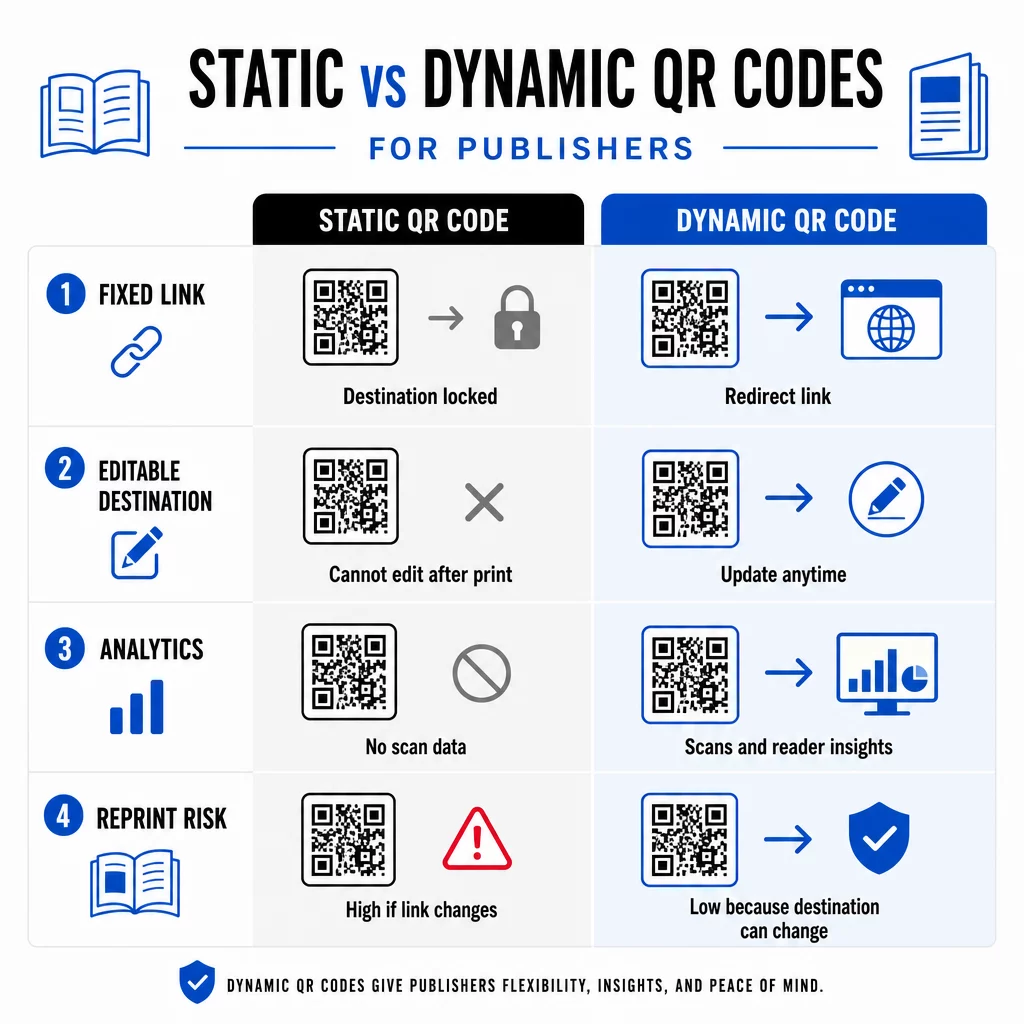
UNA código QR dinámico, por el contrario, apunta a una URL de redirección corta que usted controla. Puede actualizar el destino en cualquier momento después de que el código haya sido impreso y distribuido. Para los editores, esto significa:
- Un libro de texto impreso este año puede seguir sirviendo enlaces de contenido actualizados dentro de cinco años
- Un anuncio de revista puede actualizarse a mitad de campaña para reflejar una nueva oferta sin necesidad de reimprimir
- Los sitios web de autores obsoletos o los enlaces rotos pueden corregirse sin afectar la tirada de impresión
Los códigos dinámicos también proporcionan análisis integrados. Puede rastrear cuántas veces se escanea cada código, dónde se encuentran los lectores y qué dispositivos utilizan – datos que de otro modo son invisibles en la publicación tradicional. Para comprender todas las ventajas y desventajas, la comparación de códigos QR estáticos vs. dinámicos vale la pena revisar antes de comprometerse con un formato.
¿Qué contenido enlazar desde tus códigos QR?
El contenido detrás del código determina si los lectores escanean una segunda vez. Algunos formatos que funcionan particularmente bien para los editores:
- Documentos PDF – Enlaza a guías complementarias, listas de lectura, apéndices extendidos o referencias académicas usando un PDF Código QR
- Videos de YouTube – Conecta contenido impreso con entrevistas de autores, clips documentales o tutoriales instructivos usando un Generador de código QR de YouTube
- Páginas de destino – Usa una página de destino de marca para presentar múltiples opciones desde un solo escaneo – enlaces al sitio web del autor, una página de reseñas, perfiles sociales y un formulario de suscripción, todo accesible desde un solo código
- Imágenes y galerías – Complementa libros de viajes o de arte con galerías de fotos a todo color que la edición impresa no puede acomodar
Cualquier formato que elijas, asegúrate de que el destino esté optimizado para móviles. La mayoría de los escaneos ocurren en smartphones, por lo que una página que se renderiza mal en una pantalla pequeña socavará por completo el valor del código.
Impresión de códigos QR que realmente escanean
Un código QR que no escanea daña la confianza del lector – y es poco probable que un lector que escanea una vez y obtiene un error lo intente de nuevo. Sigue estas pautas para asegurar un rendimiento fiable en la impresión:
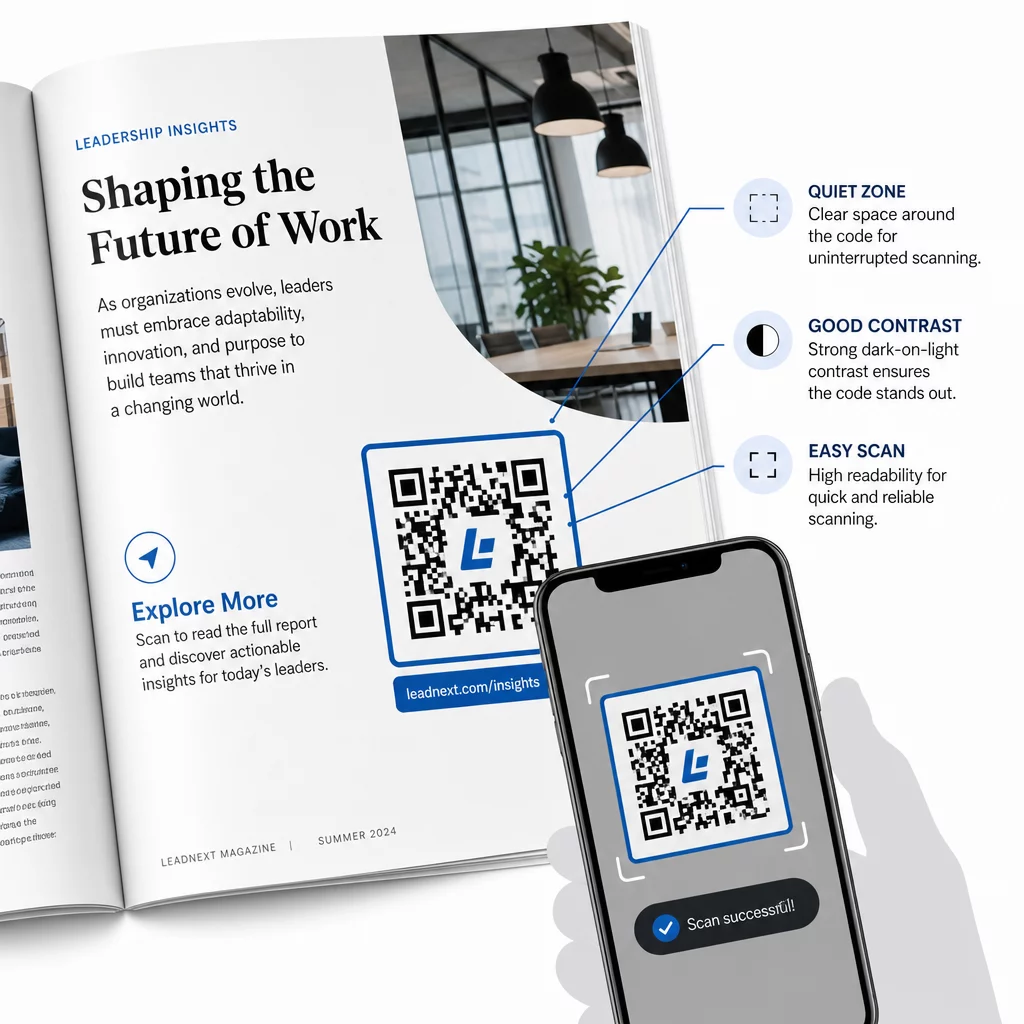
- Tamaño mínimo – Imprime códigos QR con un mínimo de 0.8 × 0.8 pulgadas (20 mm) para la mayoría de los formatos de publicación. Para carteles y señalización de punto de venta, usa al menos 1.2 × 1.2 pulgadas (30 mm)
- Zona tranquila – Mantenga un borde claro de al menos cuatro módulos de ancho en los cuatro lados del código, libre de texto, imágenes o elementos de diseño
- Contraste – Utilice un código oscuro sobre un fondo claro. Busque una relación de contraste mínima de 3:1; 4:1 o superior es más fiable en diversas condiciones de lectura
- Formato de archivo – Descargue los códigos como archivos vectoriales SVG o EPS para impresión, en lugar de PNG o JPG, para evitar la pixelación al escalar. las pautas de tamaño del código QR para materiales impresos cubrir esto con más detalle
- UBICACIÓN DEL CÓDIGO – Evite colocar códigos sobre pliegues, lomos, costuras o superficies con mucha textura donde el escaneo se vuelve poco fiable. Para obtener más orientación, la guía de colocación de códigos QR para materiales de marketing cubre la posición, visibilidad y contexto en profundidad
Para obtener una lista de verificación completa sobre cómo hacer que los códigos sean escaneables en diferentes condiciones de impresión, consulte las mejores prácticas para la legibilidad de los códigos QR.
Seguimiento de la participación del lector en su tirada de impresión
Una de las ventajas más infrautilizadas de los códigos QR en la publicación es la capa de análisis. Con códigos dinámicos, puede ver:
- Qué páginas o secciones generan la mayor cantidad de escaneos
- Cómo varía la participación en diferentes ediciones o mercados geográficos
- Si un tipo particular de contenido vinculado (video vs. PDF vs. página de destino) impulsa más interacción
- Tendencias de escaneo a lo largo del tiempo – útil para comprender la vida útil de un título
Estos datos ofrecen a los editores algo genuinamente nuevo: un ciclo de retroalimentación de la impresión que antes solo estaba disponible para productos digitales. Úselos para informar decisiones sobre futuras ediciones, identificar qué formatos de contenido resuenan y demostrar métricas de participación a autores y anunciantes.
La plataforma de Pageloot consolida la creación de códigos, la gestión de contenido y el análisis en un solo panel, para que puedas gestionar códigos QR en todo un catálogo sin tener que hacer malabares con múltiples herramientas. Explora la gama completa de soluciones de códigos QR por industria para ver cómo otros sectores están aplicando el mismo enfoque.
Empieza a Construir tu Estrategia QR para Publicaciones Crea tu primer código QR de marca y rastreable en minutos con el Generador de códigos QR. Prueba gratuita de 14 días, no se requiere tarjeta de crédito.
Preguntas frecuentes
No si usas un código QR dinámico. Los códigos dinámicos apuntan a una URL de redirección que tú controlas, por lo que puedes actualizar el destino – ya sea un nuevo video, una página de destino revisada o un enlace corregido – en cualquier momento después de la impresión, sin generar un nuevo código ni afectar la tirada de impresión.
Puedes enlazar a prácticamente cualquier contenido digital: videos de YouTube, documentos PDF, páginas web, galerías de imágenes, archivos de audio, formularios de suscripción o páginas de destino de marca que combinan múltiples enlaces. La mejor opción depende de lo que aporte más valor a tus lectores en ese punto de la publicación.
Los códigos QR dinámicos incluyen análisis integrados que registran el número de escaneos, las marcas de tiempo de los escaneos, las ubicaciones de los lectores y los tipos de dispositivos. Esto te da una imagen clara de qué códigos están funcionando y qué ubicaciones o tipos de contenido están generando la mayor interacción – datos que los códigos estáticos no pueden proporcionar.