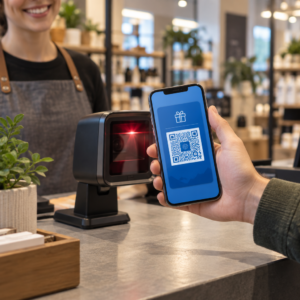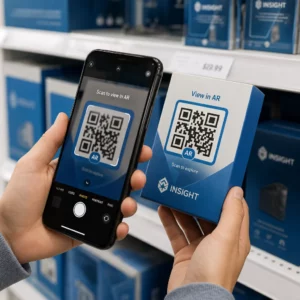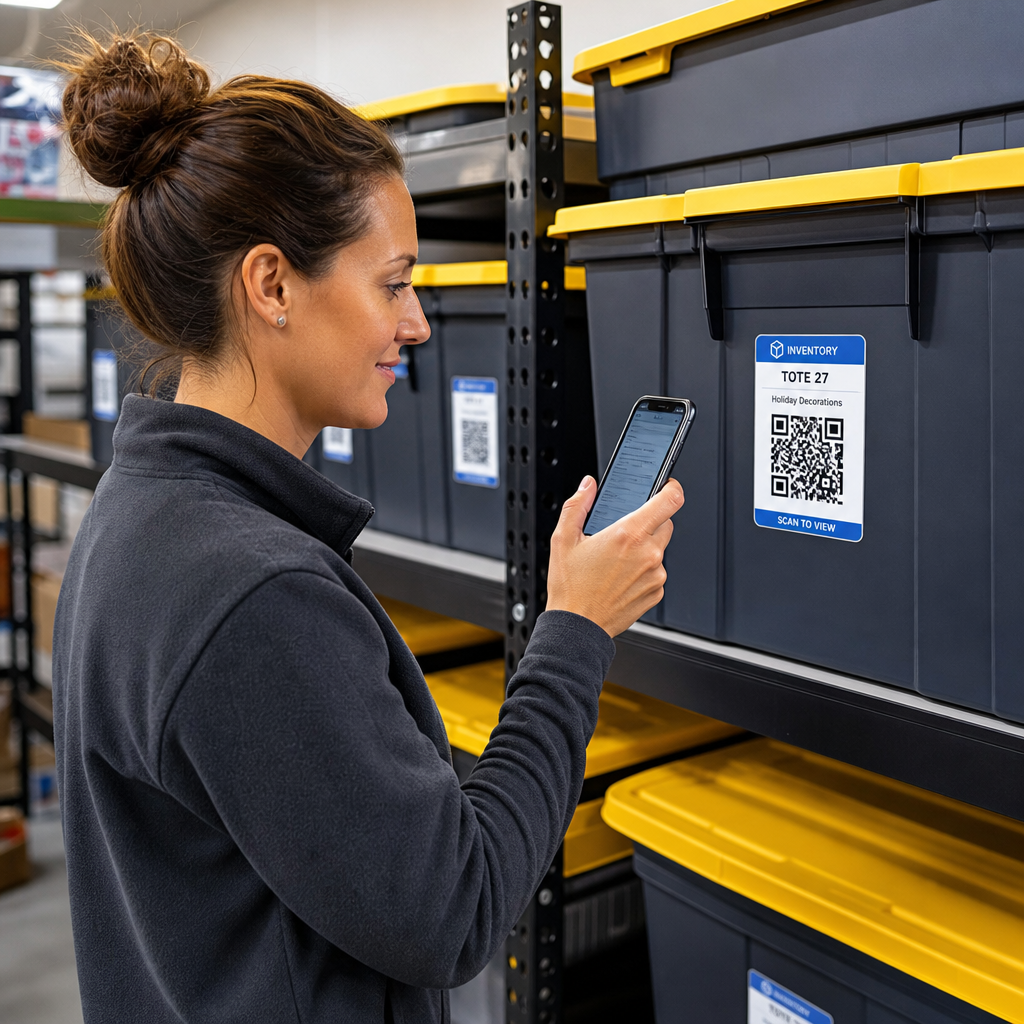

Adakah anda bosan mencari melalui kotak simpanan yang tidak bertanda hanya untuk mencari satu barang? Menggali secara buta melalui bekas yang bertimbun membuang masa berharga dan menyebabkan sakit kepala operasi yang tidak berkesudahan. Menggunakan label inventori kod QR membolehkan anda menjejak, mencari, dan mengurus barang yang disimpan dengan serta-merta melalui imbasan telefon pintar yang mudah.
Cara Penjejakan Simpanan Kod QR Berfungsi
Sistem simpanan kod QR menghubungkan bekas fizikal, rak, atau unit kemudahan kepada rekod digital. Apabila anda mengimbas label yang dilekatkan pada beg atau rak, peranti anda membaca corak yang dikodkan dan membuka dokumen, halaman web, atau entri pangkalan data yang dipautkan yang memaparkan kandungan yang disimpan di dalamnya.
Bergantung pada keperluan operasi anda, anda boleh memilih antara dua jenis utama kod QR:
- Kod QR statik: Ini mengekod teks biasa terus ke dalam corak fizikal. Dengan menggunakan Penjana tulisan QR, anda boleh mencipta label luar talian yang ringkas yang memaparkan butiran item asas. Walau bagaimanapun, kod statik tidak boleh diubah suai selepas dicetak.
- Kod QR dinamik: Ini menyimpan URL ubah hala pendek yang menunjuk ke hamparan dalam talian, folder awan, atau entri pangkalan data. Dengan menggunakan Penjana dynamic QR code, anda boleh mengemas kini senarai kotak, menambah foto kandungan, atau mengedit kuantiti item pada bila-bila masa tanpa mencetak semula pelekat fizikal.
Mengamalkan label digital mencipta rangka kerja yang boleh dipercayai untuk menjejak inventori dalam masa nyata, memberikan anda keterlihatan penuh ke dalam stok yang disimpan di garaj rumah, gudang komersial, atau unit simpanan sendiri.
Langkah-langkah untuk Menyediakan Sistem Inventori Simpanan
Membina susun atur simpanan yang teratur memerlukan pengelogan sistematik, penciptaan label tahan lama, dan rutin pengimbasan piawai.
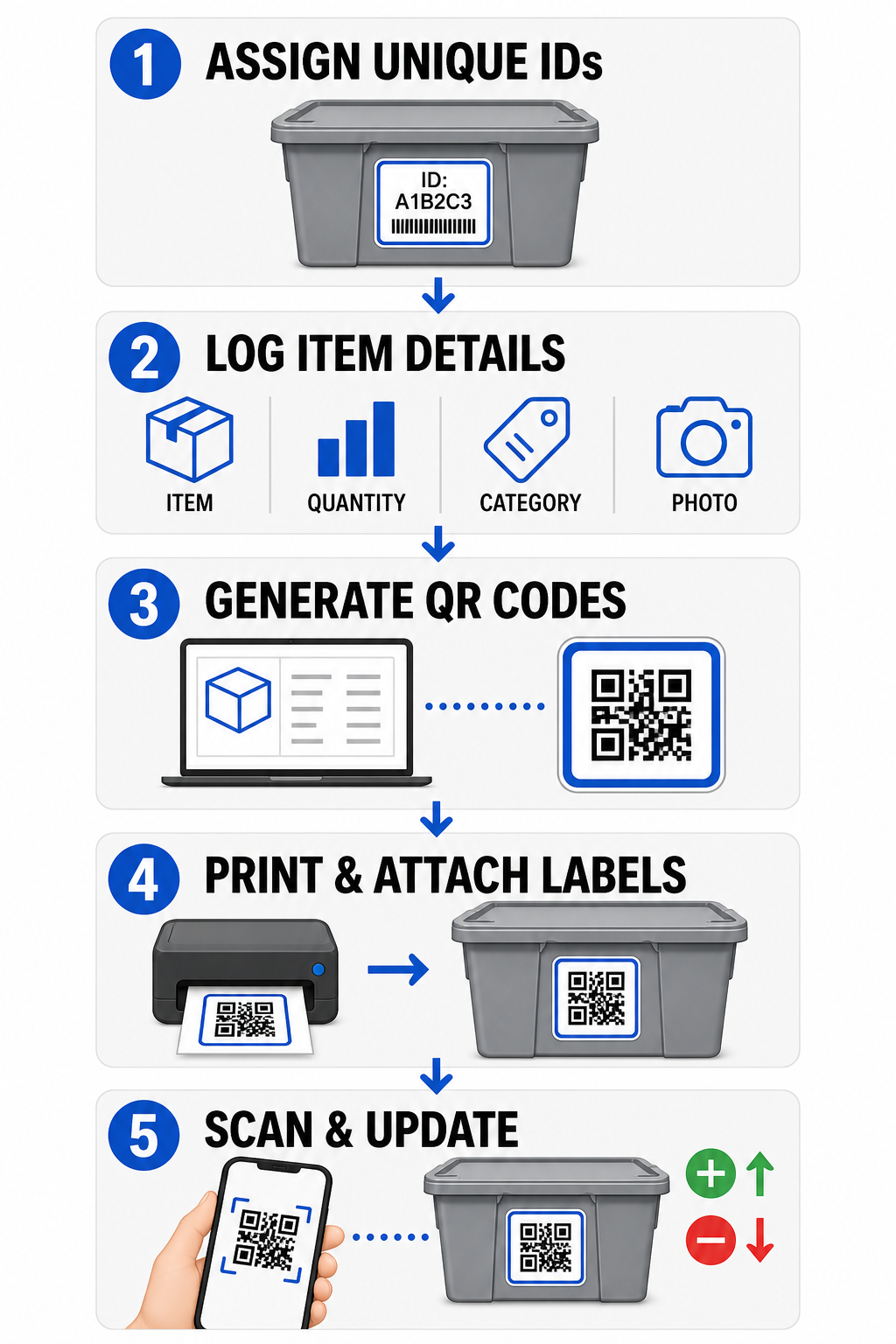
- Tugaskan pengecam unik: Cipta format penamaan yang jelas atau struktur unit simpanan stok (SKU) untuk setiap tong, kotak, rak, atau loker simpanan.
- Kumpul rekod item: Masukkan butiran seperti nama item, kuantiti, kategori, dan gambar ke dalam pangkalan data berpusat atau dokumen digital.
- Hasilkan kod yang boleh diimbas: Masukkan pautan rekod digital anda ke dalam penjana dalam talian untuk mencipta kod QR untuk inventori produk. Anda juga boleh menyambungkan Cara buat QR code untuk Google Form ke hamparan penjejakan untuk memudahkan kemasukan data penerimaan.
- Cetak dan lekatkan label: Sapukan label bercetak ke hadapan atau atas bekas di mana pekerja boleh mengimbasnya tanpa mengalihkan timbunan berat.
- Imbas dan kemas kini secara rutin: Gunakan Imbas Kod QR berasaskan web atau kamera telefon pintar standard untuk mengemas kini rekod langsung setiap kali item ditambah, dialih keluar, atau dipindahkan.
Lancarkan Pengurusan Simpanan Anda Perlukan label fleksibel yang membolehkan anda mengemas kini butiran kotak yang disimpan tanpa mencetak semula pelekat? Gunakan Penjana dynamic QR code untuk membina tag inventori yang boleh diedit dengan penjejakan imbasan terbina hari ini.
Garis Panduan Reka Bentuk dan Penempatan Label
Untuk menjamin imbasan pantas di kemudahan malap atau loker simpanan sesak, label bercetak anda mesti mengikut piawaian kebolehimbasan yang ditetapkan.
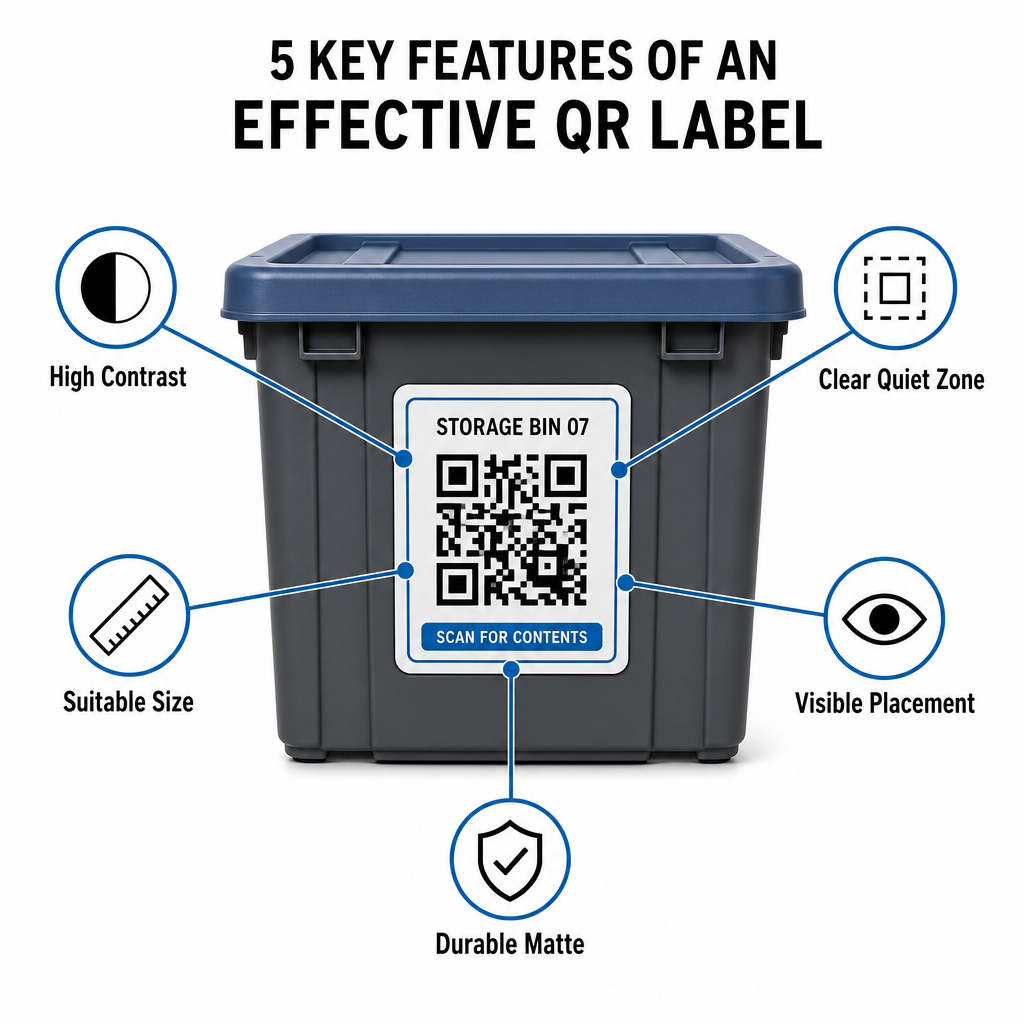
Peraturan Saiz dan Jarak
- Saiz label minimum: Cetak kod jarak dekat tidak lebih kecil daripada 2 x 2 cm (0.8 x 0.8 inci) untuk beg tangan atau kotak arkib.
- Nisbah jarak: Ikut peraturan jarak-ke-saiz 10:1 untuk rak tinggi atau papan tanda kemudahan, bermakna kod yang diimbas dari jarak 10 kaki mesti berukuran sekurang-kurangnya 1 kaki lebar.
Keperluan Kontras dan Margin
- Kontras tinggi: Gunakan corak gelap pada latar belakang terang. Hitam-putih standard menyediakan nisbah kontras 21:1 untuk kebolehbacaan optik maksimum, sambil mengekalkan nisbah kontras sekurang-kurangnya 12:1 memastikan pengimbasan yang konsisten.
- Sempadan zon senyap: Tinggalkan margin tanpa halangan di sekeliling kod QR yang berukuran sekurang-kurangnya empat kali lebar satu segi empat sama modul.
- Elakkan kekacauan visual: Hapuskan bayang latar belakang, kombinasi warna kontras rendah, atau kecerunan berat yang merendahkan pengesanan sensor kamera.
Perlindungan Pencetakan dan Alam Sekitar
- Resolusi cetakan tinggi: Eksport karya seni dalam format vektor seperti SVG atau PDF, atau simpan fail raster pada 300 DPI atau lebih tinggi untuk mengelakkan tepi kabur.
- Bahan tahan lama: Gunakan label vinil matte kalis cuaca untuk unit industri atau rak luar. Letakkan tag luaran pada permukaan yang kurang terdedah kepada matahari, seperti bahagian peralatan yang menghadap utara, untuk mengelakkan degradasi UV dari masa ke masa.
| Parameter Reka Bentuk | Keperluan Standard | Sebab Praktikal |
|---|---|---|
| Saiz Jarak Dekat Minimum | 2 x 2 cm (0.8 x 0.8 in) | Menjamin kebolehbacaan fokus kamera telefon pintar. |
| Nisbah Jarak Imbasan | 10:1 (Jarak : Lebar) | Memastikan tag rak tinggi diimbas dengan jelas dari aras lantai. |
| Nisbah Kontras Warna | Minimum 12:1 (Ideal 21:1) | Membantu penderia optik membezakan corak data dengan mudah. |
| Margin Zon Senyap | 4 lebar modul pada semua sisi | Menghalang teks bersebelahan atau garisan sempadan daripada memesongkan imbasan. |
| Resolusi Cetakan | 300 DPI atau eksport SVG/PDF | Menghalang piksel comot atau kabur semasa mencetak. |
Aplikasi Praktikal untuk Pengendali dan Pelanggan
Pengurus kemudahan simpanan dan pelanggan simpanan peribadi menggunakan kod QR untuk menangani keperluan organisasi yang berbeza.
Pengendali Kemudahan Simpanan Sendiri
Pengendali meletakkan tag boleh imbas di seluruh hartanah mereka untuk menambah baik penjejakan aset dan aliran kerja penyelenggaraan harian:
- Pemantauan status unit: Tag pintu unit supaya kakitangan kemudahan boleh mengimbas semasa pusingan untuk merekodkan pemeriksaan kunci, permintaan penyelenggaraan, atau kemas kini ketersediaan.
- Pemeriksaan keluar peralatan: Labelkan troli, alatan, dan peralatan forklift kemudahan untuk merekodkan jagaan semasa rutin operasi harian.
- Kecekapan pemenuhan: Kemudahan yang menyokong logistik pihak ketiga menggunakan tag boleh imbas untuk menyelaraskan pemenuhan pesanan dan proses penerimaan masuk.
Pelanggan Simpanan Peribadi dan Perniagaan
Individu dan penyewa komersial menyusun garaj rumah, bilik arkib, atau unit sewaan melalui pengindeksan digital berstruktur:
- Pengindeksan kontena bermusim: Labelkan hiasan perayaan, peralatan sukan, dan beg pakaian bermusim untuk menyemak kandungan kotak tanpa membuka penutup yang dimeterai.
- Penjejakan arkib perniagaan: Kategorikan dokumentasi cukai, fail undang-undang, dan rekod pelanggan dengan memautkan tag kotak fizikal ke folder dalam talian yang selamat.
- Fleksibiliti merentas sektor: Daripada barangan runcit kepada alatan khusus merentas pelbagai industri, tag tersuai yang dibina dengan penjana kod QR serba boleh memastikan stok yang disimpan teratur dan mudah diambil semula.
Kawal Inventori Tersimpan Anda
Melaksanakan label simpanan kod QR menghapuskan tekaan, mempercepatkan audit inventori, dan mengelakkan stok tersalah letak di seluruh unit simpanan peribadi dan gudang komersial. Dengan memilih label dinamik, mencetak corak kontras tinggi, dan menggunakan peraturan penempatan yang jelas, anda mengekalkan keterlihatan penuh ke atas setiap aset yang disimpan.
Mulakan pendigitalan aliran kerja simpanan anda hari ini dengan menjana label inventori sedia cetak menggunakan Pageloot.
Soalan lazim
Saiz minimum untuk imbasan jarak dekat pada kontena atau kotak ialah 2 x 2 cm (0.8 x 0.8 inci). Untuk label yang diletakkan di rak tinggi atau pintu kemudahan yang diimbas dari jarak jauh, ikut nisbah 10:1 di mana lebar kod adalah satu persepuluh daripada jumlah jarak imbasan.
Ya, dengan syarat anda menggunakan kod QR dinamik. Kod QR dinamik menghala ke pautan pendek yang boleh diedit, membolehkan anda mengemas kini senarai item, memuat naik foto, atau melaraskan kuantiti dalam pangkalan data digital anda sambil mengekalkan label fizikal yang sama tepat pada kotak anda.
Pengendali kemudahan meletakkan label kod QR pada pintu unit, lokasi lorong, dan peralatan kongsi. Mengimbas kod ini membolehkan kakitangan melengkapkan kiraan kitaran, merekod sejarah penyelenggaraan unit, mengesahkan penghunian, dan menguruskan pemeriksaan aset secara masa nyata.