首页 > 行业 > How to Use QR Codes for Publishers
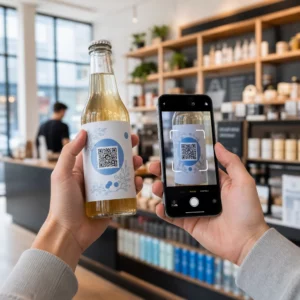
Reader scanning QR code

How to Use QR Codes for Publishers

Learn how publishers use QR codes to connect print books and magazines to digital content. Boost engagement with video, audio, and trackable reader analytics.
Updated on 6 月 10, 2026
目录

Are you struggling to connect your print publications to the digital experiences readers increasingly expect? Static pages can only do so much – and publishers who rely on print alone risk losing reader engagement to fully digital competitors. This guide shows you exactly how to bridge that gap using QR codes in books, magazines, and newspapers.

Why Publishers Are Adding QR Codes to Print

Readers today expect more than text on a page. They want audio, video, supplemental content, and ways to interact with authors and publishers – all from their smartphones. QR codes give publishers a direct channel to deliver that experience without replacing the print product readers already love.

The numbers reflect a genuine behavioral shift. An estimated 89 million Americans scanned a QR code in 2025, with that figure projected to exceed 100 million in 2026. Critically, 43% of smartphone users scan at least one QR code per week – a behavior pattern that maps well onto engaged readers who pick up a book or magazine regularly.

For publishers specifically, the appeal is straightforward: a single printed code can connect a reader to a video interview with the author, a companion website, a downloadable resource, or a subscription offer – without any additional printing costs.

Create Trackable QR Codes for Your Publications Want to know exactly which pages and editions are driving the most engagement? Use the 动态二维码生成器 to create codes you can update and track without reprinting a single copy.

Which Types of Publications Benefit Most

QR codes add measurable value across virtually every publishing format, but some categories see particularly strong returns:

  • Travel books and guides – Link readers directly to photo galleries, maps, destination websites, or video tours of the places described on each page
  • Educational textbooks – Connect students to quizzes, supplemental videos, answer keys, or exam preparation resources alongside each chapter
  • 食谱 – Link to technique videos, ingredient substitution guides, or interactive shopping lists
  • Children’s books – Extend the story with audio narration, animated scenes, or interactive games
  • Language learning books – Play audio pronunciations or video explanations of grammar concepts inline with the text
  • 杂志和报纸 – Drive readers from print ads and editorial content to subscription pages, video content, feedback forms, or exclusive offers

For a deeper look at how newspapers and magazines can use QR codes effectively, see the guide to QR codes on newspapers and magazines. If your focus is specifically books, the guide to QR codes in books walks through placement, scanning, and content types in detail.

Practical Ideas for Using QR Codes in Publications

The most effective publisher QR codes serve a clear purpose for the reader. Here are proven approaches:

  • Add a video at chapter breaks in non-fiction books narrating a specific event or showing the actual location where it took place – particularly effective for history, travel, and memoir
  • Link to author interviews or behind-the-scenes content that rewards readers who finish the book
  • Place a code on the back cover or inside front page allowing readers to leave ratings and reviews directly on your preferred platform
  • Share a discount code for the reader’s next purchase, redeemable by scanning a code inside the current title
  • Allow readers to download the first chapter of the author’s next book before it publishes
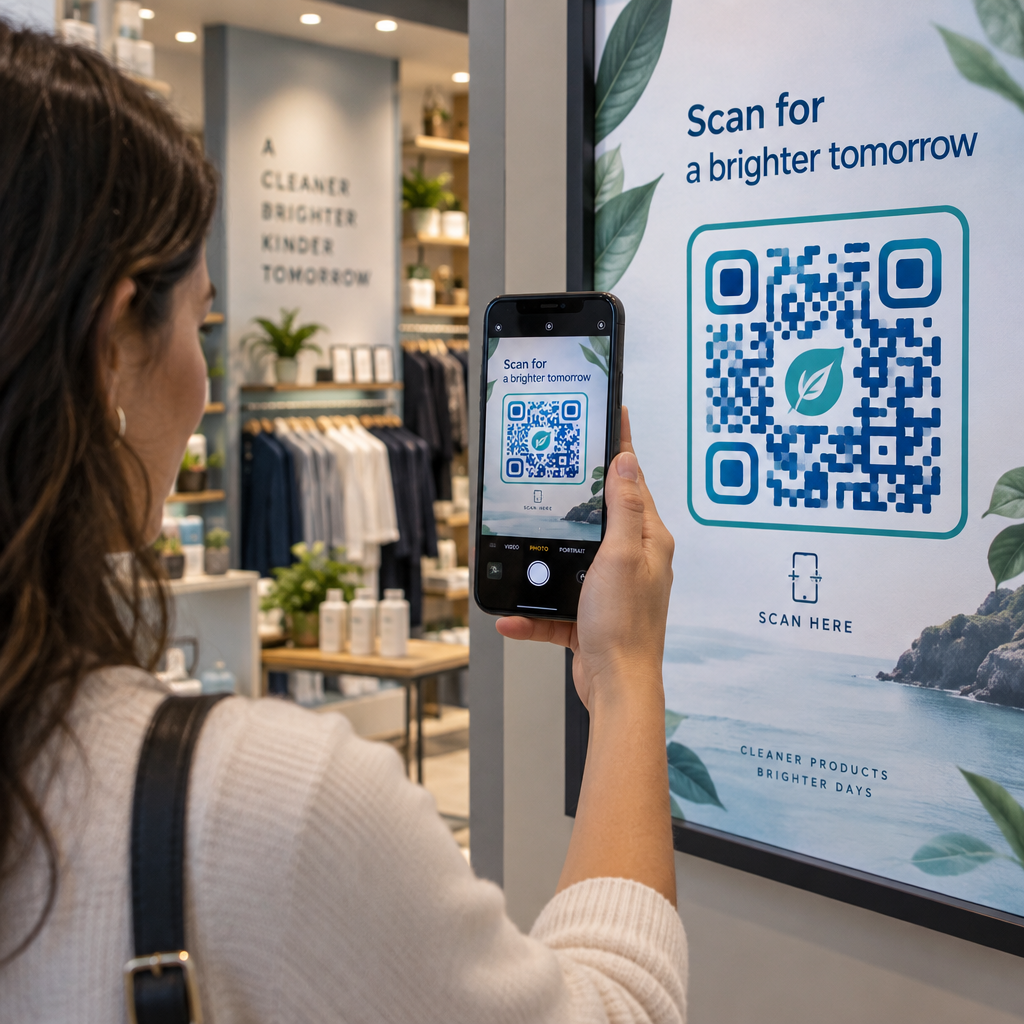
  • Add codes to display windows or point-of-sale materials promoting upcoming releases or launch events
  • In magazines, link QR codes in advertisements to landing pages, subscription offers, or video content that extends the printed ad

For newspapers and magazines specifically, place the code prominently within the content rather than tucking it into a corner. Pair it with a short, specific call-to-action – “Scan to watch the full interview” is more effective than a generic “Scan here.”

Link Print Ads to Digital Destinations 使用 链接二维码生成器 to connect any printed page to a URL, landing page, or digital resource – no technical setup required.

Static vs. Dynamic QR Codes for Publishers

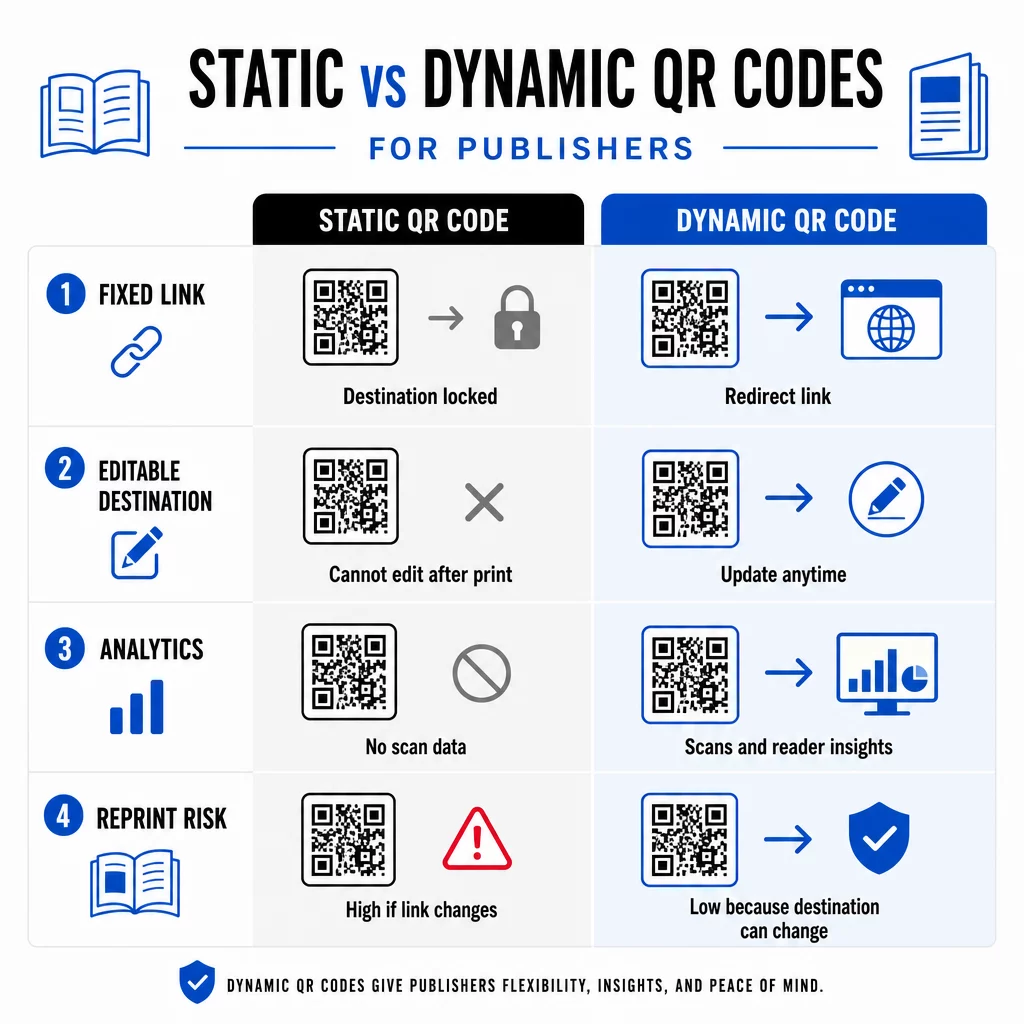
This distinction matters significantly for publishers who print large runs. A 静态二维码 encodes a fixed destination directly into the code pattern. If the linked page moves or the content changes, the code becomes useless – and you cannot update it without reprinting.

静态码与动态码

一种 动态二维码, by contrast, points to a short redirect URL that you control. You can update the destination at any time after the code has been printed and distributed. For publishers, this means:

  • A textbook printed this year can still serve updated content links five years from now
  • A magazine ad can be updated mid-campaign to reflect a new offer without reprinting
  • Outdated author websites or broken links can be fixed without touching the print run

Dynamic codes also provide built-in analytics. You can track how many times each code is scanned, where readers are located, and which devices they use – data that is otherwise invisible in traditional publishing. To understand the full trade-offs, the static vs. dynamic QR code comparison is worth reviewing before you commit to a format.

What Content to Link From Your QR Codes

The content behind the code determines whether readers scan a second time. Some formats that work particularly well for publishers:

  • PDF documents – Link to companion guides, reading lists, extended appendices, or academic references using a PDF QR 码
  • YouTube videos – Connect printed content to author interviews, documentary clips, or instructional walkthroughs using a YouTube 二维码生成器
  • 着陆页 – Use a branded landing page to present multiple options from a single scan – links to the author’s website, a review page, social profiles, and a subscription form all accessible from one code
  • Images and galleries – Supplement travel or art books with full-color photo galleries that the print edition cannot accommodate

Whatever format you choose, ensure the destination is mobile-optimized. The majority of scans happen on smartphones, so a page that renders poorly on a small screen will undermine the value of the code entirely.

Printing QR Codes That Actually Scan

A QR code that fails to scan damages reader trust – and a reader who scans once and gets an error is unlikely to try again. Follow these guidelines to ensure reliable performance in print:

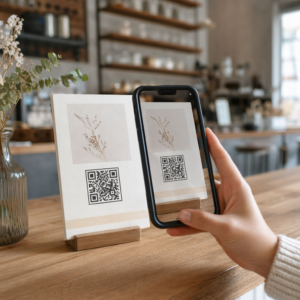
Scannable magazine QR code
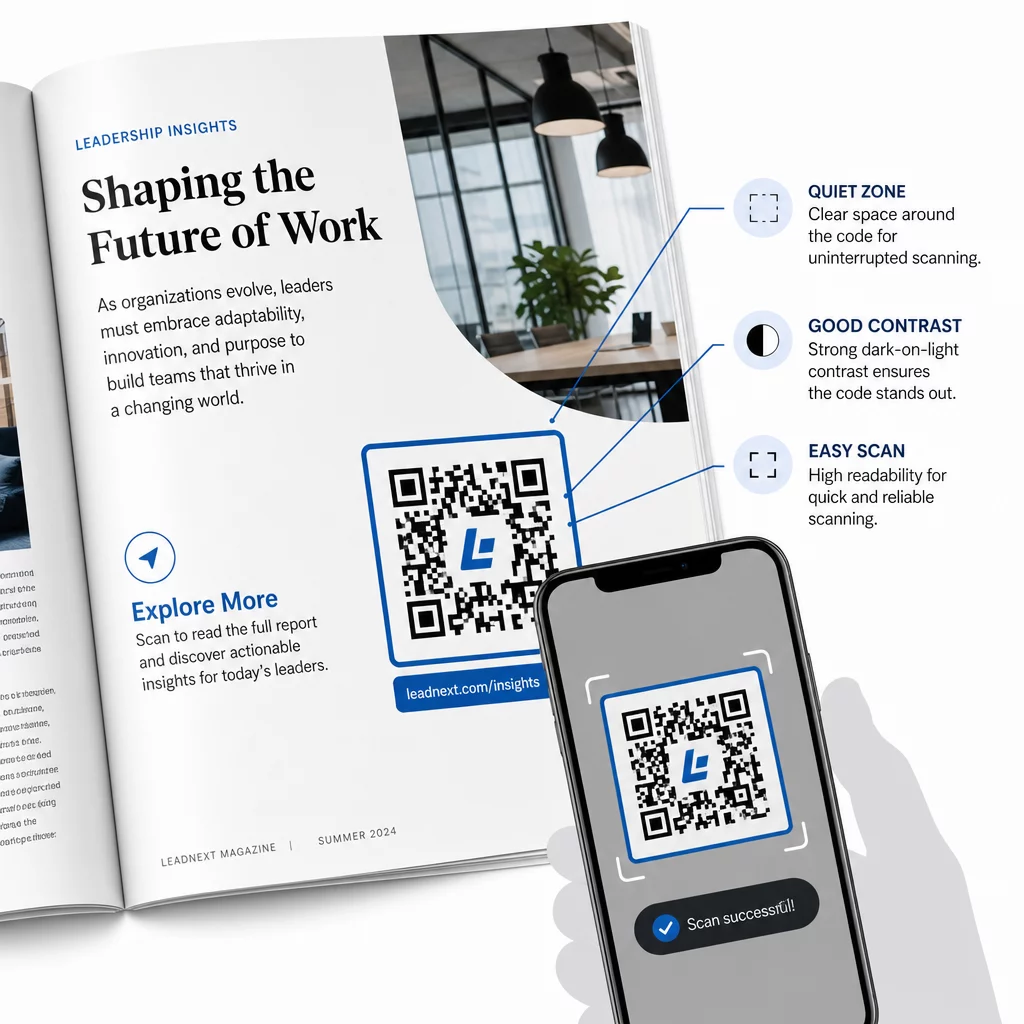
  • Minimum size – Print QR codes at a minimum of 0.8 × 0.8 inches (20 mm) for most publication formats. For posters and point-of-sale signage, use at least 1.2 × 1.2 inches (30 mm)
  • Quiet zone – Maintain a clear border of at least four modules wide on all four sides of the code, free of text, images, or design elements
  • 对比 – Use a dark code on a light background. Aim for a minimum 3:1 contrast ratio; 4:1 or higher is more reliable in varied reading conditions
  • File format – Download codes as SVG or EPS vector files for print, rather than PNG or JPG, to avoid pixelation when scaling. 印刷材料的二维码尺寸指南 cover this in more detail
  • 安置 – Avoid placing codes across folds, spines, seams, or heavily textured surfaces where scanning becomes unreliable. For further guidance, the QR code placement guide for marketing materials covers position, visibility, and context in depth

For a complete checklist on making codes scannable across different print conditions, see 二维码可读性的最佳实践.

Tracking Reader Engagement Across Your Print Run

One of the most underused advantages of QR codes in publishing is the analytics layer. With dynamic codes, you can see:

  • Which pages or sections generate the most scans
  • How engagement varies across different editions or geographic markets
  • Whether a particular type of linked content (video vs. PDF vs. landing page) drives more interaction
  • Scan trends over time – useful for understanding the shelf life of a title

This data gives publishers something genuinely new: a feedback loop from print that was previously only available for digital products. Use it to inform decisions about future editions, identify which content formats resonate, and demonstrate engagement metrics to authors and advertisers.

Pageloot’s platform consolidates code creation, content management, and analytics in one dashboard, so you can manage QR codes across an entire catalog without juggling multiple tools. Explore the full range of QR code solutions by industry to see how other sectors are applying the same approach.

Start Building Your Publishing QR Strategy Create your first branded, trackable QR code in minutes with the 二维码生成器. Free 14-day trial, no credit card required.

常见问题

Do I need to reprint if I want to change what a QR code links to?

Not if you use a dynamic QR code. Dynamic codes point to a redirect URL that you control, so you can update the destination – whether it’s a new video, a revised landing page, or a corrected link – at any time after printing, without generating a new code or touching the print run.

What types of content can I link to from a QR code in a book or magazine?

You can link to virtually any digital content: YouTube videos, PDF documents, web pages, image galleries, audio files, subscription forms, or branded landing pages that combine multiple links. The best choice depends on what adds the most value for your readers at that point in the publication.

How do I know if readers are actually scanning my QR codes?

Dynamic QR codes include built-in analytics that record the number of scans, scan timestamps, reader locations, and device types. This gives you a clear picture of which codes are performing and which placements or content types are driving the most engagement – data that static codes cannot provide.

关于作者

Siim Kostabi 是 Pageloot 的内容主管,负责撰写关于我们创新型二维码生成器服务的文章。凭借五年多来在二维码领域积累的深厚专业知识,Siim 是该领域的专家。他致力于利用二维码技术简化和增强数字交互,并取得了显著的成果。.

类别
了解更多关于
Gym QR code scan
适合度 二维码
QR QR码的#1解决方案

如果您需要在线创建QR码,则可以 制作二维码 就在这里免费!
Pageloot是 #1转到解决方案 创建和扫描QR码。

QF-08

博客生成器

受到超过 20,000 个品牌的信赖,可获得更多销售、评论和关注者。

客户徽标
受到顶级品牌的信赖
评分为 4.8(共 5)

4.86 / 5 星评级

雨果·劳伦特
雨果·劳伦特
餐馆老板
有史以来最容易和最可靠的QR码生成器。PDF文件可以立即上传。我们的餐厅菜单现在是数字化的。
卢卡斯-詹森
卢卡斯-詹森
房地产开发商
这是一个很好的工具,二维码带你到你想要的地方。我们只使用位置二维码,但有许多有用的功能。
艾玛-莫雷蒂
艾玛-莫雷蒂
零售产品
易于使用和快速。它工作得很好,创造了一个完美的图像,所以员工可以下载我的vCard。
雨果·劳伦特
雨果·劳伦特
餐馆老板
有史以来最容易和最可靠的QR码生成器。PDF文件可以立即上传。我们的餐厅菜单现在是数字化的。
卢卡斯-詹森
卢卡斯-詹森
房地产开发商
这是一个很好的工具,二维码带你到你想要的地方。我们只使用位置二维码,但有许多有用的功能。
艾玛-莫雷蒂
艾玛-莫雷蒂
零售产品
易于使用和快速。它工作得很好,创造了一个完美的图像,所以员工可以下载我的vCard。
查看更多QR码
将一切转化为数字体验 不到3分钟。

免费试用 14 天。

无需信用卡。

首次购买可享受 30% 折扣

使用代码:

分享您的 MP3 文件

注册以创建 PDF QR 码

上传和显示你需要的一切。

  • 音频文件
  • 播客
  • 音乐

注册即可享 14 天免费试用。.
试用期结束后,二维码将失效。.

注册以创建音频 mp3 二维码

使用边框获得更多扫描

注册以向您的二维码添加更多框架

呼叫行动框架帮助您的客户与QR码轻松互动。试试吧!

注册即可享 14 天免费试用。.
试用期结束后,二维码将失效。.

注册以向您的二维码添加更多框架

使用形状添加更多样式

注册以创建更多形状

二维码不一定是方形的。试着改变它以适应你的品牌形象。

注册即可享 14 天免费试用。.
试用期结束后,二维码将失效。.

注册以创建更多形状

为您的二维码添加徽标

注册以将您的徽标添加到二维码中

通过在二维码上添加你的标志和品牌,使你的二维码脱颖而出。

注册即可享 14 天免费试用。.
试用期结束后,二维码将失效。.

注册以将您的徽标添加到二维码中

智能应用商店重定向

注册以创建应用商店二维码

将您的应用程序链接添加到我们的智能应用程序商店QR码。用户会根据他们的设备被重新定向。

注册即可享 14 天免费试用。.
试用期结束后,二维码将失效。.

注册以创建应用商店二维码

将图片上传到二维码

注册以创建图像二维码

轻松分享你的图像。在几秒钟内动态地改变任何图像。

注册即可享 14 天免费试用。.
试用期结束后,二维码将失效。.

注册以创建图像二维码

分享您的 PDF 文件

注册以创建 PDF QR 码

上传和显示你需要的一切。

  • 菜单和价格表
  • 使用说明
  • 任何文件

注册即可享 14 天免费试用。.
试用期结束后,二维码将失效。.

注册以创建 PDF QR 码

稍后编辑,无需打印

注册即可编辑您的二维码,无需再次打印

动态QR码让你改变你的QR码的内容,而不需要打印新的QR码。

注册即可享 14 天免费试用。.
试用期结束后,二维码将失效。.

注册即可编辑您的二维码,无需再次打印

何时?何地?追踪您的二维码扫描

注册以追踪您的二维码

发现你的哪些二维码收到了最多的扫描,以及什么最能让你的客户兴奋。

注册即可享 14 天免费试用。.
试用期结束后,二维码将失效。.

注册以追踪您的二维码

提供可打印文件

注册以创建 PDF 和 SVG 等矢量二维码

.EPS, .PDF, .SVG

想下载高清分辨率的QR码吗?获得矢量或像素格式,可随时打印。

注册即可享 14 天免费试用。.
试用期结束后,二维码将失效。.

注册以创建 PDF 和 SVG 等矢量二维码

请等待。您的二维码是 正在加载... 正在加载...

打造专属

注册以保存您的二维码以供日后使用

通过创建具有不同颜色、标识和行动呼吁框架的出色的QR码,获得更多的扫描。

注册即可享 14 天免费试用。.
试用期结束后,二维码将失效。.

注册以保存您的二维码以供日后使用