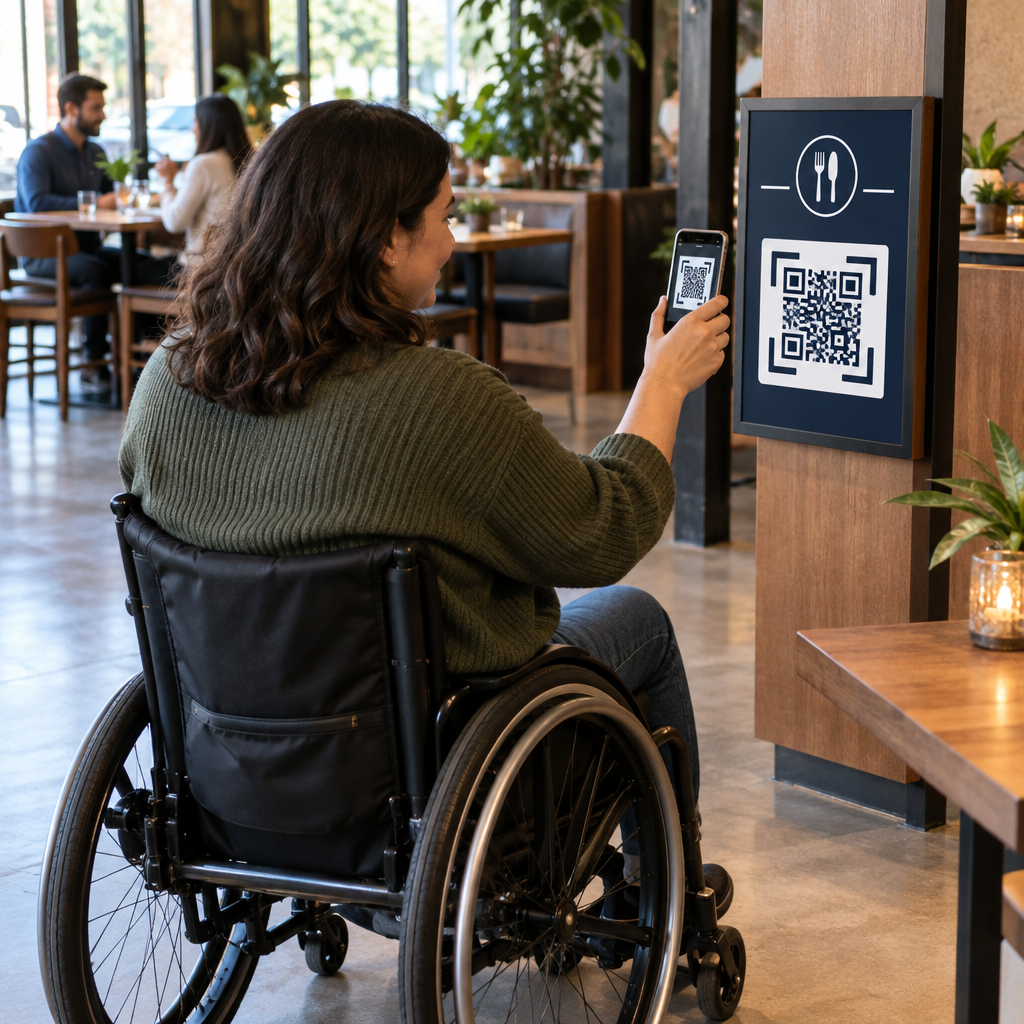
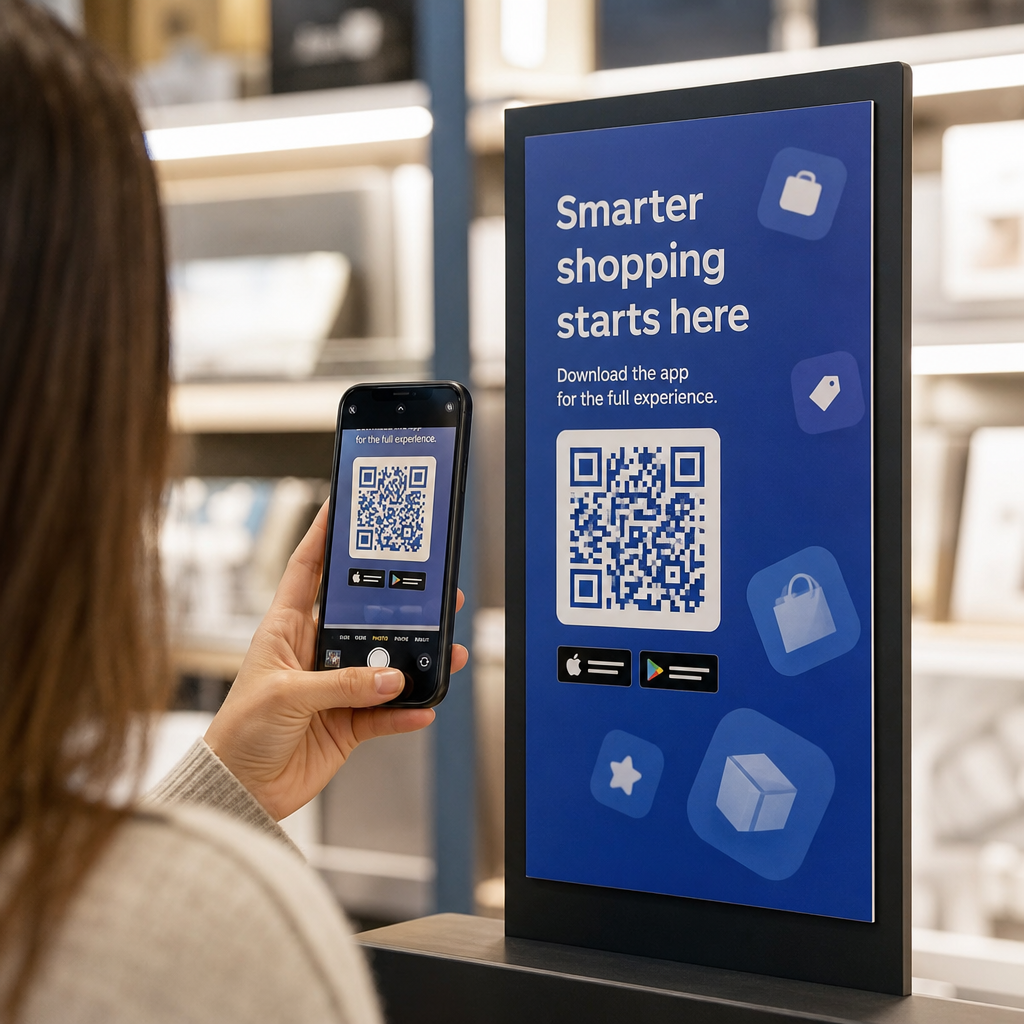
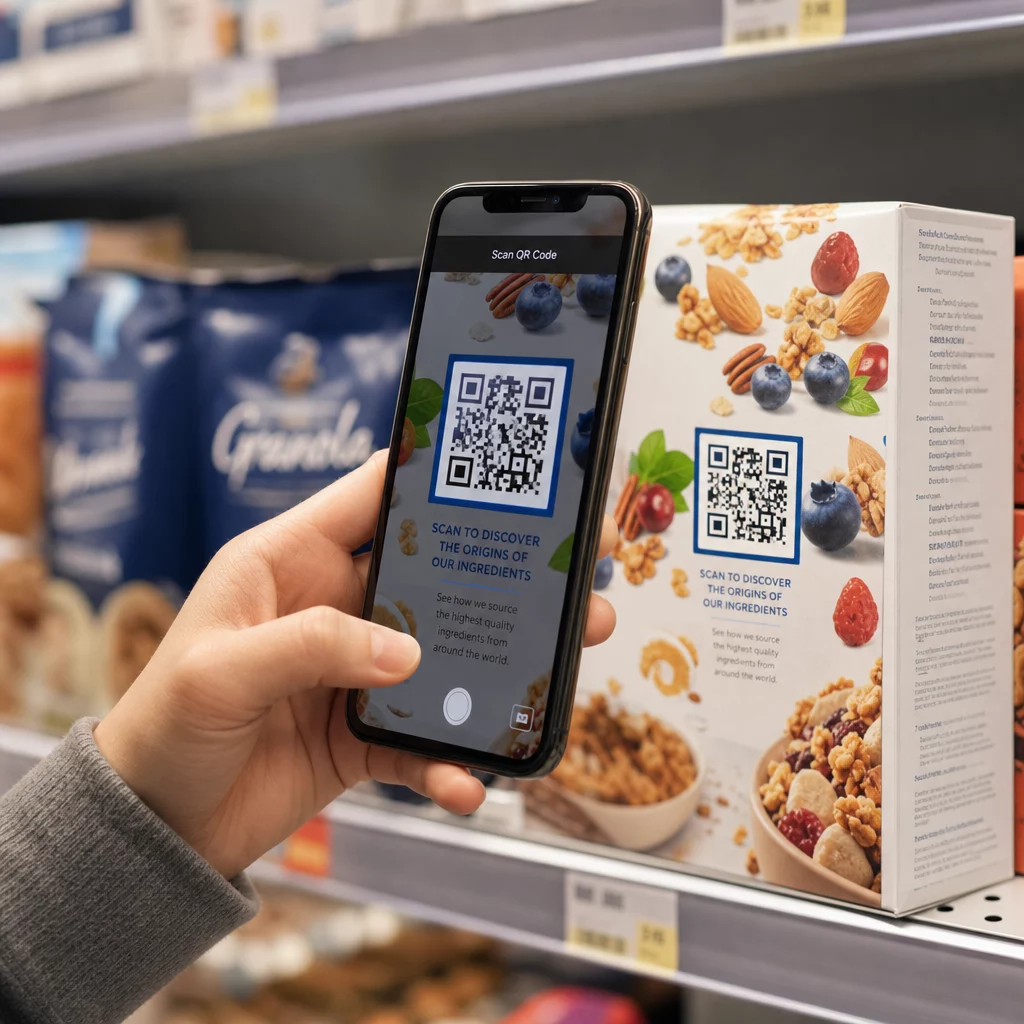
Kā kopīgot 40 lappušu datu kopu vai pilnu bibliogrāfiju ar kādu, kurš stāv pie jūsu plakāta 90 sekundes? Papīra izdales materiāli beidzas, URL ir pārāk gari, lai tos ierakstītu, un lietotnes prasa lejupielādes, ko neviens nevēlas. QR kodi atrisina visas trīs problēmas ar vienu skenēšanu – šis ceļvedis paskaidro, kā tos efektīvi izmantot pētniecības plakātos un konferenču prezentācijās.
Kam piesaistīt savu QR kodu
Pirms ģenerējat kodu, izlemiet, ko tam vajadzētu darīt personai, kas to skenē. Noderīgākās saites zinātniskajās konferencēs iedalās dažās skaidrās kategorijās.
Pētniecības materiāli un papildu dati ir visizplatītākais lietošanas gadījums. Plakātam ir ierobežota vieta, tāpēc QR kods var norādīt uz jūsu pilnu darbu, atsauču sarakstu, papildu attēliem, neapstrādātiem datu kopām vai augstas izšķirtspējas diagrammu versijām, kuras ir grūti lasīt drukātā veidā. Universitātes bibliotēku ceļveži norāda, ka QR kodi ir īpaši praktiski, ja ir pārāk daudz atsauču, ko tieši uzskaitīt uz plakāta – kods vienkārši novirza skatītājus uz pilnu tiešsaistes sarakstu.
Izmantojiet PDF QR kods lai tieši mitinātu jūsu darbu vai papildu failu, lai apmeklētāji iegūtu tūlītēju piekļuvi, nemeklējot datubāzē vai neievadot DOI.
Kontaktinformācija ir vienlīdz svarīga. Konferenču tīklošana notiek ātri, un vCard QR kods ļauj kādam skenēt jūsu nozīmīti vai plakātu un saglabāt jūsu vārdu, iestādi, e-pastu un vietni tieši tālruņa kontaktos – nav nepieciešamas vizītkartes un nav transkripcijas kļūdu.
Atsauksmes un aptaujas paplašina sarunu ārpus plakātu sesijas. Iegulstot saiti uz īsu Google veidlapu, apmeklētāji var iesniegt jautājumus vai novērtēt jūsu darbu dažu sekunžu laikā. Google veidlapas QR kods padara veidlapu pieejamu no jebkura drukāta materiāla, nevienam neievadot URL.
Prezentāciju slaidi un multivide labi darbojas, ja tie ir iegulti slaidu prezentācijās. Novietojot QR kodu runas sākumā vai beigās, auditorija var lejupielādēt slaidus, piekļūt ierakstam vai apmeklēt saistītos resursus, nepārtraucot sesiju.
Kopīgojiet pētniecības materiālus uzreiz Augšupielādējiet savu darbu, plakātu vai papildu failu un dažu minūšu laikā ģenerējiet skenējamu kodu ar PDF QR kodu ģenerators.
Statiski pret dinamiskiem QR kodiem: Kuru izmantot
A statisks QR kods tieši kodē galamērķa URL shēmā. Pēc izdrukāšanas to nevar mainīt – ja saistītā lapa pārvietojas vai fails tiek atjaunināts, kods kļūst bezjēdzīgs.
A dinamiskais QR kods tā vietā kodē īsu novirzīšanas URL. Jūs varat atjaunināt galamērķi jebkurā laikā no vadības paneļa, neko nepārprintējot. Tas ir īpaši vērtīgi konferenču vajadzībām, kur grafiku izmaiņas un pēdējā brīža failu atjauninājumi ir ierasta lieta. Dinamiskie kodi ģenerē arī analītiku: jūs varat redzēt kopējo skenējumu skaitu, unikālos skenējumus, ierīču tipus, ģeogrāfiskos datus un laika zīmogus, sniedzot reālu mēru tam, cik daudz cilvēku faktiski iesaistījās jūsu materiālos.
Jebkam, ko plānojat drukāt iepriekš – plakātiem, nozīmītēm, materiāliem – dinamiskie QR kodi ir drošāka izvēle. Dinamisks QR kodu ģenerators ļauj jums pārvērst jebkuru URL par dinamisku kodu, rediģēt galamērķi pēc drukāšanas un sekot līdzi iesaistei no viena vadības paneļa.
DARPA finansēta pētnieku komanda Kalifornijas Universitātē, Santakrusā, izmantoja dinamiskos QR kodus, lai izsekotu kvalitātes kontroli piecās universitātēs bioelektronisko ierīču ražošanas laikā. Uzraugot skenēšanas datus, viņi identificēja, ka vienam ražošanas posmam bija tikai 59% savienošanas veiksmes rādītājs – atklājums, ko būtu grūti atklāt bez iebūvētas izsekošanas. Kā atzīmēja pētnieks Kristians Ernandess, “QR kodu izsekošanas sistēma ir ļāvusi mūsu komandai noteikt, ka 6. posmam ir bijis tikai 59% savienošanas veiksmes rādītājs… šie dati ir precīzi norādījuši bioelektroniskās ierīces atteices režīma pamatcēloni.”
QR kodu dizains uzticamai skenēšanai
QR kods, kas izskatās labi, bet nespēj skenēt, ir sliktāks nekā nekāds kods. Šie dizaina principi nodrošina, ka jūsu kods darbosies reālas konferences apstākļos.
Izmērs un skenēšanas attālums
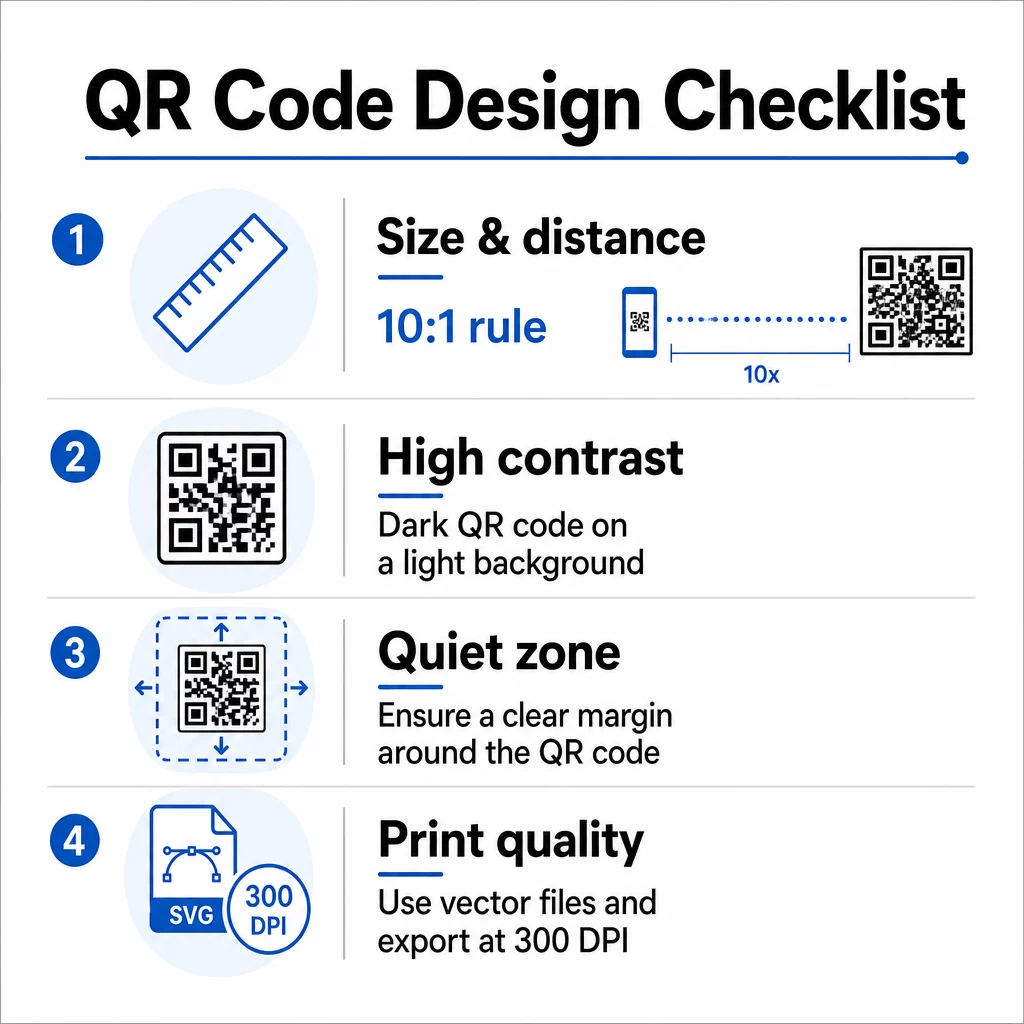
Ievērojiet 10:1 likumu: koda platumam jābūt aptuveni vienai desmitdaļai no paredzētā skenēšanas attāluma. Pētniecības plakātam, kas tiek skatīts no aptuveni 50 cm (20 collas) attāluma, kodam jābūt vismaz 5 cm (2 collas) platam. Pageloot izmēru vadlīnijas drukātiem materiāliem iesaka minimālo izmēru 3 × 3 cm plakātiem, ar 6 × 6 cm kā ideālu mērķi. Dažas universitātes vadlīnijas iesaka minimālo izmēru aptuveni 5 × 5 collas plakātu kodiem, kuriem jābūt nolasāmiem no stāvoša attāluma.
Prezentāciju slaidiem kodam jābūt pietiekami lielam, lai to varētu skenēt no sēdvietas. Pārbaudiet to faktiskajā projekcijas attālumā pirms sesijas.
Kontrasts un krāsa
Skenētāji nolasīja QR kodus, nosakot kontrastu starp tumšiem moduļiem un gaišu fonu. Nepietiekams kontrasts ir viens no galvenajiem skenēšanas kļūmju cēloņiem. Izmantojiet tumšus koda rakstus uz gaiša vai balta fona un tiecieties uz kontrasta attiecību vismaz 4.5:1. Izvairieties no apgrieztām shēmām (gaišs kods uz tumša fona), gradientiem vai rakstainiem foniem aiz koda.
Ja vēlaties izmantot zīmola vai iestādes krāsas, varat to darīt – ar nosacījumu, ka kontrasta attiecība saglabājas pietiekami augsta. Lai iegūtu sīkāku informāciju par to, kuras krāsu kombinācijas darbojas un kuras ne, skatiet Pageloot QR kodu krāsu kontrasta labāko praksi.
Klusā zona
Klusā zona ir skaidra mala ap kodu. ISO/IEC 18004 nosaka minimāli četrus tukšas vietas moduļus visās četrās pusēs. Nelieciet tekstu, logotipus, apmales vai fona tekstūras šajā malā. Uz plakāta tas nozīmē atstāt redzamu baltu telpu ap kodu – uzskatiet to par dizaina daļu, nevis izšķērdētu vietu.
Failu formāts un drukas kvalitāte
Eksportējiet savu QR kodu kā vektorgrafikas failu (SVG vai EPS) liela formāta drukāšanai. Rastrgrafikas formāti, piemēram, PNG, var pikselizēties, palielinot mērogu, padarot atsevišķus moduļus grūtāk atšķiramus un samazinot skenējamību. Standarta drukas izšķirtspējai 300 DPI ir praktiskais minimums.
Iegūstiet drukāšanai gatavus QR koda failus Lejupielādējiet savu kodu SVG, EPS vai PDF formātā augstas izšķirtspējas plakātu drukāšanai ar QR kodu ģenerators.
Izvietojums uz plakātiem un slaidiem
Tas, kur jūs novietojat kodu, ietekmē to, vai cilvēki to patiešām skenēs. Zinātniskās komunikācijas avotu ieteikumi paredz QR koda novietošanu plakāta lasīšanas ceļa beigās – pie secinājumiem vai galvenās atziņas –, lai tas parādītos pēc tam, kad skatītājs jau ir iesaistījies saturā. Šis ir loģisks brīdis, lai piedāvātu vairāk: “Vēlaties pilnu datu kopu? Skenējiet šeit.”
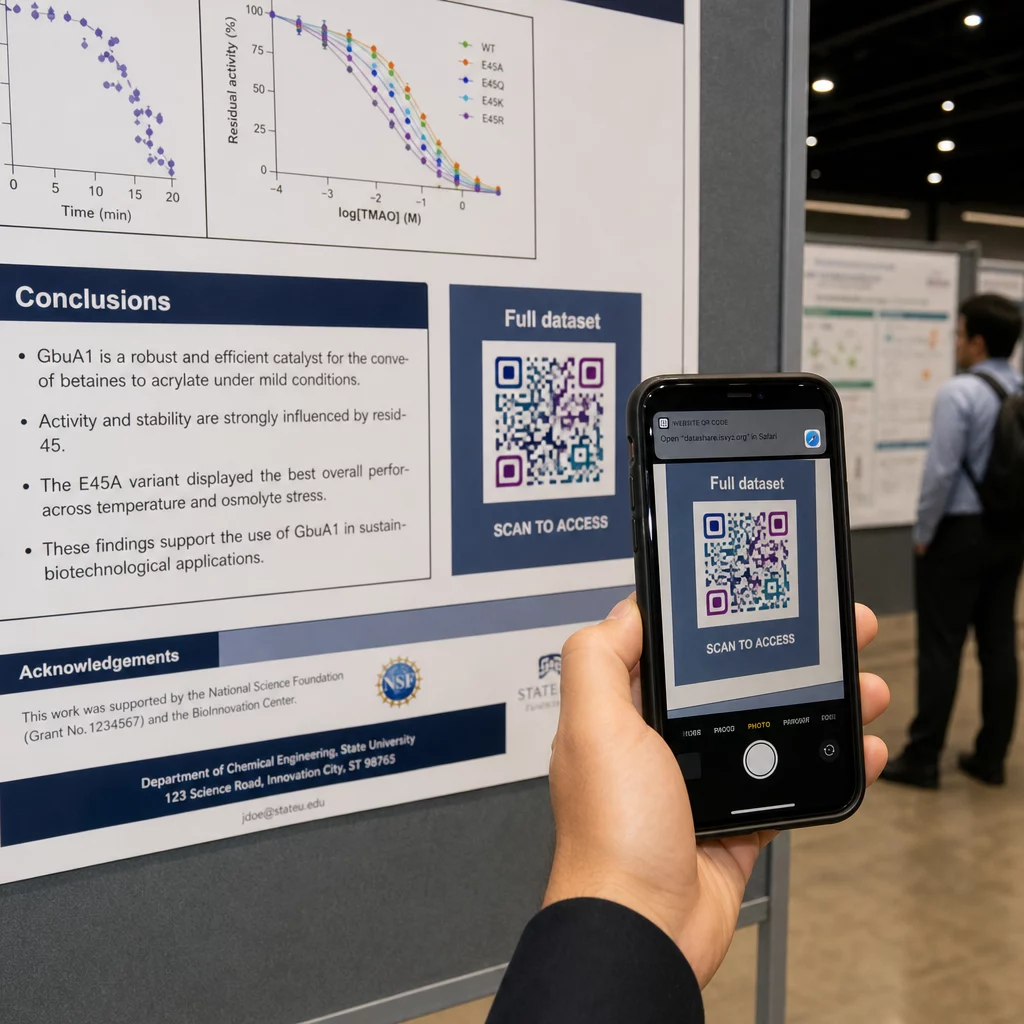
Uz vertikāla plakāta apakšējā labā daļa ir dabiska acu atpūtas vieta pēc lasīšanas. Horizontālā izkārtojumā labā puse darbojas līdzīgi. Priekš QR kodi uz plakātiem, novietojums acu līmenī (aptuveni 1,05–1,65 metri no grīdas) ļauj apmeklētājiem ērti skenēt, neliecoties.
Vienmēr savienojiet kodu ar īsu aicinājumu uz darbību, kas cilvēkiem pasaka, ko viņi iegūs:
- “Skenējiet, lai iegūtu pilnu rakstu”
- “Piekļūstiet papildu datiem”
- “Saglabājiet manus kontaktus”
- “Lejupielādējiet slaidu komplektu”
Bez aicinājuma uz darbību daudzi apmeklētāji kodu pilnībā ignorēs – viņi nezinās, vai to ir vērts skenēt.
Prezentāciju slaidiem parādiet QR kodu vismaz 15–20 sekundes un mutiski to atzīmējiet. Novietojot to slaida apakšējā labajā stūrī, tas paliek redzams, nekonkurējot ar jūsu galveno saturu. Dinamiskie kodi ir īpaši noderīgi šeit: ja galamērķis mainās starp runām vai konferenču datumiem, jūs atjaunināt saiti, nepieskaroties slaida failam.
Lai iegūtu norādījumus par izvietojumu dažādos kontekstos, Pageloot QR koda izvietošanas ceļvedis aptver acu līmeņa pozicionēšanu, fona izvēli un to, kā saskaņot izvietojumu ar lietotāja nodomu.
Testēšana pirms drukāšanas
Pārbaudiet kodu pirms plakāta nosūtīšanas drukāšanai vai slaidu pabeigšanas. Konkrēti:
- Skenējiet no faktiskā attāluma, kādā auditorija stāvēs vai sēdēs
- Pārbaudiet vismaz divās dažādās ierīcēs (iOS un Android)
- Izmēģiniet dažādos apgaismojuma apstākļos, tostarp ar dienasgaismas lampām, kas bieži sastopamas konferenču zālēs
- Pārbaudiet, vai saistītais galamērķis tiek ielādēts pareizi, tostarp izmantojot mobilo savienojumu (ne tikai Wi-Fi)
- Pārbaudiet, vai PDF un citi faili atveras mobilajā ierīcē, neprasot darbvirsmas lietotni
Ja izmantojat dinamisku kodu, apstipriniet, ka pāradresācija tiek atrisināta pareizi pēc jebkādiem galamērķa atjauninājumiem. Pilnu dizaina un testēšanas kritēriju kontrolsarakstu skatiet Pageloot’s ar QR kodu lasāmības labāko praksi.
QR kodu izmantošana ārpus plakāta
Zinātniskās konferences piedāvā vairākus saskares punktus, kur QR kodi piešķir praktisku vērtību ārpus plakātu dēļa.
Konferenču nozīmītes ar vCard QR kodiem ļauj jebkuram apmeklētājam saglabāt jūsu kontaktinformāciju sarunu laikā gaiteņos – nav nepieciešama tālruņa numuru apmaiņa, nav kartes, kas pazūd somā.
Sesiju izdales materiāli saistīti ar QR kodu aizstāj papīra kaudzes. Viens kods uz drukāta abstrakta var savienot apmeklētājus ar pilniem materiāliem, saistītām publikācijām vai pēcsesijas atsauksmju veidlapu.
Reģistrācija un ierašanās plūsmas gūst labumu no apmeklējuma QR kodiem, kas pārbauda identitāti un seko līdzi dalībai, sniedzot organizatoriem reāllaika dalībnieku skaitu pa sesijām.
Tīklošanās materiāli var izmantot saites QR kodam lai izveidotu savienojumu ar laboratorijas vietni, Google Scholar profilu vai LinkedIn lapu – dodot ieinteresētiem kolēģiem vairākus veidus, kā sazināties pēc konferences beigām.
IASCON 2022 konference parādīja, kā tas izskatās plašā mērogā. Organizatori izvietoja QR kodus reģistrācijas galdā, ārpus sanāksmju telpām un prezentāciju slaidu materiālos, pilnībā aizstājot papīra grafikus un izdales materiālus. Dalībnieki varēja piekļūt sesiju detaļām, runātāju profiliem un prezentāciju lejupielādēm, skenējot kodus katrā vietā. Mobilā atbildes sistēma, ko aktivizēja QR kodi, ļāva veikt tiešraides aptaujas un jautājumus un atbildes bez jebkādām lietotņu lejupielādēm, sasniedzot līdzīgu dalības līmeni kā tradicionālās papīra veidlapas. Pasākuma analīze atklāja lielāku iesaisti rīta sesijās un mērāmu kritumu pēc pusdienām – dati, kas tieši ietekmēja nākotnes plānošanas lēmumus.
QR kodi darbojas jebkura izmēra konferencēs viena un tā paša iemesla dēļ: tie novērš berzi starp ziņkārīgu apmeklētāju un informāciju, ko viņš vēlas. Labi novietots, pareiza izmēra, augsta kontrasta QR kods ar skaidru aicinājumu uz darbību dara kaut ko, ko nevar izdarīt tikai drukāts plakāts – tas uztur sarunu pēc sesijas beigām. Sāciet ar dinamiskajiem kodiem, lai saglabātu elastību atjaunināt galamērķus, izsekot, kas mijiedarbojas ar jūsu materiāliem, un veikt izmaiņas bez atkārtotas drukāšanas. Visam tam, Pageloot QR kodu ģenerators nodrošina rīkus, lai izveidotu, pielāgotu un pārvaldītu jūsu kodus no viena informācijas paneļa.
Biežāk uzdotie jautājumi
Nē. Mūsdienu viedtālruņi gan iOS, gan Android var skenēt QR kodus tieši, izmantojot iebūvēto kameras lietotni, bez nepieciešamības pēc papildu programmatūras. Apmeklētāji vienkārši atver savu kameru, pavērš to pret kodu un pieskaras paziņojumam, lai atvērtu saistīto saturu savā pārlūkprogrammā.
Statisks QR kods tieši kodē galamērķa URL savā struktūrā – kad tas ir izdrukāts, to nevar mainīt. Dinamisks QR kods kodē īsu novirzīšanas URL, lai jūs varētu jebkurā laikā atjaunināt galamērķi no vadības paneļa, bez atkārtotas drukāšanas. Dinamiskie kodi nodrošina arī analītiku, piemēram, skenēšanas skaitu, ierīču veidus un laika zīmogus, ko statiskie kodi nenodrošina. Konferenču plakātiem un iepriekš izdrukātiem materiāliem dinamiskie kodi ir stingri ieteicami.
Ievērojiet likumu 10:1: koda platumam jābūt aptuveni vienai desmitdaļai no skenēšanas attāluma. Plakātam, kas tiek skatīts no aptuveni 50 cm (20 collu) attāluma, tas nozīmē minimālo platumu 5 cm (2 collas). Praktisks mērķis plakātu lietošanai ir 6 × 6 cm, kas nodrošina ērtu skenēšanas vietu lielākajai daļai apmeklētāju. Pirms konferences vienmēr pārbaudiet izdrukāto kodu no faktiskā skatīšanās attāluma.