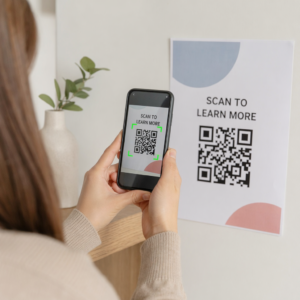
Kuidas jagada 40-leheküljelist andmestikku või täielikku bibliograafiat kellegagi, kes seisab teie plakati ees 90 sekundit? Paberist jaotusmaterjalid saavad otsa, URL-id on liiga pikad, et neid sisestada, ja rakendused nõuavad allalaadimisi, mida keegi ei taha. QR-koodid lahendavad kõik kolm probleemi ühe skaneerimisega – see juhend selgitab, kuidas neid uurimisplakatitel ja konverentsiesitlustel tõhusalt kasutada.
Mida oma QR-koodiga linkida
Enne koodi genereerimist otsustage, mida see skaneerija jaoks tegelikult tegema peaks. Teaduskonverentsidel kõige kasulikumad lingid jagunevad mõneks selgeks kategooriaks.
Uurimismaterjalid ja täiendavad andmed on kõige levinum kasutusjuhtum. Plakatil on piiratud ruum, seega saab QR-kood suunata teie täielikule artiklile, viidete loetelule, lisajoonistele, algandmestikele või trükis raskesti loetavate diagrammide kõrge resolutsiooniga versioonidele. Ülikooli raamatukogu juhendid märgivad, et QR-koodid on eriti praktilised, kui plakatil on liiga palju viiteid, et neid otse loetleda – kood suunab vaatajad lihtsalt täielikule veebiloendile.
Kasuta PDF QR-kood oma artikli või täiendava faili otse majutamiseks, et osalejad saaksid kohese juurdepääsu, ilma et peaksid andmebaasist otsima või DOI-d sisestama.
Kontaktandmed on sama oluline. Konverentsivõrgustik areneb kiiresti ja a vCard QR-kood võimaldab kellelgi skaneerida teie märki või plakatit ja salvestada teie nime, asutuse, e-posti ja veebisaidi otse oma telefoni kontaktidesse – visiitkaarte pole vaja ja transkriptsioonivigu ei teki.
Tagasiside ja küsitlused laiendavad vestlust plakatiesitlusest kaugemale. Lühikesele Google Formi lingi manustamine võimaldab osalejatel esitada küsimusi või hinnata teie tööd sekunditega. A Google'i vormi QR-kood muudab vormi kättesaadavaks mis tahes trükitud materjalilt, ilma et keegi peaks URL-i sisestama.
Esitlusslaidid ja multimeedia toimivad hästi slaidiesitlustesse manustatuna. QR-koodi paigutamine ettekande algusesse või lõppu võimaldab publikul slaide alla laadida, salvestusele ligi pääseda või seotud ressursse külastada, ilma et seanssi katkestataks.
Jaga uurimismaterjale koheselt Laadige üles oma artikkel, plakat või täiendav fail ja genereerige skaneeritav kood minutitega koos PDF QR-koodi generaator.
Staatilised vs. Dünaamilised QR-koodid: Kumba kasutada
A staatiline QR-kood kodeerib siht-URL-i otse mustrisse. Pärast printimist ei saa seda muuta – kui lingitud leht liigub või faili uuendatakse, muutub kood kasutuks.
A dünaamiline QR-kood kodeerib selle asemel lühikese ümbersuunamise URL-i. Saate sihtkohta igal ajal juhtpaneelilt uuendada, ilma midagi uuesti printimata. See on eriti väärtuslik konverentsidel kasutamiseks, kus ajakava muutused ja viimase hetke failiuuendused on rutiinsed. Dünaamilised koodid genereerivad ka analüütikat: näete skannimiste koguarvu, unikaalseid skannimisi, seadmetüüpe, geograafilisi andmeid ja ajatempleid, andes teile tegeliku mõõdiku selle kohta, kui paljud inimesed teie materjalidega tegelikult suhtlesid.
Kõige jaoks, mida plaanite eelnevalt printida – plakatid, märgid, ettekannete kogumikud – on dünaamilised QR-koodid turvalisem valik. The Dünaamilise QR koodi generaator võimaldab teil teisendada mis tahes URL-i dünaamiliseks koodiks, muuta sihtkohta pärast printimist ja jälgida kaasatust ühest juhtpaneelist.
DARPA rahastatud uurimisrühm California Ülikoolis Santa Cruzis kasutas dünaamilisi QR-koode kvaliteedikontrolli jälgimiseks viies ülikoolis bioelektrooniliste seadmete tootmise ajal. Skannimisandmeid jälgides tuvastasid nad, et ühel tootmisetapil oli sidumise edukuse määr vaid 59% – leid, mida oleks olnud raske avastada ilma sisseehitatud jälgimiseta. Nagu teadlane Cristian Hernandez märkis: “QR-koodi jälgimissüsteem on võimaldanud meie meeskonnal kindlaks teha, et 6. etapil on sidumise edukuse määr olnud vaid 59%… nende andmete olemasolu on täpsustanud bioelektroonilise seadme rikkerežiimi algpõhjuse.”
QR-koodide kujundamine usaldusväärseks skannimiseks
QR-kood, mis näeb hea välja, kuid ei skaneeri, on hullem kui üldse koodi puudumine. Need disainipõhimõtted tagavad, et teie oma töötab tegeliku konverentsikeskkonna tingimustes.
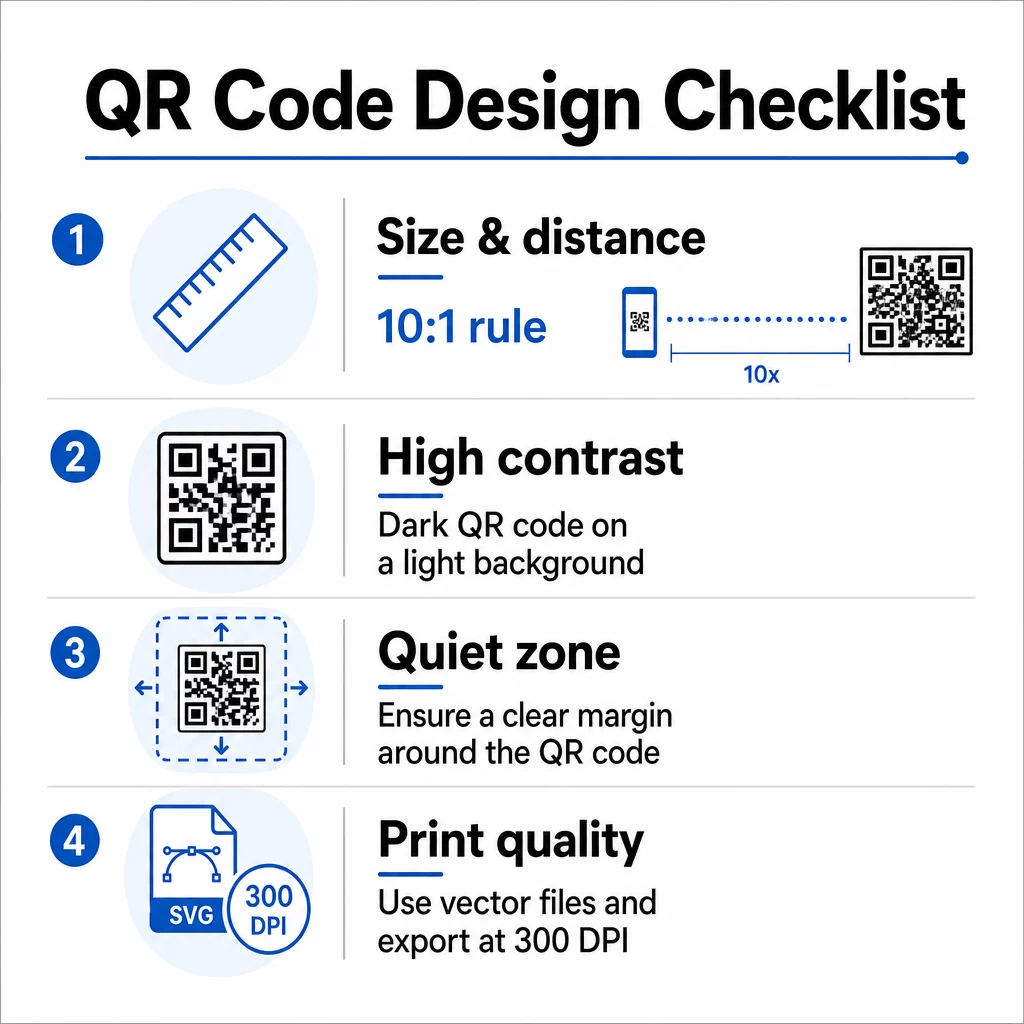
Suurus ja skaneerimiskaugus
Järgige 10:1 reeglit: koodi laius peaks olema umbes üks kümnendik eeldatavast skannimiskaugusest. Uurimisplakati puhul, mida vaadatakse umbes 50 cm (20 tolli) kauguselt, peaks kood olema vähemalt 5 cm (2 tolli) lai. Pageloot’s suuruse juhised trükimaterjalidele soovitavad plakatite jaoks minimaalselt 3 × 3 cm, ideaalseks sihtmärgiks on 6 × 6 cm. Mõned ülikoolide juhendid soovitavad plakatikoodidele, mis peavad olema loetavad seismiskauguselt, minimaalselt umbes 5 × 5 tolli.
Esitlusslaidide puhul peab kood olema piisavalt suur, et seda saaks istmelt skannida. Testige seda enne sessiooni tegelikul projektsioonikaugusel.
Kontrast ja värv
Skannerid loevad QR-koode, tuvastades kontrasti tumedate moodulite ja heleda tausta vahel. Ebapiisav kontrast on üks peamisi skannimise ebaõnnestumise põhjuseid. Kasutage tumedaid koodimustreid heledal või valgel taustal ja püüdke saavutada kontrastsussuhe vähemalt 4.5:1. Vältige pööratud skeeme (hele kood tumedal taustal), gradiente või mustrilisi taustu koodi taga.
Kui soovite kasutada brändi- või institutsioonilisi värve, võite seda teha – tingimusel, et kontrastsussuhe jääb piisavalt kõrgeks. Lisateavet selle kohta, millised värvikombinatsioonid töötavad ja millised mitte, leiate Pageloot’s QR-koodi värvikontrasti parimaid tavasid.
Vaikne tsoon
Vaikne tsoon on koodi ümbritsev selge serv. ISO/IEC 18004 määrab minimaalselt neli moodulit tühja ruumi kõigil neljal küljel. Ärge asetage teksti, logosid, piirdeid ega taustatekstuure sellele servale. Plakatil tähendab see nähtava valge ruumi jätmist koodi ümber – käsitlege seda disaini osana, mitte raisatud ruumina.
Failivorming ja prindikvaliteet
Eksportige oma QR-kood vektorfailina (SVG või EPS) suureformaadiliseks printimiseks. Rastervormingud nagu PNG võivad suurendamisel pikselduda, muutes üksikud moodulid raskemini eristatavaks ja vähendades skaneeritavust. Standardsete prindiresolutsioonide puhul on praktiline standard vähemalt 300 DPI.
Hankige prindivalmis QR-koodifailid Laadige oma kood alla SVG, EPS või PDF formaadis kõrge resolutsiooniga plakati printimiseks koos QR-koodi generaator.
Paigutus plakatitel ja slaididel
See, kuhu koodi paigutate, mõjutab seda, kas inimesed seda tegelikult skaneerivad. Teaduskommunikatsiooni allikate juhised soovitavad paigutada QR-koodi plakati lugemistee lõpu lähedale – järelduste või kojuviidava sõnumi juurde – nii et see ilmub pärast seda, kui vaataja on sisuga juba tegelenud. See on loogiline hetk pakkuda enamat: “Soovite täielikku andmestikku? Skaneerige siin.”
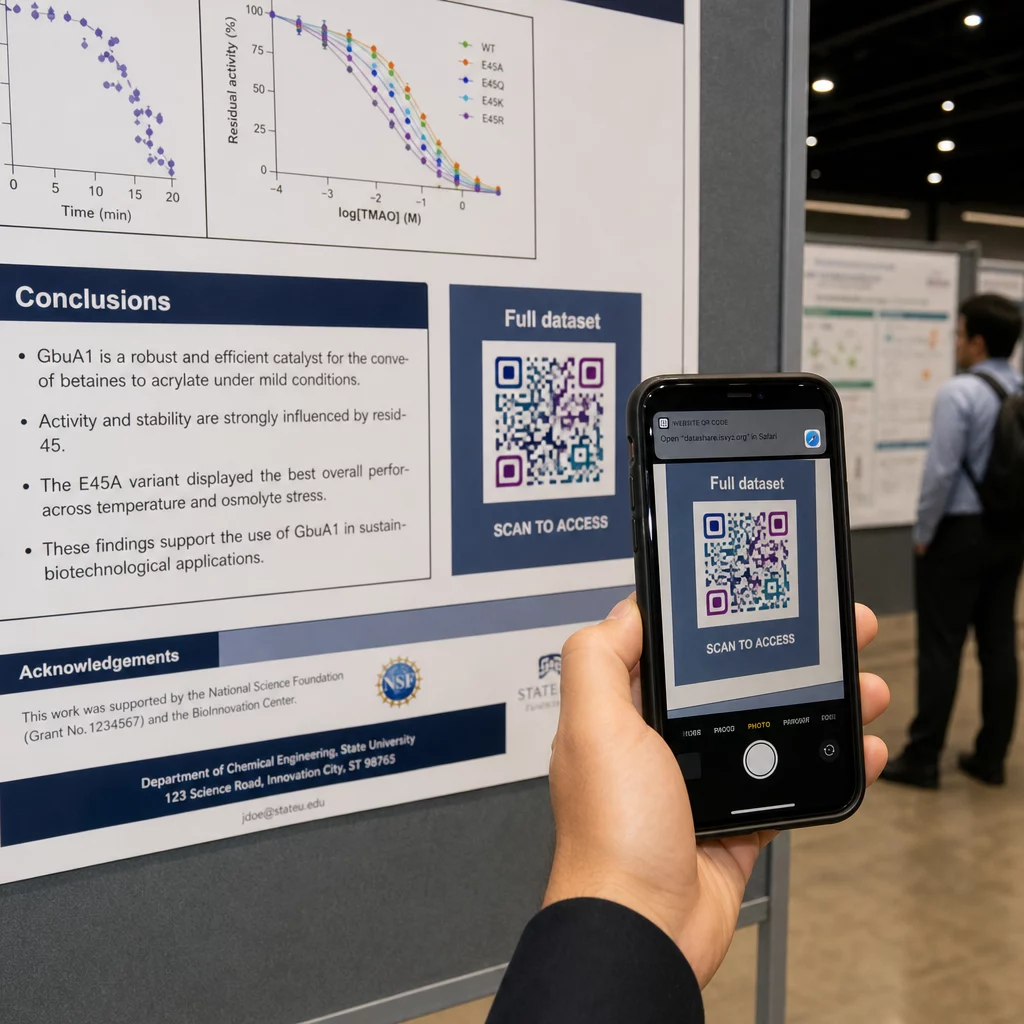
Vertikaalsel plakatil on alumine parem nurk pärast lugemist silma loomulik puhkepunkt. Horisontaalsel paigutusel töötab parem külg sarnaselt. Jaoks QR-koodid plakatitel, silmade kõrgusele paigutamine (umbes 3.5–5.5 jalga põrandast) võimaldab osalejatel mugavalt skaneerida ilma kummardamata.
Siduge kood alati lühikese üleskutsega tegevusele, mis ütleb inimestele, mida nad saavad:
- “Skaneeri täieliku artikli saamiseks”
- “Juurdepääs täiendavatele andmetele”
- “Salvesta minu kontaktandmed”
- “Laadi alla slaidikomplekt”
Ilma üleskutseta tegevusele ignoreerivad paljud osalejad koodi täielikult – nad ei tea, kas seda tasub skaneerida.
Esitlusslaidide puhul kuvage QR-koodi vähemalt 15–20 sekundit ja mainige seda suuliselt. Selle paigutamine slaidi paremasse alanurka hoiab selle nähtavana, ilma et see konkureeriks teie põhisisu. Dünaamilised koodid on siin eriti kasulikud: kui sihtkoht muutub ettekannete või konverentsikuupäevade vahel, värskendate linki slaidifaili puudutamata.
Juhiste saamiseks paigutuse kohta erinevates kontekstides, Pageloot'i QR-koodi paigutusjuhend käsitleb silmade kõrgusel positsioneerimist, taustavalikuid ja seda, kuidas sobitada paigutust kasutaja kavatsusega.
Testimine enne printimist
Testige koodi enne plakati trükki saatmist või slaidide lõplikku vormistamist. Täpsemalt:
- Skaneerige tegelikust kaugusest, kus publik seisab või istub
- Testige vähemalt kahel erineval seadmel (iOS ja Android)
- Proovige erinevates valgustingimustes, sealhulgas konverentsisaalides tavaliste luminofoorlampide all
- Kontrollige, et lingitud sihtkoht laadiks õigesti, sealhulgas mobiilse andmesideühenduse kaudu (mitte ainult Wi-Fi)
- Kontrollige, et PDF-id ja muud failid avaneksid mobiilis ilma töölauarakendust vajamata
Kui kasutate dünaamilist koodi, veenduge, et ümbersuunamine laheneb õigesti pärast sihtkoha värskendusi. Disaini- ja testimiskriteeriumide täieliku kontrollnimekirja leiate Pageloot’i lehelt QR-koodi loetavuse parimate tavadega.
QR-koodide kasutamine väljaspool plakatit
Teaduskonverentsid pakuvad mitmeid kokkupuutepunkte, kus QR-koodid lisavad praktilist väärtust lisaks plakatitahvlile.
Konverentsi rinnasildid vCard QR-koodidega võimaldavad igal osalejal salvestada teie kontaktandmed koridorivestluste ajal – pole vaja telefoninumbreid vahetada, pole kaarti, mis kotis kaduma läheks.
Sessiooni jaotusmaterjalid QR-koodi kaudu lingitud asendavad paberivirnad. Üks kood trükitud abstraktil võib ühendada osalejad täielike ettekannetega, seotud publikatsioonidega või sessioonijärgse tagasiside vormiga.
Registreerimine ja sisseregistreerimine vood saavad kasu osalemise QR-koodidest, mis kontrollivad isikut ja jälgivad osalemist, andes korraldajatele reaalajas osalejate arvu sessioonide kaupa.
Võrgustike loomise materjalid saab kasutada lingi QR-koodile labori veebisaidi, Google Scholari profiili või LinkedIni lehega ühenduse loomiseks – andes huvitatud kolleegidele mitu võimalust konverentsi lõppedes järeltegevuseks.
IASCON 2022 konverents näitas, kuidas see suuremas plaanis välja näeb. Korraldajad paigutasid QR-koodid registreerimisletti, koosolekuruumide ette ja esitlusslaididele, asendades täielikult paberajakavad ja jaotusmaterjalid. Osalejad said igas kohas koode skaneerides juurdepääsu sessioonide üksikasjadele, esinejate profiilidele ja esitluste allalaadimistele. QR-koodidega käivitatud mobiilne vastussüsteem võimaldas reaalajas küsitlusi ja küsimusi-vastuseid ilma rakenduste allalaadimiseta, saavutades osalusmäära, mis oli võrreldav traditsiooniliste paberivormidega. Ürituse analüüs näitas suuremat kaasatust hommikuste sessioonide ajal ja märgatavat langust pärast lõunat – andmed, mis andsid otsest teavet tulevaste ajakavaotsuste kohta.
QR-koodid töötavad igas suuruses konverentsidel samal põhjusel: need eemaldavad hõõrdumise uudishimuliku osaleja ja soovitud teabe vahel. Hästi paigutatud, õige suurusega, suure kontrastsusega QR-kood selge üleskutsega teeb midagi, mida trükitud plakat üksi ei suuda – see hoiab vestluse käimas pärast sessiooni lõppu. Alustage dünaamiliste koodidega, et säilitada paindlikkus sihtkohtade värskendamiseks, jälgida, kes teie materjalidega suhtleb, ja teha muudatusi ilma uuesti printimata. Kõigi nende jaoks on Pageloot QR-koodi generaator pakub tööriistu koodide loomiseks, kohandamiseks ja haldamiseks ühest juhtpaneelist.
Korduma kippuvad küsimused
Ei. Kaasaegsed nutitelefonid nii iOS-i kui ka Androidi platvormil saavad skannida QR-koode otse sisseehitatud kaamerarakenduse kaudu, ilma lisatarkvara vajaduseta. Osalejad lihtsalt avavad oma kaamera, suunavad selle koodile ja puudutavad teavitust, et avada lingitud sisu oma brauseris.
Staatiline QR-kood kodeerib siht-URL-i otse mustrisse – kui see on kord prinditud, ei saa seda muuta. Dünaamiline QR-kood kodeerib lühikese ümbersuunamise URL-i, nii et saate sihtkohta igal ajal juhtpaneelilt värskendada ilma uuesti printimata. Dünaamilised koodid pakuvad ka analüütikat, nagu skaneerimiste arv, seadmetüübid ja ajatemplid, mida staatilised koodid ei paku. Konverentsiplakatite ja eelnevalt prinditud materjalide puhul on dünaamilised koodid tungivalt soovitatavad.
Järgige 10:1 reeglit: koodi laius peaks olema umbes üks kümnendik skaneerimiskaugusest. Plakati puhul, mida vaadatakse umbes 50 cm (20 tolli) kauguselt, tähendab see minimaalset laiust 5 cm (2 tolli). Praktiline sihtplakati kasutamiseks on 6 × 6 cm, mis annab enamikule osalejatele mugava skaneerimisruumi. Enne konverentsi testige alati prinditud koodi tegelikust vaatamiskaugusest.