Comment partager un ensemble de données de 40 pages ou une bibliographie complète avec quelqu'un qui se tient devant votre affiche pendant 90 secondes ? Les documents imprimés s'épuisent, les URL sont trop longues à taper, et les applications nécessitent des téléchargements que personne ne veut. Les codes QR résolvent les trois problèmes avec une seule numérisation – ce guide explique comment les utiliser efficacement sur les affiches de recherche et les présentations de conférence.
À quoi lier votre code QR
Avant de générer un code, décidez ce qu'il doit réellement faire pour la personne qui le scanne. Les liens les plus utiles lors des conférences scientifiques se répartissent en quelques catégories claires.
Matériaux de recherche et données supplémentaires sont le cas d'utilisation le plus courant. Une affiche a un espace limité, donc un code QR peut pointer vers votre article complet, une liste de références, des figures supplémentaires, des ensembles de données brutes, ou des versions haute résolution de graphiques difficiles à lire sur papier. Les guides des bibliothèques universitaires notent que les codes QR sont particulièrement pratiques lorsqu'il y a trop de références à lister directement sur l'affiche – le code dirige simplement les spectateurs vers une liste en ligne complète.
Utilisez un PDF Code QR pour héberger directement votre article ou fichier supplémentaire, afin que les participants aient un accès instantané sans avoir besoin de rechercher une base de données ou de taper un DOI.
Coordonnées est tout aussi important. Le réseautage lors des conférences se fait rapidement, et un Code QR vCard permet à quelqu'un de scanner votre badge ou votre affiche et d'enregistrer votre nom, votre institution, votre e-mail et votre site web directement dans les contacts de son téléphone – pas de cartes de visite nécessaires et pas d'erreurs de transcription.
Commentaires et sondages prolongent la conversation au-delà de la session d'affiches. Intégrer un lien vers un court formulaire Google permet aux participants de soumettre des questions ou d'évaluer votre travail en quelques secondes. Un Code QR du formulaire Google rend le formulaire accessible depuis n'importe quel support imprimé sans que personne n'ait besoin de taper une URL.
Diapositives de présentation et multimédia fonctionnent bien lorsqu'ils sont intégrés dans des présentations. Placer un code QR au début ou à la fin d'une présentation permet au public de télécharger les diapositives, d'accéder à un enregistrement ou de visiter des ressources connexes sans interrompre la session.
Partagez instantanément des matériaux de recherche Téléchargez votre article, affiche ou fichier supplémentaire et générez un code scannable en quelques minutes avec le Générateur de QR code PDF.
Codes QR statiques ou dynamiques : lesquels utiliser
UNE code QR statique encode l'URL de destination directement dans le motif. Une fois imprimé, il ne peut pas être modifié – si la page liée est déplacée ou si le fichier est mis à jour, le code devient inutile.
UNE code QR dynamique encode une courte URL de redirection à la place. Vous pouvez mettre à jour la destination à tout moment depuis un tableau de bord sans rien réimprimer. Ceci est particulièrement précieux pour une utilisation en conférence, où les changements d'horaire et les mises à jour de fichiers de dernière minute sont monnaie courante. Les codes dynamiques génèrent également des analyses : vous pouvez voir le nombre total de scans, les scans uniques, les types d'appareils, les données géographiques et les horodatages, ce qui vous donne une mesure réelle du nombre de personnes qui ont réellement interagi avec vos documents.
Pour tout ce que vous prévoyez d'imprimer à l'avance – affiches, badges, actes – les codes QR dynamiques sont le choix le plus sûr. Le Générateur de QR code dynamique vous permet de convertir n'importe quelle URL en un code dynamique, de modifier la destination après l'impression et de suivre l'engagement depuis un seul tableau de bord.
Une équipe de recherche financée par la DARPA à l'Université de Californie, Santa Cruz, a utilisé des codes QR dynamiques pour suivre le contrôle qualité dans cinq universités pendant la production de dispositifs bioélectroniques. En surveillant les données de scan, ils ont identifié qu'une étape de production n'avait qu'un taux de réussite de liaison de 59% – une découverte qui aurait été difficile à mettre en évidence sans un suivi intégré. Comme l'a noté le chercheur Cristian Hernandez, “ Le système de suivi par code QR a permis à notre équipe de déterminer que l'étape 6 n'a eu qu'un taux de réussite de liaison de 59%… avoir ces données a permis de cerner la cause profonde du mode de défaillance du dispositif bioélectronique. ”
Conception de codes QR pour un scan fiable
Un code QR qui a l'air bien mais ne parvient pas à scanner est pire que pas de code du tout. Ces principes de conception garantissent que le vôtre fonctionne dans les conditions d'un environnement de conférence réel.
Taille et distance de numérisation
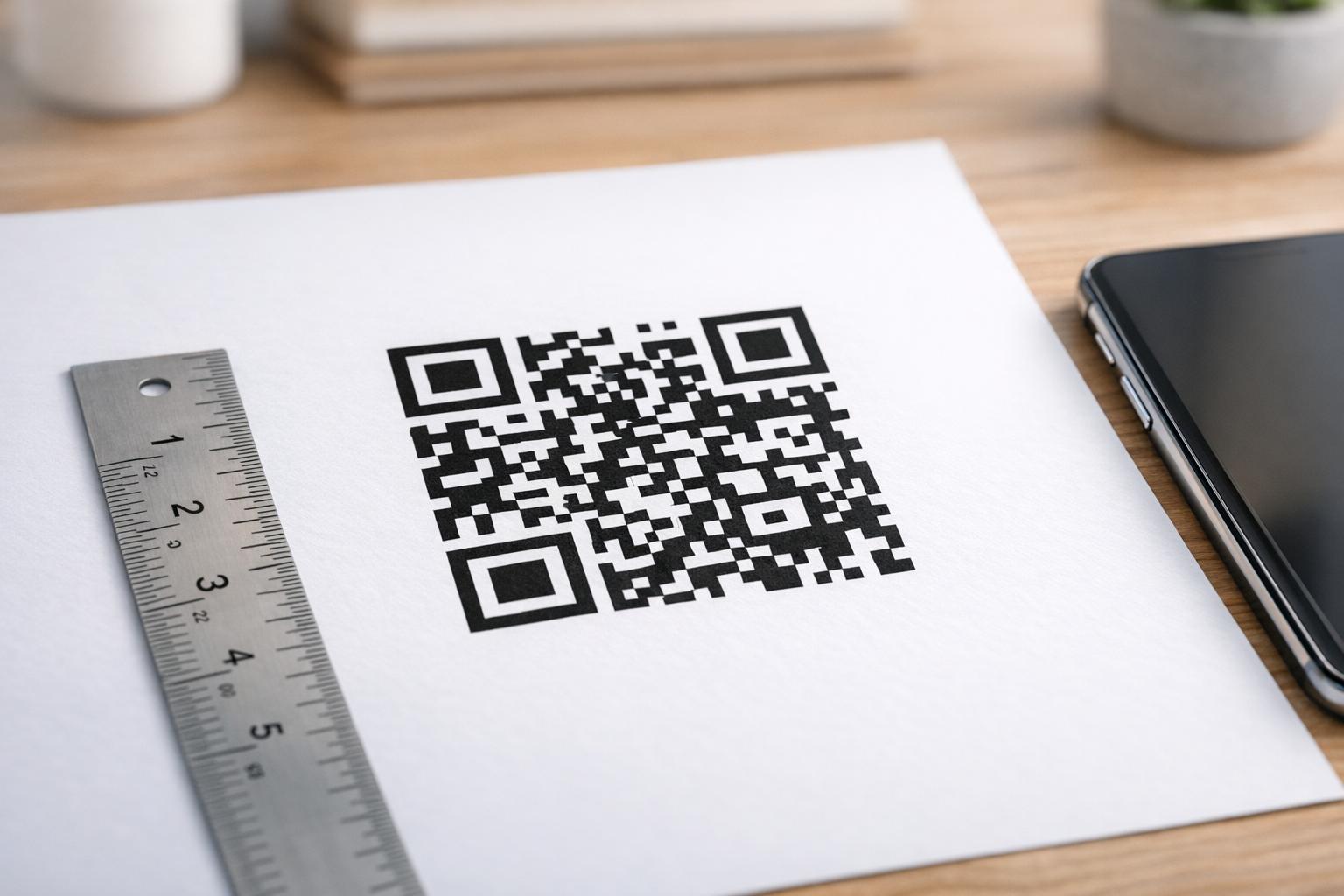
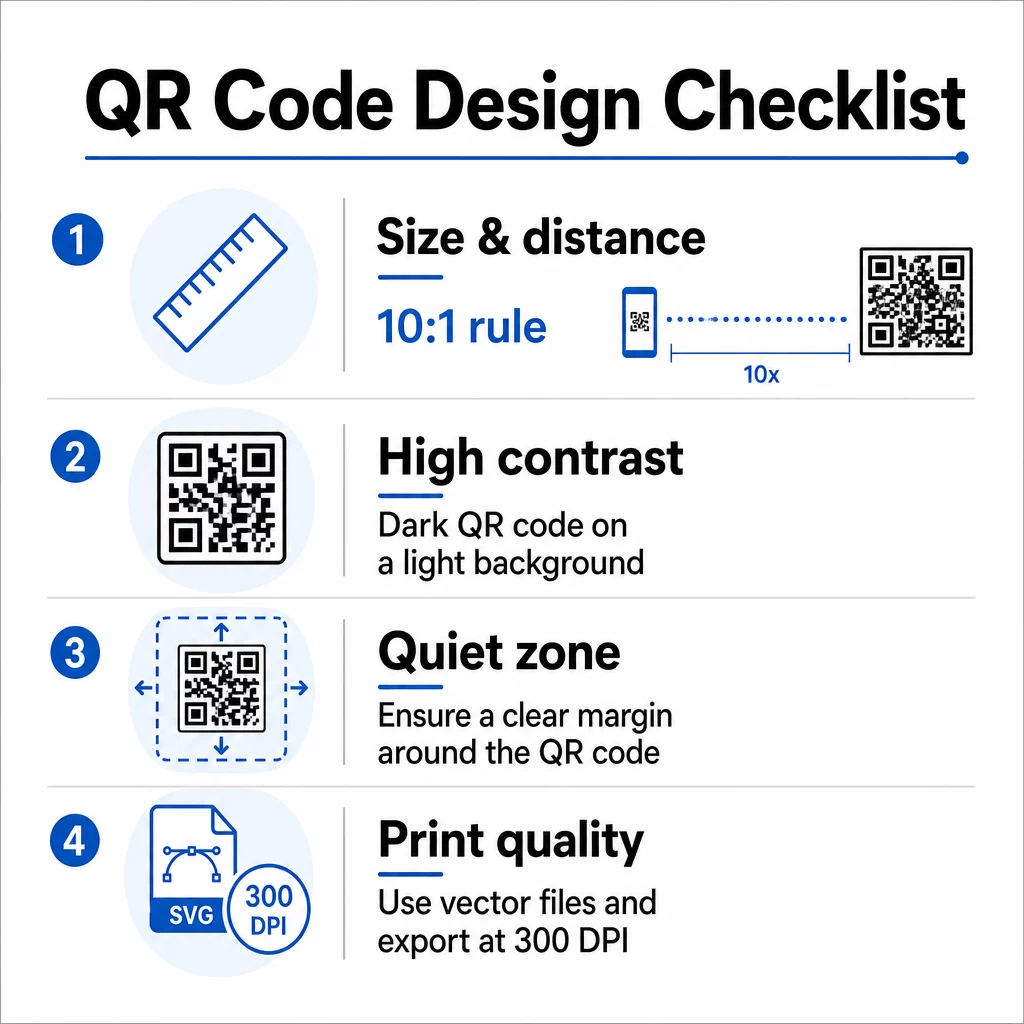
Suivez la règle du 10:1 : la largeur du code doit être environ un dixième de la distance de scan prévue. Pour une affiche de recherche vue d'environ 50 cm (20 pouces), le code doit mesurer au moins 5 cm (2 pouces) de large. Les directives de taille de Pageloot pour les documents imprimés recommandent un minimum de 3 × 3 cm pour les affiches, avec 6 × 6 cm comme cible idéale. Certains guides universitaires suggèrent un minimum d'environ 5 × 5 pouces pour les codes d'affiche qui doivent être lisibles à distance debout.
Pour les diapositives de présentation, le code doit être suffisamment grand pour être scanné depuis un siège. Testez-le à la distance de projection réelle avant la session.
Contraste et couleur
Les scanners lisent les codes QR en détectant le contraste entre les modules sombres et un arrière-plan clair. Un contraste insuffisant est l'une des principales causes d'échec de scan. Utilisez des motifs de code sombres sur un arrière-plan clair ou blanc, et visez un rapport de contraste d'au moins 4,5:1. Évitez les schémas inversés (code clair sur fond sombre), les dégradés ou les arrière-plans à motifs derrière le code.
Si vous souhaitez utiliser les couleurs de votre marque ou de votre institution, vous le pouvez – à condition que le rapport de contraste reste suffisamment élevé. Pour plus de détails sur les combinaisons de couleurs qui fonctionnent et celles qui échouent, consultez le meilleures pratiques de contraste des couleurs des codes QR.
Zone de calme
La zone de silence est la marge claire entourant le code. La norme ISO/CEI 18004 spécifie un minimum de quatre modules d'espace vide sur les quatre côtés. Ne placez pas de texte, de logos, de bordures ou de textures d'arrière-plan à l'intérieur de cette marge. Sur une affiche, cela signifie laisser un espace blanc visible autour du code – traitez-le comme faisant partie du design, et non comme un espace perdu.
Format de fichier et qualité d'impression
Exportez votre code QR en tant que fichier vectoriel (SVG ou EPS) pour l'impression grand format. Les formats raster comme le PNG peuvent pixéliser lorsqu'ils sont agrandis, rendant les modules individuels plus difficiles à distinguer et réduisant la lisibilité. Pour les résolutions d'impression standard, un minimum de 300 DPI est la norme pratique.
Obtenez des fichiers de code QR prêts à imprimer Téléchargez votre code au format SVG, EPS ou PDF pour l'impression d'affiches haute résolution avec le Générateur de codes QR.
Placement sur les affiches et les diapositives
L'endroit où vous placez le code influence la probabilité que les gens le scannent réellement. Les directives des sources de communication scientifique recommandent de placer le code QR vers la fin du parcours de lecture de l'affiche – près des conclusions ou du message clé – afin qu'il apparaisse après que le spectateur soit déjà engagé avec le contenu. C'est un moment logique pour offrir plus : “ Vous voulez l'ensemble des données complet ? Scannez ici. ”
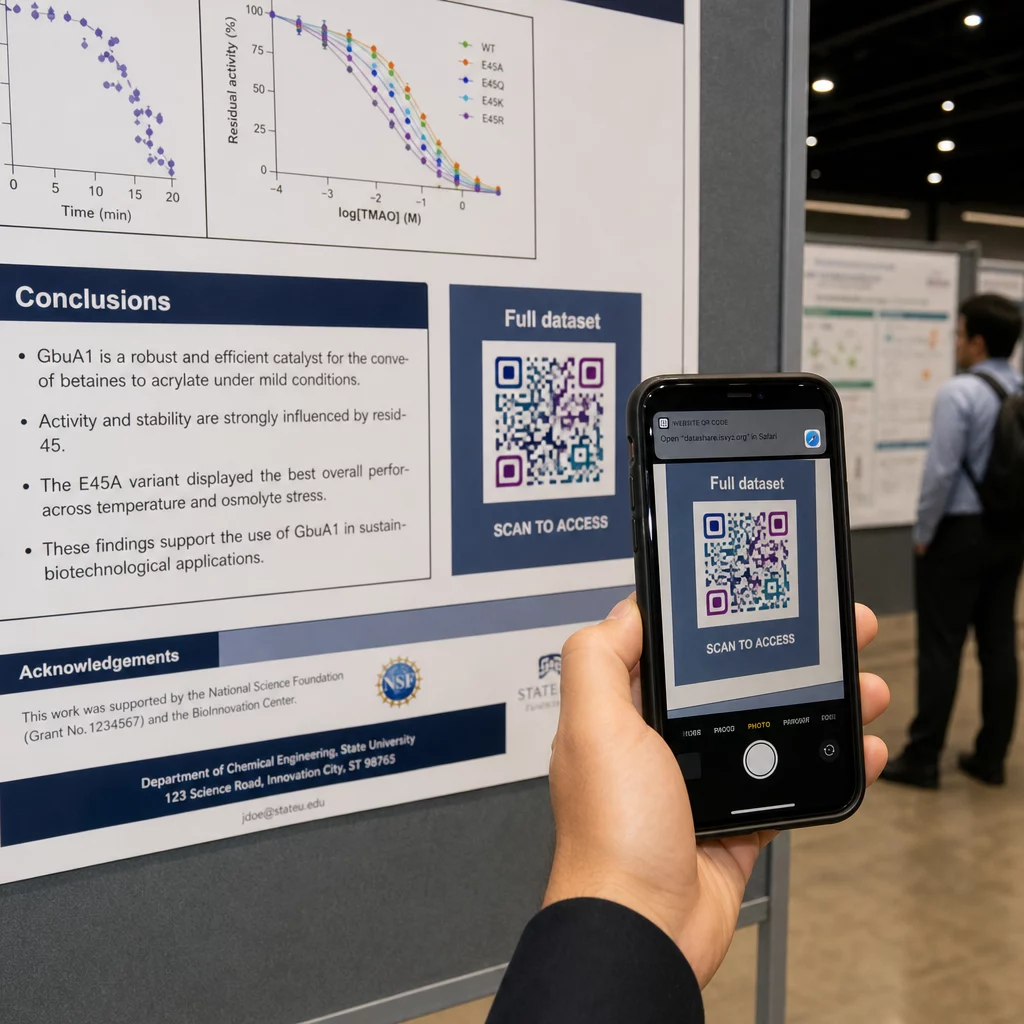
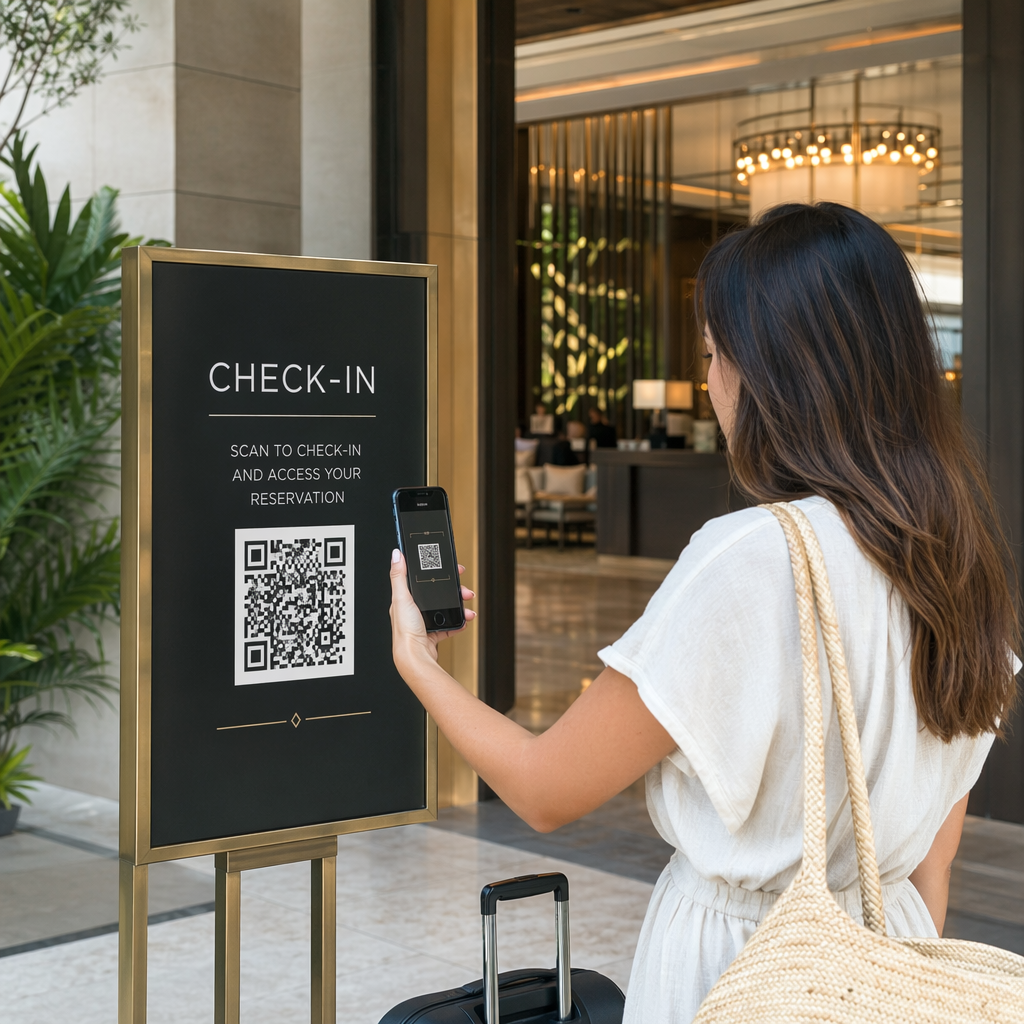
Sur une affiche verticale, la zone en bas à droite est un point de repos naturel pour l'œil après la lecture. Sur une mise en page horizontale, le côté droit fonctionne de manière similaire. Pour Codes QR sur affiches, un placement à hauteur des yeux (environ 1,05 à 1,65 mètre du sol) permet aux participants de scanner confortablement sans se pencher.
Associez toujours le code à un court appel à l'action qui indique aux gens ce qu'ils obtiendront :
- “ Scannez pour l'article complet ”
- “ Accédez aux données supplémentaires ”
- “ Enregistrez mes coordonnées ”
- “ Téléchargez le jeu de diapositives ”
Sans CTA, de nombreux participants ignoreront entièrement le code – ils ne savent pas si cela vaut la peine de le scanner.
Pour les diapositives de présentation, affichez le code QR pendant au moins 15 à 20 secondes et mentionnez-le verbalement. Le placer dans le coin inférieur droit de la diapositive le maintient visible sans concurrencer votre contenu principal. Les codes dynamiques sont particulièrement utiles ici : si la destination change entre les présentations ou les dates de conférence, vous mettez à jour le lien sans toucher au fichier de la diapositive.
Pour des conseils sur le placement dans différents contextes, le de Pageloot Guide de placement du code QR couvre le positionnement à hauteur des yeux, les choix d'arrière-plan et comment adapter le placement à l'intention de l'utilisateur.
Tests avant l'impression
Testez le code avant d'envoyer votre poster à l'impression ou de finaliser vos diapositives. Plus précisément :
- Scannez depuis la distance réelle à laquelle le public se tiendra ou sera assis
- Testez sur au moins deux appareils différents (iOS et Android)
- Essayez dans différentes conditions d'éclairage, y compris les plafonniers fluorescents courants dans les salles de conférence
- Vérifiez que la destination liée se charge correctement, y compris sur une connexion cellulaire (pas seulement en Wi-Fi)
- Vérifiez que les PDF et autres fichiers s'ouvrent sur mobile sans nécessiter d'application de bureau
Si vous utilisez un code dynamique, confirmez que la redirection se résout correctement après toute mise à jour de destination. Pour une liste complète des critères de conception et de test, consultez le site de Pageloot les meilleures pratiques de lisibilité des codes QR.
Utilisation des codes QR au-delà du poster
Les conférences scientifiques offrent de multiples points de contact où les codes QR ajoutent une valeur pratique au-delà du panneau d'affichage.
Badges de conférence avec des codes QR vCard permettent à tout participant d'enregistrer vos coordonnées lors de conversations dans les couloirs – pas besoin d'échanger de numéro de téléphone, pas de carte qui se perd dans un sac.
Documents de session liés via un code QR remplacent les piles de papier. Un seul code sur un résumé imprimé peut connecter les participants aux actes complets, aux publications connexes ou à un formulaire de commentaires après la session.
Inscription et enregistrement les flux bénéficient des codes QR de présence qui vérifient l'identité et suivent la participation, donnant aux organisateurs des décomptes en temps réel par session.
Matériels de réseautage peut utiliser un QR code de lien pour se connecter à un site web de laboratoire, un profil Google Scholar ou une page LinkedIn – offrant aux collègues intéressés plusieurs façons de faire un suivi après la fin de la conférence.
La conférence IASCON 2022 a démontré ce à quoi cela ressemble à grande échelle. Les organisateurs ont placé des codes QR au bureau d'inscription, à l'extérieur des salles de réunion et dans les diapositives de présentation, remplaçant entièrement les programmes papier et les documents distribués. Les participants pouvaient accéder aux détails des sessions, aux profils des orateurs et aux téléchargements de présentations en scannant les codes à chaque emplacement. Un système de réponse mobile déclenché par des codes QR a permis des sondages en direct et des questions-réponses sans aucun téléchargement d'application, atteignant des taux de participation comparables aux formulaires papier traditionnels. Les analyses de l'événement ont révélé un engagement plus élevé pendant les sessions du matin et une baisse mesurable après le déjeuner – des données qui ont directement éclairé les futures décisions de planification.
Les codes QR fonctionnent lors de conférences de toute taille pour la même raison : ils éliminent les frictions entre un participant curieux et l'information qu'il désire. Un code QR bien placé, de taille appropriée, à contraste élevé et avec un appel à l'action clair fait quelque chose qu'une affiche imprimée seule ne peut pas faire – il maintient la conversation après la fin de la session. Commencez avec des codes dynamiques afin de conserver la flexibilité de mettre à jour les destinations, de suivre qui interagit avec vos supports et d'apporter des modifications sans réimpression. Pour tout cela, le Générateur de code QR Pageloot fournit les outils pour créer, personnaliser et gérer vos codes à partir d'un tableau de bord unique.
Questions fréquentes
Non. Les smartphones modernes sous iOS et Android peuvent scanner les codes QR directement via l'application appareil photo intégrée, sans aucun logiciel supplémentaire requis. Les participants ouvrent simplement leur appareil photo, le pointent vers le code et touchent la notification pour ouvrir le contenu lié dans leur navigateur.
Un code QR statique encode l'URL de destination directement dans le motif – une fois imprimé, il ne peut pas être modifié. Un code QR dynamique encode une courte URL de redirection, vous permettant ainsi de mettre à jour la destination à tout moment depuis un tableau de bord sans réimpression. Les codes dynamiques fournissent également des analyses telles que le nombre de scans, les types d'appareils et les horodatages, ce que les codes statiques ne font pas. Pour les affiches de conférence et les matériaux imprimés à l'avance, les codes dynamiques sont fortement recommandés.
Suivez la règle du 10:1 : la largeur du code doit être approximativement un dixième de la distance de balayage. Pour une affiche vue d'environ 50 cm (20 pouces), cela signifie une largeur minimale de 5 cm (2 pouces). Un objectif pratique pour l'utilisation d'affiches est de 6 × 6 cm, ce qui offre un espace de balayage confortable pour la plupart des participants. Testez toujours le code imprimé à la distance de visualisation réelle avant la conférence.