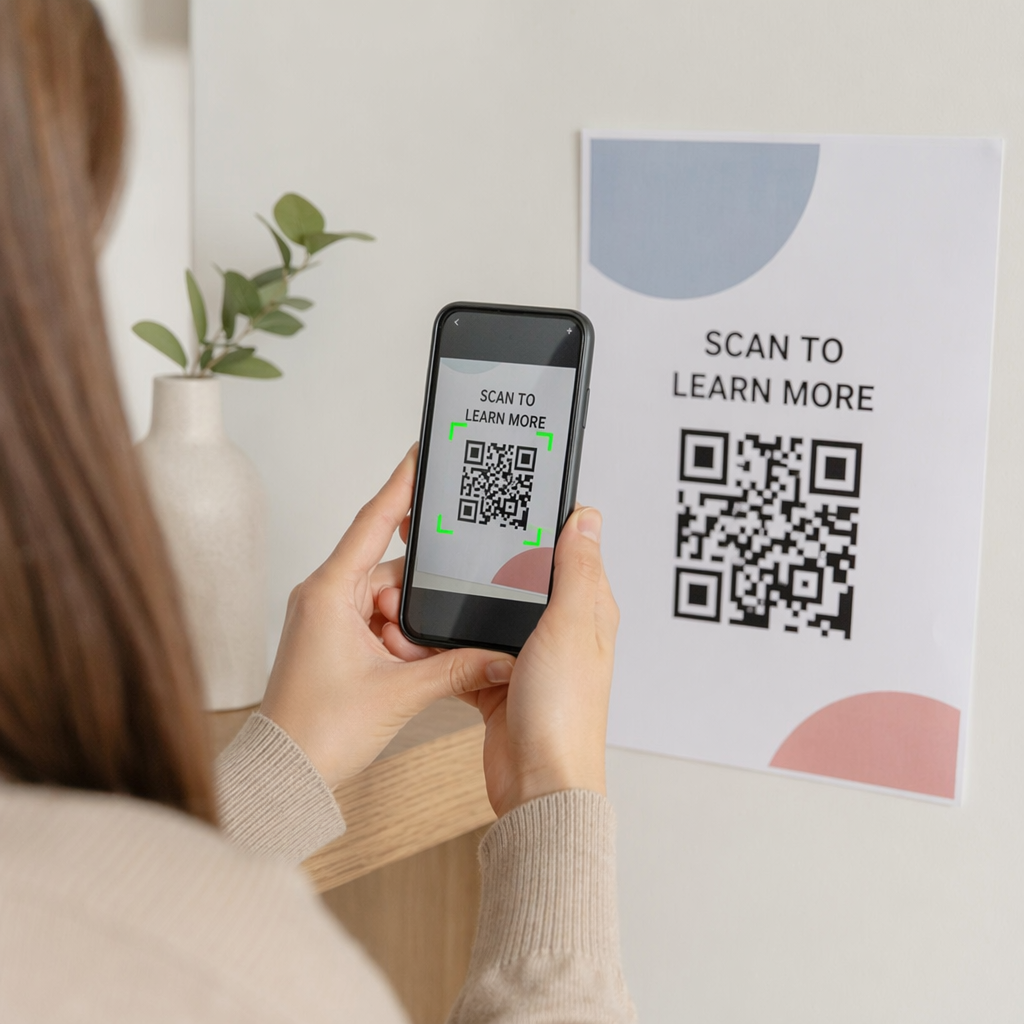
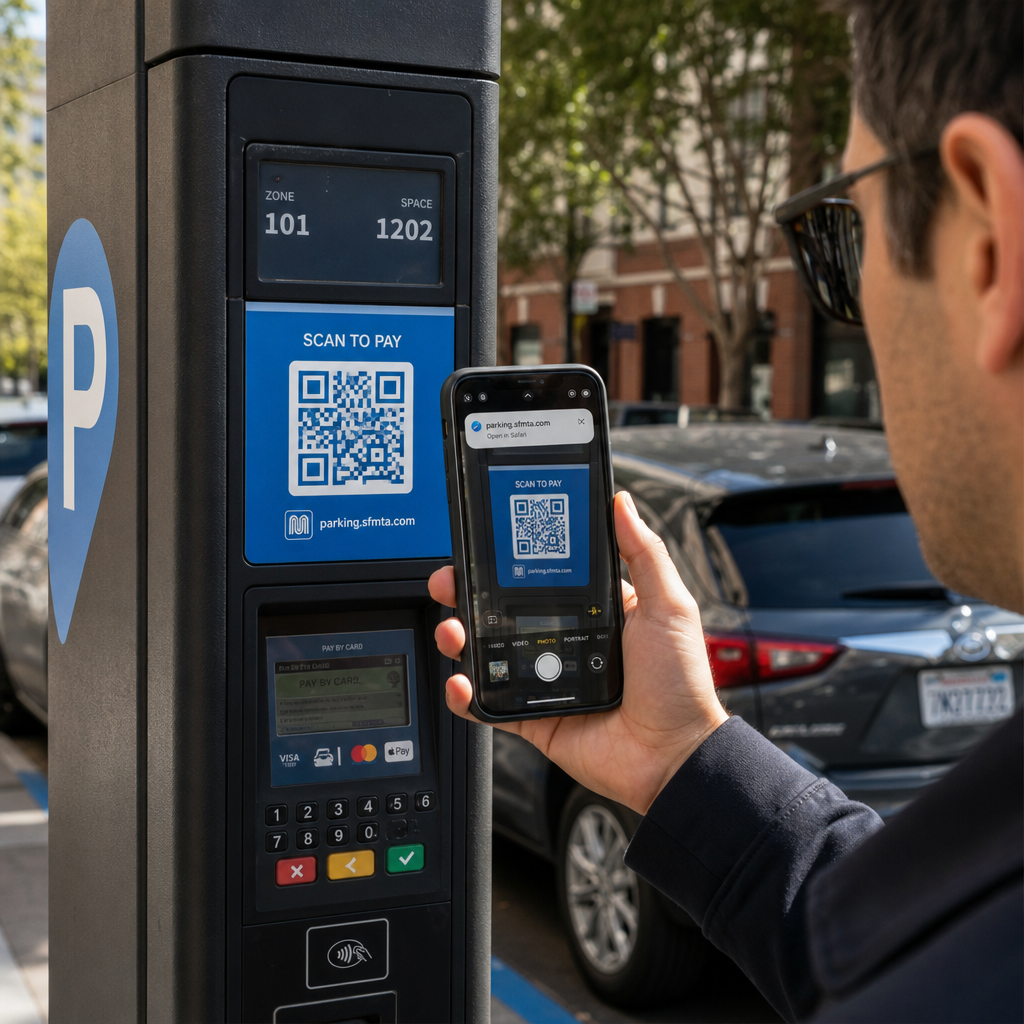
Kako podeliti skup podataka od 40 stranica ili potpunu bibliografiju sa nekim ko stoji ispred vašeg postera 90 sekundi? Papirni materijali se potroše, URL adrese su predugačke za kucanje, a aplikacije zahtevaju preuzimanja koja niko ne želi. QR kodovi rešavaju sva tri problema jednim skeniranjem – ovaj vodič objašnjava kako ih efikasno koristiti na istraživačkim posterima i konferencijskim prezentacijama.
Na šta povezati svoj QR kod
Pre nego što generišete kod, odlučite šta bi on zapravo trebalo da uradi za osobu koja ga skenira. Najkorisniji linkovi na naučnim konferencijama spadaju u nekoliko jasnih kategorija.
Istraživački materijali i dopunski podaci su najčešći slučaj upotrebe. Poster ima ograničen prostor, tako da QR kod može da uputi na vaš kompletan rad, listu referenci, dodatne slike, sirove skupove podataka ili verzije grafikona visoke rezolucije koje je teško pročitati u štampi. Vodiči univerzitetskih biblioteka napominju da su QR kodovi posebno praktični kada ima previše referenci za direktno navođenje na posteru – kod jednostavno usmerava gledaoce na kompletnu online listu.
Користи ПДФ КР код da direktno hostujete svoj rad ili dopunski fajl, tako da učesnici dobiju trenutni pristup bez potrebe da pretražuju bazu podataka ili kucaju DOI.
Kontakt informacije su jednako važne. Umrežavanje na konferencijama se dešava brzo, a вЦард КР код omogućava nekome da skenira vašu značku ili poster i sačuva vaše ime, instituciju, email i veb-sajt direktno u kontakte svog telefona – nisu potrebne vizit karte i nema grešaka u prepisivanju.
Povratne informacije i ankete proširuju razgovor izvan sesije postera. Ugrađivanje linka ka kratkom Google obrascu omogućava učesnicima da postave pitanja ili ocene vaš rad za nekoliko sekundi. A КР код за Гоогле образац čini obrazac dostupnim sa bilo kog štampanog materijala, a da niko ne mora da kuca URL.
Prezentacioni slajdovi i multimedija dobro funkcionišu kada su ugrađeni u prezentacije. Postavljanje QR koda na početku ili kraju izlaganja omogućava publici da preuzme slajdove, pristupi snimku ili poseti povezane resurse bez prekidanja sesije.
Odmah podelite istraživačke materijale Otpremite svoj rad, poster ili dopunski fajl i generišite skenabilni kod za nekoliko minuta pomoću PDF QR kod generator.
Statički vs. Dinamički QR kodovi: Koji koristiti
А. статички КР код direktno kodira odredišni URL u obrazac. Jednom odštampan, ne može se menjati – ako se povezana stranica premesti ili se datoteka ažurira, kod postaje beskoristan.
А. динамички КР код umesto toga kodira kratak URL za preusmeravanje. Odredište možete ažurirati bilo kada sa kontrolne table bez ponovnog štampanja. Ovo je posebno dragoceno za upotrebu na konferencijama, gde su promene rasporeda i ažuriranja datoteka u poslednjem trenutku rutinska pojava. Dinamički kodovi takođe generišu analitiku: možete videti ukupan broj skeniranja, jedinstvena skeniranja, tipove uređaja, geografske podatke i vremenske oznake, što vam daje stvarnu meru koliko se ljudi zaista angažovalo sa vašim materijalima.
Za sve što planirate da odštampate unapred – postere, bedževe, zbornike – dinamički QR kodovi su sigurniji izbor. Dinamički QR kod generator omogućava vam da bilo koji URL pretvorite u dinamički kod, uredite odredište nakon štampanja i pratite angažovanje sa jedne kontrolne table.
Istraživački tim finansiran od strane DARPA-e na Univerzitetu Kalifornije, Santa Kruz, koristio je dinamičke QR kodove za praćenje kontrole kvaliteta na pet univerziteta tokom proizvodnje bioelektronskih uređaja. Praćenjem podataka o skeniranju, identifikovali su da je jedan korak proizvodnje imao samo 59% uspešnost vezivanja – nalaz koji bi bilo teško otkriti bez ugrađenog praćenja. Kao što je istraživač Kristijan Hernandez primetio, “Sistem za praćenje QR kodova omogućio je našem timu da utvrdi da korak 6 ima samo 59% uspešnost vezivanja… posedovanje ovih podataka je precizno odredilo osnovni uzrok režima kvara bioelektronskog uređaja.”
Dizajniranje QR kodova za pouzdano skeniranje
QR kod koji izgleda dobro, ali ne uspeva da se skenira, gori je od nikakvog koda. Ovi principi dizajna osiguravaju da vaš kod funkcioniše u uslovima stvarnog konferencijskog okruženja.
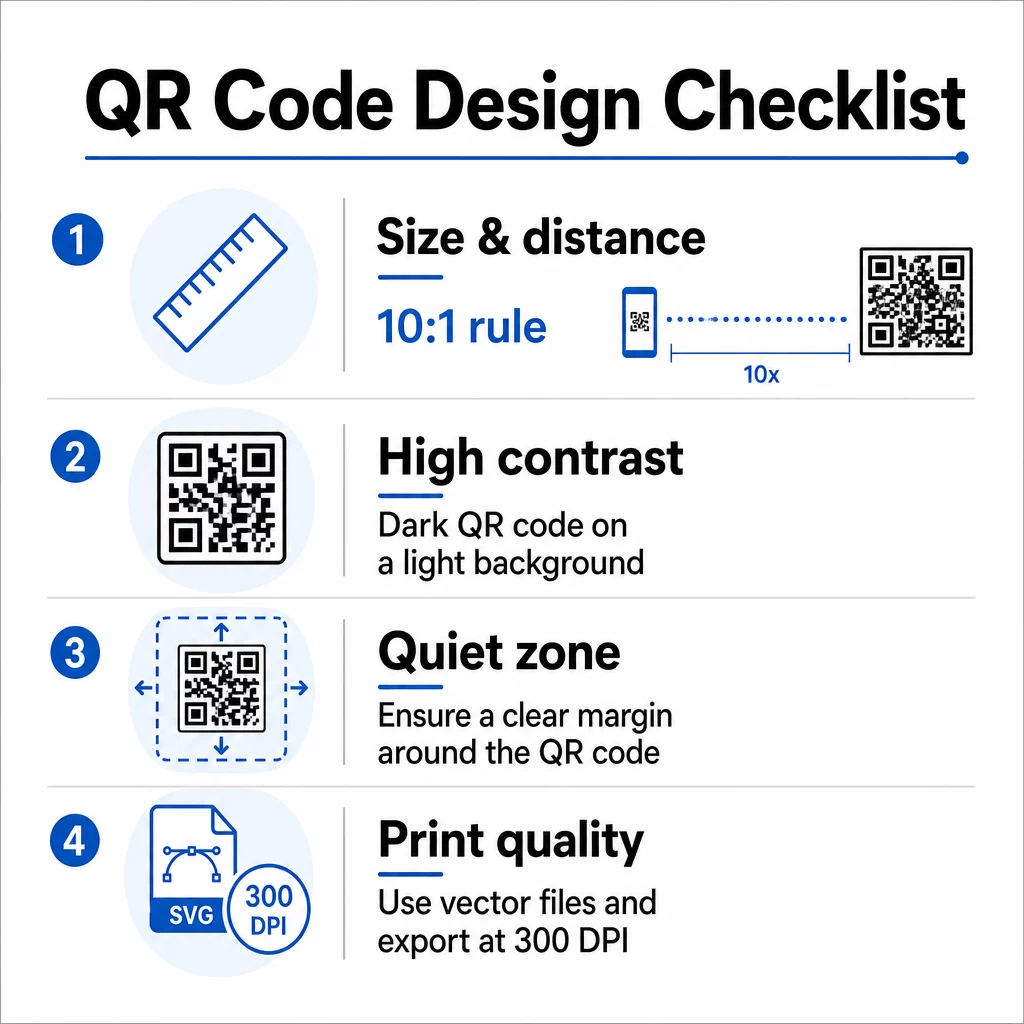
Veličina i udaljenost skeniranja
Sledite pravilo 10:1: širina koda bi trebalo da bude otprilike jedna desetina očekivane udaljenosti skeniranja. Za istraživački poster koji se gleda sa oko 50 cm (20 inča) udaljenosti, kod bi trebalo da bude širok najmanje 5 cm (2 inča). Pageloot-ove smernice za veličinu za štampane materijale preporučuju minimum 3 × 3 cm za postere, sa 6 × 6 cm kao idealnom metom. Neki univerzitetski vodiči predlažu minimum od oko 5 × 5 inča za kodove na posterima koji moraju biti čitljivi sa stojeće udaljenosti.
Za prezentacione slajdove, kod mora biti dovoljno velik da se skenira sa sedišta. Testirajte ga na stvarnoj udaljenosti projekcije pre sesije.
Kontrast i boja
Skeneri čitaju QR kodove detektujući kontrast između tamnih modula i svetle pozadine. Nedovoljan kontrast je jedan od primarnih uzroka neuspeha skeniranja. Koristite tamne obrasce koda na svetloj ili beloj pozadini i težite kontrastnom odnosu od najmanje 4.5:1. Izbegavajte obrnute šeme (svetli kod na tamnoj pozadini), gradijente ili pozadine sa šarama iza koda.
Ako želite da koristite boje brenda ili institucije, možete – pod uslovom da kontrastni odnos ostane dovoljno visok. Za više detalja o tome koje kombinacije boja funkcionišu, a koje ne, pogledajte Pageloot-ove najbolje prakse za kontrast boja QR koda.
Мирна зона
Tiha zona je jasna margina koja okružuje kod. ISO/IEC 18004 specifikuje minimum četiri modula praznog prostora sa sve četiri strane. Ne postavljajte tekst, logotipe, ivice ili pozadinske teksture unutar ove margine. Na posteru, to znači ostavljanje vidljivog belog prostora oko koda – tretirajte ga kao deo dizajna, a ne kao izgubljeni prostor.
Format datoteke i kvalitet štampe
Izvezite svoj QR kod kao vektorsku datoteku (SVG ili EPS) za štampanje velikog formata. Rasterski formati poput PNG-a mogu se pikselizovati kada se uvećaju, čineći pojedinačne module težim za razlikovanje i smanjujući mogućnost skeniranja. Za standardne rezolucije štampanja, minimum od 300 DPI je praktičan standard.
Nabavite datoteke QR koda spremne za štampu Preuzmite svoj kod u SVG, EPS ili PDF formatu za štampanje postera visoke rezolucije sa Генератор QR kodova.
Postavljanje na postere i slajdove
Gde postavite kod utiče na to da li će ga ljudi zaista skenirati. Uputstva iz izvora naučne komunikacije preporučuju postavljanje QR koda blizu kraja putanje čitanja postera – kod zaključaka ili poruke za poneti – tako da se pojavi nakon što je gledalac već angažovan sa sadržajem. Ovo je logičan trenutak da ponudite više: “Želite kompletan skup podataka? Skenirajte ovde.”
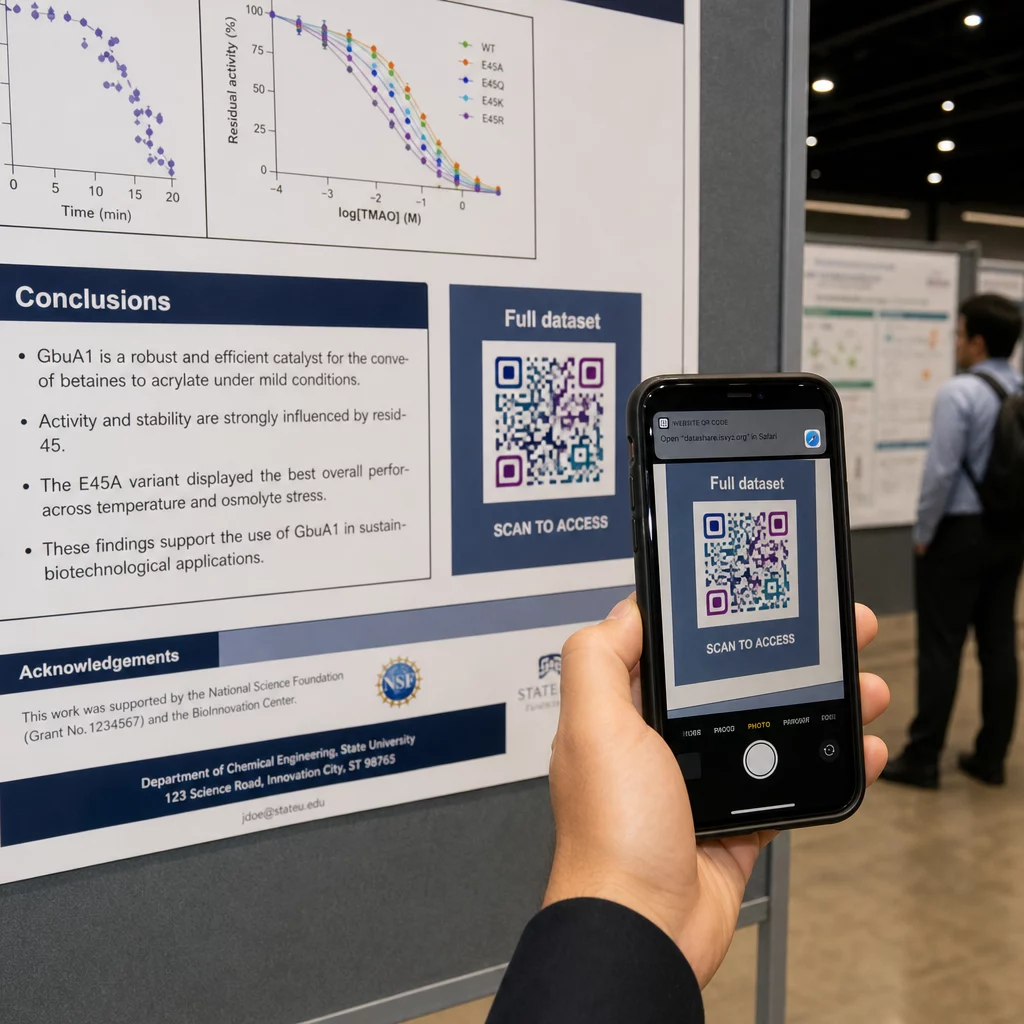
Na vertikalnom posteru, donji desni ugao je prirodna tačka odmora za oko nakon čitanja. Na horizontalnom rasporedu, desna strana funkcioniše slično. Za КР кодови на постерима, postavljanje u visini očiju (otprilike 3,5–5,5 stopa od poda) omogućava posetiocima da udobno skeniraju bez savijanja.
Uvek uparite kod sa kratkim pozivom na akciju koji govori ljudima šta će dobiti:
- “Skenirajte za ceo rad”
- “Pristupite dopunskim podacima”
- “Sačuvajte moje kontakt podatke”
- “Preuzmite prezentaciju”
Bez poziva na akciju, mnogi posetioci će potpuno ignorisati kod – ne znaju da li vredi skenirati.
Za prezentacione slajdove, prikažite QR kod najmanje 15–20 sekundi i verbalno ga potvrdite. Postavljanje u donji desni ugao slajda čini ga vidljivim bez takmičenja sa vašim glavnim sadržajem. Dinamički kodovi su ovde posebno korisni: ako se odredište promeni između predavanja ili datuma konferencije, ažurirate vezu bez dodirivanja datoteke slajda.
Za smernice o postavljanju u različitim kontekstima, Pageloot-ov Vodič za postavljanje QR koda pokriva pozicioniranje u visini očiju, izbor pozadine i kako uskladiti postavljanje sa namerom korisnika.
Testiranje pre štampanja
Testirajte kod pre nego što pošaljete poster na štampanje ili finalizujete slajdove. Konkretno:
- Skenirajte sa stvarne udaljenosti sa koje će publika stajati ili sedeti
- Testirajte na najmanje dva različita uređaja (iOS i Android)
- Isprobajte u različitim svetlosnim uslovima, uključujući fluorescentno osvetljenje koje je uobičajeno u konferencijskim salama
- Proverite da li se povezana destinacija ispravno učitava, uključujući i na mobilnoj vezi (ne samo na Wi-Fi)
- Proverite da li se PDF-ovi i drugi fajlovi otvaraju na mobilnom uređaju bez potrebe za desktop aplikacijom
Ako koristite dinamički kod, potvrdite da se preusmeravanje ispravno rešava nakon bilo kakvih ažuriranja destinacije. Za potpunu listu kriterijuma dizajna i testiranja, pogledajte Pageloot-ov najbolje prakse čitljivosti QR kodova.
Korišćenje QR kodova izvan postera
Naučne konferencije nude više dodirnih tačaka gde QR kodovi dodaju praktičnu vrednost izvan poster table.
Konferencijske akreditacije sa vCard QR kodovima omogućavaju svakom učesniku da sačuva vaše kontakt podatke tokom razgovora u hodniku – nije potrebna razmena brojeva telefona, niti kartica koja se izgubi u torbi.
Materijali za sesije povezani putem QR koda zamenjuju gomile papira. Jedan kod na štampanom apstraktu može povezati učesnike sa celokupnim zbornikom radova, srodnim publikacijama ili obrascem za povratne informacije nakon sesije.
Registracija i prijava procesi imaju koristi od QR kodova za prisustvo koji proveravaju identitet i prate učešće, dajući organizatorima broj prisutnih u realnom vremenu po sesiji.
Materijali za umrežavanje može koristiti QR kod za link za povezivanje sa veb-sajtom laboratorije, Google Scholar profilom ili LinkedIn stranicom – dajući zainteresovanim kolegama više načina da nastave komunikaciju nakon završetka konferencije.
Konferencija IASCON 2022 pokazala je kako to izgleda u velikom obimu. Organizatori su postavili QR kodove na pultu za registraciju, ispred sala za sastanke i u prezentacionim slajdovima, u potpunosti zamenjujući papirne rasporede i materijale. Učesnici su mogli da pristupe detaljima sesija, profilima govornika i preuzimanjima prezentacija skeniranjem kodova na svakoj lokaciji. Sistem mobilnog odgovora pokrenut QR kodovima omogućio je ankete uživo i pitanja i odgovore bez ikakvih preuzimanja aplikacija, postižući stope učešća uporedive sa tradicionalnim papirnim obrascima. Analitika sa događaja otkrila je veće angažovanje tokom jutarnjih sesija i merljiv pad nakon ručka – podaci koji su direktno uticali na buduće odluke o rasporedu.
QR kodovi funkcionišu na konferencijama bilo koje veličine iz istog razloga: uklanjaju prepreke između znatiželjnog učesnika i informacija koje želi. Dobro postavljen, pravilno dimenzionisan, visokokontrastni QR kod sa jasnim pozivom na akciju radi nešto što štampani poster sam ne može – održava razgovor nakon završetka sesije. Počnite sa dinamičkim kodovima kako biste zadržali fleksibilnost da ažurirate destinacije, pratite ko se angažuje sa vašim materijalima i vršite promene bez ponovnog štampanja. Za sve ovo, Пагелоот генератор КР кодова pruža alate za kreiranje, prilagođavanje i upravljanje vašim kodovima sa jedne kontrolne table.
Često postavljana pitanja
Ne. Moderni pametni telefoni na iOS-u i Androidu mogu skenirati QR kodove direktno putem ugrađene aplikacije kamere, bez potrebe za dodatnim softverom. Posetioci jednostavno otvore svoju kameru, usmere je ka kodu i dodirnu obaveštenje da bi otvorili povezani sadržaj u svom pretraživaču.
Statički QR kod kodira odredišni URL direktno u šablon – jednom odštampan, ne može se promeniti. Dinamički QR kod kodira kratak URL za preusmeravanje, tako da možete ažurirati odredište u bilo kom trenutku sa kontrolne table bez ponovnog štampanja. Dinamički kodovi takođe pružaju analitiku kao što su broj skeniranja, tipovi uređaja i vremenske oznake, što statički kodovi ne pružaju. Za konferencijske postere i materijale odštampane unapred, dinamički kodovi se snažno preporučuju.
Pridržavajte se pravila 10:1: širina koda bi trebalo da bude približno jedna desetina udaljenosti skeniranja. Za poster koji se gleda sa oko 50 cm (20 inča) udaljenosti, to znači minimalnu širinu od 5 cm (2 inča). Praktična meta za upotrebu na posterima je 6 × 6 cm, što pruža udoban prostor za skeniranje većini učesnika. Uvek testirajte odštampani kod sa stvarne udaljenosti gledanja pre konferencije.