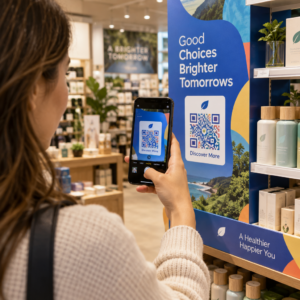
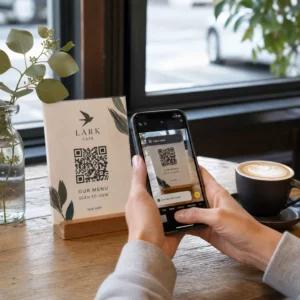
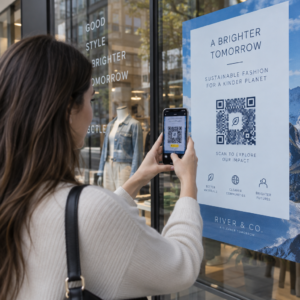
איך משתפים מערך נתונים בן 40 עמודים או ביבליוגרפיה מלאה עם מישהו שעומד מול הפוסטר שלכם במשך 90 שניות? חומרי הדפסה נגמרים, כתובות אתרים ארוכות מדי להקלדה, ואפליקציות דורשות הורדות שאף אחד לא רוצה. קודי QR פותרים את כל שלוש הבעיות בסריקה אחת – מדריך זה מסביר כיצד להשתמש בהם ביעילות על פוסטרים מחקריים ובהצגות בכנסים.
למה לקשר את קוד ה-QR שלכם
לפני שאתם יוצרים קוד, החליטו מה הוא אמור לעשות בפועל עבור האדם הסורק אותו. הקישורים השימושיים ביותר בכנסים מדעיים נופלים לכמה קטגוריות ברורות.
חומרי מחקר ונתונים משלימים הם מקרה השימוש הנפוץ ביותר. לפוסטר יש מקום מוגבל, כך שקוד QR יכול להפנות למאמר המלא שלכם, לרשימת מקורות, לנתונים נוספים, למערכי נתונים גולמיים, או לגרסאות ברזולוציה גבוהה של תרשימים שקשה לקרוא בהדפסה. מדריכי ספריות אוניברסיטאיות מציינים שקודי QR פרקטיים במיוחד כאשר יש יותר מדי מקורות מכדי לרשום אותם ישירות על הפוסטר – הקוד פשוט מפנה את הצופים לרשימה מקוונת מלאה.
תשתמש ב קוד QR של PDF לארח את המאמר או הקובץ המשני שלכם ישירות, כך שהמשתתפים יקבלו גישה מיידית ללא צורך לחפש במסד נתונים או להקליד DOI.
פרטי התקשרות חשובים באותה מידה. נטוורקינג בכנסים קורה מהר, ו- קוד QR vCard מאפשר למישהו לסרוק את התג או הפוסטר שלכם ולשמור את שמכם, המוסד, האימייל והאתר ישירות לאנשי הקשר בטלפון שלו – ללא צורך בכרטיסי ביקור וללא שגיאות העתקה.
משוב וסקרים מרחיבים את השיחה מעבר למפגש הפוסטרים. הטמעת קישור לטופס גוגל קצר מאפשרת למשתתפים לשלוח שאלות או לדרג את עבודתכם תוך שניות. א- קוד QR של Google Form הופך את הטופס לנגיש מכל חומר מודפס מבלי שאף אחד יצטרך להקליד כתובת אתר.
שקפי מצגת ומולטימדיה עובדים היטב כשהם מוטמעים במצגות. הצבת קוד QR בתחילת או בסוף הרצאה מאפשרת לקהל להוריד את השקפים, לגשת להקלטה, או לבקר במשאבים קשורים מבלי להפריע למפגש.
שתפו חומרי מחקר באופן מיידי העלו את המאמר, הפוסטר או הקובץ המשני שלכם וצרו קוד סריקה תוך דקות עם ה- מחולל קוד QR ל-PDF.
קודי QR סטטיים מול דינמיים: באילו להשתמש
א קוד QR סטטי מקודד את כתובת ה-URL של היעד ישירות לתוך התבנית. לאחר ההדפסה, לא ניתן לשנות אותו – אם הדף המקושר זז או הקובץ מתעדכן, הקוד הופך לחסר תועלת.
א קוד QR דינמי מקודד במקום זאת כתובת URL קצרה להפניה מחדש. ניתן לעדכן את היעד בכל עת מלוח מחוונים מבלי להדפיס מחדש דבר. זה בעל ערך במיוחד לשימוש בכנסים, שבהם שינויים בלוח הזמנים ועדכוני קבצים של הרגע האחרון הם שגרתיים. קודים דינמיים גם מייצרים נתונים אנליטיים: ניתן לראות סך סריקות, סריקות ייחודיות, סוגי מכשירים, נתונים גיאוגרפיים וחותמות זמן, מה שנותן מדד אמיתי לכמה אנשים באמת התחברו לחומרים שלכם.
לכל דבר שאתם מתכננים להדפיס מראש – פוסטרים, תגים, פרוטוקולים – קודי QR דינמיים הם הבחירה הבטוחה יותר. ה- מחולל QR דינמי מאפשר לכם להמיר כל כתובת URL לקוד דינמי, לערוך את היעד לאחר ההדפסה, ולעקוב אחר מעורבות מלוח מחוונים יחיד.
צוות מחקר במימון DARPA באוניברסיטת קליפורניה, סנטה קרוז, השתמש בקודי QR דינמיים כדי לעקוב אחר בקרת איכות בחמש אוניברסיטאות במהלך ייצור התקנים ביו-אלקטרוניים. על ידי ניטור נתוני סריקה, הם זיהו שלשלב ייצור אחד היה שיעור הצלחה של 59% בלבד בהדבקה – ממצא שהיה קשה לחשוף ללא מעקב מוטבע. כפי שציין החוקר קריסטיאן הרננדז, “מערכת מעקב קודי ה-QR אפשרה לצוות שלנו לקבוע שלשלב 6 היה שיעור הצלחה של 59% בלבד בהדבקה... נתונים אלה איתרו את שורש הגורם לכשל במצב ההתקן הביו-אלקטרוני.”
עיצוב קודי QR לסריקה אמינה
קוד QR שנראה טוב אך לא נסרק גרוע יותר מאין קוד בכלל. עקרונות עיצוב אלה מבטיחים שהקוד שלכם יעבוד בתנאי סביבת כנס אמיתית.
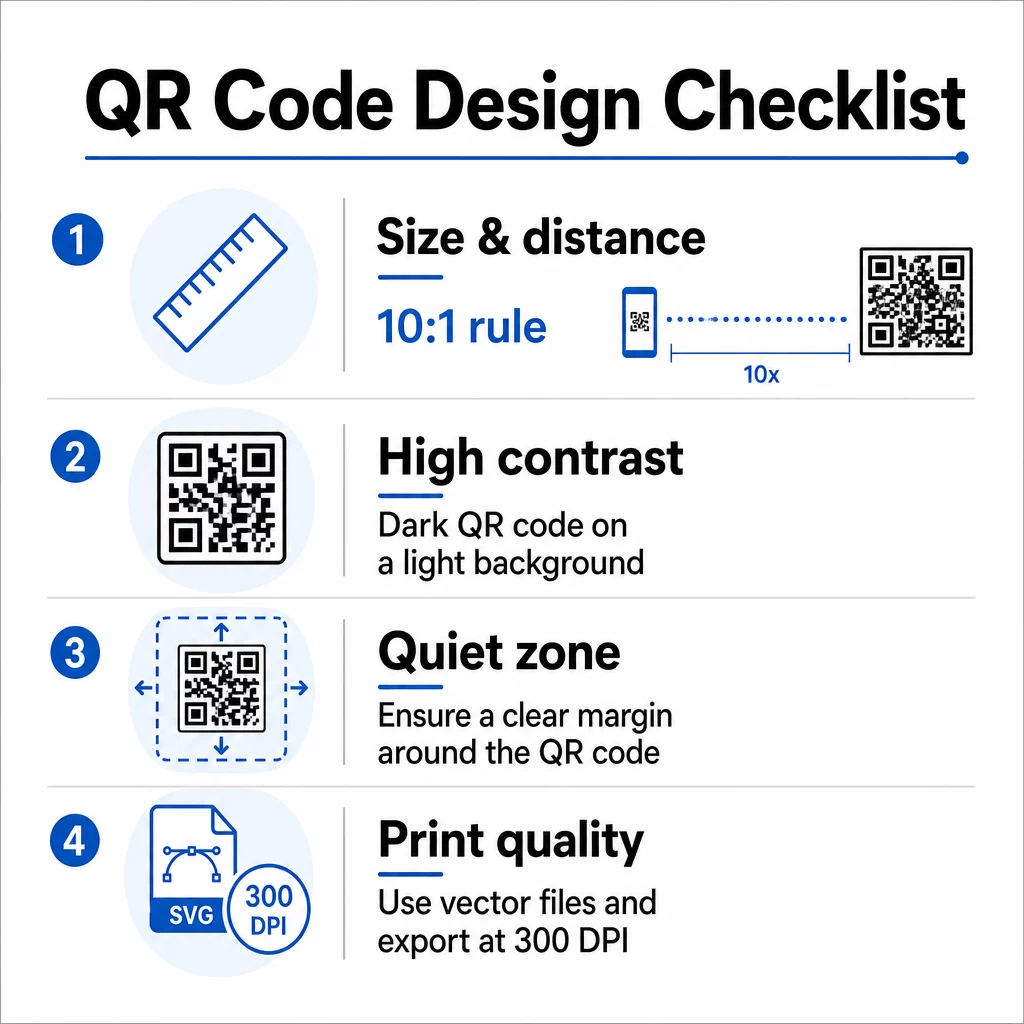
גודל ומרחק סריקה
עקבו אחר כלל 10:1: רוחב הקוד צריך להיות בערך עשירית ממרחק הסריקה הצפוי. עבור פוסטר מחקר הנצפה ממרחק של כ-50 ס"מ (20 אינץ'), הקוד צריך להיות ברוחב של לפחות 5 ס"מ (2 אינץ'). ה-Pageloot’s הנחיות גודל לחומרי הדפסה ממליצות על מינימום של 3 × 3 ס"מ לפוסטרים, כאשר 6 × 6 ס"מ הוא יעד אידיאלי. מדריכים מסוימים של אוניברסיטאות מציעים מינימום של כ-5 × 5 אינץ' עבור קודי פוסטרים שצריכים להיות קריאים ממרחק עמידה.
עבור שקפי מצגת, הקוד צריך להיות גדול מספיק כדי לסרוק ממושב. בדקו אותו במרחק ההקרנה בפועל לפני המפגש.
ניגודיות וצבע
סורקים קוראים קודי QR על ידי זיהוי הניגודיות בין מודולים כהים לרקע בהיר. ניגודיות לא מספקת היא אחת הסיבות העיקריות לכשל בסריקה. השתמשו בתבניות קוד כהות על רקע בהיר או לבן, ושאפו ליחס ניגודיות של לפחות 4.5:1. הימנעו מסכמות הפוכות (קוד בהיר על רקע כהה), מעברי צבע (גרדיאנטים) או רקעים עם דוגמאות מאחורי הקוד.
אם אתם רוצים להשתמש בצבעי מותג או מוסד, אתם יכולים – בתנאי שיחס הניגודיות נשאר גבוה מספיק. לפרטים נוספים על אילו שילובי צבעים עובדים ואילו נכשלים, ראו את ה-Pageloot’s שיטות עבודה מומלצות לניגודיות צבעי קוד QR.
אזור שקט
האזור השקט הוא השוליים הברורים המקיפים את הקוד. ISO/IEC 18004 מציין מינימום של ארבעה מודולים של שטח ריק מכל ארבעת הצדדים. אין למקם טקסט, לוגואים, גבולות או טקסטורות רקע בתוך שוליים אלה. על פוסטר, משמעות הדבר היא השארת שטח לבן גלוי סביב הקוד – התייחסו אליו כחלק מהעיצוב, לא כשטח מבוזבז.
פורמט קובץ ואיכות הדפסה
ייצא את קוד ה-QR שלך כקובץ וקטורי (SVG או EPS) להדפסה בפורמט גדול. פורמטים רסטריים כמו PNG עלולים להיטשטש (להיעשות פיקסלים) כאשר מגדילים אותם, מה שמקשה על הבחנה בין מודולים בודדים ומפחית את יכולת הסריקה. עבור רזולוציות הדפסה סטנדרטיות, 300 DPI מינימום הוא הסטנדרט המעשי.
קבל קבצי קוד QR מוכנים להדפסה הורד את הקוד שלך בפורמט SVG, EPS או PDF להדפסת פוסטרים ברזולוציה גבוהה עם ה- מחולל קודי QR.
מיקום על פוסטרים ושקפים
המיקום שבו אתה מציב את הקוד משפיע על האם אנשים אכן יסרקו אותו. הנחיות ממקורות תקשורת מדעית ממליצות למקם את קוד ה-QR קרוב לסוף נתיב הקריאה של הפוסטר – ליד המסקנות או המסר העיקרי – כך שהוא יופיע לאחר שהצופה כבר מעורב בתוכן. זהו רגע הגיוני להציע יותר: “רוצה את כל מערך הנתונים? סרוק כאן.”
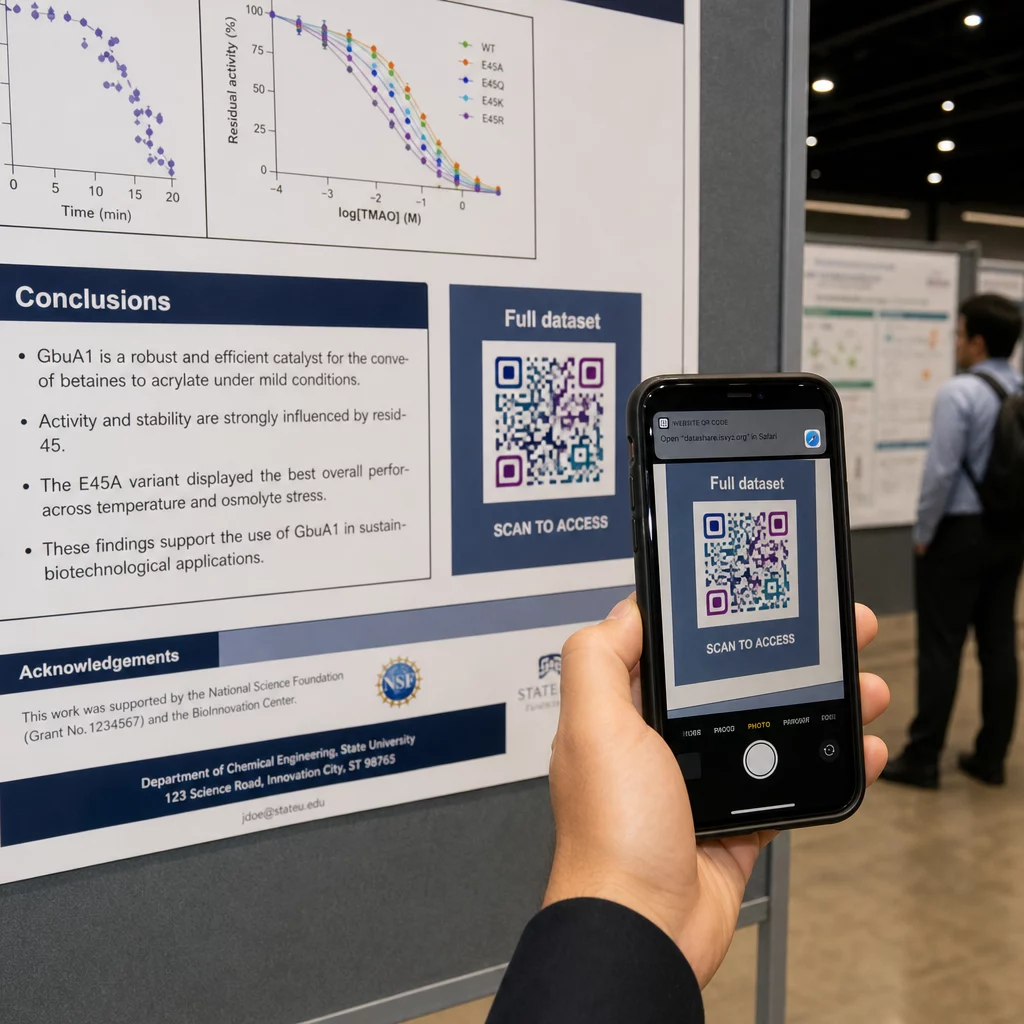
על פוסטר אנכי, האזור התחתון-ימני הוא נקודת מנוחה טבעית לעין לאחר הקריאה. בפריסה אופקית, הצד הימני פועל באופן דומה. עבור קודי QR על פוסטרים, מיקום בגובה העיניים (בערך 1.05–1.65 מטר מהרצפה) מאפשר למשתתפים לסרוק בנוחות מבלי להתכופף.
תמיד צמד את הקוד עם קריאה קצרה לפעולה שאומרת לאנשים מה הם יקבלו:
- “סרוק למאמר המלא”
- “גש לנתונים משלימים”
- “שמור את פרטי הקשר שלי”
- “הורד את מצגת השקפים”
ללא קריאה לפעולה, משתתפים רבים יתעלמו מהקוד לחלוטין – הם לא יודעים אם שווה לסרוק אותו.
עבור שקפי מצגת, הצג את קוד ה-QR למשך 15–20 שניות לפחות ואשר אותו מילולית. הצבתו בפינה הימנית התחתונה של השקף שומרת עליו גלוי מבלי להתחרות בתוכן העיקרי שלך. קודים דינמיים שימושיים במיוחד כאן: אם היעד משתנה בין הרצאות או תאריכי כנס, אתה מעדכן את הקישור מבלי לגעת בקובץ השקף.
להנחיות לגבי מיקום בהקשרים שונים, ה-Pageloot של מדריך מיקום קוד QR מכסה מיקום בגובה העיניים, בחירות רקע, וכיצד להתאים את המיקום לכוונה של המשתמש.
בדיקה לפני ההדפסה
בדוק את הקוד לפני שליחת הפוסטר שלך להדפסה או סיום הכנת השקפים שלך. באופן ספציפי:
- סרוק מהמרחק האמיתי שבו הקהל יעמוד או ישב
- בדוק על לפחות שני מכשירים שונים (iOS ואנדרואיד)
- נסה בתנאי תאורה שונים, כולל תאורת פלורסנט עילית הנפוצה באולמות כנסים
- ודא שהיעד המקושר נטען כהלכה, כולל בחיבור סלולרי (לא רק Wi-Fi)
- ודא שקובצי PDF וקבצים אחרים נפתחים בנייד מבלי לדרוש אפליקציית מחשב שולחני
אם אתה משתמש בקוד דינמי, ודא שההפניה נפתרת כהלכה לאחר כל עדכוני יעד. לרשימת בדיקה מלאה של קריטריוני עיצוב ובדיקה, ראה את Pageloot's שיטות עבודה מומלצות לקריאות קודי QR.
שימוש בקודי QR מעבר לפוסטר
כנסים מדעיים מציעים נקודות מגע מרובות שבהן קודי QR מוסיפים ערך מעשי מעבר ללוח הפוסטרים.
תגי כנסים עם קודי QR של vCard מאפשרים לכל משתתף לשמור את פרטי הקשר שלך במהלך שיחות במסדרון – אין צורך בהחלפת מספרי טלפון, אין כרטיס שאובד בתיק.
חומרי חלוקה של סשנים המקושרים באמצעות קוד QR מחליפים ערימות נייר. קוד יחיד על תקציר מודפס יכול לחבר משתתפים לפרוטוקולים המלאים, פרסומים קשורים, או לטופס משוב לאחר הסשן.
הרשמה וצ'ק-אין תהליכים נהנים מקודי QR של נוכחות המאמתים זהות ועוקבים אחר השתתפות, ומספקים למארגנים ספירת משתתפים בזמן אמת לפי סשן.
חומרי נטוורקינג יכול להשתמש ב- קוד QR לקישור כדי להתחבר לאתר מעבדה, פרופיל Google Scholar, או עמוד לינקדאין – מה שמעניק לעמיתים מתעניינים דרכים מרובות להמשיך את הקשר לאחר סיום הכנס.
כנס IASCON 2022 הדגים כיצד זה נראה בקנה מידה גדול. המארגנים הציבו קודי QR בדלפק הרישום, מחוץ לחדרי ישיבות, ובשקופיות מצגות, והחליפו לחלוטין לוחות זמנים מנייר וחומרי חלוקה. המשתתפים יכלו לגשת לפרטי הפעלות, פרופילי דוברים, והורדות מצגות על ידי סריקת קודים בכל מיקום. מערכת תגובה ניידת שהופעלה על ידי קודי QR אפשרה סקרים חיים ושאלות ותשובות ללא הורדת אפליקציה כלשהי, והשיגה שיעורי השתתפות דומים לטפסים מנייר מסורתיים. ניתוח הנתונים מהאירוע חשף מעורבות גבוהה יותר במהלך הפעלות הבוקר וירידה ניכרת לאחר ארוחת הצהריים – נתונים שהשפיעו ישירות על החלטות תזמון עתידיות.
קודי QR עובדים בכנסים מכל גודל מאותה סיבה: הם מסירים חיכוך בין משתתף סקרן למידע שהוא רוצה. קוד QR ממוקם היטב, בגודל מתאים, בעל ניגודיות גבוהה ועם קריאה ברורה לפעולה עושה משהו שכרזה מודפסת לבדה אינה יכולה – הוא ממשיך את השיחה לאחר סיום ההפעלה. התחילו עם קודים דינמיים כדי לשמור על הגמישות לעדכן יעדים, לעקוב אחר מי שמתקשר עם החומרים שלכם, ולבצע שינויים ללא הדפסה מחדש. עבור כל אלה, ה- מחולל קוד QR של Pageloot מספק את הכלים ליצור, להתאים אישית ולנהל את הקודים שלכם מלוח מחוונים יחיד.
שאלות נפוצות
לא. סמארטפונים מודרניים גם ב-iOS וגם באנדרואיד יכולים לסרוק קודי QR ישירות דרך אפליקציית המצלמה המובנית, ללא צורך בתוכנה נוספת. המשתתפים פשוט פותחים את המצלמה שלהם, מכוונים אותה לקוד, ומקישים על ההתראה כדי לפתוח את התוכן המקושר בדפדפן שלהם.
קוד QR סטטי מקודד את כתובת ה-URL היעד ישירות בתבנית – לאחר שהודפס, לא ניתן לשנות אותו. קוד QR דינמי מקודד כתובת URL קצרה להפניה מחדש, כך שתוכל לעדכן את היעד בכל עת מלוח מחוונים מבלי להדפיס מחדש. קודים דינמיים מספקים גם נתונים אנליטיים כגון ספירת סריקות, סוגי מכשירים וחותמות זמן, מה שקודים סטטיים אינם מספקים. עבור כרזות כנסים וחומרים המודפסים מראש, מומלץ בחום להשתמש בקודים דינמיים.
פעלו לפי כלל 10:1: רוחב הקוד צריך להיות בערך עשירית ממרחק הסריקה. עבור כרזה הנצפית ממרחק של כ-50 ס"מ (20 אינץ'), זה אומר רוחב מינימלי של 5 ס"מ (2 אינץ'). יעד מעשי לשימוש בכרזות הוא 6 × 6 ס"מ, מה שמעניק מרחב סריקה נוח לרוב המשתתפים. תמיד בדקו את הקוד המודפס ממרחק הצפייה בפועל לפני הכנס.