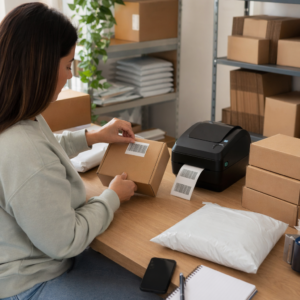
Hvordan deler du et datasæt på 40 sider eller en komplet bibliografi med en person, der står foran din plakat i 90 sekunder? Papiruddelinger løber tør, URL'er er for lange at skrive, og apps kræver downloads, som ingen ønsker. QR-koder løser alle tre problemer med en enkelt scanning – denne guide forklarer, hvordan du bruger dem effektivt på forskningsplakater og konferencepræsentationer.
Hvad du skal linke din QR-kode til
Før du genererer en kode, skal du beslutte, hvad den faktisk skal gøre for den person, der scanner den. De mest nyttige links på videnskabelige konferencer falder i et par klare kategorier.
Forskningsmaterialer og supplerende data er den mest almindelige anvendelse. En plakat har begrænset plads, så en QR-kode kan pege på din fulde artikel, en referenceliste, ekstra figurer, rå datasæt eller højopløselige versioner af diagrammer, der er svære at læse på print. Universitetsbiblioteksguider bemærker, at QR-koder er særligt praktiske, når der er for mange referencer til at liste direkte på plakaten – koden dirigerer simpelthen seerne til en komplet online liste.
Brug en PDF QR-kode til at hoste din artikel eller supplerende fil direkte, så deltagerne får øjeblikkelig adgang uden at skulle søge i en database eller indtaste et DOI.
Kontaktoplysninger er lige så vigtigt. Konferencenetværk sker hurtigt, og en vCard QR-kode lader nogen scanne dit badge eller din plakat og gemme dit navn, din institution, din e-mail og din hjemmeside direkte i deres telefons kontakter – ingen visitkort påkrævet og ingen transskriptionsfejl.
Feedback og spørgeundersøgelser udvider samtalen ud over postersessionen. Ved at indlejre et link til en kort Google Form kan deltagerne indsende spørgsmål eller bedømme dit arbejde på få sekunder. En Google Form QR-kode gør formularen tilgængelig fra ethvert trykt materiale, uden at nogen behøver at indtaste en URL.
Præsentationsslides og multimedia fungerer godt, når de er indlejret i slide-decks. Ved at placere en QR-kode i begyndelsen eller slutningen af et foredrag kan publikum downloade slides, få adgang til en optagelse eller besøge relaterede ressourcer uden at afbryde sessionen.
Del forskningsmaterialer øjeblikkeligt Upload din artikel, plakat eller supplerende fil og generer en scanningsbar kode på få minutter med den PDF QR-kode generator.
Statiske vs. dynamiske QR-koder: Hvilken skal man bruge
EN statisk QR-kode koder destinations-URL'en direkte ind i mønsteret. Når den er udskrevet, kan den ikke ændres – hvis den linkede side flyttes, eller filen opdateres, bliver koden ubrugelig.
EN dynamisk QR-kode koder i stedet en kort omdirigerings-URL. Du kan opdatere destinationen når som helst fra et dashboard uden at genudskrive noget. Dette er særligt værdifuldt til konferencebrug, hvor ændringer i tidsplanen og filopdateringer i sidste øjeblik er rutine. Dynamiske koder genererer også analyser: du kan se samlede scanninger, unikke scanninger, enhedstyper, geografiske data og tidsstempler, hvilket giver dig et reelt mål for, hvor mange mennesker der faktisk har interageret med dit materiale.
Til alt, hvad du planlægger at udskrive på forhånd – plakater, badges, proceedings – er dynamiske QR-koder det sikrere valg. Den Dynamisk QR-kode generator lader dig konvertere enhver URL til en dynamisk kode, redigere destinationen efter udskrivning og spore engagement fra et enkelt dashboard.
Et DARPA-finansieret forskerteam ved University of California, Santa Cruz, brugte dynamiske QR-koder til at spore kvalitetskontrol på tværs af fem universiteter under produktion af bioelektroniske enheder. Ved at overvåge scanningsdata identificerede de, at et produktionstrin kun havde en 59% bindingssuccesrate – et fund, der ville have været svært at afdække uden indlejret sporing. Som forsker Cristian Hernandez bemærkede: “QR-kode sporingssystemet har gjort det muligt for vores team at fastslå, at trin 6 kun har haft en 59% bindingssuccesrate... at have disse data har udpeget den grundlæggende årsag til fejlfunktionen i den bioelektroniske enhed.”
Design af QR-koder til pålidelig scanning
En QR-kode, der ser godt ud, men ikke kan scannes, er værre end ingen kode overhovedet. Disse designprincipper sikrer, at din fungerer under forholdene i et rigtigt konferencemiljø.
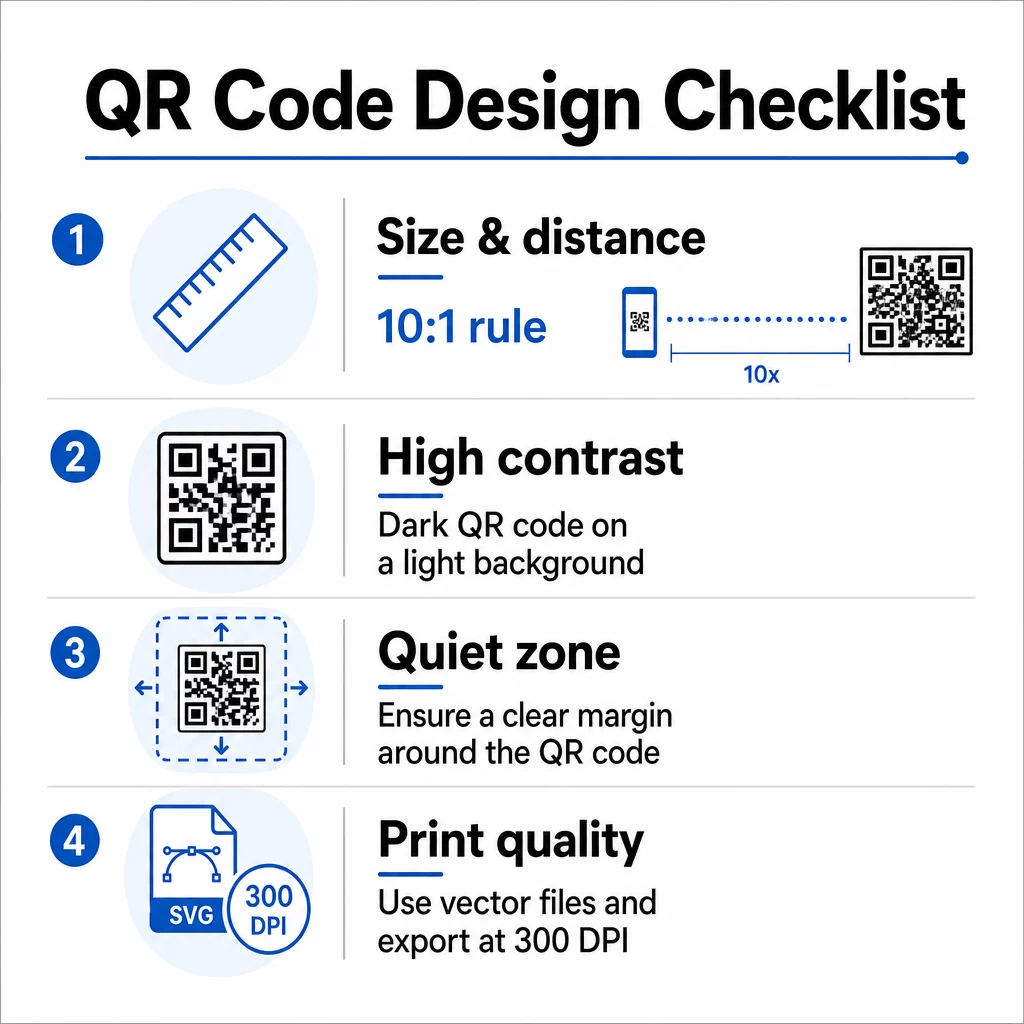
Størrelse og scanningsafstand
Følg 10:1-reglen: kodens bredde skal være cirka en tiendedel af den forventede scanningsafstand. For en forskningsplakat, der ses fra omkring 50 cm (20 tommer) afstand, skal koden være mindst 5 cm (2 tommer) bred. Pageloots størrelsesretningslinjer for trykt materiale anbefaler et minimum på 3 × 3 cm for plakater, med 6 × 6 cm som et ideelt mål. Nogle universitetsguider foreslår et minimum på omkring 5 × 5 tommer for plakatkoder, der skal være læsbare fra stående afstand.
Til præsentationsslides skal koden være stor nok til at scanne fra en siddeplads. Test den ved den faktiske projektionsafstand før sessionen.
Kontrast og farve
Scannere læser QR-koder ved at detektere kontrasten mellem mørke moduler og en lys baggrund. Utilstrækkelig kontrast er en af de primære årsager til scanningsfejl. Brug mørke kodemønstre på en lys eller hvid baggrund, og sigt efter et kontrastforhold på mindst 4,5:1. Undgå omvendte skemaer (lys kode på mørk baggrund), gradienter eller mønstrede baggrunde bag koden.
Hvis du vil bruge brand- eller institutionsfarver, kan du – forudsat at kontrastforholdet forbliver højt nok. For flere detaljer om hvilke farvekombinationer der virker, og hvilke der fejler, se Pageloots bedste praksis for farvekontrast i QR-koder.
Stille zone
Den stille zone er den klare margen omkring koden. ISO/IEC 18004 specificerer et minimum på fire moduler af tom plads på alle fire sider. Placer ikke tekst, logoer, rammer eller baggrundsteksturer inden for denne margen. På en plakat betyder dette at efterlade synligt hvidt rum omkring koden – behandl det som en del af designet, ikke spildplads.
Filformat og printkvalitet
Eksporter din QR-kode som en vektorfil (SVG eller EPS) til storformatprint. Rasterformater som PNG kan pixelere, når de skaleres op, hvilket gør individuelle moduler sværere at skelne og reducerer scanningsmuligheden. For standard printopløsninger er 300 DPI minimum den praktiske standard.
Få printklare QR-kodefiler Download din kode i SVG-, EPS- eller PDF-format til højopløselig plakatprint med QR-kodegenerator.
Placering på plakater og slides
Hvor du placerer koden, påvirker, om folk faktisk scanner den. Vejledning fra videnskabelige kommunikationskilder anbefaler at placere QR-koden nær slutningen af plakatens læsesti – ved konklusionerne eller hovedbudskabet – så den vises, efter at beskueren allerede er engageret i indholdet. Dette er et logisk øjeblik at tilbyde mere: “Vil du have det fulde datasæt? Scan her.”
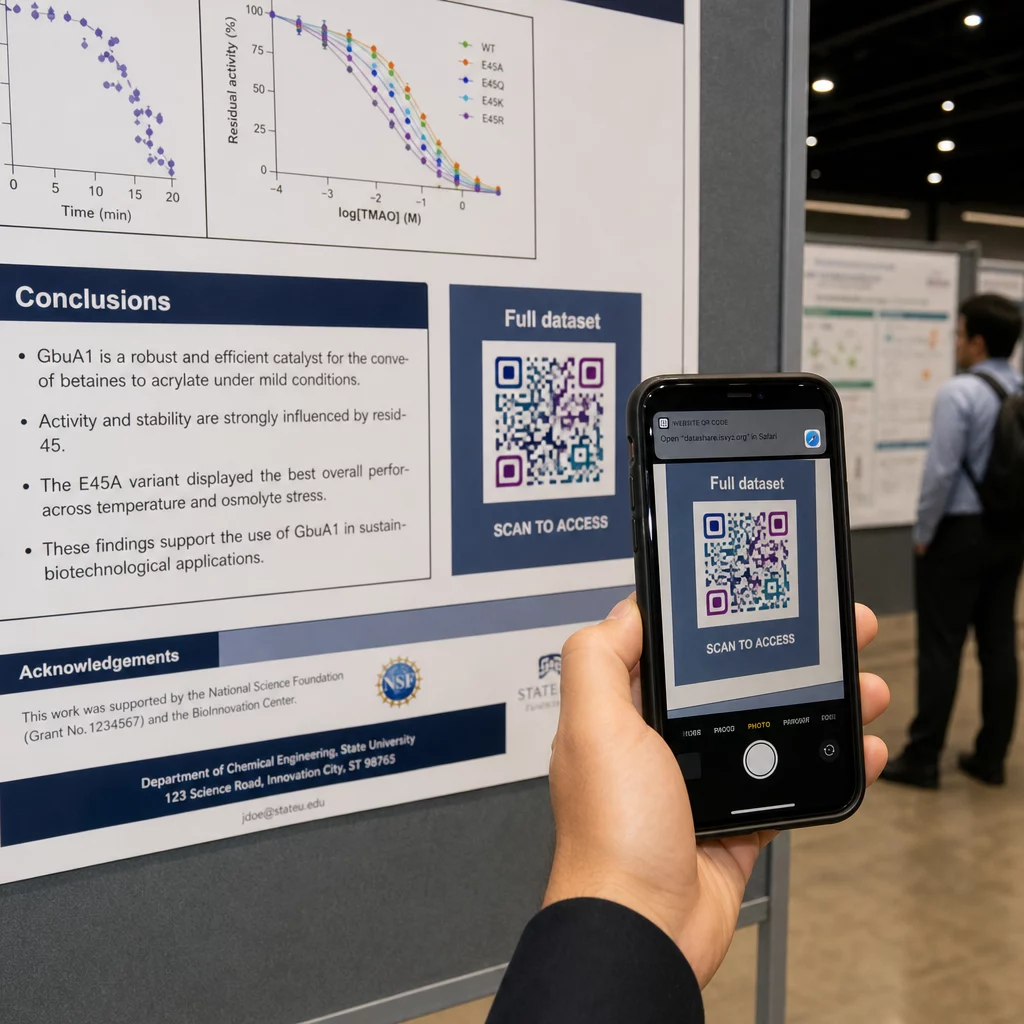
På en lodret plakat er det nederste højre område et naturligt hvilepunkt for øjet efter læsning. På et vandret layout fungerer højre side på samme måde. For QR-koder på plakater, placering i øjenhøjde (ca. 105–165 cm fra gulvet) lader deltagere scanne komfortabelt uden at bøje sig.
Par altid koden med en kort opfordring til handling, der fortæller folk, hvad de får:
- “Scan for hele artiklen”
- “Få adgang til supplerende data”
- “Gem mine kontaktoplysninger”
- “Download slidesættet”
Uden en CTA vil mange deltagere ignorere koden fuldstændigt – de ved ikke, om den er værd at scanne.
For præsentationsslides skal QR-koden vises i mindst 15-20 sekunder, og den skal anerkendes verbalt. Ved at placere den i nederste højre hjørne af sliden forbliver den synlig uden at konkurrere med dit hovedindhold. Dynamiske koder er især nyttige her: hvis destinationen ændres mellem foredrag eller konferencedatoer, opdaterer du linket uden at røre slidefilen.
For vejledning om placering i forskellige sammenhænge, Pageloots QR-kode placeringsguide dækker placering i øjenhøjde, baggrundsvalg og hvordan man matcher placering med brugerens hensigt.
Test før du printer
Test koden, før du sender din plakat til tryk eller færdiggør dine slides. Specifikt:
- Scan fra den faktiske afstand, publikum vil stå eller sidde i
- Test på mindst to forskellige enheder (iOS og Android)
- Prøv under forskellige lysforhold, herunder de fluorescerende loftslamper, der er almindelige i konferencesale
- Bekræft, at den linkede destination indlæses korrekt, herunder på en mobilforbindelse (ikke kun Wi-Fi)
- Kontroller, at PDF'er og andre filer åbner på mobilen uden at kræve en desktop-app
Hvis du bruger en dynamisk kode, skal du bekræfte, at omdirigeringen løses korrekt efter eventuelle destinationsopdateringer. For en komplet tjekliste over design- og testkriterier, se Pageloot’s bedste praksis for læsbarhed af QR-koder.
Brug af QR-koder ud over plakaten
Videnskabelige konferencer tilbyder flere kontaktpunkter, hvor QR-koder tilføjer praktisk værdi ud over plakatvæggen.
Konferencebadges med vCard QR-koder lader enhver deltager gemme dine kontaktoplysninger under gangsnakke – intet telefonnummerudveksling nødvendigt, intet kort der bliver væk i en taske.
Sessionsmaterialer linket via QR-kode erstatter stakke af papir. En enkelt kode på et trykt abstract kan forbinde deltagere til de fulde proceedings, relaterede publikationer eller en feedbackformular efter sessionen.
Registrering og check-in flows drager fordel af tilstedeværelses-QR-koder, der verificerer identitet og sporer deltagelse, hvilket giver arrangørerne realtidsantal af deltagere pr. session.
Netværksmaterialer kan bruge en QR-kode til et link til at oprette forbindelse til en laboratoriewebside, Google Scholar-profil eller LinkedIn-side – hvilket giver interesserede kolleger flere måder at følge op på, efter konferencen er slut.
IASCON 2022-konferencen demonstrerede, hvordan dette ser ud i stor skala. Arrangører placerede QR-koder ved registreringsskranken, uden for mødelokaler og i præsentationsslides, hvilket fuldstændigt erstattede papirplaner og uddelingsmateriale. Deltagere kunne få adgang til sessionsdetaljer, talerprofiler og præsentationsdownloads ved at scanne koder på hvert sted. Et mobilt respons-system udløst af QR-koder muliggjorde live-afstemninger og Q&A uden app-downloads, hvilket opnåede deltagerprocenter, der kan sammenlignes med traditionelle papirformularer. Analyser fra begivenheden afslørede højere engagement under morgensessioner og et målbart fald efter frokost – data, der direkte informerede fremtidige planlægningsbeslutninger.
QR-koder fungerer på konferencer af enhver størrelse af samme grund: de fjerner friktion mellem en nysgerrig deltager og den information, de ønsker. En velplaceret, korrekt størrelse, høj-kontrast QR-kode med en klar opfordring til handling gør noget, en trykt plakat alene ikke kan – den holder samtalen i gang, efter sessionen er slut. Start med dynamiske koder, så du bevarer fleksibiliteten til at opdatere destinationer, spore, hvem der engagerer sig i dit materiale, og foretage ændringer uden at genudskrive. For alle disse, er Pageloot QR-kodegenerator leverer værktøjerne til at oprette, tilpasse og administrere dine koder fra et enkelt dashboard.
Ofte stillede spørgsmål
Nej. Moderne smartphones på både iOS og Android kan scanne QR-koder direkte via den indbyggede kamera-app, uden behov for yderligere software. Deltagere åbner blot deres kamera, retter det mod koden og trykker på notifikationen for at åbne det linkede indhold i deres browser.
En statisk QR-kode koder destinations-URL'en direkte i mønsteret – når den først er printet, kan den ikke ændres. En dynamisk QR-kode koder en kort omdirigerings-URL, så du kan opdatere destinationen når som helst fra et dashboard uden at genprinte. Dynamiske koder giver også analyser som scanningsantal, enhedstyper og tidsstempler, hvilket statiske koder ikke gør. Til konferenceplakater og materialer printet på forhånd anbefales dynamiske koder på det kraftigste.
Følg 10:1-reglen: kodens bredde skal være cirka en tiendedel af scanningsafstanden. For en plakat set fra omkring 50 cm (20 tommer) væk betyder det en minimumsbredde på 5 cm (2 tommer). Et praktisk mål for plakatbrug er 6 × 6 cm, hvilket giver behagelig scanningsplads for de fleste deltagere. Test altid den udskrevne kode fra den faktiske visningsafstand før konferencen.