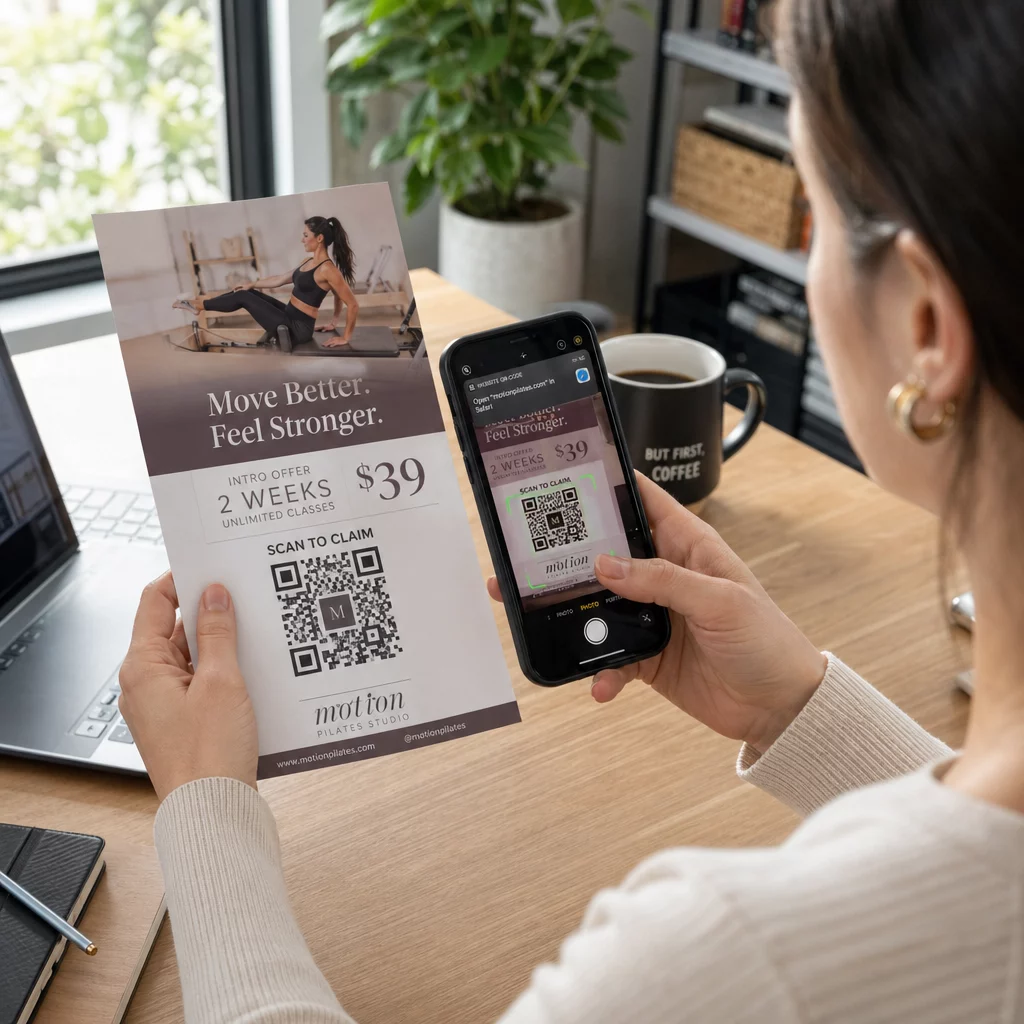
Hogyan oszthat meg egy 40 oldalas adatkészletet vagy egy teljes bibliográfiát valakivel, aki 90 másodpercig áll a posztere előtt? A papír alapú segédanyagok elfogynak, az URL-ek túl hosszúak a begépeléshez, az alkalmazások pedig letöltéseket igényelnek, amiket senki sem akar. A QR-kódok egyetlen szkenneléssel megoldják mindhárom problémát – ez az útmutató elmagyarázza, hogyan használhatja őket hatékonyan kutatási posztereken és konferencia-előadásokon.
Mire hivatkozzon a QR-kódjával
Mielőtt kódot generálna, döntse el, mit is kellene tennie annak a személynek, aki beolvassa. A tudományos konferenciákon a leghasznosabb linkek néhány világos kategóriába sorolhatók.
Kutatási anyagok és kiegészítő adatok a leggyakoribb felhasználási eset. Egy poszter korlátozott hellyel rendelkezik, így egy QR-kód mutathat a teljes tanulmányára, egy irodalomjegyzékre, további ábrákra, nyers adatkészletekre vagy a nyomtatásban nehezen olvasható diagramok nagy felbontású változatára. Az egyetemi könyvtári útmutatók megjegyzik, hogy a QR-kódok különösen praktikusak, ha túl sok hivatkozás van ahhoz, hogy közvetlenül a poszteren felsorolják – a kód egyszerűen egy teljes online listára irányítja a nézőket.
Használj PDF QR-kód közvetlenül tárolja a tanulmányát vagy kiegészítő fájlját, így a résztvevők azonnali hozzáférést kapnak anélkül, hogy adatbázisban kellene keresniük vagy DOI-t kellene beírniuk.
Elérhetőségi adatok ugyanilyen fontos. A konferencia-hálózatépítés gyorsan zajlik, és egy vCard QR-kód lehetővé teszi, hogy valaki beolvassa a jelvényét vagy poszterét, és elmentse nevét, intézményét, e-mail címét és weboldalát közvetlenül a telefonja névjegyei közé – nincs szükség névjegykártyákra és nincsenek átírási hibák.
Visszajelzések és felmérések kiterjesztik a beszélgetést a poszter szekción túlra. Egy rövid Google űrlapra mutató link beágyazása lehetővé teszi a résztvevők számára, hogy másodpercek alatt kérdéseket tegyenek fel vagy értékeljék munkáját. Egy Google Form QR-kód hozzáférhetővé teszi az űrlapot bármilyen nyomtatott anyagról anélkül, hogy bárkinek URL-t kellene beírnia.
Előadásdiákok és multimédia jól működnek, ha diavetítésekbe ágyazzák őket. Egy QR-kód elhelyezése egy előadás elején vagy végén lehetővé teszi a közönség számára, hogy letöltse a diákat, hozzáférjen egy felvételhez, vagy meglátogassa a kapcsolódó forrásokat anélkül, hogy megszakítaná az ülést.
Azonnali kutatási anyagok megosztása Töltse fel tanulmányát, poszterét vagy kiegészítő fájlját, és generáljon egy beolvasható kódot percek alatt a PDF QR kód generátor.
Statikus vs. Dinamikus QR-kódok: Melyiket használjuk
A statikus QR-kód közvetlenül a mintába kódolja a cél URL-t. Kinyomtatás után nem módosítható – ha a hivatkozott oldal áthelyeződik vagy a fájl frissül, a kód használhatatlanná válik.
A dinamikus QR-kód ehelyett egy rövid átirányítási URL-t kódol. A célállomást bármikor frissítheti egy irányítópultról anélkül, hogy bármit újra kellene nyomtatnia. Ez különösen értékes konferenciahasználat esetén, ahol a menetrend változások és az utolsó pillanatban történő fájlfrissítések rutinszerűek. A dinamikus kódok analitikát is generálnak: láthatja az összes beolvasást, az egyedi beolvasásokat, az eszköz típusait, a földrajzi adatokat és az időbélyegeket, valós képet adva arról, hogy hányan foglalkoztak ténylegesen az anyagaival.
Bármihez, amit előre tervez nyomtatni – poszterek, jelvények, kiadványok – a dinamikus QR-kódok a biztonságosabb választás. A Dinamikus QR-kód generátor lehetővé teszi bármely URL dinamikus kóddá alakítását, a célállomás szerkesztését nyomtatás után, és az elkötelezettség nyomon követését egyetlen irányítópultról.
A Kaliforniai Egyetem, Santa Cruz DARPA által finanszírozott kutatócsoportja dinamikus QR-kódokat használt a minőségellenőrzés nyomon követésére öt egyetemen a bioelektronikus eszközök gyártása során. A beolvasási adatok figyelésével azonosították, hogy az egyik gyártási lépésnek mindössze 59% kötési sikerességi aránya volt – ez a megállapítás beágyazott nyomon követés nélkül nehezen lett volna felszínre hozható. Ahogy Cristian Hernandez kutató megjegyezte: “A QR-kód nyomon követési rendszer lehetővé tette csapatunk számára, hogy meghatározzuk, a 6. lépésnek mindössze 59% kötési sikerességi aránya volt… ezek az adatok pontosan meghatározták a bioelektronikus eszköz meghibásodási módjának kiváltó okát.”
QR-kódok tervezése megbízható beolvasáshoz
Egy jól kinéző, de beolvasásra alkalmatlan QR-kód rosszabb, mint egyáltalán nem lévő kód. Ezek a tervezési elvek biztosítják, hogy az Ön kódja működjön egy valós konferencia környezetben.
Méret és szkennelési távolság
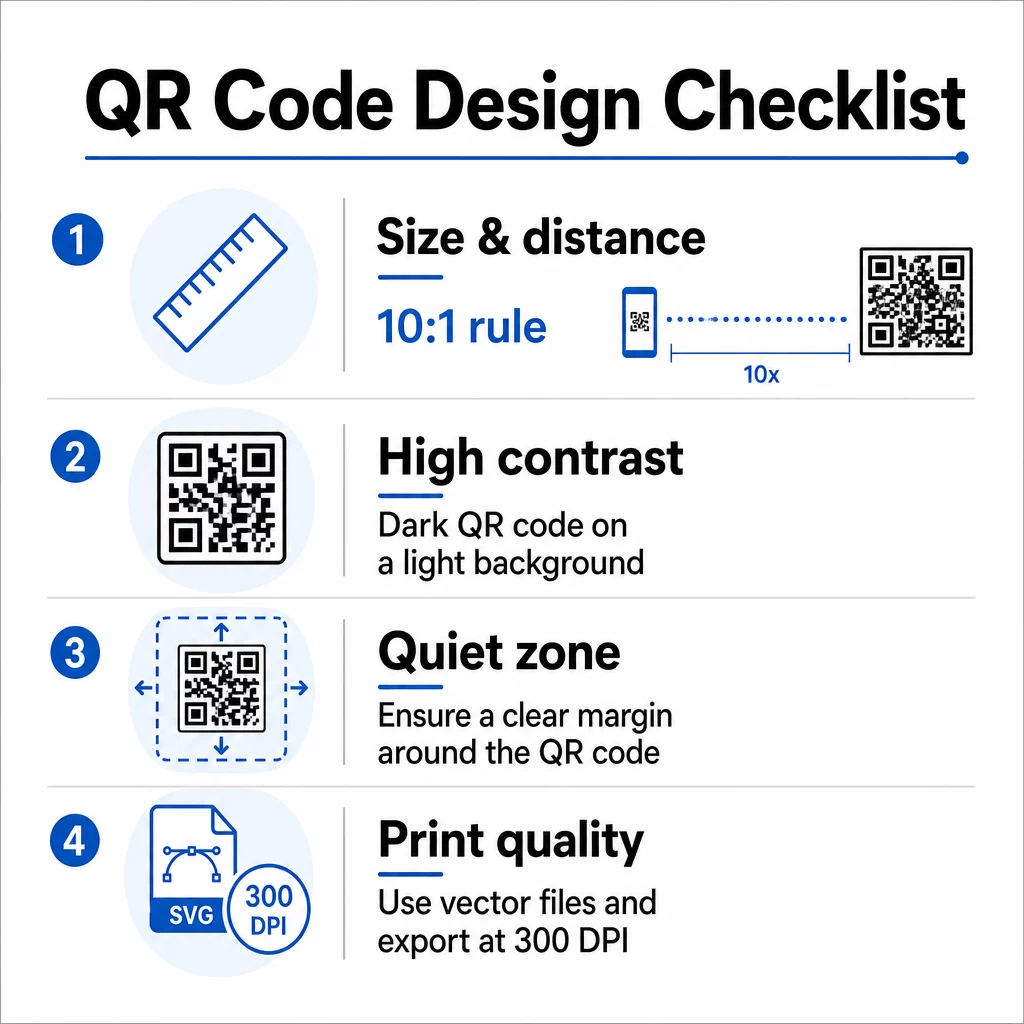
Kövesse a 10:1 szabályt: a kód szélességének nagyjából az elvárt beolvasási távolság egytizedének kell lennie. Egy körülbelül 50 cm (20 hüvelyk) távolságból nézett kutatási poszter esetén a kódnak legalább 5 cm (2 hüvelyk) szélesnek kell lennie. A Pageloot méretirányelvei nyomtatott anyagokhoz minimum 3 × 3 cm-t javasol poszterekhez, ideális célként a 6 × 6 cm-t. Egyes egyetemi útmutatók minimum körülbelül 5 × 5 hüvelyket javasolnak azokhoz a poszterkódokhoz, amelyeket álló távolságból is olvashatónak kell lenniük.
Prezentációs diák esetén a kódnak elég nagynak kell lennie ahhoz, hogy ülőhelyről is beolvasható legyen. Tesztelje a tényleges vetítési távolságon a foglalkozás előtt.
Kontraszt és szín
A szkennerek a sötét modulok és a világos háttér közötti kontraszt érzékelésével olvassák be a QR-kódokat. Az elégtelen kontraszt a beolvasási hibák egyik fő oka. Használjon sötét kódmintákat világos vagy fehér háttéren, és törekedjen legalább 4,5:1 kontrasztarányra. Kerülje a fordított sémákat (világos kód sötét háttéren), a színátmeneteket vagy a mintás háttereket a kód mögött.
Ha márka- vagy intézményi színeket szeretne használni, megteheti – feltéve, hogy a kontrasztarány elég magas marad. Részletesebb információkért arról, hogy mely színkombinációk működnek és melyek nem, lásd a Pageloot QR-kód színkontrasztra vonatkozó legjobb gyakorlatokat.
Csendes zóna
A csendes zóna a kódot körülvevő tiszta margó. Az ISO/IEC 18004 minimum négy modulnyi üres helyet ír elő mind a négy oldalon. Ne helyezzen szöveget, logókat, szegélyeket vagy háttértextúrákat ebbe a margóba. Egy poszteren ez azt jelenti, hogy látható fehér teret kell hagyni a kód körül – kezelje ezt a tervezés részeként, ne elvesztegetett térként.
Fájlformátum és nyomtatási minőség
Exportálja QR-kódját vektoros fájlként (SVG vagy EPS) nagyméretű nyomtatáshoz. A raszteres formátumok, mint a PNG, pixelessé válhatnak felnagyításkor, ami megnehezíti az egyes modulok megkülönböztetését és csökkenti a szkennelhetőséget. Standard nyomtatási felbontások esetén a 300 DPI a gyakorlati minimum.
Nyomtatásra kész QR-kód fájlok beszerzése Töltse le kódját SVG, EPS vagy PDF formátumban nagy felbontású poszternyomtatáshoz a QR Kód Generátor.
Elhelyezés posztereken és diákon
Az, hogy hova helyezi a kódot, befolyásolja, hogy az emberek ténylegesen beolvassák-e. A tudományos kommunikációs források útmutatása szerint a QR-kódot a poszter olvasási útvonalának vége felé – a következtetések vagy a fő üzenet közelében – kell elhelyezni, hogy akkor jelenjen meg, amikor a néző már elmélyedt a tartalomba. Ez egy logikus pillanat arra, hogy többet kínáljon: “Szeretné a teljes adatkészletet? Olvassa be itt.”
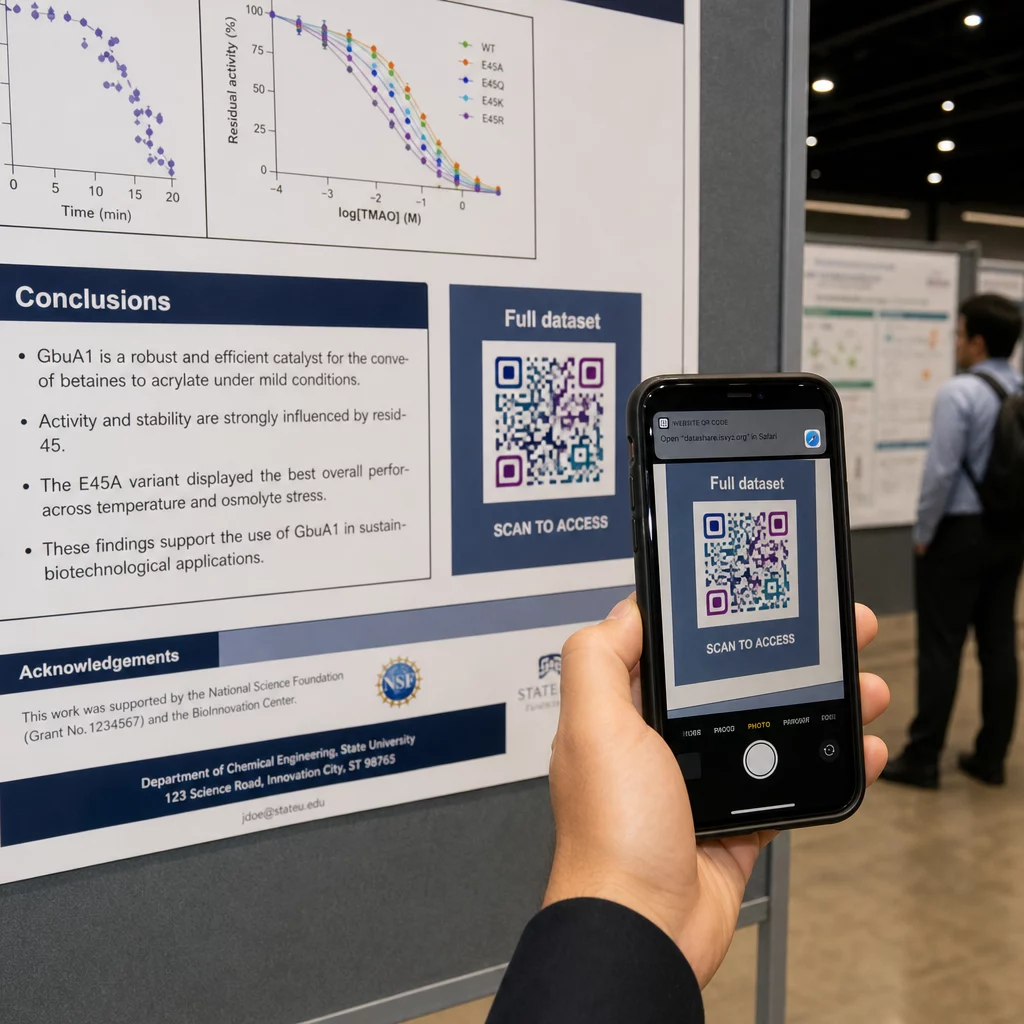
Függőleges poszteren az alsó-jobb terület természetes pihenőpont a szemnek olvasás után. Vízszintes elrendezésnél a jobb oldal hasonlóan működik. A QR kódok a plakátokon, szemmagasságban (körülbelül 105–165 cm-re a padlótól) történő elhelyezés lehetővé teszi a résztvevők számára, hogy kényelmesen, hajolgatás nélkül szkenneljenek.
Mindig párosítsa a kódot egy rövid cselekvésre ösztönző felhívással, amely elmondja az embereknek, mit kapnak:
- “Olvassa be a teljes tanulmányért”
- “Kiegészítő adatok elérése”
- “Mentse el elérhetőségeimet”
- “Töltse le a diaanyagot”
CTA nélkül sok résztvevő teljesen figyelmen kívül hagyja a kódot – nem tudják, érdemes-e beolvasni.
Prezentációs diákon a QR-kódot legalább 15–20 másodpercig jelenítse meg, és szóban is erősítse meg. A dia jobb alsó sarkában való elhelyezése láthatóvá teszi anélkül, hogy versenyezne a fő tartalommal. A dinamikus kódok különösen hasznosak itt: ha a célállomás változik az előadások vagy konferencia időpontjai között, frissítheti a linket anélkül, hogy hozzáérne a diafájlhoz.
Az elhelyezésre vonatkozó útmutatásért különböző kontextusokban, a Pageloot QR-kód elhelyezési útmutató kitér a szemmagasságú elhelyezésre, a háttérválasztásra és arra, hogyan illessze az elhelyezést a felhasználói szándékhoz.
Tesztelés nyomtatás előtt
Tesztelje a kódot, mielőtt elküldi poszterét nyomtatásra vagy véglegesíti diáit. Pontosabban:
- Olvassa be arról a tényleges távolságról, amelyről a közönség állni vagy ülni fog
- Tesztelje legalább két különböző eszközön (iOS és Android)
- Próbálja ki különböző fényviszonyok között, beleértve a fluoreszkáló mennyezeti világítást, amely gyakori a konferenciatermekben
- Ellenőrizze, hogy a hivatkozott cél helyesen töltődik-e be, beleértve a mobilhálózati kapcsolatot is (nem csak Wi-Fi-n keresztül)
- Ellenőrizze, hogy a PDF-ek és más fájlok megnyílnak-e mobilon asztali alkalmazás nélkül
Ha dinamikus kódot használ, győződjön meg arról, hogy az átirányítás helyesen működik bármilyen célfrissítés után. A tervezési és tesztelési kritériumok teljes ellenőrzőlistájáért lásd a Pageloot oldalát QR-kód olvashatósági legjobb gyakorlatokkal.
QR-kódok használata a poszteren túl
A tudományos konferenciák számos érintkezési pontot kínálnak, ahol a QR-kódok gyakorlati értéket adnak a poszterfalon túl.
Konferencia jelvények vCard QR-kódokkal lehetővé teszik bármely résztvevő számára, hogy elmentse az Ön elérhetőségeit folyosói beszélgetések során – nincs szükség telefonszámcserére, nincs elveszett kártya a táskában.
Szekció anyagok QR-kóddal összekapcsolva felváltják a papírhalmokat. Egyetlen kód egy nyomtatott kivonaton összekapcsolhatja a résztvevőket a teljes előadásanyaggal, kapcsolódó publikációkkal vagy egy szekció utáni visszajelzési űrlappal.
Regisztráció és bejelentkezés folyamatok profitálnak a részvételi QR-kódokból, amelyek ellenőrzik az identitást és nyomon követik a részvételt, valós idejű létszámot biztosítva a szervezőknek szekciónként.
Hálózatépítési anyagok használhat egy link QR-kóddal laboratóriumi weboldalhoz, Google Scholar profilhoz vagy LinkedIn oldalhoz való csatlakozáshoz – így az érdeklődő kollégáknak többféle módon is lehetőségük van a konferencia utáni kapcsolattartásra.
Az IASCON 2022 konferencia bemutatta, hogyan néz ki ez nagy léptékben. A szervezők QR-kódokat helyeztek el a regisztrációs pultnál, a tárgyalótermeken kívül és a prezentációs diákban, teljesen felváltva a papír alapú menetrendeket és kiosztott anyagokat. A résztvevők a kódok beolvasásával hozzáférhettek a szekció részleteihez, az előadók profiljaihoz és a prezentációk letöltéséhez minden helyszínen. A QR-kódok által aktivált mobil válaszrendszer lehetővé tette az élő szavazásokat és kérdezz-felelek szekciókat alkalmazásletöltés nélkül, a hagyományos papír alapú űrlapokhoz hasonló részvételi arányt elérve. Az esemény elemzései magasabb elkötelezettséget mutattak a délelőtti szekciók során, és mérhető visszaesést ebéd után – olyan adatok, amelyek közvetlenül befolyásolták a jövőbeli ütemezési döntéseket.
A QR-kódok bármilyen méretű konferencián működnek ugyanazon okból: megszüntetik a súrlódást az érdeklődő résztvevő és a kívánt információ között. Egy jól elhelyezett, megfelelő méretű, nagy kontrasztú QR-kód világos cselekvésre ösztönzéssel olyat tesz, amit egy nyomtatott poszter önmagában nem tud – fenntartja a beszélgetést a szekció vége után is. Kezdje dinamikus kódokkal, hogy megőrizze a rugalmasságot a célhelyek frissítéséhez, nyomon követhesse, ki használja az anyagaikat, és változtatásokat hajthasson végre újranyomtatás nélkül. Mindezekhez a Pageloot QR Kód Generátor eszközöket biztosítja a kódok létrehozásához, testreszabásához és kezeléséhez egyetlen irányítópultról.
Gyakori kérdések
Nem. A modern okostelefonok iOS-en és Androidon egyaránt közvetlenül be tudják olvasni a QR-kódokat a beépített kameraalkalmazáson keresztül, anélkül, hogy további szoftverre lenne szükség. A résztvevők egyszerűen megnyitják a kamerájukat, ráirányítják a kódra, és megérintik az értesítést a hivatkozott tartalom böngészőben való megnyitásához.
A statikus QR kód közvetlenül a mintázatba kódolja a cél URL-t – kinyomtatás után nem módosítható. A dinamikus QR kód egy rövid átirányító URL-t kódol, így bármikor frissítheti a célállomást egy irányítópultról, újranyomtatás nélkül. A dinamikus kódok emellett elemzéseket is biztosítanak, például szkennelési számokat, eszköz típusokat és időbélyegeket, amit a statikus kódok nem. Konferencia poszterek és előre nyomtatott anyagok esetén a dinamikus kódok erősen ajánlottak.
Kövesse a 10:1 szabályt: a kód szélessége körülbelül a szkennelési távolság egytizede legyen. Egy körülbelül 50 cm (20 hüvelyk) távolságból nézett poszter esetében ez legalább 5 cm (2 hüvelyk) szélességet jelent. A poszterhasználat gyakorlati célja a 6 × 6 cm, ami kényelmes szkennelési teret biztosít a legtöbb résztvevő számára. Mindig tesztelje a nyomtatott kódot a tényleges nézési távolságból a konferencia előtt.