Ar popieriniai brėžiniai, segtuvai, pilni saugos dokumentų, ir rankiniai įrangos žurnalai lėtina jūsų komandą? Kai darbuotojai gaišta laiką ieškodami tinkamo dokumento, užuot statę, visas projektas moka kainą. Šis vadovas paaiškina, kaip QR kodai išsprendžia šią problemą – ir kur statybvietėje jie suteikia didžiausią vertę.
Kodėl dokumentų prieiga yra reali problema statybvietėse
Statybos dokumentų valdymas yra viena iš daugiausiai laiko reikalaujančių bet kurio projekto dalių. Pramonės tyrimai parodė, kad vidutinis statybos specialistas praleidžia maždaug 5,5 valandos per savaitę tiesiog ieškodamas projekto duomenų – tai daugiau nei 10% komandos laiko, prarasto ieškojimui, o ne statybai.
Kaina yra ne tik prarastos valandos. Komandos, dirbančios pagal pasenusius brėžinius, daro klaidas. Saugos protokolai, esantys segtuve statybvietės biure, nepadeda darbuotojui trečiame aukšte. Įranga, kuriai trūksta prieinamų techninės priežiūros įrašų, yra netinkamai naudojama arba praleidžia numatytą techninę priežiūrą.
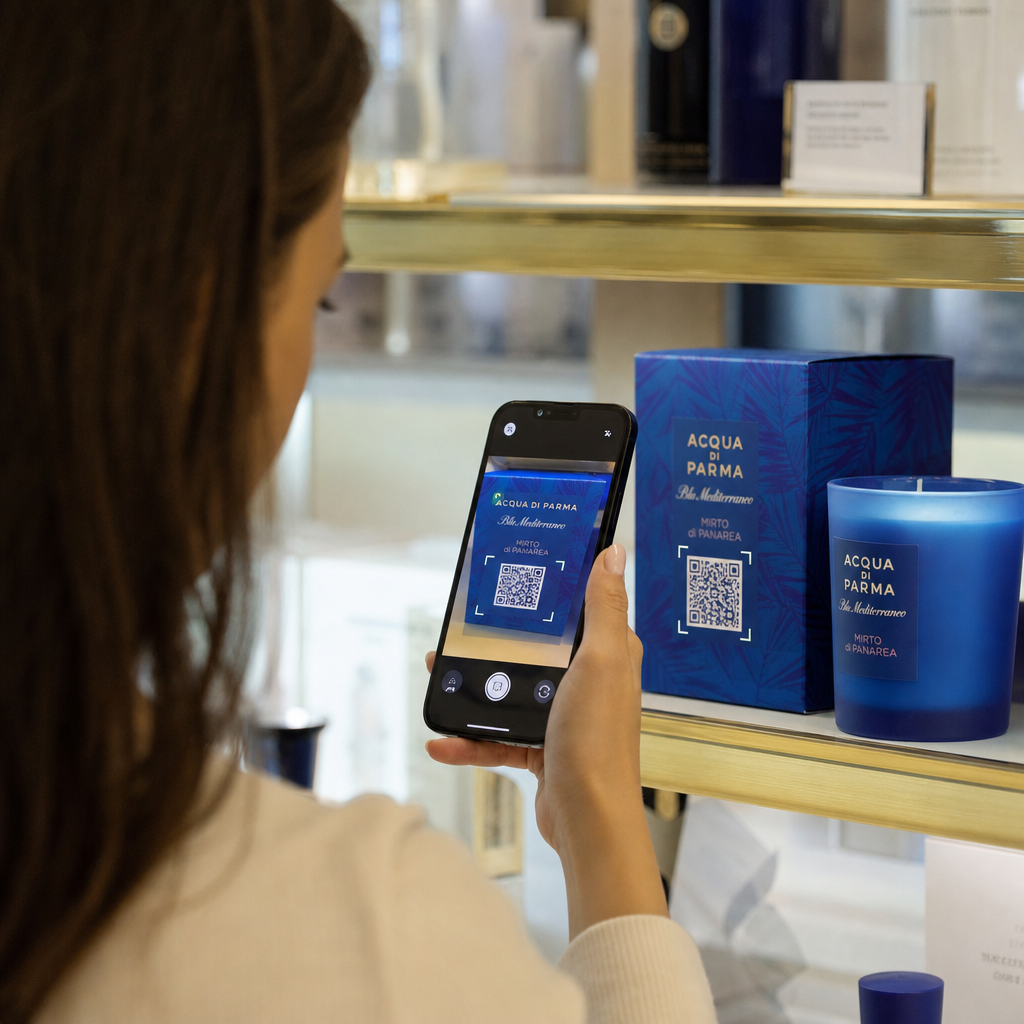
QR kodai – dvimačiai brūkšniniai kodai, kuriuos bet kuris išmaniojo telefono fotoaparatas gali nuskaityti per kelias sekundes – suteikia tiesioginį tiltą tarp fizinės vietos ir skaitmeninio dokumento. Pakabinkite jį ant sienos, pritvirtinkite prie įrangos arba atspausdinkite ant ženklo prie įėjimo į statybvietę, ir darbuotojai galės rasti būtent tą failą, kurio jiems reikia, neskambindami į biurą ar neieškodami popieriniuose aplankuose.
Kaip QR kodai veikia statybos kontekste
QR kodas yra nuskaitomas raštas, kuris užkoduoja interneto adresą arba failo nuorodą. Kai darbuotojas nukreipia savo telefono kamerą į jį, įrenginys automatiškai atidaro tą nuorodą – daugumai šiuolaikinių išmaniųjų telefonų nereikia jokios programėlės.
Naudingiausias tipas statybai yra dinaminis QR kodas, kurio paskirties vietą galima bet kada atnaujinti per valdymo pultą, nekeičiant ir neperspausdinant fizinio kodo. Tai svarbu statybvietėje, nes dokumentai nuolat keičiasi: brėžiniai peržiūrimi, saugos protokolai atnaujinami, o įrangos specifikacijos tobulėja. Naudojant dinaminį kodą, fizinis lipdukas ar ženklas lieka vietoje, o susietas turinys atnaujinamas per kelias sekundes.
Dalinkitės atnaujintais planais be perspausdinimo Reikia, kad lauko komandos dirbtų su naujausia brėžinių versija? Naudokite PDF QR kodo generatorius norėdami tiesiogiai susieti su dabartiniais planais ir atnaujinti paskirties vietą kiekvieną kartą, kai išleidžiama nauja versija.
Praktinis QR kodų naudojimas statybvietėje
Dabartiniai brėžiniai ir specifikacijos
Pakabinkite oro sąlygoms atsparius QR ženklus prie projekto įėjimo, atskiruose kambariuose ir konkrečioms profesijoms skirtose darbo vietose. Darbuotojai nuskaito, kad atidarytų naujausią planų ir specifikacijų rinkinį tiesiai savo telefonuose. Kai išleidžiama brėžinio versija, atnaujinkite susietą failą – naujų ženklų nereikia.
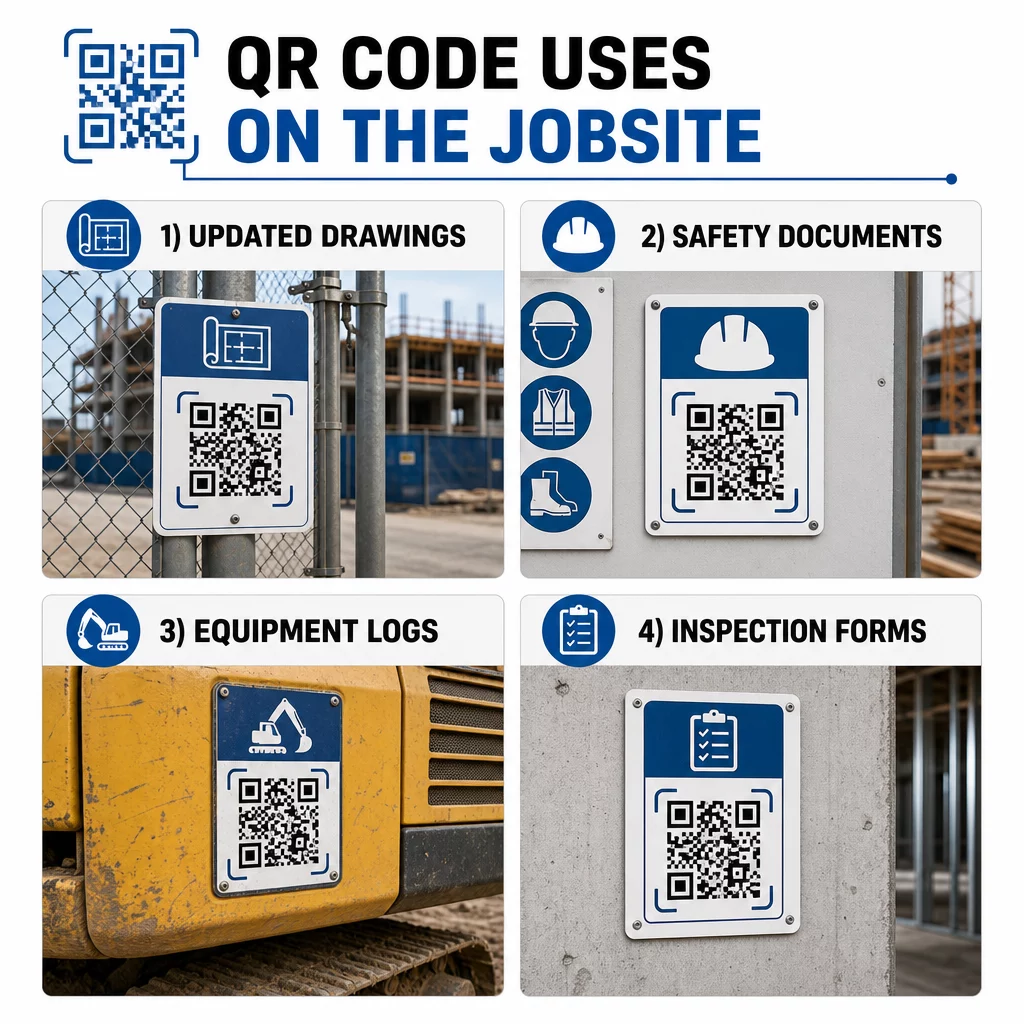
Šis metodas pašalina riziką, kad komandos dirbs pagal pasenusius brėžinius, o tai yra vienas dažniausių ir brangiausių perdarymo šaltinių.
Saugos dokumentai ir OSHA įrašai
Pritvirtinkite QR kodus prie objekto ženklų, saugos spintelių ir įėjimo kontrolės punktų, susietus su:
- Pavojingų medžiagų saugos duomenų lapai
- Avarinės procedūros ir objekto evakuacijos planai
- Konkrečios profesijos saugos reikalavimai
- OSHA sužalojimų ir ligų įrašai, prie kurių darbuotojai turi teisę prieiti
Pagrindinis QR kodas prie projekto įėjimo gali nukreipti į saugos dokumentų centrą, apimantį visus aukščiau išvardintus dalykus. Kadangi kodas yra dinaminis, galite pridėti naujų dokumentų arba atnaujinti esamus nekeisdami ženklo. Daugiau apie tai, kaip pagerinti subrangovų informavimą apie saugos reikalavimus, žr. 5 būdai, kaip QR kodai pagerina subrangovų komunikaciją.
Įrangos žurnalai ir techninės priežiūros įrašai
Pritvirtinkite QR kodą tiesiai prie kiekvienos įrangos. Darbuotojai ir operatoriai jį nuskaito, norėdami pasiekti:
- Naudojimo vadovai ir saugaus naudojimo procedūros
- Techninės priežiūros žurnalai ir aptarnavimo istorija
- Patikrinimo datos ir būsimi aptarnavimo grafikai
- Trikčių šalinimo vadovai
Tai pakeičia popierinius vadovus, kurie dingsta, ir suteikia vadovams centralizuotą kiekvieno turto būklės įrašą. Kai įranga juda tarp darbų, jos techninės priežiūros istorija juda kartu su ja.
Darbuotojų kvalifikacija ir mokymo įrašai
Ant darbuotojų ženklelių, apsauginių šalmų ar saugos liemenių uždėkite unikalius QR kodus, kurie susieti su kiekvieno darbuotojo mokymo sertifikatais ir kvalifikacijos įrašais. Prižiūrėtojai gali nuskaityti vietoje, kad patvirtintų, jog darbuotojas yra sertifikuotas konkrečiai užduočiai, ir patikrinti, ar artėja kokių nors kvalifikacijų galiojimo pabaiga.
Patikrinimai, kontroliniai sąrašai ir kokybės kontrolė
Susiekite QR kodus, esančius patikros punktuose arba brėžiniuose, su skaitmeninėmis formomis. Inspektoriai nuskaito, užpildo kontrolinį sąrašą savo telefone ir pateikia. Visi įrašai saugomi centralizuotai ir susieti su konkrečia vieta ar dokumentu. Naudojant "Google" formos QR kodas yra paprastas būdas įdiegti skaitmeninius patikros kontrolinius sąrašus, nekuriant individualios sistemos.
Pažangos ataskaitos veikia taip pat: darbuotojai nuskaito kodą ant brėžinio, įveda atlikto darbo duomenis, o vadovai gauna realaus laiko informaciją apie projekto etapus.
Projekto dokumentacija ir kasdieniai žurnalai
QR kodai statybvietės registracijos punktuose leidžia darbuotojams nuskaityti, kad užregistruotų lankomumą, pasiektų dienos planus ir atidarytų kasdienių užduočių kontrolinius sąrašus. Užpildyti žurnalai pateikiami skaitmeniniu būdu, pakeičiant popierines skelbimų lentas ir sumažinant prarastų įrašų tikimybę.
Didelių projekto dokumentų – pateikimų, specifikacijų, RFI – dalijimasis puikiai veikia su „Google Doc“ QR kodu, kuris tiesiogiai nukreipia į bendrinamą dokumentą, kurį galima atnaujinti neišduodant naujo kodo.
Problemų sekimas ir trūkumų sąrašai
Prie defektuotos prekės ar problemos vietos pritvirtinkite QR kodą. Nuskaitymas atidaro skaitmeninį bilietą, kuriame rodomas problemos aprašymas, prioritetas, paskirtas technikas ir darbo istorija. Naujos pastabos saugomos centralizuotai, todėl vadovai ir lauko komandos visada mato dabartinę būseną. Tai neleidžia trūkumų sąrašo elementams pasimesti tarp perdavimų.
Statybvietės atitvaros taip pat gali turėti QR kodą, kuris atidaro baigto projekto išorės vizualizacijas, kad kaimynai, pirkėjai ir praeiviai galėtų pamatyti, kas yra statoma.
QR kodų diegimas, kurie iš tikrųjų nuskaitomi
QR kodas, kurio darbuotojai negali perskaityti lauke, praranda prasmę. Keletas praktinių aspektų:
- Dydis ir nuskaitymo atstumas. Statybvietės iškaboms kodas turėtų būti bent 1–2 colių pločio artimam nuskaitymui ir didesnis ženklams, matomiems iš kelių pėdų atstumo. Laikykitės gairės, kad maždaug 1 colio kodo plotis atitinka 10 colių žiūrėjimo atstumą. Žr. QR kodo dydžio nustatymas skirtingoms spausdinimo medžiagoms dėl konkrečiai medžiagai skirtų nurodymų.
- Paviršius ir išdėstymas. Plokšti, matiniai paviršiai nuskaitomi patikimiau nei blizgūs, išlenkti ar gofruoti. Venkite dėti kodus ten, kur trukdys šešėliai, tiesioginiai saulės spinduliai ar fizinės kliūtys.
- Atsparumas oro sąlygoms. Laminuotos arba oro sąlygoms atsparios etiketės atlaiko lauko sąlygas. Pažeistas arba besilupantis kodas nustoja veikti.
- Kontrastas. Tamsus raštas šviesiame fone yra patikimiausias derinys. Peržiūrėkite geriausia praktika QR kodo skaitomumui prieš priimdami sprendimą dėl dizaino.
- Saugumas. Kodams, susijusiems su jautriais dokumentais – personalo įrašais, sutarčių bylomis, nuosavybės specifikacijomis – naudokite prieigos kontrolę ir HTTPS nuorodas. Dėl nurodymų žr. saugios QR kodo generavimo geriausia praktika.
Stebėjimas, kurie kodai naudojami
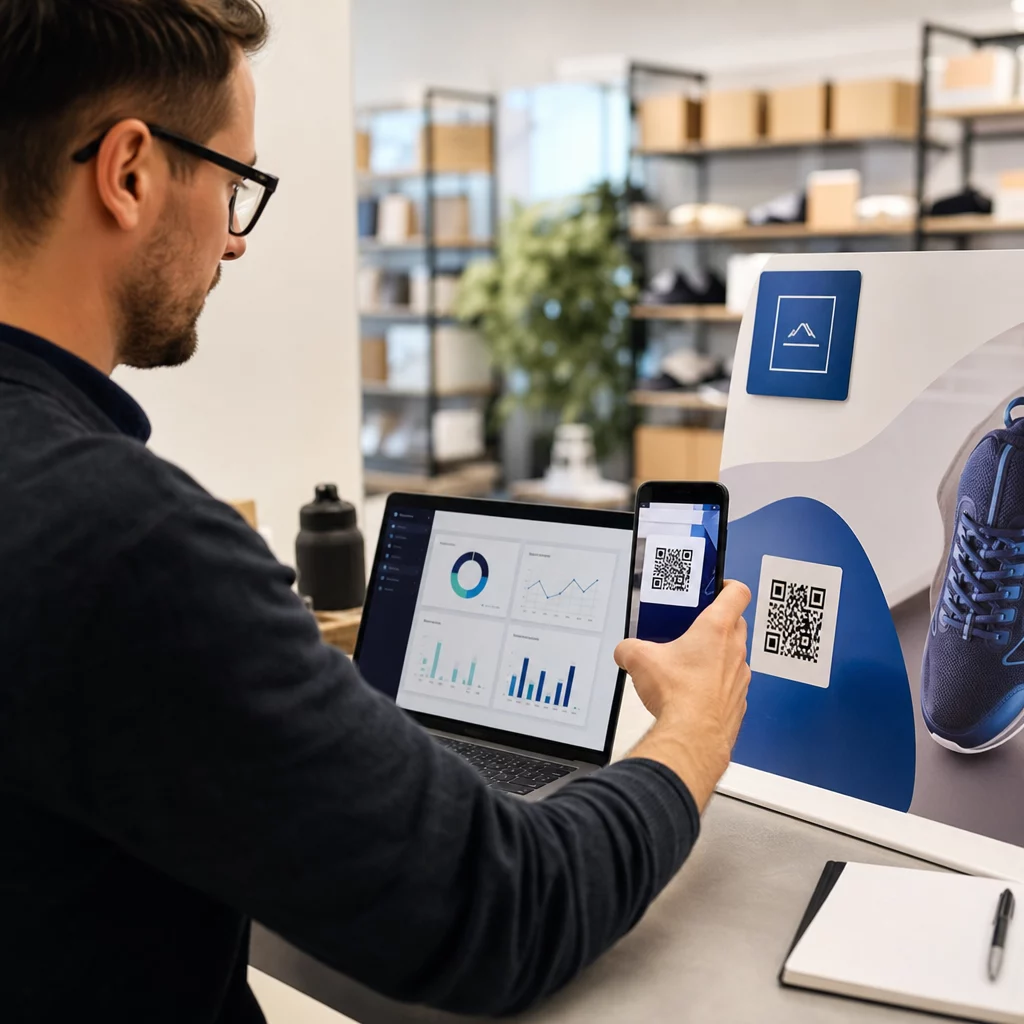
Dinaminiai QR kodai ne tik leidžia atnaujinti paskirties vietas – jie taip pat fiksuoja nuskaitymo duomenis. Per valdymo prietaisų skydelį galite matyti, kiek kartų kiekvienas kodas buvo nuskaitytas, kada, kokio tipo įrenginiu ir iš kurios vietos. Tai parodo, kuriuos dokumentus darbuotojai iš tikrųjų pasiekia, kurie saugos kodai šalia pavojingų zonų yra ignoruojami ir kuriems įrangos įrašams reikia dėmesio.
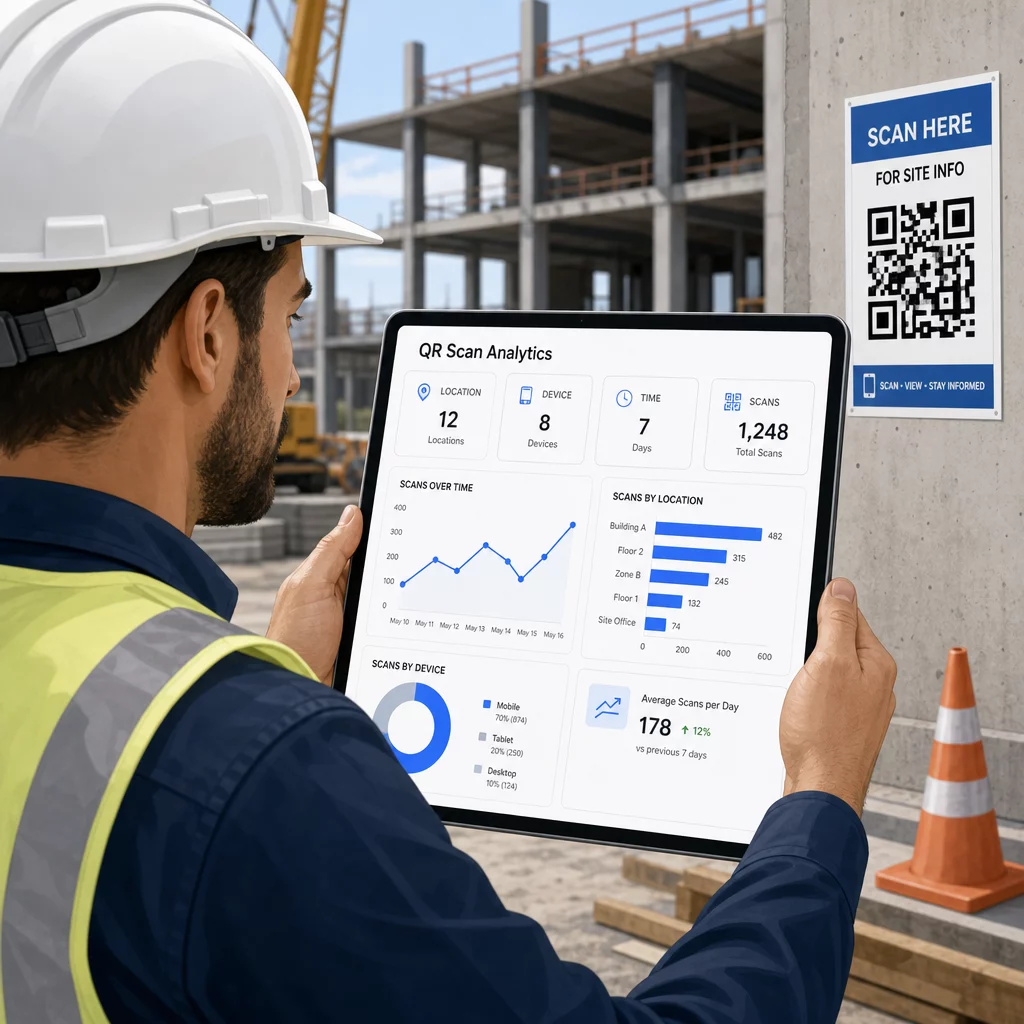
Šie duomenys padeda statybvietės vadovams priimti pagrįstus sprendimus, kur yra dokumentacijos spragų ir kuriems kodams reikia geresnio išdėstymo ar reklamos.
Žr., kur ir kada darbuotojai nuskaito Naudoti Nuorodos QR kodo generatorius kurti sekamus dinaminius kodus bet kokiam URL pagrindu sukurtam turiniui ir stebėti nuskaitymo veiklą visoje jūsų darbo vietoje iš vieno prietaisų skydelio.
Dažniausiai užduodami klausimai
Ne. Integruota kameros programėlė daugumoje šiuolaikinių iOS ir Android išmaniųjų telefonų gali nuskaityti QR kodus nieko papildomai neatsisiunčiant. Darbuotojai tiesiog nukreipia savo kamerą į kodą ir paliečia pasirodantį pranešimą.
Su dinaminiu QR kodu fizinis kodas išlieka toks pat. Paskirties failą arba URL atnaujinate per savo QR kodo valdymo prietaisų skydelį, ir kitas nuskaitymas automatiškai atidaro naują versiją. Štai kodėl dinaminiai kodai yra labai pageidaujami statybos dokumentams, kurie dažnai koreguojami.
Spausdinkite ant atsparių oro sąlygoms arba laminuotų medžiagų, kodus dėkite ant lygių paviršių, apsaugotų nuo tiesioginio UV spindulių poveikio, kur tai įmanoma, ir naudokite didelio kontrasto dizainus, kurie išlieka įskaitomi, net jei paviršius šiek tiek užsiteršia. Patikrinkite QR kodo dydžio ir įskaitomumo gaires, kad gautumėte konkrečių rekomendacijų dėl klaidų taisymo lygių, kurie padeda kodams išlikti nuskaitomiems net ir iš dalies pažeistiems.