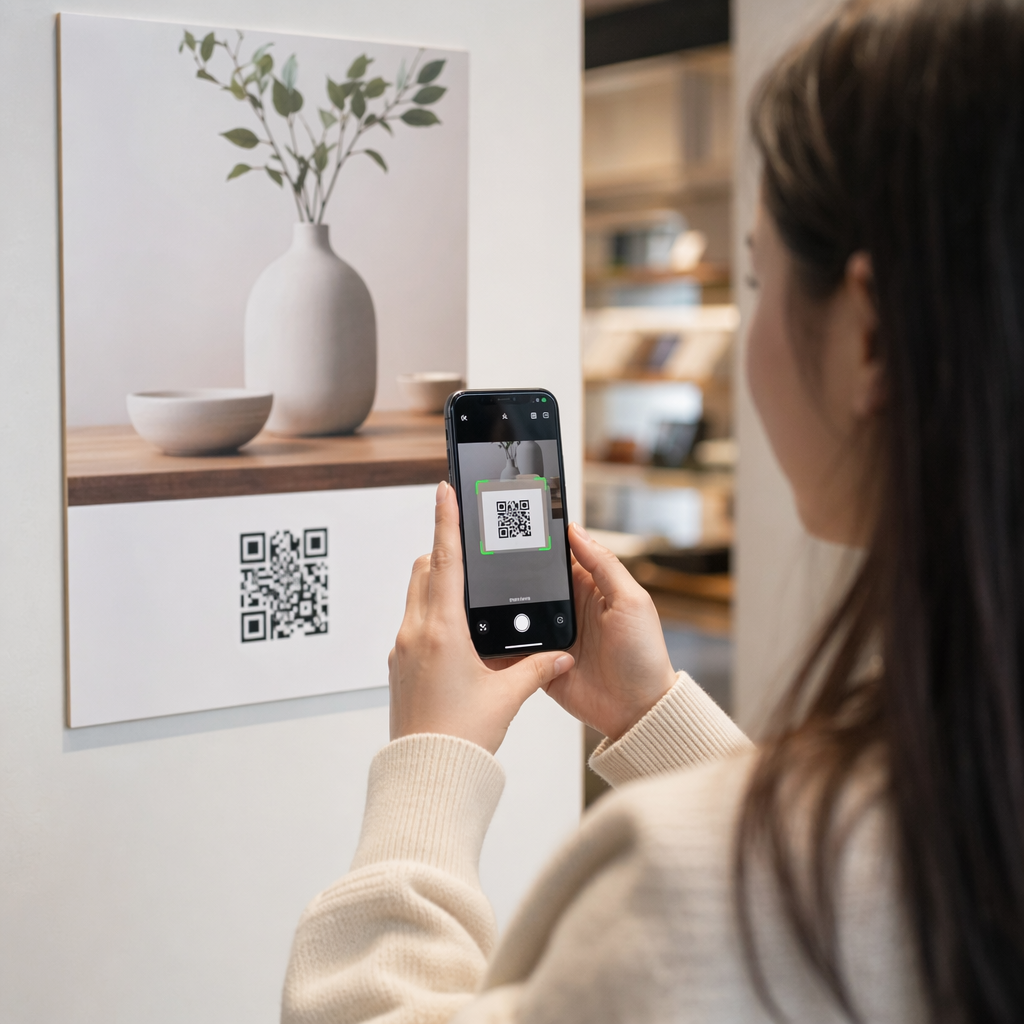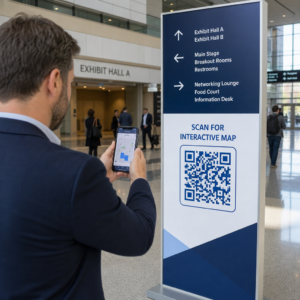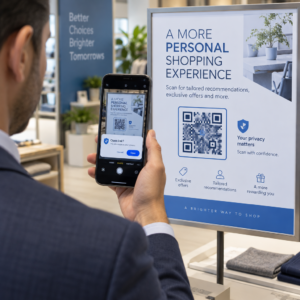
Kiekvieno QR kodo kampanijoje kūrimas rankiniu būdu yra ne tik lėtas – tai sukuria nenuoseklumą, kuris kenkia jūsų prekės ženklui ir beveik neleidžia stebėti. Jei naudojate QR kodus dideliu mastu, automatizavimas yra būdas išlaikyti nuoseklią kokybę ir sutrumpinti paleidimo laiką.
Šis vadovas supažindins jus su penkiais praktiniais žingsniais, kaip automatizuoti QR kodų pritaikymą: nuo duomenų šaltinių nustatymo ir tinkamos platformos pasirinkimo iki įvykiais pagrįstų darbo eigų kūrimo, našumo stebėjimo ir saugumo užtikrinimo didinant mastą.
1 žingsnis: Nustatykite savo automatizavimo reikalavimus
Prieš ką nors kurdami, aiškiai apibrėžkite, ką iš tikrųjų reikia automatizuoti. Praleidus šį žingsnį, darbo eigos sutriks esant apkrovai arba reikės nuolatinių rankinių pataisymų.
Pradėkite nuo duomenų šaltinių nustatymo. Iš kur gaunama informacija, kuri turėtų valdyti kiekvieną QR kodą? Dažni šaltiniai yra:
- CRM sistemos klientams skirtiems kodams, susijusiems su lojalumo programomis ar įdiegimu
- Produktų katalogai arba atsargų duomenų bazės mažmeninės prekybos ir el. prekybos ženklinimui
- Renginių valdymo platformos dalyviams skirtiems QR kodams konferencijose ar parodose
- CSV arba Excel failai partinėms kampanijoms, tokioms kaip tiesioginis paštas ar produktų ženklinimas
Kai žinote savo šaltinius, nuspręskite, kaip juos prijungti prie QR kodų generavimo įrankio. API leidžia programiškai gauti duomenis ir yra lanksčiausias variantas. „Webhooks“ leidžia realiuoju laiku suaktyvinti veiksmus – pavyzdžiui, sugeneruoti QR kodą tą pačią akimirką, kai užsiregistruoja naujas klientas. Jei jūsų įrankiai neturi tiesioginių integravimų, be kodo automatizavimo platformos, tokios kaip „Zapier“, „Make“ ar „n8n“, gali užpildyti spragą naudodamos „webhook“ pagrindu veikiančias darbo eigas.
Galiausiai, apsvarstykite apimtį ir atnaujinimo dažnumą. Vienkartinė 500 kodų partija produkto pristatymui yra kitokia problema nei personalizuotų kodų generavimas kiekvienam naujam CRM kontaktui realiuoju laiku. Jūsų įrankių pasirinkimai turėtų atspindėti tiek dabartinį mastą, tiek tai, kur tikitės būti po šešių mėnesių.
Ištirkite visas QR kodų funkcijas Nežinote, kokie QR kodų tipai tinka jūsų atveju? Peržiūrėkite visą Pageloot funkcijų apžvalga kad pamatytumėte, kas yra prieinama jūsų kampanijoms.
2 žingsnis: Pasirinkite ir sukonfigūruokite savo QR kodų platformą
Kai jūsų reikalavimai yra nustatyti, kitas žingsnis yra pasirinkti platformą, kuri gali palaikyti automatizuotą, prekės ženklu pažymėtą QR kodų generavimą jūsų norimu kiekiu.
Ko ieškoti platformoje
Dinaminiai QR kodai yra būtini bet kokiam automatizuotam darbo procesui. Skirtingai nuo statinių kodų, dinaminiai kodai leidžia atnaujinti paskirties URL arba susietą turinį po spausdinimo – negeneruojant naujo kodo ar perspausdinant medžiagų. Tai svarbu, kai keičiasi kampanijos, nutrūksta nuorodos arba norite nukreipti kodus pagal laiką ar auditoriją. Šis „Pageloot“ dinaminis QR kodų generatorius leidžia keisti susietą turinį bet kuriuo metu, net ir po to, kai kodas buvo išplatintas.
Prekės ženklo kūrimo ir pritaikymo valdikliai nustato, kiek galite automatizuoti vizualinę pusę. Ieškokite platformos, kuri leidžia nustatyti prekės ženklo spalvas, įkelti logotipą, pasirinkti korpuso ir kraštų stilius bei išsaugoti šiuos pasirinkimus kaip daugkartinio naudojimo šablonus. Pageloot'o QR kodo generatorius su logotipu suteikia jums galimybę valdyti stilių, rėmelį, fono spalvą, korpuso raštą, krašto tipą ir dizaino nustatymus – visa tai galima užfiksuoti vieną kartą ir nuosekliai naudoti pakartotinai.
Masinis generavimas yra nediskutuotinas, jei dirbate dideliu mastu. Platforma turėtų gebėti apdoroti šimtus ar tūkstančius kodų vienu metu, tiek iš CSV įkėlimo, tiek per API, taikydama nuoseklų prekės ženklą ir stebėjimo parametrus kiekvienam kodui.
ANALITIKA užbaigia ciklą. Turite žinoti, kurie kodai yra skenuojami, kada, kur ir kokiais įrenginiais. Platformos, kurios pateikia šiuos duomenis realiuoju laiku, leidžia jums veikti pagal našumą, o ne tik apie jį pranešti.
Platformos nustatymas
Pasirinkę platformą, sukonfigūruokite ją prieš kurdami bet kokius darbo procesus:
- Apibrėžkite vartotojų vaidmenis ir teises. Priskirkite prieigos lygius, kad administratoriai valdytų integracijas, kampanijų vadovai tvarkytų kodų kūrimą, o analitikai pasiektų ataskaitas, negalėdami keisti aktyvių kampanijų.
- Sugeneruokite API kredencialus ir sukonfigūruokite savo galinius taškus, jei naudojate tiesioginę API integraciją.
- Nustatykite prekės ženklo šablonus. Įkelkite savo logotipą, nustatykite savo prekės ženklo spalvas ir išsaugokite šiuos nustatymus kaip daugkartinio naudojimo šabloną. Pageloot's QR kodų šablonai leidžia jums kurti kelis šablonus skirtingiems naudojimo atvejams – vieną pakuotėms, vieną renginių medžiagai, vieną skaitmeninėms kampanijoms – kad kiekvienas kodas atrodytų nuosekliai be rankinio stiliaus nustatymo kiekvieną kartą.
- Įjunkite saugumo nustatymus. Įjunkite dviejų faktorių autentifikavimą administratoriaus paskyroms, nustatykite duomenų saugojimo politiką ir sukonfigūruokite prieigos kontrolę, atitinkančią jūsų pramonę.
Kurkite firminius QR kodus dideliu mastu Norite automatiškai pritaikyti savo logotipą ir prekės ženklo spalvas kiekvienam kodui? Naudokite QR kodo generatorius su logotipu kad vieną kartą nustatytumėte savo vizualinį identitetą ir išlaikytumėte kiekvieną kodą atitinkantį prekės ženklą.
3 žingsnis: Kurkite automatizuotas darbo eigas kūrimui ir diegimui
Čia jūsų nustatymas tampa veikiančia sistema. Tikslas yra apibrėžti konkrečius įvykius, kurie sukelia QR kodo generavimą, tada prijungti tuos kodus tiesiogiai prie jūsų rinkodaros kanalų, kad jie būtų paruošti naudoti nedelsiant.
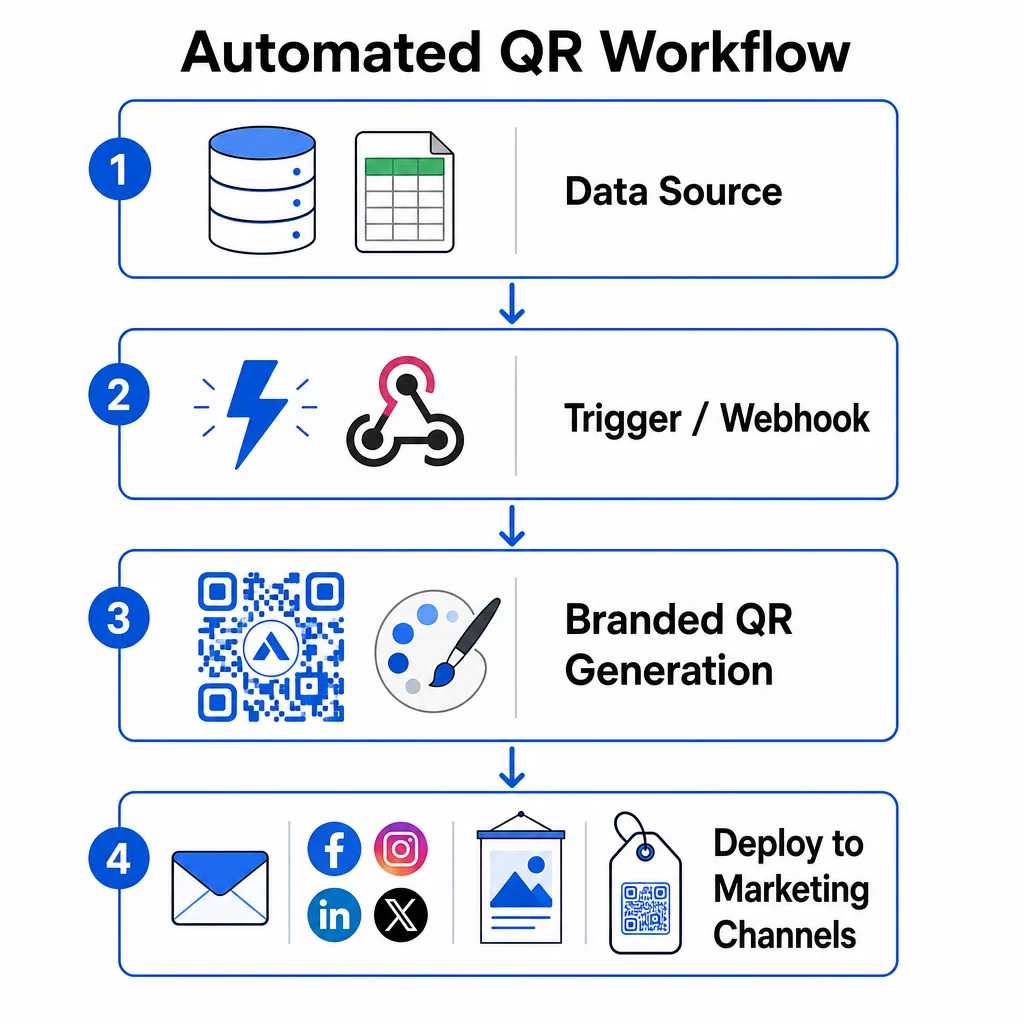
Įvykiais pagrįsti paleidikliai
Paleidikliai leidžia automatizavimui veikti be rankinio įsikišimo. Užuot generavus kodus rankiniu būdu, jūsų sistema automatiškai reaguoja į verslo įvykius.
Dažni paleidiklių tipai apima:
- Produktų katalogo atnaujinimai: Kai naujas produktas pridedamas prie jūsų atsargų sistemos, darbo eiga sugeneruoja firminį QR kodą, susietą su to produkto puslapiu – paruoštą pakuotei ar rinkodaros medžiagai, dar prieš kam nors paprašant.
- Klientų registracijos: Kai užsiregistruoja naujas klientas, sistema sukuria suasmenintą QR kodą paskyros prieigai, pasveikinimo rinkiniui arba lojalumo programos registracijai.
- Renginių rezervacijos: Kai dalyvis užsiregistruoja į konferenciją ar parodą, sugeneruojamas unikalus QR kodas registracijai arba prieigai prie stendo.
- Suplanuotos kampanijos: Laiku pagrįsti paleidikliai gali generuoti kodus kas savaitę būsimiems renginiams arba kas mėnesį sezoninėms akcijoms, išlaikydami kampanijas aktualias be rankinių atnaujinimų.
API pagrindu veikiančioms darbo eigoms QR kodo generavimas paprastai vyksta per HTTP POST užklausą, kuri perduoda tiek turinį (URL arba duomenų paketą), tiek stiliaus parametrus (spalvas, logotipo URL, dydį, formatą) viename JSON objekte. Stiliaus laukai dažniausiai yra neprivalomi – jūsų išsaugotas prekės ženklo šablonas juos tvarko automatiškai – o turinio laukas yra būtinas kiekvienam unikaliam kodui.
Be kodo nustatymams, “Zapier” „Webhooks by Zapier“ paleidiklis leidžia sukurti URL, kuris paleidžia „Zap“ iš bet kokios gaunamos HTTP užklausos. „Make“ ir „n8n“ siūlo panašius „webhook“ pagrindu veikiančius paleidiklius su pažangesne logika komandoms, kurioms reikia sąlyginio šakojimo ar kelių žingsnių transformacijų.
Norėdami išsamiau sužinoti, kaip API leidžia masinį generavimą ir dinaminius atnaujinimus, žr. API integravimas QR kodų valdymui.
Integracija su rinkodaros kanalais
Kai paleidiklis suveikia ir kodas sugeneruojamas, darbo eiga turėtų tiesiogiai perkelti tą kodą į kanalą, kuriame jis bus naudojamas. Tai pašalina rankinį kodų atsisiuntimo, performatavimo ir įkėlimo į kiekvieną platformą žingsnį.
- El. pašto rinkodaros įrankiai tokie kaip „Mailchimp“ ar „Constant Contact“ gali įkelti QR kodus tiesiai į naujienlaiškių šablonus ar reklaminius el. laiškus siuntimo metu.
- Socialinių tinklų planuokliai tokie kaip Hootsuite ar Buffer gali gauti kodus kaip suplanuoto įrašo turinio dalį, leidžiančią susieti turinį su unikaliu kodu kiekvienai platformai.
- Rinkodaros automatizavimo platformos tokios kaip HubSpot ar Marketo gali suaktyvinti QR kodo generavimą pagal potencialių klientų balus arba segmento narystę, automatiškai įterpdamos gautą kodą į tikslinę el. pašto seką.
Agentūroms, valdančioms kampanijas keliems klientams, automatizavimas tampa dar svarbesnis. Darbo eigos gali pritaikyti konkrečiam klientui skirtą prekės ženklą, generuoti kodus ir nukreipti juos per patvirtinimo etapą, prieš bet kuriam kodui pradedant veikti. Pažiūrėkite, kaip Pageloot palaiko agentūrų darbo eigas su baltos etiketės funkcijomis, vaidmenimis pagrįstais leidimais ir bendrinamomis klientų ataskaitomis.
Dinaminis ir masinis QR kodų valdymas
Masinis generavimas apdoroja apimtį; dinaminiai kodai apdoroja pokyčius. Kartu jie patenkina daugumą įmonės masto QR kodų poreikių.
Naudojant masinį generavimą, jūs pateikiate unikalių turinio reikšmių sąrašą – produktų URL, dalyvių ID, vietos identifikatorius – kartu su bendru prekės ženklo parametrų rinkiniu. Platforma sugeneruoja kiekvieną kodą vienu kartu, pritaiko nuoseklų stilių ir grąžina juos formatu, paruoštu pakavimui ar spausdinimui. Daugiau apie įmonės lygio masinius įrankius rasite automatizuotus masinio QR kodų įrankius įmonėms.
Dinaminiai kodai suteikia lankstumo po platinimo. Jei kampanijos paskirties vieta pasikeičia, akcija baigiasi arba nuoroda sugenda, jūs atnaujinate paskirties vietą savo prietaisų skydelyje – o ne fiziniame kode. Tai taip pat leidžia automatizuoti pagal našumą: darbo eigos gali stebėti nuskaitymo dažnius ir automatiškai atnaujinti kodo paskirties vietą, jei įsitraukimas nukrenta žemiau slenksčio, arba nukreipti kodus į sezoninius puslapius nustatytu grafiku.
4 žingsnis: Stebėkite ir optimizuokite kampanijos našumą
Automatizavimas nereiškia „nustatyk ir pamiršk“. Tikrasis našumo padidėjimas atsiranda stebint, kas veikia, ir atliekant koregavimus, kol kampanijos vis dar vykdomos.
Analitika realiu laiku
Nuskaitymo stebėjimas suteikia jums tiesioginį matomumą, kaip kodai veikia įvairiuose kanaluose. Gera analizės prietaisų skydelis parodo nuskaitymo dažnumą, geografinį pasiskirstymą, įrenginių tipus ir dienos laiko modelius. Jei matote nuskaitymų sumažėjimą tam tikromis valandomis, galite koreguoti reklamos laiką. Jei tam tikros vietos nuolat lenkia kitas, galite atitinkamai perskirstyti medžiagas.
Pageloot prietaisų skydelis fiksuoja ne tik tai, kada ir kur įvyksta nuskaitymai, bet ir tai, ką vartotojai daro po nuskaitymo – tai suteikia jums išsamesnį kampanijos našumo vaizdą nei vien tik nuskaitymų apimtis.
Automatinis ataskaitų teikimas
Rankinių būdu valdant kelias QR kodų kampanijas, reikia nuolat perjunginėti prietaisų skydelius ir rankiniu būdu rinkti duomenis. Automatizuotas ataskaitų teikimas pašalina šią naštą, pateikdamas suplanuotas santraukas tiesiai į jūsų pašto dėžutę arba integruotą platformą.
Naudingi ataskaitų teikimo periodai apima:
- Savaitinės ataskaitos kurios atskleidžia geriausiai veikiančius kodus, žymi neįprastus nuskaitymo modelius ir identifikuoja kampanijas, kurioms gali prireikti dėmesio
- Mėnesinės ataskaitos kurios fiksuoja ilgalaikes tendencijas, sezoninius pokyčius ir palyginimus tarp kampanijų
Prijungus QR analizę prie tokių platformų kaip „Google Analytics“, „HubSpot“ ar „Salesforce“, sukuriama vieninga jūsų rinkodaros duomenų apžvalga. Įspėjimo sistemos prideda dar vieną lygmenį – nedelsiant praneša jums, kai QR kodo kampanijos aktyvumas staiga sumažėja, kad galėtumėte ištirti situaciją, kol kampanija nenukentėjo.
Duomenų taikymas fizinėms kampanijoms
QR analizė ypač naudinga matuojant įsitraukimą su spausdinta medžiaga, kurią kitaip sunku sekti. Priskirdami unikalius kodus konkrečioms vietoms, renginiams ar spaudos tiražams, galite tiksliai priskirti nuskaitymus.
Pavyzdžiui, mažmeninės prekybos tinklas gali priskirti unikalų kodą kiekvienai parduotuvės vietai ir matyti, kurios vietos skatina didžiausią skaitmeninį įsitraukimą. Prekybos parodoje QR kodai ant stendo medžiagos sujungia fizines sąveikas su skaitmenine analize, suteikdami rinkodaros komandoms duomenis, kad pagrįstų renginio išlaidas.
Kai kodas veikia išskirtinai gerai, galite jį plėsti – didinti reklamos išlaidas, plėsti platinimą arba dubliuoti kampanijos formatą kituose kanaluose.
Stebėkite savo kampaniją realiuoju laiku Norite tiksliai matyti, kur ir kada jūsų klientai nuskaito jūsų medžiagas? Naudokite QR kodo generatorius kurti sekamus dinaminius kodus ir pasiekti visą našumo prietaisų skydelį.
5 žingsnis: Kurkite, kad būtų lengva nuskaityti ir užtikrinkite saugumą dideliu mastu
Automatizavimas tvarko apimtį, tačiau jo sukurti kodai vis tiek turi būti patikimai nuskaitomi ir gauti iš sistemos, kuri neatskleis jūsų duomenų ir nesugrius esant apkrovai.
Prekės ženklo kūrimas techninėse ribose
Tinkinimas išplečia tai, ką QR kodas gali padaryti jūsų prekės ženklui – tačiau jis veikia atsižvelgiant į techninius apribojimus, kurie, jei ignoruojami, sukuria kodus, kurie nenuskaitomi.
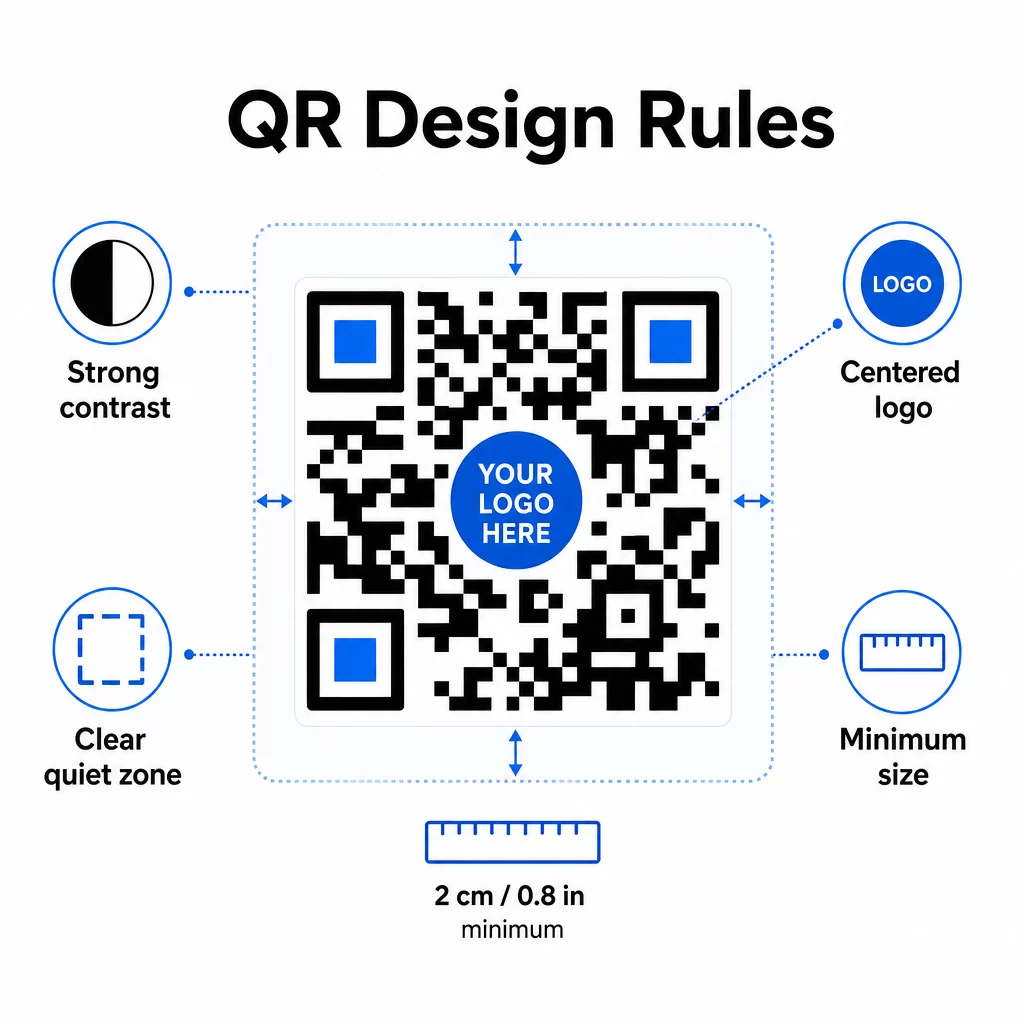
Spalvų kontrastas yra dažniausia gedimo vieta. QR skaitytuvai nuskaito skirtumą tarp tamsių ir šviesių modulių, todėl priekinis planas visada turi būti tamsesnis už foną. Niekada neapverskite šio santykio. Minimalus kontrasto santykis 4:1 tarp kodo ir jo fono yra praktinis patikimo nuskaitymo pagrindas; didesnis yra geriau. Išsamų spalvų derinių ir kontrasto santykių aprašymą rasite QR kodo spalvų kontrasto geriausios praktikos.
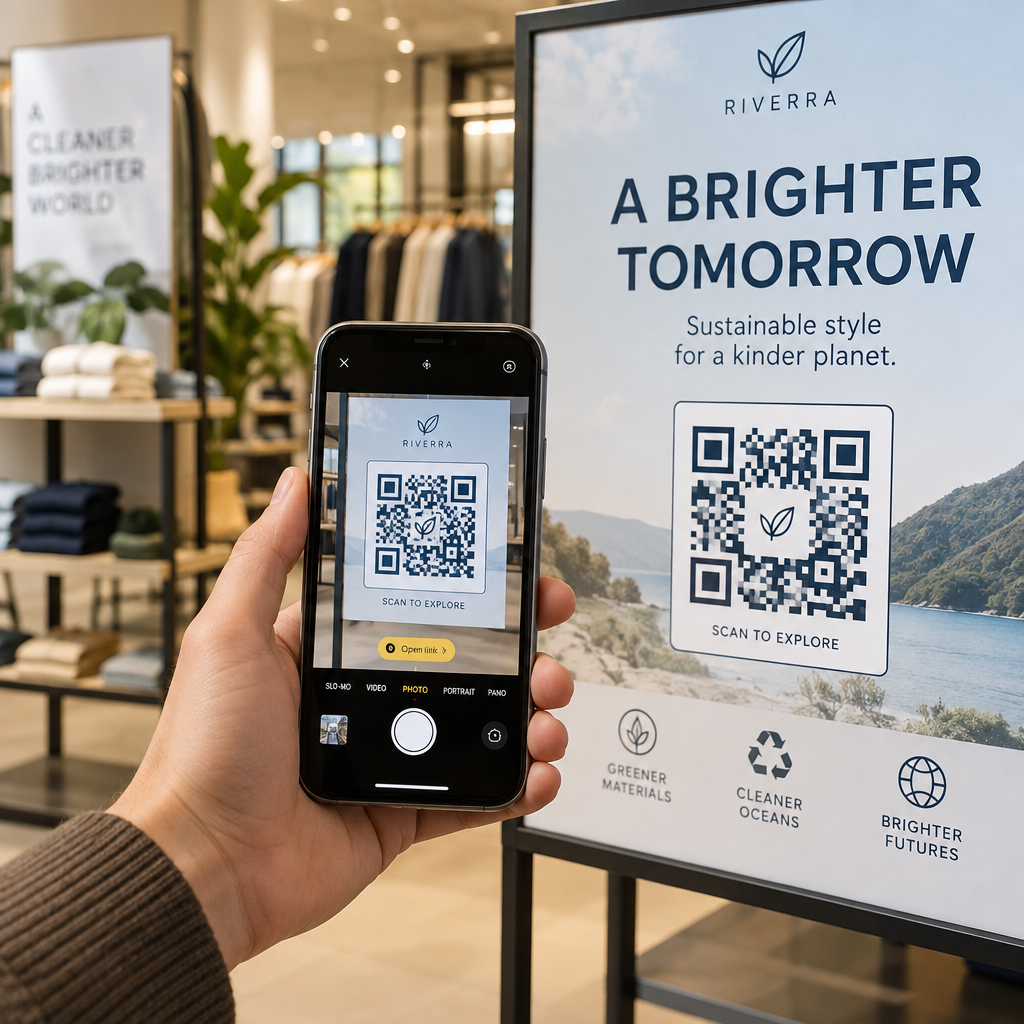
Logotipo padengimas turi būti ne didesnis kaip 30% viso kodo ploto. Didesni logotipai užstoja per daug duomenų modulių, kad juos būtų galima atkurti. Logotipus dėkite tik centre, ant vientiso šviesaus fono ir naudokite paprastas formas. Jei įterpiate logotipus, naudokite klaidų taisymo lygį Q arba H, kad skaitytuvas turėtų daugiau perteklinės informacijos, su kuria galėtų dirbti.
Tyliosios zonos yra aiškus kraštas aplink kodą. QR kodo specifikacija reikalauja bent keturių tuščios erdvės modulių iš visų pusių. Automatizuotuose darbo procesuose lengva netyčia apkarpyti šią paraštę – įdiekite tyliosios zonos vykdymą į savo šablono nustatymus, kad jos nebūtų galima pakeisti.
Mažiausias dydis artimam nuskaitymui yra maždaug 0,8 × 0,8 colio (apie 2 × 2 cm). Iškaboms ar plakatams, žiūrimiems iš toli, taikykite taisyklę 10:1: nuskaitymo atstumas neturėtų būti didesnis nei dešimt kartų kodo plotis. Kodas ant plakato, žiūrimo iš 10 pėdų, turėtų būti bent 12 colių pločio.
Bet kokie jūsų pritaikymai – nauji spalvų deriniai, logotipų išdėstymas, rėmelių stiliai – turi būti išbandyti prieš pradedant masinį darbo procesą. Išbandykite su keliais įrenginiais, skaitytuvų programėlėmis ir apšvietimo sąlygomis. Išsamias skaitomumo gaires rasite geriausia praktika QR kodo skaitomumui.
Saugumo priemonės
Kadangi jūsų automatizuota sistema apdoroja daugiau kodų ir daugiau duomenų, saugumas turi neatsilikti.
- Vaidmenimis pagrįsta prieigos kontrolė riboja, ką gali daryti kiekvienas komandos narys. Rinkodaros koordinatoriai gali kurti ir peržiūrėti kampanijas; tik IT administratoriai turėtų valdyti integracijas ir saugumo nustatymus.
- Duomenų šifravimas apsaugo jautrią informaciją perduodant ir saugant. QR kodai, kurie susieja su mokėjimo puslapiais, klientų paskyromis ar konfidencialiais dokumentais, visada turėtų naudoti šifruotas HTTPS paskirties vietas su galiojančiais TLS sertifikatais.
- Atitiktis su BDAR, CCPA ar HIPAA (priklausomai nuo jūsų pramonės šakos) reiškia sutikimo mechanizmų, duomenų saugojimo politikos ir atsisakymo galimybių integravimą į jūsų automatizuotus darbo procesus nuo pat pradžių, o ne kaip papildomą priemonę.
- Reguliarūs saugumo auditai aptikti pažeidžiamumus, kol jie netapo incidentais. Dokumentuokite savo peržiūros tvarkaraštį ir tikrinkite prieigos kontrolę kiekvieną kartą, kai komandos narys keičia pareigas.
Mastelio keitimo strategijos
Modulinis darbo eigos dizainas yra praktiškiausias požiūris į mastelio keitimą. Vietoj vienos didelės darbo eigos, kuri apdoroja kūrimą, stilių, platinimą ir analizę, suskaidykite jas į atskirus, tarpusavyje sujungtus modulius. Tada galite atnaujinti vieną komponentą – tarkime, prekės ženklo logiką – neliesdami platinimo kanalo.
Įdiekite automatinį klaidų tvarkymą su atsarginiais mechanizmais. Jei pagrindinis QR kodo generavimo galinis taškas nepasiekiamas, darbo eiga turėtų persijungti į atsarginį, užregistruoti gedimą ir įspėti administratorių – o ne tyliai atmesti užklausą. Pakartotinio bandymo logika tvarko laikinas ryšio problemas be rankinio įsikišimo.
Didelės apimties operacijoms API užklausų ribojimas ir eilių sistemos neleidžia perkrauti prijungtų platformų. Paskirstykite užklausas tolygiai, o ne siųskite viską vienu metu, ir, jei įmanoma, naudokite paketų apdorojimą ne piko valandomis.
Saugojite darbo eigos konfigūracijų versijų istoriją ir stebėkite vykdymo laikus, API atsakymų dažnius ir išteklių naudojimą. Jei generavimo ar diegimo laikas pradeda ilgėti, tai yra ženklas ištirti, ar nereikia padidinti pajėgumų, kol tai nepaveikė vykdomų kampanijų.
Viską sudėjus
Aukščiau aprašyti penki žingsniai sudaro visą sistemą: reikalavimai, lemiantys platformos pasirinkimą; platformos pasirinkimai, leidžiantys naudoti firminius šablonus; šablonai, kurie maitina automatizuotas darbo eigas; darbo eigos, kurios generuoja sekamus kodus; ir sekimo duomenys, kurie padeda tobulėti laikui bėgant.
QR kodų naudojimas toliau auga – 2025 m. apklausa parodė, kad 82% vartotojų jaučiasi patogiai skenuodami kodus iš atpažįstamų įmonių, palyginti su 53% 2021 m. Automatizavimas leidžia praktiškai pasiekti šią auditoriją dideliu mastu, naudojant kodus, kurie nuosekliai atitinka prekės ženklą, yra patikimai nuskaitomi ir susieti su išmatuojamais rezultatais.
Pradėkite nuo Pageloot QR kodo generatorius norėdami nustatyti savo pirmąjį firminį šabloną, tada ant šio pagrindo sukurkite savo automatizavimo sluoksnį.
Dažniausiai užduodami klausimai
Dinaminiai QR kodai leidžia atnaujinti paskirties URL arba susietą turinį po to, kai kodas buvo atspausdintas ir išplatintas. Automatizuotoje darbo eigoje tai reiškia, kad galite nukreipti kodus į naujus pasiūlymus, pataisyti neveikiančias nuorodas arba keisti sezoninį turinį negeneruojant naujų kodų ar perspausdinant medžiagas. Jie taip pat teikia nuskaitymo analizę – laiką, vietą, įrenginio tipą – kuri grįžta į jūsų optimizavimo darbo eigas.
Trys svarbiausios taisyklės yra kontrastas, logotipo padengimas ir ramybės zonos. Visada naudokite tamsų priekinį planą ant šviesaus fono, kurio kontrasto santykis yra bent 4:1. Bet kokį įterptą logotipą laikykite 30% ar mažiau kodo srities, centruotą ant vientiso fono. Aplink visą kodą palikite bent keturis aiškios paraštės modulius. Pridėdami logotipus, naudokite klaidų taisymo lygį Q arba H. Įdiekite šiuos apribojimus į savo šablonus, kad kiekvienas jūsų automatizavimo sukurtas kodas juos atitiktų automatiškai – tada išbandykite naujas dizaino konfigūracijas įvairiuose įrenginiuose, prieš paleisdami jas per masinį darbo eigą.
Be kodo platformos, tokios kaip „Zapier“ ir „Make“, puikiai tinka komandoms be specializuotų kūrėjų. Abi naudoja „webhook'us“, kad suaktyvintų QR kodo generavimą iš įvykių kitose priemonėse – naujo CRM kontakto, produkto katalogo atnaujinimo ar renginio registracijos. Jūs konfigūruojate paleidiklį, susiejate duomenų laukus (URL, prekės ženklo parametrus) ir nukreipiate veiksmą į savo QR kodo platformos API galinį tašką. Komandoms, kurioms reikia daugiau sąlyginės logikos ar pasirinktinių duomenų transformacijų, n8n siūlo lankstesnį „webhook“ pagrindu veikiantį darbo eigos kūrimo įrankį. API integravimas išlieka galingiausia galimybe techninėms komandoms, valdančioms sudėtingas ar didelės apimties darbo eigas.