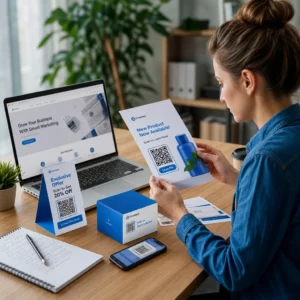
Minimalus QR kodo dydis vizitinei kortelei yra maždaug 0.6 x 0.6 colio (1.5 x 1.5 cm) ir tik tuo atveju, jei kodas talpina trumpą nuorodą, spausdinamas ryškiai ir turi stiprų kontrastą. Kad nuskaitymas būtų patikimas, padarykite jį bent 0.8 x 0.8 colio (2 x 2 cm). Šis vadovas pateikia tikslius dydžius, spausdinimo taisykles ir kontrolinį sąrašą, kad galėtumėte išbandyti savo kortelę prieš užsakydami.
Kokio dydžio turėtų būti QR kodas ant vizitinės kortelės?
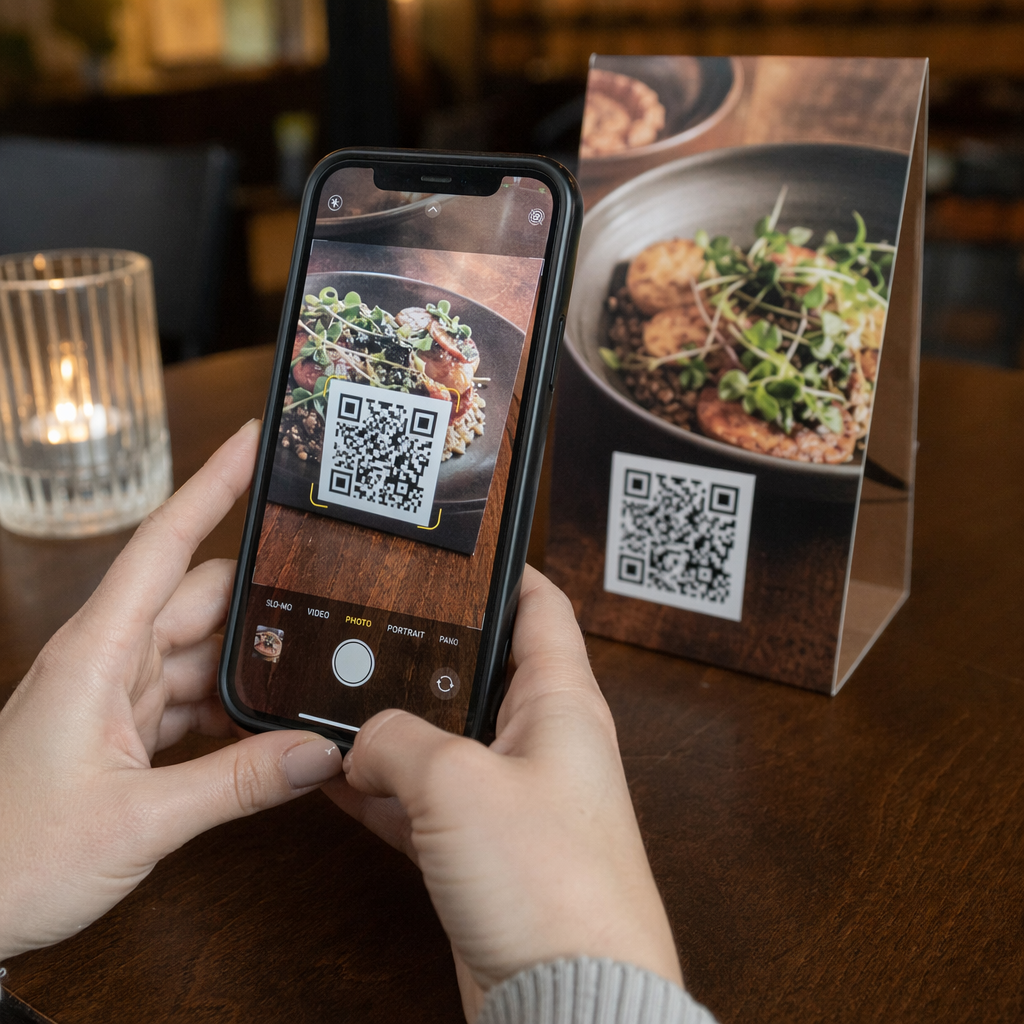
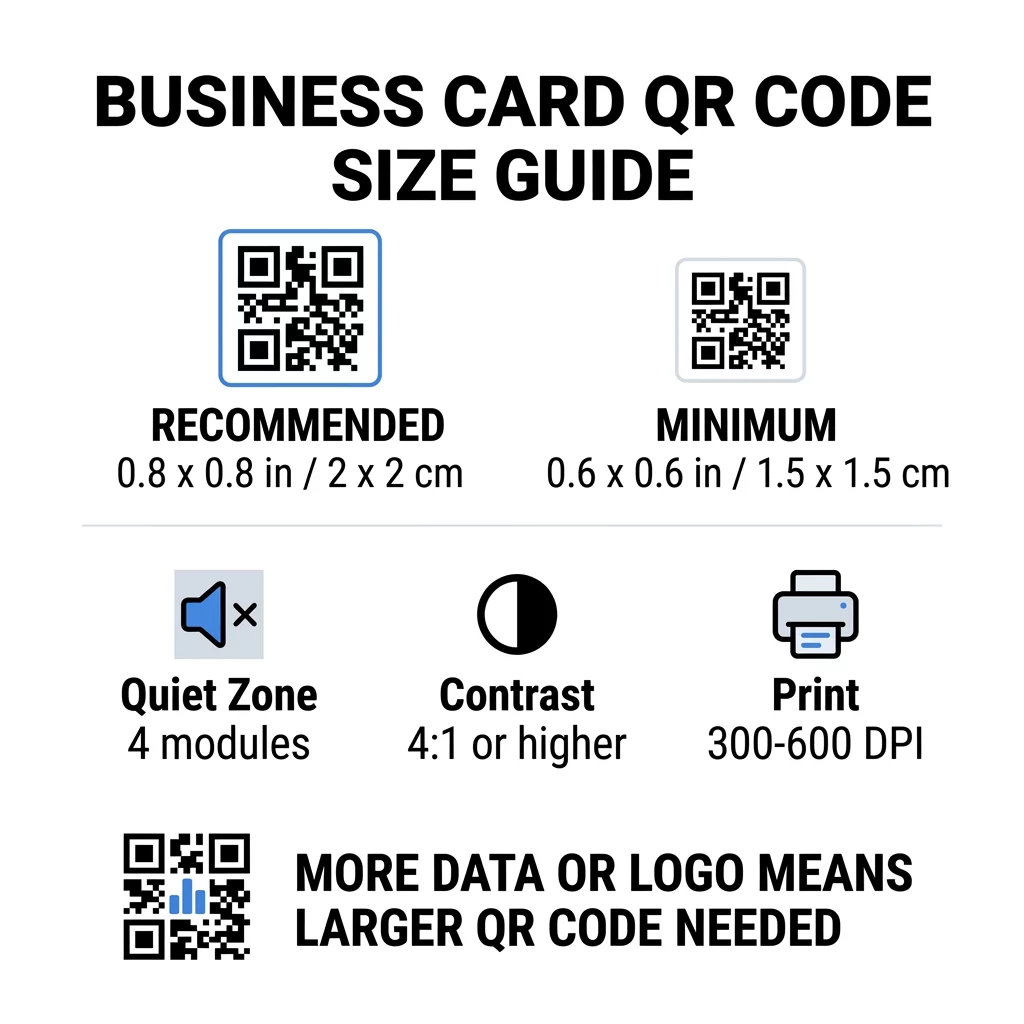
Standartinei vizitinei kortelei rekomenduojamas dydis yra 0.8 x 0.8 colio (2 x 2 cm). Tokiu dydžiu telefono kameros greitai sufokusuoja, net prastame apšvietime ar nedideliu kampu. Žmonės dažniausiai laiko kortelę 4–10 colių (10–25 cm) atstumu nuo telefono, todėl kodas turi būti pakankamai didelis, kad užpildytų didelę kameros vaizdo dalį tokiu atstumu.
Bendra taisyklė yra 10:1 santykis: kiekvieniems 10 cm skenavimo atstumo kodas turėtų būti bent 1 cm pločio. 10 colių (25 cm) atstumu tai suteikia apie 1 colį (2.5 cm) lengviausiam nuskaitymui, o trumpesni atstumai leidžia naudoti mažesnius kodus. Štai kodėl 0.8 colio tinka daugumai kortelių, o bet kas, kas yra mažesnis nei 0.6 colio, pradeda neveikti senesniuose telefonuose.
Minimalus QR kodo dydis ir rekomenduojamas dydis
Vizitinėse kortelėse mažai vietos, todėl pirmiausia naudinga nuspręsti dėl kodo dydžio, o tada kurti dizainą aplink jį. Rekomenduojamas dydis yra 0.8 x 0.8 colio (2 x 2 cm). Jei kortelė perkrauta, minimalus dydis yra 0.6 x 0.6 colio (1.5 x 1.5 cm). Tai atsakymas į klausimą, koks mažas gali būti QR kodas ant vizitinės kortelės: 0.6 colio, su trumpa nuoroda, dideliu kontrastu ir švariu spaudiniu.
| Dydžio kategorija | Matmenys (coliais) | Matmenys (cm) | Patikimumas | Geriausias naudojimo dėklas |
|---|---|---|---|---|
| Minimalus | 0.6 x 0.6 col. | 1,5 x 1,5 cm | Vidutinio sunkumo | Trumposios URL ir mažo tankio duomenys |
| Rekomenduojama | 0,8 x 0,8 col. | 2,0 x 2,0 cm | Aukštas | Standartinės vizitinės kortelės ir kontaktų nuorodos |
| Didelis tankis | 1.0 x 1.0 colio+ | 2.5 x 2.5 cm+ | Aukštas | Išsamios kontaktų kortelės ir įterpti logotipai |
Šie dydžiai skirti tik juodiems kvadratams. Tuščia marža aplink kodą yra papildoma, todėl 0.8 colio kodui reikia maždaug 0.1 colio laisvos vietos kiekvienoje pusėje (žr. ramiąją zoną žemiau).
QR kodo dydis vizitinėje kortelėje pagal kortelės formatą
- JAV standartinė kortelė (3.5 x 2 colio): 0.8 colio kodas užima 40% kortelės aukščio. Padėkite jį ant nugaros pusės, kad priekinė dalis liktų švari.
- Europos standartinė kortelė (85 x 55 mm): naudokite 20–25 mm. Galioja ta pati 2 cm taisyklė.
- Sulankstomos arba kvadratinės kortelės: turite daugiau vietos, todėl naudokite 1 colio (2.5 cm) ar didesnį kodą ir laikykite jį atokiau nuo sulenkimo.
- Tik kortelės nugarinėje pusėje: jei priekinė pusė yra pilna, uždėkite 1 colio kodą ant nugaros su trumpa eilute, pvz., „Nuskaitykite, kad išsaugotumėte mano kontaktą“.
Kaip duomenų tankis lemia kodo dydį
Jūsų QR kodo dydis priklauso nuo to, kiek duomenų jame yra. QR kodas yra mažų kvadratėlių, vadinamų moduliais, tinklelis. 1 versija turi 21 x 21 modulį, o 40 versija turi 177 x 177 modulius. Daugiau duomenų reiškia daugiau modulių, ir kiekvienas modulis sumažėja, kai kodo dydis išlieka toks pat. Jei moduliai atspausdinami mažesni, nei kamera gali atpažinti, nuskaitymas nepavyksta.
Štai 2 cm (0.8 colio) kodo skaičiavimai. Trumpa nuoroda paprastai telpa į 2 versijos kodą (25 moduliai), todėl kiekvienas modulis yra apie 0.8 mm. Visam kontaktų įrašui gali prireikti 10 ar aukštesnės versijos (57 moduliai ar daugiau), ir kiekvienas modulis sumažėja iki maždaug 0.35 mm. Antrąjį kodą daug sunkiau atspausdinti ir nuskaityti tokio pat dydžio.
Tiesioginė vCard su jūsų vardu, telefono numeriais, el. pašto adresais ir biuro adresu sukuria tankų tinklelį. Naudojant vCard QR kodo generatorius sukurti tiesioginį statinį failą dažnai reikia 1 colio (2.5 cm) ar didesnio kodo, kad jis liktų įskaitomas.
Kad kodas būtų kompaktiškas ir lengvai nuskaitomas ant mažos kortelės:
- Užuot naudoję ilgą neapdorotą kontaktų tekstą, užkoduokite trumpą nuorodą į savo kontaktų puslapį.
- Palikite tik esminius kontaktų kanalus.
- Išlaikykite mažą modulių skaičių, kad kiekvienas kvadratas liktų didelis ir ryškus.
- Laikykitės principų, kaip sukurti vizitinę kortelę su QR kodu subalansuoti išdėstymą ir funkciją.
Trumpa nuoroda yra paprasčiausias būdas tai padaryti. Dinaminis QR kodas saugo trumpą nuorodą ir leidžia pakeisti paskirties puslapį po to, kai kortelės atspausdinamos. Pageloot siūlo dinaminius kodus su 14 dienų nemokamu bandomuoju laikotarpiu, o planus galite peržiūrėti adresu pageloot.com/pricing. Statinis kodas yra pakankamas, jei jūsų nuoroda niekada nesikeis.
Sukurkite savo pasirinktinį vizitinės kortelės kodą Pasiruošę sukurti nuskenuojamą, sekamą kontaktinį kodą? Naudokite Vizitinės kortelės QR kodo generatorius norėdami sukurti didelės raiškos kodus ir pasidalinti savo informacija vienu nuskaitymu.
Ar QR kodai vizitinėse kortelėse yra geri ar blogi?
QR kodai vizitinėse kortelėse yra geri, kai kodas yra pakankamai didelis, lengvai nuskenuojamas ir veda į kažką naudingo. Jie yra blogi, kai kodas yra labai mažas, nuoroda neveikia arba puslapis nėra pritaikytas telefonams.
Privalumai yra realūs. Asmuo gali išsaugoti jūsų kontaktą arba atidaryti jūsų portfelį per dvi sekundes, o jūs galite sutalpinti daugiau informacijos, nei leidžia kortelė. Rizika taip pat reali: kodas, kuris nenuskenuoja, atrodo neatsargiai, o atspausdintas kodas su neteisinga nuoroda negali būti pataisytas, jei tai statinis kodas. Naudokite šias taisykles:
- Kodas turi būti bent 0,8 colio (2 cm) dydžio.
- Nukreipkite jį į puslapį, kuris greitai atsidaro telefone.
- Pridėkite trumpą eilutę šalia, kuri nurodo, ką asmuo gaus, pvz., „Išsaugoti mano kontaktą“ arba „Peržiūrėti mano darbą“.
- Išbandykite atspausdintą pavyzdį prieš užsakydami visą tiražą.
Esminiai techniniai standartai patikimam nuskaitymui
Vien tik dydis negarantuoja gero nuskaitymo. Šios spausdinimo taisyklės lemia, ar fotoaparatas gali nuskaityti raštą.
Tyliosios zonos palaikymas
Rami zona yra tuščia paraštė aplink visą QR kodą. ISO/IEC standartas reikalauja bent keturių modulių iš kiekvienos pusės. 2 cm kodui su 25 moduliais, ši paraštė yra apie 3 mm. Tuščia erdvė pasako skaitytuvui, kur prasideda kodas. Tekstas, kraštinės ar fono paveikslėliai šioje paraštėje yra viena iš dažniausių nesėkmingų nuskaitymų priežasčių.
Didelio spalvų kontrasto taikymas
Skaitytuvai nuskaito tamsių modulių ir šviesaus fono ryškumo skirtumą. Juoda ant balto yra saugiausias pasirinkimas. Tamsiai mėlyna, tamsiai žalia arba juoda ant šviesaus fono taip pat gerai veikia. Venkite šviesių modulių tamsiame fone (apverstų kodų), nes kai kurios numatytosios kameros programos jų negali nuskaityti. Nenaudokite dviejų vidutinio tono spalvų, pvz., oranžinės ant raudonos. Perskaitykite QR kodo spalvų kontrasto gaires norėdami pasirinkti saugią spalvų porą.
Vektorinių spausdinimo formatų eksportavimas
Mažos raiškos failai, tokie kaip 72 DPI JPEG, spausdinami neryškiais kraštais. Spausdinimui siųskite failą kaip SVG, EPS arba PDF (vektorinį), kurie išlieka ryškūs bet kokio dydžio. Jei galite siųsti tik PNG, eksportuokite jį 300 DPI ar didesne raiška galutiniame spausdinimo dydyje. Šie geriausia praktika QR kodo skaitomumui padeda išvengti problemų, kol failas pasieks spaustuvę.
Klaidų taisymas ir logotipo integravimas
QR kodai naudoja Reed-Solomon klaidų taisymą. Tai leidžia skaitytuvui atkurti duomenis, kai dalis kodo yra apibraižyta, suglamžyta ar uždengta. Yra keturi lygiai:
- L lygis atkuria apie 7% pažeistų duomenų. Naudokite jį mažiems, paprastiems kodams be logotipo.
- M lygis atkuria apie 15% pažeistų duomenų. Tai yra dažnas numatytasis nustatymas vizitinėms kortelėms.
- Q lygis atkuria apie 25% pažeistų duomenų. Tai geras pasirinkimas kortelėms, kurios laikomos piniginėse.
- H lygis atkuria apie 30% pažeistų duomenų. Naudokite jį, jei logotipą įdedate centre.
Aukštesni lygiai prideda daugiau modulių, todėl tinklelis tampa tankesnis. Jei naudojate H lygį centrinio logotipo atveju, padidinkite spausdinimo dydį iki bent 1,0 x 1,0 colio (2,5 x 2,5 cm) ir laikykite logotipą mažą, maždaug penktadalį kodo pločio.
Kortelės popieriaus ir apdailos pasirinkimas
Kortelės paviršius keičia, kaip šviesa pasiekia telefono kamerą. Matinis ir nepadengtas popierius nuskaitomas geriausiai, nes jie tolygiai paskirsto šviesą.
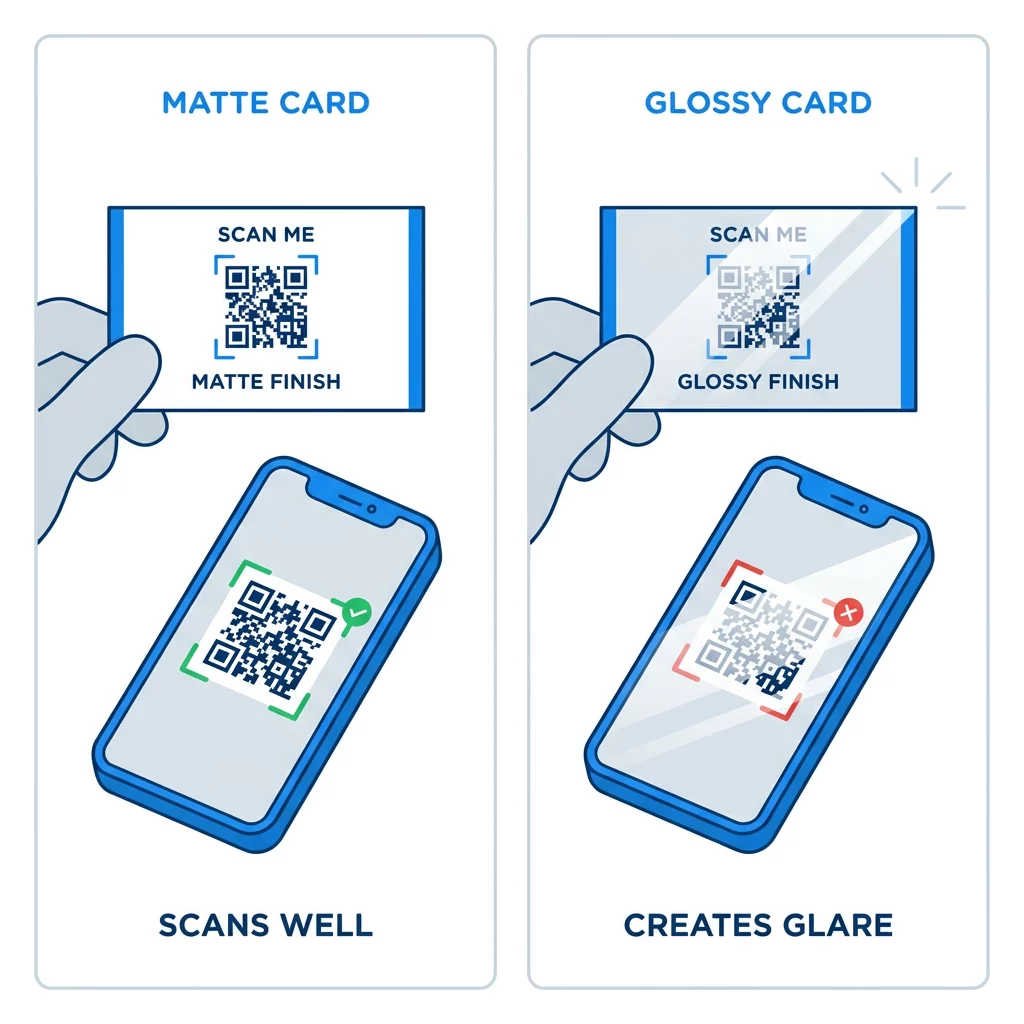
Didelio blizgesio dangos, metalinė folija ir atspindintis laminatas sukuria atspindžius po prožektoriais, o atspindys išblukina kontrastą. Jei naudojate specialią apdailą, laikykite kodą ant lygaus matinio paviršiaus. Laikykite kodą atokiau nuo raukšlių, užapvalintų kampų ir krašto, kur nykščiais laikoma kortelė.
Išbandykite savo vizitinės kortelės QR kodą prieš spausdinant
- Atspausdinkite bandomąjį egzempliorių ant tikro kortelės popieriaus 100% masteliu. Nereikėtų vertinti kodo pagal tai, kaip jis atrodo ekrane.
- Nuskaitykite jį bent vienu iPhone ir vienu Android telefonu.
- Nuskaitykite jį ryškioje dienos šviesoje ir blankiame kambaryje.
- Nuskaitykite maždaug iš 4 colių (10 cm) ir maždaug iš 10 colių (25 cm) atstumo.
- Atidarykite paskirties puslapį naudodami mobiliojo ryšio duomenis ir patvirtinkite, kad jis greitai įkeliamas.
- Tik tada užsisakykite visą spausdinimo tiražą.
Vizitinės kortelės QR kodas nenuskaitomas? Patikrinkite šiuos:
- Kodas yra mažesnis nei 0,6 colio (1,5 cm), arba nuoroda yra ilga, o moduliai – maži. Padidinkite kodą arba sutrumpinkite nuorodą.
- Tekstas ar rėmelis yra ramiojoje zonoje. Patraukite jį bent per keturis modulius.
- Kontrastas per mažas arba spalvos apverstos. Naudokite tamsius modulius šviesiame fone.
- Failas yra žemos raiškos paveikslėlis. Atspausdinkite iš vektorinio failo arba 300 DPI PNG galutiniu dydžiu.
- Blizgesys nuo blizgaus arba folijos paviršiaus. Perkelkite kodą į matinę sritį.
- Paskirties nuoroda yra neteisinga arba puslapis lėtai kraunasi. Atidarykite nuorodą savo telefone ir pataisykite ją.
Tinkamo dydžio QR kodas paverčia jūsų vizitinę kortelę patikimu tiltu tarp paspaudimo ir jūsų internetinio profilio. Laikykite kodą 0,8 x 0,8 colio ar didesnį, apsaugokite ramiąją zoną ir spausdinkite iš švarių vektorinių failų. Norėdami sukurti ir išbandyti kitą kortelę, naudokite Pageloot QR kodo generatorių.
Dažniausiai užduodami klausimai
Planuokite 0,8 x 0,8 colio (2 x 2 cm). Šis dydis greitai nuskaitomas dabartiniais išmaniaisiais telefonais iš įprasto laikymo atstumo. Naudokite 1 colį (2,5 cm) ar daugiau, jei kodas talpina daug duomenų arba logotipą.
Mažiausias dydis yra maždaug 0,6 x 0,6 colio (1,5 x 1,5 cm). Jis veikia tik su trumpa nuoroda, dideliu kontrastu, aiškia ramiąja zona ir ryškiu spaudiniu. Senesniems telefonams kodą laikykite 0,8 colio (2 cm) ar didesnį.
Geriausiu atveju, maždaug 0,6 colio (1,5 cm) kiekviena kraštinė. Mažesnių matmenų, dauguma telefono kamerų negali sufokusuoti į kortelę, laikomą normaliu atstumu. Nuorodos sutrumpinimas padidina kvadratėlius ir padeda nuskaityti mažus kodus.
Taip, bet naudokite H lygio klaidų taisymą, kad kodas galėtų atkurti paslėptus duomenis. H lygis prideda modulių, todėl padidinkite kodą bent iki 1.0 x 1.0 colio (2.5 cm) ir laikykite logotipą mažą.
Dažniausios priežastys yra per maža rami zona, žemas spalvų kontrastas, mažos raiškos failas, atspindžiai nuo blizgaus paviršiaus arba per mažas kodas. Patikrinkite kiekvieną iš jų ant spausdinto pavyzdžio ir ištaisykite prieš kitą spausdinimo tiražą.
Jie geri, kai kodas yra bent 0,8 colio, gerai nuskaitomas ir atidaro puslapį, skirtą telefonams. Jie blogi, kai kodas yra mažas, sunkiai nuskaitomas arba veda į neveikiančią nuorodą. Visada patikrinkite atspausdintą korektūrą.
Statinis kodas yra pakankamas, jei nuoroda niekada nesikeis, o statiniai kodai niekada nepasibaigia. Dinaminis kodas vertas dėmesio, jei galite keisti darbą, svetaines ar kontaktų puslapius, nes galite redaguoti paskirties vietą be pakartotinio spausdinimo. Pageloot dinaminiai kodai pateikiami su 14 dienų nemokamu bandomuoju laikotarpiu, o planai nurodyti pageloot.com/pricing.