ホーム > ユースケース > How to Use QR Codes in Newspapers and Magazines
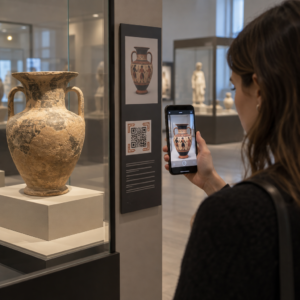
Scanning print QR code

How to Use QR Codes in Newspapers and Magazines

Turn print ads into digital interactions with QR codes for newspapers and magazines. Learn best practices for design, sizing, and tracking scan performance.
Updated on 6月 10, 2026
目次

Are your print ads sending readers nowhere? Newspapers and magazines still reach loyal, engaged audiences – but without a bridge to your digital content, that attention stops at the page. This guide shows you how to use QR codes in print media to turn static ads and editorial space into measurable digital interactions.

Why Print Media Is Still Worth Investing In

Readers of newspapers and magazines engage differently than digital audiences. They slow down, read carefully, and invest time in the content in front of them – something that digital skimmers rarely do. That depth of attention makes print one of the most favorable environments for QR codes.

Unlike flyers or packaging, a magazine or newspaper ad gives you enough space to explain what the QR code does and why readers should scan it. That context matters. Research shows that many people who don’t scan QR codes simply don’t understand what they’ll get – and that they’re more likely to scan when the code clearly states what’s offered. Print gives you the room to answer that question before the reader even picks up their phone.

For industries like food, publishing, education, and retail, print media remains a critical marketing channel. QR codes make it possible to connect that offline audience with your website, video content, exclusive offers, or digital tools – without asking readers to type a URL.

Connect Your Print Ads to Digital Campaigns を使用しています。 リンクQRコードジェネレーター to create a branded, trackable QR code for any URL – ready to drop into your next newspaper or magazine ad.

What You Can Link to From a Magazine or Newspaper QR Code

Before designing your placement, decide what the QR code will actually do. The destination shapes everything from the call-to-action copy to the size and position of the code on the page.

Common and effective uses include:

Magazines in particular have used QR codes to let readers shop for items featured in a spread, watch behind-the-scenes video from a shoot, or access recipe instructions that don’t fit on the printed page. The more relevant and immediate the payoff, the higher your scan rate will be.

How to Design a QR Code That Gets Scanned

Creating the code takes minutes. Making it work in print requires a few deliberate decisions.

Brand the code visually

A plain black-and-white QR code blends into the page. A branded code – using your brand colors and a logo centered in the middle – signals to readers that scanning is safe and worthwhile. Customized QR codes consistently earn more scans than generic ones because they build trust and recognition at a glance. Use the QRコードジェネレーター to apply your brand colors, add a logo, and choose a shape that fits your ad layout.

When customizing colors, always maintain strong contrast: the code modules should be significantly darker than the background. Black on white is the most reliable combination. Avoid reversing the colors (light pattern on dark background), and never place the code over a complex background pattern or image.

Choose dynamic over static

For any print campaign, ダイナミックQRコード are strongly recommended over static ones. A ダイナミックQRコード stores a short redirect URL rather than the final destination. That means you can update where the code points – even after thousands of copies have been printed and distributed – without changing the printed code itself.

Dynamic codes also unlock scan tracking, so you can measure how many people scanned, when, where, and on what device. Static codes offer none of that. For a magazine ad that may run for weeks or months, the ability to update the destination and monitor performance is worth far more than the simplicity of a static code. Learn more about how to edit QR codes after printing.

Update Your Ads Without ReprintingダイナミックQRコードジェネレーター lets you change your destination URL anytime and track every scan by date, location, and device type.

Write a clear call-to-action

Place a short line of text near the code that tells readers exactly what they’ll get. “Scan to watch the recipe video” or “Scan for your exclusive discount” removes hesitation and motivates action. Vague instructions like “Scan here” or no instructions at all are missed opportunities. If the reader doesn’t know what’s behind the code, they won’t bother finding out.

Optimize the destination for mobile

Every reader who scans a QR code in a magazine or newspaper will land on a mobile device. If your destination page isn’t optimized for mobile – slow to load, difficult to navigate on a small screen, or requiring desktop-style scrolling – you’ll lose them immediately. Before printing a single copy, test the full scan-to-landing experience on both iOS and Android.

Placement and Sizing Guidelines for Print

Where and how large you print your QR code directly affects whether readers can scan it reliably. These are the key technical standards for newspaper and magazine use.

Print QR code guidelines

Minimum size

Print QR codes at a minimum of 2 × 2 cm (approximately 0.8 × 0.8 inches) for close-range scanning. For ads with more complex designs or longer encoded URLs, scale up – denser codes need more physical space to remain scannable. A reliable working size for most magazine placements is 1.2 to 1.6 inches (30–40 mm). See QR code sizing guidelines for different print materials フォーマット固有の推奨事項については。.

Quiet zone

Every QR code needs a クリアなクワイエットゾーン – a blank margin of at least four data modules on all sides. This empty border is what allows a camera to distinguish the code from the surrounding page layout. Don’t let ad copy, images, or design elements encroach on this space.

Placement on the page

Place the code where it naturally catches the reader’s eye and where they can comfortably hold and scan the page. The middle or lower section of an ad works well. Corners are easy to overlook and harder to position for scanning. Avoid placing codes near the spine or fold of a magazine – the distortion caused by the fold can make the code unscannable. Review best practices for QR code placement in marketing for additional positioning guidance.

Print quality

Use vector file formats (SVG or EPS) when sending the code to print so it scales without any loss of sharpness. Low-resolution or pixelated codes fail to scan. If your publication uses glossy paper, be aware that glare can interfere with scanning – consider requesting a matte finish in the area around the code if possible. For a full breakdown of how paper stock and printing methods affect scannability, see 印刷技術がQRコードのスキャン可能性にどのように影響するか.

Always test before the print run

Test the final code at its intended size, on the actual paper stock, using multiple smartphones under different lighting conditions. What scans reliably on your monitor may not scan reliably in print. This step is non-negotiable before a large run. For a comprehensive testing checklist, refer to QRコードの読みやすさに関するベストプラクティス.

How to Track and Measure Your Print QR Campaign

One of the strongest arguments for using QR codes in print is the ability to measure what would otherwise be untrackable. When a reader sees a print ad and visits your website directly, you don’t know the ad drove them. When they scan a QR code, you do.

QRキャンペーン分析

ダイナミックQRコード, you can track:

  • Total scans and unique scans – how many interactions the code received
  • Scan date and time – which issues or days generated the most activity
  • Geographic location – which regions responded to the campaign
  • Device type – whether readers used iOS or Android, which informs mobile optimization decisions

Assigning a unique QR code to each publication or ad placement lets you compare performance across titles, issues, or regions. Over time, this data lets you refine where you place codes, what destinations perform best, and which calls-to-action drive the most scans. Learn more about QRコードが印刷広告のエンゲージメントを追跡する方法 そして QRコードが印刷とデジタルマーケティングをどのように結びつけるか.

See Exactly Who’s Scanning and When Track every scan by date, location, and device with Pageloot’s ダイナミックQRコードジェネレーター – no guesswork, just clear campaign data.

すべてをまとめる

A QR code in a newspaper or magazine ad is only as effective as the thinking behind it. Readers who invest time in print deserve a payoff worth scanning for – relevant content, a genuine offer, or something they can’t get elsewhere. When the code is well-designed, clearly explained, correctly sized, and properly placed, it becomes a direct channel from your print campaign into your digital ecosystem.

Use dynamic codes so you can update destinations and measure results. Brand the design so readers trust what they’re scanning. And always test on real paper before the press run.

For a complete walkthrough of print media QR code best practices, visit 印刷媒体でのQRコードの使い方.

よくある質問

What size should a QR code be in a magazine or newspaper ad?

Print QR codes at a minimum of 2 × 2 cm (about 0.8 × 0.8 inches) for reliable close-range scanning. For most magazine placements, a size of 1.2 to 1.6 inches (30–40 mm) is more practical and ensures the code remains scannable even with some design customization. More complex codes or those placed farther from the reader’s hands should be sized up accordingly.

Should I use a dynamic or static QR code in a print campaign?

Dynamic QR codes are strongly recommended for any print campaign. They allow you to update the destination URL after printing – useful if a campaign page changes or a promotion expires – and they provide scan analytics including date, location, and device type. Static QR codes cannot be edited or tracked, which limits their usefulness for ongoing campaigns.

Where should I place a QR code in a magazine or newspaper ad?

Place the code in the middle or lower section of the ad where it’s easy to see and scan. Avoid corners, which are easy to overlook, and avoid placing codes near magazine folds or spines, where distortion can prevent scanning. Always maintain a clear quiet zone (blank margin) around the code and pair it with a short call-to-action that tells readers what they’ll get when they scan.

著者について

Siim KostabiはPagelootのコンテンツリードです。Pagelootの革新的なQRコード生成サービスについて執筆しています。5年以上にわたるQRコードに関する深い専門知識を持つSiimは、この分野の専門家です。QRテクノロジーを活用してデジタルインタラクションを簡素化・拡張する上で、大きな進歩を遂げています。.

カテゴリー
について詳しくはこちら
顧客がQRコードをスキャン
のQRコード 小規模なビジネス
✅ QRコードの#1ソリューション

オンラインでQRコードを作成する必要がある場合は QRコードを作る ここで無料で
ページルートは #1のGo-Toソリューション でQRコードを作成してスキャンすることができます。

QO-16

ブログジェネ

売上、レビュー、フォロワーを増やすために 20,000 を超えるブランドから信頼されています。

クライアントのロゴ
トップブランドから信頼される
5 のうち 4.8 と評価しました

4.86 / 5つ星評価

ユーゴ・ローラン
ユーゴ・ローラン
レストランオーナー
最も簡単で信頼性の高いQRコードジェネレータです。PDFファイルを即座にアップロードできます。レストランのメニューがデジタル化されました。
ルーカス・ジャンセン
ルーカス・ジャンセン
不動産開発業者
これは優れたツールで、QRコードでちょうど欲しいところに連れて行ってくれます。私たちは位置情報のQRコードしか使っていませんが、とても便利な機能がたくさんあります。
エマ・モレッティ
エマ・モレッティ
小売製品
使いやすいし、早い。素晴らしい機能で、完璧な画像を作成してくれるので、社員は私のvCardをダウンロードすることができます。
ユーゴ・ローラン
ユーゴ・ローラン
レストランオーナー
最も簡単で信頼性の高いQRコードジェネレータです。PDFファイルを即座にアップロードできます。レストランのメニューがデジタル化されました。
ルーカス・ジャンセン
ルーカス・ジャンセン
不動産開発業者
これは優れたツールで、QRコードでちょうど欲しいところに連れて行ってくれます。私たちは位置情報のQRコードしか使っていませんが、とても便利な機能がたくさんあります。
エマ・モレッティ
エマ・モレッティ
小売製品
使いやすいし、早い。素晴らしい機能で、完璧な画像を作成してくれるので、社員は私のvCardをダウンロードすることができます。
QRコードをもっと見る
QRマーケティングチラシのスキャン
QRコード Wix
QRシャツのスキャン
QRコードの 衣料品
あらゆるものをデジタル体験に変えよう 3分以内に。

14日間の無料トライアル。

クレジットカードは必要ありません。

初回購入で30%オフ

次のコードを使用してください:

MP3ファイルを共有

PDF QRコードを作成するにはサインアップしてください

必要なものをすべてアップロードして表示する。

  • オーディオファイル
  • ポッドキャスト
  • 音楽

サインアップで14日間無料トライアル。.
トライアル終了後、QRコードは期限切れになります。.

オーディオmp3 QRコードを作成するにはサインアップしてください

フレームでより多くのスキャンを獲得

QRコードにフレームを追加するにはサインアップしてください

コールトゥアクションフレームは、お客様が簡単にQRコードと対話できるようにします。ぜひお試しください。

サインアップで14日間無料トライアル。.
トライアル終了後、QRコードは期限切れになります。.

QRコードにフレームを追加するにはサインアップしてください

シェイプでスタイルを追加

より多くの図形を作成するにはサインアップしてください

QRコードは四角いものである必要はありません。あなたのブランドのイメージに合わせて変えてみてください。

サインアップで14日間無料トライアル。.
トライアル終了後、QRコードは期限切れになります。.

より多くの図形を作成するにはサインアップしてください

QRコードにロゴを追加

QRコードにロゴを追加するにはサインアップしてください

QRコードにロゴやブランドを入れることで、目立たせることができます。

サインアップで14日間無料トライアル。.
トライアル終了後、QRコードは期限切れになります。.

QRコードにロゴを追加するにはサインアップしてください

スマートなApp Storeリダイレクト

アプリストアのQRコードを作成するにはサインアップしてください

スマートなApp StoreのQRコードに、あなたのアプリのリンクを追加します。ユーザーは、デバイスに応じてリダイレクトされます。

サインアップで14日間無料トライアル。.
トライアル終了後、QRコードは期限切れになります。.

アプリストアのQRコードを作成するにはサインアップしてください

QRコードに画像をアップロード

画像QRコードを作成するにはサインアップしてください

画像を簡単に共有できます。どんな画像も、数秒でダイナミックに変化します。

サインアップで14日間無料トライアル。.
トライアル終了後、QRコードは期限切れになります。.

画像QRコードを作成するにはサインアップしてください

PDFファイルを共有

PDF QRコードを作成するにはサインアップしてください

必要なものをすべてアップロードして表示する。

  • メニュー&プライスリスト
  • 指示
  • 任意の書類

サインアップで14日間無料トライアル。.
トライアル終了後、QRコードは期限切れになります。.

PDF QRコードを作成するにはサインアップしてください

印刷せずに後で編集

再度印刷せずにQRコードを編集するにはサインアップしてください

ダイナミックQRコードは、新たにQRコードを印刷することなく、QRコードの内容を変更することができます。

サインアップで14日間無料トライアル。.
トライアル終了後、QRコードは期限切れになります。.

再度印刷せずにQRコードを編集するにはサインアップしてください

いつ?どこで?QRコードのスキャンを追跡

QRコードを追跡するにはサインアップしてください

どのQRコードが最も多くスキャンされ、何が最も顧客を喜ばせているのかを知ることができます。

サインアップで14日間無料トライアル。.
トライアル終了後、QRコードは期限切れになります。.

QRコードを追跡するにはサインアップしてください

印刷可能なファイルが利用可能

PDFやSVGのようなベクターQRコードを作成するにはサインアップしてください

.eps、.pdf、.svg

QRコードをHD解像度でダウンロードしたいですか?すぐに印刷できるベクターまたはピクセル形式を入手しましょう。

サインアップで14日間無料トライアル。.
トライアル終了後、QRコードは期限切れになります。.

PDFやSVGのようなベクターQRコードを作成するにはサインアップしてください

しばらくお待ちください。あなたのQRコードは ロード... ロード...

あなただけのものに

サインアップしてQRコードを後で保存してください

異なる色、ロゴ、コールトゥアクションフレームで素晴らしいQRコードを作成することで、より多くのスキャンを得ることができます。

サインアップで14日間無料トライアル。.
トライアル終了後、QRコードは期限切れになります。.

サインアップしてQRコードを後で保存してください