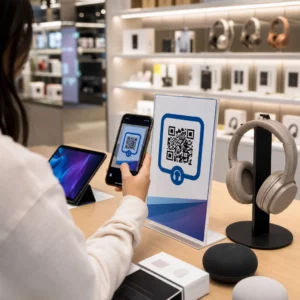
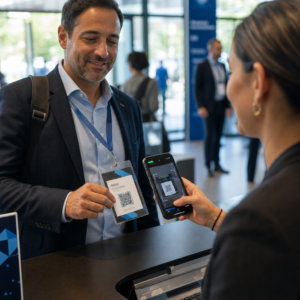
Ingin berbagi pesan, serangkaian instruksi, atau detail kontak dengan siapa pun yang memiliki ponsel cerdas? Teks biasa sering diabaikan sebagai jenis konten kode QR, tetapi ini adalah salah satu format paling langsung dan serbaguna yang tersedia. Panduan ini akan memandu Anda tentang cara membuat kode QR teks, menyesuaikannya, dan memastikan kode tersebut dapat dipindai dengan andal setiap saat.
Apa Itu Kode QR Teks?
Kode QR (Quick Response code) adalah kode batang dua dimensi yang menyimpan data dalam pola kotak hitam dan putih. Ketika kamera ponsel cerdas mengarah padanya, pola tersebut didekode dan informasi yang tersimpan ditampilkan secara instan – tidak perlu mengetik secara manual.
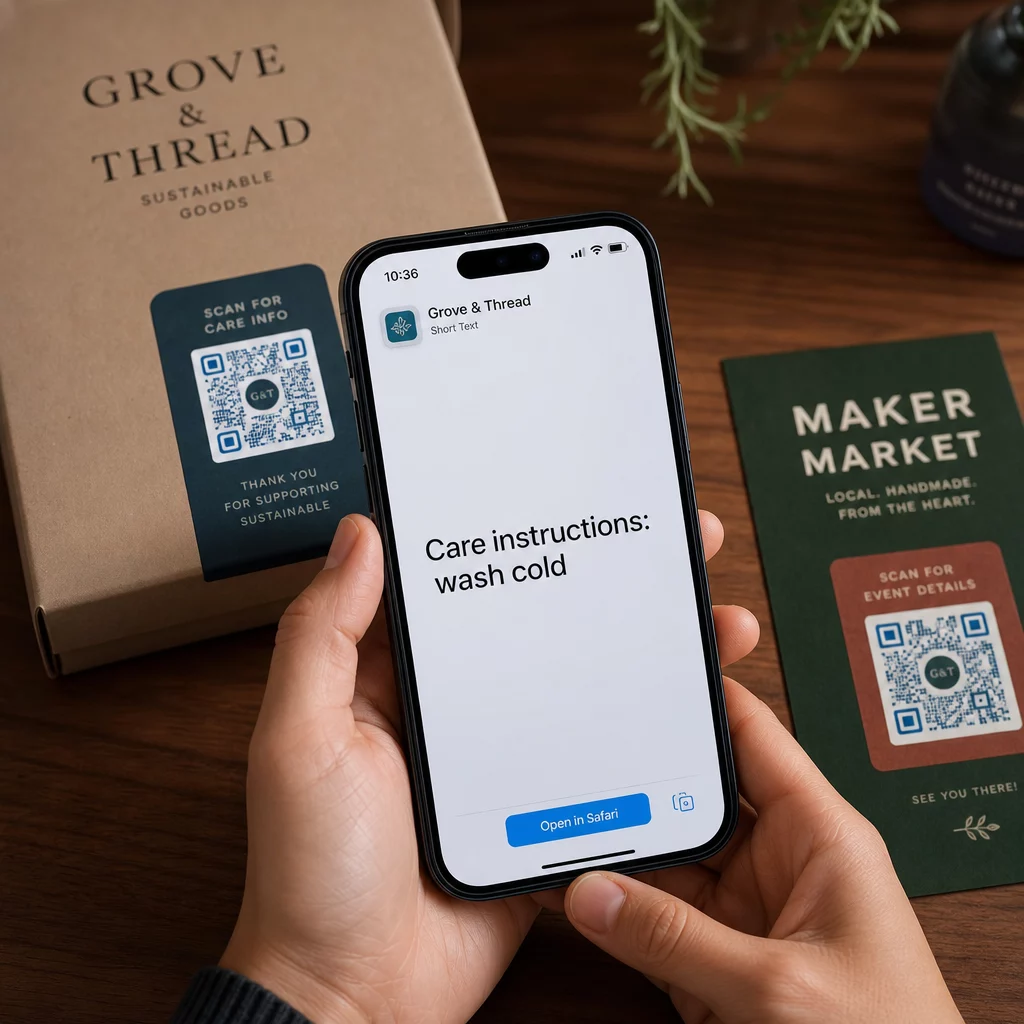
Kode QR teks bekerja dengan cara yang sama, kecuali alih-alih mengarahkan ke situs web, kode tersebut menampilkan teks yang dikodekan langsung di layar pengguna. Ketika seseorang memindainya, konten akan segera muncul dan mereka dapat membaca, menyalin, atau berinteraksi dengannya sesuai kebutuhan.
Ini membuat kode QR teks berguna untuk berbagai situasi:
- Pesan singkat atau pengumuman
- Instruksi langkah demi langkah pada kemasan atau papan nama
- Detail kontak atau catatan
- Emoji, URL, atau konten berbasis teks lainnya
Tidak seperti kode QR URL, kode QR teks tidak mengharuskan penerima memiliki koneksi internet untuk membaca konten – informasi tersebut tertanam langsung dalam kode itu sendiri.
Cara Membuat Kode QR dari Teks
Membuat kode QR teks membutuhkan waktu kurang dari satu menit. Berikut adalah prosesnya menggunakan Pageloot Text QR Code Generator:
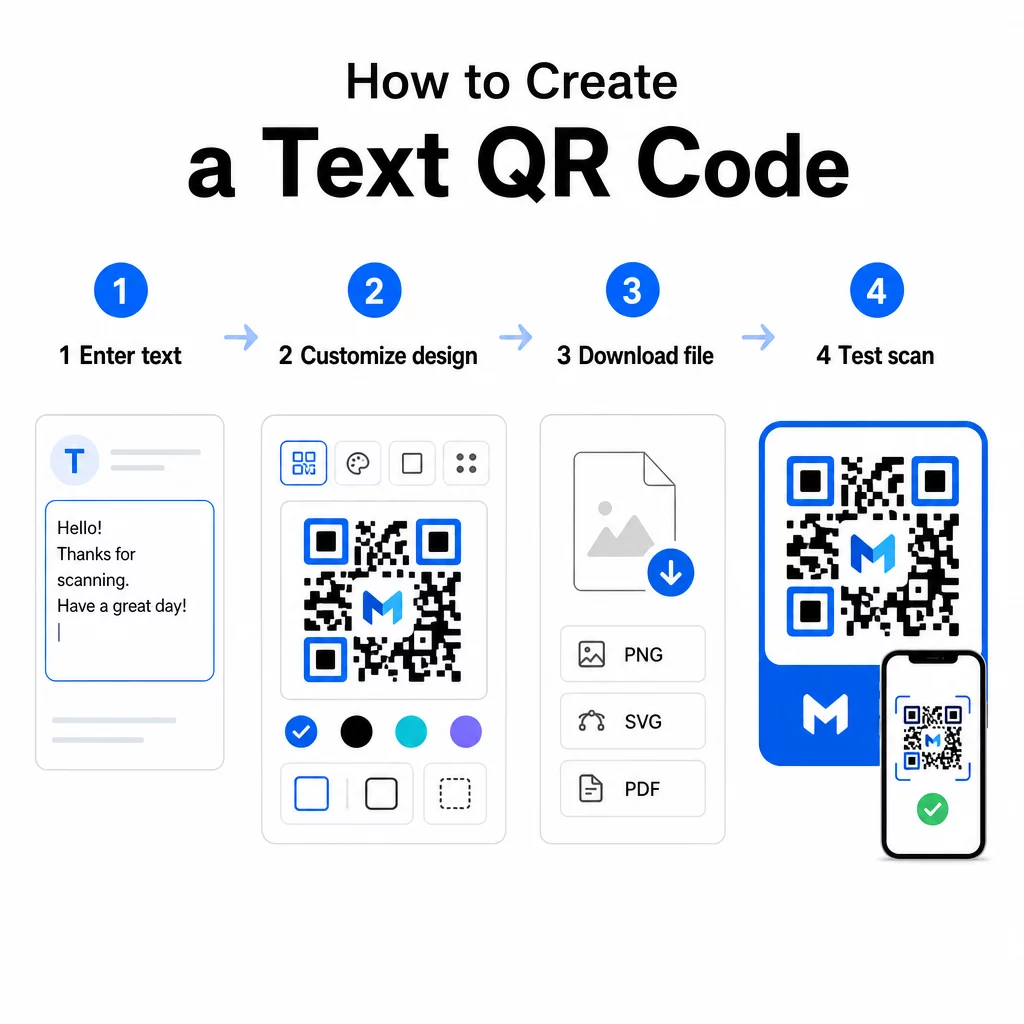
- Masukkan teks Anda – Ketik atau tempel pesan, instruksi, atau detail yang ingin Anda kodekan. Ini bisa berupa apa saja mulai dari catatan singkat hingga informasi kontak.
- Sesuaikan tampilan – Sesuaikan warna, tambahkan logo Anda, ubah bentuk, atau tambahkan bingkai ajakan bertindak agar sesuai dengan merek Anda. Berikutnya praktik terbaik kontras warna kode QR pada tahap ini membantu memastikan kode Anda tetap dapat dipindai.
- Simpan dan unduh – Klik “Simpan” untuk membuat kode. Anda dapat mengunduhnya sebagai file gambar PNG atau JPG untuk digunakan dalam materi digital atau cetak.
- Uji sebelum Anda menerbitkan – Pindai kode dengan Scan QR Code & Barcode atau kamera ponsel cerdas Anda untuk memastikan kode tersebut menampilkan konten yang benar sebelum mendistribusikannya.
Buat Kode QR Teks Anda Secara Gratis Siap mengubah pesan apa pun menjadi kode yang dapat dipindai secara instan? Gunakan Generator QR Code Teks untuk membuat, menyesuaikan, dan mengunduh kode Anda dalam hitungan menit.
Menyesuaikan Kode QR Teks Anda
Kode hitam-putih biasa berfungsi, tetapi kode QR bermerek dan dirancang dengan baik mendapatkan lebih banyak pemindaian. Berikut adalah opsi penyesuaian utama yang patut dipertimbangkan:
- Warna – Gunakan warna merek Anda, tetapi selalu pertahankan latar depan gelap pada latar belakang terang. Kontras rendah adalah alasan paling umum mengapa kode QR gagal dipindai dengan andal.
- Logo – Menambahkan logo Anda membangun kepercayaan dan memperkuat pengenalan merek. Jika Anda menambahkan overlay logo, gunakan tingkat koreksi kesalahan yang lebih tinggi (Q atau H) agar pemindai masih dapat membaca kode meskipun sebagian darinya terhalang.
- Bingkai dengan ajakan bertindak – Sebuah perintah singkat seperti “Pindai untuk detail” atau “Baca instruksi di sini” memberi tahu orang-orang apa yang diharapkan dan mendorong mereka untuk memindai.
- Bentuk – Kode QR tidak harus berbentuk persegi sempurna. Bentuk titik kustom dan gaya tepi dapat membuat kode terasa lebih seperti bagian dari desain Anda tanpa mengorbankan fungsionalitas.
Untuk melihat lebih dalam apa yang memengaruhi keandalan pemindaian, praktik terbaik keterbacaan kode QR mencakup ukuran, kontras, zona tenang, dan penempatan secara rinci.
Mengunduh dan Menggunakan Kode QR Anda
Setelah Anda puas dengan desain dan telah mengujinya, unduh file dalam format yang sesuai dengan kasus penggunaan Anda:
- PNG atau JPG – Terbaik untuk penggunaan digital: situs web, email, media sosial, dan presentasi.
- SVG, EPS, atau PDF – Format vektor yang dapat diskalakan tanpa kehilangan kualitas, ideal untuk materi cetak seperti pamflet, poster, dan kemasan produk.
Itu Generator PNG Kode QR adalah pilihan yang baik jika Anda membutuhkan latar belakang transparan untuk menempatkan kode di atas gambar atau desain bertekstur tanpa kotak putih di sekitarnya.
Untuk penempatan, pilih permukaan yang datar, halus, dan memiliki visibilitas tinggi. Hindari permukaan melengkung, hasil akhir yang sangat reflektif, atau latar belakang yang berantakan, karena ini dapat mengganggu pemindaian. Ukuran minimum sekitar 2 × 2 cm (sekitar 0,8 × 0,8 inci) direkomendasikan untuk pemindaian jarak dekat, dan kode harus menjadi lebih besar secara proporsional semakin jauh audiens Anda kemungkinan berada.
Kode QR Teks Statis vs. Dinamis
Saat Anda membuat kode QR teks, Anda memiliki dua opsi struktural:
| FITUR | Kode QR Statis | Kode QR dinamis |
|---|---|---|
| Konten dapat diedit setelah pembuatan | Tidak. | Ya. |
| Pelacakan dan analisis pemindaian | Tidak. | Ya. |
| URL yang dikodekan lebih pendek (pola lebih bersih) | Tidak. | Ya. |
| Berfungsi tanpa internet | Ya. | Membutuhkan pengalihan |
SEBUAH kode QR statis mengkodekan teks secara langsung dan permanen. Ini berfungsi offline, tetapi jika Anda perlu mengubah pesan nanti, Anda harus membuat dan mendistribusikan kode baru.
SEBUAH kode QR dinamis mengkodekan URL pengalihan singkat alih-alih teks itu sendiri. Ini menjaga pola kode lebih sederhana dan lebih mudah dipindai, dan memungkinkan Anda memperbarui konten tujuan kapan saja tanpa mencetak ulang. Ini juga memberi Anda akses ke analitik pemindaian – melacak metrik seperti jumlah pemindaian, lokasi, jenis perangkat, dan waktu pemindaian.
Untuk penggunaan satu kali seperti selebaran atau label produk dengan instruksi tetap, kode statis sudah sangat memadai. Untuk kampanye berkelanjutan atau apa pun yang mungkin perlu diperbarui, kode dinamis adalah pilihan yang lebih fleksibel. Anda dapat menjelajahi opsi dinamis melalui Pembuat Kode QR Pageloot.
Penggunaan Praktis untuk Kode QR Teks
Kode QR teks sangat cocok untuk banyak skenario dunia nyata:
- Kemasan produk – Mengkodekan instruksi perawatan, langkah-langkah perakitan, atau informasi keselamatan sehingga pelanggan dapat mengakses detail dengan satu pemindaian alih-alih mencari sisipan terpisah.
- Papan nama acara – Bagikan kata sandi WiFi, jadwal acara, atau aturan tempat tanpa mencetaknya secara lengkap di setiap papan nama.
- Kartu nama – Sertakan pesan pribadi singkat atau slogan yang muncul saat seseorang memindai kartu.
- Ritel dan perhotelan – Mengkodekan pesan promosi singkat, kode diskon, atau catatan selamat datang untuk tamu.
- Pesan singkat – Kode QR teks juga dapat digabungkan dengan alur kerja perpesanan. panduan kode QR pesan instan menjelaskan cara mengatur kode yang membuka pesan yang sudah terisi di WhatsApp, Facebook Messenger, atau SMS.
Sebelum Anda Mendistribusikan: Daftar Periksa Pengujian
Masalah pemindaian jauh lebih mudah ditangkap sebelum kode dicetak daripada sesudahnya. Lakukan pemeriksaan ini sebelum mendistribusikan kode QR apa pun:
- Pindai dengan setidaknya dua perangkat berbeda (iOS dan Android)
- Uji dalam kondisi pencahayaan aktual di mana kode akan ditampilkan
- Konfirmasikan teks yang ditampilkan akurat dan lengkap
- Periksa bahwa zona tenang (batas bening di sekitar kode) tidak terhalang
- Untuk cetak, konfirmasikan kode cukup besar relatif terhadap jarak pemindaian yang diharapkan
Itu Panduan praktik terbaik kegunaan kode QR memiliki rincian lengkap persyaratan standar ISO/IEC 18004 jika Anda ingin memastikan kode Anda memenuhi kriteria kepatuhan teknis.
Kode QR teks adalah salah satu cara tercepat untuk berbagi informasi tanpa memerlukan koneksi internet atau URL yang diketik. Memastikan dasar-dasarnya benar – kontras yang jelas, ukuran yang sesuai, desain yang teruji – berarti orang yang ingin Anda jangkau dapat mengakses konten Anda secara instan dan tanpa hambatan.
Buat dan Uji Kode QR Anda Menggunakan Generator kode QR gratis untuk membuat, menyesuaikan, dan mengunduh kode QR teks dalam hitungan menit. Tidak diperlukan kartu kredit untuk memulai.
Pertanyaan yang sering diajukan
Ya. Sebagian besar ponsel cerdas modern yang menjalankan iOS 11 atau lebih baru dan versi Android terbaru dapat memindai kode QR langsung melalui aplikasi kamera bawaan tanpa mengunduh apa pun tambahan. Untuk perangkat lama atau untuk memverifikasi konten sebelum berbagi, Anda juga dapat menggunakan alat daring seperti Pageloot QR Code Scanner.
Kode QR standar dapat mengkodekan hingga 4.296 karakter alfanumerik pada tingkat koreksi kesalahan terendah. Dalam praktiknya, teks yang lebih pendek menghasilkan kode yang lebih sederhana, tidak terlalu padat, yang memindai lebih cepat dan lebih andal di berbagai perangkat dan kondisi pencahayaan. Jika pesan Anda panjang, pertimbangkan apakah URL yang mengarah ke halaman web mungkin berfungsi lebih baik.
Tidak dengan kode QR statis – teksnya dienkode secara permanen dalam pola tersebut. Jika Anda perlu mengubah konten nanti, Anda perlu membuat kode baru. Kode QR dinamis memecahkan masalah ini: ia mengkodekan URL pengalihan singkat yang dapat Anda perbarui kapan saja, sehingga kode yang dicetak tetap sama meskipun konten berubah.