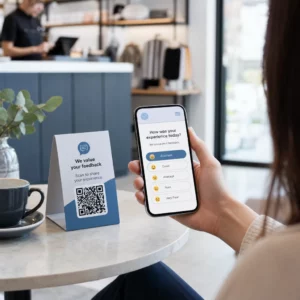
Wil je een bericht, een reeks instructies of contactgegevens delen met iedereen die een smartphone heeft? Platte tekst wordt vaak over het hoofd gezien als een inhoudstype voor QR-codes, maar het is een van de meest directe en veelzijdige formaten die beschikbaar zijn. Deze gids leidt je precies door hoe je een tekst-QR-code maakt, deze aanpast en ervoor zorgt dat deze elke keer betrouwbaar scant.
Wat is een tekst-QR-code?
Een QR-code (Quick Response code) is een tweedimensionale barcode die gegevens opslaat in een patroon van zwarte en witte vierkanten. Wanneer een smartphonecamera ernaar wijst, wordt het patroon gedecodeerd en wordt de opgeslagen informatie direct weergegeven – handmatig typen is niet nodig.
Een tekst-QR-code werkt op dezelfde manier, behalve dat deze, in plaats van door te verwijzen naar een website, de gecodeerde tekst direct op het scherm van de gebruiker weergeeft. Wanneer iemand deze scant, verschijnt de inhoud meteen en kunnen ze deze lezen, kopiëren of ermee interageren zoals nodig.
Dit maakt tekst-QR-codes nuttig voor een breed scala aan situaties:
- Korte berichten of aankondigingen
- Stapsgewijze instructies op verpakkingen of bewegwijzering
- Contactgegevens of notities
- Emoji's, URL's of andere tekstgebaseerde inhoud
In tegenstelling tot een URL-QR-code, vereist een tekst-QR-code niet dat de ontvanger een internetverbinding heeft om de inhoud te lezen – de informatie is direct in de code zelf ingebed.
Hoe maak je een QR-code van tekst
Het maken van een tekst-QR-code duurt minder dan een minuut. Hier is het proces met behulp van de Pageloot Tekst QR Code Generator:
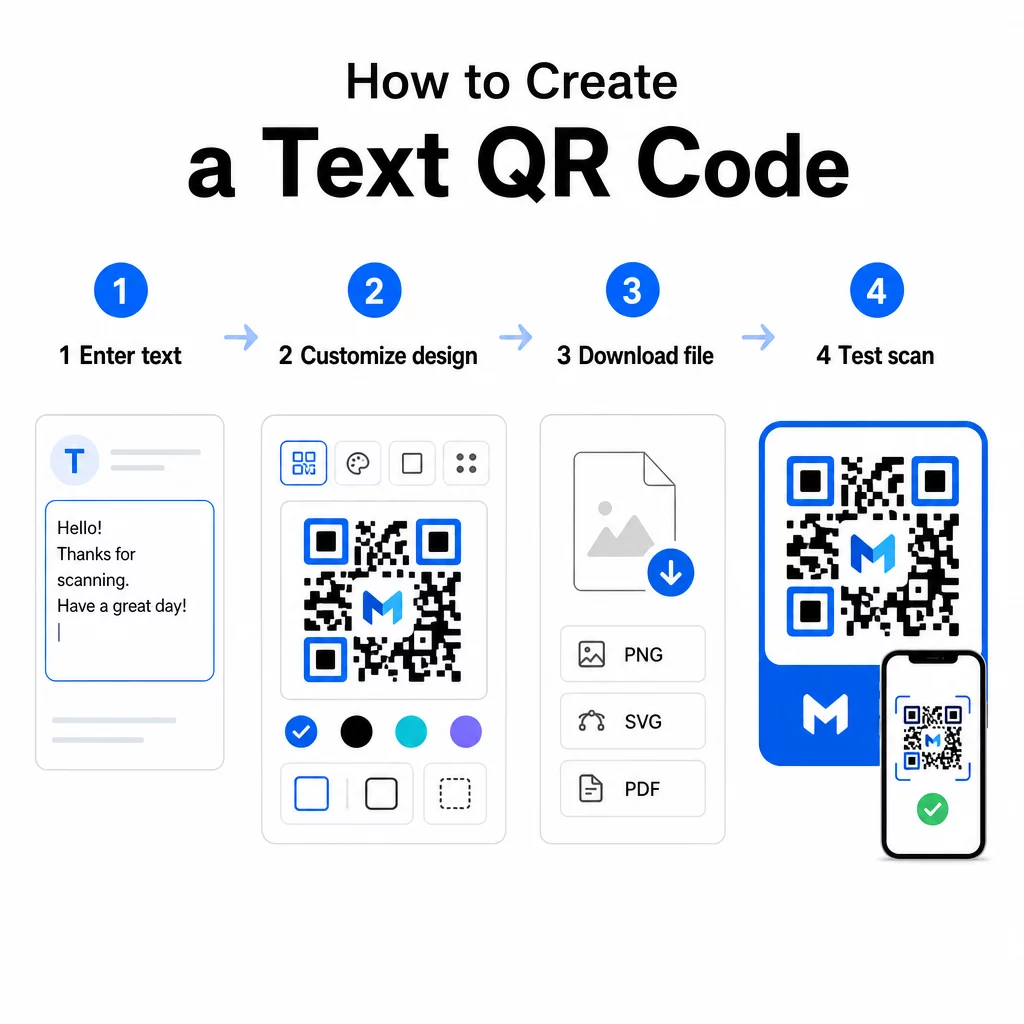
- Voer uw tekst in – Typ of plak het bericht, de instructies of de details die je wilt coderen. Dit kan alles zijn, van een korte notitie tot contactinformatie.
- Pas het uiterlijk aan – Pas kleuren aan, voeg je logo toe, verander de vorm of voeg een call-to-action kader toe om bij je merk te passen. Volgend best practices voor kleurcontrast van QR-codes in dit stadium helpt ervoor te zorgen dat uw code scanbaar blijft.
- Opslaan en downloaden – Klik op “Opslaan” om de code te genereren. U kunt deze downloaden als een PNG- of JPG-afbeeldingsbestand voor gebruik in digitale of gedrukte materialen.
- Test voordat u publiceert – Scan de code met een QR-code scanner of de camera van uw smartphone om te bevestigen dat deze de juiste inhoud weergeeft voordat u deze verspreidt.
Maak gratis uw tekst-QR-code Klaar om elk bericht om te zetten in een direct scanbare code? Gebruik de QR code maken van tekst om uw code binnen enkele minuten te bouwen, aan te passen en te downloaden.
Uw tekst-QR-code aanpassen
Een eenvoudige zwart-witcode werkt, maar een gebrande, goed ontworpen QR-code krijgt meer scans. Hier zijn de belangrijkste aanpassingsopties die het overwegen waard zijn:
- Kleuren – Gebruik uw merkkleuren, maar houd altijd een donkere voorgrond op een lichte achtergrond. Laag contrast is de meest voorkomende reden waarom een QR-code niet betrouwbaar scant.
- Logo – Het toevoegen van uw logo bouwt vertrouwen op en versterkt merkherkenning. Als u een logo-overlay toevoegt, gebruik dan een hoger foutcorrectieniveau (Q of H), zodat de scanner de code nog steeds kan lezen, zelfs als een deel ervan is verborgen.
- Frame met call-to-action – Een korte aanwijzing zoals “Scan voor details” of “Lees hier de instructies” vertelt mensen precies wat ze kunnen verwachten en moedigt hen aan om te scannen.
- Vorm – QR-codes hoeven niet perfect vierkant te zijn. Aangepaste puntvormen en randstijlen kunnen een code meer laten aanvoelen als onderdeel van uw ontwerp zonder de functionaliteit in gevaar te brengen.
Voor een diepere blik op wat de betrouwbaarheid van scans beïnvloedt, de gids voor best practices voor de leesbaarheid van QR-codes behandelt grootte, contrast, rustzones en plaatsing in detail.
Je QR-code downloaden en gebruiken
Zodra je tevreden bent met het ontwerp en het hebt getest, download je het bestand in het formaat dat bij jouw gebruiksscenario past:
- PNG of JPG – Het beste voor digitaal gebruik: websites, e-mails, sociale media en presentaties.
- SVG, EPS of PDF – Vectorformaten die schalen zonder kwaliteitsverlies, ideaal voor drukwerk zoals flyers, posters en productverpakkingen.
De QR-code PNG-generator is een goede optie als je een transparante achtergrond nodig hebt om de code over afbeeldingen of gestructureerde ontwerpen te plaatsen zonder een wit kader eromheen.
Kies voor plaatsing een vlak, glad oppervlak met hoge zichtbaarheid. Vermijd gebogen oppervlakken, sterk reflecterende afwerkingen of rommelige achtergronden, aangezien deze het scannen kunnen verstoren. Een minimale grootte van ongeveer 2 × 2 cm (ongeveer 0,8 × 0,8 inch) wordt aanbevolen voor scannen op korte afstand, en de code moet proportioneel groter worden naarmate je publiek waarschijnlijk verder weg is.
Statische versus dynamische tekst-QR-codes
Wanneer je een tekst-QR-code maakt, heb je twee structurele opties:
| FUNCTIE | Statische QR Code | Dynamische QR-code |
|---|---|---|
| Inhoud bewerkbaar na creatie | Geen | Ja |
| Scanregistratie en -analyse | Geen | Ja |
| Kortere gecodeerde URL (schoner patroon) | Geen | Ja |
| Werkt zonder internet | Ja | Vereist omleiding |
EEN statische QR-code codeert de tekst direct en permanent. Het werkt offline, maar als u het bericht later moet wijzigen, moet u een nieuwe code maken en opnieuw verspreiden.
EEN dynamische QR-code codeert een korte omleidings-URL in plaats van de tekst zelf. Dit houdt het codepatroon eenvoudiger en gemakkelijker te scannen, en stelt u in staat de bestemmingsinhoud op elk moment bij te werken zonder opnieuw af te drukken. Het geeft u ook toegang tot scananalyses – het bijhouden van statistieken zoals aantal scans, locatie, apparaattype en tijd van scan.
Voor eenmalig gebruik, zoals een hand-out of een productlabel met vaste instructies, is een statische code perfect voldoende. Voor lopende campagnes of alles wat mogelijk moet worden bijgewerkt, is een dynamische code de flexibelere keuze. U kunt dynamische opties verkennen via de Pageloot QR-codegenerator.
Praktische toepassingen voor tekst-QR-codes
Tekst-QR-codes passen van nature in veel praktijksituaties:
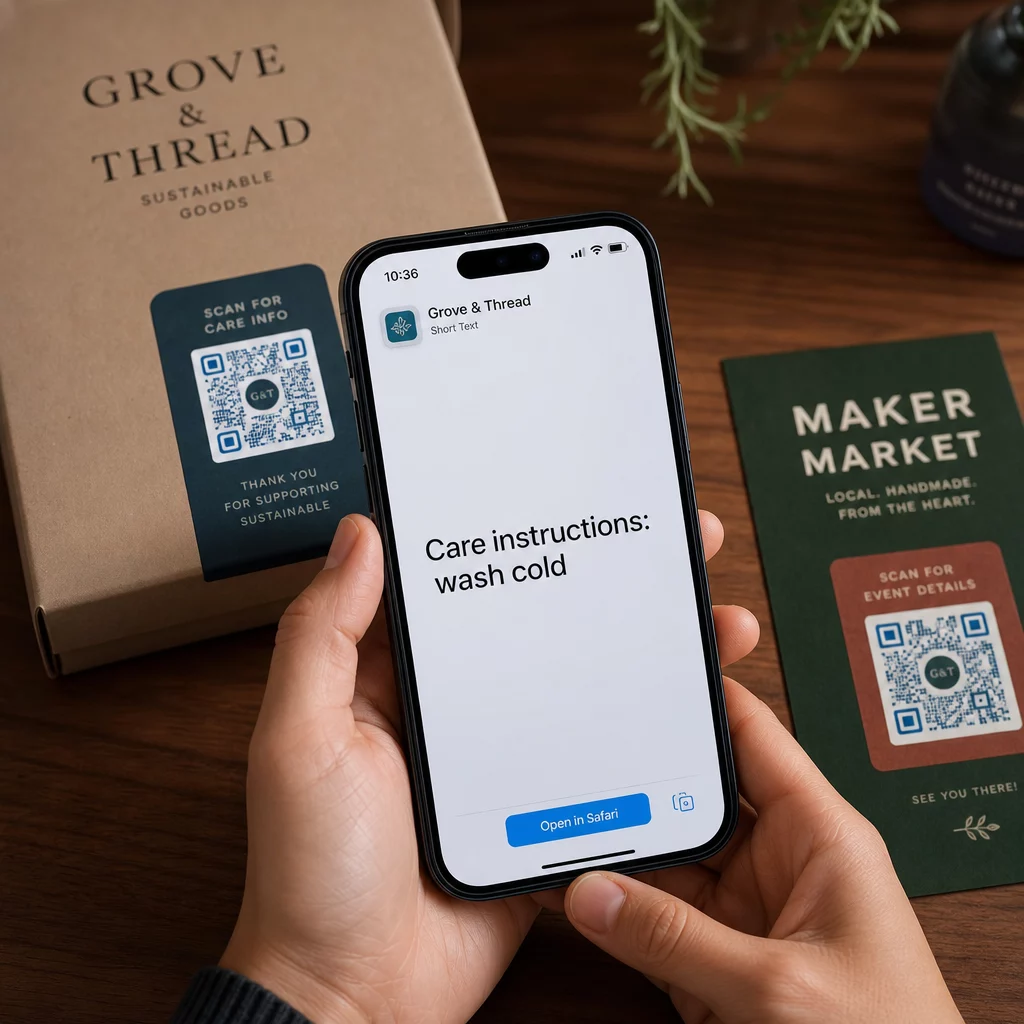
- Productverpakkingen – Codeer onderhoudsinstructies, montagestappen of veiligheidsinformatie, zodat klanten details kunnen openen met één scan in plaats van te zoeken naar een aparte bijsluiter.
- Evenementenbewegwijzering – Deel wifi-wachtwoorden, evenementenschema's of zaalregels zonder ze volledig op elk bord af te drukken.
- Visitekaartjes – Voeg een korte persoonlijke boodschap of slogan toe die verschijnt wanneer iemand de kaart scant.
- Detailhandel en horeca – Codeer korte promotieberichten, kortingscodes of welkomstberichten voor gasten.
- Instant messaging – Tekst-QR-codes kunnen ook worden gecombineerd met berichtworkflows. De handleiding voor instant messaging QR-codes legt uit hoe u codes instelt die een vooraf ingevuld bericht openen in WhatsApp, Facebook Messenger of sms.
Voordat u distribueert: Testchecklist
Scanproblemen zijn veel gemakkelijker te ondervangen voordat een code wordt afgedrukt dan erna. Doorloop deze controles voordat u een QR-code distribueert:
- Scan met ten minste twee verschillende apparaten (iOS en Android)
- Test onder de werkelijke lichtomstandigheden waarin de code zal worden weergegeven
- Controleer of de weergegeven tekst nauwkeurig en volledig is
- Controleer of de rustzone (de vrije rand rond de code) onbelemmerd is
- Controleer voor afdrukken of de code groot genoeg is ten opzichte van de verwachte scanafstand
De Gids voor best practices voor bruikbaarheid van QR-codes bevat een volledige uiteenzetting van de ISO/IEC 18004 standaardvereisten als u wilt garanderen dat uw code voldoet aan de technische nalevingscriteria.
Een tekst-QR-code is een van de snelste manieren om informatie te delen zonder een internetverbinding of een getypte URL te vereisen. De basis goed doen – helder contrast, geschikte grootte, een getest ontwerp – betekent dat de mensen die u probeert te bereiken direct en zonder wrijving toegang hebben tot uw inhoud.
Bouw en test uw QR-code Gebruik de Gratis QR-code maken om binnen enkele minuten een tekst-QR-code te maken, aan te passen en te downloaden. Geen creditcard nodig om te beginnen.
Veelgestelde vragen
Ja. De meeste moderne smartphones met iOS 11 of nieuwer en recente Android-versies kunnen QR-codes direct scannen via de ingebouwde camera-app zonder iets extra's te downloaden. Voor oudere apparaten of om inhoud te verifiëren voordat u deelt, kunt u ook een online tool gebruiken zoals de Pageloot QR Code Scanner.
Een standaard QR-code kan tot 4.296 alfanumerieke tekens coderen op het laagste foutcorrectieniveau. In de praktijk produceert kortere tekst een eenvoudigere, minder dichte code die sneller en betrouwbaarder scant over een breder scala aan apparaten en lichtomstandigheden. Als uw bericht lang is, overweeg dan of een URL die naar een webpagina verwijst, wellicht beter werkt.
Niet met een statische QR-code – de tekst is permanent gecodeerd in het patroon. Als u de inhoud later moet wijzigen, zou u een nieuwe code moeten aanmaken. Een dynamische QR-code lost dit op: deze codeert een korte omleidings-URL die u op elk moment kunt bijwerken, zodat de geprinte code hetzelfde blijft, zelfs als de inhoud verandert.