Vuoi condividere un messaggio, un set di istruzioni o dettagli di contatto con chiunque abbia uno smartphone? Il testo semplice è spesso trascurato come tipo di contenuto per i codici QR, ma è uno dei formati più diretti e versatili disponibili. Questa guida ti illustra esattamente come creare un codice QR testuale, personalizzarlo e assicurarti che venga scansionato in modo affidabile ogni volta.
Cos'è un codice QR testuale?
Un codice QR (codice a risposta rapida) è un codice a barre bidimensionale che memorizza dati in un modello di quadrati bianchi e neri. Quando la fotocamera di uno smartphone lo inquadra, il modello viene decodificato e le informazioni memorizzate vengono visualizzate istantaneamente – senza bisogno di digitazione manuale.
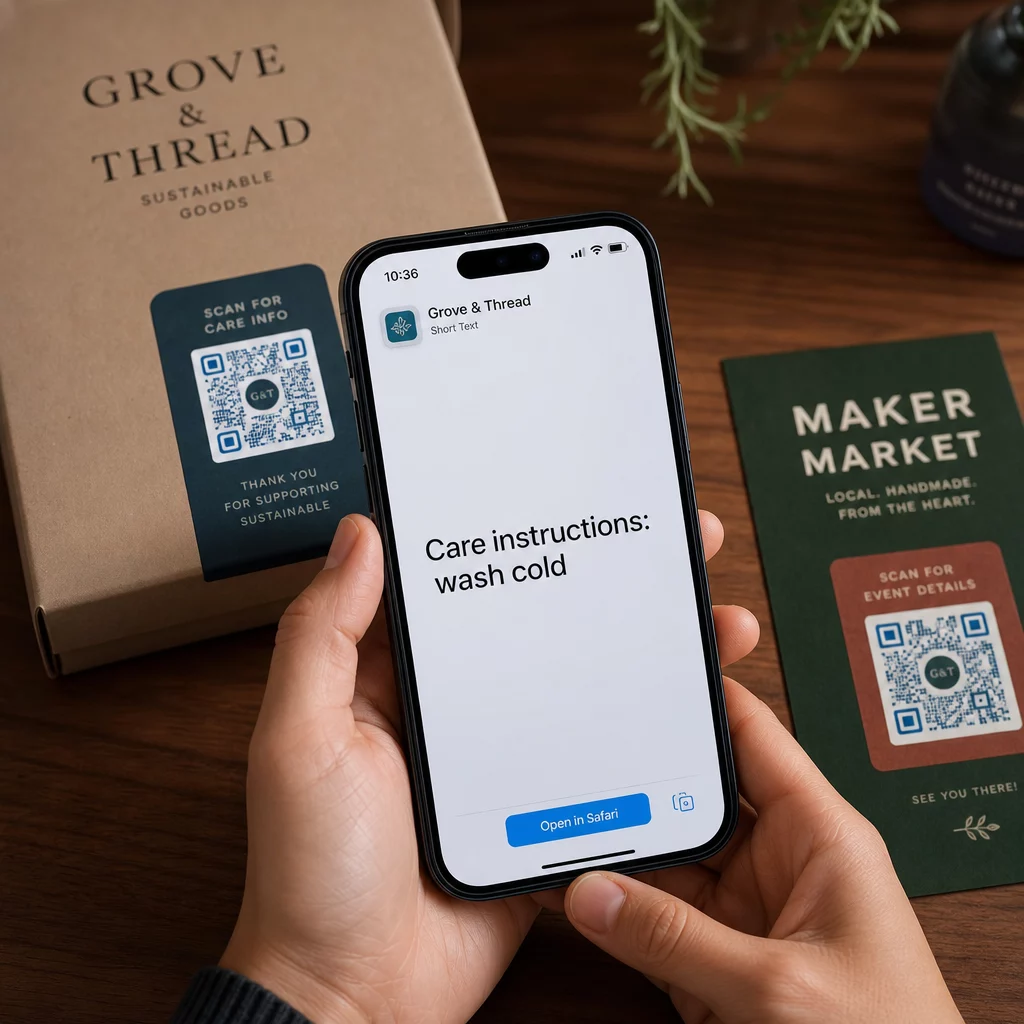
Un codice QR testuale funziona allo stesso modo, tranne che invece di reindirizzare a un sito web, visualizza il testo codificato direttamente sullo schermo dell'utente. Quando qualcuno lo scansiona, il contenuto appare immediatamente e può leggerlo, copiarlo o interagirci secondo necessità.
Questo rende i codici QR testuali utili per un'ampia gamma di situazioni:
- Messaggi brevi o annunci
- Istruzioni passo-passo su imballaggi o segnaletica
- Dettagli di contatto o note
- Emoji, URL o qualsiasi altro contenuto basato su testo
A differenza di un codice QR URL, un codice QR testuale non richiede al destinatario di avere una connessione internet per leggere il contenuto – le informazioni sono incorporate direttamente nel codice stesso.
Come creare un codice QR da testo
Creare un codice QR testuale richiede meno di un minuto. Ecco il processo utilizzando il Generatore di codici QR testuali Pageloot:
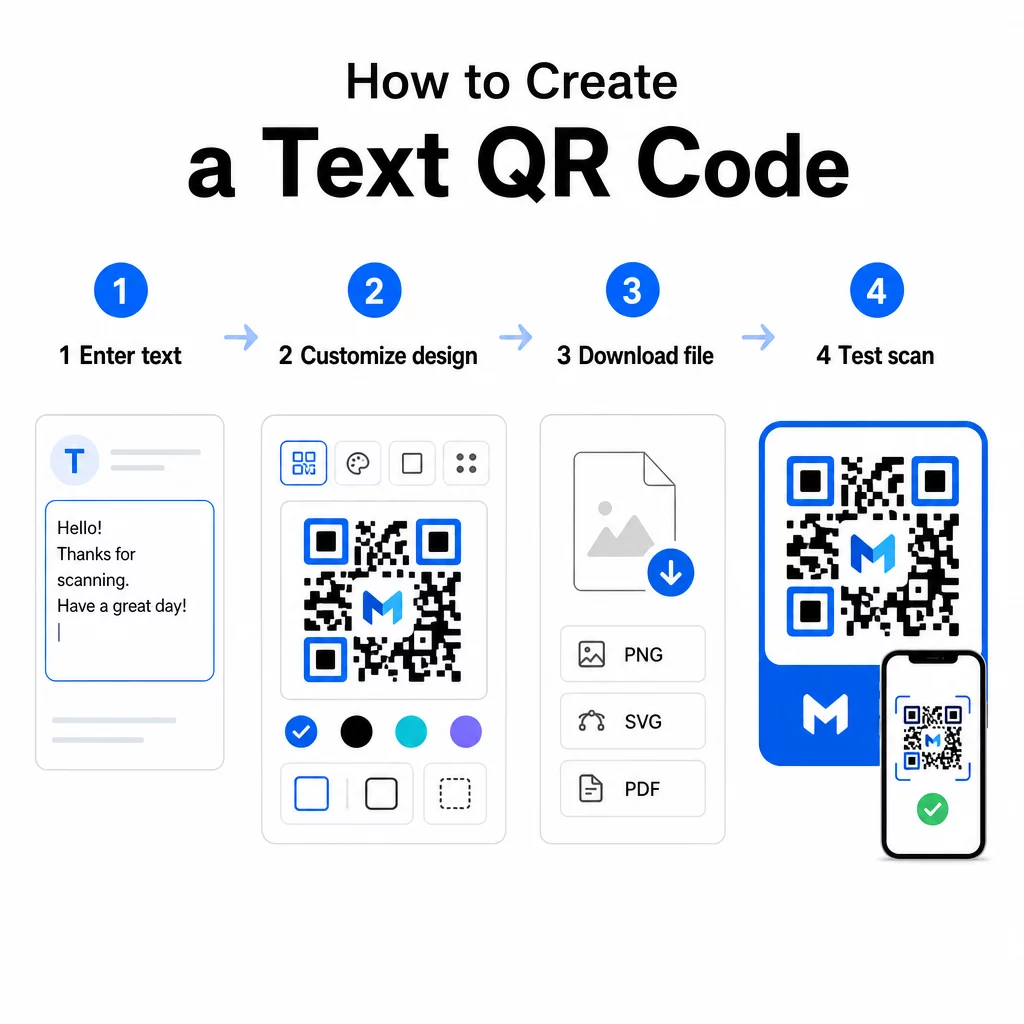
- Inserisci il tuo testo – Digita o incolla il messaggio, le istruzioni o i dettagli che desideri codificare. Questo può essere qualsiasi cosa, da una breve nota a informazioni di contatto.
- Personalizza l'aspetto – Regola i colori, aggiungi il tuo logo, cambia la forma o aggiungi una cornice con call-to-action per abbinarla al tuo brand. Seguendo migliori pratiche di contrasto cromatico dei codici QR a questo stadio aiuta a garantire che il tuo codice rimanga scansionabile.
- Salva e scarica – Clicca su “Salva” per generare il codice. Puoi scaricarlo come file immagine PNG o JPG per l'utilizzo in materiali digitali o stampati.
- Testa prima di pubblicare – Scansiona il codice con una Lettore QR code o la fotocamera del tuo smartphone per confermare che visualizzi il contenuto corretto prima di distribuirlo.
Crea il tuo codice QR testuale gratuitamente Pronto a trasformare qualsiasi messaggio in un codice scansionabile istantaneamente? Usa il Generatore di QR code da testo per creare, personalizzare e scaricare il tuo codice in pochi minuti.
Personalizzazione del tuo codice QR testuale
Un semplice codice in bianco e nero funziona, ma un codice QR di marca e ben progettato ottiene più scansioni. Ecco le principali opzioni di personalizzazione da considerare:
- Colori – Usa i colori del tuo brand, ma mantieni sempre un primo piano scuro su uno sfondo chiaro. Il basso contrasto è la ragione più comune per cui un codice QR non riesce a essere scansionato in modo affidabile.
- Logo – L'aggiunta del tuo logo crea fiducia e rafforza il riconoscimento del brand. Se aggiungi una sovrapposizione del logo, usa un livello di correzione degli errori più alto (Q o H) in modo che lo scanner possa comunque leggere il codice anche se parte di esso è oscurata.
- Cornice con call-to-action – Un breve invito come “Scansiona per i dettagli” o “Leggi le istruzioni qui” dice alle persone esattamente cosa aspettarsi e le incoraggia a scansionare.
- Forma – I codici QR non devono essere perfettamente quadrati. Forme di punti personalizzate e stili dei bordi possono far sì che un codice sembri più parte del tuo design senza compromettere la funzionalità.
Per uno sguardo più approfondito su ciò che influisce sull'affidabilità della scansione, il guida alle migliori pratiche per la leggibilità dei codici QR copre dimensioni, contrasto, zone silenziose e posizionamento in dettaglio.
Download e utilizzo del tuo codice QR
Una volta soddisfatto del design e dopo averlo testato, scarica il file nel formato più adatto al tuo caso d'uso:
- PNG o JPG – Ideale per l'uso digitale: siti web, e-mail, social media e presentazioni.
- SVG, EPS o PDF – Formati vettoriali che si scalano senza perdere qualità, ideali per materiali stampati come volantini, poster e imballaggi di prodotti.
Il sito Generatore PNG di codici QR è una buona opzione se hai bisogno di uno sfondo trasparente per posizionare il codice su immagini o design testurizzati senza una cornice bianca intorno.
Per il posizionamento, scegli una superficie piana, liscia e ad alta visibilità. Evita superfici curve, finiture altamente riflettenti o sfondi disordinati, poiché questi possono interferire con la scansione. Si consiglia una dimensione minima di circa 2 × 2 cm (circa 0,8 × 0,8 pollici) per la scansione a distanza ravvicinata, e il codice dovrebbe ingrandirsi proporzionalmente più lontano è probabile che si trovi il tuo pubblico.
Codici QR di testo statici vs. dinamici
Quando crei un codice QR di testo, hai due opzioni strutturali:
| FUNZIONE | Codice QR statico | Codice QR dinamico |
|---|---|---|
| Contenuto modificabile dopo la creazione | No | Sì |
| Monitoraggio e analisi delle scansioni | No | Sì |
| URL codificato più corto (modello più pulito) | No | Sì |
| Funziona senza internet | Sì | Richiede reindirizzamento |
UN codice QR statico codifica il testo direttamente e permanentemente. Funziona offline, ma se in seguito è necessario modificare il messaggio, è necessario creare e ridistribuire un nuovo codice.
UN codice QR dinamico codifica un URL di reindirizzamento breve invece del testo stesso. Ciò mantiene il modello del codice più semplice e facile da scansionare, e consente di aggiornare il contenuto di destinazione in qualsiasi momento senza ristampare. Offre anche accesso all'analisi delle scansioni – monitorando metriche come il numero di scansioni, la posizione, il tipo di dispositivo e l'ora della scansione.
Per usi una tantum come un volantino o un'etichetta di prodotto con istruzioni fisse, un codice statico è perfettamente sufficiente. Per campagne in corso o qualsiasi cosa che possa richiedere aggiornamenti, un codice dinamico è la scelta più flessibile. Puoi esplorare le opzioni dinamiche tramite il Generatore di codici QR di Pageloot.
Usi Pratici per i Codici QR di Testo
I codici QR di testo si adattano naturalmente a molti scenari del mondo reale:
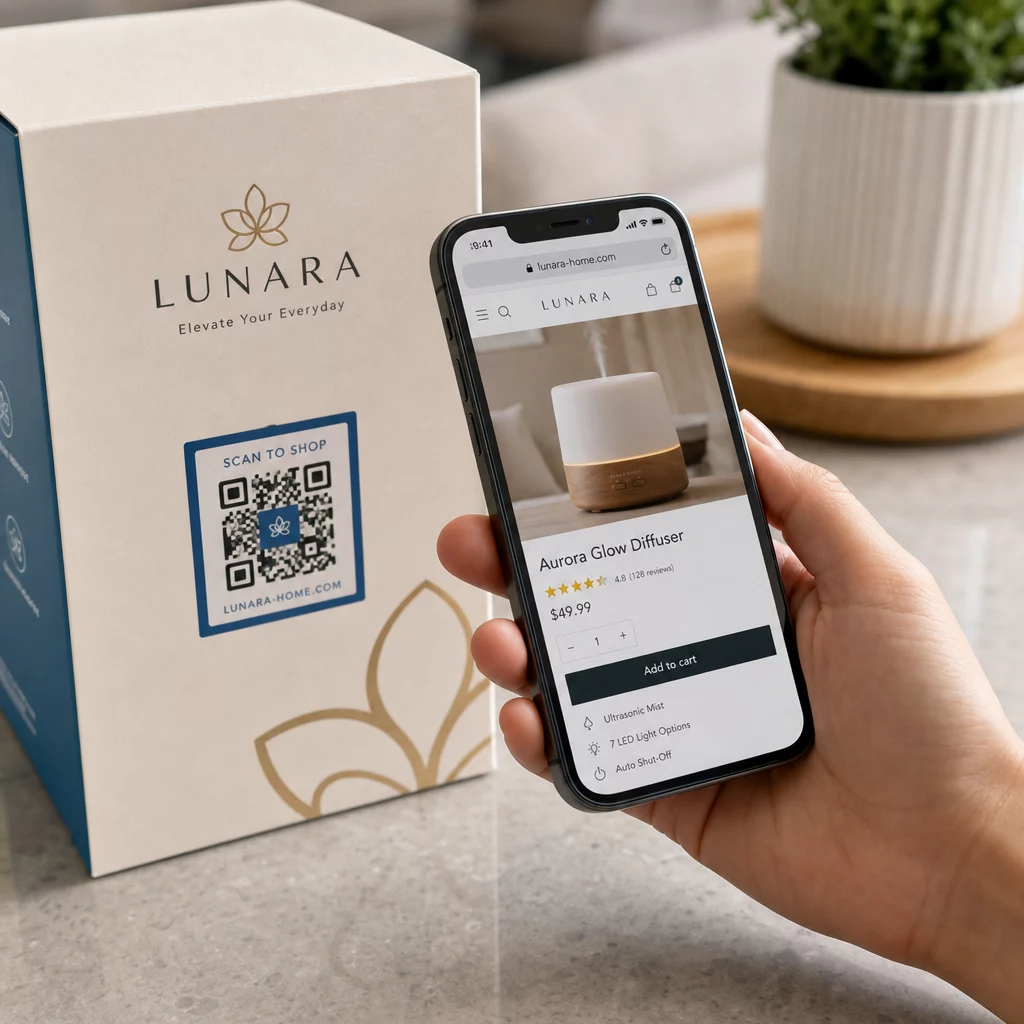
- Confezioni dei prodotti – Codifica istruzioni per la cura, passaggi di assemblaggio o informazioni sulla sicurezza in modo che i clienti possano accedere ai dettagli con una singola scansione invece di cercare un inserto separato.
- Segnaletica per eventi – Condividi password WiFi, orari degli eventi o regole del luogo senza stamparli per intero su ogni cartello.
- Biglietti da visita – Includi un breve messaggio personale o uno slogan che appare quando qualcuno scansiona la carta.
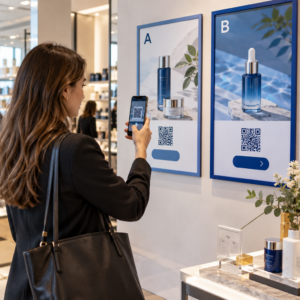
- Vendita al dettaglio e ospitalità – Codifica brevi messaggi promozionali, codici sconto o note di benvenuto per gli ospiti.
- Messaggistica istantanea – I codici QR di testo possono anche essere combinati con flussi di lavoro di messaggistica. La guida ai codici QR per la messaggistica istantanea spiega come impostare codici che aprono un messaggio precompilato in WhatsApp, Facebook Messenger o SMS.
Prima della Distribuzione: Lista di Controllo per il Test
I problemi di scansione sono molto più facili da individuare prima che un codice vada in stampa che dopo. Esegui questi controlli prima di distribuire qualsiasi codice QR:
- Scansiona con almeno due dispositivi diversi (iOS e Android)
- Testa nelle condizioni di illuminazione reali in cui verrà visualizzato il codice
- Conferma che il testo visualizzato sia accurato e completo
- Verifica che la zona di silenzio (il bordo chiaro attorno al codice) sia libera
- Per la stampa, conferma che il codice sia sufficientemente grande rispetto alla distanza di scansione prevista
Il sito Guida alle migliori pratiche di usabilità dei codici QR contiene una ripartizione completa dei requisiti dello standard ISO/IEC 18004 se vuoi assicurarti che il tuo codice soddisfi i criteri di conformità tecnica.
Un codice QR testuale è uno dei modi più veloci per condividere informazioni senza richiedere una connessione internet o un URL digitato. Ottenere le basi giuste – contrasto chiaro, dimensione appropriata, un design testato – significa che le persone che stai cercando di raggiungere possono accedere ai tuoi contenuti istantaneamente e senza attriti.
Crea e Testa il Tuo Codice QR Utilizzare il Generatore di QR code gratis per creare, personalizzare e scaricare un codice QR testuale in pochi minuti. Nessuna carta di credito richiesta per iniziare.
Domande frequenti
Sì. La maggior parte degli smartphone moderni con iOS 11 o versioni successive e le versioni recenti di Android possono scansionare i codici QR direttamente tramite l'app fotocamera integrata senza scaricare nulla di aggiuntivo. Per i dispositivi più vecchi o per verificare il contenuto prima della condivisione, puoi anche utilizzare uno strumento online come il Pageloot QR Code Scanner.
Un codice QR standard può codificare fino a 4.296 caratteri alfanumerici al livello di correzione degli errori più basso. In pratica, un testo più corto produce un codice più semplice e meno denso che scansiona più velocemente e in modo più affidabile su una gamma più ampia di dispositivi e condizioni di illuminazione. Se il tuo messaggio è lungo, valuta se un URL che punta a una pagina web potrebbe funzionare meglio.
Non con un codice QR statico – il testo è codificato in modo permanente nel modello. Se hai bisogno di cambiare il contenuto in seguito, dovresti creare un nuovo codice. Un codice QR dinamico risolve questo problema: codifica un breve URL di reindirizzamento che puoi aggiornare in qualsiasi momento, così il codice stampato rimane lo stesso anche se il contenuto cambia.