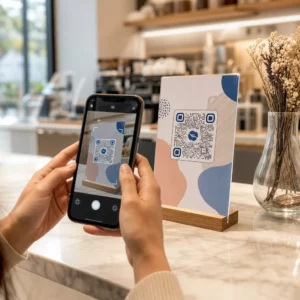
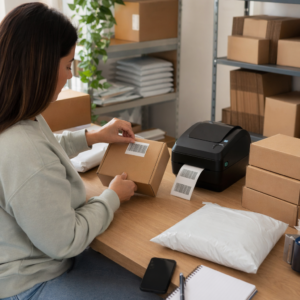
ต้องการแชร์ข้อความ ชุดคำสั่ง หรือรายละเอียดการติดต่อกับใครก็ตามที่มีสมาร์ทโฟนหรือไม่? ข้อความธรรมดามักถูกมองข้ามว่าเป็นประเภทเนื้อหาของรหัส QR แต่เป็นหนึ่งในรูปแบบที่ตรงไปตรงมาและหลากหลายที่สุดที่มีอยู่ คู่มือนี้จะแนะนำคุณถึงวิธีการสร้างรหัส QR ข้อความ ปรับแต่ง และทำให้แน่ใจว่าสามารถสแกนได้อย่างน่าเชื่อถือทุกครั้ง.
รหัส QR ข้อความคืออะไร?
รหัส QR (Quick Response code) คือบาร์โค้ดสองมิติที่เก็บข้อมูลในรูปแบบของสี่เหลี่ยมสีดำและสีขาว เมื่อกล้องสมาร์ทโฟนชี้ไปที่รหัส รูปแบบจะถูกถอดรหัสและข้อมูลที่เก็บไว้จะแสดงขึ้นทันที – ไม่ต้องพิมพ์ด้วยตนเอง.
รหัส QR ข้อความทำงานในลักษณะเดียวกัน ยกเว้นว่าแทนที่จะเปลี่ยนเส้นทางไปยังเว็บไซต์ มันจะแสดงข้อความที่เข้ารหัสโดยตรงบนหน้าจอของผู้ใช้ เมื่อมีคนสแกน เนื้อหาจะปรากฏขึ้นทันที และพวกเขาสามารถอ่าน คัดลอก หรือโต้ตอบกับมันได้ตามต้องการ.
สิ่งนี้ทำให้รหัส QR ข้อความมีประโยชน์สำหรับสถานการณ์ที่หลากหลาย:
- ข้อความสั้นๆ หรือประกาศ
- คำแนะนำทีละขั้นตอนบนบรรจุภัณฑ์หรือป้าย
- รายละเอียดการติดต่อหรือบันทึก
- อีโมจิ, URL หรือเนื้อหาอื่นๆ ที่เป็นข้อความ
แตกต่างจากรหัส QR URL รหัส QR ข้อความไม่ต้องการให้ผู้รับมีการเชื่อมต่ออินเทอร์เน็ตเพื่ออ่านเนื้อหา – ข้อมูลจะถูกฝังโดยตรงในรหัสเอง.
วิธีสร้างรหัส QR จากข้อความ
การสร้างรหัส QR ข้อความใช้เวลาน้อยกว่าหนึ่งนาที นี่คือกระบวนการโดยใช้ Pageloot Text QR Code Generator:
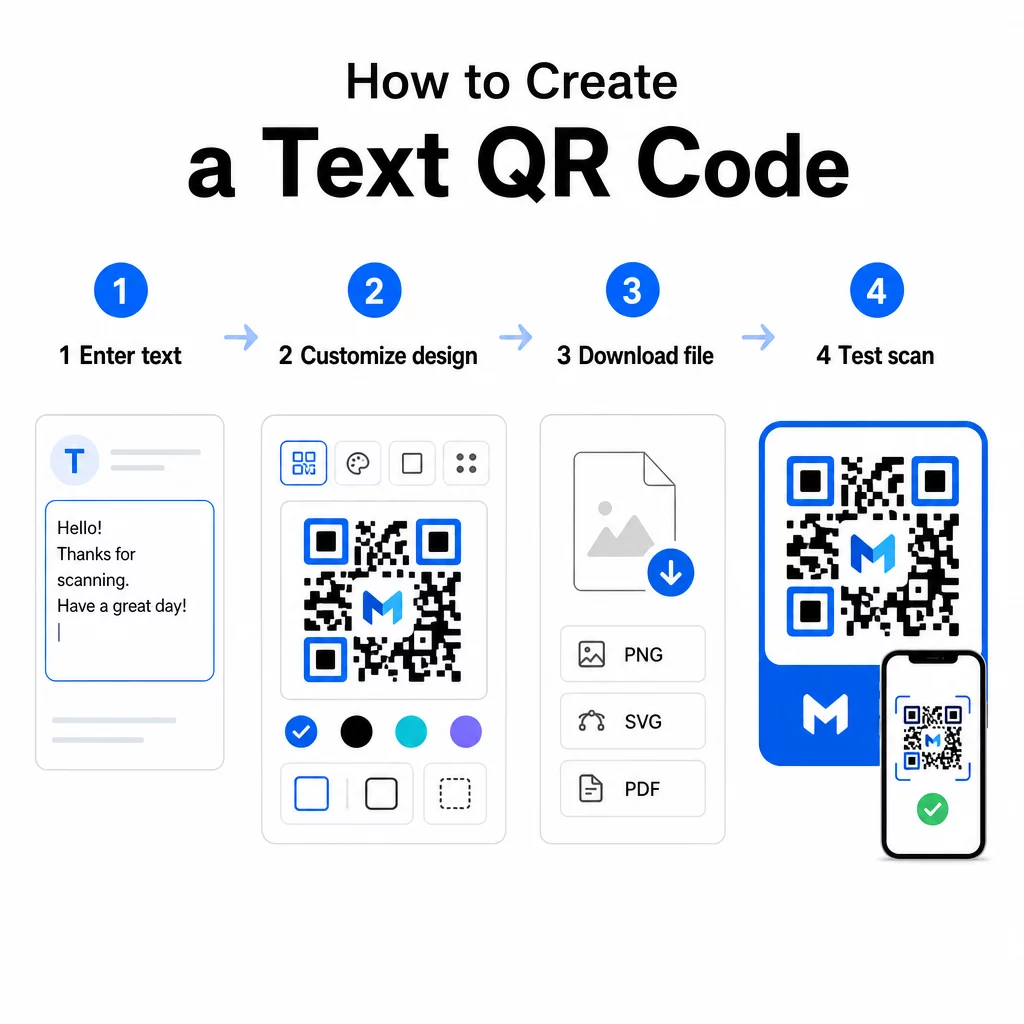
- ป้อนข้อความของคุณ – พิมพ์หรือวางข้อความ คำแนะนำ หรือรายละเอียดที่คุณต้องการเข้ารหัส ซึ่งอาจเป็นอะไรก็ได้ตั้งแต่บันทึกสั้นๆ ไปจนถึงข้อมูลติดต่อ.
- ปรับแต่งรูปลักษณ์ – ปรับสี เพิ่มโลโก้ของคุณ เปลี่ยนรูปร่าง หรือเพิ่มกรอบคำกระตุ้นการตัดสินใจเพื่อให้เข้ากับแบรนด์ของคุณ ถัดไป แนวทางปฏิบัติที่ดีที่สุดสำหรับความคมชัดของสีรหัส QR ในขั้นตอนนี้ช่วยให้มั่นใจว่าโค้ดของคุณยังคงสแกนได้.
- บันทึกและดาวน์โหลด – คลิก “บันทึก” เพื่อสร้างโค้ด คุณสามารถดาวน์โหลดเป็นไฟล์รูปภาพ PNG หรือ JPG เพื่อใช้ในสื่อดิจิทัลหรือสิ่งพิมพ์.
- ทดสอบก่อนเผยแพร่ – สแกนโค้ดด้วย สแกนคิวอาร์โค้ด หรือกล้องสมาร์ทโฟนของคุณเพื่อยืนยันว่าแสดงเนื้อหาที่ถูกต้องก่อนที่จะเผยแพร่.
สร้าง QR Code ข้อความของคุณฟรี พร้อมที่จะเปลี่ยนข้อความใดๆ ให้เป็นโค้ดที่สแกนได้ทันทีแล้วหรือยัง? ใช้ สร้างคิวอาร์โค้ด ข้อความ เพื่อสร้าง ปรับแต่ง และดาวน์โหลดโค้ดของคุณในไม่กี่นาที.
การปรับแต่ง QR Code ข้อความของคุณ
โค้ดขาวดำธรรมดาก็ใช้ได้ แต่ QR Code ที่มีแบรนด์และออกแบบมาอย่างดีจะได้รับการสแกนมากขึ้น นี่คือตัวเลือกการปรับแต่งที่สำคัญที่ควรพิจารณา:
- สี – ใช้สีของแบรนด์ของคุณ แต่ควรใช้พื้นหน้าสีเข้มบนพื้นหลังสีอ่อนเสมอ คอนทราสต์ต่ำเป็นสาเหตุที่พบบ่อยที่สุดที่ทำให้ QR Code สแกนไม่ได้อย่างน่าเชื่อถือ.
- เครื่องหมาย – การเพิ่มโลโก้ของคุณช่วยสร้างความไว้วางใจและเสริมสร้างการจดจำแบรนด์ หากคุณเพิ่มโลโก้ซ้อนทับ ให้ใช้ระดับการแก้ไขข้อผิดพลาดที่สูงขึ้น (Q หรือ H) เพื่อให้เครื่องสแกนยังคงอ่านโค้ดได้แม้ว่าบางส่วนจะถูกบดบัง.
- กรอบพร้อมคำกระตุ้นการตัดสินใจ – ข้อความสั้นๆ เช่น “สแกนเพื่อดูรายละเอียด” หรือ “อ่านคำแนะนำที่นี่” จะบอกผู้คนได้อย่างชัดเจนว่าจะคาดหวังอะไรและกระตุ้นให้พวกเขาสแกน.
- รูปร่าง – QR Code ไม่จำเป็นต้องเป็นสี่เหลี่ยมจัตุรัสเสมอไป รูปร่างจุดที่กำหนดเองและรูปแบบขอบสามารถทำให้โค้ดดูเหมือนเป็นส่วนหนึ่งของการออกแบบของคุณมากขึ้นโดยไม่ลดทอนฟังก์ชันการทำงาน.
สำหรับข้อมูลเชิงลึกเพิ่มเติมเกี่ยวกับสิ่งที่ส่งผลต่อความน่าเชื่อถือในการสแกน แนวทางปฏิบัติที่ดีที่สุดในการอ่านรหัส QR ครอบคลุมขนาด, คอนทราสต์, พื้นที่ว่างรอบรหัส (quiet zones) และตำแหน่งอย่างละเอียด.
การดาวน์โหลดและการใช้รหัส QR ของคุณ
เมื่อคุณพอใจกับการออกแบบและได้ทดสอบแล้ว ให้ดาวน์โหลดไฟล์ในรูปแบบที่เหมาะสมกับการใช้งานของคุณ:
- PNG หรือ JPG – เหมาะที่สุดสำหรับการใช้งานดิจิทัล: เว็บไซต์, อีเมล, โซเชียลมีเดีย และงานนำเสนอ.
- SVG, EPS หรือ PDF – รูปแบบเวกเตอร์ที่สามารถปรับขนาดได้โดยไม่สูญเสียคุณภาพ เหมาะสำหรับวัสดุสิ่งพิมพ์ เช่น ใบปลิว, โปสเตอร์ และบรรจุภัณฑ์สินค้า.
เดอะ เครื่องสร้างรหัส QR แบบ PNG เป็นตัวเลือกที่ดีหากคุณต้องการพื้นหลังโปร่งใสสำหรับวางรหัสบนรูปภาพหรือการออกแบบที่มีพื้นผิวโดยไม่มีกรอบสีขาวล้อมรอบ.
สำหรับการวาง ให้เลือกพื้นผิวที่เรียบ, เนียน และมองเห็นได้ชัดเจน หลีกเลี่ยงพื้นผิวโค้ง, พื้นผิวสะท้อนแสงสูง หรือพื้นหลังที่รก เพราะสิ่งเหล่านี้อาจรบกวนการสแกน แนะนำให้มีขนาดขั้นต่ำประมาณ 2 × 2 ซม. (ประมาณ 0.8 × 0.8 นิ้ว) สำหรับการสแกนระยะใกล้ และรหัสควรมีขนาดใหญ่ขึ้นตามสัดส่วนเมื่อผู้ชมของคุณอยู่ห่างออกไป.
รหัส QR ข้อความแบบคงที่เทียบกับแบบไดนามิก
เมื่อคุณสร้างรหัส QR ข้อความ คุณมีสองทางเลือกโครงสร้าง:
| ฟีเจอร์ | รหัส QR แบบคงที่ | รหัส QR แบบไดนามิก |
|---|---|---|
| เนื้อหาแก้ไขได้หลังการสร้าง | เลขที่ | ใช่ |
| การติดตามและวิเคราะห์ข้อมูลการสแกน | เลขที่ | ใช่ |
| URL ที่เข้ารหัสสั้นลง (รูปแบบที่สะอาดกว่า) | เลขที่ | ใช่ |
| ใช้งานได้โดยไม่ต้องใช้อินเทอร์เน็ต | ใช่ | ต้องมีการเปลี่ยนเส้นทาง |
ก รหัส QR แบบคงที่ เข้ารหัสข้อความโดยตรงและถาวร ใช้งานได้แบบออฟไลน์ แต่หากคุณต้องการเปลี่ยนข้อความในภายหลัง คุณจะต้องสร้างและแจกจ่ายรหัสใหม่.
ก รหัส QR แบบไดนามิก เข้ารหัส URL เปลี่ยนเส้นทางสั้นๆ แทนข้อความโดยตรง ซึ่งทำให้รูปแบบรหัสเรียบง่ายและสแกนง่ายขึ้น และช่วยให้คุณสามารถอัปเดตเนื้อหาปลายทางได้ตลอดเวลาโดยไม่ต้องพิมพ์ซ้ำ นอกจากนี้ยังช่วยให้คุณเข้าถึงการวิเคราะห์การสแกน – ติดตามเมตริกต่างๆ เช่น จำนวนการสแกน ตำแหน่ง ประเภทอุปกรณ์ และเวลาที่สแกน.
สำหรับการใช้งานครั้งเดียว เช่น เอกสารประกอบการบรรยาย หรือฉลากผลิตภัณฑ์ที่มีคำแนะนำคงที่ รหัสแบบคงที่ก็เพียงพอแล้ว สำหรับแคมเปญที่กำลังดำเนินอยู่ หรือสิ่งใดก็ตามที่อาจต้องมีการอัปเดต รหัสแบบไดนามิกเป็นทางเลือกที่ยืดหยุ่นกว่า คุณสามารถสำรวจตัวเลือกแบบไดนามิกได้ผ่านทาง Pageloot เครื่องสร้างรหัส QR.
การใช้งานจริงสำหรับรหัส QR ข้อความ
รหัส QR ข้อความเข้ากันได้อย่างเป็นธรรมชาติในสถานการณ์จริงหลายอย่าง:
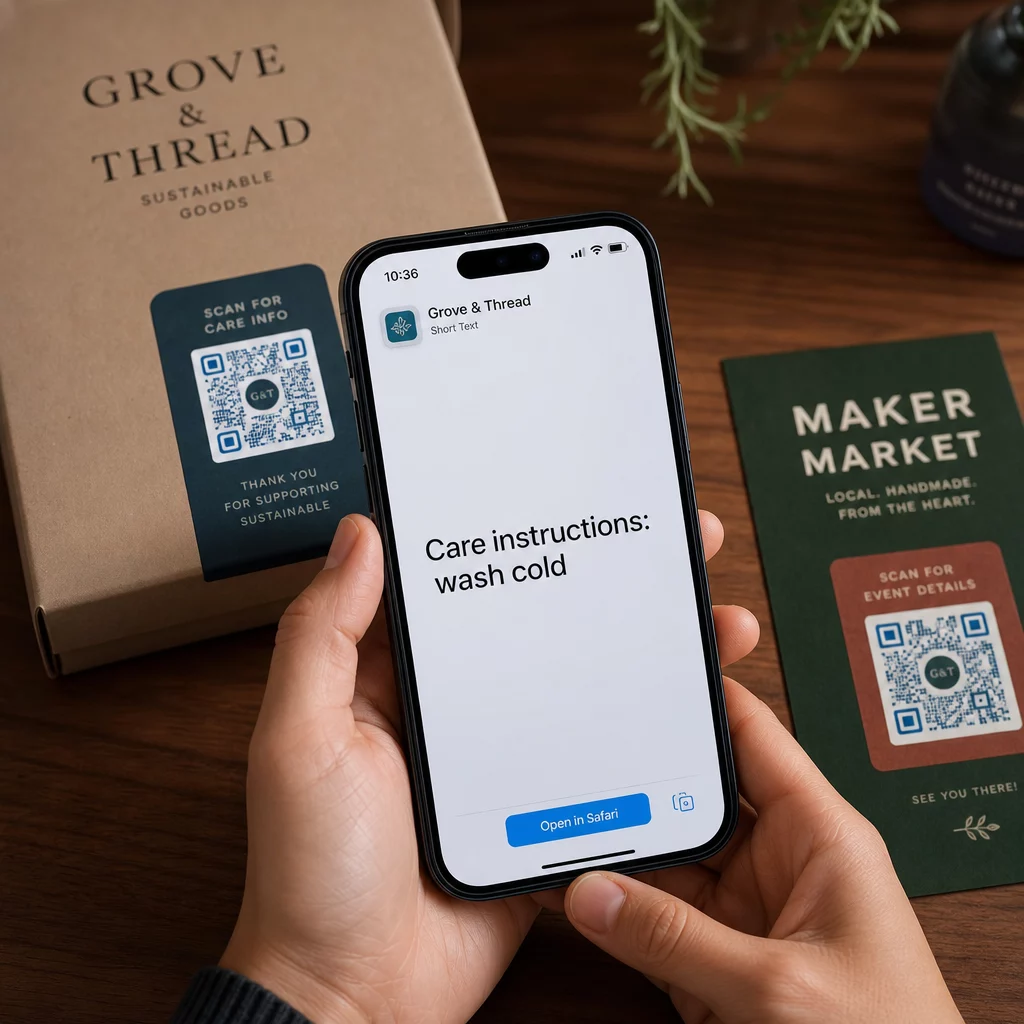
- บรรจุภัณฑ์ผลิตภัณฑ์ – เข้ารหัสคำแนะนำการดูแลรักษา ขั้นตอนการประกอบ หรือข้อมูลความปลอดภัย เพื่อให้ลูกค้าสามารถเข้าถึงรายละเอียดได้ด้วยการสแกนเพียงครั้งเดียว แทนที่จะต้องค้นหาเอกสารแทรกแยกต่างหาก.
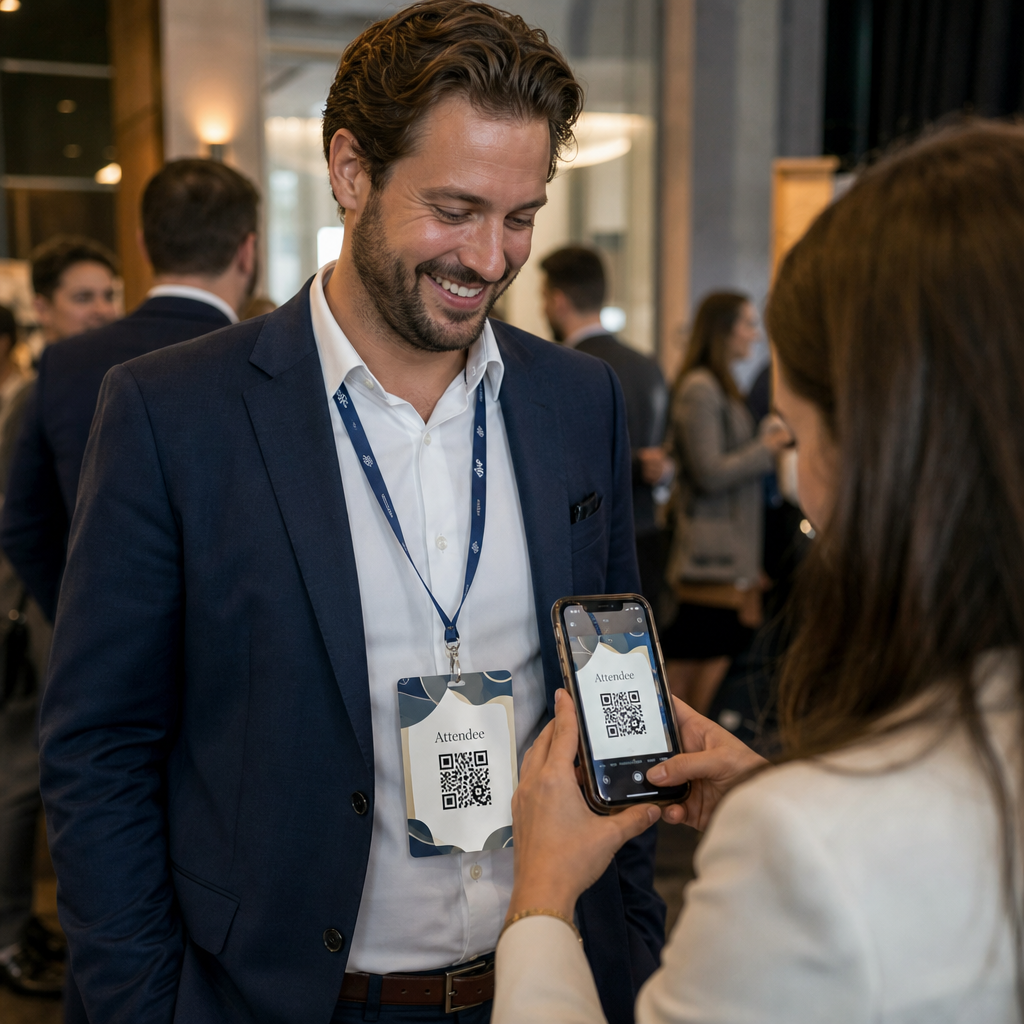
- ป้ายงานอีเวนต์ – แชร์รหัสผ่าน WiFi ตารางงานอีเวนต์ หรือกฎของสถานที่โดยไม่ต้องพิมพ์ทั้งหมดลงบนป้ายทุกอัน.
- นามบัตร – ใส่ข้อความส่วนตัวสั้นๆ หรือสโลแกนที่จะปรากฏขึ้นเมื่อมีคนสแกนการ์ด.
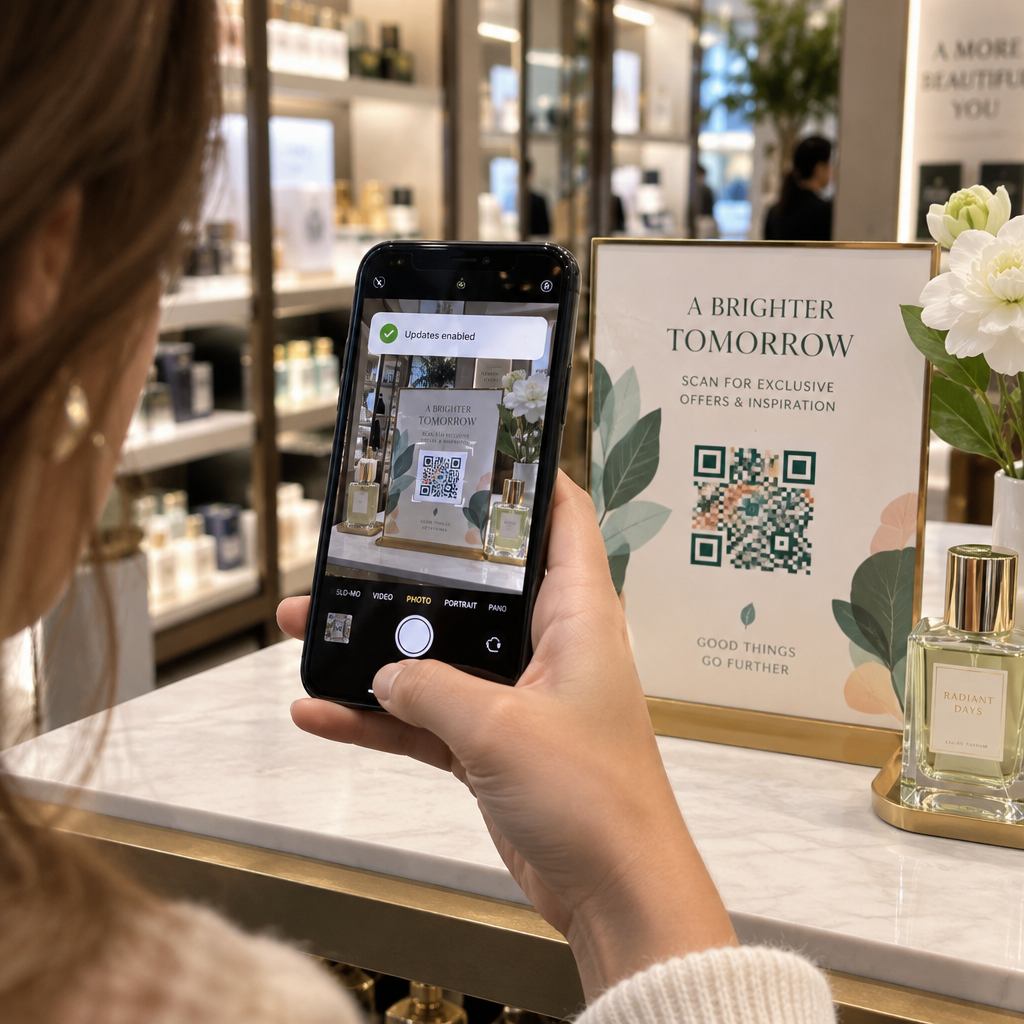
- การค้าปลีกและการบริการ – เข้ารหัสข้อความโปรโมชันสั้นๆ รหัสส่วนลด หรือข้อความต้อนรับสำหรับแขก.
- ข้อความโต้ตอบแบบทันที – รหัส QR ข้อความยังสามารถใช้ร่วมกับเวิร์กโฟลว์การส่งข้อความได้อีกด้วย คู่มือรหัส QR สำหรับการส่งข้อความโต้ตอบแบบทันที อธิบายวิธีการตั้งค่ารหัสที่เปิดข้อความที่กรอกไว้ล่วงหน้าใน WhatsApp, Facebook Messenger หรือ SMS.
ก่อนที่คุณจะเผยแพร่: รายการตรวจสอบการทดสอบ
ปัญหาการสแกนสามารถตรวจพบได้ง่ายกว่ามากก่อนที่โค้ดจะถูกพิมพ์ออกมา มากกว่าหลังจากนั้น ตรวจสอบสิ่งเหล่านี้ก่อนที่จะแจกจ่าย QR โค้ดใดๆ:
- สแกนด้วยอุปกรณ์อย่างน้อยสองเครื่องที่แตกต่างกัน (iOS และ Android)
- ทดสอบในสภาพแสงจริงที่โค้ดจะถูกแสดง
- ยืนยันว่าข้อความที่แสดงถูกต้องและสมบูรณ์
- ตรวจสอบว่าโซนเงียบ (ขอบที่ชัดเจนรอบโค้ด) ไม่มีสิ่งกีดขวาง
- สำหรับการพิมพ์ ยืนยันว่าโค้ดมีขนาดใหญ่พอเมื่อเทียบกับระยะการสแกนที่คาดไว้
เดอะ คู่มือแนวทางปฏิบัติที่ดีที่สุดสำหรับการใช้งาน QR โค้ด มีรายละเอียดข้อกำหนดมาตรฐาน ISO/IEC 18004 อย่างครบถ้วน หากคุณต้องการให้แน่ใจว่าโค้ดของคุณเป็นไปตามเกณฑ์การปฏิบัติตามข้อกำหนดทางเทคนิค.
QR โค้ดข้อความเป็นหนึ่งในวิธีที่เร็วที่สุดในการแบ่งปันข้อมูลโดยไม่ต้องใช้อินเทอร์เน็ตหรือพิมพ์ URL การทำความเข้าใจพื้นฐานให้ถูกต้อง – ความคมชัดที่ชัดเจน ขนาดที่เหมาะสม การออกแบบที่ผ่านการทดสอบ – หมายความว่าผู้คนที่คุณพยายามเข้าถึงสามารถเข้าถึงเนื้อหาของคุณได้ทันทีและไม่มีอุปสรรค.
สร้างและทดสอบ QR โค้ดของคุณ ใช้ QR Code Generator สร้าง QR Code ฟรี เพื่อสร้าง ปรับแต่ง และดาวน์โหลด QR โค้ดข้อความได้ในไม่กี่นาที ไม่ต้องใช้บัตรเครดิตในการเริ่มต้น.
คำถามที่พบบ่อย
ใช่ สมาร์ทโฟนรุ่นใหม่ส่วนใหญ่ที่ใช้ iOS 11 หรือใหม่กว่า และ Android เวอร์ชันล่าสุด สามารถสแกนคิวอาร์โค้ดได้โดยตรงผ่านแอปกล้องถ่ายรูปที่มาพร้อมเครื่อง โดยไม่ต้องดาวน์โหลดอะไรเพิ่มเติม สำหรับอุปกรณ์รุ่นเก่า หรือเพื่อตรวจสอบเนื้อหาก่อนแชร์ คุณยังสามารถใช้เครื่องมือออนไลน์ เช่น Pageloot QR Code Scanner ได้อีกด้วย.
รหัส QR มาตรฐานสามารถเข้ารหัสอักขระตัวอักษรและตัวเลขได้สูงสุด 4,296 ตัว ที่ระดับการแก้ไขข้อผิดพลาดต่ำสุด ในทางปฏิบัติ ข้อความที่สั้นกว่าจะสร้างรหัสที่เรียบง่ายและมีความหนาแน่นน้อยกว่า ซึ่งสแกนได้เร็วขึ้นและน่าเชื่อถือมากขึ้นในอุปกรณ์และสภาพแสงที่หลากหลาย หากข้อความของคุณยาว ลองพิจารณาว่า URL ที่ชี้ไปยังหน้าเว็บอาจทำงานได้ดีกว่าหรือไม่.
ไม่ใช่ด้วยคิวอาร์โค้ดแบบคงที่ (static QR code) – ข้อความจะถูกเข้ารหัสอย่างถาวรในรูปแบบนั้น หากคุณต้องการเปลี่ยนเนื้อหาในภายหลัง คุณจะต้องสร้างโค้ดใหม่ คิวอาร์โค้ดแบบไดนามิก (dynamic QR code) แก้ปัญหานี้ได้: มันเข้ารหัส URL สำหรับเปลี่ยนเส้นทางแบบสั้นที่คุณสามารถอัปเดตได้ตลอดเวลา ดังนั้นโค้ดที่พิมพ์ออกมาจึงยังคงเดิมแม้เนื้อหาจะเปลี่ยนไป.